
Join The Community
- Join our community
11
Premium Benefits
24/7
Access Available
21K+
Active Members
Commenting
Join the discussion
Exclusive Articles Coming Soon
Member-only articles
Weekly Newsletters
Weekly gaming & entertainment news
Member Badges
Earn badges as you go
Exclusive Competitions
Members-only prize draws
Curated Deals Coming Soon
Tech and gaming deals worth grabbing
GET COMMUNITY ACCESS QUICK
For the quickest way to join, simply enter your email below and get access. We will send a confirmation and sign you up to our newsletter to keep you updated on all your gaming news.
By submitting your information you agree to the Terms & Conditions and Privacy Policy and are aged 16 or over.
FIND OUT ABOUT OUR MAGAZINE
Want to subscribe to the magazine? Click the button below to find out more information.
Find out more
GET Community ACCESS QUICK

Join the GamesRadar community for quick access. Enter your email below and we'll send confirmation, and sign you up to our newsletter.

By submitting your information, you confirm you are aged 16 or over, have read our Privacy Policy and agree to the Terms & Conditions. Geographical rules apply.

Background
Welcome to GamesRADAR+ Community !
Hi ,

Your membership journey starts here.

Keep exploring and earning more as a member.

MY ACCOUNT

Badge picture
Earn your first badge
Read 1 article to unlock your first badge.
Keep earning badges
Explore ways to get more involved as a member.
Latest Games News

Latest Games News

Breaking gaming news and updates

Read Now
Latest Games Reviews

Latest Games Reviews

Expert verdicts on the newest releases

Read Now

See what you’ve unlocked.

Explore your membership benefits.

Explore
Member Exclusives

Stay Ahead with GamesRadar+

Get the biggest gaming news, reviews, and releases straight to your inbox.

Explore

Sign Out
GamesRadar+ GamesRadar+
US EditionUS CA EditionCanada UK EditionUK AU EditionAustralia
Sign in
  • View Profile
  • Sign out
  • Games
    • Game Insights
      • Games News
      • Games Features
      • Games Reviews
      • Games Guides
      • Big in 2026
      • Big Preview
      • Future Games Show
      • Golden Joystick Awards
    • Genres
      • Action Games
      • RPGs
      • Action RPGs
      • Adventure Games
      • Third Person Shooters
      • FPS Games
    • Platforms
      • PS5
      • Xbox Series X
      • PC
      • Nintendo Switch
      • Nintendo Switch 2
      • Tabletop Gaming
    • Franchises
      • Grand Theft Auto
      • Pokemon
      • Assassin's Creed
      • Monster Hunter
      • Fortnite
      • Cyberpunk
      • Red Dead
      • The Elder Scrolls
      • The Sims
  • Entertainment
    • TV Shows
      • TV News
      • TV Reviews
      • Anime Shows
      • Sci-Fi Shows
      • Superhero Shows
      • Animated Shows
      • Marvel TV Shows
      • Star Wars TV Shows
      • DC TV Shows
    • Movies
      • Movie News
      • Movie Reviews
      • Big Screen Spotlight
      • Superhero Movies
      • Action Movies
      • Anime Movies
      • Sci-Fi Movies
      • Horror Movies
      • Marvel Movies
      • DC Movies
    • Streaming
      • Apple TV Plus
      • Disney Plus
      • Netflix
      • HBO
      • Amazon Prime Video
      • Hulu
    • Comics
      • Marvel Comics
      • DC Comics
  • Hardware
    • Insights
      • Hardware News
      • Hardware Reviews
      • Hardware Features
      • Buying Guides
    • Computing
      • Desktop PCs
      • Laptops
      • Handhelds
    • Peripherals
      • Headsets & Headphones
      • TVs & Monitors
      • Gaming Mice
      • Gaming Keyboards
      • Gaming Chairs
      • Speakers & Audio
    • Accessories & Tech
      • Gaming Controllers
      • Tech
      • SSDs & Hard Drives
      • VR
      • Accessories
      • Retro
  • Deals
    • Toys & Collectibles
    • Lego
    • Dungeons and Dragons
    • Merch
  • Video
    • Video
    • GR+ Replay - Submit Your Clips
  • Newsletters
    • Quizzes
    • About Us
    • How to pitch to us
    • How we score
    • Newsarama
    • Retro Gamer
  • Home
  • Games
    • View Games
      • Games News
      • Games Features
      • Games Reviews
      • Games Guides
      • Big in 2026
      • Big Preview
      • Future Games Show
      • Golden Joystick Awards
      • Action Games
      • RPGs
      • Action RPGs
      • Adventure Games
      • Third Person Shooters
      • FPS Games
    • Platforms
      • View Platforms
      • PS5
      • Xbox Series X
      • PC
      • Nintendo Switch
      • Nintendo Switch 2
      • Tabletop Gaming
      • Grand Theft Auto
      • Pokemon
      • Assassin's Creed
      • Monster Hunter
      • Fortnite
      • Cyberpunk
      • Red Dead
      • The Elder Scrolls
      • The Sims
  • Entertainment
    • View Entertainment
    • TV Shows
      • View TV Shows
      • TV News
      • TV Reviews
      • Anime Shows
      • Sci-Fi Shows
      • Superhero Shows
      • Animated Shows
      • Marvel TV Shows
      • Star Wars TV Shows
      • DC TV Shows
    • Movies
      • View Movies
      • Movie News
      • Movie Reviews
      • Big Screen Spotlight
      • Superhero Movies
      • Action Movies
      • Anime Movies
      • Sci-Fi Movies
      • Horror Movies
      • Marvel Movies
      • DC Movies
    • Streaming
      • View Streaming
      • Apple TV Plus
      • Disney Plus
      • Netflix
      • HBO
      • Amazon Prime Video
      • Hulu
    • Comics
      • View Comics
      • Marvel Comics
      • DC Comics
  • Hardware
    • View Hardware
      • Hardware News
      • Hardware Reviews
      • Hardware Features
      • Buying Guides
      • Desktop PCs
      • Laptops
      • Handhelds
    • Peripherals
      • View Peripherals
      • Headsets & Headphones
      • TVs & Monitors
      • Gaming Mice
      • Gaming Keyboards
      • Gaming Chairs
      • Speakers & Audio
      • Gaming Controllers
      • Tech
      • SSDs & Hard Drives
      • VR
      • Accessories
      • Retro
  • Deals
    • Toys & Collectibles
    • Lego
    • Dungeons and Dragons
    • Merch
  • Video
    • View Video
    • Video
    • GR+ Replay - Submit Your Clips
  • Newsletters
    • Quizzes
    • About Us
    • How to pitch to us
    • How we score
    • Newsarama
    • Retro Gamer
Trending
  • Summer Preview
  • Prime Day deals
  • New Games 2026
  • Best gaming tech
  • GTA 6
  • Submit your clips. Win prizes
Sign up to the GamesRadar+ Newsletter

Weekly digests, tales from the communities you love, and more


By submitting your information you agree to the Terms & Conditions and Privacy Policy and are aged 16 or over.

You are now subscribed

Your newsletter sign-up was successful


Want to add more newsletters?

GamesRadar+

Every Friday

GamesRadar+

Your weekly update on everything you could ever want to know about the games you already love, games we know you're going to love in the near future, and tales from the communities that surround them.

GTA 6 O'clock

Every Thursday

GTA 6 O'clock

Our special GTA 6 newsletter, with breaking news, insider info, and rumor analysis from the award-winning GTA 6 O'clock experts.

Knowledge

Every Friday

Knowledge

From the creators of Edge: A weekly videogame industry newsletter with analysis from expert writers, guidance from professionals, and insight into what's on the horizon.

The Setup

Every Thursday

The Setup

Hardware nerds unite, sign up to our free tech newsletter for a weekly digest of the hottest new tech, the latest gadgets on the test bench, and much more.

Switch 2 Spotlight

Every Wednesday

Switch 2 Spotlight

Sign up to our new Switch 2 newsletter, where we bring you the latest talking points on Nintendo's new console each week, bring you up to date on the news, and recommend what games to play.

The Watchlist

Every Saturday

The Watchlist

Subscribe for a weekly digest of the movie and TV news that matters, direct to your inbox. From first-look trailers, interviews, reviews and explainers, we've got you covered.

SFX

Once a month

SFX

Get sneak previews, exclusive competitions and details of special events each month!


Join the club

Get full access to premium articles, exclusive features and a growing list of member rewards.


An account already exists for this email address, please log in.
  1. Games
  2. Battle Royale
  3. Fortnite

Lego Fortnite: Resources, crafting, hunger, cold, and more explained

Guides
By Iain Wilson last updated 26 March 2024

How to get started in Lego Fortnite and share your created world with friends

When you purchase through links on our site, we may earn an affiliate commission. Here’s how it works.

Lego Fortnite
(Image credit: Epic Games / The Lego Group)
  • Facebook
  • X
  • Pinterest
  • Flipboard
  • Email
Share this article
Join the conversation
Follow us
Add us as a preferred source on Google
Subscribe to our newsletter

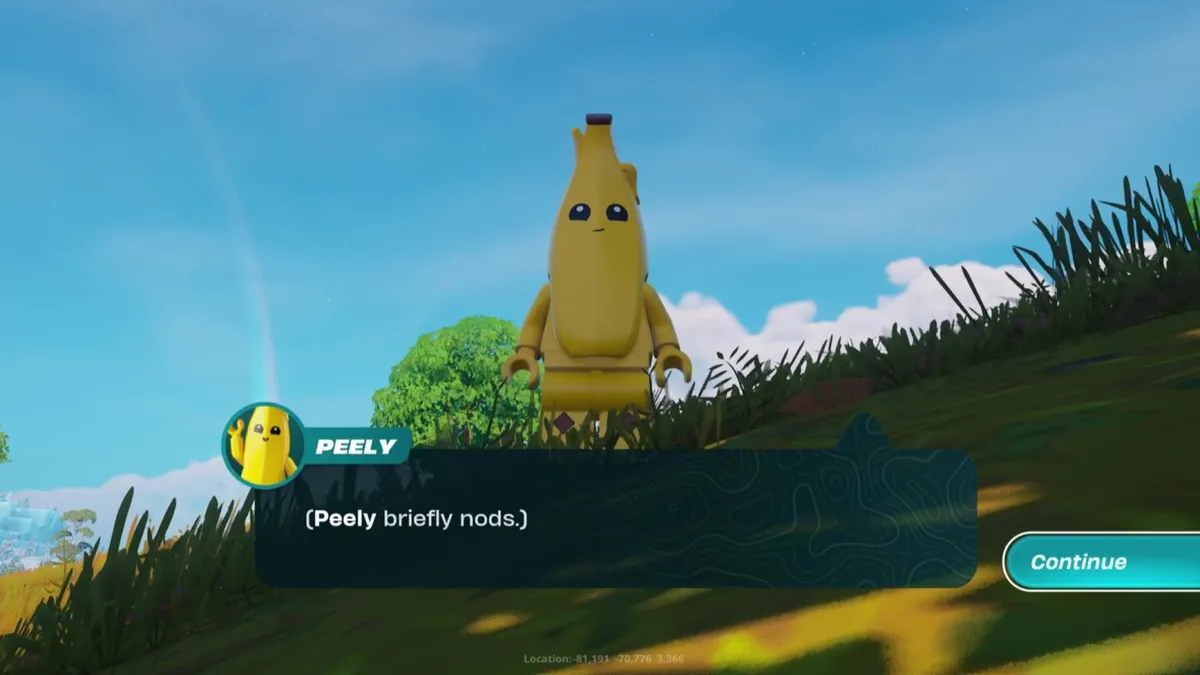
Lego Fortnite has only been around for a fraction of the time the battle royale has been running for, but it has already proved to be extremely popular among adventure fans, who have arrived in droves to explore the blocky world while crafting and surviving the challenges thrown at them. The cute Lego Minifigs based on familiar characters from the world of Fortnite are an obvious attention-grabber, and while they provide a link between the two worlds the experiences are very different. 

The level of challenge on offer is up to you, so you can choose to face the more involved Survival mode, or just take it easy in the Sandbox if you prefer a more relaxed game. If you're all set to begin this journey, then here's a guide covering the basics to get you started in Lego Fortnite.

How to access Lego Fortnite

Lego Fortnite

(Image credit: Epic Games / The Lego Group)
More Fortnite guides

Fortnite Festival
Fortnite Secret Cave
Fortnite Weapons Bunkers
Fortnite Quests
Fortnite Characters

Lego Fortnite went live on December 7, 2023, and you will now see a Lego Fortnite tile on your lobby screen along the By Epic row. Select that and you'll switch to Lego Fortnite mode, with your character changing to the Minifig version as long as it's available – well over a thousand Outfits already have a Lego Style and more are on the way, so it's unlikely you'll struggle here. If you search the relevant digital storefront for your system you should also find a standalone version of Lego Fortnite, if you'd prefer to bypass the general lobby screen.

Latest Videos From
Watch full video here:

Lego Fortnite

(Image credit: Epic Games / The Lego Group)

Speaking of characters, if you go to your locker then you can see all of the Lego Fortnite Outfits you have available, so it's worth having a scroll through to admire all of the Minifig versions that have been created. If you haven't done so already, make sure you set up your Fortnite Lego Insiders account link and you'll unlock the special Explorer Emilie Outfit with Lego Style.

Note that although you can equip plenty of different outfits, your back blings, pickaxes, gliders, contrails, and auras can't be used in Lego Fortnite. You can equip emotes, but not all of them are compatible so you may need to adjust your setup.

Lego Fortnite

(Image credit: Epic Games / The Lego Group)

To get started in Lego Fortnite, press up on the d-pad to follow the Select World prompt, then choose to Create New World. Here you can choose between Survival and Sandbox modes, which determines whether or not you need to gather resources for your builds, then you can choose a cover image for your world and manually enter a world seed number if you'd like to copy a particular starting area. Lastly, you can change various advanced settings to turn the following on or off:

  • Enemies
  • Hunger
  • Temperature
  • Stamina
  • Elimination
  • Drop Inventory Upon Elimination
  • Friendly Creatures
  • Villagers

Note that these settings can't be changed once your world is created, so think carefully before you make any modifications. With that done, hit the Start button and you'll be teleported to your created world.

Sign up to the GamesRadar+ Newsletter

Weekly digests, tales from the communities you love, and more

By submitting your information you agree to the Terms & Conditions and Privacy Policy and are aged 16 or over.

How to gather resources in Lego Fortnite

Lego Fortnite

(Image credit: Epic Games / The Lego Group)

The first thing you'll need to do in Lego Fortnite is gather resources, with Wood and Granite being the main items required initially. You can find both of these lying around on the ground for collection, and if you punch bushes and small trees you can also destroy them for Wood. Larger trees and rocks are too hard to break with your bare hands, so you'll need to craft tools before you can break them down for their resources. For more scarce resources, we have separate guides explaining where to find:

  • Lego Fortnite Flexwood
  • Lego Fortnite Knotroot
  • Lego Fortnite Marble
  • Lego Fortnite Amber

How to craft in Lego Fortnite

Lego Fortnite

(Image credit: Epic Games / The Lego Group)

As you progress through Lego Fortnite, you'll learn new build recipes that will pop up as notifications, and you can then access these by following the Build prompt in the bottom left corner of the screen. When you select recipes in the Build menu, you'll see the material cost to construct them on the right hand side – some more complex builds will have an Upfront Cost to construct the basic shell, then a Total Cost to fill in all of the additional elements to complete it.

For builds such as the Simple Shack, you'll need to follow the blueprint exactly and place all of the elements in the correct spots, but with individual elements you can basically place them anywhere as long as they're attached to something solid and don't overlap. Build a Crafting Bench, then you can use it to craft tools, weapons, and more, and once you construct a Lego Fortnite Crafting Bench upgrade you open up even more possibilities. However, you can't interact with these items while they're in the rain, so make sure you construct them under shelter. It also appears that you can't move items once you've crafted them, so think carefully about where you're putting them otherwise you'll have to destroy them and waste resources if they're getting in the way.

Finally, make sure you craft yourself a bed, so you have a designated base to work from. This will also serve as a respawn point, should anything bad happen to you on your adventures.

How to build vehicles in Lego Fortnite

Lego Fortnite vehicles

(Image credit: Epic Games)

Following the Mechanical Mayhem update in March 2024, you can now build Lego Fortnite vehicles to drive around from biome to biome. There are three basic types – the Speeder, Offroader, and Hauler – or you can construct your own from the parts you unlock. For details on how to build these rides and craft the Power Cells to make them go, take at look at our separate guide.

How to recruit villagers in Lego Fortnite
Lego Fortnite Villagers

(Image credit: Epic Games)

Once you've started building up your village, you'll want to recruit some villagers to populate it. These residents can help you out with tasks such as gathering resources or farming, and they'll also provide you with gifts from time to time – so it's definitely worth having them around. For more details on how to recruit NPCs and manage them, check out our separate guide on Lego Fortnite Villagers.

How to deal with hunger in Lego Fortnite

Lego Fortnite

(Image credit: Epic Games / The Lego Group)

The segments around the portrait of your character in the top left corner of the screen represent your hunger level, and when you drop down to three bars you'll become hungry. To deal with this, you need to eat food before your hunger level drops too low and you start taking damage. Initially you'll find Raspberries and Pumpkins you can collect then eat to recover from hunger, and by examining them in your inventory you can see how much effect each type of food has on your hunger level. As you progress you'll find new food items, as well as unlocking craftable equipment such as grills you can used to cook food and increase its effectiveness.

How to deal with cold in Lego Fortnite

Lego Fortnite

(Image credit: Epic Games / The Lego Group)

The swing bar underneath the portrait of your character in the top left corner of the screen represent your temperature, and if it swings left into the blue sections then you'll become cold. To deal with this, you can stand near a fire or carry a torch, and get under cover if it's raining to help you warm up – if you stay cold for too long you'll start taking damage. Likewise, depending on the biome you're in you might find yourself getting too hot instead, so in that situation move away from any nearby fire and shelter in the shadows so you can cool off.

How to share your Lego Fortnite world and play with friends

Lego Fortnite

(Image credit: Epic Games / The Lego Group)

Lego Fortnite is an experience that you can share with friends, and to invite them in you need to open the map screen and then move across to the Players tab. You will then see an Invite Players button you can hit, which will let you select the friends you want to join you. Once friends join you they will remain in your world for the duration of the time you're online, but as standard they'll be kicked out when you log off. If you want your friends to be able to continue in your world or join it after you've left, then you have a maximum of seven keys you can assign to other players from this menu, which will then let them come and go as they please without your input. However, as things stand you can't play Lego Fortnite Splitscreen, so this is the only option for playing with friends.

© GamesRadar+. Not to be reproduced without permission.

Iain Wilson
Iain Wilson
Social Links Navigation
Guides Editor

Iain originally joined Future in 2012 to write guides for CVG, PSM3, and Xbox World, before moving on to join GamesRadar in 2013 as Guides Editor. His words have also appeared in OPM, OXM, PC Gamer, GamesMaster, and SFX. He is better known to many as ‘Mr Trophy’, due to his slightly unhealthy obsession with amassing intangible PlayStation silverware, and he now has over 1,000 Platinum pots weighing down the shelves of his virtual award cabinet. He does not care for Xbox Achievements.

Latest in Battle Royale
One of the Fortnite Sprites on a player's back
Fortnite Fortnite Sprites explained and how to level up your collection
 
 
Fortnite John Wick's dog after being released from the cage
Fortnite How to rescue or pet John Wick's dog in Fortnite
 
 
Fortnite Dark Voyager
Fortnite How to find and damage Dark Voyager in Fortnite
 
 
Final Sentence character with a gun aimed at him
Battle Royale Games Viral dev tells players "don't buy this game" on Steam yet because it's about to go on sale
 
 
Fortnite Community Day
Fortnite When is Fortnite Community Day and what rewards can you earn?
 
 
Pedro Pascal's Din Djarin and Baby Yoda in the snow in The Mandalorian and Grogu
Star Wars Movies One Star Wars fan has given us a Mandalorian and Grogu homestead tour, and now I really want to live there
 
 
Latest in Guides
Forza Horizon 6 astrotoy photo challenge orange mercedes track toy car in front of rocket launch facility
Forza Horizon Forza Horizon 6 Space Port and Track Toy Photo Challenge
 
 
Destiny 2 Oblation Exotic mission collecting Cull's Shadow exotic weapon
Destiny How to get the Destiny 2 Cull's Shadow Exotic weapon and complete Oblation
 
 
Destiny 2 player collecting Strange Signal item and getting a new quest step for the Distortions quest
Destiny What to do with the Destiny 2 Strange Signal and how to complete the Distortions quest
 
 
A player retrieves their Gloom in Mortal Shell 2
RPGs What is Gloom in Mortal Shell 2?
 
 
Destiny 2 Can You Pet the Dog Triumph guardian sitting next to archie and Lodi in the tower bazaar
Destiny Where is Archie in Destiny 2 for the 'Can You Pet the Dog' Triumph?
 
 
Destiny 2 For the Bird triumph Fated Deepsight quest from Hawthorne
Destiny How to complete the For The Bird Triumph in Destiny 2
 
 
LATEST ARTICLES
  1. The Blood of Dawnwalker new trailer screenshot with gamesradar+ Summer Preview overlay
    1
    As The Blood of Dawnwalker reveals a modern-day twist, devs confirm our choices in the vampire RPG will carry into a "saga" of sequels
  2. 2
    After 392 billion monsters slain in Diablo 4 Lord of Hatred, Blizzard stats reveal ARPG players prefer Warlocks to Paladins by almost 2 to 1
  3. 3
    Dev makes a Steam offer I can't refuse: get our whimsical new cooking RPG at a huge discount by downloading our dog survival game for free
  4. 4
    Cyberpunk 2077 veteran "floored" as action RPG Wuthering Waves hits Steam record after adding Lucy and Rebecca from Cyberpunk: Edgerunners
  5. 5
    Fable drops the original games' good and evil binary for a "subjective and multifaceted" reputation system, which is why you don't have horns or halos

GamesRadar+ is part of Future US Inc, an international media group and leading digital publisher. Visit our corporate site.

Add as a preferred source on Google Add as a preferred source on Google
  • Terms and conditions
  • Contact Future's experts
  • Privacy policy
  • Cookies policy
  • Accessibility statement
  • Careers
  • About us
  • Advertise with us
  • Review guidelines
  • Write for us

© Future US, Inc. Full 7th Floor, 130 West 42nd Street, New York, NY 10036.

Please login or signup to comment

Please wait...