





If you're planning to survive the Wild West, our Red Dead Online tips will keep you alive and thriving as you go up against bandits, lawmen and ferocious animals. Red Dead Online is actually a surprisingly decent online community, but there's still a few black-hat villains out there, not to mention all the threats posed by NPCs, and the size of the world can make it more than a little intimidating to get into. That's where we come in, with lots of advice, strategies and how-to info on how you can settle properly into the Western frontier of Red Dead Online.
Keep in mind that things are fairly different to how they were in Red Dead Redemption 2, as specific direction is sacrificed in favour of greater freedom to explore, pursue different jobs, or just go on a gunslinger odyssey across the desert. Whatever you find yourself drawn to and however far into the game you are, you'll find at least something to learn from our 28 essential Red Dead Online tips.
Red Dead Online roles | Red Dead Online patch notes | Make money fast in Red Dead Online | Earn XP fast in Red Dead Online | Best Red Dead Online weapons | Red Dead Online best horses | Red Dead Online gang hideouts | Red Dead Online cameos | Red Dead Online Prime Gaming benefits
1. Pay attention when creating your character, as it'll cost money to change your appearance later
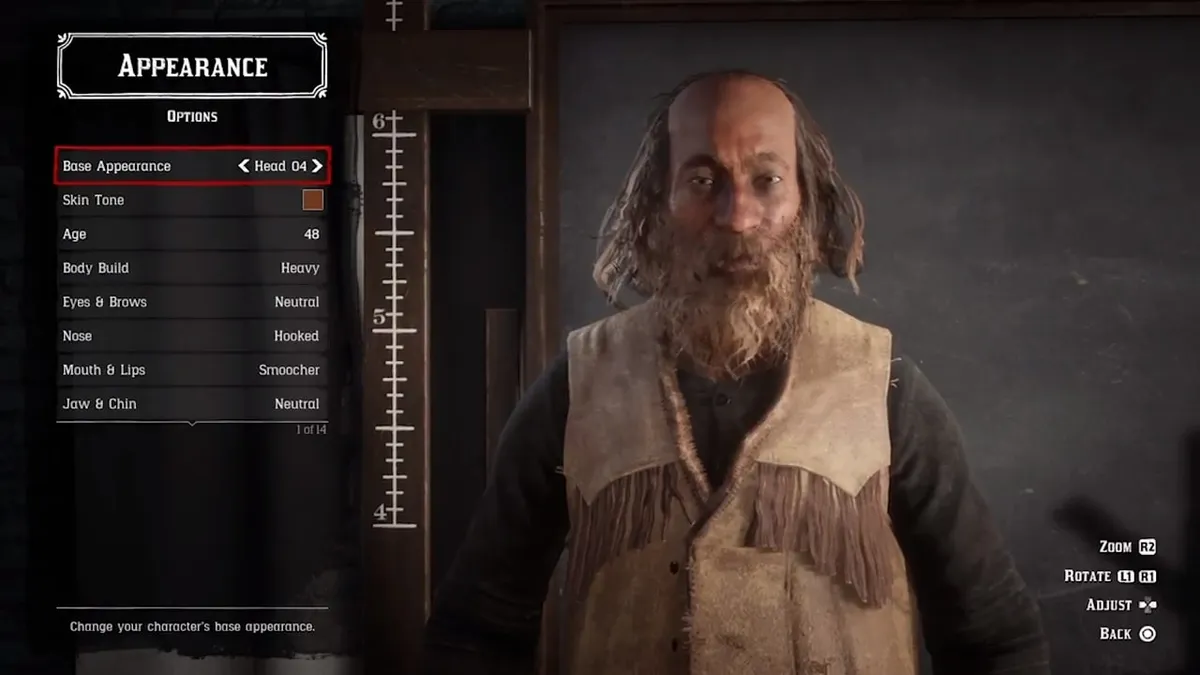
You can cut their hair and switch out their clothing all you want, but when the game first launched there was no way to change your character’s appearance beyond the very first Red Dead Online character creation menu, so you had to make it count. That has since been rectified as changing your Red Dead Online character appearance was a most requested feature from players, so you can now tap left on the d-pad in free roam then navigate to Online Options > Change Appearance to make changes. The first one is free, but any subsequent changes will cost you dollars or gold, so don't make too many adjustments unless you're willing to pay.
2. Choose your first horse wisely

The first co-op Story Mission you’ll play is Honor Among Horse Thieves, in which you’ll have to steal some horses for stable masters Clay and Clive. Once you’ve reached the horses in question, you’ll have the choice to pick and ride one back to their stable, but don’t be rash in your decision. The horse you take will be the one that becomes your first default mount in Red Dead Online, and while the stats of each are all the same, make sure to pick the steed that fits your aesthetic preferences the best. You’ll be riding it for a while, after all.
3. Avoid fire with the dive ability

Multiplayer matches are frantic, bullet-strewn nightmares of death in Red Dead Online, and one of your best bets of avoiding a shotgun shell to the face is the popular dive ability. By aiming your weapon and pressing Square or X, your character will quickly dive to the floor and go prone for a second before jumping back up automatically. It’s a quick, easy way to elude your enemy in PvP, so don’t forget it.
4. Play free roam events for some quick cash and XP
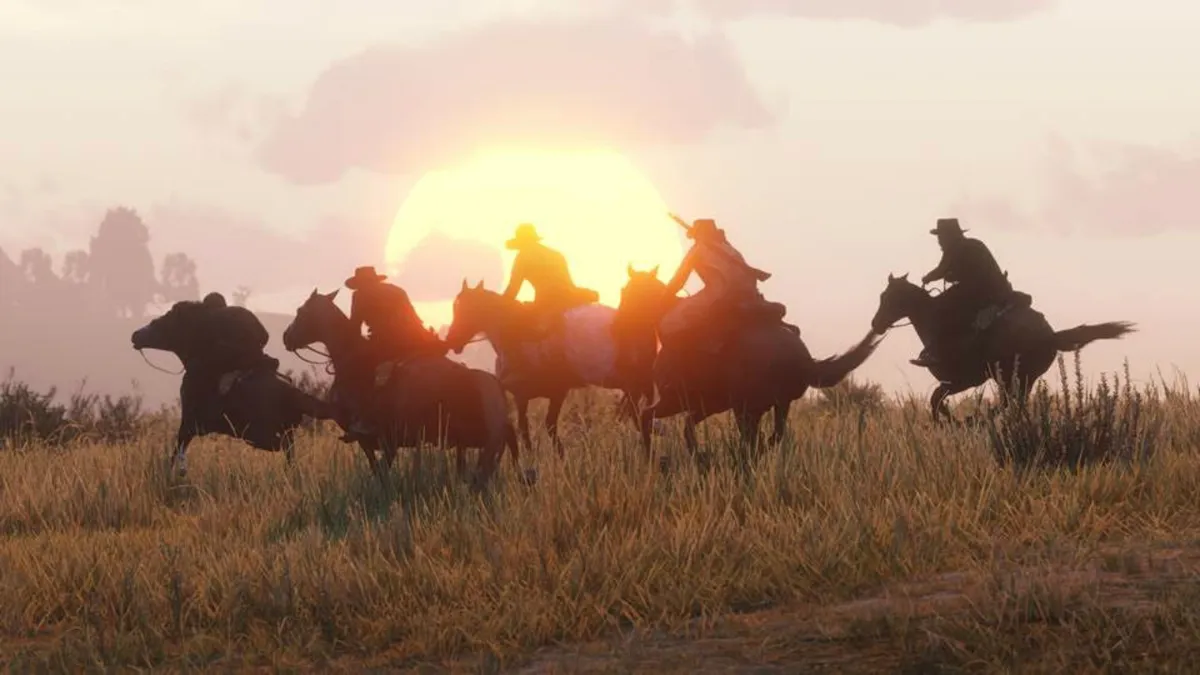
When roaming the open world in Red Dead Online, you’ll often get invited to Free Roam Events taking place nearby. These are quick bouts of PvP matches, made up of varying modes, that you can join to compete in, and doing so nets you a decent wad of cash and experience points, no matter how far down the leaderboard you end up. Just respond with the correct button prompt when the notification pops up, and you’ll automatically transported to the event.
5. Tackle enemy players in close quarters to get the upper hand

Tackling is already a common tactic in Red Dead Online, and you can understand why. This literally takes an opponent flying off their feet, with only a limited chance to fight back as you decide whether to either subdue or dismiss them. To tackle someone, tap the sprint button and press Square or X when you reach them, and make your decision on the follow through before they can push you off.
6. Don’t ignore the powerful weapon drops in PvP

Several competitive modes feature an arcade-like approach to weaponry where, every now and again, a more powerful firearm will magically appear somewhere on the map. You’ll notice their icon on the mini map, and it’s wise to make your way to it before anyone else can, especially as rarer weapons often give you more points per kill in the leaderboard. The types of weaponry includes bows and arrows, shotguns, and sniper rifles, and simply running over its hovering icon will automatically slot it into your weapon wheel. For more specific tips on each game mode, check out our Red Dead Online Showdown Series tips.
7. Learn how to Parley and Feud your way out of trouble

Players are free to attack each other at will in Red Dead Online but, upon fighting the same person for a consecutive period of time, you’ll be offered the chance to either Parley or Feud with them. Parley disables all combat and forces both players to talk out their differences over voice chat, while Feud throws them into a three minute deathmatch, with the highest kill count deciding the winner.
8. Customise your walk style and emotes

Red Dead Online is a multiplayer cowboy game, so of course there’s emotes. These range from a simple wave to a finger gun shootout, and can be accessed by holding the left trigger and opening the emote wheel. You can favourite particular emotes from the Online Options of the multiplayer menu, which sets them as the default option in the quick wheel, which is also the place to choose the style in which your character walks, whether it be Flamboyant, Refined or just pure Crazy.
9. Avoid getting stuck with the respawn option

If you ever find yourself in a sticky situation with no way out, perhaps stuck as a result of some unforeseen glitch, head to the Online Options section of the Multiplayer Menu and select Respawn by holding down X or A on the controller. The game will automatically kill of your character and respawn them somewhere safe, leaving you ready to start playing again.
10. Earn gold nuggets and gold bars for better loot

Red Dead Online gold bars are the multiplayer currency of Red Dead Online, and it’s mainly used to purchase items that are typically locked by Rank criteria or to reset your Honor meter. You can earn gold bars by stacking up 100 gold nuggets, which is drip fed to the player as they perform any type of activity throughout the world. You can also buy gold bars using real world cash through Red Dead Online microtransactions, but the less said about that, the better...
11. Rename your horse at the stable

After completing the Honor Among Horse Thieves story mission in Red Dead Online, you’ll be given the opportunity to name your first horse at the stables, and this is exactly how players can rename steeds throughout the rest of the experience. Just bring the mount in question to any stable, and select the Rename Horse option to give them a moniker of your choice, free of charge.
12. Check your Rank progress in the main menu

By entering the Progress section of the main menu and selecting Red Dead Online Rank Unlocks, you can see exactly what you’ll unlock with each new Rank in Red Dead Online. This menu will also show you what Rank your character is currently at, how much experience points they’ll need to reach the next one, and the current level cap of Rank 100.
13. Team up with friends or strangers in Persistent and Temporary Posse

There are two types of Red Dead Online Posse, Rockstar’s Wild West variant on the GTA Online Crews, which lets players team up across the open world or during PvP matches. Temporary Posse are usually those made up of strangers who’ve met online, are limited to four players, and automatically disband once the leader exits the gang.
Persistent Posses are more like permanent clans for friends and long term associates, with a seven player threshold, and a small fee required to set them up. These will remain in existence regardless of whether the leader is online or not, so join a persistent posse if you want to be part of something lasting and more remunerative.
14. Protect your camp from attack by raising the white flag

Read Dead Online players are free to attack other people’s camps for resources and experience, but there is away to immunise your homebase from human invasion. Bring up the multiplayer menu, go into the Camp Management section, and raise the white flag to protect your camp from PvP (you can also do it manually at the camp itself). This means that, if you or one of your posse members is situated within the camp itself, they’re safe from any harm, so long as they don’t step outside its parameters. The white flag can be raised for as long as you wish, but note that there’s a 30 second refresh timer whenever you change its status.
15. Set Specialty horses for each activity

It’s likely that you’ll need different horses to suit varying situations in Red Dead Online, such a race horse for the Horse Racing events (duh) or sturdier steeds for Story Missions, and the game lets you set Specialty horses for each activity from the menu. Once you own several of them, bring up the Stables section of the multiplayer menu and select the appropriate mount for the appropriate mode, and the game will automatically spawn them in whenever you start the respective activity.
16. Complete Awards for Gold Belt Buckles

Awards are Red Dead Online’s version of the Challenges from Red Dead Redemption 2’s single player; a series of 425 tasks to fulfil, divided into 12 categories based on different disciplines in the multiplayer ecosphere. These range from challenges as straightforward as killing enemies with a pistol in the Sharpshooter category to travelling over 100 miles by coach in the Travel category. Completing an Award will reward your character with a Gold Belt Buckle, which they can flaunt and wear on their waist as visible proof of their accomplishments. We have a guide to the easiest Red Dead Online gold buckles, to get you started on this quickly.
17. Replenish your cores by resting at camps and eating consumables

You can’t sleep to replenish your cores in Red Dead Online like you could in Red Dead Redemption 2, which makes it more difficult to maintain your stamina, health, and Dead Eye at all times. Instead, the next best thing is to keep buying and eating consumables, resting by campfires, and trying not to exacerbate each core by draining it quickly.
18. Play battle royale by jumping into a Showdown Series

Weirdly, you can’t just play Make It Count, Red Dead Online’s battle royale, whenever you want, but have to wait until it randomly shows up in a PvP playlist. For a chance at victory royale, select either a Showdown Series or Showdown Series Large from the online menu, and cross your fingers that the mode will show up in the randomised circulation, or that Rockstar will have the sense to make it a selectable activity in a future update.
19. Get the perfect picture with friends

Just like in Red Dead Redemption 2, every player has their own portable camera, which can be set up to take selfies or [gags] normal pictures by selecting it from the weapon wheel. Time the photo just right, and you can probably get an incredible action shot of your friend punching you in the face. Ah, good times.
20. Restock via the handheld catalogue

The handheld catalogue is your go-to place for consumables, outfits, weapons, and more, which can be brought up in-game by holding left on the D-pad. Several of the weapons will be unlocked and free to acquire for every character in Red Dead Online, and every purchase you select will automatically be sent to any post office, or your lockbox at camp, so remember to pick it up from there when you get the chance.
21. Figure out how honorable you want to be

There is a dynamic honor system in Red Dead Online, and the actions you perform around the open world will either move your character’s morality slider up or down, depending on how they’ve behaved in the open world. This in turn affects what kind of quests you’ll be able to participate in. A good cowboy is can accept missions like Caravan Escorts, while renegade outlaws will get to participate in robberies and other deviant activities. If you feel you've made some bad decisions and want to change your ways, here's how to switch your morality in Red Dead Online.
22. Upgrade and switch out your Ability Cards

Ability Cards work similarly in Red Dead Online to the Fallout 76 Perks cards system. These are basically perk points that you can upgrade, customise, and switch between as you earn XP in game, and new cards will be unlocked as your character levels up, before being purchased with in-game dollars. It’s a good idea to customise and upgrade your card deck often, swapping different ones in and out to suit the situation. For example, when entering a Team Deathmatch, prioritise Passive Ability Cards that favour health and damage output, rather than horseback perks, and so on.
23. Protect your horses with insurance

Red Dead Online’s horse insurance essentially works the same way as car insurance did in GTA Online. Buy some, and your horse will be covered from any accident or injuries during your ventures across the Wild West. This means there’s no Red Dead Redemption 2 horse permadeath in multiplayer, but when your steed gets attacked, it’ll simply heal over time automatically. If your horse is uninsured, you’ll need to pay a fee to heal them at a stable if it loses all health which, naturally, costs more than the horse insurance itself. But money misers need not worry; every horse insurance policy is permanent for each respective mount, and the first will be completely free, acquired during the Honor Among Horse Thieves Story mission.
24. Unlock free Fast Travel at Rank 65

A far cry from the relatively easy Red Dead Redemption 2 fast travel unlock in single-player, Red Dead Online won’t let you buy a fast travel post at camp until you reach Rank 65. That’s a pain, but you can still teleport from fast travel posts around all the major towns and points of interest for a small fee, and can even take you to your camp, no matter where it’s located.
25. Tweak your HUD settings

Players can customise their user interface in Red Dead Online either from the main menu, or using the D-Pad in-game. Holding down on the D-pad and hitting ‘Radar Off’ will get rid of the minimap completely, but you can also select ‘expand’ to make it even bigger than its default size. This might be helpful during PvP, when you’ll be able to detect enemies from a larger radius, but those who want a purer, less intrusive UI can also choose the compass option instead.
26. Move, upgrade, and theme your camp from the Camp menu

Your camp is an integral part of Red Dead Online, and can be moved to several locations around at any time from the multiplayer menu, for a small fee. You can also upgrade and deck out this homebase with aesthetic features and bonuses to its core refilling properties, either by spending in-game dollars or with the new Gold Bar currency. Your camp will therefore say a lot about the kind of cowboy you are, so don’t ignore it.
27. Do the daily challenges for Gold Bars

A way that anybody can make Gold Bars in Red Dead Online is by doing the Daily Challenges. Players will get seven new ones every day - or more if you've signed up for Specialist Roles - and each one will get you a small amount of Gold to keep. However, keep doing them daily, and you can start to rack up a Gold multiplier that increases for every week you keep the streak going, capping out at 2.5x normal amount. You only have to do one Daily Challenge a day to keep the streak going (though you should do as many as possible for the bigger payouts), and by building your multiplier you can provide a good source of Gold Bars without having to pay micropayments.
28. Invest in the Specialist Roles and career paths for rewards

Now you need something good to spend your gold on, what about a whole new gameplay path? Roles are a newer feature added since the game's release, but they can provide new career paths, challenges, aspirations and wealth to any player, and the roles aren't mutually exclusive, so you can sign up for all of them (if you have the Gold to unlock them, of course).
At time of writing there's five available: the Bounty Hunter, the Trader, the Collector, the Naturalist and the Moonshiner, though the last of these is only available to those who are already Traders as a branching sub-path. Each one offers different rewards, but those who want to earn money should pick the Trader, those who want to earn Gold should pick the Bounty Hunter, and those who want to make a more passive income should pick the Collector. But as mentioned, you can eventually get all of them anyway, so we recommend getting the Bounty Hunter first so you can earn the Gold to buy the rest all the faster.
Red Dead Redemption 2 cheats | Make money fast in Red Dead Redemption 2 | Best Red Dead Redemption 2 weapons | Red Dead Redemption 2 best horse | Red Dead Redemption 2 Legendary Animals | Red Dead Redemption 2 Legendary Fish | Red Dead Redemption 2 treasure maps | Red Dead Redemption 2 100% completion
Looking for more help? Then check out our essential Red Dead Redemption 2 tips in the video below:

