
Join The Community
- Join our community
Commenting
Join the discussion
Exclusive Articles Coming Soon
Member-only articles
Weekly Newsletters
Weekly gaming & entertainment news
Member Badges
Earn badges as you go
Exclusive Competitions
Members-only prize draws
Curated Deals Coming Soon
Tech and gaming deals worth grabbing
GET COMMUNITY ACCESS QUICK
For the quickest way to join, simply enter your email below and get access. We will send a confirmation and sign you up to our newsletter to keep you updated on all your gaming news.
By submitting your information you agree to the Terms & Conditions and Privacy Policy and are aged 16 or over.
FIND OUT ABOUT OUR MAGAZINE
Want to subscribe to the magazine? Click the button below to find out more information.
Find out more
GET Community ACCESS QUICK

Join the GamesRadar community for quick access. Enter your email below and we'll send confirmation, and sign you up to our newsletter.

By submitting your information, you confirm you are aged 16 or over, have read our Privacy Policy and agree to the Terms & Conditions. Geographical rules apply.

Welcome to GamesRADAR+ Community !
Hi ,

Your membership journey starts here.

Keep exploring and earning more as a member.

MY ACCOUNT

Earn your first badge
Read 1 article to unlock your first badge.
Keep earning badges
Explore ways to get more involved as a member.
Latest Games News

Latest Games News

Breaking gaming news and updates

Read Now
Latest Games Reviews

Latest Games Reviews

Expert verdicts on the newest releases

Read Now

See what you’ve unlocked.

Explore your membership benefits.

Explore
Member Exclusives

Stay Ahead with GamesRadar+

Get the biggest gaming news, reviews, and releases straight to your inbox.

Explore

Sign Out
GamesRadar+
US EditionUS CA EditionCanada UK EditionUK AU EditionAustralia
Sign in
  • View Profile
  • Sign out
  • Games
    • Game Insights
      • Games News
      • Games Features
      • Games Reviews
      • Games Guides
      • Big in 2026
      • Big Preview
      • Future Games Show
      • Golden Joystick Awards
    • Genres
      • Action Games
      • RPGs
      • Action RPGs
      • Adventure Games
      • Third Person Shooters
      • FPS Games
    • Platforms
      • PS5
      • Xbox Series X
      • PC
      • Nintendo Switch
      • Nintendo Switch 2
      • Tabletop Gaming
    • Franchises
      • Grand Theft Auto
      • Pokemon
      • Assassin's Creed
      • Monster Hunter
      • Fortnite
      • Cyberpunk
      • Red Dead
      • The Elder Scrolls
      • The Sims
  • Entertainment
    • TV Shows
      • TV News
      • TV Reviews
      • Anime Shows
      • Sci-Fi Shows
      • Superhero Shows
      • Animated Shows
      • Marvel TV Shows
      • Star Wars TV Shows
      • DC TV Shows
    • Movies
      • Movie News
      • Movie Reviews
      • Big Screen Spotlight
      • Superhero Movies
      • Action Movies
      • Anime Movies
      • Sci-Fi Movies
      • Horror Movies
      • Marvel Movies
      • DC Movies
    • Streaming
      • Apple TV Plus
      • Disney Plus
      • Netflix
      • HBO
      • Amazon Prime Video
      • Hulu
    • Comics
      • Marvel Comics
      • DC Comics
  • Hardware
    • Insights
      • Hardware News
      • Hardware Reviews
      • Hardware Features
      • Buying Guides
    • Computing
      • Desktop PCs
      • Laptops
      • Handhelds
    • Peripherals
      • Headsets & Headphones
      • TVs & Monitors
      • Gaming Mice
      • Gaming Keyboards
      • Gaming Chairs
      • Speakers & Audio
    • Accessories & Tech
      • Gaming Controllers
      • Tech
      • SSDs & Hard Drives
      • VR
      • Accessories
      • Retro
  • Deals
    • Toys & Collectibles
    • Lego
    • Dungeons and Dragons
    • Merch
  • Video
    • Videos
    • GR+ Replay - Submit Your Clips
    • G+RLS Podcast
  • Edge
  • Newsletters
    • Quizzes
    • About Us
    • How to pitch to us
    • How we score
    • Newsarama
    • Retro Gamer
  • Home
  • Games
    • View Games
      • Games News
      • Games Features
      • Games Reviews
      • Games Guides
      • Big in 2026
      • Big Preview
      • Future Games Show
      • Golden Joystick Awards
      • Action Games
      • RPGs
      • Action RPGs
      • Adventure Games
      • Third Person Shooters
      • FPS Games
    • Platforms
      • View Platforms
      • PS5
      • Xbox Series X
      • PC
      • Nintendo Switch
      • Nintendo Switch 2
      • Tabletop Gaming
      • Grand Theft Auto
      • Pokemon
      • Assassin's Creed
      • Monster Hunter
      • Fortnite
      • Cyberpunk
      • Red Dead
      • The Elder Scrolls
      • The Sims
  • Entertainment
    • View Entertainment
    • TV Shows
      • View TV Shows
      • TV News
      • TV Reviews
      • Anime Shows
      • Sci-Fi Shows
      • Superhero Shows
      • Animated Shows
      • Marvel TV Shows
      • Star Wars TV Shows
      • DC TV Shows
    • Movies
      • View Movies
      • Movie News
      • Movie Reviews
      • Big Screen Spotlight
      • Superhero Movies
      • Action Movies
      • Anime Movies
      • Sci-Fi Movies
      • Horror Movies
      • Marvel Movies
      • DC Movies
    • Streaming
      • View Streaming
      • Apple TV Plus
      • Disney Plus
      • Netflix
      • HBO
      • Amazon Prime Video
      • Hulu
    • Comics
      • View Comics
      • Marvel Comics
      • DC Comics
  • Hardware
    • View Hardware
      • Hardware News
      • Hardware Reviews
      • Hardware Features
      • Buying Guides
      • Desktop PCs
      • Laptops
      • Handhelds
    • Peripherals
      • View Peripherals
      • Headsets & Headphones
      • TVs & Monitors
      • Gaming Mice
      • Gaming Keyboards
      • Gaming Chairs
      • Speakers & Audio
      • Gaming Controllers
      • Tech
      • SSDs & Hard Drives
      • VR
      • Accessories
      • Retro
  • Deals
    • Toys & Collectibles
    • Lego
    • Dungeons and Dragons
    • Merch
  • Video
    • View Video
    • Videos
    • GR+ Replay - Submit Your Clips
    • G+RLS Podcast
  • Edge
  • Newsletters
    • Quizzes
    • About Us
    • How to pitch to us
    • How we score
    • Newsarama
    • Retro Gamer
Trending
  • EDGE GTAVI exclusive
  • Join our monthly RPG Club
  • Golden Joystick Awards 2026
  • Deal of the Day
  • Countdown to GTA 6
  • RPG Hub
  • G+RLS Podcast
  • Submit your clips. Win prizes
Jump To:
  • Starfield money glitch
  • Console commands for spawning money
  • Farming money
  • Making money quick
Sign up to the GamesRadar+ Newsletter

Weekly digests, tales from the communities you love, and more


By submitting your information you agree to the Terms & Conditions and Privacy Policy and are aged 16 or over.

You are now subscribed

Your newsletter sign-up was successful


Want to add more newsletters?

GamesRadar+

Every Friday

GamesRadar+

Your weekly update on everything you could ever want to know about the games you already love, games we know you're going to love in the near future, and tales from the communities that surround them.

GTA 6 O'clock

Every Thursday

GTA 6 O'clock

Our special GTA 6 newsletter, with breaking news, insider info, and rumor analysis from the award-winning GTA 6 O'clock experts.

Knowledge

Every Friday

Knowledge

From the creators of Edge: A weekly videogame industry newsletter with analysis from expert writers, guidance from professionals, and insight into what's on the horizon.

The Setup

Every Thursday

The Setup

Hardware nerds unite, sign up to our free tech newsletter for a weekly digest of the hottest new tech, the latest gadgets on the test bench, and much more.

Switch 2 Spotlight

Every Wednesday

Switch 2 Spotlight

Sign up to our new Switch 2 newsletter, where we bring you the latest talking points on Nintendo's new console each week, bring you up to date on the news, and recommend what games to play.

The Watchlist

Every Saturday

The Watchlist

Subscribe for a weekly digest of the movie and TV news that matters, direct to your inbox. From first-look trailers, interviews, reviews and explainers, we've got you covered.

SFX

Once a month

SFX

Get sneak previews, exclusive competitions and details of special events each month!


Join the club

Get full access to premium articles, exclusive features and a growing list of member rewards.


An account already exists for this email address, please log in.
  1. Games
  2. RPGs
  3. Starfield

Starfield money glitches, farming credits, and how to get fast cash

Guides
By Joel Franey Contributions by Iain Wilson
last updated 31 March 2026

The best ways to get more Starfield credits with cheats, hard work and more

When you purchase through links on our site, we may earn an affiliate commission. Here’s how it works.

starfield money
(Image credit: Bethesda)
Jump To:
  • Starfield money glitch
  • Console commands for spawning money
  • Farming money
  • Making money quick
  • Facebook
  • X
  • Pinterest
  • Flipboard
  • Email
Share this article
0
Join the conversation
Follow us
Add us as a preferred source on Google
Subscribe to our newsletter

Starfield money and credit farming methods can prove to be very lucrative, helping you collect stacks of cash without having to put in much effort so you can easily purchase your choice of weapons, ships, and more. Unfortunately the simple money glitch through looting vendor crates was patched out relatively quickly, however there are other means to earn those credits that are faster than putting in the hard graft.

Of course, if you're on PC then you can use console commands to add endless credits to your Starfield space coffers – though remember to make a back up save first if you're doing anything that might affect the game. If you're just playing the game for mission rewards and selling all of the gear you pick up isn't enough (especially for the best Starfield ships), then there are a several options here that you can try out to farm money and credits in Starfield.

Disclaimer

Bethesda patched Starfield in September 2023, and in the list of general improvements it "addressed an issue that allowed for a vendor’s full inventory to be accessible". So you'll only be able to perform the Starfield Money glitch below – which involves doing just that – if you haven't installed the 1.7.33 update. Other methods of legitimate money production listed here should still be valid, however.

How to do the Starfield money glitch

Starfield money glitch in Akila City

(Image credit: Bethesda)

The Starfield money glitch involves finding the hidden chests that contain vendor inventories and raiding them for their credits – a time honored tradition for Bethesda games. These usually involve clipping out of bounds to reach somewhere you shouldn't have access to, however new glitches have now been discovered that can be accessed from a standard location. To use these, head to the Freestar Collective's capital Akila City, on Akila in the Cheyenne System.

Latest Videos FromGamesRadar+
Watch full video here:

Starfield money glitch in Akila City

(Image credit: Bethesda)

Starfield money glitch in Akila City

(Image credit: Bethesda)

The first of these is just to your left as you enter the city from the landing pad, outside Shepherd's General Store. Crouch and approach the marked puddle in front of the store to reveal Emerson Shepherd's supplies chest, which contains 5,000 credits (select Transfer then find them under 'misc' if you don't want to scroll through the whole list) plus a wide selection of ammo, aid, resources, and more to swipe without any theft actually taking place.

Starfield money glitch in Akila City

(Image credit: Bethesda)

Starfield money glitch in Akila City

(Image credit: Bethesda)

Next, turn around and crouch in the marked area outside The Hitching Post Bar, just to the side of the green container on the floor. This will reveal Jaden Ross' bar chest, containing another 1,200 credits and various drink items. Once you've taken everything you want, enter the bar and sit in a chair then use the promt to wait in Starfield for 2 x 24 hours to pass. Speak to both vendors to refresh their inventories, then return to the hidden chests to raid them again.

You may like
  • GTA 5 money cheats - get free money GTA 5 money cheats and how to get more cash in V and GTA Online
  • Crimson Desert Crimson Desert players share money making tips after the new DLC added a ridiculously expensive ship
  • Star Wars Galactic Racer speeders lined up on jakku starting grid 15 Star Wars Galactic racer tips for to help you takedown the competition

Starfield money glitch

(Image credit: Bethesda)

Returning to the more time-consuming methods to reach these chests, the first one involves a convoluted series of jumps and boostpack flights to clip through scenery at the Commercial District on Jemison to reach the chests you can see above. This video shows the lengthy path you'll need to take in full, which I was able to reproduce with a basic boostpack and no additional pack skills. Once you reach the target you can access various vendor chests, including the Ship Services Vendor Storage which contains an impressive 72,000 credits. 

There's also another video for Neon City on Volii Alpha, which is much easier to access and can be repeated by waiting 48 hours and speaking to the vendors to refresh their inventories. As I mentioned above the benefit of using these Starfield money glitches is that the game considers the credits as legitimately earned as you're not technically trespassing. So you shouldn't face any repercussions for boosting your cash balance in this way.

Sign up to the GamesRadar+ Newsletter

Weekly digests, tales from the communities you love, and more

By submitting your information you agree to the Terms & Conditions and Privacy Policy and are aged 16 or over.

Starfield console command money cheat
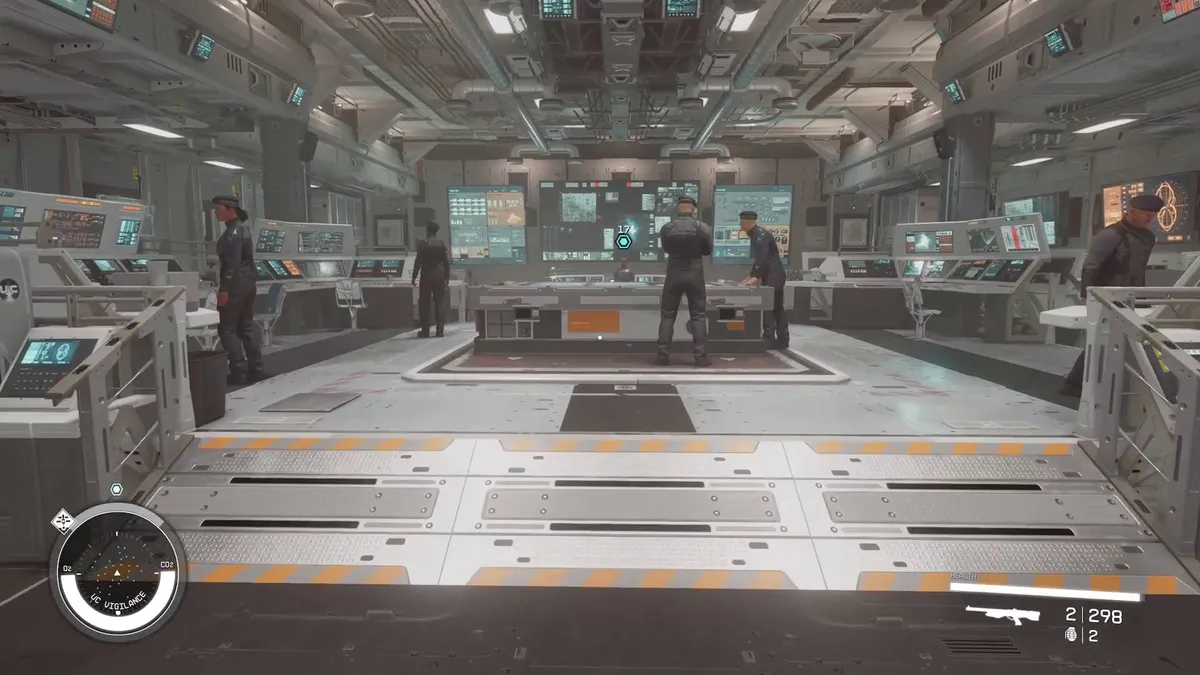
Starfield factions command centre of UC SysDef

(Image credit: Bethesda)

If you're playing on PC and want to use Starfield console commands, use the ` or ~ key (region dependent), then enter the following:

  • player.additem 0000000f 500000

That will immediately give you half a million credits. Or just swap out that last number in bold with however many credits you want! Just keep in mind that using console commands and cheats prevents you from earning Achievements on that save game – although there is an option among all the Starfield mods to counter that. You do also run the risk of breaking your game, so use a backup save for this option.

How to farm money in Starfield

Starfield money farm

(Image credit: Bethesda)

To farm money in Starfield fast, our favourite method is to loot randomly generated enemy camps that appear when you land on planets. Here's the best way we know of:

  1. Empty your inventory so you have space to carry as much as possible.
  2. Equip only the best combat items you have, a good gun, some armor, your Digipicks and healing items (and maybe any equipment that helps fend off the issue of Starfield encumbrance).
  3. Take your ship to any planet's wilderness – you're not going to any of the Starfield cities here; you need to go somewhere far away from civilization.
  4. Use your scanner to find Structures nearby. Swivel until you see the "Unknown" icon, then press A/Cross to check it.
  5. Head to that structure. Ideally, it'll be occupied by Pirates, Ecliptics, or Spacers. If it's anything else, move on and try another structure.
  6. Kill everything. Empty house, scorched earth, no survivors.
  7. Take everything that isn't nailed down. You want to prioritise credits and rare items, of course, but take whatever you can get. Loot the bodies and look for locked doors, safes, or chests – anything that requires Starfield lockpicking mechanics will pay out nicely, and there'll usually be some sort of bandit boss and treasure chest with extra good loot.
  8. Fly back to Jemison. Any city will work, but Jemison has numerous vendors close together to speed up step nine…
  9. Sell everything! Vendors have limited credits on them, the stingy bastards, so when you're done move onto the next one. If you still have full inventory, sit on a bench and wait 24 hours for them to get their money back.
  10. Repeat this process. Pirate bases are generated randomly each time you land in the wilderness – so just head back to the unknown and start hunting pirates again.
More Starfield guides

Starfield traits
Starfield dialogue system
How to change appearance in Starfield
Starfield Vasco names

We used the Planet Gagarin in Alpha Centauri as a farming location, to stay close to Jemison, but most planets will work just as well. This process might not be as efficient as some people would hope, but it works better than any other legitimate method we know, and also serves as a good XP farm at the same time – not to mention that if you find any good weapons and armor that you don't want to sell, you can just keep those.

Making money quickly in Starfield

Starfield money farm

(Image credit: Bethesda)

If you don't want to farm money in Starfield with the method above, there are ways to make money faster than normal while you play.

  • Get the Scavenging, Commerce, and Negotiation skills, all of which increase money earned throughout the game. Negotiation might describe itself as the power to offer bribes, but we've seen it come up as the opposite too, such as the Starfield Ron Hope choice where you can use it to get an extra 30,000 credits when someone bribes you.
  • Sell any excess ships and modules you have. It might be nice to fly about in a leisure palace, but it's certainly costly – sell all the non-essential components and structural pieces during Starfield ship customization to make some more money.
  • Play story and faction missions! Doing the main campaign and the core missions for Constellation, the Crimson Fleet, Freestar, and others all tends to pay really well (we mean their actual story missions, not the random mini-quests off their bounty boards). The Starfield Kryx legacy mission at the end of the Crimson Pirates' story offers a staggering quarter of a million credits.
  • Don't carry resources if you don't need them. Resources tend to take up a lot of inventory space and are rarely worth much to vendors – if you don't need them for your outpost or crafting, feel free to abandon them.
  • Keep using vendors. It's more efficient to sell-as-you-go rather than dump it all on vendors in one bunch, as you inevitably end up having to wait in chunks of 24 hours for them to get the money back. Dropping off the most recent sellable equipment in passing is generally more efficient on both your time and your wallet.
  • Have some Shielded Cargo ready for contraband. Starfield contraband smuggling doesn't pay as well as you'd hope, but if you're going to find the stuff, you might as well sell it off. Shielded Cargo holds will help you fly it to a trade authority safely for dispersal.
  • Manipulate the difficulty. Playing on harder difficulties gives better rewards. Our suggestion is to turn the difficulty to very hard, enter a new area, then drop it from the settings menu. The game loads in all the high-difficulty rewards, then you make all the enemies into pushovers – but leave the high-value loot.

© GamesRadar+. Not to be reproduced without permission

CATEGORIES
PC Gaming Xbox Series X PS5 Platforms Xbox PlayStation
Joel Franey
Joel Franey
Social Links Navigation
Guides Editor, GamesRadar+

Joel Franey is a writer, journalist, podcaster and Very Tired Man with a BA from Brunel University, a Masters from Sussex University and a decade working in games journalism, often focused on guides coverage but also in reviews, features and news. His love of games is strongest when it comes to groundbreaking narratives like Disco Elysium, UnderTale and Baldur's Gate 3, as well as innovative or refined gameplay experiences like XCOM, Sifu, Arkham Asylum or Slay the Spire. He is a firm believer that the vast majority of games would be improved by adding a grappling hook, and if they already have one, they should probably add another just to be safe. You can find old work of his at Eurogamer, Gfinity, USgamer, SFX Magazine, RPS, Dicebreaker, VG247, and more.

With contributions from
  • Iain Wilson Guides Editor

You must confirm your public display name before commenting

Please logout and then login again, you will then be prompted to enter your display name.

Read more
GTA 5 money cheats - get free money
Grand Theft Auto GTA 5 money cheats and how to get more cash in V and GTA Online
 
 
Crimson Desert
Open World Games Crimson Desert players share money making tips after the new DLC added a ridiculously expensive ship
 
 
Star Wars Galactic Racer speeders lined up on jakku starting grid
Racing Games 15 Star Wars Galactic racer tips for to help you takedown the competition
 
 
The Witcher 3 next-gen
The Witcher Essential Witcher 3 tips to know if you're a beginner
 
 
Star Wars Galactic Racer Lyren Shok giving Shade his Fan Club Favour
Racing Games Best Favors in Star Wars Galactic Racer and how to unlock them all
 
 
Star Wars Zero Company
Strategy Games How to clear the debt to Gorga the Hutt in Star Wars Zero Company
 
 
Latest in RPGs
A man in a suit in The Outer Worlds 2's Side Effects Guaranteed DLC
RPGs Amid Bethesda takeover and Fallout pivot, Obsidian's finally making good on The Outer Worlds 2 DLC
 
 
Todd Howard
The Elder Scrolls Skyrim lead doubted Todd Howard’s constellation-based skill system, and then the RPG came out
 
 
Mass Effect Legendary Edition
Mass Effect Clair Obscur is a "good example" of why Mass Effect 5 doesn’t have to cost $200 million, former BioWare lead says
 
 
Karlach in Baldur's Gate 3
Baldur's Gate Skyrim vet says it "felt good" playing Baldur’s Gate 3 because decisions had "actual consequences"
 
 
A blue-armored enemy looks menacing in Beyond Nen on Roblox.
RPGs All Beyond Nen codes (November 2026) and how to redeem them for free spins
 
 
BioWare
Mass Effect Mass Effect 5 was "meant to compliment" the upcoming show from Amazon, former BioWare lead reveals
 
 
Latest in Guides
GTA 6 press shot featuring Lucia and Jason in an open-top car, with Lucia looking over her shoulder while aiming a pistol
Grand Theft Auto How to play GTA 6 on Xbox One
 
 
Phantom Blade Zero Blizzard Blademaster sitting cross-legged with is sword stuck in the ground in front
Action RPGs How to beat Blizzard Blademaster in Phantom Blade Zero
 
 
Zelda Ocarina of Time Remake
The Legend of Zelda How do Gossip Stones work in the Ocarina of Time Remake?
 
 
Press image for GloryBound codes showing a group of gladiators assembled in the coliseum
Survival Games GloryBound codes (November 2026) and how to redeem them for Lucky Spins and Chests
 
 
Phantom Blade Zero Soul running up to the Crimson Manor
Action RPGs How to get inside the Crimson Manor in Phantom Blade Zero and get the Puppet's Tongue
 
 
Ocarina of Time Remake
The Legend of Zelda How to get through the Lost Woods in Zelda Ocarina of Time
 
 
LATEST ARTICLES
  1. Sony's trail of bodies is only getting longer
    1
    PlayStation adds live-service shooter Fairgames to its constantly expanding graveyard
  2. 2
    Resident Evil remakes skipped the first game because Capcom worried it "might not resonate," and RE2's opening "is essentially the starting point" anyway
  3. 3
    Amid Bethesda takeover and pivot to Fallout, Obsidian's finally making good on its year-old promise of The Outer Worlds 2 DLC
  4. 4
    The Lord of the Rings: The Rings of Power season 3 review: "Sauron is unleashed, but this fantasy show is still tangled in dense subplots"
  5. 5
    Sony's PC presence shrinks again as PlayStation Plus app shuts down in December

GamesRadar+ is part of Future US Inc, an international media group and leading digital publisher. Visit our corporate site.

Add as a preferred source on Google Add as a preferred source on Google
  • About us
  • Contact Future's experts
  • Terms and conditions
  • Privacy policy
  • Cookies policy
  • Advertise with us
  • Review guidelines
  • Write for us
  • Accessibility statement
  • Careers

© Future US, Inc. Full 7th Floor, 130 West 42nd Street, New York, NY 10036.

Please login or signup to comment

Please wait...