
Join The Community
- Join our community
11
Premium Benefits
24/7
Access Available
21K+
Active Members
Commenting
Join the discussion
Exclusive Articles Coming Soon
Member-only articles
Weekly Newsletters
Weekly gaming & entertainment news
Member Badges
Earn badges as you go
Exclusive Competitions
Members-only prize draws
Curated Deals Coming Soon
Tech and gaming deals worth grabbing
GET COMMUNITY ACCESS QUICK
For the quickest way to join, simply enter your email below and get access. We will send a confirmation and sign you up to our newsletter to keep you updated on all your gaming news.
By submitting your information you agree to the Terms & Conditions and Privacy Policy and are aged 16 or over.
FIND OUT ABOUT OUR MAGAZINE
Want to subscribe to the magazine? Click the button below to find out more information.
Find out more
GET Community ACCESS QUICK

Join the GamesRadar community for quick access. Enter your email below and we'll send confirmation, and sign you up to our newsletter.

By submitting your information you agree to the Terms & Conditions and Privacy Policy and are aged 16 or over.

Background
Welcome to GamesRADAR+ Community !
Hi ,

Your membership journey starts here.

Keep exploring and earning more as a member.

MY ACCOUNT

Badge picture
Earn your first badge
Read 1 article to unlock your first badge.
Keep earning badges
Explore ways to get more involved as a member.
Latest Games News

Latest Games News

Breaking gaming news and updates

Read Now
Latest Games Reviews

Latest Games Reviews

Expert verdicts on the newest releases

Read Now

See what you’ve unlocked.

Explore your membership benefits.

Explore
Member Exclusives

Stay Ahead with GamesRadar+

Get the biggest gaming news, reviews, and releases straight to your inbox.

Explore

Sign Out
GamesRadar+ GamesRadar+
US EditionUS CA EditionCanada UK EditionUK AU EditionAustralia
Sign in
  • View Profile
  • Sign out
  • Games
    • Game Insights
      • Games News
      • Games Features
      • Games Reviews
      • Games Guides
      • Big in 2026
      • The Big Preview
      • On The Radar
      • Indie Spotlight
      • Future Games Show
      • Golden Joystick Awards
    • Genres
      • Action Games
      • RPGs
      • Action RPGs
      • Adventure Games
      • Third Person Shooters
      • FPS Games
    • Platforms
      • PS5
      • Xbox Series X
      • PC
      • Nintendo Switch
      • Nintendo Switch 2
      • Tabletop Gaming
    • Franchises
      • Grand Theft Auto
      • Pokemon
      • Assassin's Creed
      • Monster Hunter
      • Fortnite
      • Cyberpunk
      • Red Dead
      • The Elder Scrolls
      • The Sims
  • Entertainment
    • TV Shows
      • TV News
      • TV Reviews
      • Anime Shows
      • Sci-Fi Shows
      • Superhero Shows
      • Animated Shows
      • Marvel TV Shows
      • Star Wars TV Shows
      • DC TV Shows
    • Movies
      • Movie News
      • Movie Reviews
      • Big Screen Spotlight
      • Superhero Movies
      • Action Movies
      • Anime Movies
      • Sci-Fi Movies
      • Horror Movies
      • Marvel Movies
      • DC Movies
    • Streaming
      • Apple TV Plus
      • Disney Plus
      • Netflix
      • HBO
      • Amazon Prime Video
      • Hulu
    • Comics
      • Marvel Comics
      • DC Comics
    • Toys & Collectibles
    • Lego
    • Dungeons and Dragons
    • Merch
  • Hardware
    • Insights
      • Hardware News
      • Hardware Reviews
      • Hardware Features
    • Computing
      • Desktop PCs
      • Laptops
      • Handhelds
    • Peripherals
      • Headsets & Headphones
      • TVs & Monitors
      • Gaming Mice
      • Gaming Keyboards
      • Gaming Chairs
      • Speakers & Audio
    • Accessories & Tech
      • Gaming Controllers
      • Tech
      • SSDs & Hard Drives
      • VR
      • Accessories
      • Retro
  • Deals
    • Game Deals
    • Tech Deals
    • TV Deals
    • Buying Guides
  • Video
  • Newsletters
    • Quizzes
    • About Us
    • How to pitch to us
    • How we score
    • Newsarama
    • Retro Gamer
    • Total Film
  • home
  • Games
    • View Games
      • Games News
      • Games Features
      • Games Reviews
      • Games Guides
      • Big in 2026
      • The Big Preview
      • On The Radar
      • Indie Spotlight
      • Future Games Show
      • Golden Joystick Awards
      • Action Games
      • RPGs
      • Action RPGs
      • Adventure Games
      • Third Person Shooters
      • FPS Games
    • Platforms
      • View Platforms
      • PS5
      • Xbox Series X
      • PC
      • Nintendo Switch
      • Nintendo Switch 2
      • Tabletop Gaming
      • Grand Theft Auto
      • Pokemon
      • Assassin's Creed
      • Monster Hunter
      • Fortnite
      • Cyberpunk
      • Red Dead
      • The Elder Scrolls
      • The Sims
  • Entertainment
    • View Entertainment
    • TV Shows
      • View TV Shows
      • TV News
      • TV Reviews
      • Anime Shows
      • Sci-Fi Shows
      • Superhero Shows
      • Animated Shows
      • Marvel TV Shows
      • Star Wars TV Shows
      • DC TV Shows
    • Movies
      • View Movies
      • Movie News
      • Movie Reviews
      • Big Screen Spotlight
      • Superhero Movies
      • Action Movies
      • Anime Movies
      • Sci-Fi Movies
      • Horror Movies
      • Marvel Movies
      • DC Movies
    • Streaming
      • View Streaming
      • Apple TV Plus
      • Disney Plus
      • Netflix
      • HBO
      • Amazon Prime Video
      • Hulu
    • Comics
      • View Comics
      • Marvel Comics
      • DC Comics
    • Toys & Collectibles
    • Lego
    • Dungeons and Dragons
    • Merch
  • Hardware
    • View Hardware
      • Hardware News
      • Hardware Reviews
      • Hardware Features
      • Desktop PCs
      • Laptops
      • Handhelds
    • Peripherals
      • View Peripherals
      • Headsets & Headphones
      • TVs & Monitors
      • Gaming Mice
      • Gaming Keyboards
      • Gaming Chairs
      • Speakers & Audio
      • Gaming Controllers
      • Tech
      • SSDs & Hard Drives
      • VR
      • Accessories
      • Retro
  • Deals
    • View Deals
    • Game Deals
    • Tech Deals
    • TV Deals
    • Buying Guides
  • Video
  • Newsletters
    • Quizzes
    • About Us
    • How to pitch to us
    • How we score
    • Newsarama
    • Retro Gamer
    • Total Film
Trending
  • Pokemon Winds and Waves
  • New Games for 2026
  • Submit your game clips
  • GDC
  1. Games
  2. RPG
  3. Starfield

How to fast travel in Starfield with the Scanner and Starmap

Guides
By Will Sawyer last updated 13 November 2023

There are several ways to fast travel to places you’ve already visited in Starfield

When you purchase through links on our site, we may earn an affiliate commission. Here’s how it works.

Starfield frontier ship landing at city
(Image credit: Bethesda)
  • Facebook
  • X
  • Pinterest
  • Flipboard
  • Email
Share this article
Join the conversation
Follow us
Add us as a preferred source on Google
Get the GamesRadar+ Newsletter

Weekly digests, tales from the communities you love, and more


By submitting your information you agree to the Terms & Conditions and Privacy Policy and are aged 16 or over.

You are now subscribed

Your newsletter sign-up was successful


Want to add more newsletters?

GamesRadar+

Every Friday

GamesRadar+

Your weekly update on everything you could ever want to know about the games you already love, games we know you're going to love in the near future, and tales from the communities that surround them.

GTA 6 O'clock

Every Thursday

GTA 6 O'clock

Our special GTA 6 newsletter, with breaking news, insider info, and rumor analysis from the award-winning GTA 6 O'clock experts.

Knowledge

Every Friday

Knowledge

From the creators of Edge: A weekly videogame industry newsletter with analysis from expert writers, guidance from professionals, and insight into what's on the horizon.

The Setup

Every Thursday

The Setup

Hardware nerds unite, sign up to our free tech newsletter for a weekly digest of the hottest new tech, the latest gadgets on the test bench, and much more.

Switch 2 Spotlight

Every Wednesday

Switch 2 Spotlight

Sign up to our new Switch 2 newsletter, where we bring you the latest talking points on Nintendo's new console each week, bring you up to date on the news, and recommend what games to play.

The Watchlist

Every Saturday

The Watchlist

Subscribe for a weekly digest of the movie and TV news that matters, direct to your inbox. From first-look trailers, interviews, reviews and explainers, we've got you covered.

SFX

Once a month

SFX

Get sneak previews, exclusive competitions and details of special events each month!


Join the club

Get full access to premium articles, exclusive features and a growing list of member rewards.


An account already exists for this email address, please log in.
Subscribe to our newsletter

Knowing how to fast travel in Starfield makes getting around the Settled Systems much quicker and easier. While fast travel is very convenient, it does also get pretty complicated as there are lots of ways of initiating fast travel through various Starmap and Scanner views and menus, and there are a couple of crucial rules you need to remember when travelling in Starfield. With my travel tips in mind, you’ll be zipping across planets and systems in no time, so here’s exactly how fast travel in Starfield works.

How fast travel works in Starfield
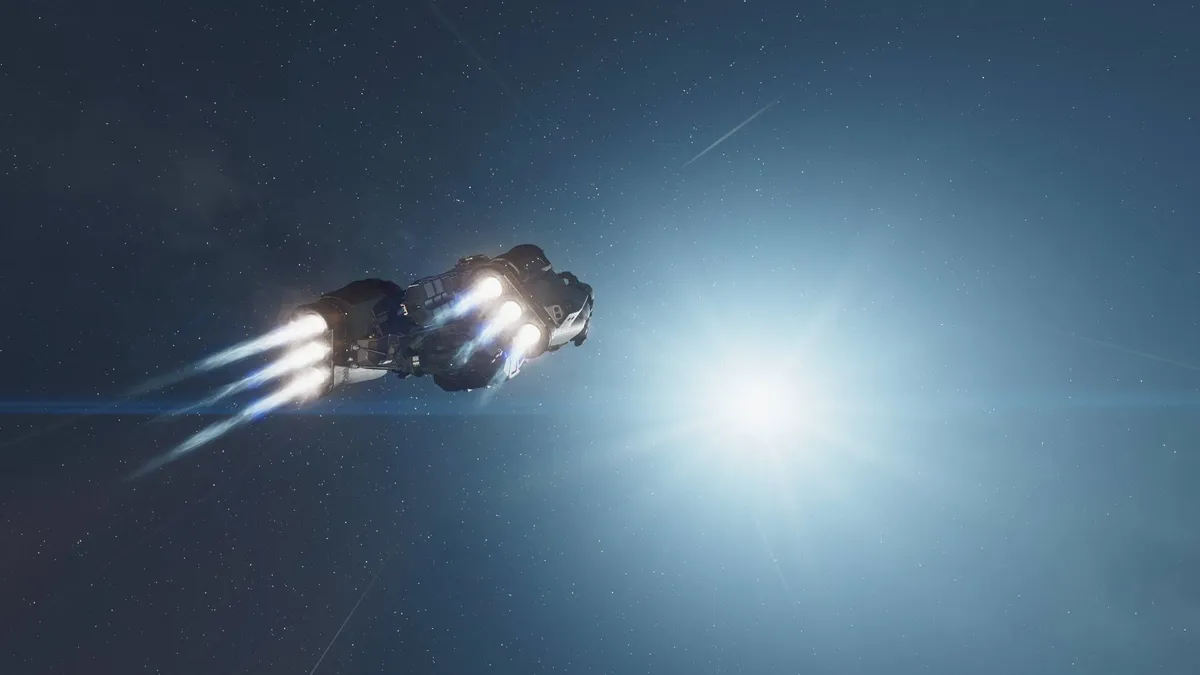
Starfield frontier starship flying through space

(Image credit: Bethesda)

Fast travel in Starfield works in one of two ways:

  • You can fast travel only to planets and systems you have previously visited, otherwise you may need to perform a full Starfield grav jump to get there the first time.
  • You cannot fast travel on foot when you are overencumbered, but you can if you’re in your ship.
Starfield guides

Starfield lockpicking
How to change appearance in Starfield
Starfield afflictions and cures
Starfield ship inventory and storage
Starfield tips

Usually, as long as you've been to your intended destination before you can use Starfield fast travel to rapidly move from planet to planet, or even system to system. However, it gets a little confusing when there are two main methods for initiating fast travel. In general, you can almost always activate fast travel through your Starmap or the Scanner when you’re exploring on foot or flying around in your ship. Below you’ll find more details about both methods:

How to fast travel using the Starmap in Starfield

The Starmap lets you fast travel and you don’t need to be in or near your ship to use it - you can quickly open the Starmap just by holding the pause button. It’s best for quick planet-to-planet or system-to-system travel but involves lots of menus. Use one of the following Starmap fast travel methods depending on where you want to travel to:

  • Fast travel to a different location on the planet you’re currently on: Open the Starmap to view your current planet and select any location on the planet, even if you haven’t explored it already - this one of the exceptions where you can fast travel to new places. You can select pretty much anywhere on a planet as a landing area, so long as it’s suitable for a ship – it can’t be in the middle of an ocean, for example. Once you’ve chosen a location, follow the ‘Travel’ prompt to fast travel there.

Starfield fast travel landing at the lodge on Jemison

(Image credit: Bethesda)
  • Fast travel to a different planet in the same system: Open the Starmap and press B on controller to back out to the system view and see the entire star system you’re currently in. In system view, you can choose a planet you’ve previously visited, and even select a location to land at. However, if this is your first time visiting your chosen planet, you must set a course to its orbit first. Once you’ve arrived in the planet’s orbit, then you can select a spot to land via the Starmap.

Starfield fast travel travelling from one planet to another

(Image credit: Bethesda)
  • Fast travel to a planet in a different system: Open your Starmap and press B on controller twice to access galaxy view, which shows you every star system. Choose a star system you have previously visited, then select a planet or location that you have also been to before. Now just follow the landing prompt to fast travel across the stars. Travelling to a system you’ve never been to before will require a grav jump first.

Starfield starmap sol system

(Image credit: Bethesda)

How to fast travel using your Scanner in Starfield

Starfield fast travel looking at ship through scanner

(Image credit: Bethesda)

When walking on the surface of a planet or moon, or flying around in space, you can fast travel to a location you have previously visited and can see on your Scanner. This means you can avoid using the Starmap and is great for spending as much time as possible travelling using your ship. It works a little differently depending on if you’re on foot or in your ship, so here’s how each method works:

  • When on foot: Activate your Scanner with RB on the controller, look at the icon for a location you've previously visited and then press Y. You can also bring up the Surface Map by pressing RB again while scanning and select a location with the cursor. 
  • When in your ship: Activate your Scanner and click on a destination on the planet’s surface or a neighboring planet with A, then you’ll see prompt to travel there. You can also jump to previously visited planets in range if it's highlighted by a mission marker. Getting to new systems still requires the Starmap and a grav jump though.

When fast travelling on foot using your Scanner or the Surface Map, your ship does not move with you, but you can easily get back to your ship by looking at your ship’s icon through the Scanner, or simply opening the Surface Map and press Y to instantly warp back to your ship. Obviously, you need to make sure you’re not overencumbered though!

© GamesRadar+. Not to be reproduced without permission.

Sign up to the GamesRadar+ Newsletter

Weekly digests, tales from the communities you love, and more

By submitting your information you agree to the Terms & Conditions and Privacy Policy and are aged 16 or over.
Will Sawyer
Will Sawyer
Social Links Navigation
Guides Editor, GamesRadar+

Will Sawyer is a Guides Editor at GamesRadar+ with over five years of experience in writing online guides, news, and features, and has a BA (Hons) in Journalism. Starting as a freelancer, Will contributed to startmenu and Game Rant before joining the GamesRadar+ team in August 2021. Since then, he has written hundreds of guides about a huge range of games, with shooters and action games being his areas of expertise. Outside of writing about games, Will hops between multiplayer shooters with friends, such as Darktide and Helldivers 2, and delves into whatever has been on his backlog for far too long. He also tries to get through his never-ending Warhammer pile of shame of grey Tyranids, Aeldari, and Chaos Space Marines.

Latest in RPG
Starfield screenshot showing the new Anchor Point location
RPGs How your feedback helped shape Starfield's biggest updates: "We're always checking in," says Bethesda
 
 
A screenshot of the Adoring Fan seen in The Elder Scrolls 4: Oblivion Remastered.
The Elder Scrolls Todd Howard says Oblivion leaks didn't help Bethesda or players: "Everyone is gonna have a different version"
 
 
Clair Obscur: Expedition 33 lead Gustave faces a gommage
RPGs Clair Obscur's lead writer "never even considered" a true, happy ending for the hit RPG
 
 
Baldur's Gate 3 Wyll
Baldur's Gate Baldur's Gate 3 writer admits "I wish I could have done more" with the RPG's least-appreciated party member
 
 
The Wasteland's Lone Wanderer walks into the distance with Dogmeat in Fallout 3
Fallout Fallout 3's GOTY Edition was a bit of a misfire, says Bethesda vet, but "we've gotten better" ahead of the Starfield DLC
 
 
Lords Of The Fallen
RPGs Lords of the Fallen breaks even after 2.5 years, selling 2.5 million copies as the Soulslike RPG's sequel is underway
 
 
Latest in Guides
Fortnite New Sanctuary vault
Fortnite How to open the New Sanctuary vault in Fortnite
 
 
Helldivers 2 Illuminate Veracitor chasing Helldiver with harvester nearby
Third Person Shooters How to kill the new Veracitor and Gatekeeper Illuminate enemies in Helldivers 2
 
 
MLB The Show 26
Sports Games MLB The Show 26 codes (March 2026) and how to redeem them for free packs
 
 
Crimson Desert Abyss Without Balance puzzles
RPGs How to solve the Abyss Without Balance and Polar Opposites puzzles in Crimson Desert
 
 
Dragon's Stone Chamber in Crimson Desert
RPGs How to solve the Dragon's Stone Chamber in Crimson Desert
 
 
How to steal in Crimson Desert
RPGs How to steal in Crimson Desert
 
 
LATEST ARTICLES
  1. Ella Purnell as Lucy in Fallout season 2
    1
    Fallout season 3 will incorporate "a few things from the game that we've wanted to do since season one," says showrunner
  2. 2
    Daredevil: Born Again season 2 release schedule: when is episode 1 on Disney Plus?
  3. 3
    How your feedback helped shape Starfield's biggest updates: "We're always checking in," says Bethesda
  4. 4
    Baldur's Gate 3 Shadowheart writer sat down with Lae'zel counterpart to help romance make sense
  5. 5
    Project Hail Mary has convinced me to start getting excited for Star Wars: Starfighter

GamesRadar+ is part of Future US Inc, an international media group and leading digital publisher. Visit our corporate site.

Add as a preferred source on Google Add as a preferred source on Google
  • Terms and conditions
  • Contact Future's experts
  • Privacy policy
  • Cookies policy
  • Accessibility statement
  • Careers
  • About us
  • Advertise with us
  • Review guidelines
  • Write for us
  • Accessibility Statement

© Future US, Inc. Full 7th Floor, 130 West 42nd Street, New York, NY 10036.

Please login or signup to comment

Please wait...