


October 14, 2026: I had a look for any new Pokopia Mystery Gift codes, and there is a new promo on our list for a Resort-themed furniture gift set, which replaces the now-expired Chansey Plant code.
Great news Pokemon fans, Pokopia Mystery Gift codes are real, keeping up with the decades-long tradition. Though the mechanic has changed somewhat over the years, we now have even more chance of getting cool new items gifted to us via online codes provided by The Pokemon Company.
There are various ways of obtaining Mystery Gifts in any new Pokemon game, and Pokemon Pokopia is no different. Here, we'll tell you how to find gifts and redeem codes, as well as all the current gifts available.
All Mystery Gift Codes in Pokemon Pokopia

These are the Pokopia Mystery Gift rewards available right now:
Mystery Gift Reward |
Code/Redeem Method |
Expiration Date |
|---|---|---|
Furniture Gift Set |
D1VE1NTHESEA |
Sunday, February 20, 2028 |
Ditto Rug |
Via Internet (no code required), must have pre-ordered the game |
Sunday, January 31, 2027 |
30x Rare Pokemetal Ingots |
Via Internet (no code required), must purchase the Expansion Pass and claim by August 31, 2027 |
Wednesday, September 30, 2027 |
Dynamic Ditto block set |
Via Internet (no code required), must purchase the Expansion Pass |
- |
Following the pre-order bonus Ditto Rug Mystery Gift, more Mystery Codes have now been released for Pokopia, giving players a Chansey Plant, an item that is especially liked by some Pokemon, along with other handy resources.
There's plenty of time to claim that reward since it's doesn't expire until October, but you're better off redeeming it right away, especially if you have a Tyrogue on your island, as they're a fan of the topiary, or if you want to invite Chansey to your island with the Chansey Resting Area habitat.
If you want more Chansey Plants, you can get the recipe from the in-game item shop. What's more, when you place a Chansey Plant, there's a small chance it can have a ditto face, so be sure to check if you're one of the lucky few!
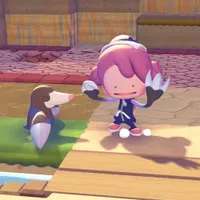
How to redeem Mystery Gifts in Pokemon Pokopia

To redeem Mystery Gifts in Pokemon Pokopia:
- Make sure your Nintendo Switch 2 is connected to the internet. Pokopia will still say it's offline, but will connect when you go to redeem your code, as long as your device is connected.
- In-game, head over to the Pokemon Center PC.
- Interact with the PC, and click on the Get Items option.
- Scroll down and select the Mystery Gifts button.
- Choose either Get Via Internet or Get with Code/Password, depending on what you're trying to redeem.
- For the early-purchase reward of the Ditto Rug, this is Get Via Internet.
- You'll receive the gift in-game immediately.
- If you're unsure if you've already redeemed a code or gift, you can click on the Check Mystery Gifts option, which will show every gift you have received previously.
Pokopia Mystery Gift codes are likely to be given out during events, so I'll be keeping an eye out for any announcements and will update the table above accordingly. It's always worth keeping in mind that Mystery Gifts can only be redeemed once per account, and don't forget you've got until January 31, 2027 to claim your Ditto Rug.
Expired Pokopia Gift codes
P0K0P1AGARDENS- Chansey Plant (expired October 7, 2026)
Unfortunately, Pokopia Mystery Gift codes have now started to expire, with the Chansey Plant no longer able to be redeemed. If you redeemed the code before it expired but have yet to claim the item from you Mystery Gifts, you can still do so, but you will no longer be able to redeem the code.
© GamesRadar+. Not to be reproduced without permission.

