

Join The Community
- Join our community
11
Premium Benefits
24/7
Access Available
21K+
Active Members
Commenting
Join the discussion
Exclusive Articles Coming Soon
Member-only articles
Weekly Newsletters
Weekly gaming & entertainment news
Member Badges
Earn badges as you go
Exclusive Competitions
Members-only prize draws
Curated Deals Coming Soon
Tech and gaming deals worth grabbing
GET COMMUNITY ACCESS QUICK
For the quickest way to join, simply enter your email below and get access. We will send a confirmation and sign you up to our newsletter to keep you updated on all your gaming news.
By submitting your information you agree to the Terms & Conditions and Privacy Policy and are aged 16 or over.
FIND OUT ABOUT OUR MAGAZINE
Want to subscribe to the magazine? Click the button below to find out more information.
Find out more
GET Community ACCESS QUICK

Join the GamesRadar community for quick access. Enter your email below and we'll send confirmation, and sign you up to our newsletter.

By submitting your information, you confirm you are aged 16 or over, have read our Privacy Policy and agree to the Terms & Conditions. Geographical rules apply.

Background
Welcome to GamesRADAR+ Community !
Hi ,

Your membership journey starts here.

Keep exploring and earning more as a member.

MY ACCOUNT

Badge picture
Earn your first badge
Read 1 article to unlock your first badge.
Keep earning badges
Explore ways to get more involved as a member.
Latest Games News

Latest Games News

Breaking gaming news and updates

Read Now
Latest Games Reviews

Latest Games Reviews

Expert verdicts on the newest releases

Read Now

See what you’ve unlocked.

Explore your membership benefits.

Explore
Member Exclusives

Stay Ahead with GamesRadar+

Get the biggest gaming news, reviews, and releases straight to your inbox.

Explore

Sign Out
GamesRadar+ GamesRadar+
US EditionUS CA EditionCanada UK EditionUK AU EditionAustralia
Sign in
  • View Profile
  • Sign out
  • Games
    • Game Insights
      • Games News
      • Games Features
      • Games Reviews
      • Games Guides
      • Big in 2026
      • Big Preview
      • Future Games Show
      • Golden Joystick Awards
    • Genres
      • Action Games
      • RPGs
      • Action RPGs
      • Adventure Games
      • Third Person Shooters
      • FPS Games
    • Platforms
      • PS5
      • Xbox Series X
      • PC
      • Nintendo Switch
      • Nintendo Switch 2
      • Tabletop Gaming
    • Franchises
      • Grand Theft Auto
      • Pokemon
      • Assassin's Creed
      • Monster Hunter
      • Fortnite
      • Cyberpunk
      • Red Dead
      • The Elder Scrolls
      • The Sims
  • Entertainment
    • TV Shows
      • TV News
      • TV Reviews
      • Anime Shows
      • Sci-Fi Shows
      • Superhero Shows
      • Animated Shows
      • Marvel TV Shows
      • Star Wars TV Shows
      • DC TV Shows
    • Movies
      • Movie News
      • Movie Reviews
      • Big Screen Spotlight
      • Superhero Movies
      • Action Movies
      • Anime Movies
      • Sci-Fi Movies
      • Horror Movies
      • Marvel Movies
      • DC Movies
    • Streaming
      • Apple TV Plus
      • Disney Plus
      • Netflix
      • HBO
      • Amazon Prime Video
      • Hulu
    • Comics
      • Marvel Comics
      • DC Comics
  • Hardware
    • Insights
      • Hardware News
      • Hardware Reviews
      • Hardware Features
      • Buying Guides
    • Computing
      • Desktop PCs
      • Laptops
      • Handhelds
    • Peripherals
      • Headsets & Headphones
      • TVs & Monitors
      • Gaming Mice
      • Gaming Keyboards
      • Gaming Chairs
      • Speakers & Audio
    • Accessories & Tech
      • Gaming Controllers
      • Tech
      • SSDs & Hard Drives
      • VR
      • Accessories
      • Retro
  • Deals
    • Toys & Collectibles
    • Lego
    • Dungeons and Dragons
    • Merch
  • Video
    • Videos
    • GR+ Replay - Submit Your Clips
    • G+RLS Podcast
  • Newsletters
    • Quizzes
    • About Us
    • How to pitch to us
    • How we score
    • Newsarama
    • Retro Gamer
  • Home
  • Games
    • View Games
      • Games News
      • Games Features
      • Games Reviews
      • Games Guides
      • Big in 2026
      • Big Preview
      • Future Games Show
      • Golden Joystick Awards
      • Action Games
      • RPGs
      • Action RPGs
      • Adventure Games
      • Third Person Shooters
      • FPS Games
    • Platforms
      • View Platforms
      • PS5
      • Xbox Series X
      • PC
      • Nintendo Switch
      • Nintendo Switch 2
      • Tabletop Gaming
      • Grand Theft Auto
      • Pokemon
      • Assassin's Creed
      • Monster Hunter
      • Fortnite
      • Cyberpunk
      • Red Dead
      • The Elder Scrolls
      • The Sims
  • Entertainment
    • View Entertainment
    • TV Shows
      • View TV Shows
      • TV News
      • TV Reviews
      • Anime Shows
      • Sci-Fi Shows
      • Superhero Shows
      • Animated Shows
      • Marvel TV Shows
      • Star Wars TV Shows
      • DC TV Shows
    • Movies
      • View Movies
      • Movie News
      • Movie Reviews
      • Big Screen Spotlight
      • Superhero Movies
      • Action Movies
      • Anime Movies
      • Sci-Fi Movies
      • Horror Movies
      • Marvel Movies
      • DC Movies
    • Streaming
      • View Streaming
      • Apple TV Plus
      • Disney Plus
      • Netflix
      • HBO
      • Amazon Prime Video
      • Hulu
    • Comics
      • View Comics
      • Marvel Comics
      • DC Comics
  • Hardware
    • View Hardware
      • Hardware News
      • Hardware Reviews
      • Hardware Features
      • Buying Guides
      • Desktop PCs
      • Laptops
      • Handhelds
    • Peripherals
      • View Peripherals
      • Headsets & Headphones
      • TVs & Monitors
      • Gaming Mice
      • Gaming Keyboards
      • Gaming Chairs
      • Speakers & Audio
      • Gaming Controllers
      • Tech
      • SSDs & Hard Drives
      • VR
      • Accessories
      • Retro
  • Deals
    • Toys & Collectibles
    • Lego
    • Dungeons and Dragons
    • Merch
  • Video
    • View Video
    • Videos
    • GR+ Replay - Submit Your Clips
    • G+RLS Podcast
  • Newsletters
    • Quizzes
    • About Us
    • How to pitch to us
    • How we score
    • Newsarama
    • Retro Gamer
Trending
  • Countdown to GTA 6
  • Game of the Week
  • New Games 2026
  • G+RLS Podcast
  • Best gaming tech
  • Join our RPG Club
  • Submit your clips. Win prizes
Sign up to the GamesRadar+ Newsletter

Weekly digests, tales from the communities you love, and more


By submitting your information you agree to the Terms & Conditions and Privacy Policy and are aged 16 or over.

You are now subscribed

Your newsletter sign-up was successful


Want to add more newsletters?

GamesRadar+

Every Friday

GamesRadar+

Your weekly update on everything you could ever want to know about the games you already love, games we know you're going to love in the near future, and tales from the communities that surround them.

GTA 6 O'clock

Every Thursday

GTA 6 O'clock

Our special GTA 6 newsletter, with breaking news, insider info, and rumor analysis from the award-winning GTA 6 O'clock experts.

Knowledge

Every Friday

Knowledge

From the creators of Edge: A weekly videogame industry newsletter with analysis from expert writers, guidance from professionals, and insight into what's on the horizon.

The Setup

Every Thursday

The Setup

Hardware nerds unite, sign up to our free tech newsletter for a weekly digest of the hottest new tech, the latest gadgets on the test bench, and much more.

Switch 2 Spotlight

Every Wednesday

Switch 2 Spotlight

Sign up to our new Switch 2 newsletter, where we bring you the latest talking points on Nintendo's new console each week, bring you up to date on the news, and recommend what games to play.

The Watchlist

Every Saturday

The Watchlist

Subscribe for a weekly digest of the movie and TV news that matters, direct to your inbox. From first-look trailers, interviews, reviews and explainers, we've got you covered.

SFX

Once a month

SFX

Get sneak previews, exclusive competitions and details of special events each month!


Join the club

Get full access to premium articles, exclusive features and a growing list of member rewards.


An account already exists for this email address, please log in.
  1. Games
  2. RPG
  3. Fortnite

What is Fortnite Gyro Aiming and Flick Stick, and how to use them

Guides
By Iain Wilson
Last updated 4 August 2022

Fortnite Gyro Aiming and Flick Stick control options can improve accuracy and shake up how you play

When you purchase through links on our site, we may earn an affiliate commission. Here’s how it works.

Fortnite Gyro Aiming and Flick Stick
(Image credit: Epic Games)
  • Facebook
  • X
  • Pinterest
  • Flipboard
  • Email
Share this article
Join the conversation
Follow us
Add us as a preferred source on Google
Subscribe to our newsletter

Fortnite Gyro Aiming and Flick Stick are two new control options that have been added to the game, and they have the potential to completely transform how you aim or otherwise control the camera. Fortnite players can transfer their reliance away from the right stick and instead use the gyroscopic sensors in their controllers to choose where to look, offering a greater degree of flexibility and accuracy. These new settings will take some getting used to, so if you decide to try them out then you should practice in less competitive environments or a Battle Lab first, but to get you started here's what you need to know about Fortnite Gyro Aiming and Flick Stick controls.

How to enable Fortnite Gyro Aiming and Flick Stick

Fortnite Gyro Aiming and Flick Stick

(Image credit: Epic Games)

To enable Fortnite Gyro Aiming and Flick Stick, you first need to be using a supported controller on an available platform. These are as follows:

  • PC: DualShock 4 or DualSense controller
  • PS5: DualSense controller
  • PS4: DualShock 4 controller
  • Switch: Joy-Con or Pro controller
  • Android: Mobile controls

Note that due to a lack of gyroscope functionality in the standard Xbox controller you cannot use these controls on Xbox Series X/S or Xbox One, and they are also not compatible when playing through GeForce NOW via PC or mobile.

Once you have that covered, you can enable Fortnite Gyro Aiming and Flick Stick by entering the Settings from the main menu or in-game sidebar, then tabbing across to the Touch and Motion page. As well as turning on these settings, there are a raft of customization options to adjust how they interact with the existing controls, which we'll cover below.

How to use Fortnite Gyro Aiming

How to use Fortnite Gyro Aiming

(Image credit: Epic Games)

With Fortnite Gyro Aiming enabled, you can twist and tilt your controller to aim the camera and get a finer degree of movement. The next settings determine at what point the Gyro controls kick in, with the following options available:

You may like
  • One of the Fortnite Sprites on a player's back Fortnite Sprites explained and how to level up your collection
  • Fortnite new weapons for Chapter 7 Season 3 Runners All Fortnite new weapons, vaulted and unvaulted for Season 3 Runners
  • Fortnite Season 3 in Chapter 7 The biggest changes for Fortnite Season 3 in Chapter 7

Active Mode (Combat)

  • None: Gyro not in use for general gameplay
  • Scope Only: Use Gyro when aiming scoped weapons only
  • Scope or Aiming: Use Gyro when aiming any type of weapon
  • Scope, Aiming, Harvesting: Use Gyro when aiming any type weapon or swinging your pickaxe
  • Always: Use Gyro at all times

Active Mode (Building)

Sign up to the GamesRadar+ Newsletter

Weekly digests, tales from the communities you love, and more

By submitting your information you agree to the Terms & Conditions and Privacy Policy and are aged 16 or over.
  • None: Gyro not in use for building or editing
  • Editing: Use Gyro when editing only
  • Always: Use Gyro when building or editing

In situations where Fortnite Gyro Aiming isn't active you can still use the right stick to move the camera around or aim, though if you set either of the options above to 'Always' then you should ensure you have a way to reset the controller position in case you end up at an uncomfortable angle. To do this, either set the Look Stick Effect to 'Disables' so it overrides the Fortnite Gyro Aiming, or configure an additional Gyro Modifier button within the control customization.

How to use Fortnite Flick Stick
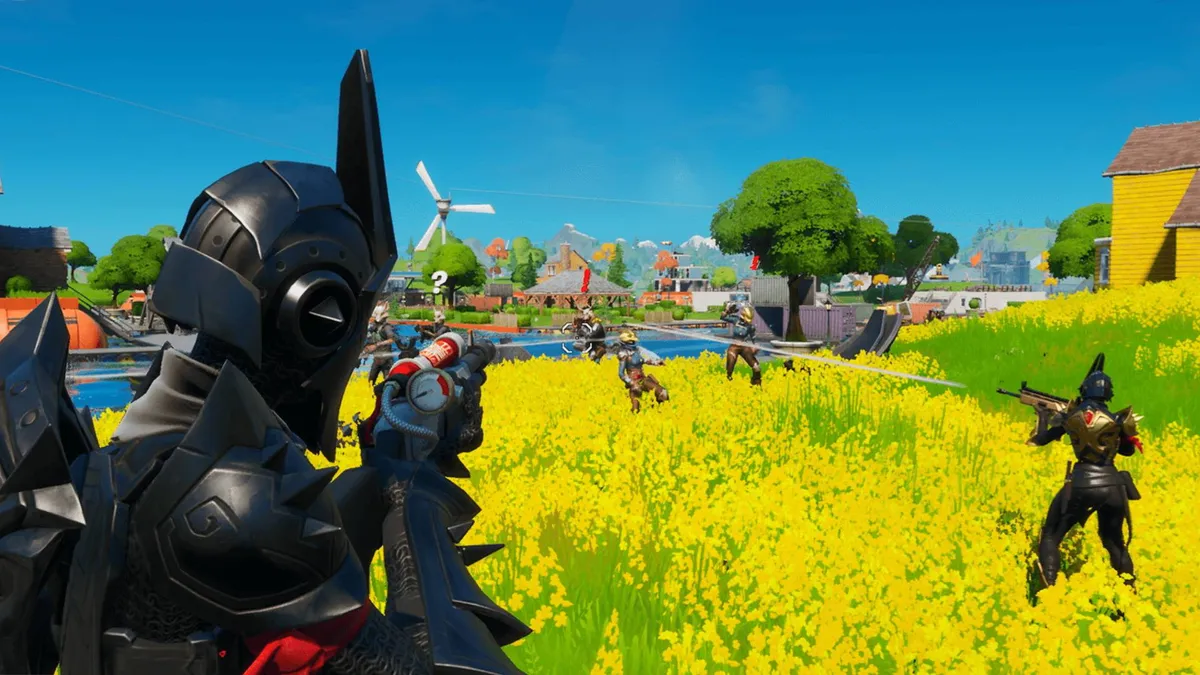
How to use Fortnite Flick Stick

(Image credit: Epic)

Fortnite Flick Stick works in conjunction with the Gyro controls, to let you quickly shift the camera to face in any direction by moving the right stick. This is especially useful for immediately turning around to deal with a threat behind you, or to look in the direction of incoming fire from an enemy. This does mean that you can no longer look up or down due to the way the right stick is used, so you'll need to combine Fortnite Flick Stick with Gyro controls to be able to retain the same degree of camera control.

Fortnite patch notes | Fortnite tips | Fortnite Creative codes | Fortnite 2FA | How to enable cross platform Fortnite matches | How to level up fast in Fortnite | How to get free Fortnite V-Bucks | Fortnite Starter Pack | Fortnite quests | Fortnite characters | Fortnite map | Fortnite Victory Crown | Fortnite Timber Pines | Fortnite Klombos | Fortnite Klomberries | Fortnite Haven Masks | Fortnite Feathers | Fortnite Gunnar | Fortnite Season 2

Iain Wilson
Iain Wilson
Social Links Navigation
Guides Editor

Iain originally joined Future in 2012 to write guides for CVG, PSM3, and Xbox World, before moving on to join GamesRadar in 2013 as Guides Editor. His words have also appeared in OPM, OXM, PC Gamer, GamesMaster, and SFX. He is better known to many as ‘Mr Trophy’, due to his slightly unhealthy obsession with amassing intangible PlayStation silverware, and he now has over 1,000 Platinum pots weighing down the shelves of his virtual award cabinet. He does not care for Xbox Achievements.

Read more
One of the Fortnite Sprites on a player's back
Fortnite Fortnite Sprites explained and how to level up your collection
 
 
Fortnite new weapons for Chapter 7 Season 3 Runners
Fortnite All Fortnite new weapons, vaulted and unvaulted for Season 3 Runners
 
 
Fortnite Season 3 in Chapter 7
Fortnite The biggest changes for Fortnite Season 3 in Chapter 7
 
 
The face of the GameSir G7 Pro 8K PC
Gaming Controllers I tried an 8,000Hz polling controller so you don't have to
 
 
The GameSir G7 Pro 8K PC Aimlabs edition
Gaming Controllers GameSir's latest software will teach you handy pro controller jargon you've been too scared to ask about
 
 
Fortnite characters in Chapter 7 Season 3 Runners
Fortnite Fortnite Characters and how to find them
 
 
Latest in RPG
Lies of P trailer
RPGs Soulslike prince Lies of P added difficulty settings after its own developers struggled to beat it
 
 
An illustration shows a wooden fox creature with nine tails made of leaves
RPGs Pokemon artist behind iconic Gen 9 'mons also designed a Deltarune Chapter 5 character
 
 
Baldur's Gate 3
Baldur's Gate Baldur's Gate 3 is a "great sequel" because it's so different from the OG RPGs, says OG RPG dev
 
 
Dragon Age: The Veilguard
Dragon Age Dragon Age was always "too niche, too backwards, too old-school" in EA's eyes, former lead argues
 
 
Kingdom Hearts 4
Kingdom Hearts Another look at Kingdom Hearts 4 seems even more likely after co-director is confirmed for D23 event
 
 
Baldur's Gate 3 screenshots
Baldur's Gate My Baldur's Gate 3 no-weapons run has been saved by grease and candles, and I'm only halfway through Act 1
 
 
Latest in Guides
A field of wheat and beans grows in Pokopia, offering a variety of flavors.
Pokemon Pokopia flavor guide
 
 
A press shot for +1 Speed Monkey Escape codes showing a monkey jumping over a lava pit as another falls in behind them
Simulation Games +1 Speed Monkey Escape codes (August 2026) and how to redeem them for potions, free spins, and more
 
 
mistfall hunter withered knight build
Action RPGs Mistfall Hunter Withered Knight build guide
 
 
Ditto holds a green Pokopia paint balloon and stands in front of a painted green house.
Pokemon How to get all Pokopia paint colors
 
 
Manaphy smiles in Pokemon Pokopia.
Pokemon How to get Manaphy in Pokemon Pokopia
 
 
The Pokopia Ocean Pals Rug, featuring the likes of Luvdisc, Frillish, and more.
Pokemon How to get the Pokopia Ocean Pals rug
 
 
LATEST ARTICLES
  1. An Alice: Madness Returns Emily the Plushie doll against a gray background
    1
    Alice: Madness Returns creator joins forces with '90s goth icon for limited edition plush that's as soft and timeless as a black dress
  2. 2
    Baldur's Gate 3, Clair Obscur: Expedition 33 star didn't believe she was in Space Marine 2 until fan messages sent her sleuthing through receipts
  3. 3
    As PS5 and Xbox prices endlessly balloon, Take-Two CEO says rising console costs are good for no one, but won't hurt the company as GTA 6 approaches
  4. 4
    Doom developer slams Xbox after layoffs hit id Software: "They fundamentally don't understand art. They don't understand games"
  5. 5
    Soulslike prince Lies of P added difficulty settings after its own developers struggled to beat it: "Most couldn't even make it halfway"

GamesRadar+ is part of Future US Inc, an international media group and leading digital publisher. Visit our corporate site.

Add as a preferred source on Google Add as a preferred source on Google
  • Terms and conditions
  • Contact Future's experts
  • Privacy policy
  • Cookies policy
  • Accessibility statement
  • Careers
  • About us
  • Advertise with us
  • Review guidelines
  • Write for us

© Future US, Inc. Full 7th Floor, 130 West 42nd Street, New York, NY 10036.

Please login or signup to comment

Please wait...