GamesRadar+ GamesRadar+
US EditionUS CA EditionCanada UK EditionUK AU EditionAustralia
Sign in
  • View Profile
  • Sign out
  • Games
    • Game Insights
      • Games News
      • Games Features
      • Games Reviews
      • Games Guides
      • Big in 2026
      • The Big Preview
      • On The Radar
      • Indie Spotlight
      • Future Games Show
      • Golden Joystick Awards
    • Genres
      • Action Games
      • RPGs
      • Action RPGs
      • Adventure Games
      • Third Person Shooters
      • FPS Games
    • Platforms
      • PS5
      • Xbox Series X
      • PC
      • Nintendo Switch
      • Nintendo Switch 2
      • Tabletop Gaming
    • Franchises
      • Grand Theft Auto
      • Pokemon
      • Assassin's Creed
      • Monster Hunter
      • Fortnite
      • Cyberpunk
      • Red Dead
      • The Elder Scrolls
      • The Sims
  • Entertainment
    • TV Shows
      • TV News
      • TV Reviews
      • Anime Shows
      • Sci-Fi Shows
      • Superhero Shows
      • Animated Shows
      • Marvel TV Shows
      • Star Wars TV Shows
      • DC TV Shows
    • Movies
      • Movie News
      • Movie Reviews
      • Big Screen Spotlight
      • Superhero Movies
      • Action Movies
      • Anime Movies
      • Sci-Fi Movies
      • Horror Movies
      • Marvel Movies
      • DC Movies
    • Streaming
      • Apple TV Plus
      • Disney Plus
      • Netflix
      • HBO
      • Amazon Prime Video
      • Hulu
    • Comics
      • Marvel Comics
      • DC Comics
    • Toys & Collectibles
    • Lego
    • Dungeons and Dragons
    • Merch
  • Hardware
    • Insights
      • Hardware News
      • Hardware Reviews
      • Hardware Features
    • Computing
      • Desktop PCs
      • Laptops
      • Handhelds
    • Peripherals
      • Headsets & Headphones
      • TVs & Monitors
      • Gaming Mice
      • Gaming Keyboards
      • Gaming Chairs
      • Speakers & Audio
    • Accessories & Tech
      • Gaming Controllers
      • Tech
      • SSDs & Hard Drives
      • VR
      • Accessories
      • Retro
  • Deals
    • Game Deals
    • Tech Deals
    • TV Deals
    • Buying Guides
  • Video
  • Newsletters
    • Quizzes
    • About Us
    • How to pitch to us
    • How we score
    • Newsarama
    • Retro Gamer
    • Total Film
  • home
  • Games
    • View Games
      • Games News
      • Games Features
      • Games Reviews
      • Games Guides
      • Big in 2026
      • The Big Preview
      • On The Radar
      • Indie Spotlight
      • Future Games Show
      • Golden Joystick Awards
      • Action Games
      • RPGs
      • Action RPGs
      • Adventure Games
      • Third Person Shooters
      • FPS Games
    • Platforms
      • View Platforms
      • PS5
      • Xbox Series X
      • PC
      • Nintendo Switch
      • Nintendo Switch 2
      • Tabletop Gaming
      • Grand Theft Auto
      • Pokemon
      • Assassin's Creed
      • Monster Hunter
      • Fortnite
      • Cyberpunk
      • Red Dead
      • The Elder Scrolls
      • The Sims
  • Entertainment
    • View Entertainment
    • TV Shows
      • View TV Shows
      • TV News
      • TV Reviews
      • Anime Shows
      • Sci-Fi Shows
      • Superhero Shows
      • Animated Shows
      • Marvel TV Shows
      • Star Wars TV Shows
      • DC TV Shows
    • Movies
      • View Movies
      • Movie News
      • Movie Reviews
      • Big Screen Spotlight
      • Superhero Movies
      • Action Movies
      • Anime Movies
      • Sci-Fi Movies
      • Horror Movies
      • Marvel Movies
      • DC Movies
    • Streaming
      • View Streaming
      • Apple TV Plus
      • Disney Plus
      • Netflix
      • HBO
      • Amazon Prime Video
      • Hulu
    • Comics
      • View Comics
      • Marvel Comics
      • DC Comics
    • Toys & Collectibles
    • Lego
    • Dungeons and Dragons
    • Merch
  • Hardware
    • View Hardware
      • Hardware News
      • Hardware Reviews
      • Hardware Features
      • Desktop PCs
      • Laptops
      • Handhelds
    • Peripherals
      • View Peripherals
      • Headsets & Headphones
      • TVs & Monitors
      • Gaming Mice
      • Gaming Keyboards
      • Gaming Chairs
      • Speakers & Audio
      • Gaming Controllers
      • Tech
      • SSDs & Hard Drives
      • VR
      • Accessories
      • Retro
  • Deals
    • View Deals
    • Game Deals
    • Tech Deals
    • TV Deals
    • Buying Guides
  • Video
  • Newsletters
    • Quizzes
    • About Us
    • How to pitch to us
    • How we score
    • Newsarama
    • Retro Gamer
    • Total Film
Trending
  • Pokemon Winds and Waves
  • New Games for 2026
  • GamesRadar+ Replay
  • Mario Day deals
  1. Games
  2. Simulation
  3. Disney Dreamlight Valley

10 Disney Dreamlight Valley tips to help you get started

Guides
By Will Sawyer Contributions from Iain Wilson, Sam Loveridge last updated 11 January 2023

Remember these Disney Dreamlight Valley tips as you set up your dream village

When you purchase through links on our site, we may earn an affiliate commission. Here’s how it works.

Disney Dreamlight Valley
(Image credit: Gameloft)
  • Facebook
  • X
  • Pinterest
  • Flipboard
  • Email
Share this article
Join the conversation
Follow us
Add us as a preferred source on Google
Get the GamesRadar+ Newsletter

Weekly digests, tales from the communities you love, and more


By submitting your information you agree to the Terms & Conditions and Privacy Policy and are aged 16 or over.

You are now subscribed

Your newsletter sign-up was successful


Want to add more newsletters?

GamesRadar+

Every Friday

GamesRadar+

Your weekly update on everything you could ever want to know about the games you already love, games we know you're going to love in the near future, and tales from the communities that surround them.

GTA 6 O'clock

Every Thursday

GTA 6 O'clock

Our special GTA 6 newsletter, with breaking news, insider info, and rumor analysis from the award-winning GTA 6 O'clock experts.

Knowledge

Every Friday

Knowledge

From the creators of Edge: A weekly videogame industry newsletter with analysis from expert writers, guidance from professionals, and insight into what's on the horizon.

The Setup

Every Thursday

The Setup

Hardware nerds unite, sign up to our free tech newsletter for a weekly digest of the hottest new tech, the latest gadgets on the test bench, and much more.

Switch 2 Spotlight

Every Wednesday

Switch 2 Spotlight

Sign up to our new Switch 2 newsletter, where we bring you the latest talking points on Nintendo's new console each week, bring you up to date on the news, and recommend what games to play.

The Watchlist

Every Saturday

The Watchlist

Subscribe for a weekly digest of the movie and TV news that matters, direct to your inbox. From first-look trailers, interviews, reviews and explainers, we've got you covered.

SFX

Once a month

SFX

Get sneak previews, exclusive competitions and details of special events each month!


An account already exists for this email address, please log in.
Subscribe to our newsletter

These Disney Dreamlight Valley tips will help you clear up your village, complete quests, and start filling it with iconic Disney characters. There are quite a lot of systems to be aware of in the game, and you'll need to know the basics before you can start levelling up, adding new villagers, and unlocking plenty of furniture items to construct your dream Valley. Our pointers should get you off to a good start in Disney Dreamlight Valley and will help you understand how to farm resources, cook recipes, and make the most of friendships. Here are 10 Disney Dreamlight Valley tips for beginners.

1. Track quests to easily find your way

Disney Dreamlight Valley quest menu quest tracker

(Image credit: Gameloft)
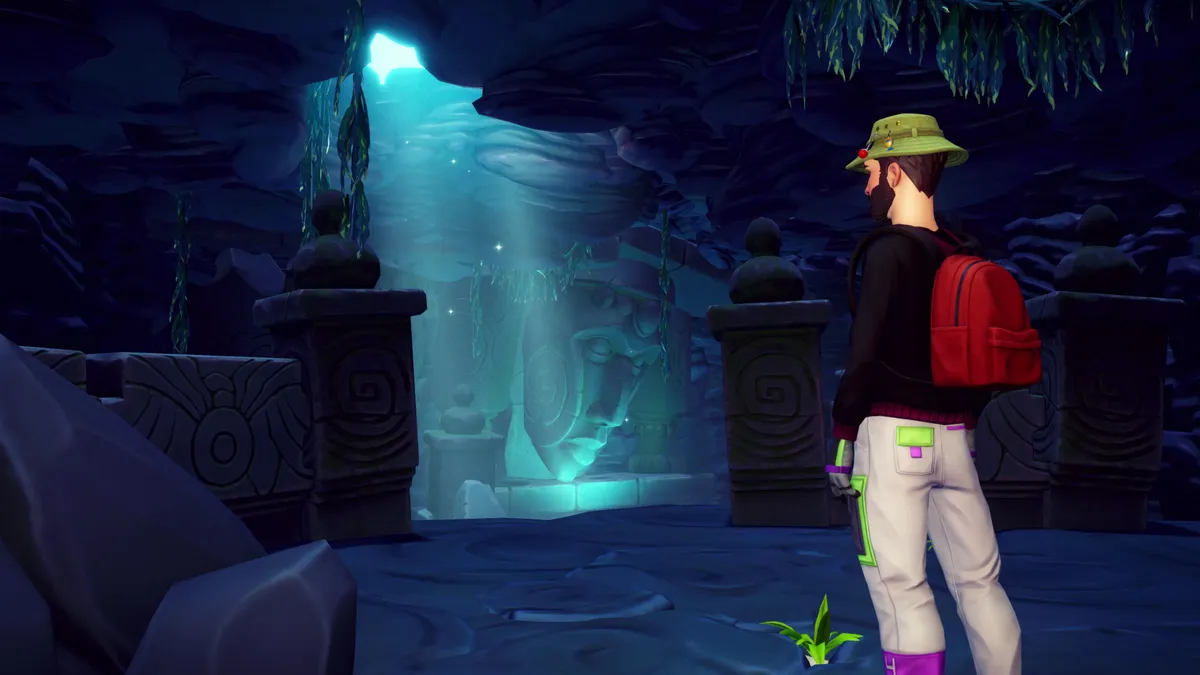
Mystical Cave puzzles

Disney Dreamlight Valley Mystical Cave entrance

(Image credit: Gameloft)

Learn how to solve the Disney Dreamlight Valley Mystical Cave puzzles

If you're having trouble finding objectives for your current Disney Dreamlight Valley tasks, make sure you open up the Quests menu tab, select a quest, and then make sure you choose ‘Track Quest’. This’ll allow you to follow a floating beam of light to the location you need to visit next. You can also click on certain map icons, such as icons for buildings and Disney characters, to get a glittering trail showing you the path you need to take.

2. Carry some decent food and meals with you to recover Energy on the go

Disney Dreamlight Valley food in backpack inventory

(Image credit: Gameloft)

When you first start out with Disney Dreamlight Valley, you’ll be spending a lot of time exploring and carrying out some of the core resource-gathering activities – clearing Night Thorns, foraging, gardening, mining, fishing, and digging – but these consume a lot of your Energy. Make sure you save a few backpack inventory slots for food items to that you can eat as you explore to save you having to go home every few minutes to refill your Disney Dreamlight Valley Energy bar.

Apples are a good ingredient for starting out, but once you unlock cooking, the Fruit Salad, Veggie Pasta, and Grilled Fish Entrée meals are all easy to make a replenish a good chunk of your Energy. Overfilling your energy bar will also give you the Well Fed bonus, giving you a slight boost to your movement speed.

3. Check the Collection menus to learn about most items in the game

Disney Dreamlight Valley collection menu carrot entry

(Image credit: Gameloft)

The Collection menu is an invaluable compendium of information on pretty much anything in Disney Dreamlight Valley. You’ll find the Memories you’ve collected in there, as well as all the crafting recipes you’ve discovered, which Disney Dreamlight Valley characters are currently living in your valley, and which clothing and furniture sets you’ve started collecting.

Disney Dreamlight Valley collection menu Moana character entry

(Image credit: Gameloft)
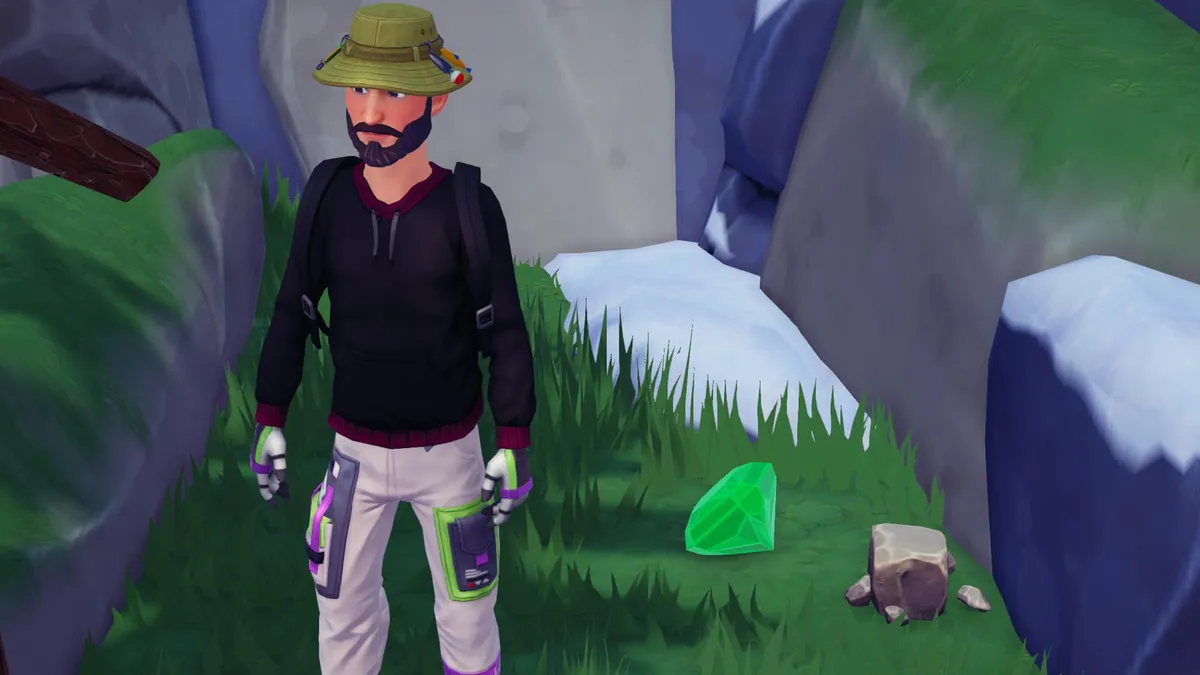
Disney Dreamlight Valley Emeralds

Disney Dreamlight Valley emerald mined in forest of valor

(Image credit: Gameloft)

Sell Disney Dreamlight Valley Emeralds and other gems to make money

Clicking on any Collection entry also reveals crucial information that’ll really help you out too. You can find out how much certain resources, such as gems, will sell for and where they can be found, which really helps when trying to make more money. Look at the Characters list to see your Friendship Levels with each Disney villager, along with what their favorite things of the day are for bonus friendship XP. Finally, check out the Ingredients section to learn how long certain fruits and vegetables take to grow once planted.

4. Check your Disney Dreamlight Valley map often

Disney Dreamlight Valley map full of character and harvesting icons

(Image credit: Gameloft)

Another great source of in-game information is the Disney Dreamlight Valley map. It shows you the locations of all Disney villagers in real-time, allowing you to easily find them if you need to give them a gift or have a daily chat. Characters will also have a little quest marker on their icon to let you know that they have new quests available or an active quest that you’re already working through. You can also see when crops are ready to harvest from the apple icon.

Make sure to use the Wishing Well and Dream Castle map icons to quickly get around with Disney Dreamlight Valley fast travel too.

5. Craft chests for your house to increase storage space

Disney Dreamlight Valley chests in house for storage

(Image credit: Gameloft)
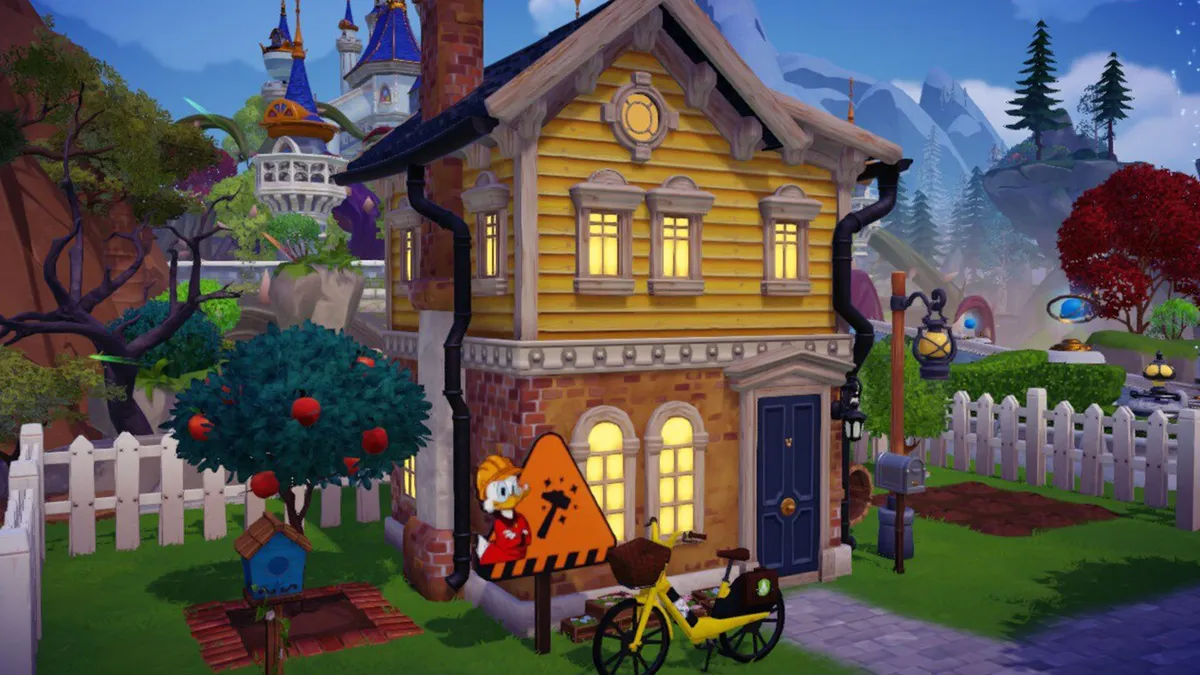
How to upgrade your house in Disney Dreamlight Valley

Your two-storey house in Disney Dreamlight Valley

(Image credit: Gameloft)

Upgrade your Disney Dreamlight Valley house to get more storage space

When first starting Disney Dreamlight Valley, storage space is a bit scarce. You have a chest in your house and 21 backpack inventory slots but upgrading them to get more storage slots is very costly for beginners. For some temporary storage space, you can craft a chest for 25 softwood and 25 rock, providing an extra 16 storage slots.

Use a chest or two to store things like food ingredients and crafting resources that you don’t urgently need on you all the time. When you craft or cook in your house, you’ll automatically pull those items from the chests, saving you having to lug around chunks of coal in your backpack if you need to cook, or piles of rocks for crafting.

Sign up to the GamesRadar+ Newsletter

Weekly digests, tales from the communities you love, and more

By submitting your information you agree to the Terms & Conditions and Privacy Policy and are aged 16 or over.

6. Complete Dreamlight challenges and duties to unlock new Realms and Villages

Get more Dreamlight in Disney Dreamlight Valley

(Image credit: Gameloft)

Make sure you check you Disney Dreamlight Valley Dreamlight challenges often to see which objectives you’re close to completing. You’ll find these under the Dreamlight menu and each one will reward you with increasing amounts of Dreamlight upon completion. The Dreamlight Duties are also great for quickly racking up Dreamlight as they award a decent amount of Dreamlight for completing relatively quick and simple tasks.

Disney Dreamlight Valley spending Dreamlight to unlock village

(Image credit: Gameloft)

Dreamlight is also the currency that’s used to unlock new Village biomes in Dreamlight Valley and new Realms in the Dream Castle. Unlocking these areas is also how you’ll get more Disney characters to settle down in your valley, so make sure you’re earning and spending as much Dreamlight as possible!

7. Hang out with your Villagers as often as you can

Disney Dreamlight Valley asking Mickey Mouse to hang out

(Image credit: Gameloft)

In Disney Dreamlight Valley, you can ask any of your Disney Villagers to hang out with you. This’ll allow you to earn XP (represented by pink stars) for not just your personal level but also your Friendship Level with the character you’re hanging out with. Increasing Friendship Levels for characters progresses a reward track giving you new items at each level – you can get a Fantasia fountain if you get Mickey Mouse to Friendship Level 10, for example. You’ll also be able to get new character-specific quests that award even more XP to boost Friendships further. Any of the core activities will get you XP, so go off on a mining, fishing, and digging expedition to power level your friendships.

8. Give your Villagers a variety of roles for efficient resource farming

Disney Dreamlight Valley merlin friendship level upgrade and role selection

(Image credit: Gameloft)

Regarding leveling up Friendships, when you reach Friendship Level 2 with any character, you’ll be able to assign them a role that’ll allow them to help you with an activity – either digging, gardening, fishing, mining, and foraging. Whenever you hang out with a character with an assigned role, they’ll boost your chances of getting bonus resources from a particular activity.

Disney Dreamlight Valley Moana Friendship level up

(Image credit: Gameloft)

For example, if you assign Moana the fishing role, she might be able to get you some extra fish or Disney Dreamlight Valley seaweed anytime you catch a fish while hanging out with her. However, you can only assign one role to a character, and it can’t be changed, so you should assign your first five villagers with one of each role so that you can hang out with one of them and efficiently gather resources while completing an activity. The effect of these roles also increases with each Friendship Level you gain, so the more you hang out, the better your villagers will become!

9. Complete Disney Dreamlight Valley character quests to get tool upgrades

Disney Dreamlight Valley pickaxe upgrade from Maui

(Image credit: Gameloft)
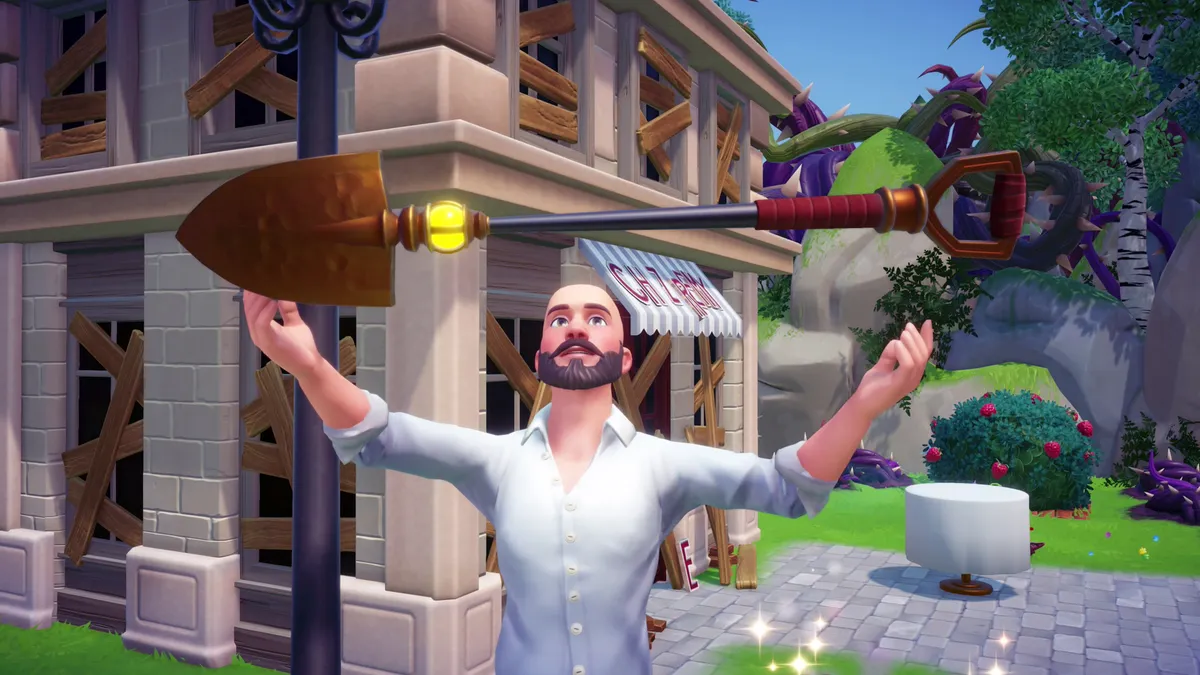
Disney Dreamlight Valley Royal Tools

Disney Dreamlight Valley Royal Tools

(Image credit: Gameloft)

Here are the locations of all four Disney Dreamlight Valley Royal Tools

You’ll bump into loads of Disney characters as you play through the Dreamlight Valley story, unlocking new Village biomes and Realms, and many of these characters can offer you essential tool upgrades that’ll let you break down new materials that you previously couldn’t. Although you’ll normally need to complete quest for the character to get the upgrade. For example, if you go to the Moana Realm and complete a quest for Maui, he’ll enhance your Pickaxe, allowing you to break certain pieces of coral that can be found on Dazzle Beach.

Later, you’ll need Elsa’s help to break down ice by giving your Pickaxe fire powers. You can also get Kristoff to boost your shovel’s capabilities, allowing it break down tree stumps, which you’ll have no doubt already noticed are very common in the Plaza starting area.

10. Disney Dreamlight Valley runs in real time, so check in daily and at different times to see what’s available

Disney Dreamlight Valley world running in real time message

(Image credit: Gameloft)

It’s no secret that Disney Dreamlight Valley takes a lot of inspiration from the Animal Crossing series, and that even extends to its real-time gameplay where your real-world time of day carries over to the world of Dreamlight Valley. Check into the game at different times of day to find unique critters to befriend, and log in daily to speak to your Disney Villagers and give them gifts to boost your Friendship Levels with them. Scrooge and Goofy’s shops will also have new stock each day, and there will be plenty of daily chores for you to complete, including clearing Night Thorns, finding chests, digging up hidden loot.

CATEGORIES
PS5 PS4 Xbox Series X Xbox One Nintendo Switch PC Gaming Platforms PlayStation Xbox Nintendo
Will Sawyer
Will Sawyer
Social Links Navigation
Guides Editor, GamesRadar+

Will Sawyer is a Guides Editor at GamesRadar+ with over five years of experience in writing online guides, news, and features, and has a BA (Hons) in Journalism. Starting as a freelancer, Will contributed to startmenu and Game Rant before joining the GamesRadar+ team in August 2021. Since then, he has written hundreds of guides about a huge range of games, with shooters and action games being his areas of expertise. Outside of writing about games, Will hops between multiplayer shooters with friends, such as Darktide and Helldivers 2, and delves into whatever has been on his backlog for far too long. He also tries to get through his never-ending Warhammer pile of shame of grey Tyranids, Aeldari, and Chaos Space Marines.

With contributions from
  • Sam LoveridgeBrand Director, GamesRadar+
  • Iain WilsonGuides Editor
Latest in Simulation
Fruit Piece Incremental codes
Fruit Piece Incremental codes (March 2026) and how to redeem them for free Beli, Scrolls, Rolls, and more
 
 
The Sims 4 tattoo artist career
The Sims 4 Marketplace sparks angry fan reactions and comparisons to paid Fallout and Skyrim mods
 
 
The Sims 4 burglar
The Sims 4 Marketplace is coming with paid mods – because that's definitely what fans of EA's life sim want
 
 
Turquoise
Subnautica's rare cozy moments meet my favorite Windows 98 screensaver in this relaxing new life sim
 
 
Stardew Valley goblin
ConcernedApe reveals he "completely scrapped" Stardew Valley goblin villages, and fans "just want" the axed feature now
 
 
Stardew Valley berry
Stardew Valley creator went through it 6 months before launch, and the game didn't come together until "the last moment"
 
 
Latest in Guides
Marathon Introducing Sekiguchi agent Nona weaveworm
Marathon Introducing Sekiguchi contract walkthrough and how to find the Necrotic Sample and scan your shell
 
 
Ghost of Yotei Legends
How to start Ghost of Yotei Legends online co-op
 
 
A ditto takes a selfie when visiting the Pokopia developer island
How to visit the Pokopia developer island
 
 
Marathon introducing Traxus contract player fighting UESC commander
Marathon Introducing Traxus contract guide and UESC terminal locations for Intersection, Complex, and Bio-Research
 
 
A ditto who looks like a human smiles for a selfie in front of the Pokopia area map.
How many areas there are in Pokemon Pokopia?
 
 
Marathon Introducing NuCaloric shooting tick nest in infested building
Marathon Introducing NuCaloric contract walkthrough and how to find the employee ID card
 
 
LATEST ARTICLES
  1. Battlefield 6
    1
    "The fundamentals of FPS should drive our decision": Battlefield 6 designers say developers have a "responsibility" to make games intuitive
  2. 2
    "The first track spoils the whole game": Clair Obscur Expedition 33 devs confirm they were filling your ears with spoilers the entire time
  3. 3
    The Super Mario Galaxy Movie reveals Donald Glover as the voice of Yoshi and more new casting in a star-spanning trailer that sends the entire Mushroom Kingdom to another planet
  4. 4
    Reacher star Alan Ritchson says season 4 is coming this year: "It's by far the best season we've had yet"
  5. 5
    Clair Obscur Expedition 33 took inspiration from a surprising anime - Soul Eater creator's Fire Force: "Because it was a JRPG, we tried to find a mix"

GamesRadar+ is part of Future US Inc, an international media group and leading digital publisher. Visit our corporate site.

Add as a preferred source on Google Add as a preferred source on Google
  • Terms and conditions
  • Contact Future's experts
  • Privacy policy
  • Cookies policy
  • Accessibility statement
  • Careers
  • About us
  • Advertise with us
  • Review guidelines
  • Write for us
  • Accessibility Statement

© Future US, Inc. Full 7th Floor, 130 West 42nd Street, New York, NY 10036.

Please login or signup to comment

Please wait...