





Now is a pretty interesting time to explore the best monitors for Xbox Series X. That's largely thanks to Microsoft's Project Helix, the company's next-gen system that plans to run both PC and console games, so it's worth thinking ahead when picking out a panel for the current-gen box.
I've been using the best gaming monitors with consoles like the Xbox Series X for years now, and they typically cater more to gaming than most TVs. That's largely because most PC screens hit refresh rates higher than 60Hz, meaning it's easy to pick up the perfect panel that can hit 4K 120Hz. However, Microsoft's system can happily drop down to 1440p and 1080p, too, meaning there are models that can better cater to your personal budget.
My best monitor for Xbox Series X pick right now happens to be the BenQ Mobiuz EX321UX. It boasts ultra-bright visuals thanks to its mini LED panel, local dimming that helps everything pop, and 4K 144Hz abilities that more than cater to the console's abilities. Again, the headroom will come in handy by the time Project Helix rolls around, so I'd keep that in mind while we explore the best monitors for Microsoft's console right now.
The quick list

Armed with plenty of ports, superb brightness, and neat HDR abilities, the Mobiuz EX321UX is a killer console screen for Series X.

The best 1440p option
A great QHD option that caters to the Series X with more affordable specs and features.
Read more below

The EX3210U is a feature-packed 4K screen that'll pair with your Xbox Series X perfectly.

This OLED screen will breathe life into favorite Xbox games, but it also pairs excellent contrast with a speedy 240Hz refresh rate and 0.03ms response time.

One of our favorite Series X screens that could even keep up with future consoles with its 144Hz abilities and balanced IPS visuals.
Read more below

This cheaper OLED display is fantastic value and offers the same specs as expensive rivals. It even boasts extras like KVM switching, a USB-C hub, and speakers on top of its LG 240Hz panel.
Load the next product ↓

Looking to splash out on a premium panel? This 4K 144Hz display will deliver.
Read more below

At 43 inches, the CG7 is a monster monitor.
Read more below

Phil has been hooking up Xbox consoles to monitors since the OG console landed in 2001, so they're well versed in the art of Microsoft setups. While most modern consoles functionally hook up to displays in the same way using HDMI, our retro editor likes to put screen features, fidelity, and functionality under the microscope.
The best monitor for Xbox Series X
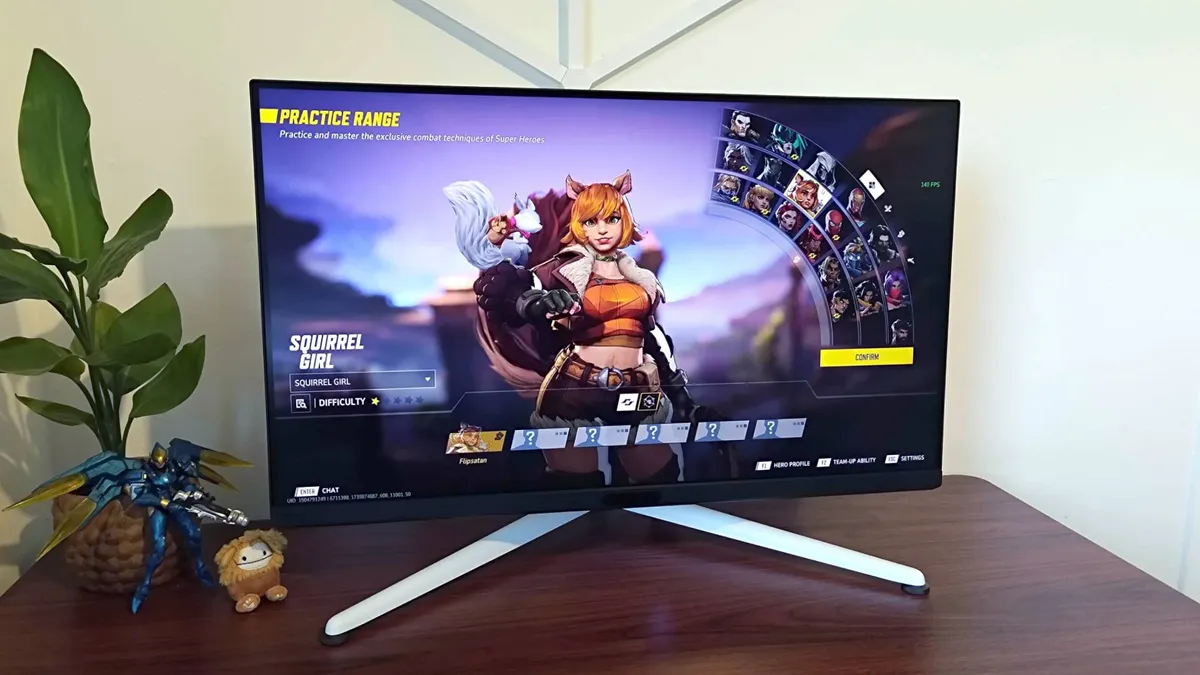


BenQ knows how to make a versatile screen, and the Mobiuz EX321UX feels like a nice fit for Series X. The panel boasts plenty of features that will benefit console players specifically, but its elevated brightness and HDR abilities are what ultimately help to stand out as an ideal Xbox display.
✅ You value performance: This 4K 144Hz screen more than caters to new gen standards, and it'll help your Xbox reach its full potential.
✅ You want something unique: The Mobiuz EX321UX features a stirking tripod design that will help it stand out in your room or at LAN events.
✅ You need something bright: Mini LED has an edge over OLED in terms of brightness, and the panel type also helps elevate the Mobiuz EX321UX's HDR abilities.
❌ You'd prefer something more subtle: The Mobiuz EX321UX won't remotely blend into the background, so keep that in mind if you're looking for a subtle screen for the corner of your living room.
❌ You want the most vibrant colors: OLED will provide enhanced vibrancy and black levels, and there are models in the same price range as the Mobiuz EX321UX that will go the extra mile.
Features: The Mobiuz EX321UX is packing a 4K 144Hz panel, and while that's slightly more than the 120Hz the Series X really needs, it'll feel wonderfully speedy regardless. It's even a good match for the Series S since it'll happily receive a 1440p signal via HDMI, but you'll ideally want to play at 1080p for scaling reasons. At the same time, this screen is armed with DisplayPort and a USB-C hub, so it'll make for a great display for your rig or something like the Steam Deck.
Perhaps one of BenQ's bigger selling points here is the EX321UX's 700 nits mini LED display. It's certainly one to consider if you value HDR since it'll provide the level of realism that helps High Dynamic Range looks its best. You'll also have access to iHDR pre-sets that are going to help your favorite games look great regardless of compatibility, and it's a feature that does help bring things closer to OLED results.
Design: The EX321UX looks pretty space-age, and it's tripod stand is pretty similar to the Sony Inzone M9. The fact it's white means it'll look the part next to a matching Series X, but it also just does its own thing aesthetically. What you're not getting here, unlike the with the BenQ Mobiuz EX3210U, is RGB lighting round the back, which does result in a slightly less striking rear. The speakers are missing too, but you're still getting a remote to save you fumbling around with an OSD joystick.
Performance: Brightness is really the Mobiuz EX321UX's secret weapon, as it helps this screen punch through all lighting conditions and provide excellent HDR. In shooters like Cyberpunk 2077, the neon glow of signs almost has a glare to it, something that's possible thanks to the panel's 1,152 local dimming zones. Colors are pretty respectable too, and while they naturally fall short next to OLED models in this price range, the results aren't a deal breaker.
144Hz is really where the bar starts for 4K monitors these days, so while the Mobiuz EX321UX is decently fast, it's not exactly a speed demon. That makes it perfect for playing shooters like Overwatch 2 on Series X, but it's not going to wow you when paired with a high-spec PC.
Verdict: My only real reservation with the Mobiuz EX321UX is its price, as at over $1.000, BenQ has placed it in the same ring as many ruthless OLED options. That said, mini LED is still the way to go in terms of brightness, and this specific 4K panel packs features that give it a natural advantage for console gaming specifically.
Read more: BenQ Mobiuz EX321UX review
The best 1440p monitor for Xbox Series X


1440p monitors like the ASUS TUF VG27AQ pair surprisingly well with consoles like the Xbox Series X, this specific model delivers great QHD visuals. It's not the flashiest model we've tested by any means, but it serves a versatile option that costs less than many similar spec 4K options on the market.
✅ You're looking for solid QHD performance: The TUF VG27AQ is a shining example of how 1440p monitors can produce excellent results today.
✅ You need something subtle: There's no funny business going on with the TUF VG27AQ's design, and it'll blend in with most subtle setups setups.
✅ You'd rather have a higher refresh rate: Technically, you only need 120Hz max when using a Series X, but opting for higher will both futureproof your setup and provide you with faster visuals when using a PC or laptop.
❌ You're used to using 4K: The TUF VG27AQ admittedly looks a bit soft compared to UHD displays, and you'll certainly notice if you're used to using 4K.
❌ You're putting together a flashy setup: If you're all about RGB lighting and loud peripherals, this monitor might be a bit too vanilla for your tastes.
Features: Sure, 1440p may feel a little low considering 4K is becoming standard, but the QHD panel boasts an 165Hz refresh rate, HDR10, and settings that are a great match for Microsoft's console. Naturally, we'd recommend picking up this screen if you've got more than a Series X at your desk, as it'll provide your PC with additional features like AMD FreeSync.
Design: If you asked us to draw a stereotypical gaming monitor from memory, we'd likely sketch the TUF VG27AQ. That's not remotely a bad thing either, as it means it'll fit into most setups and not stick out like a sore thumb in places like your living room. Its pedestal stand does feature some nice red accents around the centre poll, but other than that, this is pretty much a rectangle that prioritises substance over style.
Performance: On the visual front, the TUF VG27AQ facilitates fantastic colors and vibrancy, complimented by decent contrast to boot. Its 1ms response time also makes a huge difference in competitive matches, especially if you're playing Series X games at 120Hz. If you're used to using 4K, you may notice some pixelation compared to your usual screens, and we aren't that into the displays matte finish. Nevertheless, this is our go to 1440p monitor for Xbox Series X at the moment, and it does a commendable job filling the QHD brief.
Verdict: If you're looking for a straight talking 1440p monitor that produces great contrast, the TUF VG27AQ will serve your needs. Sitting at the lower end of mid-range pricing, there's a lot to love about this screen when it comes to speed and fidelity, with only a few minor gripes keeping it from QHD perfection.
Read more: ASUS TUF Gaming VG27AQ review
The best 4K monitor for Xbox Series X


The BenQ Mobiuz EX3210U is arguably one of the best console monitors you'll come across, and it's not just thanks to its killer 4K visuals. This specific panel comes armed with a bunch of extras that will help you get the most out of your Xbox, and it'll happy furnish your setup with high spec visuals no matter what it's connected to.
✅ You want great value 4K specs: The Mobiuz EX3210U is an impressive 4K 144Hz screen that won't upset your bank account.
✅ You use both console and PC: Opting for 144Hz over 120Hz will ultimately benefit your experience on PC, but that's a good thing if you're rocking a rig and a console.
✅ You want plenty of extras: From built-in speakers to fancy back RGB illumination, this screen offers more than just visual specs.
❌ You're willing to spend a bit more: In 2023, you can pick up a monitor with superior contrast if you've got $200 extra to spare, and it's arguably worth it if you're looking for the best specs.
❌ You'd rather spend even less: It might be great value for a 4K monitor, but it is possible to grab lower-spec alternatives for a chunk less that'll still provide a decent PS5 experience.
Features: If you're looking for a screen that packs in more perks than your average desktop display, the Mobiuz EX3210U has you covered, From integrated Trevolo speakers to even some flashy RGB lighting round the back, this monitor is out to make an impression. Naturally, the fact it's a 4K 144Hz screen also means you'll be able to unlock your Xbox Series X's full potential, while an included remote will help it feel more like a conventional TV.
Design: When we say the EX3210U is a bit like a mullet, we mean it in the best possible way. Round the front, the screen isn't too flashy, even though its V-shaped stand adds a bit of flair. However, round the back is a different story, as it's RGB-clad white shell adds an element of futurism that's sure to stand out in both your game room and LAN events. Naturally, you'll also find the display's array of inputs round there too, but they're hidden under a lip. Depending on your preferences, you'll either find this irritating or useful, and the former will apply if you constantly swap out inputs.
Performance: It's needless to say that Xbox games look the part on the EX3210U, even though is this is a fairly conventional IPS display. In part, it's thanks to the screen's excellent iHDR abilities, as it can even bring high dynamic range to consoles and games that don't support it. Fidelity aside, games like Halo Infinite also feel super speedy, something that can be attributed to the panel's 1ms response time and 144Hz refresh rate.
Verdict: It'll take a truly special 4K contender to knock the Mobiuz EX3210U from our UDH top spot, and the fact it keeps getting cheaper doesn't help. It's depreciating price tag makes it pretty good value for money even two years after release, especially compared to some cheaper options that offer up a lot less features and functionality.
Read more: BenQ Mobiuz EX3210U review
The best OLED monitor for Xbox Series X

If you're looking for something that pops more than your aging IPS display, pairing your Series X with the Corsair Xeneon 27QHD240 is a good call. It's a premium QHD OLED display that packs a 240Hz punch, and numerous ports on the back means you'll be able to hook up other console's alongside your Xbox.
✅ You want to switch to OLED: Making the switch to OLED will provide your Series X with better contrast and deeper blacks.
✅ You've also got a PC: The Xeneon 27QHD240's refresh rate will benefit high frame rate PC gaming, so you'll be able to reap the benefits using your rig and Series X.
✅ You want something smaller: Corsair's 27-inch screen doesn't take up much room, making it perfect for smaller console setups.
❌ You're on a budget: OLED 240Hz screens aren't remotely cheap, and there are lower cost alternatives to the Xeneon 27QHD240 out there.
❌ You'd prefer 4K: If you're upgrading a UHD screen, you might notice the difference when playing at 1440p.
Features: The Xbox Series X can't match the Xeneon 27QHD240's 240Hz capabilities with an appropriate frame rate, but don't let that fact distract you, as we're here for the OLED this time. Corsair's choice of LG panel really stands out from the crowd, producing vivid colors that help it stand out in the crowded gaming monitor market.
It's worth noting that the Xeneon 27QHD240 is a 1440p panel. Despite that, it can receive a 4K signal without dialling back resolution in your console's settings. You'll still notice a different compared to UHD if you sit too close, but at this size, the screen looks fairly crispy and will distract you with top tier contrast, colors, and black levels anyway.
Design: As the name suggests, the Xeneon 27QHD240 is a 27-inch screen (26.5-inch to be exact). Rather than looking too small, it instead gives sleek vibes thanks to its wafer thin design and attractive V-shaped stand. It's also easy to adjust and can flip vertically without much fuss - a feature that's normally associated with spreadsheets and productivity, but makes me want to play arcade shooters in TATE mode.
Performance: If you're not really sure what the OLED fuss is about, the Xeneon 27QHD240 will fill you in. While testing Cyberpunk 2077 on this screen, it felt like the neon soaked streets of Night City were in reach, which in contributes to immersion levels. If you're a fan of the realistic results achievable with HDR, you'll be pleased to hear that this display produces fantastic visuals with the setting switched on, but you'll have to do some calibrating to get it looking just right.
Verdict: It's on the pricey side, but the Corsair Xeneon 27QHD240 is the OLED screen we'd recommend to Xbox owners and new-gen console players alike. Its refresh rate is naturally also overkill compared to the Series X's capabilities, so if you're not looking to both futureproof your setup and/or use an additional PC with the display, you might want to opt for a cheaper, lower refresh rate option.
The best 144Hz monitor for Xbox Series X
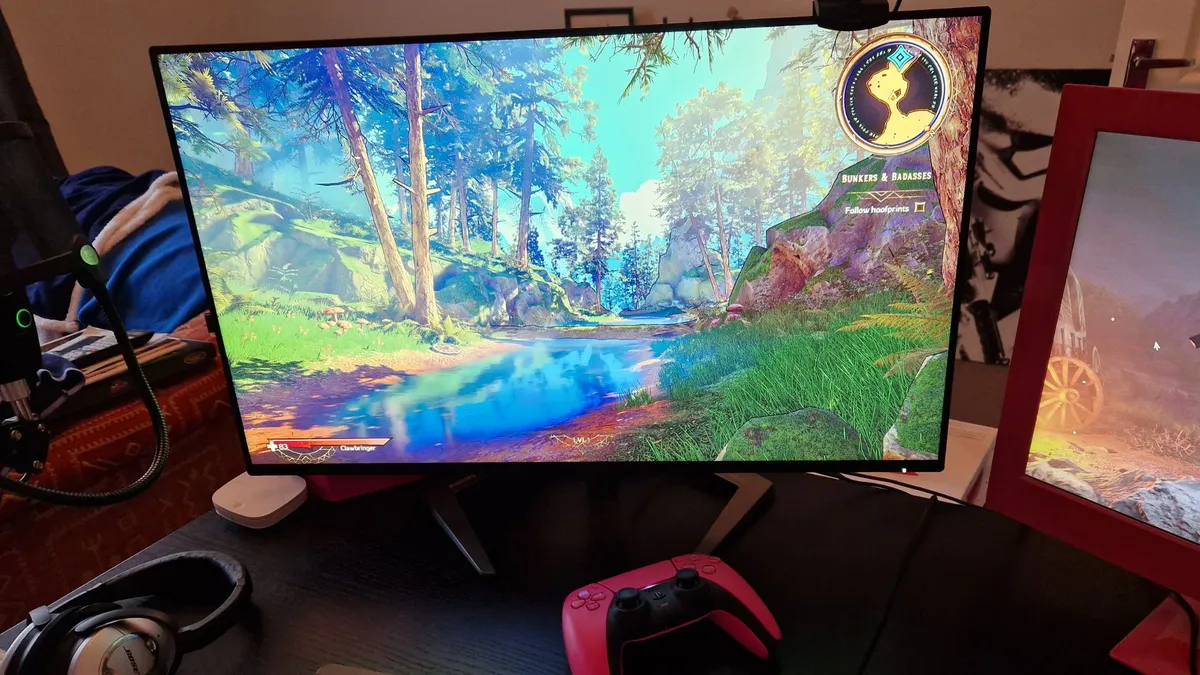


The Philips Momentum 5000 27M1F5800 hits that 4K 144Hz sweet spot, and it's perfect for Series X owners craving premium panel specs. Not only ago, displays of this calibre would set you back over $1,000. so its nice to see models enter the fold with a more approachable price point.
✅ You're aiming for above 120Hz: The Series X won't make full use of 144Hz, but it will help futureproof your experience if and when a new Xbox arrives while providing your PC with a faster refresh rate.
✅ You have more than one console: This screen comes armed with two HDMI 2.1 ports, meaning it's perfect for those of you who own both a Xbox Series X and PS5.
✅ You use multiple resolutions: The Momentum 5000 27M1F5800 produces fantastic results at 4K, but also helps 1440p and 1080p look the part, which could come in handy if you've got a Steam Deck dock or Nintendo Switch.
❌ You're craving better contrast: This Momentum monitor isn't awful when it comes to contrast, but it does occasionally fall flat in brighter scenes.
❌ You care about UI design: Interacting with settings and UI isn't one of the Momentum 5000 27M1F5800's strengths, as the experience feels a little dated and lacklustre.
Features: Again, for a 4K Xbox monitor from a big-name brand, it's surprisingly affordable, and for the quality of panel you get, we'd argue it has excellent value for money. In terms of display connectivity, you get two HDMI 2.1 ports and two 1.4 DisplayPorts, an USB upstream port, four USB 3.2 Gen 1 ports, and a 3.5mm audio connection. That's excellent for keeping all your Xbox Series X accessories close to hand. The 4K Momentum 5000 has a 27-inch display with a refresh rate of 144Hz, HDR 600 certification, and Adaptive Sync technology; all good ingredients for speedy and gorgeous Xbox Series X play.
Design: The Philips Momentum 5000 27M1F5800 boasts a simplistic design that looks professional atop a work-from-home desk, but a stand that gives it a bit of gaming soul. For that reason alone, this is absolutely up there those monitors of recent months and years that are designed with a dual-platform setup in mind.
That said, its UI leaves a bit to be desired, and its all in one directional power button nub feels a bit dated. While the Momentum 5000 27M1F5800 isn't the only monitor guilty of this approach, it makes us with every monitor came with remote, as premium models by LG and Samsung are pushing for this to be a standard.
Performance: In testing, we were awe-struck with how good the Momentum 5000 27M1F5800 made games look. Even when scaling back to 1440p and 1080p, visuals came through as crisp and clear - a big boon for those of you using the best Steam Deck dock, a Nintendo Switch, or both. It does suffer from some minor contrast and brightness issues, particularly in brighter scenes, but that's a common occurrence when it comes to IPS tech.
Verdict: The Philips Momentum 5000 is an Xbox Series X monitor that has all the makings of a terrific gaming screen, long as you don't mind a fairly lacklustre UI. Naturally, it's not going to boast the same levels of contrast as OLED rivals, but that doesn't prevent it from being our favorite 144Hz monitor out there.
Read more: Philips Momentum 5000 27M1F5800 review
The best value monitor for Xbox Series X


Looking at specs for the KTC G27P6 might feel like Déjà vu, as it uses the same LG panel as other 1440p OLED monitors out there. However, it's actually a chunk cheaper than those other models, and offers up a similar experience with extra perks thrown in.
✅ You prioritize value: For cheaper than big brand models, you'll get a top tier LG OLED panel and a bunch of great features to boot.
✅ You want faster visuals: While the Series X will support up to 120Hz, this 240Hz panel will help futureproof your setup and enhance your PC experience should you decided to connect a rig up.
✅ You aren't fussed about 4K: 1440p screens work just fine with the Series X, and this KTC panel is small enough to still look great at lower resolutions.
❌ 4K is a must: If you simply cannot do without 4K, you might want to opt for something with a slower UHD panel instead.
❌ You prefer brand names: We aren't going to judge you if you prefer to stick with bigger companies, but you'll ultimately pay more.
Features: Kitted out with a 1440p 240hz OLED display, the KTC G27P6 has brilliant contrast, speed, and a decent resolution on its side. In fact, the company has effectively packaged the same panel as the Corsair Xeneon 27QHD240 and Dough Spectrum Black with its own shell and firmware. Commonalities include KVM device switching and a USB-C hub, but this model also has some built-in speakers for good measure.
Design: Compared to its rivals, the KTC G27P6 looks a little less sleek thanks to its 'gamer gear' aesthetic. That might be exactly what some players are looking for, but it actually looks identical to its closest rivals from the front. Round the back, you'll even find an illuminated logo on its silver casing, which may appeal to those of you out there who appreciate RGB on everything.
Performance: For the most part, the KTC G27P6 pulls the same punches as our favorite OLED monitor, especially when it comes to contrast in SDR mode. Games like Cyberpunk 2077 are transformed into vibrant playgrounds, while that 240Hz refresh rate keeps things snappy in shooters like Halo Infinite. HDR mode isn't as strong with this screen, as colors end up looking a little muted. However, the LG panels natural abilities still shine through in normal use, even though this model isn't as expensive.
Verdict: If you want to save some change but still pick up a fantastic OLED monitor for your Series X/S, the KTC G27P6 more than fills the brief. There are some drawbacks attached to the saving, but they're arguably not enough to stop this screen being incredible value for money.
The best premium monitor for Xbox Series X
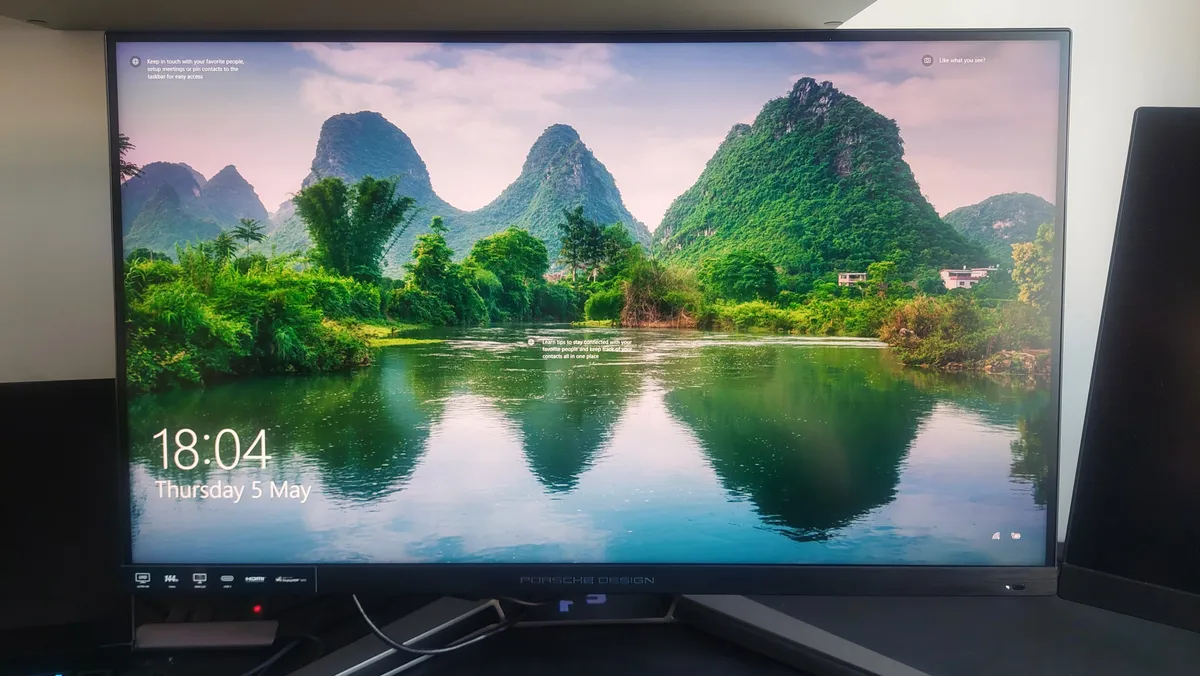


It's undeniably an expensive investment, but the AOC AGON PRO PD32M is our go to premium panel. It's a mini LED monster that produces incredible brightness and contrast when paired with the Series X, not to mention it's built like a tank too.
✅ Money is no object: If you've somehow got an unlimited amount to spend on a Series X monitor, this screen will happily fill the brief.
✅ You want TV quality specs: This screen boasts the same kind of mini LED panel included with high end TVs, and it really breathes life into Xbox games.
✅ You're into RGB lighting: Featuring a RGB LED that projects an emblem onto your desk, the ROG Strix XG27UQ caters to players that love putting on a lightshow.
❌ You aren't fussed about premium: Fancy tech is nice to have, but you'll be able to find some of this monitor's specs included in options that are half the price.
❌ You've not got a lot of room: AOC's monitor is a bit of a chonk, so you'll need to free up some room at your desk to make it fit.
Features: The AOC AGON PRO PD32M facilitates a truly premium experience, and to get all the features it offers in one screen is something spectacular. To get specific you're getting a 4K monitor that is: 32-inches; an IPS panel; 144Hz in refresh rate; 1ms in response time; mini-LED in its backlight type; 600 nits in its brightness; and Vesa-Certified DisplayHDR 1400 (!).
Design: It's safe to say the AGON PRO PD32M is a big chonky boi, so you'll need a fair bit of desk space - though it is flat so doesn't hog up too much extra space with its stand. However, the design is very cool and oozes that Porsche Design chic-ness to make a great-looking bit of kit. The RGB lighting on the sides is one of a few downsides as it's not really necessary for a screen where the panel does all the talking, and it can be tricky to optimise the screen for your use or different games as it is so bright and colourful.
Performance: As you'd perhaps expect from a monitor at this price point, the AGON PRO PD32M packs a incredible visual punch. games look superb, run super smoothly, and produce one of the top gaming experiences we've ever seen. Seriously, it's hard to go back to anything else once you've seen the full whack of the PD32M's capabilities, and it's still one of the best premium screens in 2023.
Verdict: Its price tag is hard to ignore, however, when you factor in literally all of the specs, features, and performance, the AOC AGON PRO PD32M isn't as ridiculous an investment as you might think. And it really could be all the gaming monitor you ever need, at least for a good few years into the future.
Read more: AOC Agon PD32M review
The best big screen monitor for Xbox Series X

Acer’s beastly 43-inch Predator CG7 has been updated to offer HDMI 2.1 support, and that makes it a shoo-in for our best gaming monitor for Xbox Series X guide now. An early note: as ever, the branding of the new variant is confusing. It’s the Acer Predator CG437KP you want, the additional ‘P’ on the end is the critical indicator of the updated model - the prices you see here are for that and the links will take you to the right place.
✅ You want a huge monitor: Seriously, this thing is the same size as many TVs, but packs specs you'd normally associate with gaming monitors.
✅ You appreciate RGB: The CG7's illuminated base is pretty eye catching, and it'll fit in with the rest of your colorful desktop peripherals.
✅ You want faster than 120Hz: Acer's screen is 144Hz, so it'll more than cater to the Series X's top speeds and enable graphics cards to display more frames.
❌ You need adjustability: Weirdly, the CG7's base is completely stationary, so you won't be able to adjust things like heigh and angle.
❌ You'd rather buy a TV: It might sound obvious, but if you're looking for a big Series X screen, you'd perhaps be better off investing in a TV rather than a monitor.
Features: the Predator CG7's VA panel is the real 4K deal and good for fully 1,000 nits of brightness and 1ms responses, albeit that 1ms stat is not the usual gray-to-gray, but Acer’s Visual Response Boost mode, which comes at the cost of brightness. Just as important it’ll hit the full 120Hz thanks to that HDMI 2.1 upgrade (connected to a PC it’ll go even faster - 144Hz).
For the record, Acer says it will also run at 120Hz at 1440p on the Xbox Series X, giving you the option to step down the resolution in return for more speed and response. That makes this panel suitable for twitchy online shooters like Fortnite, while the sheer scale and punch of the VA panel is also a good fit for graphics fests like Assassin's Creed: Valhalla.
Design: The Predator CG7's main draw is its size, as 43-inches is more commonly associated with gaming TVs. Bigger isn't always better, but since big 4K 144Hz screens are still less common, Acer has effectively created an alternative that could replace your living room display.
Unlike a TV, this big Acer screen definitely looks like a desktop display, complete with a pedestal stand clad in vibrant RGB. However, it weirdly features zero adjustability, which is a huge problem if you require specific angles and heigh adjustments, and effectively makes the CG7 feel like a TV without a tuner and smart features.
Performance: Acer reckons the CG7 is good for 90 percent of the DCI-P3 gamut, which isn’t too shabby. The CG7 is also DisplayHDR 1000 certified. However, it only has 14 edge-lit dimming zones rather than full-array local dimming, so it’s not the full HDR deal. That said, the inherent 4,000:1 contrast of the VA panel combined with that powerful 1,000 nits brightness means that this is about as good as it gets with having full-array dimming.
Verdict: The Acer Predator CG7 gets a lot right while offering a ginormous panel, but its size and screen tech comes with evident flaws. It truth, if you're looking for screen this size with better specs, you might be better off checking out the best TV for PS5 and Xbox Series X instead. Nevertheless, this monster monitor has a lot to offer if you'd rather avoid the realm of televisions, and its slightly faster refresh rate is a big bonus.
Read more: Acer Predator CG437K review
Is 4K or 144Hz better for Xbox Series X?
Many 4K monitors on the market right now boast an 144Hz refresh rate, so you don't need to choose between the two specs. That said, the Xbox Series X supports up to 120Hz, so you could invest in other features by sticking with UHD screens that match that refresh rate instead.
Do you need a 120hz monitor for Xbox Series X?
The Xbox Series X can output 4K 120Hz, but the latter high refresh rate could be considered more luxury than a necessity. That said, while you don't need a 120Hz display to enjoy your favourite Xbox games, it'll come in handy when it comes to competitive shooters, as it'll enable you to make full use of higher frame rates.
Is a TV or monitor better for Xbox Series X?
Ultimately, using either a TV or monitor for Xbox Series X gaming comes down to size preferences. The console can hit 4K 120Hz, and both screen types can match those performance specs, but you'll spend less on a desktop screen with a higher refresh rate. Simply put, if you want an extra large speed UHD screen, you'll want to go with a traditional television. Got a smaller setup? A monitor will do the trick.
How to choose a monitor for Xbox Series X
Why you can trust GamesRadar+ Our experts review games, movies and tech over countless hours, so you can choose the best for you. Find out more about our reviews policy.
When choosing an Xbox Series X monitor, taking your specific setup into account is vital. Not only will you have to figure out which size you'd benefit from most, but you'll want to figure out which features are going to benefit you most day to day. For some, choosing an extra large display with a remote control that functions just like a TV will be the right call. For others, a smaller panel that packs OLED tech and a faster refresh rate for additional PC play will be more beneficial.
Resolution will play a huge part too, as unlike TVs, not all monitors are 4K. In fact, you'll more often than not come across 1440p displays that trade resolution for refresh rate, and they'll work nicely with the Xbox Series X. If you love shooters like Overwatch 2, you'll be able to tap into your console's 120fps abilities and match them with a faster screen, in turn helping everything feel snappier. The quality difference shouldn't be too noticeable if you play on something under 27-inch, but some textures may appeal soft depending on what you're playing.
Finally, it's well worth thinking outside the Xbox. Puns aside, most players have more than just Microsoft's console to hand, and taking your other devices into consideration is worthwhile. For example, if you're rocking a gaming handheld like the Steam Deck OLED, choosing something with USB-C docking abilities will help you consolize your portable PC.
How we test monitors for Xbox Series X at GamesRadar+
Our team of screen savvy experts spend hours testing monitors using the Xbox Series X. While many different displays will work with Microsoft's console, we like to narrow down that list so that you can find the perfect panel suited to the platform's specs and capabilities.
When deciding whether or not a monitor is best paired with the Series X, we typically use a wide variety of games to put specs, design, features, and performance to the test. That includes releases that support 4K 120Hz, but we also like to run adventures across a variety of genres to analyse fidelity and determine whether a model is good value for money.
For more information, you can read more on How we test monitors at GamesRadar+ here, and for an overview of our approach to gaming tech then you can check out our full Hardware Policy.
For all your other monitor needs, check out our guides to the best G-Sync monitor, best G-Sync compatible FreeSync monitor, and best curved gaming monitor for a wider selection of displays.

