

Join The Community
- Join our community
11
Premium Benefits
24/7
Access Available
21K+
Active Members
Commenting
Join the discussion
Exclusive Articles Coming Soon
Member-only articles
Weekly Newsletters
Weekly gaming & entertainment news
Member Badges
Earn badges as you go
Exclusive Competitions
Members-only prize draws
Curated Deals Coming Soon
Tech and gaming deals worth grabbing
GET COMMUNITY ACCESS QUICK
For the quickest way to join, simply enter your email below and get access. We will send a confirmation and sign you up to our newsletter to keep you updated on all your gaming news.
By submitting your information you agree to the Terms & Conditions and Privacy Policy and are aged 16 or over.
FIND OUT ABOUT OUR MAGAZINE
Want to subscribe to the magazine? Click the button below to find out more information.
Find out more
GET Community ACCESS QUICK

Join the GamesRadar community for quick access. Enter your email below and we'll send confirmation, and sign you up to our newsletter.

By submitting your information, you confirm you are aged 16 or over, have read our Privacy Policy and agree to the Terms & Conditions. Geographical rules apply.

Background
Welcome to GamesRADAR+ Community !
Hi ,

Your membership journey starts here.

Keep exploring and earning more as a member.

MY ACCOUNT

Badge picture
Earn your first badge
Read 1 article to unlock your first badge.
Keep earning badges
Explore ways to get more involved as a member.
Latest Games News

Latest Games News

Breaking gaming news and updates

Read Now
Latest Games Reviews

Latest Games Reviews

Expert verdicts on the newest releases

Read Now

See what you’ve unlocked.

Explore your membership benefits.

Explore
Member Exclusives

Stay Ahead with GamesRadar+

Get the biggest gaming news, reviews, and releases straight to your inbox.

Explore

Sign Out
GamesRadar+ GamesRadar+
US EditionUS CA EditionCanada UK EditionUK AU EditionAustralia
Sign in
  • View Profile
  • Sign out
  • Games
    • Game Insights
      • Games News
      • Games Features
      • Games Reviews
      • Games Guides
      • Big in 2026
      • Big Preview
      • Future Games Show
      • Golden Joystick Awards
    • Genres
      • Action Games
      • RPGs
      • Action RPGs
      • Adventure Games
      • Third Person Shooters
      • FPS Games
    • Platforms
      • PS5
      • Xbox Series X
      • PC
      • Nintendo Switch
      • Nintendo Switch 2
      • Tabletop Gaming
    • Franchises
      • Grand Theft Auto
      • Pokemon
      • Assassin's Creed
      • Monster Hunter
      • Fortnite
      • Cyberpunk
      • Red Dead
      • The Elder Scrolls
      • The Sims
  • Entertainment
    • TV Shows
      • TV News
      • TV Reviews
      • Anime Shows
      • Sci-Fi Shows
      • Superhero Shows
      • Animated Shows
      • Marvel TV Shows
      • Star Wars TV Shows
      • DC TV Shows
    • Movies
      • Movie News
      • Movie Reviews
      • Big Screen Spotlight
      • Superhero Movies
      • Action Movies
      • Anime Movies
      • Sci-Fi Movies
      • Horror Movies
      • Marvel Movies
      • DC Movies
    • Streaming
      • Apple TV Plus
      • Disney Plus
      • Netflix
      • HBO
      • Amazon Prime Video
      • Hulu
    • Comics
      • Marvel Comics
      • DC Comics
  • Hardware
    • Insights
      • Hardware News
      • Hardware Reviews
      • Hardware Features
      • Buying Guides
    • Computing
      • Desktop PCs
      • Laptops
      • Handhelds
    • Peripherals
      • Headsets & Headphones
      • TVs & Monitors
      • Gaming Mice
      • Gaming Keyboards
      • Gaming Chairs
      • Speakers & Audio
    • Accessories & Tech
      • Gaming Controllers
      • Tech
      • SSDs & Hard Drives
      • VR
      • Accessories
      • Retro
  • Deals
    • Toys & Collectibles
    • Lego
    • Dungeons and Dragons
    • Merch
  • Video
    • Video
    • GR+ Replay - Submit Your Clips
  • Newsletters
    • Quizzes
    • About Us
    • How to pitch to us
    • How we score
    • Newsarama
    • Retro Gamer
  • Home
  • Games
    • View Games
      • Games News
      • Games Features
      • Games Reviews
      • Games Guides
      • Big in 2026
      • Big Preview
      • Future Games Show
      • Golden Joystick Awards
      • Action Games
      • RPGs
      • Action RPGs
      • Adventure Games
      • Third Person Shooters
      • FPS Games
    • Platforms
      • View Platforms
      • PS5
      • Xbox Series X
      • PC
      • Nintendo Switch
      • Nintendo Switch 2
      • Tabletop Gaming
      • Grand Theft Auto
      • Pokemon
      • Assassin's Creed
      • Monster Hunter
      • Fortnite
      • Cyberpunk
      • Red Dead
      • The Elder Scrolls
      • The Sims
  • Entertainment
    • View Entertainment
    • TV Shows
      • View TV Shows
      • TV News
      • TV Reviews
      • Anime Shows
      • Sci-Fi Shows
      • Superhero Shows
      • Animated Shows
      • Marvel TV Shows
      • Star Wars TV Shows
      • DC TV Shows
    • Movies
      • View Movies
      • Movie News
      • Movie Reviews
      • Big Screen Spotlight
      • Superhero Movies
      • Action Movies
      • Anime Movies
      • Sci-Fi Movies
      • Horror Movies
      • Marvel Movies
      • DC Movies
    • Streaming
      • View Streaming
      • Apple TV Plus
      • Disney Plus
      • Netflix
      • HBO
      • Amazon Prime Video
      • Hulu
    • Comics
      • View Comics
      • Marvel Comics
      • DC Comics
  • Hardware
    • View Hardware
      • Hardware News
      • Hardware Reviews
      • Hardware Features
      • Buying Guides
      • Desktop PCs
      • Laptops
      • Handhelds
    • Peripherals
      • View Peripherals
      • Headsets & Headphones
      • TVs & Monitors
      • Gaming Mice
      • Gaming Keyboards
      • Gaming Chairs
      • Speakers & Audio
      • Gaming Controllers
      • Tech
      • SSDs & Hard Drives
      • VR
      • Accessories
      • Retro
  • Deals
    • Toys & Collectibles
    • Lego
    • Dungeons and Dragons
    • Merch
  • Video
    • View Video
    • Video
    • GR+ Replay - Submit Your Clips
  • Newsletters
    • Quizzes
    • About Us
    • How to pitch to us
    • How we score
    • Newsarama
    • Retro Gamer
Trending
  • Nintendo Direct
  • Summer Game Fest 2026
  • Xbox Games Showcase
  • Future Games Show
  • New Games 2026
  • Best gaming tech
  • Submit your clips. Win prizes
  • SGF 2026 schedule
Sign up to the GamesRadar+ Newsletter

Weekly digests, tales from the communities you love, and more


By submitting your information you agree to the Terms & Conditions and Privacy Policy and are aged 16 or over.

You are now subscribed

Your newsletter sign-up was successful


Want to add more newsletters?

GamesRadar+

Every Friday

GamesRadar+

Your weekly update on everything you could ever want to know about the games you already love, games we know you're going to love in the near future, and tales from the communities that surround them.

GTA 6 O'clock

Every Thursday

GTA 6 O'clock

Our special GTA 6 newsletter, with breaking news, insider info, and rumor analysis from the award-winning GTA 6 O'clock experts.

Knowledge

Every Friday

Knowledge

From the creators of Edge: A weekly videogame industry newsletter with analysis from expert writers, guidance from professionals, and insight into what's on the horizon.

The Setup

Every Thursday

The Setup

Hardware nerds unite, sign up to our free tech newsletter for a weekly digest of the hottest new tech, the latest gadgets on the test bench, and much more.

Switch 2 Spotlight

Every Wednesday

Switch 2 Spotlight

Sign up to our new Switch 2 newsletter, where we bring you the latest talking points on Nintendo's new console each week, bring you up to date on the news, and recommend what games to play.

The Watchlist

Every Saturday

The Watchlist

Subscribe for a weekly digest of the movie and TV news that matters, direct to your inbox. From first-look trailers, interviews, reviews and explainers, we've got you covered.

SFX

Once a month

SFX

Get sneak previews, exclusive competitions and details of special events each month!


Join the club

Get full access to premium articles, exclusive features and a growing list of member rewards.


An account already exists for this email address, please log in.
  1. Platforms
  2. PlayStation
  3. PS5

10 things you (probably) didn't know your PS5 could do

Guides
By Alex Avard Contributions from Iain Wilson, Joel Franey last updated 12 December 2025

Here's the PS5 tips you ought to know to get the most out of your Sony console

When you purchase through links on our site, we may earn an affiliate commission. Here’s how it works.

PS5 restock Walmart
(Image credit: Future)
  • Facebook
  • X
  • Pinterest
  • Flipboard
  • Email
Share this article
0
Join the conversation
Follow us
Add us as a preferred source on Google
Subscribe to our newsletter

Having some PS5 tips and tricks to hand can be really helpful, especially if you've just unboxed a new PlayStation 5 and are wondering what to do next. Sony's console is packed full of powerful features if you know how to use them, but if you're not familiar with the system then it can be easy to overlook some of its more useful systems. We appreciate that no everyone will know the console inside out, which is why we're here to make sure you have the best experience with your new PS5 and don't miss anything important.
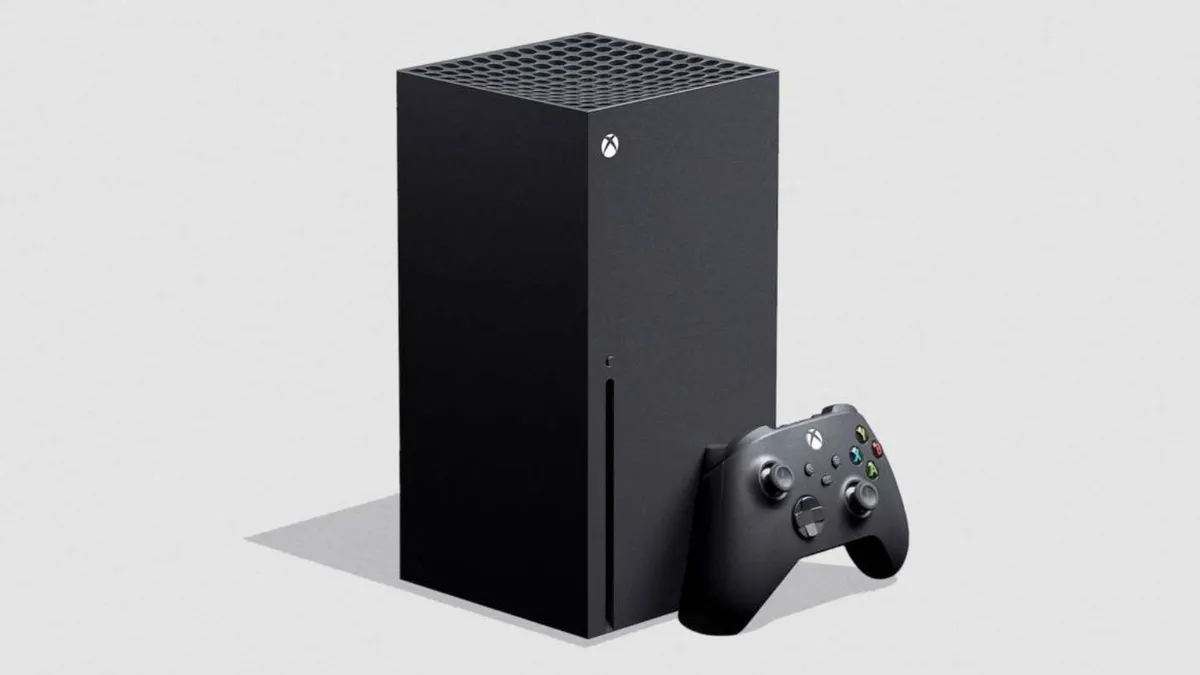
Read more

(Image credit: Microsoft)

Xbox Series X tips: 11 things you (also probably) didn't know it could do

In fact, some of these PS5 features may be completely unheard of to you, but they're absolutely worth knowing about if you want to make the most out of the hardware, especially before you get stuck into all of those upcoming PS5 games releasing at the end of this year and beyond. Here, we've listed ten PS5 tips that you probably didn't know about, and why you should try them out as soon as you get it set up.

1. Detach the stand, or swap it around

PS5 tips

(Image credit: Sony)

Unlike the Xbox Series X, the PS5's positioning stand is actually detachable, and for good reason. While your boxed console will come with the stand fixed at the bottom for positioning upright, that set-up may actually be too tall for your home entertainment feng shui, especially given how big the PS5 is.

Latest Videos From
Watch full video here:

With that in mind, you can switch between PS5 horizontal or vertical placement by attaching the stand to the PS5's base panel instead, allowing you to position it horizontally. All you need is a screwdriver (or just a thin-enough coin), a delicate pair of hands, and five minutes of patience. The upright mode requires you to screw in the stand, though the sideways mode just clips in without needing the screw. The PS5 is ginormous either way, but now there's some manoeuvrability about how you position and where.

2. Make use of your old DualShock 4s

PS5 tips

(Image credit: Sony)

While PlayStation originally stated that the PS4's DualShock 4 controllers wouldn't be forward compatible with PS5, you can use a PS4 controller on PS5 when playing backwards-compatible PS4 games on the current-gen hardware.

You may like
  • PS5 accessories on a table, including two DualSense controllers, a charging station and a headset The best PS5 accessories in 2025: everything you need to upgrade your experience
  • DualSense Edge review image showing the controller next to the original DualSense in Nova Pink The best PS5 controller 2026: Find your Edge
  • Official product images of the PS Portal, Dualsense Edge controller, PS5 Slim, and box art for Indiana Jones and the Great Circle on a blue GamesRadar+ background. Prime Day PS5 deals are rolling out, and I've gathered the best early deals and what to expect during this year's Sony savings

This means that you shouldn't throw out your DualShock 4s just yet, especially if you can't afford a second DualSense controller right now, and find yourself looking for a good couch co-op game in the back catalogue to play with the family. Simply delve back into your PS4 library, hand DualShock 4s around, and your evenings are sorted. 

3. Use Game Boost to auto-enhance PS4 games

PS5 tips

(Image credit: Sucker Punch)

Similar to the Xbox Series X's HDR machine learning tech, the PS5 is capable of automatically remastering backwards compatible PS4 games without any developer input, via something that Sony is calling Game Boost. 

Sign up to the GamesRadar+ Newsletter

Weekly digests, tales from the communities you love, and more

By submitting your information you agree to the Terms & Conditions and Privacy Policy and are aged 16 or over.

Game Boost is active automatically on the PS5 and does not need to be turned on, enhancing certain select PS4 games with better loading times, improved frame rates and resolutions. Just make sure you have the latest updates for both your PS5 and the game in question! Game Boost is a great excuse to replay your old favourites with a facelift, and a perfect opportunity to keep you occupied during those annual gaming summer droughts. 

4. Save storage by streaming your backwards compatible titles

PS5 tips

(Image credit: Sony)

Speaking of PS5 backward compatibility, there are a number of ways to bring your PS4 games onto your PS5's hard drive, the easiest being simply accessing your digital library from the main menu and downloading them directly from the PSN Store. 

If you're tight on memory, however, PlayStation's Remote Play feature allows you to stream PS4 games onto your PS5 without taking up a single bit of data. You'll need to have your PS4 running on the same wi-fi network, of course, but otherwise this is a great way to enjoy your backwards compatible games without having to worry about the memory they'll be taking up in your PS5's hard drive. 

You may like
  • PS5 accessories on a table, including two DualSense controllers, a charging station and a headset The best PS5 accessories in 2025: everything you need to upgrade your experience
  • DualSense Edge review image showing the controller next to the original DualSense in Nova Pink The best PS5 controller 2026: Find your Edge
  • Official product images of the PS Portal, Dualsense Edge controller, PS5 Slim, and box art for Indiana Jones and the Great Circle on a blue GamesRadar+ background. Prime Day PS5 deals are rolling out, and I've gathered the best early deals and what to expect during this year's Sony savings

5. Skip straight to the good stuff with selective installs

PS5 tips

(Image credit: Activision)

Right back when Sony first started sharing details about its next-generation plans, PS5 lead architect Mark Cerny confirmed that the console will allow users to install only select parts of games onto the system, thus bypassing the high memory requirements of many AAA titles. 

This is something that some games already allow for on PS4, but Cerny has promised its successor will offer a "finer-grained access to the data", such as the ability to delete sections of a title without removing the entire application from your system. Go into the system menu for supported games, and you'll see a list of the different elements available and the option to download them or delete to save storage.

6. Customise your console with detachable panels

PS5 tips

(Image credit: LetsGoDigital)

In a PS5 breakdown, Sony's VP of mechanical design Yasuhiro Ootori revealed that the console's gleaming white panels can be rather easily detached, already making way for a number of third party replacements which will allow users to more openly express themselves via the next-gen system. 

Sony themselves are selling various different colours of panel at the time of writing on their site, though there's a lot more for sale from third parties - as always, make sure you research which are the most reliable and well-recommended retailers before spending money, but otherwise go check the swathe of PS5 custom concepts on the internet, and have a think about what you might want your console to look like. 

7. Join parties without a headset using the DualSense mic

PS5 tips

(Image credit: Sony PlayStation)

In a significant upgrade from its predecessor, the DualSense controller features an in-built microphone that can be used to chat to friends in your party without the need for an external headset. Keep in mind that while this feature can be toggled with the button labelled with the microphone on the PS5 controller, it automatically turns on when you boot up the console - though you can mute a PS5 controller mic by changing this in the settings so its default status is off.

The controller microphone isn't phenomenal, but it serves as an "it'll do in a pinch" replacement that means players won't necessarily have to shell out money on a microphone or headset if they can't afford it. Better still, those in your household who aren't playing can also join in the camaraderie, finally free from having to only listen to one side of the conversation. 

8. Use PS5 Activities to jump into specific game modes straight from the main menu

PS5 tips

(Image credit: Rockstar Games)

Sick and tired of having to boot up GTA 5, to then log into GTA Online, to then join a friend's lobby, before finally reaching your favourite PvP playlist? Your new PlayStation should offer a way to cut through all of that preamble, via a new UI option called PS5 Activities. This will allow PS5 users to access a specific part of a game straight from the system's main menu, as Mark Cerny previously explained.

"Multiplayer game servers will provide the console with the set of joinable activities in real time," says Cerny. "Single-player games will provide information like what missions you could do and what rewards you might receive for completing them – and all of those choices will be visible in the UI. As a player you just jump right into whatever you like."

9. Hit the Create button to commemorate your greatest achievements

PS5 tips

(Image credit: Sony PlayStation)

The DualShock 4's Share Button has been replaced by the DualSense's Create button. By pressing it, you can open up a menu to capture and share screenshots and footage, and by holding it down, you can start recording automatically.

What this means is a more customisable and seamless capture recording, editing, and sharing experience; one that'll encourage you to share your gaming feats with the rest of the world on your current-generation console. Screenshots and recordings will be saved in the PS5 Media Gallery, and if you want to fine-tune your footage then there are options to modify your PS5 capture settings.

10. Set up couch co-op with ease using the DualSense's light bar

PS5 tips

(Image credit: Sony)

Another new feature of the DualSense controller is its revamped touchbar, which now sends  more information to the user through its in-built lighting system. One such piece of information is your Player Status during couch co-op sessions, with the number of lights at the top of the bar telegraphing which player you are in the game. 

No more having to figure out which controller isn't working, who Player Three is, or which cheeky teammate keeps accidentally hitting the PS button. Just turn on the controllers, look at the lights, and pass them round respectively. Admittedly this is dependant on the game you're playing actually programming in this feature, but Sony is clearly set on having people use the technology they provide.

© GamesRadar+. Not to be reproduced without permission.

Alex Avard
Alex Avard
Social Links Navigation
Former Features Writer

Alex is a former Features Writer at GamesRadar+, which once made him responsible for gracing the internet with as many of my words as possible, including reviews, previews, interviews, and more. Lucky internet!

With contributions from
  • Joel FraneyGuides Editor, GamesRadar+
  • Iain WilsonGuides Editor

You must confirm your public display name before commenting

Please logout and then login again, you will then be prompted to enter your display name.

Read more
PS5 accessories on a table, including two DualSense controllers, a charging station and a headset
Tech The best PS5 accessories in 2025: everything you need to upgrade your experience
 
 
DualSense Edge review image showing the controller next to the original DualSense in Nova Pink
Gaming Controllers The best PS5 controller 2026: Find your Edge
 
 
Official product images of the PS Portal, Dualsense Edge controller, PS5 Slim, and box art for Indiana Jones and the Great Circle on a blue GamesRadar+ background.
PS5 Prime Day PS5 deals are rolling out, and I've gathered the best early deals and what to expect during this year's Sony savings
 
 
God of War Laufey
PS5 PS5 exclusives: Every game released and confirmed so far
 
 
Best Ps5 games
Games Best PS5 games: The 25 greatest PlayStation 5 games in 2026, ranked
 
 
Top section of a PS5 Pro console in front of a houseplant
Hardware Sony's new PSSR update has me wanting a PS5 Pro more than ever, so here's the deal I'm going for
 
 
Latest in PS5
Palworld pal Cattiva holding a plushie in official animated short Finders Keepers.
Survival Games Palworld 1.0 sounds huge as Pocketpair lead promises more new Pals than we've ever had in an update
 
 
Square Enix/darcyleegray via Twitter
Final Fantasy Final Fantasy 7 Revelation has a "far bigger" open world map than Rebirth, says director
 
 
Stellar Blade: Blood Rain NPC with cybernetic throat and jaw
Action Games In today's AI hardware disaster, Stellar Blade Blood Rain devs prioritize accessible performance
 
 
Persona 4 opening movie screenshot shows protagonist Yu with a card floating in front of him.
JRPGs The Weeknd saw the Persona 6 announcement and played Persona 4 Revival before any of us
 
 
Final Fantasy 14 Kefka
Final Fantasy Final Fantasy 14 fans are once again alleging Ultimate world first winners are a "cheater team"
 
 
Stellar Blade Blood Rain lead Evie with white gauntlet
Action Games Stellar Blade boss admits he "struggled" with its main character, but promises more for Blood Rain
 
 
Latest in Guides
Fortnite John Wick's dog after being released from the cage
Fortnite How to rescue or pet John Wick's dog in Fortnite
 
 
Task Bar Hero Soulstone item boxout explaining its purpose for summoning act bosses
RPGs How to get and farm Soulstones in Task Bar Hero
 
 
Gothic 1 Remake
RPGs How to put out a torch in Gothic Remake
 
 
Gothic 1 Remake
RPGs How to get a bed to sleep in the Gothic 1 Remake
 
 
Gothic 1 Remake
RPGs How does lockpicking in Gothic 1 Remake work?
 
 
A Samurai walks across a rocky landscape in VV Ultimatum
RPGs VV Ultimatum codes (June 2026) for Shards and rerolls
 
 
LATEST ARTICLES
  1. Palworld pal Cattiva holding a plushie in official animated short Finders Keepers.
    1
    Palworld 1.0 sounds huge as Pocketpair lead promises more new Pals than "ever added before in any one update"
  2. 2
    The second Spider-Man: Brand New Day trailer is the latest Marvel leak, as it mysteriously finds its way online
  3. 3
    Nintendo Direct Live Coverage – All the news as it happens from the June showcase
  4. 4
    New Spider-Man scenes are being filmed right now, but no one knows if it's for Brand New Day or Avengers: Doomsday
  5. 5
    Get ready to rewatch The Odyssey in every format, as Letterboxd creates a digital punch card

GamesRadar+ is part of Future US Inc, an international media group and leading digital publisher. Visit our corporate site.

Add as a preferred source on Google Add as a preferred source on Google
  • Terms and conditions
  • Contact Future's experts
  • Privacy policy
  • Cookies policy
  • Accessibility statement
  • Careers
  • About us
  • Advertise with us
  • Review guidelines
  • Write for us

© Future US, Inc. Full 7th Floor, 130 West 42nd Street, New York, NY 10036.

Please login or signup to comment

Please wait...