

Join The Community
- Join our community
Commenting
Join the discussion
Exclusive Articles Coming Soon
Member-only articles
Weekly Newsletters
Weekly gaming & entertainment news
Member Badges
Earn badges as you go
Exclusive Competitions
Members-only prize draws
Curated Deals Coming Soon
Tech and gaming deals worth grabbing
GET COMMUNITY ACCESS QUICK
For the quickest way to join, simply enter your email below and get access. We will send a confirmation and sign you up to our newsletter to keep you updated on all your gaming news.
By submitting your information you agree to the Terms & Conditions and Privacy Policy and are aged 16 or over.
FIND OUT ABOUT OUR MAGAZINE
Want to subscribe to the magazine? Click the button below to find out more information.
Find out more
GET Community ACCESS QUICK

Join the GamesRadar community for quick access. Enter your email below and we'll send confirmation, and sign you up to our newsletter.

By submitting your information, you confirm you are aged 16 or over, have read our Privacy Policy and agree to the Terms & Conditions. Geographical rules apply.

Background
Welcome to GamesRADAR+ Community !
Hi ,

Your membership journey starts here.

Keep exploring and earning more as a member.

MY ACCOUNT

Badge picture
Earn your first badge
Read 1 article to unlock your first badge.
Keep earning badges
Explore ways to get more involved as a member.
Latest Games News

Latest Games News

Breaking gaming news and updates

Read Now
Latest Games Reviews

Latest Games Reviews

Expert verdicts on the newest releases

Read Now

See what you’ve unlocked.

Explore your membership benefits.

Explore
Member Exclusives

Stay Ahead with GamesRadar+

Get the biggest gaming news, reviews, and releases straight to your inbox.

Explore

Sign Out
GamesRadar+ GamesRadar+
US EditionUS CA EditionCanada UK EditionUK AU EditionAustralia
Sign in
  • View Profile
  • Sign out
  • Games
    • Game Insights
      • Games News
      • Games Features
      • Games Reviews
      • Games Guides
      • Big in 2026
      • Big Preview
      • Future Games Show
      • Golden Joystick Awards
    • Genres
      • Action Games
      • RPGs
      • Action RPGs
      • Adventure Games
      • Third Person Shooters
      • FPS Games
    • Platforms
      • PS5
      • Xbox Series X
      • PC
      • Nintendo Switch
      • Nintendo Switch 2
      • Tabletop Gaming
    • Franchises
      • Grand Theft Auto
      • Pokemon
      • Assassin's Creed
      • Monster Hunter
      • Fortnite
      • Cyberpunk
      • Red Dead
      • The Elder Scrolls
      • The Sims
  • Entertainment
    • TV Shows
      • TV News
      • TV Reviews
      • Anime Shows
      • Sci-Fi Shows
      • Superhero Shows
      • Animated Shows
      • Marvel TV Shows
      • Star Wars TV Shows
      • DC TV Shows
    • Movies
      • Movie News
      • Movie Reviews
      • Big Screen Spotlight
      • Superhero Movies
      • Action Movies
      • Anime Movies
      • Sci-Fi Movies
      • Horror Movies
      • Marvel Movies
      • DC Movies
    • Streaming
      • Apple TV Plus
      • Disney Plus
      • Netflix
      • HBO
      • Amazon Prime Video
      • Hulu
    • Comics
      • Marvel Comics
      • DC Comics
  • Hardware
    • Insights
      • Hardware News
      • Hardware Reviews
      • Hardware Features
      • Buying Guides
    • Computing
      • Desktop PCs
      • Laptops
      • Handhelds
    • Peripherals
      • Headsets & Headphones
      • TVs & Monitors
      • Gaming Mice
      • Gaming Keyboards
      • Gaming Chairs
      • Speakers & Audio
    • Accessories & Tech
      • Gaming Controllers
      • Tech
      • SSDs & Hard Drives
      • VR
      • Accessories
      • Retro
  • Deals
    • Toys & Collectibles
    • Lego
    • Dungeons and Dragons
    • Merch
  • Video
    • Videos
    • GR+ Replay - Submit Your Clips
    • G+RLS Podcast
  • Newsletters
    • Quizzes
    • About Us
    • How to pitch to us
    • How we score
    • Newsarama
    • Retro Gamer
  • Home
  • Games
    • View Games
      • Games News
      • Games Features
      • Games Reviews
      • Games Guides
      • Big in 2026
      • Big Preview
      • Future Games Show
      • Golden Joystick Awards
      • Action Games
      • RPGs
      • Action RPGs
      • Adventure Games
      • Third Person Shooters
      • FPS Games
    • Platforms
      • View Platforms
      • PS5
      • Xbox Series X
      • PC
      • Nintendo Switch
      • Nintendo Switch 2
      • Tabletop Gaming
      • Grand Theft Auto
      • Pokemon
      • Assassin's Creed
      • Monster Hunter
      • Fortnite
      • Cyberpunk
      • Red Dead
      • The Elder Scrolls
      • The Sims
  • Entertainment
    • View Entertainment
    • TV Shows
      • View TV Shows
      • TV News
      • TV Reviews
      • Anime Shows
      • Sci-Fi Shows
      • Superhero Shows
      • Animated Shows
      • Marvel TV Shows
      • Star Wars TV Shows
      • DC TV Shows
    • Movies
      • View Movies
      • Movie News
      • Movie Reviews
      • Big Screen Spotlight
      • Superhero Movies
      • Action Movies
      • Anime Movies
      • Sci-Fi Movies
      • Horror Movies
      • Marvel Movies
      • DC Movies
    • Streaming
      • View Streaming
      • Apple TV Plus
      • Disney Plus
      • Netflix
      • HBO
      • Amazon Prime Video
      • Hulu
    • Comics
      • View Comics
      • Marvel Comics
      • DC Comics
  • Hardware
    • View Hardware
      • Hardware News
      • Hardware Reviews
      • Hardware Features
      • Buying Guides
      • Desktop PCs
      • Laptops
      • Handhelds
    • Peripherals
      • View Peripherals
      • Headsets & Headphones
      • TVs & Monitors
      • Gaming Mice
      • Gaming Keyboards
      • Gaming Chairs
      • Speakers & Audio
      • Gaming Controllers
      • Tech
      • SSDs & Hard Drives
      • VR
      • Accessories
      • Retro
  • Deals
    • Toys & Collectibles
    • Lego
    • Dungeons and Dragons
    • Merch
  • Video
    • View Video
    • Videos
    • GR+ Replay - Submit Your Clips
    • G+RLS Podcast
  • Newsletters
    • Quizzes
    • About Us
    • How to pitch to us
    • How we score
    • Newsarama
    • Retro Gamer
Trending
  • Countdown to GTA 6
  • Join our monthly RPG Club
  • Game of the Week
  • G+RLS Podcast
  • GTA 6
  • Best gaming tech
  • RPG Hub
  • Submit your clips. Win prizes
Sign up to the GamesRadar+ Newsletter

Weekly digests, tales from the communities you love, and more


By submitting your information you agree to the Terms & Conditions and Privacy Policy and are aged 16 or over.

You are now subscribed

Your newsletter sign-up was successful


Want to add more newsletters?

GamesRadar+

Every Friday

GamesRadar+

Your weekly update on everything you could ever want to know about the games you already love, games we know you're going to love in the near future, and tales from the communities that surround them.

GTA 6 O'clock

Every Thursday

GTA 6 O'clock

Our special GTA 6 newsletter, with breaking news, insider info, and rumor analysis from the award-winning GTA 6 O'clock experts.

Knowledge

Every Friday

Knowledge

From the creators of Edge: A weekly videogame industry newsletter with analysis from expert writers, guidance from professionals, and insight into what's on the horizon.

The Setup

Every Thursday

The Setup

Hardware nerds unite, sign up to our free tech newsletter for a weekly digest of the hottest new tech, the latest gadgets on the test bench, and much more.

Switch 2 Spotlight

Every Wednesday

Switch 2 Spotlight

Sign up to our new Switch 2 newsletter, where we bring you the latest talking points on Nintendo's new console each week, bring you up to date on the news, and recommend what games to play.

The Watchlist

Every Saturday

The Watchlist

Subscribe for a weekly digest of the movie and TV news that matters, direct to your inbox. From first-look trailers, interviews, reviews and explainers, we've got you covered.

SFX

Once a month

SFX

Get sneak previews, exclusive competitions and details of special events each month!


Join the club

Get full access to premium articles, exclusive features and a growing list of member rewards.


An account already exists for this email address, please log in.
  1. Platforms
  2. PlayStation
  3. PS4
  4. PS4 Pro

10 utterly essential PS4 tips and tricks to help you get the most out of your console

Guides
By Oscar Taylor-Kent
Published 11 December 2018

From sharing your games, to getting online, here are the top 10 PS4 tips you need to know

When you purchase through links on our site, we may earn an affiliate commission. Here’s how it works.

  • Facebook
  • X
  • Pinterest
  • Flipboard
  • Email
Share this article
Join the conversation
Follow us
Add us as a preferred source on Google
Subscribe to our newsletter

So you’ve gotten yourself a new PS4. Must feel good to finally be a part of the next level of gaming, and there’s never been a better time considering the huge array of great quality games that have released over the years, and the massive amount of things you can do with your system. To get you started, here are 10 must know PS4 tips to check out once you’ve gotten it out of the box and plugged into your TV.

  • Upgrade to the 4K behemoth with one of the best PS4 Pro deals going now
  • Grab Sony's VR tech by the horns and see the best PlayStation VR bundles here
  • Fortnite, Warframe and the best free PS4 games you can play right now

1. Free games? Get playing immediately!
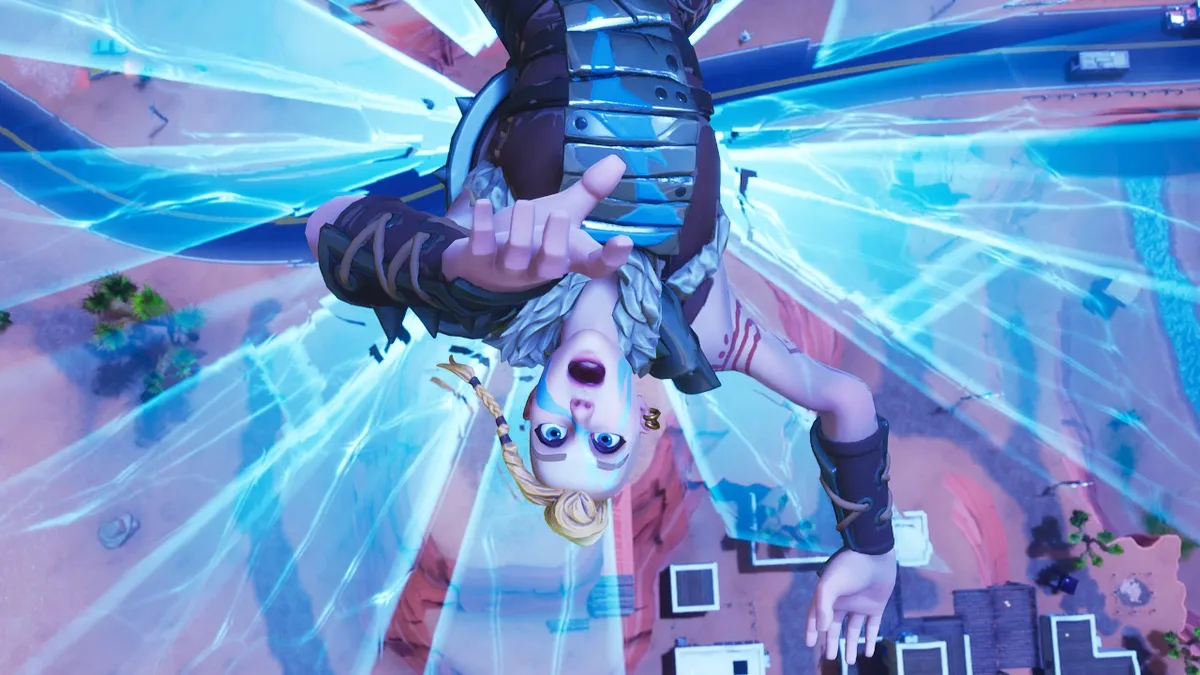
The best things in life are free, and that’s never been truer on PS4. Where once “free to play” might have made you shiver for games compromised with microtransactions, there are plenty of games available on PS4 right out of the box that don’t cost anything at all - and they’re some of the best games on the system. 

You can find every free game by going to PlayStation Store > Free. But we’d recommend the likes of Fortnite (you don’t need us to tell you why, surely); the Destiny-like mission based Warframe; and the free Final Fantasy XIV Trial that allows you to play up to half the level cap 35, which is a huge amount of the game. See what takes your fancy, and don’t let not having many games stop you from having fun.

Latest Videos FromGamesRadar+
Watch full video here:

2. Drop one price for a whole load of the best games

On the other side of the spectrum, what if you could pay just a small amount to immediately have access to some of the best PlayStation games ever made? For £12.99 a month (or £84.99 a year) you can join PlayStation Now to be able to play over 500 games - including PS2, PS3, and PS4 titles. These games can be streamed to your PS4, or in many cases with PS4 games downloaded directly as long as you connect to the internet once a week. Highlights include Bloodborne, Until Dawn, and BioShock Infinite to name just a few. There’s no better way to kick off your gaming career than by chowing down on some of the sweetest fruits out there.

3. Welcome to your new entertainment hub — and stream from your computer

While the PS4 does have some of the best games out right now, that’s not all you’ll end up using it for. Most TV/movie services you’re probably already a member of have an app on PS4 - including Netflix, Amazon Prime, Hulu, Crunchyroll, and Now TV. You can find them all in your TV & Video default application on the Home menu or in your Library.

You may like
  • Miles Morales looks across New York City at sunset in Marvel's Spider-Man 2 8 Marvel's Spider-Man 2 tips and tricks we wish we'd known
  • Black PS2 on right and pink PS2 Slim on left with stack of PS2 games in front with a controller on top next to a light gun. How to play PS2 games
  • Photo of the Astro Bot DualSense controller sitting on the Seagate game drive. Best PS4 external hard drives 2026: The best HDD and SSD options we've tested

You can stream whatever content you might have on  your own computer to your PS4 by using the Media Server App (that you can download from the PlayStation Store) and setting up your own server folders on your computer using something like Universal Media Server. Or use Plex that has its own distinct PS4 app that you use to access Plex shared folders from your home computer.

4. Get social - don’t let your followers miss a single thing

There’s nothing sadder than playing a game alone, seeing something really cool, and not being able to share it with anyone. That’s where the magical “share” button new to the DualShock 4 comes in. Tap it, and you can save a screenshot or a clip of video from the last 15 minutes of gameplay to your social platform of choice. You can upload an image straight to Twitter, or put a funny clip right on YouTube while staying sat on that sofa. Editing a clip down to a specific moment from that last 15 minutes couldn’t be easier.

Sign up to the GamesRadar+ Newsletter

Weekly digests, tales from the communities you love, and more

By submitting your information you agree to the Terms & Conditions and Privacy Policy and are aged 16 or over.

For the best experience, it’s worth turning Easy Screenshots on in Settings > Sharing and Broadcasts > SHARE Button Control Type so you can tap away at that Share button and grab a heap at once. To avoid getting too many screenshots with the “screenshot captured” notification bar in them, you can actually turn that off by going to Settings > Pop-Up Notifications too.

5. Sharing digital games is caring

We all used to borrow our friends’ games when we were younger, but as the digital age has come at us full force that’s become a lot less simple. There still aren't many great solutions, but if you’re in a shared household anyone using the same PS4 can play each other’s installed games as long as it’s set as the game owner’s “primary PS4”. You can set this by going to Settings > Account Management. This is especially good news if you have kids, or maybe even flatmates.

6. Get your groove on in-game with Spotify

Sure, sometimes we love to put our best PS4 headset on and really get invested in the story and world of God of War, but other times we want to play something and just zen out and switch off. While the FIFA 19 soundtrack might be filled with some real “bangers” there’s only so many times you can listen to those tunes in a row. The PS4 Spotify app you can download from the PSN store can overlay its audio to play directly over your game, and you can manage it easily from the quick menu by holding the controller’s PlayStation button.

You may like
  • Miles Morales looks across New York City at sunset in Marvel's Spider-Man 2 8 Marvel's Spider-Man 2 tips and tricks we wish we'd known
  • Black PS2 on right and pink PS2 Slim on left with stack of PS2 games in front with a controller on top next to a light gun. How to play PS2 games
  • Photo of the Astro Bot DualSense controller sitting on the Seagate game drive. Best PS4 external hard drives 2026: The best HDD and SSD options we've tested

7. Pick a theme that’s right for you

It’s easy to undervalue the importance of customisation. But just like when you finally change that ugly wallpaper in your new flat, you won’t realise quite how much it meant to you until you got it done. This is home now. And so is your PS4. You can find a heap of Themes in the PlayStation Store under the Themes category and plaster them up in Settings > Themes on your PS4 to give your home screen a visual and audio lick of paint. There are a load available for free, or for a small price. Many digital editions or pre-orders of games will come with one. But what you can’t put a price on is your PS4 feeling like it’s yours. Because the last few years of my life just wouldn’t be the same without crying over Aeris’ Theme every time I leave the home screen on in my living room.

8. Get online, get playing, (and get monthly free games)

On PS4 the single-player experience is far from dead. 2018 alone saw the likes of God of War, Spider-Man PS4, and Detroit: Become Human offering fantastic solo stories to play through. But let’s be honest, what’s gaming these days without hopping online to pull off a few headshots now and again and really butt heads against real human players? Most online games (although Fortnite is an exception) require a PlayStation Plus subscription to do so.

You can nab a subscription for a the reasonable price of £6.99 a month, £19.99 for 3 months, £49.99 for a year, or find subscription cards at most gaming stores of choice. There’s more bonuses besides just playing online, including exclusive hefty discounts on the PSN Store, the ability to auto backup saves to the cloud, and around 6 games a month (two of which are guaranteed to be PS4 games). It’s your VIP Pass to a world of gaming bliss.

9. Use folders to keep track of your games

Now you’ve got all these games (and hopefully a decent amount of storage for downloading them all), you’re going to want to make sure you’re organised. Sure, you can find your recently played games in the home screen bar, or use the Library to browse all your games by those installed and those not-installed. But an easier way is to create folders to group your games right on the home screen for easy access. Just highlight a game and hit Options > Add to Folder. Want to keep all your online games in one place? You can! Want a folder just for when you’re in the mood to whack on an indie from your pile of shame? It’s got you covered. It pays to be organised.

10. Control your privacy (so you can game guilt free)

Instead of having to actually talk to your friends to find out what they’ve been up to, social media now allows us to know everything about everyone without the nasty inconvenience of having to, you know, actually ask. And PS4 is right there with the trend. That’s right, we can see you’re playing Final Fantasy 10 yet again. But if that’s not your bag you can actually tweak a whole host of settings to control specifically what people see. These are all in Settings > Account Management > Privacy Settings and can be adjusted to completely open, to friends, friends of friends, or nobody. You can hide specific games from showing in your activity too, if you have a guilty pleasure. Or, just Appear Offline altogether in Profile > Set Online Status for when you’re taking a sick day and don’t want your boss to know you’re grinding out on that Fortnite Battle Pass (sorry, not sorry).

Want more ideas for getting more from your PS4? Here's a whopping 45 PS4 setup tips.

Oscar Taylor-Kent
Oscar Taylor-Kent
Social Links Navigation
Games Editor

Games Editor Oscar Taylor-Kent brings his years of Official PlayStation Magazine and PLAY knowledge to the fore. A noted PS Vita apologist, he's also written for Edge, PC Gamer, SFX, Official Xbox Magazine, Kotaku, Waypoint, and more.

Read more
Miles Morales looks across New York City at sunset in Marvel's Spider-Man 2
Action Games 8 Marvel's Spider-Man 2 tips and tricks we wish we'd known
 
 
Black PS2 on right and pink PS2 Slim on left with stack of PS2 games in front with a controller on top next to a light gun.
Retro How to play PS2 games
 
 
Photo of the Astro Bot DualSense controller sitting on the Seagate game drive.
Tech Best PS4 external hard drives 2026: The best HDD and SSD options we've tested
 
 
Helldivers 2 PS5 screenshot
Games The 25 best online games to play in 2026
 
 
DualSense Edge review image showing the controller next to the original DualSense in Nova Pink
Gaming Controllers The best PS5 controller 2026: Find your Edge
 
 
The best PS4 SSD for 2023
SSDs and Hard Drives The best PS4 SSD for 2026: Improve load times and boost your storage
 
 
Latest in PS4
A hammer smashes down onto a forge to craft a weapon in +1 Loot to Forge.
Simulation Games All +1 Loot to Forge codes (September 2026) and how to redeem them for coins
 
 
Nathan and Sam Drake with Sully in Uncharted 4: Among Thieves
Adventure Games Uncharted 4 was "a very different" game under Amy Hennig, says former Naughty Dog artist
 
 
Press image for Build and Kill Zombies codes showing a character driving a vehicle with spikes on the front running over zombies
Simulation Games Build and Kill Zombies codes (September 2026) and how to redeem them for Cash, Hacker Tokens, Parts, and Weapons
 
 
A purple lucky block lands after being kicked in Kick an Uma
Simulation Games All Kick an Uma codes (September 2026) and how to redeem them for Uma and Carats
 
 
Baldur's Gate 3 pale vampire elf Astarion, a man with curly white hair and red eyes
Fallout Baldur's Gate 3 dev worries for Fallout: New Vegas studio Obsidian as Bethesda takes over management
 
 
Destiny 2 Gambit's Drifter
Destiny New Bungie leaders insist they are fixing the studio, tell players to "keep us accountable"
 
 
Latest in Guides
Control Resonant
Action RPGs How to get all Clearance Keycards in Control Resonant
 
 
A hammer smashes down onto a forge to craft a weapon in +1 Loot to Forge.
Simulation Games All +1 Loot to Forge codes (September 2026) and how to redeem them for coins
 
 
Control Resonant
Action RPGs All Instant Photo and Camera locations and puzzle solutions in Control Resonant
 
 
Silent Hill Townfall x-ray puzzle
Silent Hill How to take the X-Rays in Silent Hill Townfall
 
 
townfall blood pressure pulse o2
Silent Hill How to get the blood pressure, pulse and O2 in Townfall
 
 
Press image for Build and Kill Zombies codes showing a character driving a vehicle with spikes on the front running over zombies
Simulation Games Build and Kill Zombies codes (September 2026) and how to redeem them for Cash, Hacker Tokens, Parts, and Weapons
 
 
LATEST ARTICLES
  1. A crop of Simon looking at his CRTV among protest signs in St Amelia in Silent Hill Townfall
    1
    Horror game hiding is my nightmare, but Silent Hill Townfall's CRTV vision gives me the confidence to fight back
  2. 2
    How to get all Clearance Keycards in Control Resonant
  3. 3
    Final Clayface trailer gives us our best look yet at the shapeshifting Batman villain's final form
  4. 4
    The Hunger Games: Sunrise on the Reaping release date, cast, story, trailer, and more news
  5. 5
    Meta's VR glasses launch next Spring for $1,299 and address nobody's smart glasses privacy concerns

GamesRadar+ is part of Future US Inc, an international media group and leading digital publisher. Visit our corporate site.

Add as a preferred source on Google Add as a preferred source on Google
  • About us
  • Contact Future's experts
  • Terms and conditions
  • Privacy policy
  • Cookies policy
  • Advertise with us
  • Review guidelines
  • Write for us
  • Accessibility statement
  • Careers

© Future US, Inc. Full 7th Floor, 130 West 42nd Street, New York, NY 10036.

Please login or signup to comment

Please wait...