

Minecraft RTX beta: How to play now that it's live on PC
Blocks and beams for days
Weekly digests, tales from the communities you love, and more
You are now subscribed
Your newsletter sign-up was successful
Want to add more newsletters?
Every Friday
GamesRadar+
Your weekly update on everything you could ever want to know about the games you already love, games we know you're going to love in the near future, and tales from the communities that surround them.
Every Thursday
GTA 6 O'clock
Our special GTA 6 newsletter, with breaking news, insider info, and rumor analysis from the award-winning GTA 6 O'clock experts.
Every Friday
Knowledge
From the creators of Edge: A weekly videogame industry newsletter with analysis from expert writers, guidance from professionals, and insight into what's on the horizon.
Every Thursday
The Setup
Hardware nerds unite, sign up to our free tech newsletter for a weekly digest of the hottest new tech, the latest gadgets on the test bench, and much more.
Every Wednesday
Switch 2 Spotlight
Sign up to our new Switch 2 newsletter, where we bring you the latest talking points on Nintendo's new console each week, bring you up to date on the news, and recommend what games to play.
Every Saturday
The Watchlist
Subscribe for a weekly digest of the movie and TV news that matters, direct to your inbox. From first-look trailers, interviews, reviews and explainers, we've got you covered.
Once a month
SFX
Get sneak previews, exclusive competitions and details of special events each month!
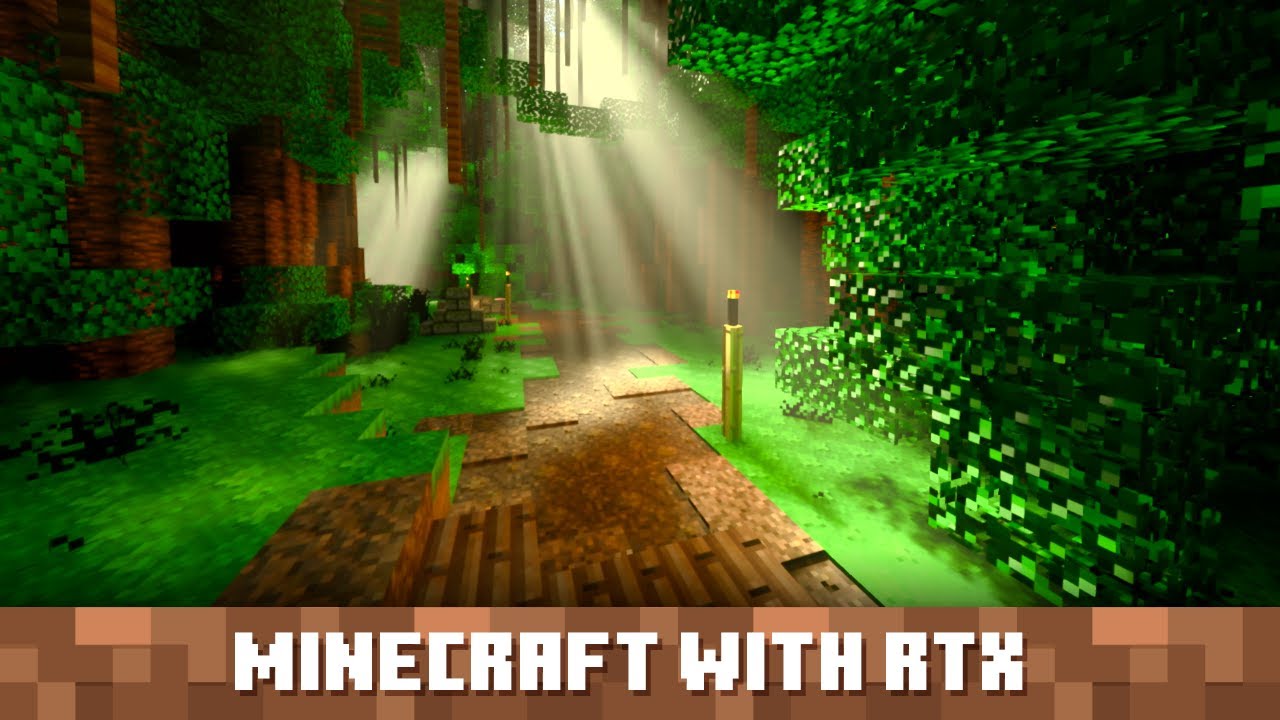
The Minecraft RTX beta is open now on PC, and if you have the hardware, you can experience a beautiful new way to see virtual blocks.
This is the first official version of Minecraft to be made available to the public with Nvidia's ray-tracing technology. To participate, you must have a digital copy of Minecraft for Windows 10 and at least an Nvidia GeForce RTX 2060 graphics card (you'll also need at least 8GB of RAM and the equivalent of an Intel Core i5 CPU). Check out the FAQ for more info.
With the system requirements met and the game installed, you'll then need to install the Xbox Insider Hub app from the Windows Store. Once you have it, click the open box icon on the left sidebar, then pick the beta available for Minecraft for Windows 10. Click join, then select the option for "Minecraft RTX beta" and click done. If you have automatic updates installed, the latest version of the RTX beta build should start downloading automatically.
You can go to the Minecraft Marketplace to download a selection of worlds purpose-built to show off the new RTX capabilities (at this point, RTX isn't available for all world seeds). You can even check out all the lovely new lighting with friends in multiplayer, though Realms isn't supported so you'll need to link up directly. Collectively ooh and ahh at beams of light from the square sun, or use the detailed light simulation to build a pinhole camera like you're back in high school photography class.
The Minecraft RTX beta also includes Nvidia's DLSS 2.0 tech. It is Extremely Technical, but the short explanation for DLSS 2.0 is that it uses AI to upscale lower-res visuals into 4K-ready resolutions, allowing for much less drain on performance with no loss in detail. Make sure to toggle it on in the settings when you're ready to give it a try.
Find even more ways to beautify your virtual world with our guide to the best Minecraft texture packs.
Weekly digests, tales from the communities you love, and more

I got a BA in journalism from Central Michigan University - though the best education I received there was from CM Life, its student-run newspaper. Long before that, I started pursuing my degree in video games by bugging my older brother to let me play Zelda on the Super Nintendo. I've previously been a news intern for GameSpot, a news writer for CVG, and was formerly a staff writer at GamesRadar+.


