GamesRadar+ GamesRadar+
US EditionUS CA EditionCanada UK EditionUK AU EditionAustralia
Sign in
  • View Profile
  • Sign out
  • Games
    • Game Insights
      • Games News
      • Games Features
      • Games Reviews
      • Games Guides
      • Big in 2026
      • The Big Preview
      • On The Radar
      • Indie Spotlight
      • Future Games Show
      • Golden Joystick Awards
    • Genres
      • Action Games
      • RPGs
      • Action RPGs
      • Adventure Games
      • Third Person Shooters
      • FPS Games
    • Platforms
      • PS5
      • Xbox Series X
      • PC
      • Nintendo Switch
      • Nintendo Switch 2
      • Tabletop Gaming
    • Franchises
      • Grand Theft Auto
      • Pokemon
      • Assassin's Creed
      • Monster Hunter
      • Fortnite
      • Cyberpunk
      • Red Dead
      • The Elder Scrolls
      • The Sims
  • Entertainment
    • TV Shows
      • TV News
      • TV Reviews
      • Anime Shows
      • Sci-Fi Shows
      • Superhero Shows
      • Animated Shows
      • Marvel TV Shows
      • Star Wars TV Shows
      • DC TV Shows
    • Movies
      • Movie News
      • Movie Reviews
      • Big Screen Spotlight
      • Superhero Movies
      • Action Movies
      • Anime Movies
      • Sci-Fi Movies
      • Horror Movies
      • Marvel Movies
      • DC Movies
    • Streaming
      • Apple TV Plus
      • Disney Plus
      • Netflix
      • HBO
      • Amazon Prime Video
      • Hulu
    • Comics
      • Marvel Comics
      • DC Comics
    • Toys & Collectibles
    • Lego
    • Dungeons and Dragons
    • Merch
  • Hardware
    • Insights
      • Hardware News
      • Hardware Reviews
      • Hardware Features
    • Computing
      • Desktop PCs
      • Laptops
      • Handhelds
    • Peripherals
      • Headsets & Headphones
      • TVs & Monitors
      • Gaming Mice
      • Gaming Keyboards
      • Gaming Chairs
      • Speakers & Audio
    • Accessories & Tech
      • Gaming Controllers
      • Tech
      • SSDs & Hard Drives
      • VR
      • Accessories
      • Retro
  • Deals
    • Game Deals
    • Tech Deals
    • TV Deals
    • Buying Guides
  • Video
  • Newsletters
    • Quizzes
    • About Us
    • How to pitch to us
    • How we score
    • Newsarama
    • Retro Gamer
    • Total Film
  • home
  • Games
    • View Games
      • Games News
      • Games Features
      • Games Reviews
      • Games Guides
      • Big in 2026
      • The Big Preview
      • On The Radar
      • Indie Spotlight
      • Future Games Show
      • Golden Joystick Awards
      • Action Games
      • RPGs
      • Action RPGs
      • Adventure Games
      • Third Person Shooters
      • FPS Games
    • Platforms
      • View Platforms
      • PS5
      • Xbox Series X
      • PC
      • Nintendo Switch
      • Nintendo Switch 2
      • Tabletop Gaming
      • Grand Theft Auto
      • Pokemon
      • Assassin's Creed
      • Monster Hunter
      • Fortnite
      • Cyberpunk
      • Red Dead
      • The Elder Scrolls
      • The Sims
  • Entertainment
    • View Entertainment
    • TV Shows
      • View TV Shows
      • TV News
      • TV Reviews
      • Anime Shows
      • Sci-Fi Shows
      • Superhero Shows
      • Animated Shows
      • Marvel TV Shows
      • Star Wars TV Shows
      • DC TV Shows
    • Movies
      • View Movies
      • Movie News
      • Movie Reviews
      • Big Screen Spotlight
      • Superhero Movies
      • Action Movies
      • Anime Movies
      • Sci-Fi Movies
      • Horror Movies
      • Marvel Movies
      • DC Movies
    • Streaming
      • View Streaming
      • Apple TV Plus
      • Disney Plus
      • Netflix
      • HBO
      • Amazon Prime Video
      • Hulu
    • Comics
      • View Comics
      • Marvel Comics
      • DC Comics
    • Toys & Collectibles
    • Lego
    • Dungeons and Dragons
    • Merch
  • Hardware
    • View Hardware
      • Hardware News
      • Hardware Reviews
      • Hardware Features
      • Desktop PCs
      • Laptops
      • Handhelds
    • Peripherals
      • View Peripherals
      • Headsets & Headphones
      • TVs & Monitors
      • Gaming Mice
      • Gaming Keyboards
      • Gaming Chairs
      • Speakers & Audio
      • Gaming Controllers
      • Tech
      • SSDs & Hard Drives
      • VR
      • Accessories
      • Retro
  • Deals
    • View Deals
    • Game Deals
    • Tech Deals
    • TV Deals
    • Buying Guides
  • Video
  • Newsletters
    • Quizzes
    • About Us
    • How to pitch to us
    • How we score
    • Newsarama
    • Retro Gamer
    • Total Film
Trending
  • Pokemon Winds and Waves
  • New Games for 2026
  • GamesRadar+ Replay
  • Mario Day deals
Jump to:
  • PS5
  • Xbox
  • Switch
  • PC
  • External capture device
Don't miss these
The new GamesRadar+ logo on a dark background adorned with crosses in orange and grey
Games The next generation of GamesRadar+ is here
Five different gaming controllers for PC scattered around a desktop surface
Gaming Controllers The best PC controller for gaming 2026
Evercade Alpha closeup with Ryu from Street Fighter on screen
Retro Best retro consoles 2026: my favorite ways to play classic capers
DualSense Edge review image showing the controller next to the original DualSense in Nova Pink
Gaming Controllers The best PS5 controller 2026: Find your Edge
Photo of the Astro Bot imagery on the front of the Seagate game drive, with the Astro Bot DualSense to its side.
SSDs and Hard Drives This 5TB Seagate Astro Bot hard drive is an astronomically good alternative to the rising costs of SSDs
Captain America in the Marvel Rivals 'Stars Aligned' launch date trailer.
Games The 25 best free games you can play right now
WD_Black P40 in situ working with a pink PS5
Tech Best PS5 external hard drives 2026: excellent portable SSD and HDD options
WD Black C50 Xbox storage card leaning on a Series X controller
SSDs and Hard Drives Best Xbox Series X hard drive, SSD, and memory card solutions in 2026: all the fastest solutions we've tested
Streaming for gamers
Hardware Best live streaming gear for gamers 2026: The best setups for beginners and pros
BenQ Mobiuz EX321UX monitor on desk with Overwatch 2 gameplay on screen.
TVs & Monitors The best monitor for PS5 2026: high spec screens for the OG and Pro
Best streaming mixer hero image showing a BEACN Mix Create next to a RodeCaster Duo
Peripherals Best streaming mixers in 2026: Master your live audio like a pro
WD_Black P40 image up close showing the branding and WD_Black logo
Games Best external hard drive for gaming 2026: portable console and handheld storage I'd recommend
How to download free PS5 games
PlayStation How to download free PS5 games
BenQ X3100i projector with a DualSense controller on a wooden desk
Peripherals The best projector for gaming: the top throwers I've tested in 2026
Angled view of Steam Machine with glowing edges and Steam game artwork panels in backdrop.
Desktop PCs The Steam Machine is on the way, so here's everything I need you to know before Valve's mini PC lands
  1. Platforms
  2. PC Gaming

How to record gameplay on PC, PS5, Xbox Series X, and Switch/Switch 2 to save your highlights

Guides
By Iain Wilson published 18 February 2026

Internal and external gameplay recording options explained for all consoles and PC, to capture your best moments

When you purchase through links on our site, we may earn an affiliate commission. Here’s how it works.

A player mantles a rail in Call of Duty: Black Ops 7's Haven Hollow Warzone update
(Image credit: Activision)
Jump to:
  • PS5
  • Xbox
  • Switch
  • PC
  • External capture device
  • Facebook
  • X
  • Pinterest
  • Flipboard
  • Email
Share this article
0
Join the conversation
Follow us
Add us as a preferred source on Google
Get the GamesRadar+ Newsletter

Weekly digests, tales from the communities you love, and more


By submitting your information you agree to the Terms & Conditions and Privacy Policy and are aged 16 or over.

You are now subscribed

Your newsletter sign-up was successful


Want to add more newsletters?

GamesRadar+

Every Friday

GamesRadar+

Your weekly update on everything you could ever want to know about the games you already love, games we know you're going to love in the near future, and tales from the communities that surround them.

GTA 6 O'clock

Every Thursday

GTA 6 O'clock

Our special GTA 6 newsletter, with breaking news, insider info, and rumor analysis from the award-winning GTA 6 O'clock experts.

Knowledge

Every Friday

Knowledge

From the creators of Edge: A weekly videogame industry newsletter with analysis from expert writers, guidance from professionals, and insight into what's on the horizon.

The Setup

Every Thursday

The Setup

Hardware nerds unite, sign up to our free tech newsletter for a weekly digest of the hottest new tech, the latest gadgets on the test bench, and much more.

Switch 2 Spotlight

Every Wednesday

Switch 2 Spotlight

Sign up to our new Switch 2 newsletter, where we bring you the latest talking points on Nintendo's new console each week, bring you up to date on the news, and recommend what games to play.

The Watchlist

Every Saturday

The Watchlist

Subscribe for a weekly digest of the movie and TV news that matters, direct to your inbox. From first-look trailers, interviews, reviews and explainers, we've got you covered.

SFX

Once a month

SFX

Get sneak previews, exclusive competitions and details of special events each month!


An account already exists for this email address, please log in.
Subscribe to our newsletter

Knowing how to record gameplay on PC and consoles means you can preserve evidence of your best gaming moments, and show off these highlights to others to prove they really happened. While most modern platforms have some sort of internal recording happening automatically in the background, it's not always clear how you access this or capture that exact moment of success. That's why we're here to explain everything you need to know, whether you're recording gameplay on PS5, Xbox, Nintendo Switch, or PC.

Once you know how to record you gameplay, submit your best gaming clips and be in with the chance of winning $100 Amazon vouchers EVERY MONTH through GamesRadar+ Replay.

Internal PS5 recording
PS5

(Image credit: Sony)

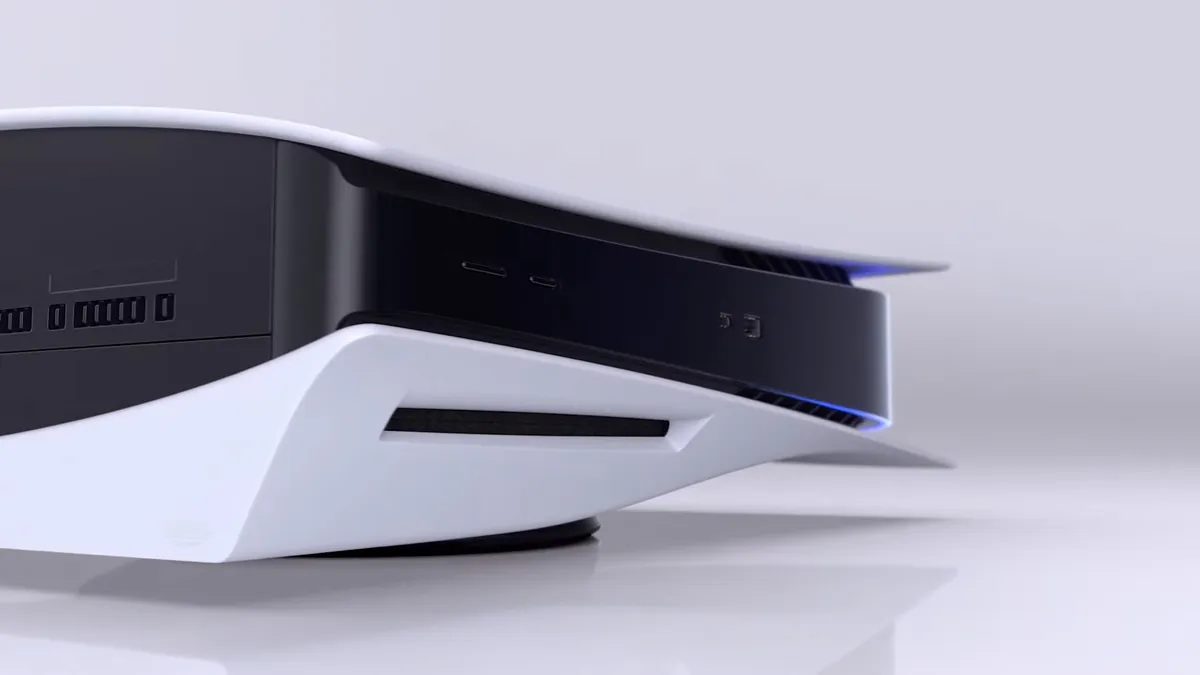
The internal capture on PS5 is very easy to use, as it's always running in the background and holds up to an hour of your most recent gameplay. To access this, tap the Share button on your controller to bring up the create controls and then hit the Save Recent Gameplay button, where you'll be given a selection of video clip lengths to choose from, up to 60 minutes. You can also tap the Share button twice to automatically save a recent gameplay clip, which defaults to 3 minutes but can be changed in the settings.

If you're planning to export your video clips then we highly recommend you adjust your PS5 capture settings by going to Settings > Captures and Broadcasts > Captures > Video Clip Format and changing the File Type to Most Compatible (MP4) so they can easily be used elsewhere. Clips can be trimmed in the PS5 Media Gallery, then either copied to a USB Drive or uploaded to the PlayStation App on your phone if you've connected it to your PSN account.

You may like
  • PS5 Media Gallery How to find your screenshots and video clips on PS5
  • GamesRadar RePlay logo Submit your best gaming clips and be in with the chance of winning $100 Amazon vouchers EVERY MONTH
  • PS5 restock Walmart 10 things you (probably) didn't know your PS5 could do

Internal Xbox recording

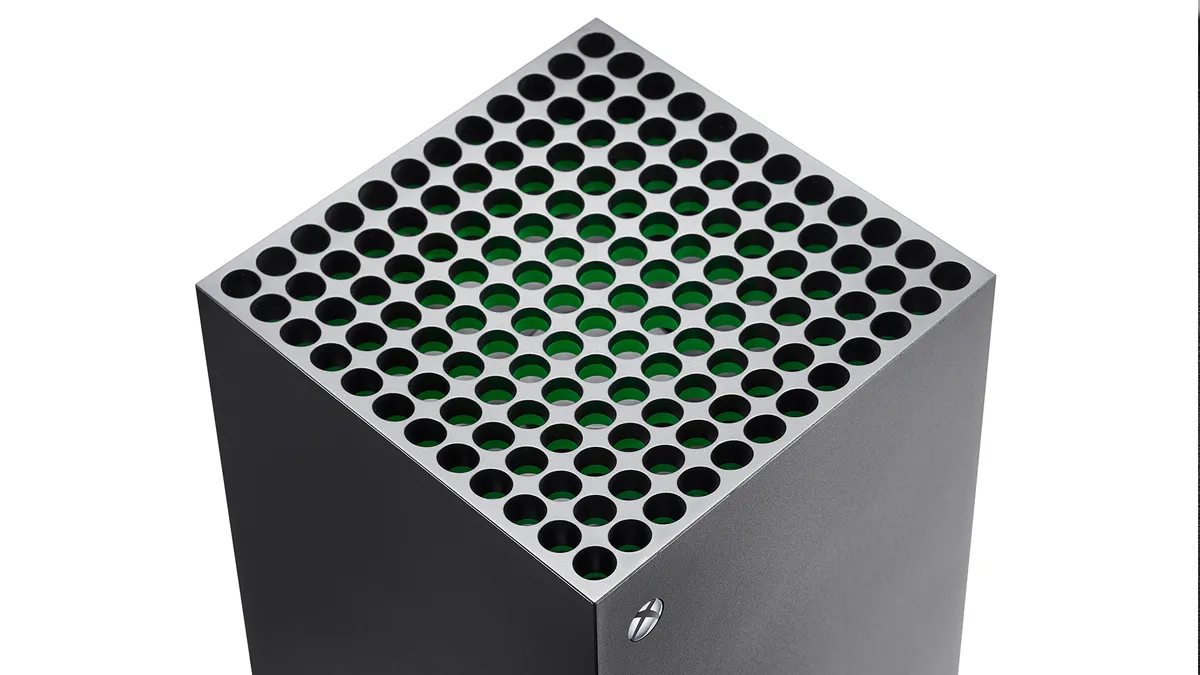
Xbox Series X

(Image credit: Future)

Likewise, Xbox capture is also continuously running in the background, although it is slightly less flexible. To save a clip of something that has just happened, press the Xbox button to open the guide and then hit the X button to save the last 30 seconds of gameplay, or press the View button to choose a duration and save up to the last 2 minutes of footage. You can also start a manual recording by pressing the Xbox button then selecting Capture & share > Start recording, which depending on your settings will run for up to 10 minutes using internal storage or 1 hour when capturing to external storage.

If you have a newer controller, then you can use the Xbox Share button to save your gameplay footage. The default option is holding the button to record a clip, but this can be changed in the settings menu. Footage that you capture will be automatically uploaded to the Xbox network, which you can then view and manage using the Xbox mobile app.

Internal Nintendo Switch recording
Nintendo Switch 2 design

(Image credit: Nintendo)

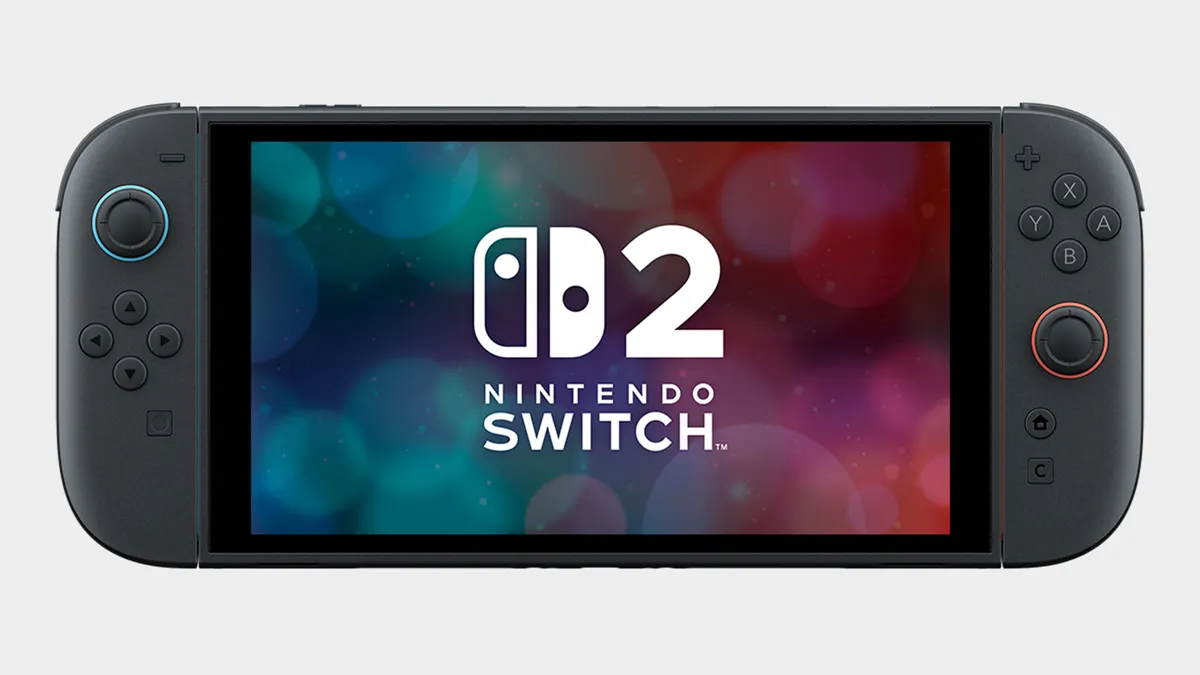
Your options when it comes to internal Nintendo Switch and Switch 2 recordings are somewhat limited, as all you can do is press and hold the Capture Button (small square button) on the left Joy-Con to save the last 30 seconds of gameplay. This can be viewed and edited in the Album, and then transferred to your phone by the Switch App or to your computer via a USB-C cable. For longer recordings, see the instructions below on external capture devices.

Internal PC recording

NVIDIA ShadowPlay

(Image credit: NVIDIA)

An internal recording option many players use on PC is ShadowPlay, which can be accessed by downloading the NVIDIA App to your machine. Once installed, all you need to do is hit Alt+Z while playing to bring up the share overlay, which gives you access to options for saving previous or upcoming gameplay videos. There are also keyboard shortcuts to toggle manual recording on or off and save the previous 5 minutes of recorded video, so you don't need to leave the action to preserve your highlights.

Sign up to the GamesRadar+ Newsletter

Weekly digests, tales from the communities you love, and more

By submitting your information you agree to the Terms & Conditions and Privacy Policy and are aged 16 or over.

Steam Game Recording

(Image credit: Valve)

If you do a lot of your PC gaming through Valve's platform, then there's also a built-in Steam Game Recording system you can use to capture and share your gameplay footage. To check the settings, go to Steam > Settings > Game Recording or open the Overlay and select the Game Recording tab, where you can choose to have always on background recording of up to 120 minutes or record on demand only when you turn it on. This system is also fully functional on Steam Deck, and you can easily transfer clips between devices or export them elsewhere via the Overlay.

External recording using a capture device

Elgato HD60 Pro

If you have access to a PC or laptop that can record from an external device, then this is an excellent solution for capturing gameplay from consoles without having to worry about internal restrictions. Recording directly to your computer also means you have the footage exactly where you need it, so you don't need to mess around with any transfers to extract it from your console first.

Devices such as the Elgato HD60 series are perfect for this, and if you don't want to push the boat out then older models can be picked up reasonably cheaply. Do note that this capture set up can introduce latency, so you may need a HDMI splitter to divide the signal between your television/monitor for live gameplay and the capture device for recording. You'll also need to ensure your console has HDCP (High-bandwidth Digital Content Protection) turned on, which prevents you from recording copyright protected material from streaming services.

© GamesRadar+. Not to be reproduced without permission.

CATEGORIES
PS5 PS4 Xbox Series X Xbox One Nintendo Switch 2 Nintendo Switch PlayStation Xbox Nintendo
Iain Wilson
Iain Wilson
Social Links Navigation
Guides Editor

Iain originally joined Future in 2012 to write guides for CVG, PSM3, and Xbox World, before moving on to join GamesRadar in 2013 as Guides Editor. His words have also appeared in OPM, OXM, PC Gamer, GamesMaster, and SFX. He is better known to many as ‘Mr Trophy’, due to his slightly unhealthy obsession with amassing intangible PlayStation silverware, and he now has over 1,000 Platinum pots weighing down the shelves of his virtual award cabinet. He does not care for Xbox Achievements.

You must confirm your public display name before commenting

Please logout and then login again, you will then be prompted to enter your display name.

Read more
PS5 Media Gallery
How to find your screenshots and video clips on PS5
 
 
GamesRadar RePlay logo
Submit your best gaming clips and be in with the chance of winning $100 Amazon vouchers EVERY MONTH
 
 
PS5 restock Walmart
10 things you (probably) didn't know your PS5 could do
 
 
Xbox Series X and Xbox Series S
How to set up your Xbox Series X to get gaming as quickly as possible
 
 
PS5
How to set up your PS5 and start playing fast
 
 
PS5 restock Walmart
PS5 game sharing and how to assign a primary PS5 console explained
 
 
Latest in PC Gaming
Pickmon
Pokemon fan artist alleges new Palworld clone Pickmon "stole one of my designs"
 
 
Bizarre Lineage codes
Bizarre Lineage codes (March 2026) for free Stat Point Essence, Rare Chests, and more
 
 
Cropped Helldivers 2 art from the official 'Save Cyberstan' poster.
Helldivers 2 devs "underinvested" in the game's engine, Arrowhead CEO admits, who pledges "things can/will get better"
 
 
Gideon talks to a tied up Leon in Resident Evil Requiem
Resident Evil Requiem is getting story DLC, as well as photo mode and a new minigame that had better be Mercenaries
 
 
Fallout 3 screenshot of someone in power armor standing in front of a rundown version of the Washington Monument
More hopium for Fallout 3 Remastered emerges as the unannounced RPG is named in a product listing for an upcoming figure
 
 
Counter-Strike 2 release trailer screenshot showing an old-style white desktop PC running the Counter-Strike menu atop a wooden desk
Valve hit with new lawsuit over Steam market, with claims loot boxes "satisfy every element" of gambling by definition
 
 
Latest in Guides
Hoppip at the till in the Pokemon Centre in Pokopia
How to access the Pokopia Limited Event and get Hoppip
 
 
Marathon Introducing Sekiguchi agent Nona weaveworm
Marathon Introducing Sekiguchi contract walkthrough and how to find the Necrotic Sample and scan your shell
 
 
Ghost of Yotei Legends
How to start Ghost of Yotei Legends online co-op
 
 
A ditto takes a selfie when visiting the Pokopia developer island
How to visit the Pokopia developer island
 
 
Marathon introducing Traxus contract player fighting UESC commander
Marathon Introducing Traxus contract guide and UESC terminal locations for Intersection, Complex, and Bio-Research
 
 
A ditto who looks like a human smiles for a selfie in front of the Pokopia area map.
How many areas there are in Pokemon Pokopia?
 
 
LATEST ARTICLES
  1. Photo of a Mario nendoroid figure holding a microSD Express card with a Turtle Beach Switch 2 case in the background.
    1
    These Mario Day-inspired Switch 2 accessories will power up your console more than a super star
  2. 2
    Pokemon fan artist alleges new Palworld clone Pickmon "stole one of my designs"
  3. 3
    Mortal Kombat 2 star joins in with Street Fighter movie beef after Game Awards dig because he "loves a good rivalry"
  4. 4
    Project Hail Mary review: "Large scale sci-fi with tons of heart"
  5. 5
    My favorite budget Switch 2 headset just got a makeover for Mario Day, and it's pretty super

GamesRadar+ is part of Future US Inc, an international media group and leading digital publisher. Visit our corporate site.

Add as a preferred source on Google Add as a preferred source on Google
  • Terms and conditions
  • Contact Future's experts
  • Privacy policy
  • Cookies policy
  • Accessibility statement
  • Careers
  • About us
  • Advertise with us
  • Review guidelines
  • Write for us
  • Accessibility Statement

© Future US, Inc. Full 7th Floor, 130 West 42nd Street, New York, NY 10036.

Please login or signup to comment

Please wait...