

Join The Community
- Join our community
11
Premium Benefits
24/7
Access Available
21K+
Active Members
Commenting
Join the discussion
Exclusive Articles Coming Soon
Member-only articles
Weekly Newsletters
Weekly gaming & entertainment news
Member Badges
Earn badges as you go
Exclusive Competitions
Members-only prize draws
Curated Deals Coming Soon
Tech and gaming deals worth grabbing
GET COMMUNITY ACCESS QUICK
For the quickest way to join, simply enter your email below and get access. We will send a confirmation and sign you up to our newsletter to keep you updated on all your gaming news.
By submitting your information you agree to the Terms & Conditions and Privacy Policy and are aged 16 or over.
FIND OUT ABOUT OUR MAGAZINE
Want to subscribe to the magazine? Click the button below to find out more information.
Find out more
GET Community ACCESS QUICK

Join the GamesRadar community for quick access. Enter your email below and we'll send confirmation, and sign you up to our newsletter.

By submitting your information you agree to the Terms & Conditions and Privacy Policy and are aged 16 or over.

Background
Welcome to GamesRADAR+ Community !
Hi ,

Your membership journey starts here.

Keep exploring and earning more as a member.

MY ACCOUNT

Badge picture
Earn your first badge
Read 1 article to unlock your first badge.
Keep earning badges
Explore ways to get more involved as a member.
Latest Games News

Latest Games News

Breaking gaming news and updates

Read Now
Latest Games Reviews

Latest Games Reviews

Expert verdicts on the newest releases

Read Now

See what you’ve unlocked.

Explore your membership benefits.

Explore
Member Exclusives

Stay Ahead with GamesRadar+

Get the biggest gaming news, reviews, and releases straight to your inbox.

Explore

Sign Out
GamesRadar+ GamesRadar+
US EditionUS CA EditionCanada UK EditionUK AU EditionAustralia
Sign in
  • View Profile
  • Sign out
  • Games
    • Game Insights
      • Games News
      • Games Features
      • Games Reviews
      • Games Guides
      • Big in 2026
      • The Big Preview
      • On The Radar
      • Indie Spotlight
      • Future Games Show
      • Golden Joystick Awards
    • Genres
      • Action Games
      • RPGs
      • Action RPGs
      • Adventure Games
      • Third Person Shooters
      • FPS Games
    • Platforms
      • PS5
      • Xbox Series X
      • PC
      • Nintendo Switch
      • Nintendo Switch 2
      • Tabletop Gaming
    • Franchises
      • Grand Theft Auto
      • Pokemon
      • Assassin's Creed
      • Monster Hunter
      • Fortnite
      • Cyberpunk
      • Red Dead
      • The Elder Scrolls
      • The Sims
  • Entertainment
    • TV Shows
      • TV News
      • TV Reviews
      • Anime Shows
      • Sci-Fi Shows
      • Superhero Shows
      • Animated Shows
      • Marvel TV Shows
      • Star Wars TV Shows
      • DC TV Shows
    • Movies
      • Movie News
      • Movie Reviews
      • Big Screen Spotlight
      • Superhero Movies
      • Action Movies
      • Anime Movies
      • Sci-Fi Movies
      • Horror Movies
      • Marvel Movies
      • DC Movies
    • Streaming
      • Apple TV Plus
      • Disney Plus
      • Netflix
      • HBO
      • Amazon Prime Video
      • Hulu
    • Comics
      • Marvel Comics
      • DC Comics
    • Toys & Collectibles
    • Lego
    • Dungeons and Dragons
    • Merch
  • Hardware
    • Insights
      • Hardware News
      • Hardware Reviews
      • Hardware Features
    • Computing
      • Desktop PCs
      • Laptops
      • Handhelds
    • Peripherals
      • Headsets & Headphones
      • TVs & Monitors
      • Gaming Mice
      • Gaming Keyboards
      • Gaming Chairs
      • Speakers & Audio
    • Accessories & Tech
      • Gaming Controllers
      • Tech
      • SSDs & Hard Drives
      • VR
      • Accessories
      • Retro
  • Deals
    • Game Deals
    • Tech Deals
    • TV Deals
    • Buying Guides
  • Video
    • Video
    • GR+ Replay - Submit Your Clips
  • Newsletters
    • Quizzes
    • About Us
    • How to pitch to us
    • How we score
    • Newsarama
    • Retro Gamer
    • Total Film
  • home
  • Games
    • View Games
      • Games News
      • Games Features
      • Games Reviews
      • Games Guides
      • Big in 2026
      • The Big Preview
      • On The Radar
      • Indie Spotlight
      • Future Games Show
      • Golden Joystick Awards
      • Action Games
      • RPGs
      • Action RPGs
      • Adventure Games
      • Third Person Shooters
      • FPS Games
    • Platforms
      • View Platforms
      • PS5
      • Xbox Series X
      • PC
      • Nintendo Switch
      • Nintendo Switch 2
      • Tabletop Gaming
      • Grand Theft Auto
      • Pokemon
      • Assassin's Creed
      • Monster Hunter
      • Fortnite
      • Cyberpunk
      • Red Dead
      • The Elder Scrolls
      • The Sims
  • Entertainment
    • View Entertainment
    • TV Shows
      • View TV Shows
      • TV News
      • TV Reviews
      • Anime Shows
      • Sci-Fi Shows
      • Superhero Shows
      • Animated Shows
      • Marvel TV Shows
      • Star Wars TV Shows
      • DC TV Shows
    • Movies
      • View Movies
      • Movie News
      • Movie Reviews
      • Big Screen Spotlight
      • Superhero Movies
      • Action Movies
      • Anime Movies
      • Sci-Fi Movies
      • Horror Movies
      • Marvel Movies
      • DC Movies
    • Streaming
      • View Streaming
      • Apple TV Plus
      • Disney Plus
      • Netflix
      • HBO
      • Amazon Prime Video
      • Hulu
    • Comics
      • View Comics
      • Marvel Comics
      • DC Comics
    • Toys & Collectibles
    • Lego
    • Dungeons and Dragons
    • Merch
  • Hardware
    • View Hardware
      • Hardware News
      • Hardware Reviews
      • Hardware Features
      • Desktop PCs
      • Laptops
      • Handhelds
    • Peripherals
      • View Peripherals
      • Headsets & Headphones
      • TVs & Monitors
      • Gaming Mice
      • Gaming Keyboards
      • Gaming Chairs
      • Speakers & Audio
      • Gaming Controllers
      • Tech
      • SSDs & Hard Drives
      • VR
      • Accessories
      • Retro
  • Deals
    • View Deals
    • Game Deals
    • Tech Deals
    • TV Deals
    • Buying Guides
  • Video
    • View Video
    • Video
    • GR+ Replay - Submit Your Clips
  • Newsletters
    • Quizzes
    • About Us
    • How to pitch to us
    • How we score
    • Newsarama
    • Retro Gamer
    • Total Film
Trending
  • Pokemon Winds and Waves
  • New Games for 2026
  • Submit your game clips
  • GDC
Don't miss these
Red Dead Redemption 2 cheats
Red Dead Red Dead Redemption 2 cheats and every code available
Red Dead Redemption 2
Red Dead Red Dead Redemption 2's enigmatic spider web puzzle is the first thing that's gotten me genuinely excited for GTA 6
Red Dead Redemption
Red Dead All Red Dead Redemption cheats for single-player
Red Dead Redemption playing on an Android phone, with a PS4 and controllers in the background.
Gaming Controllers I treated myself to the Red Dead Redemption mobile port, but there's one thing I should've picked up too
GTA 5 new
Action Games 25 Best Rockstar Games of all time, ranked
Red Dead Redemption 2
Red Dead Red Dead Redemption 2 is now a "legally distinct" Pokemon RPG thanks to one creative modder
Monster Hunter Rise tips
Monster Hunter 11 Monster Hunter Rise tips to know before you hunt
A Crimson Desert character goes fishing in a river
Open World Games Crimson Desert "does rivers better" than Red Dead Redemption 2, says former Rockstar artist
Battlefield 6
Battlefield Everything you wanted to know about Battlefield 6 and Redsec but were too busy being shot at to ask
Ghost of Yotei gameplay showing Atsu sitting on her horse between bright pink cherry blossoms, looking at a distant fortification built against a mountain
Open World Games Best open world games to play in 2026 and completely forget real life exists
Red Dead Redemption 2
Red Dead Red Dead Redemption 2 players almost solved a puzzle hidden for 7 years before finding they missed the actual start
Nioh 3 stone demon with red eyes
Action RPGs Nioh 3 hides game-changing settings deep in the options menu, and I'm begging you to try auto-loot and extra items
best Xbox One games
Games The best Xbox One games of all time
Avowed screenshot depicting combat with a corrupted plague bear, the protagonist wielding a sword and a magical spellbook
Action RPGs 11 Avowed tips and tricks for beginners in the Living Lands
Best games like Red Dead Redemption 2
Red Dead Red Dead Redemption 2 developer never thought the newly uncovered mystery would be found, says it's "absolutely wild"
  1. Games
  2. Action
  3. Red Dead
  4. Red Dead Redemption 2

The best Red Dead Redemption 2 settings

Guides
By David Meikleham published 9 June 2022

Tweak these settings for graphics, gameplay, and performance

When you purchase through links on our site, we may earn an affiliate commission. Here’s how it works.

best Red Dead Redemption 2 settings
(Image credit: Rockstar)
  • Facebook
  • X
  • Pinterest
  • Flipboard
  • Email
Share this article
Join the conversation
Follow us
Add us as a preferred source on Google
Sign up to the GamesRadar+ Newsletter

Weekly digests, tales from the communities you love, and more


By submitting your information you agree to the Terms & Conditions and Privacy Policy and are aged 16 or over.

You are now subscribed

Your newsletter sign-up was successful


Want to add more newsletters?

GamesRadar+

Every Friday

GamesRadar+

Your weekly update on everything you could ever want to know about the games you already love, games we know you're going to love in the near future, and tales from the communities that surround them.

GTA 6 O'clock

Every Thursday

GTA 6 O'clock

Our special GTA 6 newsletter, with breaking news, insider info, and rumor analysis from the award-winning GTA 6 O'clock experts.

Knowledge

Every Friday

Knowledge

From the creators of Edge: A weekly videogame industry newsletter with analysis from expert writers, guidance from professionals, and insight into what's on the horizon.

The Setup

Every Thursday

The Setup

Hardware nerds unite, sign up to our free tech newsletter for a weekly digest of the hottest new tech, the latest gadgets on the test bench, and much more.

Switch 2 Spotlight

Every Wednesday

Switch 2 Spotlight

Sign up to our new Switch 2 newsletter, where we bring you the latest talking points on Nintendo's new console each week, bring you up to date on the news, and recommend what games to play.

The Watchlist

Every Saturday

The Watchlist

Subscribe for a weekly digest of the movie and TV news that matters, direct to your inbox. From first-look trailers, interviews, reviews and explainers, we've got you covered.

SFX

Once a month

SFX

Get sneak previews, exclusive competitions and details of special events each month!


Join the club

Get full access to premium articles, exclusive features and a growing list of member rewards.


An account already exists for this email address, please log in.
Subscribe to our newsletter

Finding the best Red Dead Redemption 2 settings will help you to have the best experience, as you go full cowboy and explore the Old West. Don't think that this guide is just limited to PC players though, as there are plenty of settings to tweak on PS4 and Xbox One as well that can make things better for you in Red Dead Redemption 2, though naturally there are a lot more graphics options and performance tweaks you can play around with on the PC version. 

Many of the gameplay changes which can be made in the Red Dead Redemption 2 settings apply to all versions of the game, while PC players may want to try and lock in graphics and performance options – such as the Red Dead Redemption 2 HDR settings – before you start playing. After all, applying the best Red Dead Redemption 2 settings will help to make one of the best games of all-time look and run like a dream while you adventure through the wild wild west.

The best Red Dead Redemption 2 settings to improve gameplay
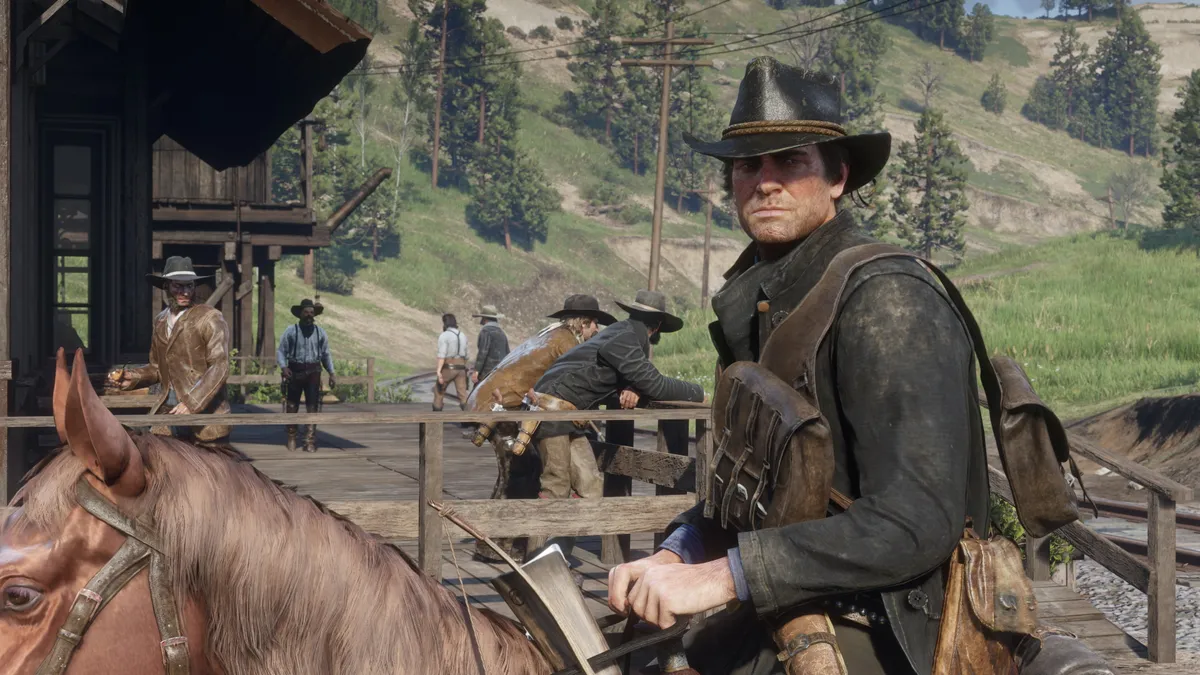
Red Dead Redemption 2 gameplay settings

(Image credit: Rockstar)

Before we get into PC-specific graphics tweaks, here are some quick and easy changes you can make to gameplay settings to ensure Red Dead Redemption 2 is that bit easier to play on both rigs and consoles alike. 

You may like
  • Red Dead Redemption 2 cheats Red Dead Redemption 2 cheats and every code available
  • Red Dead Redemption 2 Red Dead Redemption 2's enigmatic spider web puzzle is the first thing that's gotten me genuinely excited for GTA 6
  • Red Dead Redemption All Red Dead Redemption cheats for single-player
  • Turn on ‘toggle to run’ – Save yourself the mild hassle of holding down the run button to make your outlaw’s sprints less tedious on your fingers with this time-saver in the controls menu. 
  • Enable HDR – If your screen supports it, make sure to enable HDR from display settings. RDR2 boasts some of the most striking use of this contrast-boosting tech you’ll ever find. 
  • Use free-aim for on-foot action – Arthur’s lock-on modes are a bit sticky, so switch to free-aim from the controls menu to give you more agency over where the cowboy’s bullets land. It’ll make you a more accurate gunslinger. Promise. 
  • Use lock-on for horse shootouts – Keep the lock-on for mounts/vehicles set to normal. Trying to manually place shots on horseback is tougher than performing open heart surgery with a spatula. 
  • Enable first-person auto-centre – Find and enable this option from camera settings to make it easier to target enemies on horseback while playing in first-person.  
  • Turn on tap assist – Give your digits a break and cut down on button bashing by enabling ‘tap assist’ from the controls menu. The ‘x2’ setting works best, letting you open chests much more quickly. 
  • Juggle your HUD options – Switch between the normal mini map, expanded viewpoint for extra guidance, stripped down compass view, or ditch the HUD entirely if you want to test your navigational wits for the most immersive experience. You have plenty of options. 
  • Give standard FPS controls a shot – This is a subjective switch. Still, we find switching from standard controls to ‘standard FPS’, which switches run from X/A to a click of the left stick, feels more natural.

Basic Red Dead Redemption 2 PC settings tips

Holy hell does this Red Dead Redemption 2 have all the graphics settings on PC. Rockstar gives you a ludicrous number of options to tweak, with 16 basic visual settings and a frankly nuts 21 separate quality presets. How we miss the days of high, medium and low. 

Rather than go for traditional presets, Rockstar opts for a customisable slider which you can drag to hit those 21 quality levels. These presets are split between seven scales for ‘Favour Performance’ if you want the highest framerate, seven for ‘Balanced’, and a further seven settings dedicated to ‘Favour Quality’ for those after the most attractive outlaw experience. With Balanced, the game globally adjusts your settings to best match your PC’s hardware level. You can also use the in-game benchmarking tool to experiment with settings to see how they affect your framerate – press R3 is you’re using an Xbox controller on PC. Keeping up so far? Lovely. 

Red Dead Redemption 2 PC performance settings

Red Dead Redemption 2 PC performance settings

(Image credit: Rockstar)

If you want to squeeze the smoothest framerates out of RDR2, focus on the Favour Performance option. The second and third lowest slider presets are what you want if you’re running the Western on Rockstar’s recommended graphics cards – the Nvidia GeForce GTX 1060 6GB and AMD’s Radeon RX 480 4GB. 

If your GPU is a little long in the tooth and you’re hoping to hit 1080p at 60 frames per second, sacrifices need to be made. Generally, almost every setting should be set to low, though there are a couple of fps killers you’ll want to disable entirely. Screen Space Ambient Occlusion is the most expensive graphical setting and should be switched off asap. After that, it’s a good idea to disable Anisotropic Filtering, or have it at ‘x2’ at a push. To claw back further frames, disable all types of Anti-aliasing, though you may be able to get away with the inexpensive FXAA. 

Sign up to the GamesRadar+ Newsletter

Weekly digests, tales from the communities you love, and more

By submitting your information you agree to the Terms & Conditions and Privacy Policy and are aged 16 or over.

Red Dead Redemption 2 PC visual settings

Red Dead Redemption 2 PC visual settings

(Image credit: Rockstar)

If you’re looking for all the cowboy graphical bells and whistles, and are determined to hit 60fps in Red Dead Redemption 2 at 1080p, you’re going to need a serious GPU. If you’re fine with a 30fps framerate cap though, and can accept the outlaw action is going to dip below that target on ageing rigs, you can make Arthur’s Wild Wild quest look super pretty on a variety of PC hardware. 

Focusing on the ‘Favour Quality’ preset isn’t actually all that taxing when it comes to VRAM usage. Bump everything up to this option’s top slider values and you’re looking at less than 3.5GB of memory use. With any GPU above Nvidia’s midrange 1060 graphics card, you should have more than enough horsepower to handle Morgan’s fancier visual features. 

To make RDR2 as pretty as possible, several settings should be prioritised above all others. Perhaps the biggest is Screen Space Ambient Occlusion. SSAO adjusts the quality of ambient shadows and should be set to either medium or high to give the game an extra filmic look. While more subtle, Anisotropic Filtering should also be whacked up to ‘x16’ – it makes textures look smoother when viewed from off angles.  

You may like
  • Red Dead Redemption 2 cheats Red Dead Redemption 2 cheats and every code available
  • Red Dead Redemption 2 Red Dead Redemption 2's enigmatic spider web puzzle is the first thing that's gotten me genuinely excited for GTA 6
  • Red Dead Redemption All Red Dead Redemption cheats for single-player

Texture Quality is the last biggie and should be set to high or ultra… although only if your graphics card has VRAM to spare with the latter. Oh, and when it comes to anti-aliasing, choose the TSSA high option over any MSAA setting. This way you still eliminate jaggies without slaughtering your FPS.  

Red Dead Redemption 2 PC low settings

Red Dead Redemption 2 PC low settings

(Image credit: Rockstar)

For those with ageing PCs, you can pair back visual quality and claw back as many frames as possible by dialling down the following settings... 

  • Texture Quality – This setting can butcher your fps if set too highly. On ultra, it will cost you near 4GB of virtual memory alone. Unless your rig rocks an impressive graphics card and CPU, we’d set this to medium or preferably low if your gameplay is stuttering. 
  • Global Illumination – This affects the quality of indirect light from the sky. Unless you have Terminator eyes it’s a pretty subtle effect, and an expensive one when it comes to performance. Get this switched to low. 
  • Volumetrics Quality – Unless you’re really partial to eye-alluring fog, you should turn this setting to low. It affects the quality of clouds but comes with a performance hit that’s just too expensive for older PCs. 
  • Screen Space Ambient Occlusion – Probably the most draining visual setting in the game. While lowering it leads to a flatter, less rich image, cutting this to low will claw back considerable frames. 
  • Shadow Quality – Though not as fps-draining as the above settings, you should still dial this and Far Shadow Quality to medium if you find Arthur’s adventures are stuttering. 

Red Dead Redemption 2 PC high settings
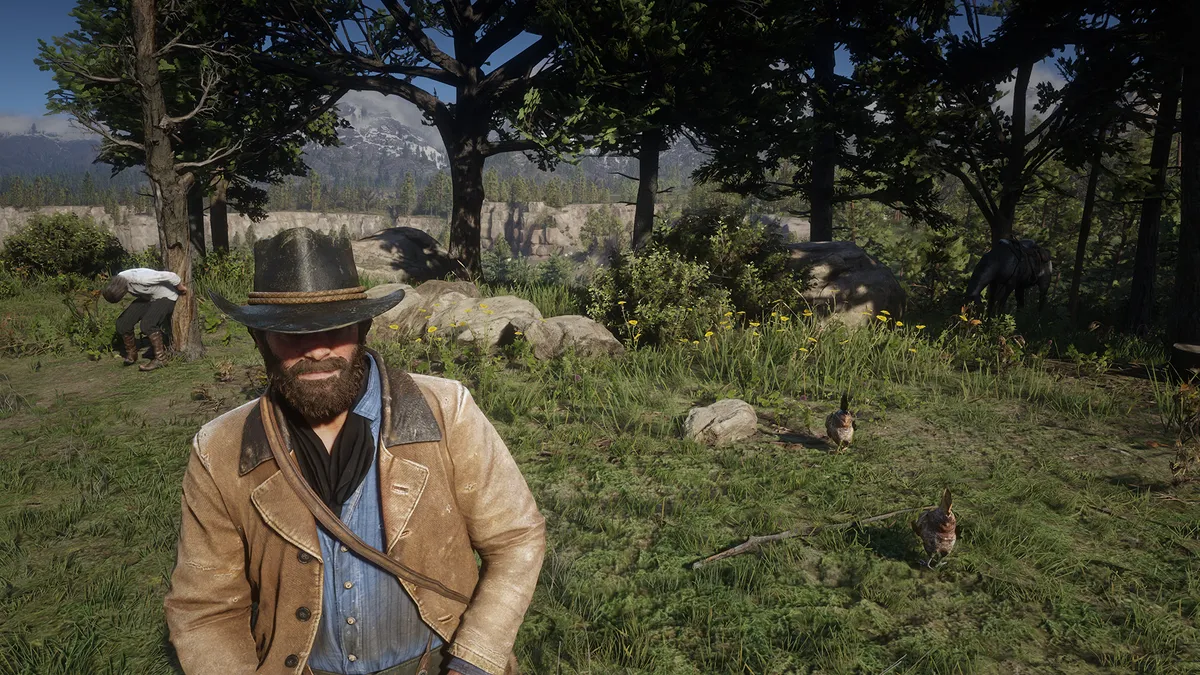
Red Dead Redemption 2 PC high settings

(Image credit: Rockstar)

If you want Morgan’s Western to look its absolute best, here are the most important graphics settings you should ramp all the way up… 

  • Texture Quality – For an experience that’s noticeably sharper and more detailed than even the amazing Xbox One X version of RDR2, turn this setting to ultra. 
  • Tessellation Quality – Not available on the console versions, this setting adds geometric detail to trees and patches of snow, mud and water. Set it to high or ultra for the muddiest mud you ever did see. 
  • Unlocked Volumetric Raymarch Resolution – Talk about a mouthful. This lives in the Advanced Graphics settings, which are locked by default. Open them up, and switch this on to allow volumetric rays from RDR2’s skies to scale to your monitor’s resolution. It’s an eye-grabbing feature if you’re playing at 4K. 
  • Full Resolution Screen Space Ambient Occlusion – This is another feature designed for folk playing at higher resolutions. If you’re monitor is 1440p or above, enable this feature to render higher res ambient shadows. 
  • TAA – More effective than FXAA and far less expensive than MSAA, this is the best anti-aliasing solution for people who want a smooth, film-like image. It’s not that much of a drain on GPU resources, so switch it to high. 

Red Dead Redemption 2 tips | Red Dead Redemption 2 cheats | Make money fast in Red Dead Redemption 2 | Best Red Dead Redemption 2 weapons | Red Dead Redemption 2 best horse | Red Dead Redemption 2 Legendary Animals | Red Dead Redemption 2 Legendary Fish | Red Dead Redemption 2 treasure maps | Red Dead Redemption 2 100% completion

CATEGORIES
Xbox One PS4 PC Gaming Platforms Xbox PlayStation
David Meikleham
David Meikleham
Social Links Navigation
Google AMP Stories Editor

David has worked for Future under many guises, including for GamesRadar+ and the Official Xbox Magazine. He is currently the Google Stories Editor for GamesRadar and PC Gamer, which sees him making daily video Stories content for both websites. David also regularly writes features, guides, and reviews for both brands too. 

Read more
Red Dead Redemption 2 cheats
Red Dead Red Dead Redemption 2 cheats and every code available
 
 
Red Dead Redemption 2
Red Dead Red Dead Redemption 2's enigmatic spider web puzzle is the first thing that's gotten me genuinely excited for GTA 6
 
 
Red Dead Redemption
Red Dead All Red Dead Redemption cheats for single-player
 
 
Red Dead Redemption playing on an Android phone, with a PS4 and controllers in the background.
Gaming Controllers I treated myself to the Red Dead Redemption mobile port, but there's one thing I should've picked up too
 
 
GTA 5 new
Action Games 25 Best Rockstar Games of all time, ranked
 
 
Red Dead Redemption 2
Red Dead Red Dead Redemption 2 is now a "legally distinct" Pokemon RPG thanks to one creative modder
 
 
Latest in Red Dead
A screenshot of Red Dead Redemption protagonist John Marston.
Red Dead After 16 years, Red Dead Redemption's John Marston actor completes Rockstar's epic Western, and breaks down crying
 
 
Red Dead Redemption 2
Red Dead Red Dead Redemption 2 fan accidentally deletes his fiancée's save file, pays Arthur's actor to apologize on his behalf
 
 
Red Dead Redemption 2
Red Dead Red Dead Redemption 2's enigmatic spider web puzzle is the first thing that's gotten me genuinely excited for GTA 6
 
 
Red Dead Redemption 2
Red Dead Red Dead Redemption 2 is now a "legally distinct" Pokemon RPG thanks to one creative modder
 
 
Red Dead Redemption 2
Red Dead Red Dead Redemption 2 players almost solved a puzzle hidden for 7 years before finding they missed the actual start
 
 
Best games like Red Dead Redemption 2
Red Dead Red Dead Redemption 2 developer never thought the newly uncovered mystery would be found, says it's "absolutely wild"
 
 
Latest in Guides
Crimson Desert House of Healing
RPGs How to find the Greymane in the House of Healing in Crimson Desert
 
 
Marathon Cryo Archive shooting enemy runner with BRRT
FPS Games Basic guide and tips for running Cryo Archive in Marathon
 
 
WWE 2K26
WWE 2K WWE 2K26 MyRise walkthrough and chapter rewards guide
 
 
A close up of Izuku Midoriya using his Plus Ultra move in My Hero Academia Ultimate
RPGs My Hero Academia Ultimate codes (March 2026) for Coins
 
 
Crimson Desert Duskwood Ruins puzzle
RPGs How to solve the Duskwood Ruins puzzle in Crimson Desert
 
 
Fortnite Chaos Cubes
Fortnite Fortnite Chaos Cubes locations and rewards for finding them
 
 
LATEST ARTICLES
  1. Crimson Desert screenshots
    1
    Even the Crimson Desert marketing lead with 400 hours in the open-world game is stunned to learn this neat cooking tip
  2. 2
    Super Smash Bros creator Masahiro Sakurai says it would be "impossible" to grant every fan request
  3. 3
    Todd Howard defends "VO line flub" in Oblivion Remastered since "it's part of the game’s character"
  4. 4
    When is The Super Mario Galaxy Movie on streaming? Speculation on the Peacock release date
  5. 5
    Daredevil: Born Again season 2 producer says it's not up to him whether Luke Cage and Iron Fist will return in the MCU

GamesRadar+ is part of Future US Inc, an international media group and leading digital publisher. Visit our corporate site.

Add as a preferred source on Google Add as a preferred source on Google
  • Terms and conditions
  • Contact Future's experts
  • Privacy policy
  • Cookies policy
  • Accessibility statement
  • Careers
  • About us
  • Advertise with us
  • Review guidelines
  • Write for us
  • Accessibility Statement

© Future US, Inc. Full 7th Floor, 130 West 42nd Street, New York, NY 10036.

Please login or signup to comment

Please wait...