
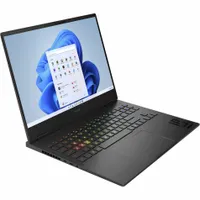
The best gaming laptop I've tested so far is the HP Omen Max 16. Its chassis design, excellent performance, solid reliability, and the capacity for a high end OLED panel keeps it competitive while ticking all the boxes some competitors sacrifice. It doesn't even sit at the top of the price range either, and is regularly found on sale.
That means the Omen is the best all-rounder for those investing in a four-figure system in 2026 so far, but there are plenty of other machines knocking on its door. The Asus TUF range, for example, still offers the most fun I've had with a budget gaming laptop, while the OLED display on the Lenovo Legion 5 can't be beaten for sheer value.

I've been obsessed with laptops since I got my first machine that could just about, barely, run The Sims 2. Since then I've been through more gaming laptops than I can count, and - thankfully for my bank balance - have been reviewing these magic machines for over five years at GamesRadar+. While I can certainly appreciate a top of the range set of components, my background as a Deals Editor at our sister site TechRadar has also taught me the importance of value, so I consistently hold a particularly keen eye for user experience, long-term reliability, and the price/performance balancing act.
The quick list

The HP Omen Max 16 has stormed its way to the top of the list, boasting incredible performance all housed in a sleek, stylish chassis. With some impressive benchmarks and a versatile design (with more than its fair share of discounts) this is the best all-rounder I've tested so far.

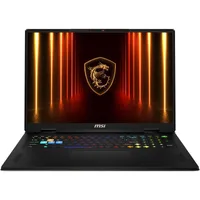
The MSI Katana 15 HX B14W can get you pretty close to $1,000 for an RTX 50-Series system if you spec it right and it still manages to run a full QHD display. That's rare in today's market.

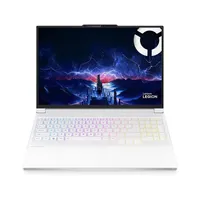
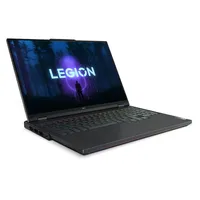
The Lenovo Legion 5 packs a remarkably low price tag considering its sturdy build quality, OLED display, and solid 1080p performance.

The latest Zephyrus G14 feels more like an ultrabook with its slick design and OLED panel. It's still got gaming chops, though - making it our go-to 14-incher.

The latest Razer Blade 16 is going to cost you, but if you're looking to splash out on the highest quality 16-inch machine in the business this is where you need to be looking.

The latest Scar 18 goes all-in on power and immersion without reaching MSI's lofty prices, perfect for those after a new-generation beast machine.

With an AMD Ryzen 9 CPU and RTX 5090 GPU, this thing is absolutely stacked - and it's come out on top across every gaming laptop I've ever benchmarked.
Recent updates
Why you can trust GamesRadar+ Our experts review games, movies and tech over countless hours, so you can choose the best for you. Find out more about our reviews policy.
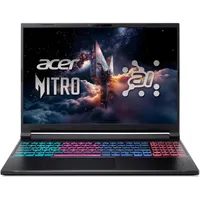
February 19 - It's been a battle for a silver medal in the test room this month. The Acer Nitro V 16 AI and MSI Katana 15 HX B14W have gone head to head for a slot at second position, aka a slot as the best budget gaming laptop on the market. Ultimately, MSI won this race due to its excellent performance and QHD resolution options, however Acer does have price and waistline on its side. The former has been added to this list, while the latter has been added to the 'also tested' section further down the page.
Expand update log
January 15 - A whole slew of gaming laptops hit the airwaves at CES 2026, but with incremental upgrades under the hood it looks like last year's models could offer even better value this year. We have updated this guide with recent comparative benchmarks and new context in preparation for new releases.
The best gaming laptop overall


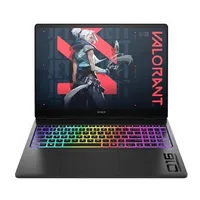
✅ You want top shelf performance: The numbers I got out of the HP Omen Max 16 surprised me - at full pelt these components can absolutely sing.
✅ You want greater control over presets: There's a solid piece of software tying everything together here, making for excellent control over how your machine runs.
✅ You like an RGB show: The backlighting on this keyboard is gorgeous, as is the underglow effect on the main chassis.
❌ You need to work and play on the go: The only thing the Omen sacrifices to achieve its incredible performance and keen looks is its battery life - this one wants to stay plugged in.
❌ You hate keyboard flex: It's minor, but it is noticeable - if you can't stand a slightly bendy keyboard you'll want to look elsewhere.
The HP Omen Max 16 was a dark horse last year, and looks set to offer even better value in 2026. With a newer 'HyperX' branded model on the way, though incremental power upgrades under the hood, this is where I'm placing my bets for the next year. With better performance than the RTX 5080 Asus ROG Zephyrus G16 and even trading places with the RTX 5090 Razer Blade 16 in QHD settings, it's got plenty of power under the hood while still keeping its cool up top.
The all-white model I tested packs a slick chassis aesthetic while still feeling luxuriously soft to the touch. If you're after something a little cheaper, the Lenovo Legion 7i Gen 10 also offers a similar design, and beats some of the keyboard flexing I found on the Omen - you do sacrifice power, though.
The HP Omen Max 16 is configurable with a wide range of components that span Intel, AMD, and Nvidia's mid and upper ranges, making for a comfortable set of choices. You will have to also choose your screen; I tested the IPS flavor and while I came away impressed I'd recommend opting for the OLED model instead.
Elsewhere, you'll find a strong selection of ports (including two Thunderbolt 4 options) split mainly across the left flank and rear panel. That's a rarity among 16-inchers, I often only see larger 18-inch models keeping permanent connections tucked away like this. It makes for a far tidier setup overall, though.
Overall, though, this is wild RTX 5080 performance, with the extra chassis space and smart cooling features to see the Omen Max 16 performing well above its station.

I gave the HP Omen Max 16 a 4.5/5 in my review, which means it's easily recommendable to a wide range of players, save for a few caveat use-cases. It's for those split between prioritizing performance and style, keeping their machine largely plugged in save for a few shorter productivity stints. It's not, however, for those after an all-day workhorse away from a charging point.
Read more: HP Omen Max 16 review
The best cheap gaming laptop


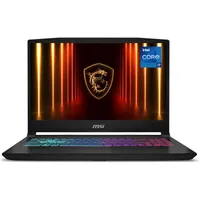
✅ You want QHD options: Very few budget gaming laptops run into QHD resolution territory. You're more likely to find 1080p or 1200p screens at this price.
✅ You want an RTX 5060 or RTX 5070: I've found it a little difficult to find those fabled RTX 5050 configurations of this model so you'll have better chance at a deal if you're after a slightly heavier card.
✅ You need a good keyboard: If you're typing for longer periods, you'll appreciate that there's no mush behind these keys. Everything is surprisingly springy for a budget rig.
❌ You regularly travel with your laptop: If you need a machine for work and play you might benefit from something a little lighter and thinner.
❌ You need an OLED display: If that OLED panel is a non-negotiable you can still find solid value only a little further up the price scale.
I've had two machines going head to head in the battle for second place recently. The MSI Katana 15 HX B14W has beaten the Similarly priced Acer Nitro V 16 AI to become the best budget gaming laptop I've tested so far, though, finally knocking the RTX 40-Series Asus TUF A15 off its perch.
If you're after RTX 50-Series power in a solid, durable chassis that doesn't cost the earth this is going to be a delight. It's not quite as thin as the Acer Nitro, but it's a touch lighter and that extra chunk is never gaudy in its design. In fact, I was surprised by just how streamlined this budget machine looks, considering the Katanas of yore.
There's a secret weapon that just nudges MSI into the top spot here, though. While most cheap chassis are content with a 1200p or even 1080p screen, this rig is available in full QHD glory. That's rare for an RTX 50-Series machine that starts life this close to $1,000 and considering the RTX 5060 version I tested actually put that panel to work there's excellent value in here.
Ports are split across the left and right sides, as is usual on a cheaper machine there are no rear-mounted connections here. However, the keyboard surprised me with a particularly tight feel overall. While most budget gaming laptops cheap out here with mushy decks and flimsy keys, everything runs smoothly with a satisfying clack and an energetic feel.
When push comes to performance shove, the MSI Katana also manages to keep pace with more expensive rigs like the Lenovo Legion 5 Gen 10 (below) and the Lenovo Legion 7 Gen 10. It's largely trailing behind the far more expensive Alienware 16X Aurora, but still manage to beat Lenovo's entry level rigs in several QHD benchmark tests. This is a cheaper chassis with performance at the forefront of its mind, only this time the display has managed to keep a foothold in quality as well.

I gave the MSI Katana 15 HX B14W a 4.5/5 star review score, which means I'd recommend it to the vast majority of players shopping within its price range, save for a few more niche use cases. In this case, that niche lives with those who need a slimline machine for work and play. It's not a luxury ultrabook and there are budget-minded rigs out there that can still cater to such a market. However, if you're going performance-first in your priority list, without sacrificing display resolution, it's a must-see.
Read more: MSI Katana 15 HX B14W review
The best value gaming laptop


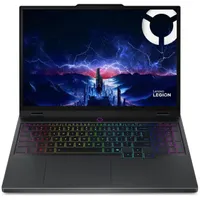
✅ You want a laptop for work and play: That hybrid use-case is becoming ever popular with the rising prices of tech, and the subtle design, slimline form factor, and full keyboard on the Legion 5 suits perfectly.
✅ You prioritize display: You won't find an OLED panel on too many affordable gaming laptops, even with the tech growing in popularity this year.
✅ You don't mind using DLSS for QHD+: More demanding games will need a few tweaks, and run much better when using Nvidia's frame generation features, to hit a comfortable QHD resolution. If you're happy tinkering with in-game settings, you'll save yourself a lot of cash compared to an upgraded GPU.
❌ You only play in strong daylight: That OLED display does carry a little more glare compared to more premium options, and it's far more noticeable in bright environments.
❌ You want the highest framerates possible: The Legion 5 is juggling a lot of power and productivity balls, so it's a jack of all trades between them. If you're after something with a little more grunt you'll likely want to move up to a chunkier chassis with less emphasis placed on display quality.
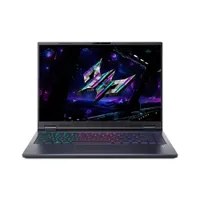
The Lenovo Legion 5 sneaks an OLED display into a price tag that sits well below the rest of the premium market. With a solid, durable chassis and well-balanced configurations, this is one of the more cost-effective options available. The Acer Predator Helios Neo 16S AI is the only machine that has threatened this value position recently, but its higher price ultimately keeps it out the way.
Of course, we have to discuss that OLED face. A lot of gaming laptops are sporting these high-vibrancy panels this generation, but the tech is usually reserved for flagships. If you don't want to spend $3,000+ on a new machine, this is where you want to be looking.
It's not going to give the Razer Blade 16 anything to worry about with its slightly glare-heavy appearance, but it's still a punchy, high-contrast panel with inky blacks, impressive detailing, and a color palette you'd expect from a luxury device.
Configurations are capped at an RTX 5070, though CPUs can run all the way up to Intel Core Ultra 9s with some AMD options in there as well. If you're looking for something a little further up the ladder, the Helios Neo 16S AI can bump you up to an RTX 5070 Ti for a boost in VRAM.
The Intel i7-13650HX / RTX 5060 configuration I tested scored well in synthetic benchmarks. It beats the RTX 4070 HP Omen 17, a machine that launched at over $2,000 back in the day, and even trades places with the Alienware 16X Aurora at times.
It's also worth noting that it can beat the more expensive RTX 5060 configuration of the Lenovo Legion 7i Gen 10 in some tests.

The Lenovo Legion 5 earned 4.5/5 stars in its review, so it's an easy recommendation, save for a few niche use-cases. This is a gaming laptop for those looking to maximise their budget for single-player adventures at high settings in 1080p with a few tweaks at QHD, specifically looking for the extra vibrancy and immersion of an OLED display. If you play in particularly bright environments, though, that glare may well hurt a little.
Read more: Lenovo Legion 5 (Gen 10) review
The best 14-inch gaming laptop


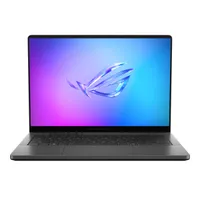
✅You travel regularly with your laptop: Its 14-inch form factor is the giveaway here, but the G14 is particularly easy to transport thanks to its light weight and sturdy design.
✅Screen quality is a priority: That OLED panel is unmatched at the moment, offering an incredible viewing experience across both games and movies.
✅ You want a subtle aesthetic: The more refined aesthetic means you've got a gaming laptop that won't stand out from high-end ultrabook options. Think MacBook but with an RTX 5080.
❌ You want a desktop replacement: The G14 is designed to go out and about with you - if you don't mind a larger machine you can spend less and keep it docked at home.
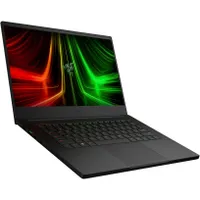
If you're after a portable device for everyday work, only to plug in and play whenever you want, the Asus ROG Zephyrus G14 is the best 14-inch gaming laptop I've tested. While it's faced some stiff competition from the Razer Blade 14, its RTX 5080 configuration options keep it a rung higher on the ladder.
The G14 looks and feels fantastic, pairing a slimline waist with a clutter-free design to continue the tradition of some of the best Asus gaming laptops I've used. The rounded corners keep things softer than the Blade, while the CNC-milled aluminum alloy build means everything is rock solid. There's still an unnecessary piece of "Slash Lighting" across the back, which can get annoying, but it's easy to turn off.
The 2880 x 1800 OLED display goes for immersion over speed, with a 120Hz refresh rate. It still shines beautifully, though. This is a sturdy panel overall, even if warmer tones sometimes leap a little larger than cooler ones. It's no Blade 16, but it's certainly an upgrade from IPS solutions like the Asus TUF A14.
This rig kept up with larger RTX 4090 machines in my testing, blitzing through 1600p benchmarks at three-figure framerates in lighter titles, and staying well over 60fps in Horizon Zero Dawn: Remastered. Some graphical tweaks will need to be made to achieve those numbers in Cyperpunk 2077 and Black Myth: Wukong, though the Multi-frame Generation of the RTX 50-Series can step in when you need a hand.

I gave the Asus ROG Zephyrus G14 4.5/5 stars in its review, so I'm happy to recommend it to a wide range of players after a generalist device in this price range. Those who need a portable laptop for everyday work will get the best value here, though, especially if you don't want to compromise on framerate when you do load up that Steam library.
Read more: 2025 Asus ROG Zephyrus G14 review
The best 16-inch gaming laptop
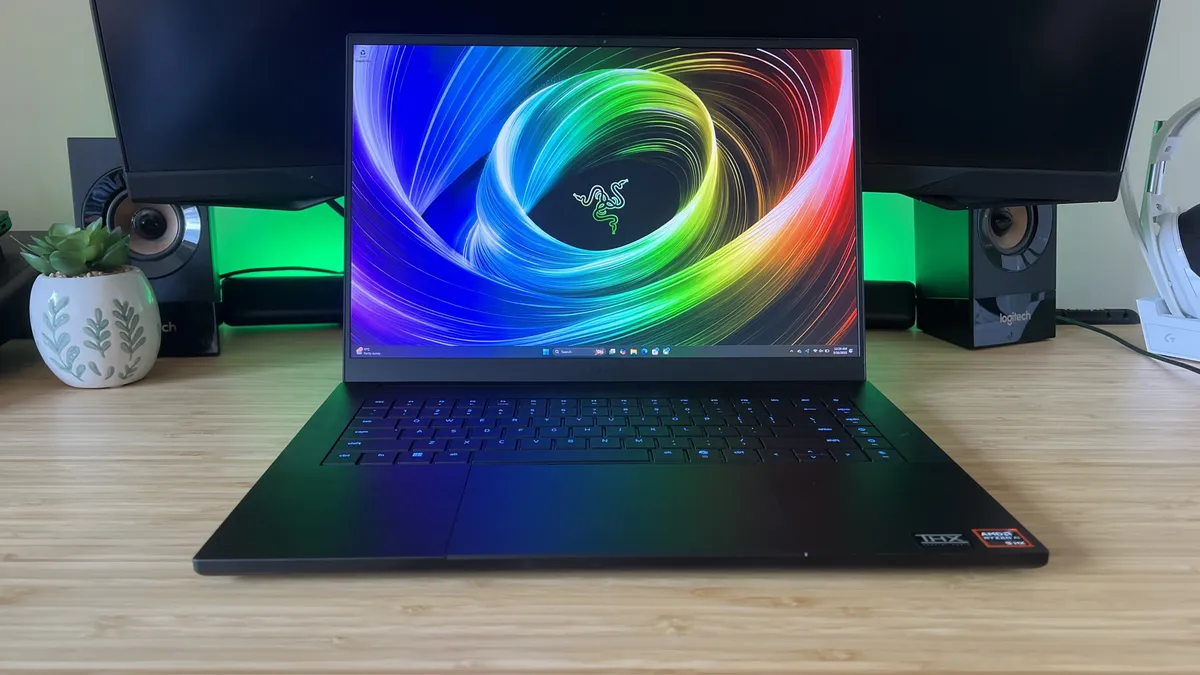


✅ You prioritize style: Razer has bags of style about it, from that slick aesthetic to the slimline form factor. If you're looking for a high-end gaming laptop that really looks the part, you've found it here.
✅ You don't want to compromise on your display: That 240Hz OLED panel running at a full 1600p is something to behold. There's no sacrifices in this screen - it's got it all.
✅ This is a long-term investment: The Blade 16 is a lot up front, but these rigs can see you through years of the most demanding games.
❌ You only play lighter titles: If you don't play every day, or you only play low-demand games then the high cost of the Razer Blade 16 just doesn't make sense.
❌ You don't want to use DLSS: Chunkier gaming laptops are going to get better framerates, so while the slimline Blade 16 makes some headway with native performance you're always going to have a better time with higher TGPs and bigger chassis'.
The Razer Blade 16 is certainly making a statement. Like all the best Razer laptops, this is one for those investing in the quality of life of their gaming laptop - if you want the best screen, keyboard, and form factor (with some DLSS help to reach high framerates) I've tested in a gaming laptop so far, it's a must-see. As you'll see above, the smaller form factor does impact performance, but this one's all about the style.
It's a surprisingly skinny machine, thinner than my everyday Razer Blade 14, which makes throwing it into a backpack incredibly easy. Even the USB-A ports barely fit on the side of this chassis, and we're still playing with flagship power under the hood.
The first thing you'll probably notice on the Razer Blade 16 is the OLED display. It was certainly my biggest takeaway from the 2024 model, and its implementation in this year's device is nothing short of breathtaking. Its color accuracy, contrast, and eye-watering vibrancy make it the best gaming laptop display I've tested so far. If you're after something a little cheaper, the Lenovo Legion 5 Gen 10 also offers an OLED panel at a much lower price, though this and the Acer Predator Helios Neo 16S AI both suffer from more glare.
The scissor-switch keyboard has upped the key travel to 1.5mm for a particularly satisfying feel. These clickers are energetic, precise, and smooth, making for a comfortable and precise typing and gaming experience.
It's AMD's time to shine under the hood this year, and while the AI-focused CPUs do hold the Blade 16 back a little, especially when compared with the powerhouse of an Intel processor featured in the last generation, they tick along nicely. My RTX 5090 test device still managed to push more than playable framerates in everything from Black Myth: Wukong to Cyberpunk 2077, but those benchmarks were often more than doubled with the right AI tweaks in place.

The Razer Blade 16 was awarded 4/5 stars in my review, which means it's recommendable though could be better value if bought on sale. That MSRP is high, but if you're willing to spend and you prioritize style and luxury over component value and sheer performance it's going to be well spent.
Read more: Razer Blade 16 (2025) review
The best 18-inch gaming laptop


✅ You want immersion and speed: This is a high-end Mini LED panel, but it keeps things zippy at QHD+ with a 240Hz refresh rate. That's an excellent compromise you won't find everywhere.
✅ You have a multi-monitor setup: Not all 2025 gaming laptops are upgrading to Thunderbolt 5, but the ROG Strix Scar 18 certainly is. You're getting two here - ideal for a multi-display setup.
✅ You like a light show: The new Scar 18 extends and emboldens the RGB light strip around the edge, making for a fantastic floating effect.
❌ You want to spring for 4K: MSI is the better choice for a 4K panel that can absolutely sing, though you'll certainly be paying for the privilege.
❌ You want a beefier processor: The Intel Core Ultra 9 275HX inside every Scar 18 isn't the most powerful CPU on the market, whereas the MSI below packs an insane AMD brain.
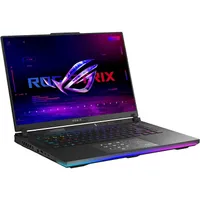
The 2025 Asus ROG Strix Scar 18 strikes the best balance between power and chassis design. It's not quite performing the same as MSI's machines from a benchmark perspective, but the wide range of components available and the strength of that display make this the best 18-inch gaming laptop on the market right now.
This is a chunky machine and while its dimensions and weight aren't going to make it the perfect travel companion it was never designed for that. The extra chassis size allows for better cooling, keeping all those internal components running as best they can.
If you're between this and the MSI Vector A18 A9W, it's worth noting that Asus performs much better from a display perspective. We've got the same ROG Nebula HDR display we've come to know and love in all its Mini LED glory. Connections are plentiful as well, with two Thunderbolt 5 options for additional speed over the Thunderbolt 4s in last year's MSI rigs.
The RTX 5090 Asus ROG Strix Scar 18 I tested blew the competition away when it came to easier 3D Mark tests like Fire Strike and Time Spy, and maintained its lead over the RTX 4090 MSI Titan and Raider in Steel Nomad as well. In-game, MSI was top dog across FHD and QHD+ benchmarks in all but Shadow of the Tomb Raider where the Raider just nudged it out the way. I managed to get Cyberpunk 2077 running at 212fps with Frame Generation on, while also bumping Super Resolution up to Quality.
Since I first reviewed this gaming laptop, the 2025 MSI Raider has overtaken it in sheer performance, and the RTX 5080 MSI Vector I tested also gave it something to consider. Still, the Scar 18 balances its power with additional features better than MSI's rigs.

With a 4.5/5 review score, the Asus ROG Strix Scar 18 is easily recommendable to anyone looking for a desktop-replacement 18-incher. If you rarely take your laptop on the go and want a desk-bound giant with all the ports you need and a spacious, luxury display this is the machine for you, though true framerate hunters with larger budgets will benefit from the upgrade to an MSI model.
Read more: Asus ROG Strix Scar 18 (2025) review
The most powerful gaming laptop we've tested


✅ You're future-proofing: This is a lot to drop on a new gaming laptop, but if you're investing in a machine that will go the distance there's nothing else like it on the market.
✅ You want a desktop experience: With that 4K panel beaming up top, and plenty of ports available, you don't need to connect an extra display or potentially even a hub to this device.
✅ You transfer between storage devices regularly: If you need some extra speed, this is definitely the way to go. A Gen5 SSD is tough to find in a gaming laptop, and it makes a world of difference here.
❌ You play competitively: The Raider uses a 4K 120Hz panel, which is ideal for those after immersive single-player campaigns, but might not be fast enough for ranked leaderboards.
❌ You've got your eyes on last year's Titan: The Titan has a better build quality than the new Raider, but it also comes in a lot cheaper - even with an RTX 4090 up top.
The MSI Raider A18 A9W broke records as the most powerful gaming laptop I've tested yet. At launch it was the only gaming laptop to pair the AMD Ryzen 9 9955HX3D processor with an RTX 5090, and it does so while also upgrading your SSD to a Gen 5 as well. That's all pretty rare, and it makes for a super-fast, if super-expensive, machine. There are some caveats to that hype, though.
The MSI Raider still packs a plastic chassis, despite charging more than last year's aluminum Titan model. That's a little disappointing, especially considering I experienced notable flexing in the main deck. Considering my test device would have cost well over $5,000, that's an oversight.
We've still got a gorgeous 4K Mini LED panel that makes everything from Doom: The Dark Ages to Indiana Jones and the Great Circle shine its brightest during my testing. MSI didn't opt for the dual-mode display you'll find on a Razer Blade 18, though, which means everyone is stuck on that 120Hz refresh rate - not great news for more competitive players.
If you're going solo, the size, depth, and detail in this screen are still a sight to behold - and the refresh rate isn't going to hold you back much at 4K anyway.
It more than makes up for its shortfalls once it gets going. I was able to benchmark at much higher rates than ever before. Even taking some odd Shadow of the Tomb Raider results out of the equation, the Raider's use of the RTX 5090 put it at the top of my testing pool across FHD and QHD benchmarks, and it blitzed the competition in 3D Mark's synthetic runs. Needless to say, that AMD processor sits proudly at the top of my PC Mark 10 data set as well.

The MSI Raider A18 HX A9W scored 3.5/5 in my testing, so it's a gaming laptop I'd happily recommend to a smaller subset of users rather than a generalist machine. If you're going for 4K and sparing no expense in your quest it's absolutely the rig to be watching this year, but those simply after a desktop-replacing experience stand to spend a lot less on QHD models with better build qualities.
Read more: MSI Raider A18 HX A9W review
How I test gaming laptops

I live, work, play, stream, and browse on every gaming laptop that passes my desk for a minimum of two weeks. That allows me to assess its build quality, portability, display features, keyboard and trackpad, port selection, and form factor in a real-world setting as if it was being popped straight into your setup. For this reason, I use every laptop both by itself and as part of a larger monitor system (via a Razer USB 4 docking station).
I rate gaming laptops based on their design, features, and performance - and each section requires its own tests and real-world experiences.
The design of a laptop incorporates everything from its aesthetic (and how well it will blend into non-gaming scenarios) to build quality (its materials, any wobbles around the hinges, flexibility in the screen or base plate, and any creaking or rattling internally). In the world of gaming laptops, portability also plays a large role so I make sure to take each machine out with me for a series of coffee shop crawls, or a longer travel distance during my testing period.
The specific features I test are the display (brightness, clarity, color range, sharpness, speed), keyboard (size, balance, typing feel, placement), webcam, port selection (and placement), configuration options, trackpad, and onboard software options. All of these elements aren't just reviewed as a whole package, but directly compared against similarly priced competitors to understand each machine's value proposition as well.
Then we get to the all-important performance category. Every gaming laptop that I review is stress-tested against a series of benchmarking processes and everyday use. I run a standardised series of performance tests on each rig, benchmarking on both High and Ultra / Highest across:
- Shadow of the Tomb Raider
- Total War: Three Kingdoms (Battle)
- Horizon Zero Dawn Remastered
- Cyberpunk 2077
Each of these benchmarks is carried out in FHD and QHD resolutions, as well as UHD where available, and run three times. The final score is reflective of the average of these runs.
I then test the GPUs inside these gaming laptops against 3DMark Fire Strike, Steel Nomad, and Time Spy.
Read more about how we find the best tech with the full Hardware Policy and find out exactly how we test gaming laptops.
Also tested
I'm always reviewing new gaming laptops, but only the very best make it to the top list above. You'll find all the most recent gaming laptop benchmark scores just below, and more information on each model further down.
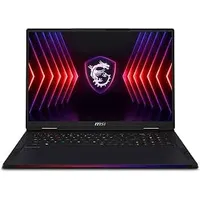

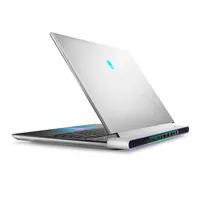
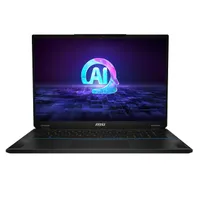
See more reviews ↓
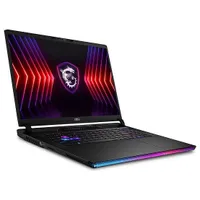
How to find the best gaming laptop for you

Gaming laptops come in all shapes and sizes these days, with a massive range of configuration options, display technologies, and price tags to contend with. I've bought my fair share of machines over the years, and there are always three factors that make up the majority of my decision-making; size, specs, and display.
Size matters
Gaming laptops come in three sizes nowadays; 14-inch for those after a lightweight, portable design, 18-inch for a full desktop replacement, and 16-inch for a well-rounded performer that can still travel when needed. It's easy to see why 16-inch laptops reign supreme, taking over from the 15.6-inch models of yore to become the most popular gaming laptop form factor on the market.
In general, I'd recommend most players aim for this happy medium. An 18-inch device is a real strain on the back if you need to take it on the go (if it will even fit into a conventional backpack) and a 14-inch model can sacrifice power in the name of a slimmer form factor while carrying a similar price. However, if you know you're looking for a chunkier device that won't need to be moved or a work laptop that needs to keep up with you day to day, each extreme certainly has its place.
Under the hood
Your decision will mostly come down to your graphics card and processor - though, helpfully, finding the right GPU will often land you with the right CPU in the first place.
An RTX 4050 / RTX 5050 rig is designed for lighter players who might want to tinker through some less demanding games while primarily using their laptop for work or streaming. These rigs are likely to come with cheaper Ultra 5 or Ryzen 5 processors, but can also pack an Ultra 7 or Ryzen 7 punch as well. You'll usually find 16GB RAM and 512GB - 1TB of storage space included.
I would move up to an RTX 5060 if you're looking to play more demanding games, but don't necessarily need three-figure framerates - especially in QHD+ resolutions. This is the start of the mass market, most players will either find themselves with an RTX 5060 or 5070 rig - but sticking to the lower version might keep you from smooth rates on more demanding games in the years to come. You'll usually be opting for an Ultra 7 or Ryzen 7 processor here, with 16GB or 32GB RAM and 1TB of storage space.
The RTX 5060 / RTX 5070 is the most popular GPU range in a gaming laptop - and it's generally where I start my search when pricing up new machines. You're getting enough juice to bump things up to 1600p comfortably, though you might need to make some textural tweaks to run heavier games at Ultra settings. I'd recommend most players stick to an Intel Ultra 7 or 9 processor to keep the value right here, with 16GB RAM for a cheaper RTX 5060 (though more likely 32GB RAM) and 1TB - 2TB of storage space.
An RTX 5080 gaming laptop is going to see you through QHD+ gaming at ultra settings pretty comfortably - even in more demanding games. This is the start of high-end, and as high as I would recommend most casual players go. These machines are starting to drop their price tags a little now, but can still feel like a larger investment - especially if you take up the Ultra 9 / Ryzen 9 processors, 32 - 64GB RAM, and 2TB+ SSD opportunities that start opening up here.
I wouldn't recommend the majority of players concern themselves with RTX RTX 5090 gaming laptops just yet. There's a performance jump for sure, you'll be outputting in 4K with much more ease, and QHD+ gameplay will feel like a breeze. However, these are premium machines, reserved for those with over $3,000 to spend. They're worth saving for if you want to future-proof yourself, but unless you're streaming or playing hardcore titles regularly you'll find better value further down the price range.
All about that display
The majority of mid-range gaming laptops ship with QLED+ resolutions in a 16:10 aspect ratio, with a 240Hz refresh rate. That's the gold standard for right now, but there are reasons to deviate from the norm. For example many rigs, particularly those from Alienware, can drop you resolution back down to FHD+ in exchange for faster panels (up to 480Hz in some cases).
That's a screen designed for competitive eSports-style gamers, rather than everyday adventurers, though. On the flip side, you'll find more OLED and 4K panels on the shelves these days - these give you a better viewing experience overall but at the cost of speed. While some brands like Razer have managed to bump their OLED screens up to 240Hz, you'll more likely find these screens at 120Hz max.
It's important to consider how you play when choosing your screen - whether you want to prioritize fidelity or speed. The QHD+ 240Hz option is so popular because it strikes the perfect balance between the two.
Entry level | Mid-range | Premium |
|---|---|---|
Intel Core Ultra 5 | Ryzen 5 | Intel Core Ultra 7 | Ryzen 7 | Intel Core Ultra 9 | Ryzen 9 |
RTX 5050 / RTX 4050 | RTX 5060 / RTX 5070 | RTX 5080 / RTX 5090 |
16GB RAM | 16GB - 32GB RAM | 32GB - 64GB RAM |
512GB - 1TB SSD | 1TB - 2TB SSD | 1TB - 4TB SSD |
120Hz | 144-240Hz | 240Hz - 480Hz |
$600 - $1,000 | $1,000 - $2,000 | $2,000 - $5,000+ |
Gaming laptops glossary

- AMD: AMD is a brand that develops a wide range of processors and graphics cards for business and gaming laptops.
- Chassis: The term chassis relates to the main body of the laptop, housing the components under the keyboard and the back of the lid.
- CPU / Processor: The CPU (Central Processing Unit) or Processor is the central component of a gaming laptop, completing instructions and operations across the machine. Intel and AMD are the leading manufacturers of processors, with Core and Ryzen product lines respectively.
- DisplayPort: DisplayPort is a port found on many gaming laptops, offering the ability to connect your machine to an external monitor. Unlike HDMI, DisplayPort allows for multiple displays to be connected through a single port, however is not compatible with anything other than monitors and computers. The latest version of DisplayPort is 2.1.
- Ethernet: Ethernet is the term given to both the port and cable used to connect your gaming laptop to the internet via a wire. Rather than using a less reliable WiFi connection, hardwiring your machine into your router can be faster and offer lower latencies.
- Fire Strike: Fire Strike is a graphics and physics test within the 3D Mark suite of benchmarks. We use Fire Strike to stress test the processor and graphics card, returning a figure as the result. The higher the number, the better the score.
- FPS (Frames Per Second): Frames per second refers to the number of frames that are displayed on a screen every second. This is a handy way to measure the speed and fluidity of the graphics on your gaming laptop. Most titles run smoothly at 30fps, however faster action titles are better enjoyed at 60fps and up. Competitive esports-level framerates are often over 100fps.
- GPU / Graphics Card: The GPU is responsible for the graphics your gaming laptop is capable of reproducing. AMD and Nvidia produce the majority of graphics cards found in today's gaming laptops, offering a range of different performance levels and prices.
- HDMI: HDMI stands for High Definition Multimedia Interface, and is the primary connection method used to link a computer to an external monitor, TV, or projector. The latest HDMI version is 2.1.
- Intel: Intel is one of the leading producers of processors in both business and gaming laptops.
- Nvidia: Nvidia is a brand best known in the gaming laptop space for producing graphics cards. The company's GeForce RTX GPUs are the most popular on the market right now.
- Nvidia G-Sync: Nvidia G-Sync is similar to AMD FreeSync (see above), and used to reduce screen tearing and stuttering during fast moving games. G-Sync is designed for use with Nvidia graphics cards, however.
- OLED: OLED displays are gathering momentum in the world of gaming laptops, offering an alternative to traditional LED screens. An OLED panel is able to produce better color contrasts and higher brightness.
- PC Mark 10: PC Mark 10 is a benchmarking software designed to test the power of a PC in a productivity setting. The program runs a series of mock work scenarios to test efficiency and processing performance, resulting in a single number response. The higher the number, the better the result.
- RAM: RAM stands for Random Access Memory, and allows your computer to streamline its efficiency in running tasks. The more RAM you have, the more space your gaming laptop has to keep required data easily accessible (and therefore recalled faster).
- Refresh Rate: Refresh rate in the context of gaming laptops generally refers to the speed at which the display refreshes the picture. A higher refresh rate provides smoother motion, which is required for faster paced titles. Gaming laptops today generally offer at least 120Hz refresh rates, but can move up to 360Hz.
- Resolution: The resolution of your screen is the number of pixels on the display. This is usually split into HD (1920 x 1080 or 1080p), QHD (2560 x 1440 or 1440p), or UHD (3840 x 2160 or 4K), however different screen proportions can bend these definitions a little - you may see QHD+ resolutions listed on a screen that isn't exactly 16:9 in dimensions (the standard for displays that these resolution numbers were based off).
- RGB: RGB refers to the lighting often found on gaming laptops, particularly in the keyboard. The term RGB denotes a range of colors rather than limiting backlighting to a single color.
- SSD: An SSD (or Solid State Drive) is the primary format of storage used in today's gaming laptops. It's faster than an HDD but is more expensive, which means you'll generally find SSD space tapping out at 1TB if you're browsing under $2,000.
- Thunderbolt: A Thunderbolt port uses the same design as USB-C but a vastly different experience overall. Machines incorporate Thunderbolt to allow faster data transfer and charging speeds as well as connecting multiple devices via a single cable. The latest version is Thunderbolt 5.
- Time Spy: Time Spy is another DirectX test for the performance of a graphics card inside your gaming laptop, similar to Fire Strike.
- USB Type-A: USB Type-A ports are standard USB connections used by the majority of external devices and are characterized by their larger square shape compared to the smaller USB-C.
- USB Type-C: USB Type-C is a newer connection type for adding external devices, shaped in a smaller, more rounded port style. USB-C can be used for power delivery if the port on your laptop accepts this feature, but is generally used for the same inputs as USB-A.
- Vapor Chamber Cooling: Vapor Chamber Cooling is a relatively new method of keeping a gaming laptop's temperature down so that it can perform at its best. Rather than solely using air vents and fans, vapor chamber cooling relies on a liquid cooling system to distribute heat more effectively.
Best gaming laptops: FAQs
Which brand is best for gaming laptops?
Overall, the best gaming laptop brands include Lenovo, Razer, Alienware, MSI, Asus and Acer. However, there are a number of companies all competing for the title right now, from budget-oriented developers to high-end industry staples. Finding the best gaming laptop brand may come down to how much you're willing to pay and how much you value extra features like mechanical keyboards and RGB lighting in your chassis. The best Alienware laptops, for example, excel in this arena, but at a significant premium - whereas Acer's machines tend to be more conservative in their builds but offer reduced prices.
What specs do you need in a gaming laptop?
This is a big question, and the answer changes every year. However, at the moment I recommend picking up a high-end or upper mid-range processor from the last two years and at least 16GB RAM. In terms of your graphics card, the model you choose will depend on the kinds of games you play. An RTX 4050 / RTX 5050 is going to be good for lighter indie titles and undemanding games, but an RTX 5060 can push you further up the settings scale for only a little more cash. RTX 5070 cards are for moderately demanding games, played at high settings while an RTX 5080 or RTX 5090 card will be needed for the biggest releases running in QHD+ at ultra settings.
Can you spend under $1000 on a gaming laptop?
It's absolutely possible to spend less than $1,000 and still pick up one of the best gaming laptops on the market. My favorite model under this price range is the Asus TUF A15, though the Acer Nitro 5 also offers plenty of value in its cheaper configurations as well. You might be dropping down to lower refresh rate screens or a cheaper version of an Intel processor, but if you're playing lighter titles or you're not fussed about the latest and greatest in performance there are plenty of options out there.
If you're after something more permanent, check out the best gaming PCs we've tested so far, or the best gaming handhelds to maximize portability.


