


Ejecting an Xbox Series X disc is easy thanks to the button near the disc drive, but the console's minimalist and monolithic exterior means it's not especially obvious what some of the console's features even do. If you've got an extensive library of physical disc games and movies, you'll not only want to know how to get them out of your Xbox Series X when you're done but also which way the discs are even meant to go in. You'd be forgiven for not knowing any of this if you've just set up your console, so here's how to eject a disc from your Xbox Series X so you know for the future.
How to insert and eject discs from your Xbox Series X

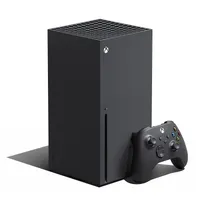
If you're looking at the console head-on when it's in its standard vertical orientation (the recommended setup to help with cooling and ventilation), look for the little black button just above the disc drive. Pressing this button once is how to eject a disc from your Xbox Series X, so give it a little click (and a second or two) and it should spit out your disc. Also remember that you need to insert discs with the top artwork facing left of the console if you've set it vertically!
Alternatively, from the main Xbox Series X dashboard or in My Games and Apps, you can hover over the tile for your disc-based media and press the "X" button on your controller to eject the disc without you having to touch the console itself. Obviously you'll still need to get up to retrieve the disc, and it'll feed back into the drive automatically after a few seconds.
And that's it! Couldn't be easier, once you know how. Microsoft's new console has a wide-range of support for backwards compatible titles, so you may want to know what discs work in an Xbox Series X before you go trying to jam any old thing in its drive.
If you're wondering what the other buttons on the front of the console do, you're likely looking at the pairing button. Not only does it conceal an IR blaster for universal remotes for Xbox, you'll want to use that button to use your existing peripherals. The Xbox Series X controller and accessory compatibility is far-reaching, and if you're struggling with anything it might be worth checking our guidance on how to pair an Xbox Series X controller.
© GamesRadar+. Not to be reproduced without permission.

