

GamesRadar+ GamesRadar+
US EditionUS CA EditionCanada UK EditionUK AU EditionAustralia
Sign in
  • View Profile
  • Sign out
  • Games
    • Game Insights
      • Games News
      • Games Features
      • Games Reviews
      • Games Guides
      • Big in 2026
      • The Big Preview
      • On The Radar
      • Indie Spotlight
      • Future Games Show
      • Golden Joystick Awards
    • Genres
      • Action Games
      • RPGs
      • Action RPGs
      • Adventure Games
      • Third Person Shooters
      • FPS Games
    • Platforms
      • PS5
      • Xbox Series X
      • PC
      • Nintendo Switch
      • Nintendo Switch 2
      • Tabletop Gaming
    • Franchises
      • Grand Theft Auto
      • Pokemon
      • Assassin's Creed
      • Monster Hunter
      • Fortnite
      • Cyberpunk
      • Red Dead
      • The Elder Scrolls
      • The Sims
  • Entertainment
    • TV Shows
      • TV News
      • TV Reviews
      • Anime Shows
      • Sci-Fi Shows
      • Superhero Shows
      • Animated Shows
      • Marvel TV Shows
      • Star Wars TV Shows
      • DC TV Shows
    • Movies
      • Movie News
      • Movie Reviews
      • Big Screen Spotlight
      • Superhero Movies
      • Action Movies
      • Anime Movies
      • Sci-Fi Movies
      • Horror Movies
      • Marvel Movies
      • DC Movies
    • Streaming
      • Apple TV Plus
      • Disney Plus
      • Netflix
      • HBO
      • Amazon Prime Video
      • Hulu
    • Comics
      • Marvel Comics
      • DC Comics
    • Toys & Collectibles
    • Lego
    • Dungeons and Dragons
    • Merch
  • Hardware
    • Insights
      • Hardware News
      • Hardware Reviews
      • Hardware Features
    • Computing
      • Desktop PCs
      • Laptops
      • Handhelds
    • Peripherals
      • Headsets & Headphones
      • TVs & Monitors
      • Gaming Mice
      • Gaming Keyboards
      • Gaming Chairs
      • Speakers & Audio
    • Accessories & Tech
      • Gaming Controllers
      • Tech
      • SSDs & Hard Drives
      • VR
      • Accessories
      • Retro
  • Deals
    • Game Deals
    • Tech Deals
    • TV Deals
    • Buying Guides
  • Video
  • Newsletters
    • Quizzes
    • About Us
    • How to pitch to us
    • How we score
    • Newsarama
    • Retro Gamer
    • Total Film
  • home
  • Games
    • View Games
      • Games News
      • Games Features
      • Games Reviews
      • Games Guides
      • Big in 2026
      • The Big Preview
      • On The Radar
      • Indie Spotlight
      • Future Games Show
      • Golden Joystick Awards
      • Action Games
      • RPGs
      • Action RPGs
      • Adventure Games
      • Third Person Shooters
      • FPS Games
    • Platforms
      • View Platforms
      • PS5
      • Xbox Series X
      • PC
      • Nintendo Switch
      • Nintendo Switch 2
      • Tabletop Gaming
      • Grand Theft Auto
      • Pokemon
      • Assassin's Creed
      • Monster Hunter
      • Fortnite
      • Cyberpunk
      • Red Dead
      • The Elder Scrolls
      • The Sims
  • Entertainment
    • View Entertainment
    • TV Shows
      • View TV Shows
      • TV News
      • TV Reviews
      • Anime Shows
      • Sci-Fi Shows
      • Superhero Shows
      • Animated Shows
      • Marvel TV Shows
      • Star Wars TV Shows
      • DC TV Shows
    • Movies
      • View Movies
      • Movie News
      • Movie Reviews
      • Big Screen Spotlight
      • Superhero Movies
      • Action Movies
      • Anime Movies
      • Sci-Fi Movies
      • Horror Movies
      • Marvel Movies
      • DC Movies
    • Streaming
      • View Streaming
      • Apple TV Plus
      • Disney Plus
      • Netflix
      • HBO
      • Amazon Prime Video
      • Hulu
    • Comics
      • View Comics
      • Marvel Comics
      • DC Comics
    • Toys & Collectibles
    • Lego
    • Dungeons and Dragons
    • Merch
  • Hardware
    • View Hardware
      • Hardware News
      • Hardware Reviews
      • Hardware Features
      • Desktop PCs
      • Laptops
      • Handhelds
    • Peripherals
      • View Peripherals
      • Headsets & Headphones
      • TVs & Monitors
      • Gaming Mice
      • Gaming Keyboards
      • Gaming Chairs
      • Speakers & Audio
      • Gaming Controllers
      • Tech
      • SSDs & Hard Drives
      • VR
      • Accessories
      • Retro
  • Deals
    • View Deals
    • Game Deals
    • Tech Deals
    • TV Deals
    • Buying Guides
  • Video
  • Newsletters
    • Quizzes
    • About Us
    • How to pitch to us
    • How we score
    • Newsarama
    • Retro Gamer
    • Total Film
Trending
  • Pokemon Winds and Waves
  • New Games for 2026
  • GamesRadar+ Replay
  • Mario Day deals
  1. Games
  2. Survival
  3. Valheim

Valheim cheats, console commands, and spawn item list

Guides
By Iain Wilson Contributions from Marloes Valentina Stella last updated 17 May 2024

How to use Valheim cheat codes on Xbox and PC, and the spawn item list to get everything you need

When you purchase through links on our site, we may earn an affiliate commission. Here’s how it works.

Valheim cheats
(Image credit: Iron Gate)
  • Facebook
  • X
  • Pinterest
  • Flipboard
  • Email
Share this article
Join the conversation
Follow us
Add us as a preferred source on Google
Get the GamesRadar+ Newsletter

Weekly digests, tales from the communities you love, and more


By submitting your information you agree to the Terms & Conditions and Privacy Policy and are aged 16 or over.

You are now subscribed

Your newsletter sign-up was successful


Want to add more newsletters?

GamesRadar+

Every Friday

GamesRadar+

Your weekly update on everything you could ever want to know about the games you already love, games we know you're going to love in the near future, and tales from the communities that surround them.

GTA 6 O'clock

Every Thursday

GTA 6 O'clock

Our special GTA 6 newsletter, with breaking news, insider info, and rumor analysis from the award-winning GTA 6 O'clock experts.

Knowledge

Every Friday

Knowledge

From the creators of Edge: A weekly videogame industry newsletter with analysis from expert writers, guidance from professionals, and insight into what's on the horizon.

The Setup

Every Thursday

The Setup

Hardware nerds unite, sign up to our free tech newsletter for a weekly digest of the hottest new tech, the latest gadgets on the test bench, and much more.

Switch 2 Spotlight

Every Wednesday

Switch 2 Spotlight

Sign up to our new Switch 2 newsletter, where we bring you the latest talking points on Nintendo's new console each week, bring you up to date on the news, and recommend what games to play.

The Watchlist

Every Saturday

The Watchlist

Subscribe for a weekly digest of the movie and TV news that matters, direct to your inbox. From first-look trailers, interviews, reviews and explainers, we've got you covered.

SFX

Once a month

SFX

Get sneak previews, exclusive competitions and details of special events each month!


An account already exists for this email address, please log in.
Subscribe to our newsletter

Valheim cheats or console commands can completely change the game and, while usually a PC treat, there's a hidden menu you can access on Xbox to enjoy the fun. Whether that's activating God Mode to walk through dangerous areas unharmed, or simply flying around Valheim to explore faster. And, as well as superpowers, you can use a spawn item list to get whatever you need instantly.

Valheim commands can even help unlock your creative visions, letting you construct huge settlements by spawning in all the wood you need. And with every crafting recipe at your disposal there's no limit to what you can build. If you want to know how to use Valheim cheats on Xbox and PC, and see a list of the available commands, then let me explain all. 

How to access Valheim cheats and console commands on Xbox
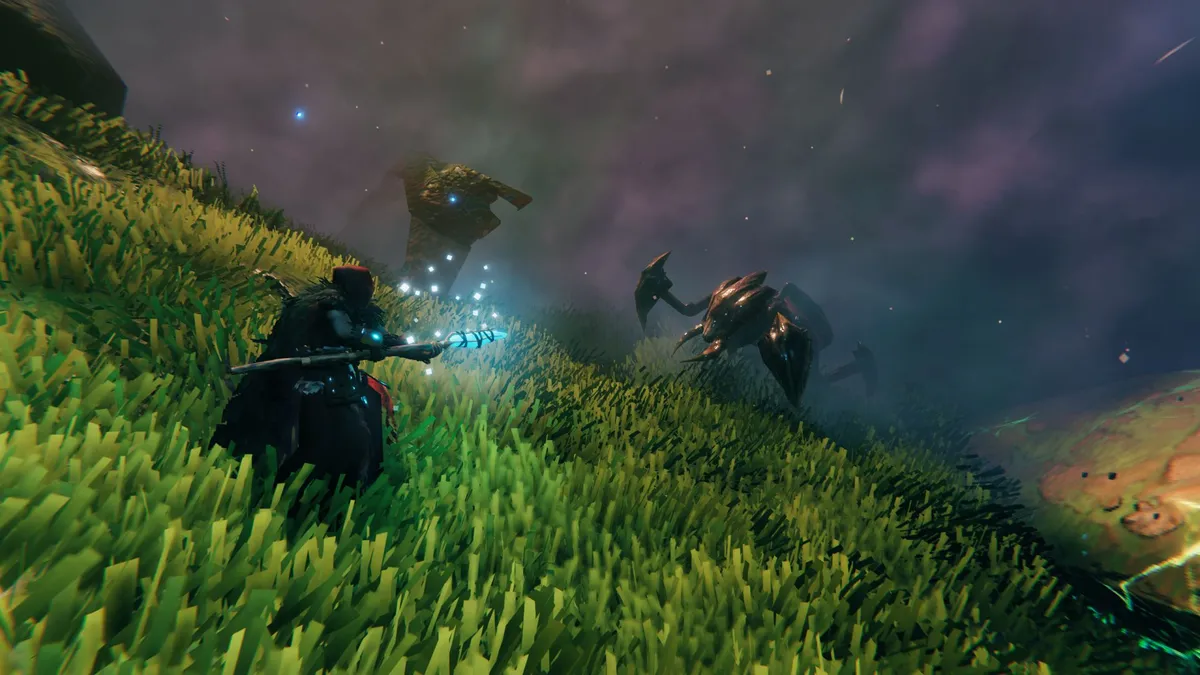
Valheim cheats and console commands on Xbox

(Image credit: Iron Gate)

To access Valheim cheats and console commands on Xbox, you need to hold down LB + RB + LT + RT and then press the Menu button (three horizontal lines). This will pull up a display showing the basic Gamepad console controls, and by tapping left on the d-pad you'll reveal a list of useful console commands to modify the world or your position. You enter commands by pressing the A button to bring up a text window and then typing them in. 

However, if you want to specifically use Valheim cheats then you need to enter Devcommands here. This will display "Dev commands: True" to confirm they're active, along with a warning that using them is at your own risk as they may have unintended consequences or even crash your game, so make sure you save before using them if you don't want to risk losing progress. 

Once dev commands are activated you can then enter pretty much any of the cheats and console commands listed below, including the classic God mode, and if you type help or tap left on the d-pad then you'll get a complete list of codes available – which you can also cycle through by repeatedly tapping right on the d-pad. The only cheat that doesn't appear to work on Xbox is debugmode, though you can recreate the same functions with other codes such as fly, killenemies, nocost, and removedrops.

Note that although the on-screen instructions say that you can click RStick + LStick to show/hide the console, you actually need to hold LB + RB + LT + RT and then press the Menu button again for this.

How to access Valheim cheats and console commands on PC
access Valheim cheats and console commands on PC

(Image credit: Iron Gate Studios)

You need to activate Valheim cheats on PC before you launch the game. To do this right click on the game name in your library and choose 'properties'. From there look for the Launch Options at the bottom of the General tab. Enter -console in the text box so it looks like this: 

Sign up to the GamesRadar+ Newsletter

Weekly digests, tales from the communities you love, and more

By submitting your information you agree to the Terms & Conditions and Privacy Policy and are aged 16 or over.

Enabling Valheim cheats by editing the Launch Options properties

(Image credit: Iron Gate)
More Valheim help

Valheim tips

(Image credit: Iron Gate AB)

Valheim tips
Valheim biomes
Valheim seeds
Best Valheim weapons
Best Valheim armor

Close down the window and start the game and you'll be in business. As before you can press F5 to open up the dev console and now enter devcommands to activate Valheim cheats. Like before you can also deactivate cheats by typing in devcommands again.

While you can freely enter Valheim cheat codes in single player mode, you can only use them during multiplayer if you are the server host or have been given access by the current server host.

Valheim cheats and console commands

Enter any of the following Valheim cheat codes to activate the stated effects:

  • god - Activate god mode for invulnerability and one-hit kills
  • ghost - Activate ghost mode where enemies ignore you
  • raiseskill [skill] [amount] - Increases the specified skill by the entered amount
  • resetskill [skill] - Reset specified skill to 0
  • resetcharacter - Reset character skills and inventory
  • heal - Full health for your character
  • puke - Reset hunger and default health and stamina for your character
  • hair - Remove your character's hair
  • beard - Remove your character's beard
  • model [nr] - Switch between male and female character, use 0 or 1
  • dpsdebug - Toggles damage per second display on/off
  • players [nr] - Scale the difficulty based on player numbers, with 1 for no scaling and 0 to reset scaling
  • fly - Toggles flying mode
  • freefly - Access the free camera
  • ffsmooth 1 - Free camera smoothing
  • ffsmooth 0 - Resets free camera smoothing
  • save - Force the game to save
  • exploremap - Clear fog and display the full map
  • resetmap - Clear exploration and reset the full map
  • pos - Display player coordinates
  • goto [x,y] or goto [x,y,z] - Transport player to coordinates entered
  • location - Set a new spawn location
  • killenemies - Kill all enemies in the area
  • killtame - Kill all tamed creatures in the area
  • killall - Kill all enemies and tamed creatures in the area
  • tame - Tame all creatures in the area
  • nocost - All crafting recipes available, no workbench or resources required
  • removedrops - Remove all dropped items in the area
  • wind [angle] [intensity] - Set the wind direction and intensity, with angle 0 for north and intensity between 0 and 1
  • resetwind - Reset the wind direction and intensity
  • tod [nr] - Set the time of day, with 0 or 1 for midnight, 0.5 for midday, and -1 to revert to natural time
  • skiptime [nr] - Skip forward the specified number of seconds
  • sleep - Skip forward one day
  • event [name] - Start the specified event
  • stopevent - Stop the current event
  • randomevent - Start a random event
  • spawn [item] [quantity] [level] - Spawn the specified item (see below)
  • debugmode - Enter Creative Mode, where you can then press:
    *    Z - Enter/exit Flying Mode
    *    K - Kill all enemies in the area
    *    L - Remove item drops in the area
    *    B - Enter/exit No Placement Cost Mode = repair tools and equipment without a Workbench and craft anything for zero cost

Valheim spawn item list
Valheim spawn item list

(Image credit: Iron Gate AB)

Using the cheat code spawn [item] [quantity] [level] in conjunction with the Valheim spawn item list will make any item in the game appear in front of you. For example, type spawn Coins 50 to get 50 coins or spawn Goblin 3 2 for three Goblins at level two. 

Here are a few Valheim spawn item codes to get you started:

  • BlackMetal
  • BowHuntsman
  • FineWood
  • Flint
  • Haldor
  • Obsidian
  • Silver
  • SledgeStagbreaker
  • TrollHide
  • CarrotSeeds
  • Coins
  • DeerHide
  • Iron

You can find a complete Valheim spawn item list of codes here, though bear in mind that some of these items could be broken, so be cautious about which ones you throw into your game.

Valheim server commands
Valheim server commands

(Image credit: Iron Gate AB)

In addition to the Valheim cheats, there are also a number of server commands you can activate to assist with admin:

  • help - Display a list of available console commands
  • ping - Ping the server to measure latency
  • lodbias [nr] - Set draw distance for the server between 1 and 5
  • info - Displays the current system info
  • kick [name/ip/userID] - Kick the specified user
  • ban [name/ip/userID] - Ban the specified user
  • unban [ip/userID] - Unban the specified user
  • banned - Display a list of banned users

© GamesRadar+. Not to be reproduced without permission

CATEGORIES
Xbox One Xbox Series X PC Gaming RPG Platforms Xbox
Iain Wilson
Iain Wilson
Social Links Navigation
Guides Editor

Iain originally joined Future in 2012 to write guides for CVG, PSM3, and Xbox World, before moving on to join GamesRadar in 2013 as Guides Editor. His words have also appeared in OPM, OXM, PC Gamer, GamesMaster, and SFX. He is better known to many as ‘Mr Trophy’, due to his slightly unhealthy obsession with amassing intangible PlayStation silverware, and he now has over 1,000 Platinum pots weighing down the shelves of his virtual award cabinet. He does not care for Xbox Achievements.

With contributions from
  • Marloes Valentina StellaFreelance Writer
Latest in Survival
Pickmon
Pokemon and Palworld clones are officially out of hand, as fans react to "lawsuitmaxxing" new game Pickmon
 
 
No Man's Sky screenshot showcasing a character floating in space next to a ship
No Man's Sky player mods in the third-person camera customization fans have wanted for almost 10 years
 
 
A character in Terraria dressed in armour and holding a torch
I can't even make jokes about Terraria's final update anymore when the devs are already teasing "long requested items"
 
 
Dune Awakening
Dune Awakening will start character migration and closing near-empty servers – but fans are already "nervous"
 
 
Light No Fire
No Man's Sky player discovers new planet that looks a whole lot like Hello Games' upcoming survival sandbox
 
 
Palworld
"Hurry up with Palworld 1.0": Impatient fan spams Pocketpair Publishing with a "great pitch" begging for its full launch
 
 
Latest in Guides
A ditto takes a selfie when visiting the Pokopia developer island
How to visit the Pokopia developer island
 
 
Marathon introducing Traxus contract player fighting UESC commander
Marathon Introducing Traxus contract guide and UESC terminal locations for Intersection, Complex, and Bio-Research
 
 
A ditto who looks like a human smiles for a selfie in front of the Pokopia area map.
How many areas there are in Pokemon Pokopia?
 
 
Marathon Introducing NuCaloric shooting tick nest in infested building
Marathon Introducing NuCaloric contract walkthrough and how to find the employee ID card
 
 
Fruit Piece Incremental codes
Fruit Piece Incremental codes (March 2026) and how to redeem them for free Beli, Scrolls, Rolls, and more
 
 
Taking a picture in front of the smelting furnace with Rolycoly in Pokemon Pokopia
How to make glass in Pokemon Pokopia
 
 
LATEST ARTICLES
  1. Pickmon
    1
    Pokemon and Palworld clones are officially out of hand, as fans react to "lawsuitmaxxing" new game Pickmon and its "straight up rip-offs" of iconic 'mons like Charizard
  2. 2
    After years of torturing myself over NES color accuracy, it turns out there is no consensus for how the retro console should look
  3. 3
    Kinda sounds like Elijah Wood WILL be in Lord of the Rings: The Hunt for Gollum, as he admits he "wouldn't want anybody else to play Frodo"
  4. 4
    Resident Evil Requiem Grace actor says Capcom wanted more "cinematic performances" to keep pace with the devs "leveling up" the technical side of the horror game
  5. 5
    How many areas there are in Pokemon Pokopia?

GamesRadar+ is part of Future US Inc, an international media group and leading digital publisher. Visit our corporate site.

Add as a preferred source on Google Add as a preferred source on Google
  • Terms and conditions
  • Contact Future's experts
  • Privacy policy
  • Cookies policy
  • Accessibility statement
  • Careers
  • About us
  • Advertise with us
  • Review guidelines
  • Write for us
  • Accessibility Statement

© Future US, Inc. Full 7th Floor, 130 West 42nd Street, New York, NY 10036.

Please login or signup to comment

Please wait...