

GamesRadar+ GamesRadar+
US EditionUS CA EditionCanada UK EditionUK AU EditionAustralia
Sign in
  • View Profile
  • Sign out
  • Games
    • Game Insights
      • Games News
      • Games Features
      • Games Reviews
      • Games Guides
      • Big in 2026
      • The Big Preview
      • On The Radar
      • Indie Spotlight
      • Future Games Show
      • Golden Joystick Awards
    • Genres
      • Action Games
      • RPGs
      • Action RPGs
      • Adventure Games
      • Third Person Shooters
      • FPS Games
    • Platforms
      • PS5
      • Xbox Series X
      • PC
      • Nintendo Switch
      • Nintendo Switch 2
      • Tabletop Gaming
    • Franchises
      • Grand Theft Auto
      • Pokemon
      • Assassin's Creed
      • Monster Hunter
      • Fortnite
      • Cyberpunk
      • Red Dead
      • The Elder Scrolls
      • The Sims
  • Entertainment
    • TV Shows
      • TV News
      • TV Reviews
      • Anime Shows
      • Sci-Fi Shows
      • Superhero Shows
      • Animated Shows
      • Marvel TV Shows
      • Star Wars TV Shows
      • DC TV Shows
    • Movies
      • Movie News
      • Movie Reviews
      • Big Screen Spotlight
      • Superhero Movies
      • Action Movies
      • Anime Movies
      • Sci-Fi Movies
      • Horror Movies
      • Marvel Movies
      • DC Movies
    • Streaming
      • Apple TV Plus
      • Disney Plus
      • Netflix
      • HBO
      • Amazon Prime Video
      • Hulu
    • Comics
      • Marvel Comics
      • DC Comics
    • Toys & Collectibles
    • Lego
    • Dungeons and Dragons
    • Merch
  • Hardware
    • Insights
      • Hardware News
      • Hardware Reviews
      • Hardware Features
    • Computing
      • Desktop PCs
      • Laptops
      • Handhelds
    • Peripherals
      • Headsets & Headphones
      • TVs & Monitors
      • Gaming Mice
      • Gaming Keyboards
      • Gaming Chairs
      • Speakers & Audio
    • Accessories & Tech
      • Gaming Controllers
      • Tech
      • SSDs & Hard Drives
      • VR
      • Accessories
      • Retro
  • Deals
    • Game Deals
    • Tech Deals
    • TV Deals
    • Buying Guides
  • Video
  • Newsletters
    • Quizzes
    • About Us
    • How to pitch to us
    • How we score
    • Newsarama
    • Retro Gamer
    • Total Film
  • home
  • Games
    • View Games
      • Games News
      • Games Features
      • Games Reviews
      • Games Guides
      • Big in 2026
      • The Big Preview
      • On The Radar
      • Indie Spotlight
      • Future Games Show
      • Golden Joystick Awards
      • Action Games
      • RPGs
      • Action RPGs
      • Adventure Games
      • Third Person Shooters
      • FPS Games
    • Platforms
      • View Platforms
      • PS5
      • Xbox Series X
      • PC
      • Nintendo Switch
      • Nintendo Switch 2
      • Tabletop Gaming
      • Grand Theft Auto
      • Pokemon
      • Assassin's Creed
      • Monster Hunter
      • Fortnite
      • Cyberpunk
      • Red Dead
      • The Elder Scrolls
      • The Sims
  • Entertainment
    • View Entertainment
    • TV Shows
      • View TV Shows
      • TV News
      • TV Reviews
      • Anime Shows
      • Sci-Fi Shows
      • Superhero Shows
      • Animated Shows
      • Marvel TV Shows
      • Star Wars TV Shows
      • DC TV Shows
    • Movies
      • View Movies
      • Movie News
      • Movie Reviews
      • Big Screen Spotlight
      • Superhero Movies
      • Action Movies
      • Anime Movies
      • Sci-Fi Movies
      • Horror Movies
      • Marvel Movies
      • DC Movies
    • Streaming
      • View Streaming
      • Apple TV Plus
      • Disney Plus
      • Netflix
      • HBO
      • Amazon Prime Video
      • Hulu
    • Comics
      • View Comics
      • Marvel Comics
      • DC Comics
    • Toys & Collectibles
    • Lego
    • Dungeons and Dragons
    • Merch
  • Hardware
    • View Hardware
      • Hardware News
      • Hardware Reviews
      • Hardware Features
      • Desktop PCs
      • Laptops
      • Handhelds
    • Peripherals
      • View Peripherals
      • Headsets & Headphones
      • TVs & Monitors
      • Gaming Mice
      • Gaming Keyboards
      • Gaming Chairs
      • Speakers & Audio
      • Gaming Controllers
      • Tech
      • SSDs & Hard Drives
      • VR
      • Accessories
      • Retro
  • Deals
    • View Deals
    • Game Deals
    • Tech Deals
    • TV Deals
    • Buying Guides
  • Video
  • Newsletters
    • Quizzes
    • About Us
    • How to pitch to us
    • How we score
    • Newsarama
    • Retro Gamer
    • Total Film
Trending
  • Pokemon Winds and Waves
  • New Games for 2026
  • GamesRadar+ Replay
  • Mario Day deals
  1. Games
  2. Simulation Games
  3. The Sims
  4. The Sims 4

The Sims 4 werewolf cheats for wannabe lycanthropes

Guides
By Will Sawyer Contributions from Jasmine Gould-Wilson last updated 28 June 2023

Become the dog dog with ease using these Sims 4 Werewolves cheats

When you purchase through links on our site, we may earn an affiliate commission. Here’s how it works.

The Sims 4 werewolf pack werewolves fighting
(Image credit: EA)
  • Facebook
  • X
  • Pinterest
  • Flipboard
  • Email
Share this article
Join the conversation
Follow us
Add us as a preferred source on Google
Get the GamesRadar+ Newsletter

Weekly digests, tales from the communities you love, and more


By submitting your information you agree to the Terms & Conditions and Privacy Policy and are aged 16 or over.

You are now subscribed

Your newsletter sign-up was successful


Want to add more newsletters?

GamesRadar+

Every Friday

GamesRadar+

Your weekly update on everything you could ever want to know about the games you already love, games we know you're going to love in the near future, and tales from the communities that surround them.

GTA 6 O'clock

Every Thursday

GTA 6 O'clock

Our special GTA 6 newsletter, with breaking news, insider info, and rumor analysis from the award-winning GTA 6 O'clock experts.

Knowledge

Every Friday

Knowledge

From the creators of Edge: A weekly videogame industry newsletter with analysis from expert writers, guidance from professionals, and insight into what's on the horizon.

The Setup

Every Thursday

The Setup

Hardware nerds unite, sign up to our free tech newsletter for a weekly digest of the hottest new tech, the latest gadgets on the test bench, and much more.

Switch 2 Spotlight

Every Wednesday

Switch 2 Spotlight

Sign up to our new Switch 2 newsletter, where we bring you the latest talking points on Nintendo's new console each week, bring you up to date on the news, and recommend what games to play.

The Watchlist

Every Saturday

The Watchlist

Subscribe for a weekly digest of the movie and TV news that matters, direct to your inbox. From first-look trailers, interviews, reviews and explainers, we've got you covered.

SFX

Once a month

SFX

Get sneak previews, exclusive competitions and details of special events each month!


An account already exists for this email address, please log in.
Subscribe to our newsletter

Being the leader of the pack isn't easy, but these Sims 4 werewolf cheats can change that. With so many handy tricks up its sleeve for all its expansions, EA has baked some truly tasty lycanthropic treats into its latest occult pack.

Whether you want to shortcut your way to becoming a werewolf in The Sims 4, mingle with like minded humanoid wolves at Moonwood Mill, or power-level your way to the top of the food chain, we’ve got all the Sims 4 werewolf cheats you could ever want right here between your claws.

  • Werewolf cheats overview
  • Basic cheats for transforming and levelling a werewolf
  • Werewolf cheats that give Traits
  • Werewolf cheats that give Temperaments
  • Werewolf cheats that give Sentiments

How to enable Sims 4 cheats

The Sims 4 Werewolf Pack

(Image credit: EA)

Before you use any cheats, make sure you’ve got the Werewolf Game Pack properly installed and then you'll need to enable them in the game. Make sure you enable Sims 4 cheats as nothing will work until you do this step. Here's how to do that on every platform:

  • The Sims 4 PC cheats: Hold Ctrl and Shift, then press c
  • The Sims 4 Mac cheats: Hold Command and Shift, then press c
  • The Sims 4 PS4 and PS5 cheats: Hold down all four shoulder buttons at once
  • The Sims 4 Xbox One and Xbox Series X cheats: Hold down all four shoulder buttons at once

This will bring up a text box where you can enter testingcheats true to activate cheats fully. This will allow you to use additional cheats and shift-click on Sims, items, and animals and select from more cheat options that appear. To shift-click on consoles, press X+O (PlayStation) or A+B (Xbox) at the same time.

Cheats for The Sims 4 Werewolf Game Pack
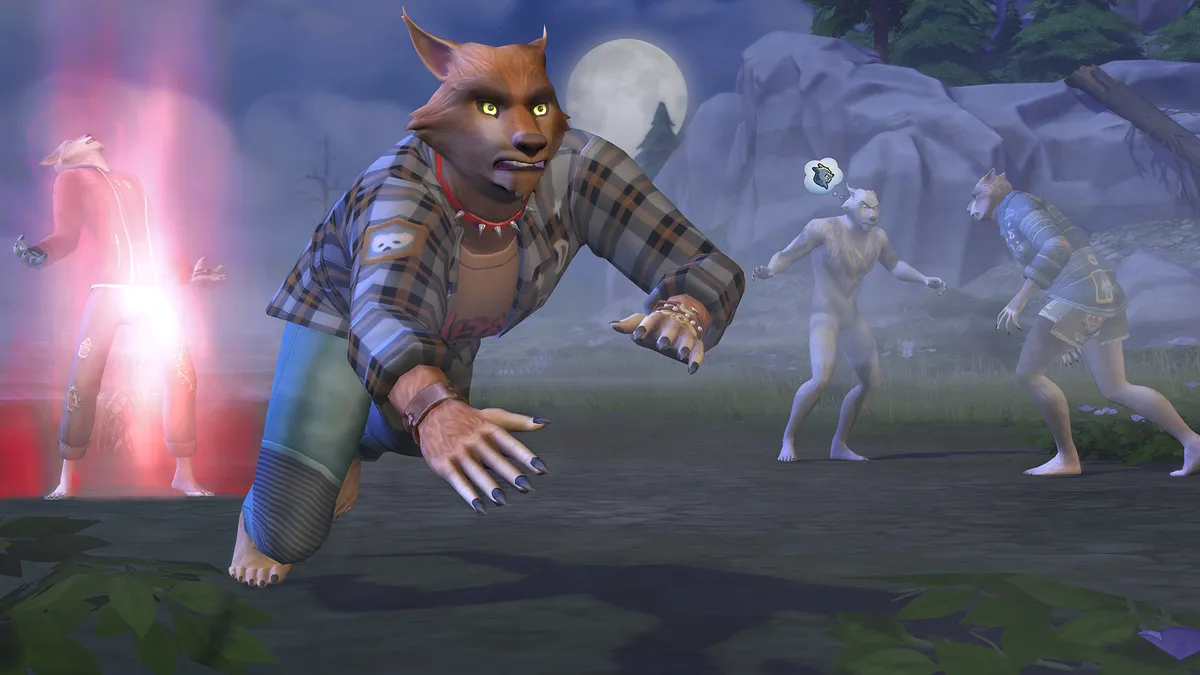
A (hopefully friendly) werewolf gallops across the ground as others around him converse and transform

(Image credit: Maxis / EA)

Assuming you've activated cheats (and check above if you're skipping ahead), we've got all the Sims 4 werewolf cheats you can use below. The first couple allow you to give or remove the werewolf trait from a sim. Of course, there are other ways of cursing your sims with lycanthropy, so it’s good to know how to become a werewolf in The Sims 4 too. There are plenty of cheats for levelling up werewolf sims and giving them specific Traits and Temperaments. Below, you can find out what you need to type to apply a cheat, organised by the type of cheat.

Basic werewolf cheats
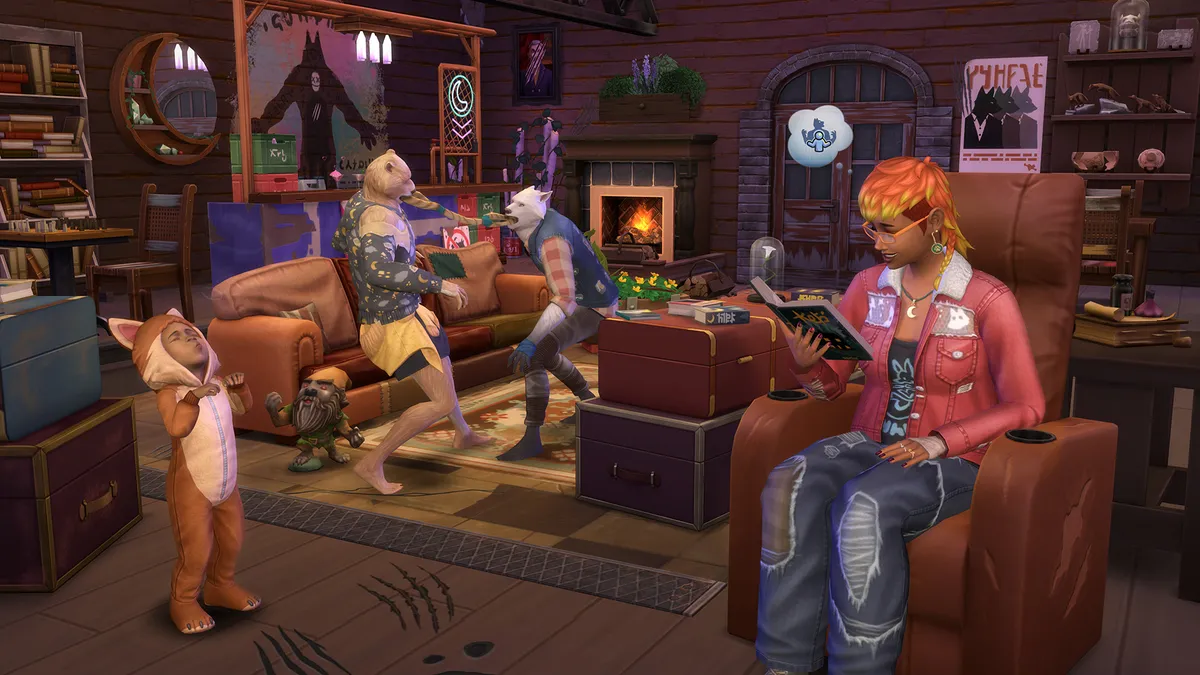
The Sims 4 Werewolf Pack

(Image credit: EA)
  • traits.equip_trait trait_occultwerewolf – This will instantly give your sim the werewolf trait, making them a werewolf. Good for turning your existing sims into werewolves without them needing to be bitten.
  • traits.remove_trait trait_occultwerewolf – If you’re bored of being a werewolf or got attacked and turned into one, use this cheat to remove the werewolf trait from your sim.
  • aspirations.complete_current_milestone – Use this general cheat to autocomplete any aspirations for werewolf sims. If you don’t want to skip the Werewolf Initiate intro aspiration, you’ll need to read up on werewolf lore by finding Sims 4 Werewolf books.
  • stats.set_stat rankedStatistic_Werewolf_Progression [X] – Gain werewolf XP to level up and learn new abilities. Replace [X] with a number to receive that amount of XP. 3000XP will get you to Apex – the highest Sims 4 werewolf rank.

Werewolf Trait cheats

The Sims 4 Werewolf Pack

(Image credit: EA)
  • traits.equip_trait trait_OccultWerewolf_AspirationTraits_BetterFuryContro – Gain the Refined Lupine Trait.
  • traits.equip_trait trait_OccultWerewolf_AspirationTraits_BetterTurning – Gain the Chomp Champion Trait.
  • traits.equip_trait trait_OccultWerewolf_AspirationTraits_FormerLycan - Gain the Werewolf Ally Trait.
  • traits.equip_trait trait_OccultWerewolf_AspirationTraits_FriendlyWolf – Gain the Fanged Friend Trait.
  • traits.equip_trait trait_OccultWerewolf_AspirationTraits_MoreFear – Gain the Threatening Presence Trait.
  • traits.equip_trait trait_OccultWerewolf_DormantWolf – Gain the Dormant Wolf Trait.
  • traits.equip_trait trait_OccultWerewolf_GreaterWolfBlood – Gain the Greater Wolf Blood Trait.
  • traits.equip_trait trait_OccultWerewolf_InitiationBonusTrait – Gain the Lunar Confidant Trait.
  • traits.equip_trait trait_WerewolfPack_FriendA – Gain the Friend of the Moonwood Collective Trait.
  • traits.equip_trait trait_WerewolfPack_FriendB – Gain the Friend of the Wildfangs Trait.
  • Replace “traits.equip_trait” with “traits.remove_trait” for any of the above Trait cheats to remove them.

Werewolf Temperament cheats

Sims 4 werewolf how to become

(Image credit: EA)
  • traits.equip_trait trait_OccultWerewolf_Temperaments_AntiCapitalistCanine – Gain the Anti-Capitalist Canine Temperament.
  • traits.equip_trait trait_OccultWerewolf_Temperaments_BigBadWolf – Gain the Big Bad Wolf Temperament.
  • traits.equip_trait trait_OccultWerewolf_Temperaments_Carnivore – Gain the Carnivore Temperament.
  • traits.equip_trait trait_OccultWerewolf_Temperaments_EasilyExcitable – Gain the Easily Excitable Temperament.
  • traits.equip_trait trait_OccultWerewolf_Temperaments_FeelsOutcasted – Gain the Feels Outcasted Temperament.
  • traits.equip_trait trait_OccultWerewolf_Temperaments_Frisky – Gain the Frisky Temperament.
  • traits.equip_trait trait_OccultWerewolf_Temperaments_GrumpyWolf – Gain the Grumpy Wolf Temperament.
  • traits.equip_trait trait_OccultWerewolf_Temperaments_HatesBeingWet – Gain the Hates Being Wet Temperament.
  • traits.equip_trait trait_OccultWerewolf_Temperaments_HungryLikeTheWolf – Gain the Hungry Like The Wolf Temperament.
  • traits.equip_trait trait_OccultWerewolf_Temperaments_Lunar_ForestMark – Gain the Mark of The Forrest Temperament.
  • traits.equip_trait trait_OccultWerewolf_Temperaments_Lunar_HuntMark – Gain the Mark of the Hunt Temperament.
  • trait_OccultWerewolf_Temperaments_Lunar_NightMark – Gain the Mark of the Night Temperament.
  • traits.equip_trait trait_OccultWerewolf_Temperaments_Lunar_WolfMark – Gain the Mark of the Wolf Temperament.
  • traits.equip_trait trait_OccultWerewolf_Temperaments_Prideful – Gain the Prideful Temperament.
  • traits.equip_trait trait_OccultWerewolf_Temperaments_RestlessAnimal – Gain the Restless Animal Temperament.
  • traits.equip_trait trait_OccultWerewolf_Temperaments_SensitiveHearing – Gain the Sensitive Hearing Temperament.
  • traits.equip_trait trait_OccultWerewolf_Temperaments_SurvivalInstincts – Gain the Survival Instincts Temperament.
  • traits.equip_trait trait_OccultWerewolf_Temperaments_Territorial – Gain the Territorial Temperament.
  • traits.equip_trait trait_OccultWerewolf_Temperaments_WolfBrain – Gain the Wolf Brain Temperament.
  • traits.equip_trait trait_OccultWerewolf_Temperaments_WrackedWithGuilt – Gain the Wracked With Guilt Temperament.
  • traits.equip_trait trait_OccultWerewolf_Temperaments_MustBeClean – Gain the Must Be Clean Temperament.
  • traits.equip_trait trait_OccultWerewolf_Temperaments_NightWolf – Gain the Night Wolf Temperament.
  • Replace “traits.equip_trait” with “traits.remove_trait” for any of the above Temperament cheats to remove them.

Werewolf Sentiments cheats

These are some long cheats that are a lot like regular Sims 4 relationship cheats. You’ll need to manually enter your Sims’ full names for these cheats to work, and you must replace [X] with a number to change the romance level between the two named Sims.

  • modifyrelationship [Sim 1 full name] [Sim 2 full name] [X] sentimentTrack_Bitter_ST_GrudgeAgainstPackA – Gain the Grudge Against The Moonwood Collective Sentiment.
  • modifyrelationship [Sim 1 full name] [Sim 2 full name] [X] sentimentTrack_Bitter_ST_GrudgeAgainstPackB– Gain the Grudge Against The Wildfangs Sentiment.
  • modifyrelationship [Sim 1 full name] [Sim 2 full name] [X] sentimentTrack_Close_LT_LycanBond – Gain the Lycan Bond Sentiment.
  • modifyrelationship [Sim 1 full name] [Sim 2 full name] [X] sentimentTrack_Close_ST_WolfyWarmth – Gain the Wolfly Warmth Sentiment.
  • modifyrelationship [Sim 1 full name] [Sim 2 full name] [X] sentimentTrack_Enamored_LT_FatedToWed – Gain the Fated to Wed Sentiment.
  • modifyrelationship [Sim 1 full name] [Sim 2 full name] [X] sentimentTrack_Enamored_LT_FullMoonFirstKiss – Gain the Full Moon First Kiss Sentiment.
  • modifyrelationship [Sim 1 full name] [Sim 2 full name] [X] sentimentTrack_Enamored_ST_FatedMates – Gain the Fated Mates Sentiment.
  • modifyrelationship [Sim 1 full name] [Sim 2 full name] [X] sentimentTrack_Furious_ST_PackRivalry – Gain the Furious Pack Rivalry Sentiment.
  • modifyrelationship [Sim 1 full name] [Sim 2 full name] [X] sentimentTrack_Guilty_LT_FateDefied – Gain the Fate Defied Sentiment.
  • modifyrelationship [Sim 1 full name] [Sim 2 full name] [X] sentimentTrack_Guilty_ST_AbandonedPack – Gain the Abandoned Pack Sentiment.
  • modifyrelationship [Sim 1 full name] [Sim 2 full name] [X] sentimentTrack_Guilty_ST_BigSadWolf – Gain the Big Sad Wolf Sentiment.
  • modifyrelationship [Sim 1 full name] [Sim 2 full name] [X] sentimentTrack_Hurt_ST_HurtByPackmate – Gain the Hurt by Pack Mate Sentiment.

However, if you’re more team Edward than team Jacob, we’ve also got this Sims 4 Vampires guide to help you learn the ins and outs of virtual vampirism.

Sign up to the GamesRadar+ Newsletter

Weekly digests, tales from the communities you love, and more

By submitting your information you agree to the Terms & Conditions and Privacy Policy and are aged 16 or over.

Best Sims 4 mods | How to fill out reports in The Sims 4 | How to turn furniture in The Sims 4 | How to age up a toddler in The Sims 4 | How to get more money in The Sims 4 | Sims 4 multiplayer | Sims 4 skill cheats | Sims 4 career cheats | Sims 4 debug cheat | Sims 4 free build cheat | How to get started in The Sims 4 

TOPICS
PlayStation Plus
CATEGORIES
Xbox Series X Xbox One PS5 PS4 PC Gaming Platforms Xbox PlayStation
Will Sawyer
Will Sawyer
Social Links Navigation
Guides Editor, GamesRadar+

Will Sawyer is a Guides Editor at GamesRadar+ with over five years of experience in writing online guides, news, and features, and has a BA (Hons) in Journalism. Starting as a freelancer, Will contributed to startmenu and Game Rant before joining the GamesRadar+ team in August 2021. Since then, he has written hundreds of guides about a huge range of games, with shooters and action games being his areas of expertise. Outside of writing about games, Will hops between multiplayer shooters with friends, such as Darktide and Helldivers 2, and delves into whatever has been on his backlog for far too long. He also tries to get through his never-ending Warhammer pile of shame of grey Tyranids, Aeldari, and Chaos Space Marines.

With contributions from
  • Jasmine Gould-WilsonSenior Staff Writer, GamesRadar+
Latest in The Sims
The Sims 4 tattoo artist career
The Sims 4 Marketplace sparks angry fan reactions and comparisons to paid Fallout and Skyrim mods
 
 
The Sims 4 burglar
The Sims 4 Marketplace is coming with paid mods – because that's definitely what fans of EA's life sim want
 
 
The Sims 2
How The Sims 2 inspired the first generation of YouTubers: "The 2000s were a simpler time"
 
 
The Sims 4 Lovestruck reveal trailer screenshot showing an adult woman with short black hair and a dark lace mask dancing, her hands crossed behind her head
The Sims 4's biggest sex mod, WickedWhims, is launched 400,000 times a day according to its creator
 
 
The Sims
"The Sims has always been more than a game": Maxis says its values aren't changing as it works on "the next evolution"
 
 
The Sims 4 screenshot showing a young woman with shoulder-length wavy brown hair and an academic green coat, her expression surprised
The Sims 4 legend behind piracy tool rendering nearly $1,500 of DLC totally free quits town and takes his loot with 'em, players pay tribute as copycats immediately try to charge for alternatives
 
 
Latest in Guides
Bizarre Lineage codes
Bizarre Lineage codes (March 2026) for free Stat Point Essence, Rare Chests, and more
 
 
Hoppip at the till in the Pokemon Centre in Pokopia
How to access the Pokopia Limited Event and get Hoppip
 
 
Marathon Introducing Sekiguchi agent Nona weaveworm
Marathon Introducing Sekiguchi contract walkthrough and how to find the Necrotic Sample and scan your shell
 
 
Ghost of Yotei Legends
How to start Ghost of Yotei Legends online co-op
 
 
A ditto takes a selfie when visiting the Pokopia developer island
How to visit the Pokopia developer island
 
 
Marathon introducing Traxus contract player fighting UESC commander
Marathon Introducing Traxus contract guide and UESC terminal locations for Intersection, Complex, and Bio-Research
 
 
LATEST ARTICLES
  1. Virtual Boy for Switch 2 sitting on coffee table with TV in backdrop displaying Wario Land gameplay.
    1
    I respect the Virtual Boy as a collectable Switch 2 gadget, but it’s not exactly a retro console remake
  2. 2
    Bizarre Lineage codes (March 2026) for free Stat Point Essence, Rare Chests, and more
  3. 3
    The Thrustmaster T248R is making me question where a sim racing wheel with no direct drive and no modular wheelbase fits in the market in 2026
  4. 4
    These Mario Day-inspired Switch 2 accessories will power up your console more than a super star
  5. 5
    Pokemon fan artist alleges new Palworld clone Pickmon "stole one of my designs," saying "they didn't even try to change something and make it a bit less obvious"

GamesRadar+ is part of Future US Inc, an international media group and leading digital publisher. Visit our corporate site.

Add as a preferred source on Google Add as a preferred source on Google
  • Terms and conditions
  • Contact Future's experts
  • Privacy policy
  • Cookies policy
  • Accessibility statement
  • Careers
  • About us
  • Advertise with us
  • Review guidelines
  • Write for us
  • Accessibility Statement

© Future US, Inc. Full 7th Floor, 130 West 42nd Street, New York, NY 10036.

Please login or signup to comment

Please wait...