

Join The Community
- Join our community
11
Premium Benefits
24/7
Access Available
21K+
Active Members
Commenting
Join the discussion
Exclusive Articles Coming Soon
Member-only articles
Weekly Newsletters
Weekly gaming & entertainment news
Member Badges
Earn badges as you go
Exclusive Competitions
Members-only prize draws
Curated Deals Coming Soon
Tech and gaming deals worth grabbing
GET COMMUNITY ACCESS QUICK
For the quickest way to join, simply enter your email below and get access. We will send a confirmation and sign you up to our newsletter to keep you updated on all your gaming news.
By submitting your information you agree to the Terms & Conditions and Privacy Policy and are aged 16 or over.
FIND OUT ABOUT OUR MAGAZINE
Want to subscribe to the magazine? Click the button below to find out more information.
Find out more
GET Community ACCESS QUICK

Join the GamesRadar community for quick access. Enter your email below and we'll send confirmation, and sign you up to our newsletter.

By submitting your information you agree to the Terms & Conditions and Privacy Policy and are aged 16 or over.

Background
Welcome to GamesRADAR+ Community !
Hi ,

Your membership journey starts here.

Keep exploring and earning more as a member.

MY ACCOUNT

Badge picture
Earn your first badge
Read 1 article to unlock your first badge.
Keep earning badges
Explore ways to get more involved as a member.
Latest Games News

Latest Games News

Breaking gaming news and updates

Read Now
Latest Games Reviews

Latest Games Reviews

Expert verdicts on the newest releases

Read Now

See what you’ve unlocked.

Explore your membership benefits.

Explore
Member Exclusives

Stay Ahead with GamesRadar+

Get the biggest gaming news, reviews, and releases straight to your inbox.

Explore

Sign Out
GamesRadar+ GamesRadar+
US EditionUS CA EditionCanada UK EditionUK AU EditionAustralia
Sign in
  • View Profile
  • Sign out
  • Games
    • Game Insights
      • Games News
      • Games Features
      • Games Reviews
      • Games Guides
      • Big in 2026
      • Big Preview
      • Future Games Show
      • Golden Joystick Awards
    • Genres
      • Action Games
      • RPGs
      • Action RPGs
      • Adventure Games
      • Third Person Shooters
      • FPS Games
    • Platforms
      • PS5
      • Xbox Series X
      • PC
      • Nintendo Switch
      • Nintendo Switch 2
      • Tabletop Gaming
    • Franchises
      • Grand Theft Auto
      • Pokemon
      • Assassin's Creed
      • Monster Hunter
      • Fortnite
      • Cyberpunk
      • Red Dead
      • The Elder Scrolls
      • The Sims
  • Entertainment
    • TV Shows
      • TV News
      • TV Reviews
      • Anime Shows
      • Sci-Fi Shows
      • Superhero Shows
      • Animated Shows
      • Marvel TV Shows
      • Star Wars TV Shows
      • DC TV Shows
    • Movies
      • Movie News
      • Movie Reviews
      • Big Screen Spotlight
      • Superhero Movies
      • Action Movies
      • Anime Movies
      • Sci-Fi Movies
      • Horror Movies
      • Marvel Movies
      • DC Movies
    • Streaming
      • Apple TV Plus
      • Disney Plus
      • Netflix
      • HBO
      • Amazon Prime Video
      • Hulu
    • Comics
      • Marvel Comics
      • DC Comics
    • Toys & Collectibles
    • Lego
    • Dungeons and Dragons
    • Merch
  • Hardware
    • Insights
      • Hardware News
      • Hardware Reviews
      • Hardware Features
    • Computing
      • Desktop PCs
      • Laptops
      • Handhelds
    • Peripherals
      • Headsets & Headphones
      • TVs & Monitors
      • Gaming Mice
      • Gaming Keyboards
      • Gaming Chairs
      • Speakers & Audio
    • Accessories & Tech
      • Gaming Controllers
      • Tech
      • SSDs & Hard Drives
      • VR
      • Accessories
      • Retro
  • Deals
    • Game Deals
    • Tech Deals
    • TV Deals
    • Buying Guides
  • Video
    • Video
    • GR+ Replay - Submit Your Clips
  • Newsletters
    • Quizzes
    • About Us
    • How to pitch to us
    • How we score
    • Newsarama
    • Retro Gamer
  • home
  • Games
    • View Games
      • Games News
      • Games Features
      • Games Reviews
      • Games Guides
      • Big in 2026
      • Big Preview
      • Future Games Show
      • Golden Joystick Awards
      • Action Games
      • RPGs
      • Action RPGs
      • Adventure Games
      • Third Person Shooters
      • FPS Games
    • Platforms
      • View Platforms
      • PS5
      • Xbox Series X
      • PC
      • Nintendo Switch
      • Nintendo Switch 2
      • Tabletop Gaming
      • Grand Theft Auto
      • Pokemon
      • Assassin's Creed
      • Monster Hunter
      • Fortnite
      • Cyberpunk
      • Red Dead
      • The Elder Scrolls
      • The Sims
  • Entertainment
    • View Entertainment
    • TV Shows
      • View TV Shows
      • TV News
      • TV Reviews
      • Anime Shows
      • Sci-Fi Shows
      • Superhero Shows
      • Animated Shows
      • Marvel TV Shows
      • Star Wars TV Shows
      • DC TV Shows
    • Movies
      • View Movies
      • Movie News
      • Movie Reviews
      • Big Screen Spotlight
      • Superhero Movies
      • Action Movies
      • Anime Movies
      • Sci-Fi Movies
      • Horror Movies
      • Marvel Movies
      • DC Movies
    • Streaming
      • View Streaming
      • Apple TV Plus
      • Disney Plus
      • Netflix
      • HBO
      • Amazon Prime Video
      • Hulu
    • Comics
      • View Comics
      • Marvel Comics
      • DC Comics
    • Toys & Collectibles
    • Lego
    • Dungeons and Dragons
    • Merch
  • Hardware
    • View Hardware
      • Hardware News
      • Hardware Reviews
      • Hardware Features
      • Desktop PCs
      • Laptops
      • Handhelds
    • Peripherals
      • View Peripherals
      • Headsets & Headphones
      • TVs & Monitors
      • Gaming Mice
      • Gaming Keyboards
      • Gaming Chairs
      • Speakers & Audio
      • Gaming Controllers
      • Tech
      • SSDs & Hard Drives
      • VR
      • Accessories
      • Retro
  • Deals
    • View Deals
    • Game Deals
    • Tech Deals
    • TV Deals
    • Buying Guides
  • Video
    • View Video
    • Video
    • GR+ Replay - Submit Your Clips
  • Newsletters
    • Quizzes
    • About Us
    • How to pitch to us
    • How we score
    • Newsarama
    • Retro Gamer
Trending
  • Saros review
  • Arc Raiders
  • The Boys S5
  • Best turn-based RPGs
  • Submit your clips. Win prizes
  • Delta Force giveaway
Jump to:
  • Create your Sim
  • Design your home
  • Focus on your Sims’ moods
  • Get a job
  • Make friends
  • Start a family
  • Earn Simoleons
  • Expansion packs
  • Try cheats
  • Learn about mods
Sign up to the GamesRadar+ Newsletter

Weekly digests, tales from the communities you love, and more


By submitting your information you agree to the Terms & Conditions and Privacy Policy and are aged 16 or over.

You are now subscribed

Your newsletter sign-up was successful


Want to add more newsletters?

GamesRadar+

Every Friday

GamesRadar+

Your weekly update on everything you could ever want to know about the games you already love, games we know you're going to love in the near future, and tales from the communities that surround them.

GTA 6 O'clock

Every Thursday

GTA 6 O'clock

Our special GTA 6 newsletter, with breaking news, insider info, and rumor analysis from the award-winning GTA 6 O'clock experts.

Knowledge

Every Friday

Knowledge

From the creators of Edge: A weekly videogame industry newsletter with analysis from expert writers, guidance from professionals, and insight into what's on the horizon.

The Setup

Every Thursday

The Setup

Hardware nerds unite, sign up to our free tech newsletter for a weekly digest of the hottest new tech, the latest gadgets on the test bench, and much more.

Switch 2 Spotlight

Every Wednesday

Switch 2 Spotlight

Sign up to our new Switch 2 newsletter, where we bring you the latest talking points on Nintendo's new console each week, bring you up to date on the news, and recommend what games to play.

The Watchlist

Every Saturday

The Watchlist

Subscribe for a weekly digest of the movie and TV news that matters, direct to your inbox. From first-look trailers, interviews, reviews and explainers, we've got you covered.

SFX

Once a month

SFX

Get sneak previews, exclusive competitions and details of special events each month!


Join the club

Get full access to premium articles, exclusive features and a growing list of member rewards.


An account already exists for this email address, please log in.
  1. Games
  2. Simulation
  3. The Sims
  4. The Sims 4

How to get started in The Sims 4

Guides
By Shabana Arif Contributions from Grace Dean, Jasmine Gould-Wilson last updated 3 November 2024

Get the best start in The Sims 4 with these tips and tricks

When you purchase through links on our site, we may earn an affiliate commission. Here’s how it works.

How to get started in The Sims 4
Jump to:
  • Create your Sim
  • Design your home
  • Focus on your Sims’ moods
  • Get a job
  • Make friends
  • Start a family
  • Earn Simoleons
  • Expansion packs
  • Try cheats
  • Learn about mods
  • Facebook
  • X
  • Pinterest
  • Flipboard
  • Email
Share this article
Join the conversation
Follow us
Add us as a preferred source on Google
Subscribe to our newsletter

Starting out in The Sims 4 can feel a little overwhelming. There’s a lot to do from creating your Sim, to building your home, and then navigating the complexities of relationships, jobs, money, and lifestyle. Once you grasp it, you’ll realize that the beauty of The Sims 4 is the sheer scope of possibilities. Whether The Sims 4 is your first foray into EA's beloved life simulator franchise or you're a returning veteran from a past generation, The Sims 4 does everything a little bit differently, and there’s lots of new features in the base game alone. 

While we’ve got a guide to everything you need to build the best Sims 4 world, these tips and tricks are focused on how to get started out. If you’re looking for the quickest results, we’ve also got a Sims 4 cheats guide for that. For everything else the game has to offer in its early stages, from likes and dislikes to forming connections, here's how to get started in The Sims 4.

Create your Sim

Using the Create a Sim feature in The Sims 4

(Image credit: EA)

Firstly, you’ll want to Create-a-Sim to build your unique household. While there’s a tutorial in the base game that’ll guide you through, there’s a few things you should know. The Sim you’re initially given is randomized, and while you can choose to keep it, or randomize again, you’re most likely going to customize it to suit exactly what you’re after.

In the top left panel, you can select your Sims name, gender, age group, build, all the way to the pitch and tone of your Sim’s voice. If you’re making multiple Sims, you’ll also be able to choose the relationship between the Sims.

In The Sims 4, you can even adjust whether a Sim can get pregnant or get others pregnant, which we’ll dive into more in a later tip, and set your Sim’s interests and aspirations. Finally, you can choose different outfits for different occasions, which your Sim can change into; everyday, formal, athletic, sleepwear, and party.

Design your home

A cityscape in The Sims 4

(Image credit: EA)

Next up, from Manage Worlds, you’ll be able to select a lot to move your household into. There’s prebuilt homes, which you can keep furnished or unfurnished, or there’s ones with active households that you can play with, move out, or move your Sims in. If you’re purchasing an empty lot, you’ll head into Build mode to build all the exteriors from walls, front door, roof, and more. 

Then, you’ll choose the interiors. Learning how to turn furniture in The Sims 4 is an integral step. Then, you can use the Build/Buy mode to select items to place around your home from tables, chairs, beds, toilets, fridges, toys, and so much more. In the Gallery, you can also choose prebuilt rooms and homes.

Sign up to the GamesRadar+ Newsletter

Weekly digests, tales from the communities you love, and more

By submitting your information you agree to the Terms & Conditions and Privacy Policy and are aged 16 or over.

You can even focus on the terrain around your lot. In The Sims 4, you can learn how to build a pond, add trees, and flowers in whichever way you see fit. If you’re feeling bold, you can use the Sims 4 debug cheat to unlock more items or the Sims 4 free build cheat to break out from the usual strict grid system.

Focus on your Sims’ moods

A woman cries into her hands in The Sims 4

(Image credit: EA)

When you’re first starting Sims, you’ll begin in a tutorial home with a roommate. It’s here you’ll learn how to fulfil your Sim’s needs and ultimately, improve their mood. But, if you’re jumping right in, you’ll get the hang of it soon enough. If your Sim gets sad, angry, dirty, hungry, they can be very hard to control, and even in some cases, die. 

As is true to real life, Sims need you to solve their mood depending on what it is. Hungry? Eat some food. Tired? Go to bed. Bored? Watch some TV or play a game on the computer. Lacking social interaction? Phone a friend. You can track all this in the Sims’ interface menu and the better you look after them, the easier the game will be.

Get a job
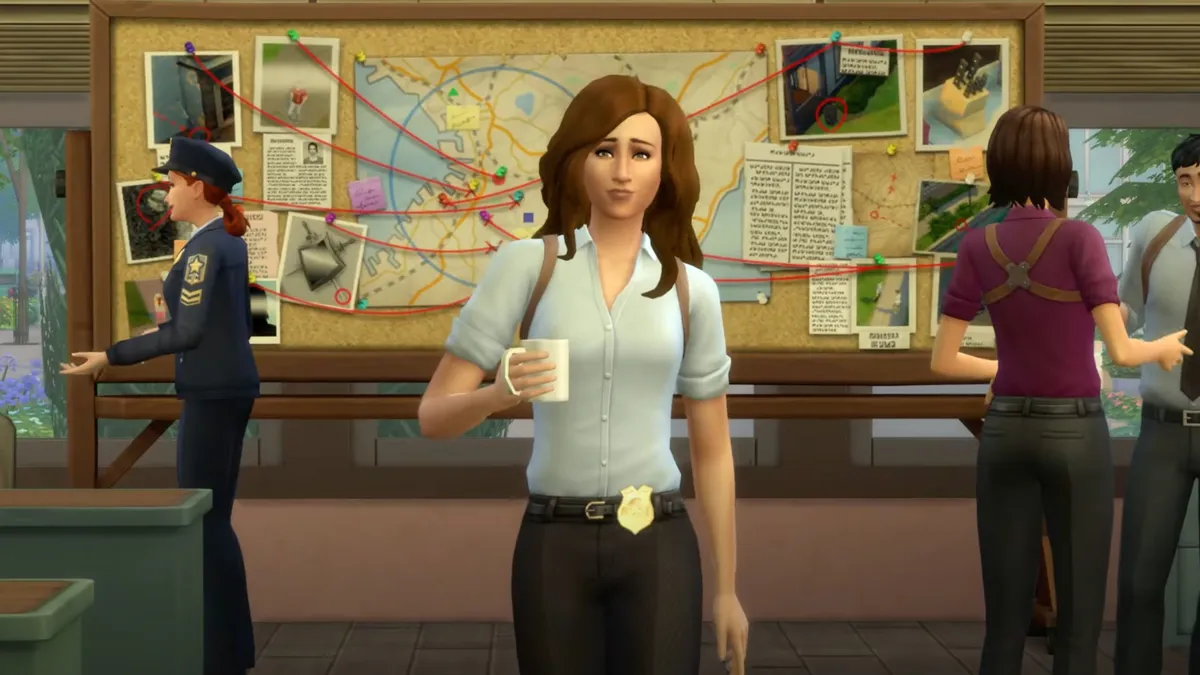
A woman working as a police officer in The Sims 4

(Image credit: EA)

Getting a job in The Sims 4 isn’t an essential part, but one that’ll give your Sim focus and earn you some Simoleons (more on this below). By interacting with your phone, using a computer, or accessing the Career Panel in the Sims’ interface in the bottom right, you can get a job. A window will appear offering you all the different careers available in The Sims 4 and while you can follow our guide to how to make more money in The Sims 4, it’ll also tell you the most lucrative careers.

Each career requires you to gain certain skills, do daily tasks, and/or make friends. For example, if you choose the Business career, you’ll need to know how to fill out reports in The Sims 4 for your daily task to lead to career progression. You can also use Sims 4 skill cheats to level up, if you’re tired of the grind.

Spend time making friends

Friends hugging in The Sims 4

(Image credit: EA)

Again, like many aspects of The Sims 4, you can choose how you approach this. It’s up to you if you want to make friends or choose to lead a solitary life. Either is completely fine, unless your job requires it. Unfortunately, while it’s an avidly sought after feature, playing the Sims 4 multiplayer isn’t yet an option, although there’s a handy mod that might change that for you.

If you do choose to make friends, you can meet them by visiting public spaces, find them wandering by your home, or form relationships with other Sims in your household. What’s important to know is that like real-life friends, if you don’t put in the effort, your friendships will suffer as a consequence. If you don’t have the time, you can always take advantage of The Sims 4 relationship cheats to cultivate friendships, or even your love life, without all the small talk.

Start a family

A family gather around a baby in The Sims 4

(Image credit: EA)

If you want to start a family in The Sims 4, it’s pretty simple. Once you’ve established a loving relationship between two Sims, you can have them WooHoo and try for a baby. You can also adopt a child of different life stages by interacting with your phone, selecting ‘Hire a Service’, and choosing “Adopt a Child”. 

Raising a family is hard work, as you’ll be juggling more Sim’s moods, but without your tiniest of Sims having the ability to do it themselves. Then you’re tying up multiple Sims and, like real-life, wearing the older one out. There’s some handy tips on how to age up a toddler in The Sims 4 that’ll make passing each life stage that little bit quicker and easier.

Earn some Simoleons

A Sim counts a wedge of money in her hand in The Sims 4

(Image credit: EA)

Once you’re playing the game, you’ll realize fairly quickly that you’ll need Simoleons to achieve your wildest dreams. While some players love the pressure of earning and spending scrupulously, others may want to use our how to make more money in Sims 4 guide to get ahead. 

There’s cheat codes you can use, like the infamous motherlode, or there’s tips on hobbies you can take up that make a great return - like gardening, painting, or writing. However you choose to earn your Simoleons, you’ll most definitely find a way to spend them, whether it’s bills, food, or new furniture.

Get expansion packs

A cottage build in The Sims 4

(Image credit: EA)

While the Sims 4 base game has a lot to offer, EA are incredibly good at releasing new content in the form of expansion packs (or game packs for a smaller content update). We’re talking almost 20 different packs from City Living, to Cats & Dogs, to Discover University to name but a few. 

Once you establish what you’re interested in when playing The Sims 4, you’ll have a better idea of what expansion packs will appeal to you the most. When you want to expand your game, getting an expansion pack will grow the possibilities even further.

Try out some cheats

A male Sim throws money all over himself in The Sims 4

(Image credit: EA)

We’ve mentioned this a few times in this article, but using Sims 4 cheats is a fast and effective way to get ahead and achieve certain goals. While it’s not strictly a Sims 4 feature, the console which EA put into the game which enables you to write your codes into is there for good reason. If you’re opposed to using cheats, that’s totally up to personal preference. But, if you at least fancy experimenting with some of the possibilities, there’s all kinds of cheats for you to try.

Learn about mods

A man looks at his phone in The Sims 4

(Image credit: EA)

Lastly, using the best Sims 4 mods will also enhance your experience. While you need to be careful which mods are supported in your game and make sure to save it before you try anything new out, there’s all sorts of things to try from realistic birth to living forever to… deadly toddlers. It can open up an even more expansive world than what’s already on offer, but if you’re happy with what you’ve got, then from this point just enjoy your game.  


Intrigued by sandbox play? Here's 10 games like The Sims 4 to try out.

CATEGORIES
Xbox Series X PS5 Xbox One PS4 PC Gaming Platforms Xbox PlayStation
Shabana Arif
Shabana Arif
Social Links Navigation
Freelance Writer

Shabana was born looking like a girl wearing a Pikachu hoodie, so when such things became popular, she fitted right in. She writes guides, reviews and features for GR+ when she isn't screaming at Dark Souls 2 on YouTube.

With contributions from
  • Jasmine Gould-WilsonSenior Staff Writer, GamesRadar+
  • Grace DeanFreelance Writer
Latest in The Sims
The Sims 4 burglar
The Sims The Sims 4's microtransaction Marketplace has officially shown me the door after 24 years of Simming
 
 
Proxi characters stand on green hexagons of grass
The Sims The Sims creator blew 10 years and millions of dollars on new game, laid off team, and isn't done
 
 
The Sims 4 tattoo artist career
The Sims The Sims 4 Marketplace sparks angry fan reactions and comparisons to paid Fallout and Skyrim mods
 
 
The Sims 4 burglar
The Sims The Sims 4 Marketplace is coming with paid mods – because that's definitely what fans of EA's life sim want
 
 
The Sims 2
The Sims How The Sims 2 inspired the first generation of YouTubers: "The 2000s were a simpler time"
 
 
The Sims 4 Lovestruck reveal trailer screenshot showing an adult woman with short black hair and a dark lace mask dancing, her hands crossed behind her head
The Sims The Sims 4's biggest sex mod, WickedWhims, is launched 400,000 times a day according to its creator
 
 
Latest in Guides
Diablo 4 Favor for a Favor
Diablo How to complete Favor for a Favor in Diablo 4
 
 
Agave in Arc Raiders
Third Person Shooters Agave locations in Arc Raiders
 
 
Diablo 4 fishing
Diablo How to fish in Diablo 4
 
 
Adrenaline levels in Saros
Roguelike Games How do Adrenaline Levels in Saros work?
 
 
The best ships in Windrose
Survival Games The best ships in Windrose to dominate the seas
 
 
One player cowers as another shoots a wave of zombies in Survive Zombie Arena.
Survival Games All Survive Zombie Arena codes (April 2026) for free Credits
 
 
LATEST ARTICLES
  1. A Disney Lorcana Gateway box, Stitch Collection Starter Set box, and Wilds Unknown Illumineer's Trove on a wooden table
    1
    If you want to collect Disney Lorcana, this is where I'd start
  2. 2
    Agave locations in Arc Raiders
  3. 3
    Diablo 4's auto-spawning portals were costing players valuable loot, so Blizzard's patched them out
  4. 4
    Star Wars has seemingly confirmed Ahsoka season 2 is coming in 2026
  5. 5
    Assassin's Creed Black Flag Resynced lead confirms "social stealth is back," but hidden blade combat isn't

GamesRadar+ is part of Future US Inc, an international media group and leading digital publisher. Visit our corporate site.

Add as a preferred source on Google Add as a preferred source on Google
  • Terms and conditions
  • Contact Future's experts
  • Privacy policy
  • Cookies policy
  • Accessibility statement
  • Careers
  • About us
  • Advertise with us
  • Review guidelines
  • Write for us

© Future US, Inc. Full 7th Floor, 130 West 42nd Street, New York, NY 10036.

Please login or signup to comment

Please wait...