


The best Razer mouse in 2025 is the DeathAdder V4 Pro, a brand new flagship that arrived earlier this year, bumping its spec game while still featuring that endlessly comfortable form factor that has made this line a fan favorite. The DeathAdder is your go-to flagship for competitive esports play, but more casual fans might want to check out some cheaper options.
Thankfully, Razer has you covered there and I've been hands-on with all the biggest Sneki releases. These are some of the best gaming mouse options on the market right now, but not every rodent is stacked the same. I've been hunting down the best Razer mice for a variety of budgets and use-cases, putting pointers old and new through regular tests to find the greatest among them.
Razer's mouse ranges include the Viper and DeathAdder (for more competitive endeavors), Cobra and Basilisk (for more casual players) and Naga (for MMOs). Then you have extras like the compact Orochi and productivity-focused Pro Click. They've all been put through their paces here.
The quick list

The Razer Deathadder V4 Pro is the brand's latest flagship, and it packs a serious upgrade in both its sensor, form factor, and additional features for esports players.

The Razer DeathAdder V2 Mini is under $35 and still manages to pack a solid set of specs. It's a smaller form factor but it's still comfortable for smaller and medium hands.

The Basilisk V3 is an all-star that doesn't ask for much cash at all. You're getting plenty of extra controls, an ergonomic shape, and a more than capable sensor.

The Razer Cobra Hyperspeed brings more features to the sub-$100 price point than ever before, with a slimline design and an RGB flourish. It struggles against the rest of the market, but amongst Razer mice it's king for wireless value.

The DeathAdder V3 trades the bulk of a battery for a super lightweight 59g wired form factor. This is a wider device best suited to larger hands.

The Naga V2 Pro packs three different side panel options for ultimate versatility. Its squat shape means it's not going to be the most comfortable for everyone, but it's certainly flexible.

I've been reviewing gaming accessories at GamesRadar+ for over four years, first in a freelance capacity and then as Managing Editor for the last three years. Mice were some of the first peripherals I was entrusted with all those years ago, and their performance, design, and value for money continues to be a focus point in my day to day work in 2024.
December 9 - The availability, pricing, and value of each Razer mouse on this list has been checked against the wider market, with relevant context added where appropriate.
Expand update log
September 11 - Two new Razer mice have entered these top leagues this month. The Razer DeathAdder V4 Pro has been added as the best Razer mouse overall after claiming the overall top spot across the entire market. Meanwhile, the Razer Cobra Hyperspeed has overtaken the Deathadder V3 Hyperspeed to offer the best wireless value on these shelves right now.
The best Razer mouse overall


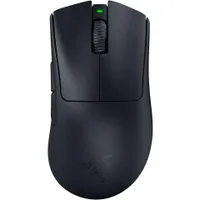
The Razer Deathadder V4 Pro has strong-armed the Viper V3 Pro out of the running for the top slot. The recent release boasts the fastest sensor I've seen on a Razer as well as that classically comfortable Deathadder shell and pro features straight out of the box. It's premium, but if you're after the best Razer mouse possible, you've found it.
✅ You're a competitive player: Only players at the top of their game will truly get the most out of the Deathadder's feature set.
✅ You want an FPS-friendly palm grip: Most fps mice opt for a skinnier form factor to accommodate a fingertip grip. However, if you prefer a more relaxed posture, the wider base here is going to be particularly comfortable.
✅ You want a tactile click: The DAV4 has a particularly robust main click, perfect for those looking for a satisfying, crisp experience.
❌ You only play casually: If you're casually online, or you only play solo adventures, you won't get your money's worth out of the advanced polling and speed features in this price tag.
❌ You prefer a skinnier mouse: The Deathadder is certainly low on weight, but its actual chassis is a little wider than traditionally slimline FPS-first mice.
Design: The V4 Pro looks and feels like the best version of the Deathadder Razer has released. You're getting that typical curvy design with a robust build quality and super comfortable ergonomics, with a sleek, streamlined finish that previous entries have sometimes lacked. The flare is slightly reduced, there are no extraneous main click buttons, and everything looks just a little more polished.
I received the white model, but the Razer Deathadder V4 Pro comes in black as well. Unfortunately, the DAV4 keeps its DPI shifter button on the underside of the device like many Razer mice, but the side clickers are easily reachable and generous in size.
Features: Every button aside from those side triggers uses an optical switch, making for fast, reliable actions with plenty of room for nippy repeat presses. If you're planning on pushing those reflexes to their limits, you'll be glad to find the new 2.4GHz receiver in the box. Razer has redesigned the dongle with a dome shape and a series of LED lights, instantly depicting your current battery, DPI, connection strength and more.
This receiver also opens you up to blistering 8,000Hz polling rates straight away - though only the fastest gunslingers will be noticing this upgrade. Like most esports gaming mice, there's no Bluetooth functionality on board.
Elsewhere, Razer suggests a 150 hour battery life at 1,000Hz, dropping to 22 hours at the full 8,000Hz. It took my test device four days to drop 12% of its battery, proving particularly sturdy.
Performance: There's no world where a Razer mouse with a 45,000 DPI / 900 IPS Focus Pro sensor and a lightweight 56g form factor wouldn't perform well. As you'd expect from this lofty price point, the rodent tracks incredibly well, and maintains that precision across fast-paced gameplay as well.
Excellent button positioning means additional controls are always fraction of a neural impulse away and super-fast optical switches sound satisfyingly crisp and feel incredibly responsive.
Verdict: The Razer Deathadder V4 Pro is now the fastest mouse Razer has released into the wild, with a more comfortable form factor, better sensor, and enhanced wireless connection options compared to the Viper.
Read more: Razer Deathadder V4 Pro review
Comfort |
4/5 |
Speed |
5/5 |
Programmability |
4/5 |
Connectivity |
5/5 |
Battery life |
4/5 |
The best budget Razer mouse
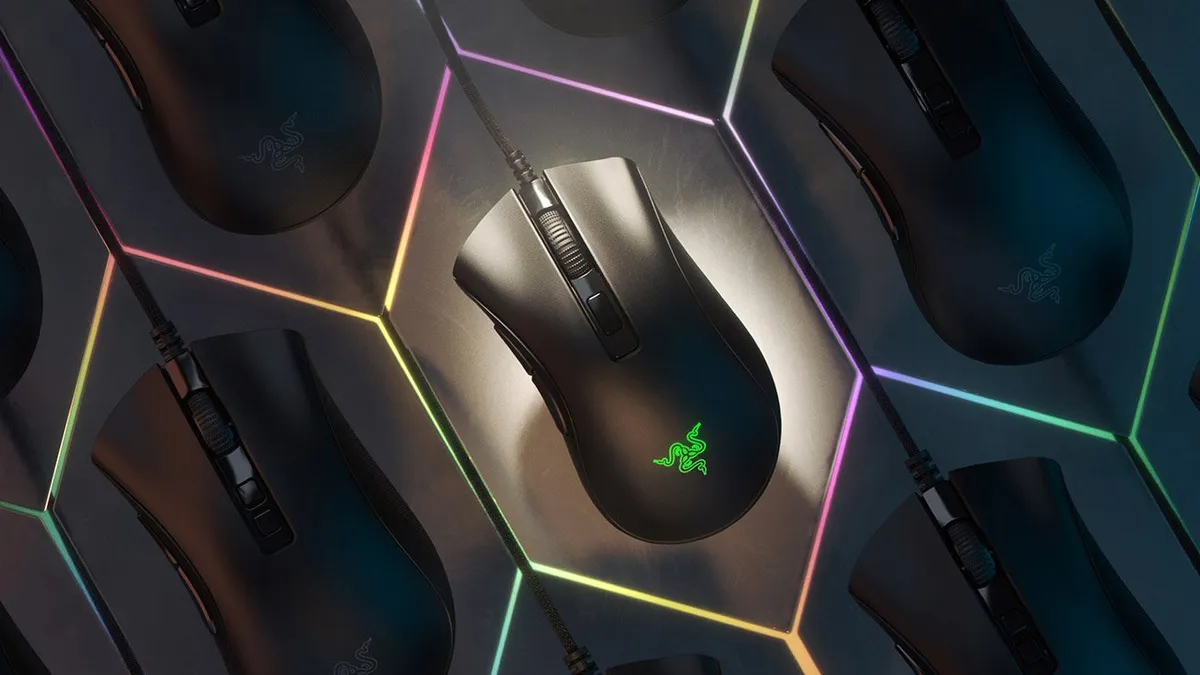


The DeathAdder line is Razer's budget but still ergonomic series of affordable pointers and the V2 Mini is the cheapest of the bunch. Regularly found for under $25 / £25 (and sometimes on sale for less than $10 / £10), the DeathAdder V2 Mini offers excellent value for money overall.
✅ You want to spend as little as possible: Not only does the V2 Mini start out cheap, it's also regularly featured in additional sales as well.
✅ You have smaller hands: The miniature form factor is, obviously, better suited to those with smaller hands.
✅ You play single-player: The slower speeds in here won't be up to competitive play needs, but if you generally stick to slower single player endeavors you're getting everything you need.
❌ You play faster paced games: Whether it's twitch-reflex single player titles or competitive online arenas you're playing, the Razer DeathAdder V2 Mini won't hold up too well under pressure.
❌ You have larger hands: Those with larger hands will crowd the Mini easily, making accuracy and reliable button presses more difficult.
Design: All of that coming at such a low price is well worth taking note of. In fact, we actually enjoyed the grip tape included with the Mini version far more than the standard grippy surface of the main release, and the sweat absorbent design was much appreciated as well. We also noted that the smaller size meant Razer's snappy switches felt all the more tactile underhand - whereas the full-sized device can feel a little mushy.
Features: The 8,500 DPI is smaller than the 20K in the V2 and the 30K in the V3, but everyday players will rarely need more than this sensitivity anyway. Plus, there's still six programmable buttons to customize to your needs and a set of optical switches to keep things speedy underneath as well.
Performance: The smaller size and zippy switches means the DeathAdder V2 Mini flies across the desk top. While the internal specs aren't enough to pair that extra physical speed with top shelf tracking and polling, there's still plenty of benefit to that slick feel. Everything performs well together here, and while it's not going to be fast enough for more competitive endeavours, everyday play is well served for the cash.
If it's your first gaming mouse or you'll mainly be playing games that don't require twitchy responses, it's perfect.
Razer DeathAdder V2 Mini review
Verdict: Yes, you're dropping some of the performance of the Razer DeathAdder V2 and the newer Razer DeathAdder V3 offers a more comfortable footprint for longer sessions. However, both of these pointers, and the Razer DeathAdder V2 X, come in at well over £60 / $60. If you're after a Razer gaming mouse for a fraction of the usual price, the Mini is your best bet.
Read more: Razer DeathAdder V2 Mini review
Comfort |
3/5 |
Speed |
3/5 |
Programmability |
3/5 |
Connectivity |
2/5 |
Battery life |
N/A |
The best value Razer mouse
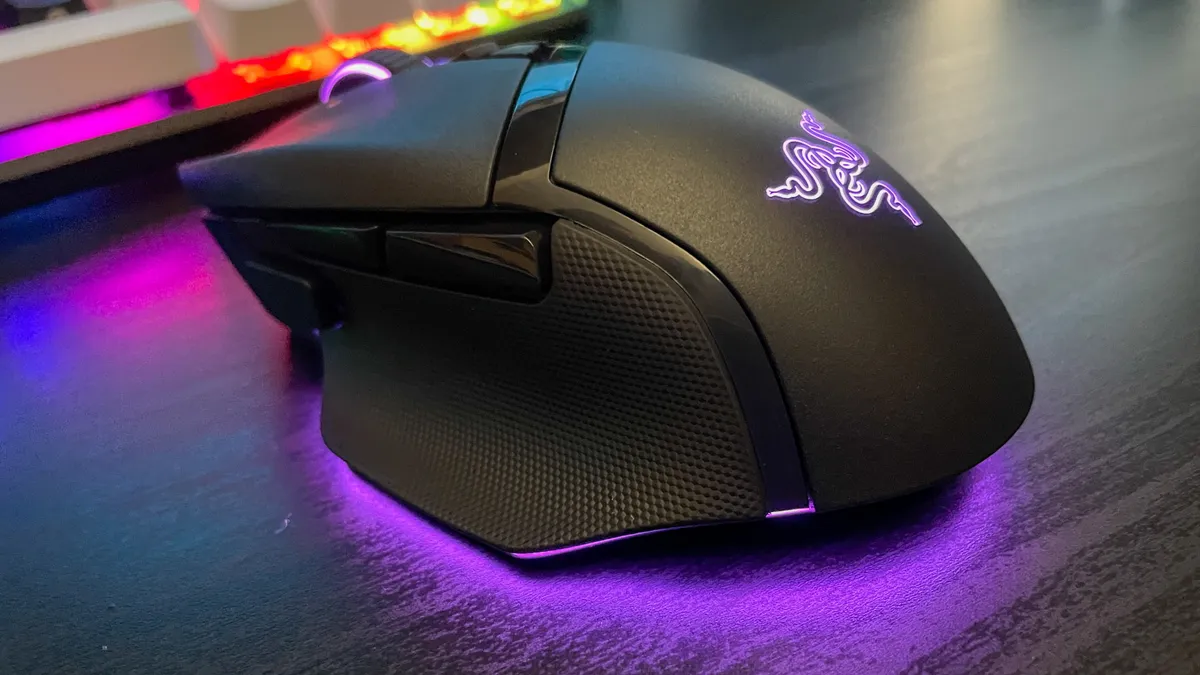
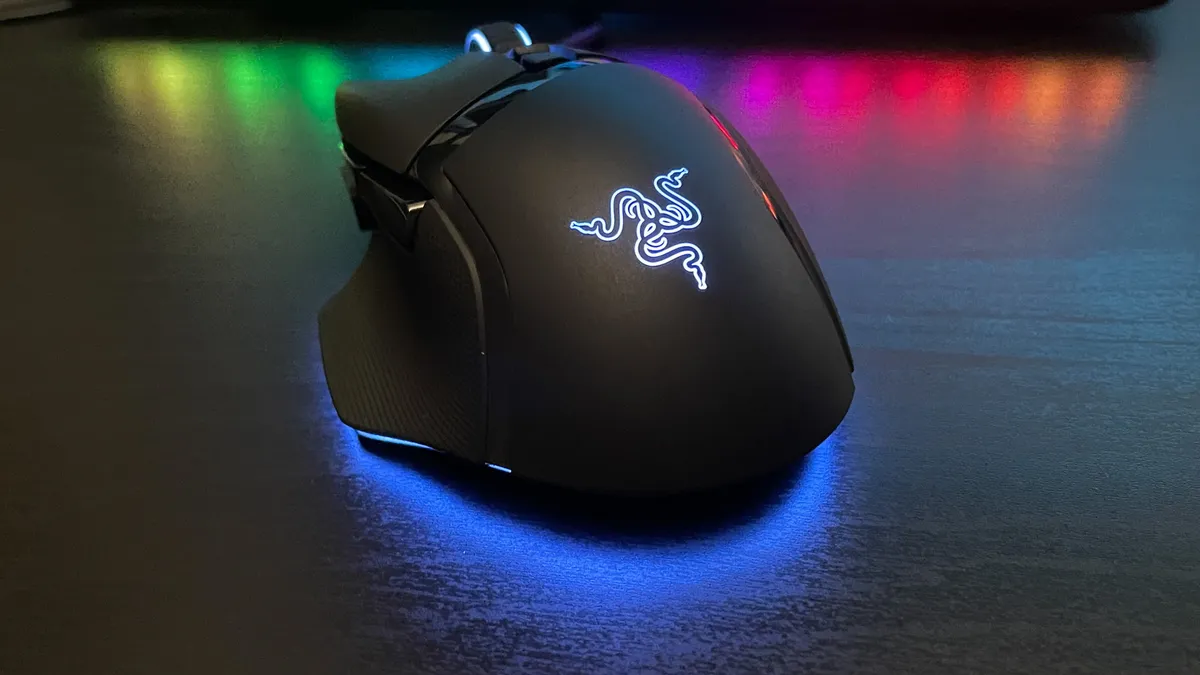


The Razer Basilisk V3 might not be the best in its range on paper, but it's the best Razer mouse for the majority of players right now thanks to its low price and well-rounded feature set.
✅ You have a varied Steam library: This is a true all-rounder so if you've got a variety of different genres in your backlog there's a feature or spec here that will make them all the more enjoyable.
✅ You don't need a wireless connection: This price is kept down by that cable running out the top - if you don't need a wireless connection, though, there's no point in paying for one.
✅ You prefer a larger design: If you have larger hands or you prefer the stability of a chunkier mouse, this build is going to be particularly comfortable.
❌ You want competitive speeds: Razer has a bunch of mice out with boosted 30K sensors now, so the 26K DPI in here isn't the fastest available.
❌ You need a lightweight device: FPS players will want to prioritize keeping that weight down over additional features like RGB and extra programmable buttons.
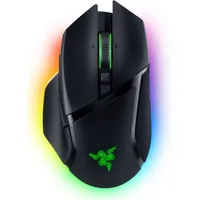
Design: The Basilisk V3 is packed full of programmable buttons, but its larger body and longer slope mean it's still effortlessly wieldable on the battlefield and super comfortable to boot. The thumb tray and additional grip support keep things precise, even if that overall weight is higher than other more FPS-focused pointers in Razer's range.
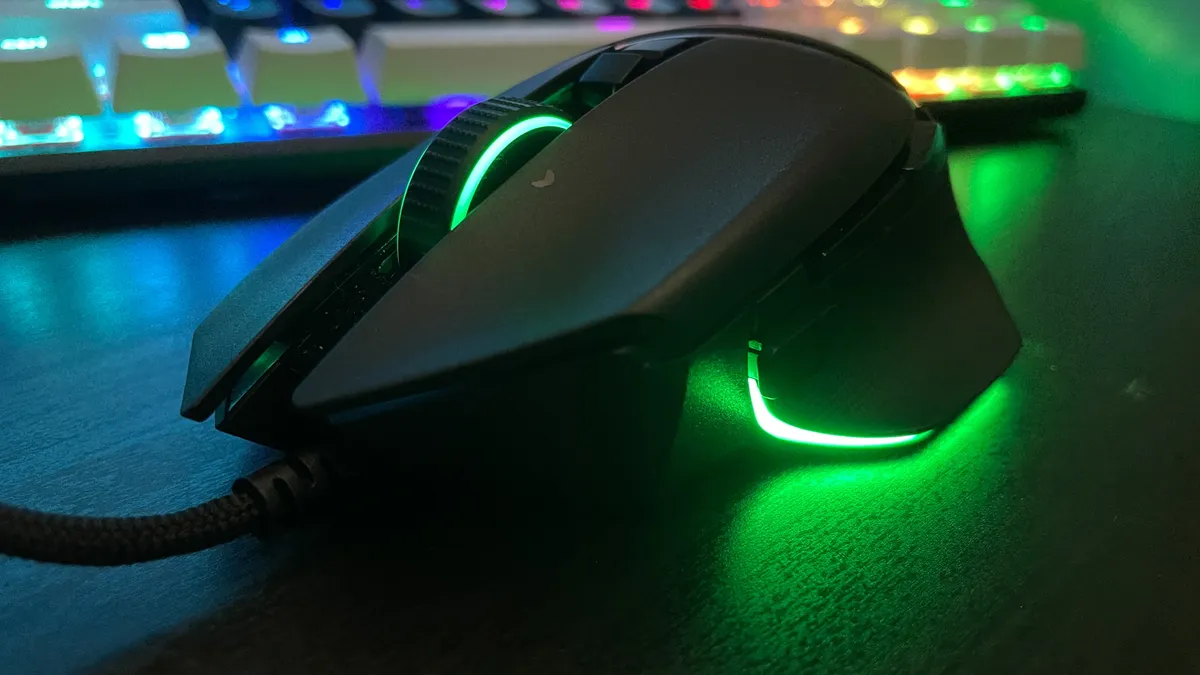
Features: Packed with personalization and RGB options, it's an easy recommendation for the vast majority of players looking for a solid all-in-one experience. You're getting a pretty powerful RGB underglow effect that offers up one of the more innovative LED uses we've seen in a long time, as well as new second generation switches in the main clicks.
Perhaps the most impressive feature to come out of our testing, though, is the smart scroll wheel. You've got two scroll modes here, a tactile and controlled clicky scroll and a free-wheeling spin. The magic happens when you enable the automatic switch function in Synapse. Once enabled (although annoyingly only accessible while running the Synapse software) the wheel will detect when you need to scroll faster and automatically switch its modes for a super smooth experience. This was just as helpful in our day to day work as it was when controlled in gameplay, making this an excellent all-rounder.
There really is something for everyone, all packed into a mid-range price tag that beats the previous iteration.
Razer Basilisk V3 review
Performance: The switches under each main click and slick and responsive, with a lighter actuation point than other Razer mice. That's perfect for more competitive endeavours while the weight and size of the Basilisk V3 keep things grounded for third person adventure action as well. The 26K sensor is speedy enough to keep up with pretty much anything you can throw at it to boot.
Verdict: This is the best Razer mouse for the majority of players, thanks to its comfortable design, genre-agnostic shape, and spoils of extra features. We were switching between profiles set for Borderlands 2, Life is Strange: True Colors, and Planet Coaster and each one felt as natural as the last.
Read more: Razer Basilisk V3 review
Comfort |
5/5 |
Speed |
2/5 |
Programmability |
5/5 |
Connectivity |
2/5 |
Battery life |
N/A |
The best value wireless Razer mouse


The Razer Cobra Hyperspeed takes over from the Deathadder V3 Pro as the best value wireless Razer mouse. Why? Because it's the same price but can use Bluetooth, upgrades your switches, improves battery life, adds RGB, and features an extra button. Yes, those who prefer a palm grip will still probably be better off with the Deathadder's wider base, but for claw and fingertip grippers this is the best value right now.
✅ You use a claw or fingertip grip: The Cobra is a middle of the road option, but it still uses a particularly slimline form factor. That's best suited to those who naturally prefer a claw or fingertip position.
✅ You want a mouse for multiple devices: If you want to swap between a gaming PC and a regular laptop, or bring an iPad or handheld into the mix every now and then, the Bluetooth connectivity in here is going to come in clutch.
✅ You want room to grow: The Cobra Hyperspeed is designed for more casual players straight out the box, but it is compatible with some of Razer's more esports-focused accessories if you need them in the future.
❌ You have larger hands: Those with larger hands might feel this more compact form factor a little cramped, especially if they're used to playing in a palm grip.
❌ You're already a competitive player: Yes, picking up the Cobra Hyperspeed and its 8,000Hz polling receiver will cost less than the Deathadder V4 Pro above. However, the cheaper sensor could be limiting for particularly speedy players.
Design: The Cobra Hyperspeed looks a lot like the Cobra Pro I loved a few years ago, though there's no rubberized grip surface on the sides this time. Instead, a lightly textured plastic covers nearly the entire shell, save for some glossy accents in between its paneled design. I'm a big fan of the Cobra's aesthetic - it's just enough of that classically angled vibe to look like a gaming mouse without going overboard. The RGB on the back logo certainly helps in that arena as well, even if I did need to set brightness to 100% to see any kind of underglow effect.
This is a skinnier mouse, though, which means it's better geared towards those with small or medium hands, particularly in a claw or fingertip grip. If you're used to a palm hold you might have trouble staying comfortable and precise. That 62g weight isn't the lowest on the market, but it's still impressive for the price and feels easily flickable in action as well.
Features: While flagships like the Viper and Deathadder want to focus on high-end pro features like 8,000Hz polling and turbo-charged sensors, the Cobra Hyperspeed focuses on what matters to more casual players.
That means you're getting a better battery life (up to 110 hours vs. 100 hours) compared to the Deathadder V3 Hyperspeed, as well as Bluetooth connectivity and a third customizable button along the top as well. To make way for these quality of life features, the Cobra drops your sensor compared to its contemporaries; this is a 26,000 DPI model with a max 500 IPS.
Performance: I'm a more casual competitive player - which means to say I'm not going to be climbing any real leaderboards any time soon, but I do appreciate a boost in speed. The Razer Cobra Hyperspeed performed well in my testing, with its low weight and small design proving particularly easy to maneuver in high-speed settings and its sensor keeping up with the action nicely as well. The Gen 4 switches feel slick and smooth, while offering plenty of texture and a satisfying clack to each action as well.
Verdict: The Razer Cobra Hyperspeed is a base proposition for casual players looking for a decently priced Razer mouse to scale up with their own skills. Yes, it's more expensive than similarly specced devices from other brands, but if you're sticking with Sneki this is the best wireless value available.
Read more: Razer Cobra Hyperspeed review
Comfort |
4/5 |
Speed |
3/5 |
Programmability |
3/5 |
Connectivity |
4/5 |
Battery life |
4/5 |
The best wired Razer mouse
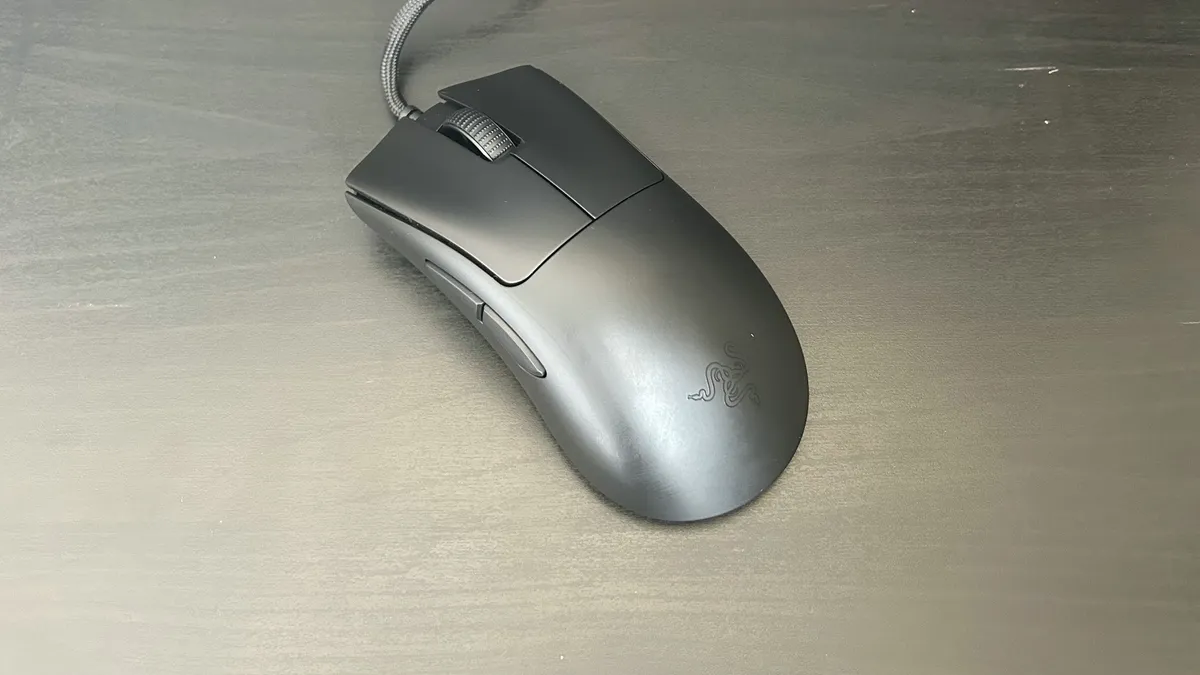


We called the Razer DeathAdder V3 an 'FPS mouse for those who hate FPS mice'. That's because it's a surprisingly lightweight pointer that doesn't achieve such a low weight simply by restricting things down to a skinny form factor.
✅ You have larger hands: The DeathAdder V3 manages to offer a chunkier form factor for larger hands while still keeping the weight low enough to perform well in FPS situations.
✅ You don't need a wireless connection: If you're going for pure speed, the wire tapering off the top of this device isn't going to cause too many problems.
✅ You don't like grip tape: The texture of grippy tape or rubber can get frustrating for some. The soft touch finish here, however, doesn't slip while still being comfortable to hold.
❌ You have smaller hands: The high dome and wider base means this isn't one for those with smaller hands.
❌ You want an RGB setup: Razer has dropped RGB from this model to keep that weight down, so if you're after a full Chroma experience you'll need to look elsewhere.
Design: Super light FPS mice like the Razer Viper V2 Pro above and the MSI Clutch GM31 are often particularly small, making for an uncomfortable experience for anyone with larger hands. However, the Razer DeathAdder V3 manages to pack a 59g footprint while still offering the chunky curves required for long term comfort. That shape won't work for everyone - in fact, it's geared slightly towards those with larger hands. However, it's a nippy pointer that manages to avoid the pitfalls of many lightweight gaming mice.
Features: The lower price does mean you're losing out on RGB support, and there are fewer programmable buttons here when compared to the similarly priced Razer Basilisk V3 model, but there's still plenty to love.
If you like the look of the DeathAdder but want a wireless connection, we'd recommend checking out the new Razer Viper V3 Hyperspeed. It's the same price, and keeps the larger dome shape of the DeathAdder line compared to the traditionally flat Viper range, all while a packing speedy 2.4GHz Hyperspeed connection.
Performance: You're getting Razer's latest generation sensor and switches under the hood as well as the lightning fast performance one can expect from such components. The chunkier form factor did infringe on the effects of that low weight here, though, especially if you're playing with smaller hands. Still, that sensor could keep up with everything from Apex Legends to The Witcher 3 in our testing.
A chunkier form factor makes for better long-term comfort than the skinnier designs often seen in these high-performance FPS mice.
Razer DeathAdder V3 review
Verdict: The Razer DeathAdder V3 isn't going to be for everyone, but it's a lightweight gaming mouse that caters to a far wider market than usual. The wired connection may be a deal-breaker for some, but Razer's super flexible cables keep things from feeling draggy. Those with larger hands are no longer left out of this race, and it's got the internal specs to back itself up as well.
Read more: Razer DeathAdder V3 review
Comfort |
3/5 |
Speed |
5/5 |
Programmability |
3/5 |
Connectivity |
2/5 |
Battery life |
N/A |
The most versatile Razer mouse


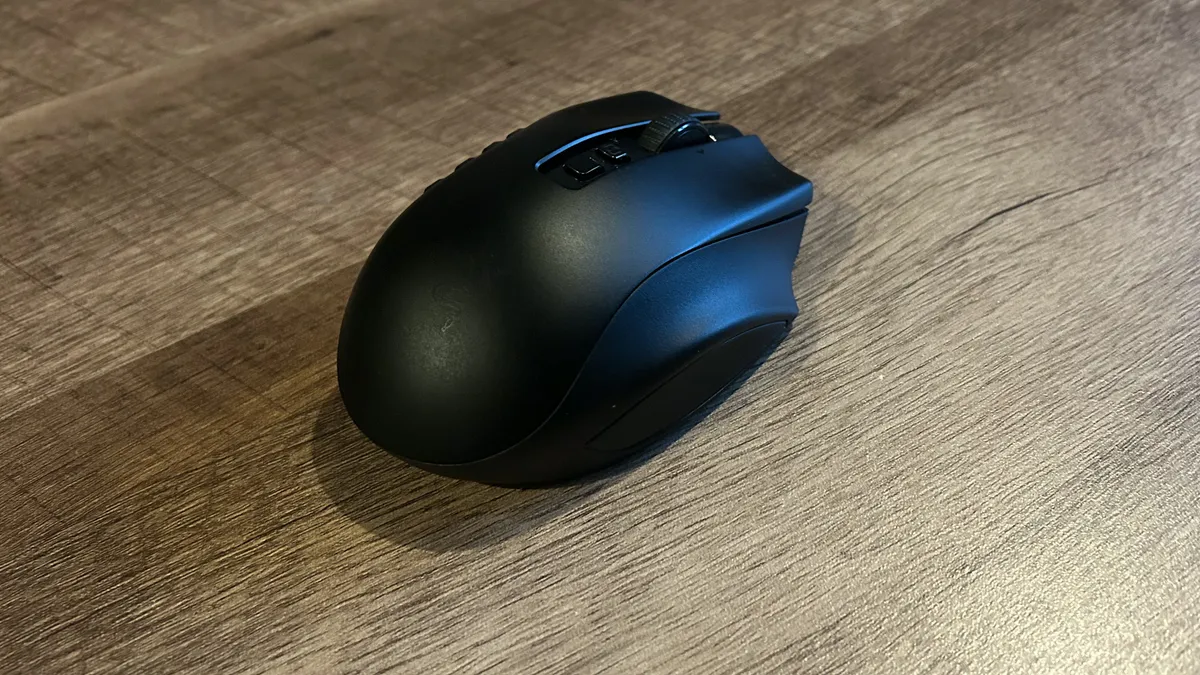


With its three swappable control panels, comfortable shape, and speedy internals, the Razer Naga V2 Pro is the most versatile Razer mouse on the market right now.
✅ You play a range of different genres: If you're not going to be swapping the sides out, there's little point in paying for the luxury of this kind of customization.
✅ You're investing in a long term mouse: The Naga V2 Pro certainly isn't cheap, so you'll need to get a few years use out of this pointer to really make it worthwhile.
✅ You don't mind a chunkier design: The heavier form factor could put a lot of players out here, it's just too chunky to zip across a battlefield. Still, if you've got larger hands or you prefer to be particularly grounded in your play it could turn into a benefit.
❌ You play faster paced games: The extra size of the Naga V2 Pro puts it out of the hands of those playing more competitive fast paced titles.
❌ You don't play MMOs: If you're not an MMO fan, there are far more options at cheaper prices that can offer greater comfort and speedier response times.
Design: The Nava V2 Pro doesn't look like other gaming mice, and that's not just from the side. This is a fairly squat design, with an exaggerated hump to the rear and a steep slope to the front. That's comfortable from the perspective of the wrist and the top of the hand, but it does make the entire experience a little cumbersome. This is a firm palm grip number, so you do lose some precision and speed in this form factor.
Features: Those swappable panels are the stars of the show here, offering excellent versatility and flexibility no matter what you play. From battle royales to MOBAs, it'll have your back/hand. Not only that, but we were glad to find that swapping between the panels is quick and easy; we were flying through our Steam library with only a second between each genre.
You've got a choice between a two-button, six-button, and 12-button side setup, opening you up to a maximum of 20 programmable buttons. Not only that, but there's two layers of programming here, allowing for a second round of commands to be assigned to each button on top.
That's some fantastic customization that even stretches into the scroll wheel as well. This is the Razer HyperScroll Pro under the hood, which means six different presets of scrolling speed and style to choose from. Swapping between a tighter, heavier scroll and a free-wheeling spin, or creating your own style in Synapse 3, there's something for every action available. In our testing, we did find this a more useful feature in productivity uses than everyday play, but it's still a nice to have feature.
It's not only the most versatile gaming mouse on the market today, but the highest quality model offering such versatility as well.
Razer Naga V2 Pro review
Performance: We found that the Nava V2 Pro performed across a wide range of genres, even if that shape held it back in truly competitive endeavours. In fact, this Razer mouse performs at its peak right in the middle. Slower action adventure titles and MMO options are the go-to here, giving those programmable buttons and that speedy sensor a chance to flourish.
Verdict: The Naga V2 Pro is, on paper, a better Razer mouse than the Basilisk V3 with its slick sensor and endless customization options. However, it comes in considerably more expensive, and offers a feature-set that just won't be valuable to everyday players. However, if you've got a healthy Steam library spanning multiple competitive genres, it's going to be a game-changer.
Read more: Razer Naga V2 Pro
Comfort |
3/5 |
Speed |
2/5 |
Programmability |
5/5 |
Connectivity |
4/5 |
Battery life |
5/5 |
Also tested
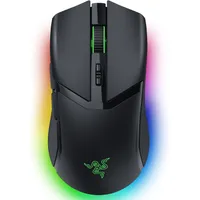
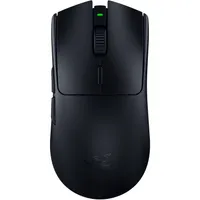
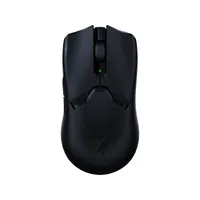
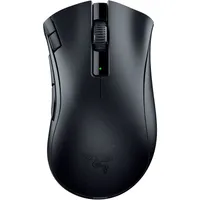
How we test Razer mice

The process for hunting down the best Razer mouse is the same as it is for any brand. These pointers are brought into our daily work and play schedules, and lived with far beyond our initial testing sessions. That means we can see exactly how each device holds up in an everyday use scenario while also keeping tabs on the longevity of those features.
Design is tested across both a comfort and aesthetic perspective. We test each mouse in-game across all three major grip types; fingertip, claw, and palm, assessing ergonomic shape, weight, click feel, and button placement. We stress test the shape of each mouse by using them for multiple work days in a row, with dedicated game testing in the evenings as well. Of course, we're also keeping a close eye on build quality, pushing for any flex, rattle, or creaking in the main chassis or click areas as well as noting the placement and durability of extra cables, connections, and underside buttons.
Battery life is tested with both full RGB and a mouse's most efficient settings, running the device all the way down from its first charge out of the box. On top of that, we also run each Razer mouse through every possible software configuration available in Synapse.
We're always testing accuracy, speeds, debounce, and response times as standard, but we're also making sure that the shape and design lends itself to long sessions and provides easy access to any additional buttons as well. On top of that, we're constantly checking for signs of wear and tear from standard use, which could suggest a longer-term durability concern.
You can read more about our commitment to providing honest recommendations through extensive testing in our Hardware Policy, and we're also showing you exactly how we test gaming mice in more detail as well.
Our ratings explained
Why you can trust GamesRadar+ Our experts review games, movies and tech over countless hours, so you can choose the best for you. Find out more about our reviews policy.
Each Razer mouse we test is scored across five categories once it has been thoroughly reviewed. This allows us to better compare experiences between devices at a top-line level.
Comfort
The first category is comfort, with a five-star score suggesting that the mouse is doing everything it can to ensure long-lasting comfort across all areas of the hand and wrist during short and long sessions. This rating takes shape, size, weight, material, and texture into consideration.
Speed
This isn't just a measure of a Razer mouse's DPI or IPS specs, but rather an overall indication of speed of movement alongside reliability of tracking and ease of use. A low-weight 20,000 DPI mouse with excellent tracking and soft skates will score much higher than a 40,000 DPI mouse with poor control.
Programmability
This category assesses the number of customizable buttons, RGB options, sensor features, and battery presets, as well as the size of any onboard storage available and the ease of actually using the associated software.
Connectivity
Beyond simple wireless modes, this category scores a Razer mouse based on how easy it is to connect across different devices, as well as the speed and reliability of that connection.
Battery life
Both battery life and charge times are taken into consideration here, with the final score reflecting the length of time between charges, the number of battery saving features, and the presence of any quick-charge cycles. This is omitted from final results for wired mice.
Overall rating
Each Razer mouse we test is given a final score which will be informed by these five categories but also overall value for money.
How to choose a Razer gaming mouse

The first thing you'll want to consider when choosing a Razer mouse is your budget. There are two tiers of pointers in this range, the premium Pro series and the cheaper X line. Whenever Razer releases a flagship in the former, it will usually follow up with a more budget-friendly alternative further down the price scale, which is why there are so many Viper, DeathAdder, Basilik, and Naga pointers on the market at any one time.
If you're happy to spend between $150 and $170, you'll be at the very top of the brand's pricing spectrum. If you want to stick to a $30 - $50 budget you'll be at the bottom, with wired models and older releases. You'll find excellent value in the middle - Razer mice between $60 and $100 can offer wireless connections with plenty of fancy features, but just won't top the charts for speed.
Once you know how much you want to pay it's time to consult your hand. When you use any mouse, you'll generally fall into one of three grip types. If you place your hand flat on the mouse, maintaining contact across your entire palm and keeping your fingers straight, then you use a palm grip. You'd benefit from a wider base like the Razer DeathAdder or Basilisk, with a taller dome and longer form factor.
If you keep the base of your palm pressed against the bottom of the mouse, but curve your fingers over the top of the body and onto the main clickers then you use a claw grip. This is a fairly versatile hold, but it still benefits from a slightly wider body and an indented groove on the left flank to maintain control. Razer mice that suit this grip are the Basilisk, DeathAdder, and Naga line.
If leave a gap between the actual mouse and your hand (your palm never touches the body of the mouse) and apply more pressure with your thumb and fingers then you use a fingertip grip. You'll want a mouse that prioritizes a low weight and smaller design to maintain better control over the device, which means a Viper or Cobra are best suited.
Best Razer mouse FAQ

What is the best Razer mouse?
The best Razer mouse in 2025 is the Razer Deathadder V4 Pro, a wireless pointer which launched in July 2025 for $169.99 / £169.99.
Are Razer mice better than Logitech?
This is going to vary from person to person, but in general I find that Razer mice tend to offer better specs for your cash than Logitech - even if they're not better overall everytime. Logitech has a much wider range of mice on the shelves, which means you're more likely to be able to find what you need, be it the right price point, shape, or button configuration. However, comparing like-for-like flagships like the Razer Viper V3 Pro and Logitech G Pro X Superlight 2 does show that performance and features under the hood tend to stick on Razer's side.
What is the latest Razer mouse?
The latest Razer gaming mouse is the Cobra Hyperspeed released in July 2025.
Which Razer gaming mice are available?
There are several Razer gaming mouse lines available right now, ranging from the ultralight FPS models like the Razer Viper to the button-heavy MOBA killers like the Naga Pro. Razer often splits each range into budget, flagship, and premium models, with an X denoting the cheaper options and a 'Pro' added to the names of more expensive pointers. When finding the best Razer gaming mouse for you, it's worth digging into which models perform best under different gaming conditions and grip styles. You'll find all the current lines of Razer gaming mice, their ideal grip styles, and the latest models available just below.
Line |
Grip style |
Latest model |
|---|---|---|
Viper |
Claw, Fingertip |
Razer Viper V3 Pro (2024) |
DeathAdder |
Palm, Claw |
Razer DeathAdder V3 Hyperspeed (2024) |
Mamba |
Palm, Claw |
Razer Mamba Elite (2018) |
Naga |
Palm |
Razer Naga V2 Pro (2022) |
Orochi |
Palm, Fingertip |
Razer Orochi V2 (2021) |
Basilisk |
Palm, Claw |
Razer Basilisk V3 Pro 35K (2024) |
We're also rounding up all the latest cheap gaming mouse deals and the best Logitech gaming mouse models for more options. Or, for a full setup refresh, check out the best gaming keyboards and best gaming headsets - we're also rounding up the best Razer keyboards specifically as well.

