





The Corsair Galleon 100 SD has become a daily driver for me outside of testing the latest gaming keyboards. It's the keyboard I reach for as soon as I find a few days in between reviews, packing all my launchers, in-game keybindings, Spotify controls, and productivity shortcuts in one place on the desk. I received mine direct from the brand, though, and that $349.99 MSRP is a weight hanging heavy every time I find myself close to recommending it.
Things aren't helped by the fact that I haven't seen a single discount on this deck since it launched in January (trust me, I've been waiting for it - this thing has been rock solid at both Amazon and Corsair). That means you're paying one of the highest prices of any gaming keyboard I've tested so far.
It's why I generally only recommend it to players who already need a chunkier Stream Deck anyway. The $199.99 MSRP of the Stream Deck Plus (the closest you'll find to the number of buttons and controls available on the Galleon) means it takes up a good chunk of that MSRP and makes far more sense from a purchase standpoint.
There's a cheaper way, though. I've had the Elgato Stream Deck Neo on the desk for a few weeks now, testing it alongside some of the best gaming keyboards to see how the experience differs from the full $350 all-in-one. Considering the Neo comes in at just $99.99, I was curious to see how much of a luxury tax we're paying for Corsair's deck.
I tested the Neo with three keyboards in mind; the Corsair Vanguard Pro 96, to see whether adding magnetic switches into the mix will bring enough of a benefit to leave the mechanical Galleon behind, the Keychron V6 Max for those who can't drop their number pad, and the Asus ROG Azoth - still my go-to for overall typing feel.
TL;DR: Is the Corsair Galleon 100 SD worth it?
Worth it if:
- You want a more comprehensive PC command center
- You play macro / menu / inventory heavy games
- You want more from a digital display
- You don't need a num-pad all the time
Not worth it if:
- You mostly play competitive / fast-paced games
- You're a magnetic switch power user
- You just want easy stream controls
- You need freedom in its positioning
- You need a num-pad all the time
The contenders
The good

There are a couple of benefits to sacking off the Galleon entirely.
Returning to one of the best Hall effect keyboards meant I was able to pair my Stream Deck Neo with a set of customizable switches for a streamlined in-game experience across certain commands. I primarily keep my custom actuation points to WASD when using a magnetic deck, while dampening surrounding buttons to avoid accidental presses and setting main action keys to rapid trigger.
It's a playstyle I've come to appreciate in faster titles like CS2 and Apex Legends, but one I can easily go without for more strategic experience or relaxing simulation endeavours. Being able to keep that flexibility was a massive benefit to dropping the Galleon from my setup.
The only other benefit I noticed over the Galleon (as opposed to the like-for-like features I'll detail below), was in positioning. The full keyboard puts the Stream Deck portion on the right hand side, which makes sense if you're viewing it as a number pad replacement. However, moving my 'keyboard' hand over to the other side of the deck doesn't always feel natural - and it's even more ungodly to take my hand off the mouse. The Stream Deck Neo, however, can be placed wherever you want it, keeping that right paw on the rodent and moving your left hand slightly less to hit each button.

Then we have everything that's just about equal between the two experiences.
Even pivoting to cheaper mechanical options, the Stream Deck Neo provides enough buttons for fairly comprehensive stream controls and daily productivity tools. It keeps the Galleon's ease of use as a daily launcher, and the decks I tested with kept media controls within reach as well.
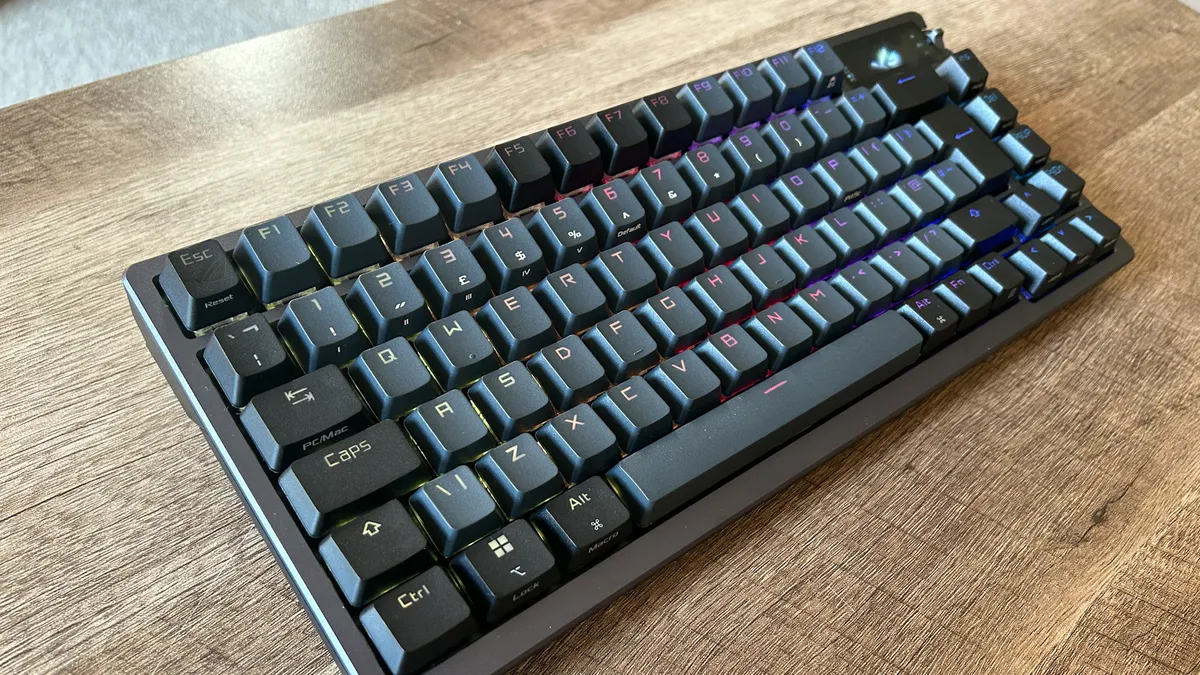
Using the Stream Deck Neo with the Asus ROG Azoth meant I was able to keep some screen functions, though these were pretty limited compared to the full Stream Deck experience.
The Keychron V6 Max will likely offer up the keenest comparison for many, by virtue of keeping a dedicated number pad alongside the additional controls of the Neo.
The bad

To try and replicate my in-game macro use as closely as possible, I positioned the Stream Deck Neo to the left of my keyboard, closer to my main control hand than it would be on the Galleon. Try as I might, though, I could never get used to the taller angle of the mini device. In-game controls feel far less natural to hit, and I can never quite prove myself reliable enough to slap that pad without looking. It slowed things down by a noticeable amount even after about a week of practice.
It's annoying that the Galleon's Stream Deck is fixed to the right side, but it feels easier to hit at a flat angle inline with the rest of the keyboard. It's not going to become a competitive staple, it's still too awkward for that, but inventory management, simulation and strategy controls, and menu streamlining are all far more enjoyable on the Galleon.
Keyboard displays are a big source of contention right now, with many brands (most notably Corsair itself, outside of this Stream Deck integration) content to simply use these panels as expensive, low res digital photo frames. While the Asus ROG Azoth has a little more meat on its display bones, it still can't compare with the full-color, personalizable panel on the Galleon. Plugins are still slow coming, but there's plenty to show off here and it makes for an easier control system than the Neo's simple strip of display overall.
There's also the number of buttons available to you. The Stream Deck Neo offers up eight clackers to the Galleon's 12. I'll admit, I sometimes struggle to fill all 12 when I'm creating dedicated folders for specific apps, games, and use-cases. But at the same time I was often limited by the Neo's 8. I'd rather have too much space on my deck to ensure each page can function as a full set of distinct options, rather than having to add extra button presses and defeat the purpose of a handy helper.
There's just one minor snag that came up pretty quickly as well. We're really picking here, but adding a Stream Deck and a keyboard means you're using up an extra port. I run a gaming laptop setup, and the Neo's USB-C connection is pretty valuable in an accessory-laden desk.
The ugly
Of course, everything the Corsair Galleon 100 SD has going for it has to work pretty hard when we come to the ugly truth of the matter. The all-in-one solution is incredibly expensive, and alternatives can save you nearly $200 if you play your cards right.
Is the Corsair Galleon 100 SD going to be worth the extra spend? Maybe not.
I'm Corsair's best-case-scenario user. I don't typically stream, but I love having a command center at my fingertips, spend far too much time in menu-heavy simulation and strategy games, don't rely on a number pad, am constantly in and out of different apps and windows, and have a bunch of productivity shortcuts and keybindings to remember. I need more than eight buttons, I use those buttons frequently enough to find reaching over to a separate device awkward, and I'm happy to invest time setting up more complex folder systems to keep everything I need close to hand.
If that's you as well, the Corsair Galleon 100 SD is going to be worth the extra spend compared to a keyboard + Stream Deck Neo combo. Streamers, competitive players, and num-pad enthusiasts aren't going to find the same kind of value here.
The Corsair Vanguard Pro 96 is the strongest alternative. The magnetic keyboard is geared more towards competitive players while still packing its num-pad and slick typing experience. At full MSRP, a Vanguard Pro and Stream Deck Neo will run you $329.99. I usually see both of these devices on sale for $160-$190 / $75-$90 respectively, though. That means, on the right day, you could pick up both for anything between $235 and $280, saving you $70-$115 overall. In this case, the Galleon isn't worth the extra cash.

If you're not fussed about magnetic switches, the Asus ROG Azoth is going to be your next port of call. This is still the best typing experience I've had from a gaming keyboard, so you're investing more in the feel of your everyday keystrokes while saving some cash dropping some of those Stream Deck features. The Azoth holds a $249.99 MSRP, but it's old - it hasn't been up that high reliably in quite some time. These days you're more likely to find it between $190 and $220, putting the package - at its cheapest - at $265.
Without those magnetic switches in play, would I say the extra $85 for the Galleon is money well spent? If you want a full productivity suite, need more from your display, and play macro-heavy games regularly, yes. If you just want a streaming companion or app launcher, no.
In scenarios where I prefer to use a num-pad, the Corsair Galleon 100 SD supplies its own profiles. However, using the dedicated keys of the Keychron V6 Max and Corsair Vanguard feels so much better than these plastic clackers. Having to hit another button just to bring up my number options is an annoyance of the all-in-one. Those using a number pad every day will soon get too tired for it to be worthwhile. With the Keychron V6 Max coming in at $119.99 on a bad day, $96 on a good day, you're saving a maximum of $179 by opting for the split setup. If you need that number pad, the Galleon's other benefits aren't worth the additional spend.

Featured keyboards
I'm also rounding up all the best hot-swappable keyboards and the best wireless gaming keyboards I've tested so far for more options.

