

Background
Welcome to GamesRADAR+ Community !
Hi ,

Your membership journey starts here.

Keep exploring and earning more as a member.

MY ACCOUNT

Badge picture
Earn your first badge
Read 1 article to unlock your first badge.
Keep earning badges
Explore ways to get more involved as a member.
Latest Games News

Latest Games News

Breaking gaming news and updates

Read Now
Latest Games Reviews

Latest Games Reviews

Expert verdicts on the newest releases

Read Now

See what you’ve unlocked.

Explore your membershipbenefits.

Explore
Member Exclusives

Stay Ahead with GamesRadar+

Get the biggest gaming news, reviews, and releases straight to your inbox.

Explore

Sign Out
GamesRadar+ GamesRadar+
US EditionUS CA EditionCanada UK EditionUK AU EditionAustralia
Sign in
  • View Profile
  • Sign out
  • Games
    • Game Insights
      • Games News
      • Games Features
      • Games Reviews
      • Games Guides
      • Big in 2026
      • Big Preview
      • Future Games Show
      • Golden Joystick Awards
    • Genres
      • Action Games
      • RPGs
      • Action RPGs
      • Adventure Games
      • Third Person Shooters
      • FPS Games
    • Platforms
      • PS5
      • Xbox Series X
      • PC
      • Nintendo Switch
      • Nintendo Switch 2
      • Tabletop Gaming
    • Franchises
      • Grand Theft Auto
      • Pokemon
      • Assassin's Creed
      • Monster Hunter
      • Fortnite
      • Cyberpunk
      • Red Dead
      • The Elder Scrolls
      • The Sims
  • Entertainment
    • TV Shows
      • TV News
      • TV Reviews
      • Anime Shows
      • Sci-Fi Shows
      • Superhero Shows
      • Animated Shows
      • Marvel TV Shows
      • Star Wars TV Shows
      • DC TV Shows
    • Movies
      • Movie News
      • Movie Reviews
      • Big Screen Spotlight
      • Superhero Movies
      • Action Movies
      • Anime Movies
      • Sci-Fi Movies
      • Horror Movies
      • Marvel Movies
      • DC Movies
    • Streaming
      • Apple TV Plus
      • Disney Plus
      • Netflix
      • HBO
      • Amazon Prime Video
      • Hulu
    • Comics
      • Marvel Comics
      • DC Comics
    • Toys & Collectibles
    • Lego
    • Dungeons and Dragons
    • Merch
  • Hardware
    • Insights
      • Hardware News
      • Hardware Reviews
      • Hardware Features
    • Computing
      • Desktop PCs
      • Laptops
      • Handhelds
    • Peripherals
      • Headsets & Headphones
      • TVs & Monitors
      • Gaming Mice
      • Gaming Keyboards
      • Gaming Chairs
      • Speakers & Audio
    • Accessories & Tech
      • Gaming Controllers
      • Tech
      • SSDs & Hard Drives
      • VR
      • Accessories
      • Retro
  • Deals
    • Game Deals
    • Tech Deals
    • TV Deals
    • Buying Guides
  • Video
    • Video
    • GR+ Replay - Submit Your Clips
  • Newsletters
    • Quizzes
    • About Us
    • How to pitch to us
    • How we score
    • Newsarama
    • Retro Gamer
  • home
  • Games
    • View Games
      • Games News
      • Games Features
      • Games Reviews
      • Games Guides
      • Big in 2026
      • Big Preview
      • Future Games Show
      • Golden Joystick Awards
      • Action Games
      • RPGs
      • Action RPGs
      • Adventure Games
      • Third Person Shooters
      • FPS Games
    • Platforms
      • View Platforms
      • PS5
      • Xbox Series X
      • PC
      • Nintendo Switch
      • Nintendo Switch 2
      • Tabletop Gaming
      • Grand Theft Auto
      • Pokemon
      • Assassin's Creed
      • Monster Hunter
      • Fortnite
      • Cyberpunk
      • Red Dead
      • The Elder Scrolls
      • The Sims
  • Entertainment
    • View Entertainment
    • TV Shows
      • View TV Shows
      • TV News
      • TV Reviews
      • Anime Shows
      • Sci-Fi Shows
      • Superhero Shows
      • Animated Shows
      • Marvel TV Shows
      • Star Wars TV Shows
      • DC TV Shows
    • Movies
      • View Movies
      • Movie News
      • Movie Reviews
      • Big Screen Spotlight
      • Superhero Movies
      • Action Movies
      • Anime Movies
      • Sci-Fi Movies
      • Horror Movies
      • Marvel Movies
      • DC Movies
    • Streaming
      • View Streaming
      • Apple TV Plus
      • Disney Plus
      • Netflix
      • HBO
      • Amazon Prime Video
      • Hulu
    • Comics
      • View Comics
      • Marvel Comics
      • DC Comics
    • Toys & Collectibles
    • Lego
    • Dungeons and Dragons
    • Merch
  • Hardware
    • View Hardware
      • Hardware News
      • Hardware Reviews
      • Hardware Features
      • Desktop PCs
      • Laptops
      • Handhelds
    • Peripherals
      • View Peripherals
      • Headsets & Headphones
      • TVs & Monitors
      • Gaming Mice
      • Gaming Keyboards
      • Gaming Chairs
      • Speakers & Audio
      • Gaming Controllers
      • Tech
      • SSDs & Hard Drives
      • VR
      • Accessories
      • Retro
  • Deals
    • View Deals
    • Game Deals
    • Tech Deals
    • TV Deals
    • Buying Guides
  • Video
    • View Video
    • Video
    • GR+ Replay - Submit Your Clips
  • Newsletters
    • Quizzes
    • About Us
    • How to pitch to us
    • How we score
    • Newsarama
    • Retro Gamer
Trending
  • Saros review
  • Arc Raiders
  • The Boys S5
  • Best turn-based RPGs
  • Submit your clips. Win prizes
  • Delta Force giveaway
Don't miss these
Five different gaming controllers for PC scattered around a desktop surface
Gaming Controllers The best PC controller for gaming 2026
HP Omen Max 16 gaming laptop on a wooden desk
Laptops The best gaming laptop 2026 - new releases start hitting the test bench
A collection of TMR gaming controllers
Gaming Controllers I've tested them for you, and these are the 7 best TMR controllers on the shelves right now
A side by side of the Steam Controller with the Razer Wolverine V3 Pro 8K
Gaming Controllers The Steam Controller doesn't appear to be a hit for competitive play, so here are the best alternatives
Nintendo Switch 2 sitting in centre with Steam Deck OLED above on left, Anbernic RG Cube aboveon right, Anbernic RG28XX directly left, Modretro Chromatic on right, and MSI Claw 8 AI+ below on woodgrain desk.
Handhelds Best gaming handheld 2026: portable consoles and PCs I'd take on the go
Corsair Galleon 100 SD and Stream Deck Neo on a wooden desk
Gaming Keyboards I paired three keyboards with the $99 Stream Deck Neo to see if Corsair's $350 Galleon 100 SD is actually worth it
SteelSeries Arctis Nova Pro Wireless gaming headset
Headsets & Headphones Best gaming headset 2026 - my go-to cups for every platform
Nintendo Switch 2 playing Donkey Kong Bananza with Pro Controller to the left
Gaming Controllers The best Nintendo Switch 2 controller 2026: Compatible gamepads road tested with Ninty's new handheld
Steam Deck with mascot face on screen surrounded by compatible Steam Deck docks
Handhelds The best Steam Deck dock 2026: the handheld docking stations I'd recommend
DualSense Edge review image showing the controller next to the original DualSense in Nova Pink
Gaming Controllers The best PS5 controller 2026: Find your Edge
A Quoted Tech Horizon Custom gaming PC inside a MSI Pano chassis
Desktop PCs Quoted Tech Horizon Custom gaming PC review
Xbox Elite Series 2 controller
Gaming Controllers The best Xbox Series X controller in 2026
Streaming for gamers
Hardware Best live streaming gear for gamers 2026: The best setups for beginners and pros
An Elgato Wave 3 Mk2 microphone next to two Stream Decks
Peripherals Elgato's new Wave 3 Mk2 combines the best parts of dynamic and condenser microphones
The Azeron Keyzen and Cyborg II from the top down, comparing their switches
Gaming Controllers You don't have to choose between a controller and a keyboard; there's a secret third option
  1. Hardware
  2. Peripherals
  3. Gaming Keyboards

The Corsair Galleon 100 SD is the most fun I've had with a gaming keyboard for a while, but its price tag won't make sense for everyone | Review

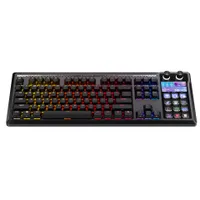
Corsair Galleon 100 SD review

Reviews
By Tabitha Baker published 29 January 2026
0 Comments Join the conversation

When you purchase through links on our site, we may earn an affiliate commission. Here’s how it works.

Corsair Galleon 100 SD gaming keyboard on a wooden desk
(Image credit: © Future)

GamesRadar+ Verdict

I was excited about the Corsair Galleon 100 SD as soon as I saw it at CES, and I'm glad that I've enjoyed my time with the deck as much as I thought I would. Combining both a keyboard and Stream Deck in one has had one of the biggest impacts on my day to day gameplay I've experienced in years of testing. Its price tag runs a little high at launch, and there are alternative ways to get close to full functionality (and sometimes extra features) for less. It's still been a game-changer in my setup, though.

$349.99 at Amazon
$349.99 at Amazon
$349.99 at Best Buy
$349.99 at CORSAIR

Pros

  • +

    Excellent additional controls

  • +

    Super easy setup and full access to Elgato plugins

  • +

    Smooth, soft typing experience

  • +

    Vivid lighting

Cons

  • -

    Encountered some software issues

  • -

    Value won't make sense for everyone

Best picks for you
  • Best gaming keyboard 2026: the Vanguard stands strong with another new entry for Corsair
  • Best Hall effect keyboard 2026
  • The best wireless gaming keyboard in 2026

Why you can trust GamesRadar+ Our experts review games, movies and tech over countless hours, so you can choose the best for you. Find out more about our reviews policy.

Corsair seems to be having a good few months. Out of the dust left behind in the Vanguard Pro's sprint to the top of my best gaming keyboards list emerges a mechanical keyboard that finally blends a gaming-ready deck with the brand's Stream Deck functionality.

The Corsair Galleon 100 SD has a lofty price tag, though comparative Stream Deck functionality will cost you about $200 by itself (looking at the Stream Deck Plus) and the quality of the keyboard part of the equation stands up to the remaining $150. That is, however, presuming you need the dials and display. Problems with those numbers occur if you're just after the buttons themselves.

Nevertheless, this is a deck I'll genuinely be returning to in between testing periods. Smooth typing, excellent caps, and that whole suite of controls at my fingertips means this one's going to stay in my roster for some time. With a discount behind it, it's going to be a game-changer for many.
Latest Videos From
Corsair Galleon 100 SD | $349.99 at Corsair

Corsair Galleon 100 SD | $349.99 at Corsair
The Corsair Galleon 100 SD is newly available, but you'll find it on the brand's own shelves for $349.99 today. At the time of writing, delivery is set for just a few days time. Impressive, considering stock elsewhere is looking a little scarce.

UK: £309.99 at Corsair

View Deal
Swipe to scroll horizontally
Key Specs

Price

$349.99 / £309.99

Type

Mechanical

Connection

Wired

Size

TKL (plus Stream Deck)

Switches

Corsair MLX Pulse

Keycaps

PBT Doubleshot

Media keys

Dedicated Stream Deck panel

Wrist rest

Detachable

USB passthrough

Yes

Design

Corsair Galleon 100 SD gaming keyboard set up on wooden desk with wrist rest and mouse

(Image credit: Future)

Would you call the Corsair Galleon 100 SD a full sized gaming keyboard or a TKL one? I'm torn. Its form factor on the desk is going to feel like a full-width model, restricting mouse movement slightly. And yet the actual keyboard portion is a TKL design. This is a hybrid of sorts, Corsair continuing to experiment with layouts following the Vanguard Pro 96's squashed shape.

However you choose to see it, the Galleon looks pretty slick on the desk. The shining lights of the Stream Deck on the right, combined with that 'Mood Light' bare along the top and a collection of bold, vibrant RGB LEDs makes for an impressive showpiece.

The Stream Deck portion is fully baked in. Would it have been nice to have the option to swap it to the right-hand side for wider mouse sweeps? Maybe, but I'm just happy it's here in the first place.

You're paying $350 for this deck, and the build quality pulls its weight. While you're not getting the dense block of a Keychron model, the black aluminum chassis feels solid and premium and gasket mounting and sound dampening under the hood keep things echo-free under the fingertips.

Sign up to the GamesRadar+ Newsletter

Weekly digests, tales from the communities you love, and more

By submitting your information you agree to the Terms & Conditions and Privacy Policy and are aged 16 or over.

Side view of Corsair Galleon 100 SD gaming keyboard, showing elevation and logo text

(Image credit: Future)

There's a very slight wedge shape to the chassis itself, but it's far from enough elevation by itself. Two flip-out feet add extra height for a more comfortable experience, even if the included wrist rest feels just a little too high for me personally. It attaches magnetically and provides a cushioned position for the palms, but my hands feel like they're hanging just a little too far up the deck to feel truly nimble. I generally preferred using the Galleon without the included rest.

Keycaps

Close up on Corsair Galleon 100 SD keycaps in black, with slightly textured surface

(Image credit: Future)

Thick PBT keycaps keep the typing experience firm and snappy, while those longer legends do a good job of keeping RGB backlighting uniform and consistent. I can only see one instance where those LEDs aren't making it across the full text, on the Enter key, elsewhere everything else looks super tight.

The caps themselves are curved nicely to provide extra precision support while still offering a satisfying grippy texture up top. That means no slipping, less chance of shine build up, and a tactile grainy feel under the fingertips. It's my preferred style of keycap, but those who like to keep things smooth may want to swap these toppers.

Switches

Close up on purple switches inside Corsair Galleon 100 SD gaming keyboard, with one switch removed to show PCB underneath

(Image credit: Future)

Under the hood we've got a full set of Corsair's MLX Pulse switches. I first took these purple snappers out for a spin in the ill-fated Corsair MAKR 75, and fell in love with them there. Without that FR4 plate in action there's a little less snap to the overall experience, but they're still smooth, thocky, and rattle-free.

With 45g of actuation force they're not the lightest on the market, but hold up particularly well for accuracy. A 2.0mm actuation distance avoids accidental presses as well. They're not for skating across the top of a deck, but they resist fatigue particularly well. All that, with a nice crisp auditory response - excellent.

The entire deck is also fully hot-swappable with three and five pin switches to boot.

If you've been following gaming keyboards closely over the last year you might notice some absences here. The Corsair Galleon 100 SD doesn't use magnetic switches, instead opting for a full mechanical existence. That means you're dropping some core gaming features like rapid trigger for faster repeat presses, customizable actuation points, and multi-step inputs. Considering this is already a $350 deck, though, there's very little room for Hall effect clackers in this price tag - even if Corsair's latest MGX V2 options are some of the best I've tested yet.

Software

Stream Deck software running on Corsair Galleon 100 SD keyboard

(Image credit: Corsair)

The software is a sticking point for me, but I'm hoping it won't be in a few weeks' time. I've been testing the Corsair Galleon 100 SD with a beta version of the Corsair Web Hub and Firmware Tool. I haven't had a great experience with it straight off the bat.

The Web Hub refused to recognize the Galleon as a connected device until I updated the firmware. I couldn't update the firmware until the Web Hub recognized the keyboard. You see my conundrum.

Using a beta build of both allowed me to get in long enough to start a firmware update, at which point I lost connection again and the entire keyboard bricked itself.

I've been assured by Corsair that this is a rare occurrence and considering Web Hub has been running smoothly for all the other gadgets I've tested with it, I expect the issue comes down to pre-release software.

After all, with a full reboot I was able to connect and update the deck and have had a fairly smooth ride ever since. The Web Hub is still a little sticky, often refusing to save RGB lighting tweaks to the actual keyboard but it's got everything you need.

I'll be keeping a close eye, returning to the Galleon regularly, and will update here.

To set up the Stream Deck portion of the Galleon you'll need Elgato's dedicated software. This runs like a dream, dragging and dropping different functions and commands onto the deck to create profiles, pages, and presets galore. It was easily my favorite part of setting up this deck - I could spend hours building and tweaking different setups. You'll also have access to the massive supply of plugins via the marketplace as well.

Controls

Close up on Stream Deck panel on the right side of Corsair Galleon 100 SD gaming keyboard

(Image credit: Future)

This is where things get good again.

By now you know there's a full Stream Deck tacked onto the side of the Galleon, with 12 full-color buttons to play with, two control dials, and a 5-inch display sandwiched between them.

It's an unprecedented amount of control from a single keyboard, removing the need for static dedicated macro buttons, media playback, and system settings. If you do it on your PC, you can build a list of shortcuts for it.

I've got everything from a Spotify command center to all my usual work links and commands set up, alongside dedicated profiles for Planet Coaster, The Sims 4, and Baldur's Gate 3. Keeping all that right next to my keyboard makes for a far more streamlined experience compared to a separate device. I've used the Mountain DisplayPad for similar functions for some time now, but it's never been reachable enough to accommodate many of these controls. Sure, they're rudimentary for now (though you can buy dedicated profiles for a massive range of games that go into more depth), but they keep all my usual commands within closer reach.

The screen up top has space for four zones of control, ranging from swapping between profiles to changing volume to displaying the weather. There's not a lot out there for this setup just yet, so launch options are fairly limited. I'm hopeful more plugins and uses will come to light shortly, though. There's plenty of potential in this element.

Connection

Top down view of three USB-C connection ports on Corsair Galleon 100 SD gaming keyboard

(Image credit: Future)

The Corsair Galleon 100 SD does something I haven't seen in a long time. It uses two USB-C connections to hook up to separate USB-A ports on your PC, only to give one of them back to you via a passthrough hookup along the right edge. It's an odd setup, though perhaps helpful if you need a peripheral plugged in closer to your mouse hand than your rig will allow. Still, it's a little strange to keep two cables trailing across the desk.

The best wireless gaming keyboards have their place in portable setups, but they're generally only useful for keeping your setup clutter-free. If that's a priority, the $350 price tag for not one but two wires is going to sting. Still, the deck runs just fine in everyday life with only one cord connected.

If you're a particularly competitive player you'll also be glad to see an 8,000Hz polling rate in here. That's a feature only the top 1% will even notice, though.

Typing

There was a time when I would loathe to write up an article on a Corsair keyboard, but the brand has knuckled down on its build quality in the last couple of years and the Galleon 100 SD is free from any of the echo and ping I used to experience. This is a snappy, well-dampened typing experience with a smooth feel and just the right amount of resistance underneath each cap.

The Asus ROG Azoth is still going to give you a little more spring, there's slightly more depth to each press here making for a slightly heavier feel. It's also lacking a little of the richness you'll find in a more substantial chassis like the MAKR 75 or a Keychron deck. Still, it's satisfying to use and listen to, while remaining light on the fingers and tight in all its lovely mechanical parts.

Gaming

Corsair Galleon 100 SD gaming keyboard with wrist rest, mouse, and switch tool on a wooden desk

(Image credit: Future)

While Corsair has removed magnetic switches from the equation, the Galleon still has plenty in its arsenal for both casual and competitive players. On the fly macro recording, SOCD settings, and space for up to five onboard profiles (not counting the Stream Deck) keeps things up to pace with other mechanical options.

That extra control panel is the main draw here, though. My Planet Coaster building sessions are easier and faster than ever, and I'm only scratching the surface with my initial profile. There are far more in-game controls to explore across a whole range of titles that will make the Corsair Galleon 100 SD a formidable force whether you're going single-player, strategy, simulation, or competitive.

Switching between profiles is easy (I have mine set on a cycling roster via the control dial), buttons are responsive, actions are immediate, and setup is far easier than other similar options I've used. I'd feel the benefit of this extra panel even if I only ever used it as a launcher.

Of course, the benefits for streamers can't be denied either. After all, this is why the Stream Deck was invented in the first place. With all your controls in one place right next to your hands, tapping through different functions is far easier than reaching over to a dedicated device. That said, if you've already got a Deck on desk you won't find much new here to explore.

Should you buy the Corsair Galleon 100 SD?

Corsair Galleon 100 SD gaming keyboard on a wooden desk

(Image credit: Future)

There's no getting around it, the Corsair Galleon 100 SD is expensive. It's a great keyboard in its own right, though, and the Stream Deck is one of the most feature-rich and intuitive control pads on the market. That $349.99 MSRP means you'll need to really want both a keyboard and a Stream Deck separately, though. The higher price simply doesn't make sense if you weren't already in the market for a control panel or if you already have one on your desk.

The implementation here is closest to the Stream Deck + model, with its display, dials, and ten buttons. That's a gadget that's going to cost you $199.99 by itself, leaving $150 in the final price for a mechanical keyboard - easy enough if you're after a mid-ranger like the Turtle Beach Vulcan II TKL or Keychron V6 Max. The typing experience and extra features in here do have both of those models beat, though.

There is far more room in that price if you were to drop the dials and go for the simplest of Stream Deck options. The Stream Deck Mk. 2 holds a $150 MSRP (but is more often found at around $130). That leaves you $200 to pick up a gaming keyboard at the same time, and with that cash you've got a few Hall effect options open to you. The Logitech G Pro X TKL Rapid and NZXT Function Elite, for example, will get you more switch features with the same macropad functionality when bought alongside the cheaper controls.

That's where the value of the $349.99 Corsair Galleon 100 SD starts to fall a little short. Put simply, if you're not fussed about the screen and dials (and considering I found them to be a little under-utilized in everyday play at launch I wouldn't blame you), it makes more sense to opt for two separate devices.

The benefit of grabbing the all-in-one device is just that; your keypad, display, and control dials are right there. It's not a feature that should be overlooked - actually using these customizable clickers is far easier in this implementation, and I found myself more motivated to create, tweak, and hunt down the profiles and features I need as a result.

It's an expensive luxury, though, and one that might only make sense for the most discerning of streamers among us or those looking willing to invest in hitting their macros a little faster.

Swipe to scroll horizontally
Ratings

Speed

4/5

Customization

4/5

Typing feel

4/5

Portability

1/5

Comfort

4/5

Controls

5/5

How I tested the Corsair Galleon 100 SD

I've been using the Corsair Galleon 100 SD for the last two weeks, swapping between another deck for some of that time. Alongside my Planet Coaster, The Sims, and Baldur's Gate 3 sessions, I've also run the deck in my usual competitive CS2 and Apex Legends testing and enjoyed my time in Clair Obscur Expedition 33 as well. For more information on how we test gaming keyboards, check out the full GamesRadar+ Hardware Policy.

I'm hunting down plenty more of the best hot-swappable keyboards on the market, as well as the best membrane gaming keyboards for something a little cheaper. For more setup inspiration, check out the best gaming mouse models I've tested so far.

Corsair Galleon 100 SD: Price Comparison
Corsair Galleon 100 SD RGB...
Amazon
Prime
$349.99
View
Corsair Galleon 100 Sd Rgb...
Amazon
$349.99
View
CORSAIR - GALLEON 100 SD...
Best Buy
$349.99
View
CORSAIR GALLEON 100 SD Stream...
CORSAIR
$349.99
View
Galleon 100 Sd Stream...
CORSAIR
$349.99
View
We check over 250 million products every day for the best prices
powered by
Gamesradar
TOPICS
Corsair
CATEGORIES
PC Gaming Platforms
Tabitha Baker
Tabitha Baker
Social Links Navigation
Managing Editor - Hardware

Managing Editor of Hardware at GamesRadar+, I originally landed in hardware at our sister site TechRadar before moving over to GamesRadar. In between, I've written for Tom’s Guide, Wireframe, The Indie Game Website and That Video Game Blog, covering everything from the PS5 launch to the Apple Pencil. Now, i'm focused on Nintendo Switch, gaming laptops (and the keyboards, headsets and mice that come with them), PS5, and trying to find the perfect projector. 

You must confirm your public display name before commenting

Please logout and then login again, you will then be prompted to enter your display name.

Read more
Corsair Galleon 100 SD and Stream Deck Neo on a wooden desk
Gaming Keyboards I paired three keyboards with the $99 Stream Deck Neo to see if Corsair's $350 Galleon 100 SD is actually worth it
 
 
Corsair Galleon 100 SD gaming keyboard on a wooden desk
Gaming Keyboards Corsair's on a roll, this Stream Deck-toting deck is now officially the best full-sized gaming keyboard I've tested so far
 
 
Close up on macro buttons on the side of the Corsair Vanguard Pro 96 gaming keyboard
Gaming Keyboards Best gaming keyboard 2026: Asus strikes again with another Azoth entry
 
 
Asus ROG Azoth keyboard
Gaming Keyboards The best wireless gaming keyboard in 2026
 
 
Asus ROG Azoth 96 HE gaming keyboard on a wooden desk
Gaming Keyboards The Asus ROG Azoth 96 HE has returned to take the magnetic crown, but that price tag is going to be a problem
 
 
Corsair Vanguard Pro 96, Asus ROG Azoth 96 HE, Corsair Galleon 100 SD and Cherry MX 8.2 Pro TMR TKL on a wooden desk
Gaming Keyboards Best Hall effect keyboard 2026
 
 
Latest in Gaming Keyboards
Corsair Galleon 100 SD and Stream Deck Neo on a wooden desk
Gaming Keyboards I paired three keyboards with the $99 Stream Deck Neo to see if Corsair's $350 Galleon 100 SD is actually worth it
 
 
Logitech G512 X gaming keyboard with keycaps removed to show mechanical and magnetic switches underneath
Gaming Keyboards Logitech jumps on the TMR keyboard trend, but does so in the smartest way I've seen yet
 
 
Close up on magnetic switches underneath Asus ROG Azoth 96 HE arrow keys
Gaming Keyboards This top-shelf Hall effect gaming keyboard has a pricing problem, but Amazon's working on it
 
 
Close up on extra function buttons on Keychron V6 Max
Gaming Keyboards Keychron essentially just made its top keyboards 3D-printable
 
 
Newmen GM326 gaming keyboard on a wooden desk with blue backlighting
Gaming Keyboards This $30 gaming keyboard "puts others to shame" and it's somehow even cheaper right now
 
 
Asus ROG Strix Morph 96 Wireless
Gaming Keyboards The Asus ROG Strix Morph 96 wants to be fully disassembled, but with the way it runs right out the box I'm not sure you'll need to
 
 
Latest in Reviews
Mixtape screenshot featuring the three main characters pushing a shopping cart while being chased
Adventure Games Mixtape review: "A nostalgic, vibes-based experience set to a shockingly solid soundtrack"
 
 
Baraka in Mortal Kombat 2
Action Movies Mortal Kombat 2 review: “Lands some killer blows, but far from a flawless victory”
 
 
BenQ Mobiuz EX271UZ monitor on desk with purple CatchyOS wallpaper on screen.
TVs & Monitors The BenQ Mobiuz EX271UZ is a solid OLED monitor that's missing a few tricks for the price
 
 
Hand holding Gulikit Elves 2 Pro controller with Sony Trinitron CRT TV and Sega Mega Drive in backdrop with Alex Kidd in Miracle World title on screen.
Retro Gulikit Elves 2 Pro review
 
 
Lego Grogu (Mandalorian Apprentice) (75446)
Toys & Collectibles Lego Grogu (Mandalorian Apprentice) #75446 review: "Captures the true essence of our little green hero"
 
 
A Quoted Tech Horizon Custom gaming PC inside a MSI Pano chassis
Desktop PCs Quoted Tech Horizon Custom gaming PC review
 
 
LATEST ARTICLES
  1. Kingdom Come: Deliverance 2 peasants drinking at a table
    1
    Kingdom Come: Deliverance 2 lead designer says "friction is intentionally" in the RPG
  2. 2
    Mortal Kombat 2 ending explained: who fights, who dies and every fatality
  3. 3
    After 3 years of work, GTA 4 dev's sandbox game hits Steam
  4. 4
    Paranormal Activity game dead after Paramount refuses to give legendary Mortuary Assistant creator more dev time
  5. 5
    Old School RuneScape players riot as YouTuber's account is reset hours after finishing 3-month grind

GamesRadar+ is part of Future US Inc, an international media group and leading digital publisher. Visit our corporate site.

Add as a preferred source on Google Add as a preferred source on Google
  • Terms and conditions
  • Contact Future's experts
  • Privacy policy
  • Cookies policy
  • Accessibility statement
  • Careers
  • About us
  • Advertise with us
  • Review guidelines
  • Write for us

© Future US, Inc. Full 7th Floor, 130 West 42nd Street, New York, NY 10036.

Please login or signup to comment

Please wait...