


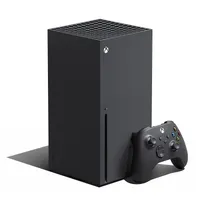
Yes, the Xbox Series X can play Blu-ray movies, as well as other disc formats, in case you're planning on using your console as more of a multimedia entertainment system. The only thing your Xbox Series X needs is a specific app for Blu-ray watching, but you can easily install this on the Microsoft Store on your Xbox too! Importantly, if you've got an Xbox Series S, you won't be able to use discs of any kind as it's a digital-only console without a disc drive. here are all the details you need to know about playing Blu-ray movies on your Xbox Series X.
How to play Blu-ray movies on Xbox Series X

If you're looking to watch movies on your Xbox Series X using Blu-Ray discs, you need to navigate to the Microsoft Store on your console and download the Blu-ray player app. It takes up hardly any space on your the SSD, but is required if you want to play Blu-ray movies on your Xbox Series X - make sure you also know how to eject an Xbox Series X disc too as it's not all that clear.
With respect to compatibility, there are some Xbox Series X region locks to be aware of. Much like the Xbox One, most Blu-ray films are locked to the region that your console came from to stop you playing media from other territories. However, if you have any Ultra HD Blu-ray discs in your collection, you will be able to play them on your Xbox Series X without fear, as helpfully they are all region free. Furthermore, if you have an Xbox Series S, be aware that external disc drives are not compatible with the console, so you'll need an entirely separate Blu-ray player.
If you're planning on picking up any Blu-ray movies to play on Xbox Series X, it's worth being aware of the following region lock restrictions before committing to a purchase:
- Region A: North America, South America, U.S. Territories, Japan, South Korea, Taiwan, and other areas of Southeast Asia
- Region B: Europe, Africa, Middle East, Australia, and New Zealand.
- Region C: Asia (except for Japan, Korea, Taiwan, and other areas of Southeast Asia)
- Region Free: This is not an official setting, but discs that have the region FREE symbol should play on any machine.
If you're looking for further information on what discs work in an Xbox Series X, due to the console's sweeping backwards compatibility, be sure to check out our separate guide for more details. And if you happen to have some old Xbox One accessories, you might still get some use out of them thanks to Xbox Series X controller and accessory compatibility.
© GamesRadar+. Not to be reproduced without permission.

