

GamesRadar+ GamesRadar+
US EditionUS CA EditionCanada UK EditionUK AU EditionAustralia
Sign in
  • View Profile
  • Sign out
  • Games
    • Game Insights
      • Games News
      • Games Features
      • Games Reviews
      • Games Guides
      • Big in 2026
      • The Big Preview
      • On The Radar
      • Indie Spotlight
      • Future Games Show
      • Golden Joystick Awards
    • Genres
      • Action Games
      • RPGs
      • Action RPGs
      • Adventure Games
      • Third Person Shooters
      • FPS Games
    • Platforms
      • PS5
      • Xbox Series X
      • PC
      • Nintendo Switch
      • Nintendo Switch 2
      • Tabletop Gaming
    • Franchises
      • Grand Theft Auto
      • Pokemon
      • Assassin's Creed
      • Monster Hunter
      • Fortnite
      • Cyberpunk
      • Red Dead
      • The Elder Scrolls
      • The Sims
  • Entertainment
    • TV Shows
      • TV News
      • TV Reviews
      • Anime Shows
      • Sci-Fi Shows
      • Superhero Shows
      • Animated Shows
      • Marvel TV Shows
      • Star Wars TV Shows
      • DC TV Shows
    • Movies
      • Movie News
      • Movie Reviews
      • Big Screen Spotlight
      • Superhero Movies
      • Action Movies
      • Anime Movies
      • Sci-Fi Movies
      • Horror Movies
      • Marvel Movies
      • DC Movies
    • Streaming
      • Apple TV Plus
      • Disney Plus
      • Netflix
      • HBO
      • Amazon Prime Video
      • Hulu
    • Comics
      • Marvel Comics
      • DC Comics
    • Toys & Collectibles
    • Lego
    • Dungeons and Dragons
    • Merch
  • Hardware
    • Insights
      • Hardware News
      • Hardware Reviews
      • Hardware Features
    • Computing
      • Desktop PCs
      • Laptops
      • Handhelds
    • Peripherals
      • Headsets & Headphones
      • TVs & Monitors
      • Gaming Mice
      • Gaming Keyboards
      • Gaming Chairs
      • Speakers & Audio
    • Accessories & Tech
      • Gaming Controllers
      • Tech
      • SSDs & Hard Drives
      • VR
      • Accessories
      • Retro
  • Deals
    • Game Deals
    • Tech Deals
    • TV Deals
    • Buying Guides
  • Video
  • Newsletters
    • Quizzes
    • About Us
    • How to pitch to us
    • How we score
    • Newsarama
    • Retro Gamer
    • Total Film
  • home
  • Games
    • View Games
      • Games News
      • Games Features
      • Games Reviews
      • Games Guides
      • Big in 2026
      • The Big Preview
      • On The Radar
      • Indie Spotlight
      • Future Games Show
      • Golden Joystick Awards
      • Action Games
      • RPGs
      • Action RPGs
      • Adventure Games
      • Third Person Shooters
      • FPS Games
    • Platforms
      • View Platforms
      • PS5
      • Xbox Series X
      • PC
      • Nintendo Switch
      • Nintendo Switch 2
      • Tabletop Gaming
      • Grand Theft Auto
      • Pokemon
      • Assassin's Creed
      • Monster Hunter
      • Fortnite
      • Cyberpunk
      • Red Dead
      • The Elder Scrolls
      • The Sims
  • Entertainment
    • View Entertainment
    • TV Shows
      • View TV Shows
      • TV News
      • TV Reviews
      • Anime Shows
      • Sci-Fi Shows
      • Superhero Shows
      • Animated Shows
      • Marvel TV Shows
      • Star Wars TV Shows
      • DC TV Shows
    • Movies
      • View Movies
      • Movie News
      • Movie Reviews
      • Big Screen Spotlight
      • Superhero Movies
      • Action Movies
      • Anime Movies
      • Sci-Fi Movies
      • Horror Movies
      • Marvel Movies
      • DC Movies
    • Streaming
      • View Streaming
      • Apple TV Plus
      • Disney Plus
      • Netflix
      • HBO
      • Amazon Prime Video
      • Hulu
    • Comics
      • View Comics
      • Marvel Comics
      • DC Comics
    • Toys & Collectibles
    • Lego
    • Dungeons and Dragons
    • Merch
  • Hardware
    • View Hardware
      • Hardware News
      • Hardware Reviews
      • Hardware Features
      • Desktop PCs
      • Laptops
      • Handhelds
    • Peripherals
      • View Peripherals
      • Headsets & Headphones
      • TVs & Monitors
      • Gaming Mice
      • Gaming Keyboards
      • Gaming Chairs
      • Speakers & Audio
      • Gaming Controllers
      • Tech
      • SSDs & Hard Drives
      • VR
      • Accessories
      • Retro
  • Deals
    • View Deals
    • Game Deals
    • Tech Deals
    • TV Deals
    • Buying Guides
  • Video
  • Newsletters
    • Quizzes
    • About Us
    • How to pitch to us
    • How we score
    • Newsarama
    • Retro Gamer
    • Total Film
Trending
  • Pokemon Winds and Waves
  • New Games for 2026
  • GamesRadar+ Replay
  • Mario Day deals
  1. Platforms
  2. PlayStation
  3. PS4
  4. PS4 Pro

PS4 error codes and how to fix them

Guides
By Will Sawyer Contributions from Iain Wilson, Leon Hurley last updated 1 July 2024

Here's how you can sort out some annoying PS4 error codes, if they have a fix available

When you purchase through links on our site, we may earn an affiliate commission. Here’s how it works.

PS4 error codes
(Image credit: Sony)
  • Facebook
  • X
  • Pinterest
  • Flipboard
  • Email
Share this article
Join the conversation
Follow us
Add us as a preferred source on Google
Get the GamesRadar+ Newsletter

Weekly digests, tales from the communities you love, and more


By submitting your information you agree to the Terms & Conditions and Privacy Policy and are aged 16 or over.

You are now subscribed

Your newsletter sign-up was successful


Want to add more newsletters?

GamesRadar+

Every Friday

GamesRadar+

Your weekly update on everything you could ever want to know about the games you already love, games we know you're going to love in the near future, and tales from the communities that surround them.

GTA 6 O'clock

Every Thursday

GTA 6 O'clock

Our special GTA 6 newsletter, with breaking news, insider info, and rumor analysis from the award-winning GTA 6 O'clock experts.

Knowledge

Every Friday

Knowledge

From the creators of Edge: A weekly videogame industry newsletter with analysis from expert writers, guidance from professionals, and insight into what's on the horizon.

The Setup

Every Thursday

The Setup

Hardware nerds unite, sign up to our free tech newsletter for a weekly digest of the hottest new tech, the latest gadgets on the test bench, and much more.

Switch 2 Spotlight

Every Wednesday

Switch 2 Spotlight

Sign up to our new Switch 2 newsletter, where we bring you the latest talking points on Nintendo's new console each week, bring you up to date on the news, and recommend what games to play.

The Watchlist

Every Saturday

The Watchlist

Subscribe for a weekly digest of the movie and TV news that matters, direct to your inbox. From first-look trailers, interviews, reviews and explainers, we've got you covered.

SFX

Once a month

SFX

Get sneak previews, exclusive competitions and details of special events each month!


An account already exists for this email address, please log in.
Subscribe to our newsletter

PS4 error codes appearing means that an issue has been flagged on your console, which could range from an incorrect installation of an update file to the whole network of servers going offline and stopping responding. Handily, there are plenty of these error codes on PlayStation 4 that have a solution available, so I've been gather the fixes for those here in this guide to help you move forward. While certain error codes on PS4 can be dealt with by simply resetting your console or router, there are others that indicate a wider issue is taking place with the PlayStation Network itself and you won't be able to control what's happening with that. Whatever the situation, it helps to know things like which category a specific code is in and what it means, as this can steer you in the direction of a fix even if nothing's been officially announced.

To help you, I've been keeping track of all the PS4 error codes that pop up and whatever the latest fixes are. So check what code you have below, and I should have some details so you can work towards a fix.

At the time of writing on July 1 the PlayStation Network is currently down, which means some players can't access the PlayStation Store, online servers for multiplayer, or validate games by retrieving license information. Sony have acknowledged this issue, and are working to resolve it as soon as possible.

Quick PS4 error codes

These are the most common PS4 error codes, which we've covered in this guide:

  • NP-34958-9
  • WC-40383-8
  • SU-30746-0
  • SU-42481-9
  • SU-42118-6
  • E-8210604A
  • CE-32753-0
  • CE-36329-3
  • NP-34957-8
  • WS-37469-9
  • WS-37398-0 / WS-38481-4

PS4 error NP-34958-9

The PS4 34958-9 error code can also included messages like 'An error has occurred' or 'Cannot use the content' when trying to play games. There are three fixes current that people are reporting success with: 

  1. One current fix involves manually changing your internet settings to choose specific DNS Settings. However, what settings you choose seem to vary with region so there's no single solution there. 
  2. Another option that seems to work for some people is to log on to the PSN website to deactivate all your consoles and then sign back in. 
  3. Some reports also suggest using your phone as a hotspot to then reactivate your console as a primary and reactivate your licenses. 

This definitely seems to be a network issues affecting accounts and licenses of  content so, hopefully, will be resolved server side by PlayStation. 

PS4 error WC-40383-8

"This service is currently undergoing maintenance."

If you see the WC-40383-8 PS4 error code then this is usually due to a communication problem between your console and the servers, so the first thing to confirm is that your router and internet connection are functioning correctly. If they are, then check the PlayStation Network status page to make sure the PSN is not having any current issues, and if everything seems ok there then look for information on the particular game you are trying to play, as there may be local server problems specific to that title.

Sign up to the GamesRadar+ Newsletter

Weekly digests, tales from the communities you love, and more

By submitting your information you agree to the Terms & Conditions and Privacy Policy and are aged 16 or over.

PS4 error SU-30746-0

“The system software update has failed.”

This SU-30746-0 PS4 error code can appear when your PS4 console has failed to install the latest firmware update. Luckily, PlayStation Support has its own set of recommended steps for you to follow to resolve this error code, particularly if restarting your PS4 has not solved the error code:

  1. Ensure your PS4 is connected to the internet, preferably via a wired connection to your router using an ethernet cable.
  2. Go to ‘Notifications’ and delete any update files by pressing the Options button, and then selecting ‘Delete’.
  3. Now go to ‘Settings’ and select ‘System Software Update’ to attempt to install the update again.

If this doesn’t work, you’ll need to manually update your PS4 using a USB drive and Safe Mode on your PS4. Before you start with this method, make sure you’ve got a FAT32 USB storage device with at least 500MB of space free and access to a PC or Mac. You can read the full details on how to do a PS4 system software update using Safe Mode here, but in short:

  1. Download the PS4 console update file onto your USB drive and save it as "PS4UPDATE.PUP" in the "UPDATE" folder that you’ve created.
  2. Plug the USB drive into your PS4 and start the console in Safe Mode by holding the power button and releasing it after the second beep.
  3. Select Safe Mode option 3: ‘Update System Software’, then choose ’Update from USB Storage Device’.

If you upgrade to a PS5, bear this manual update method in mind, as you might need it for a few PS5 error codes that you could encounter.

PS4 error SU-42481-9

“The system software update has failed.”

Curiously, this PS4 error code is basically the same as SU-30746-0 and can therefore be fixed in the same way. You should refer to the above instructions to see how to resolve this failed firmware update error code, but to summarise, you need to try restarting your console, deleting any update files through the Notifications menu, or manually updating your PS4 using a USB drive.

PS4 pad

(Image credit: Sony)

PS4 error SU-42118-6

"An error has occurred."

This error code can be a sign of an issue with your PS4 hardware, specifically a bad ribbon connection, and may have made your console unusable. If you are still able to use your PS4, try some simple steps to fix the issue first – restart your console, check all of your connections, or check for system updates for example. If these don’t work, you may have to back up your data and perform a factory reset on your PS4.

PS4 error E-8210604A

“An error occurred with the payment.”

This PS4 error code appears whenever a payment, perhaps for PS Plus subscription or a game on the PlayStation Store, fails to go through. While this can be a temporary issue that sorts itself out given a bit of time, you should try these steps just to check it’s not a payment issue on your end:

  1. Check the credit or debit card information registered to your account is correct and valid – make sure your card has not expired!
  2. Try re-registering your credit or debit card. Be aware that if you register or delete your card information multiple times in a short period, you may be blocked from adding payment information.
  3. Try using anther credit or debit card if you can.
  4. Top up your PlayStation Store wallet with a redeemable PlayStation Store card and pay using the wallet, however, this won’t work for all purchases.

PS4 error CE-32753-0

“An error has occurred.”

This PS4 error code usually means you console cannot connect to the PlayStation Network, in order to verify the license so you can download or play a particular game. The first thing to check is if this is a wider outage, as if the PSN is down then lots of others will also have this issue. If you've recently updated (or tried to update) your system software then this could have introduced a problem with connectivity, so check to verify that the system software update was completed successfully. Finally, check that your router is working correctly and there is no network filtering applied to your connection, which could prevent your PS4 from establishing a connection with the PlayStation Network.

PS4 error CE-36329-3

“An error has occurred with system software.”

Your PS4 might have experienced a data corruption issue if this error code has appeared. Here’s what you can try to fix it:

  1. Make sure you have the latest version of the PS4 System Software installed by going to ‘Settings’ and choosing ’System Software Update’. Your PS4 will then restart.
  2. If you cannot reach Settings, try using Safe Mode option 3 on your PS4 to update System Software.
  3. If this doesn’t work, back up your saved data to ensure you won’t lose anything and then go to ‘Settings’, then ‘Initialisation’, and choose ‘Initialise PS4’. Alternatively, you can use Safe Mode option 6.
  4. If this error code continues to appear even after you’ve followed these steps, you should contact PlayStation Support as your PS4 likely has a more serious issue.
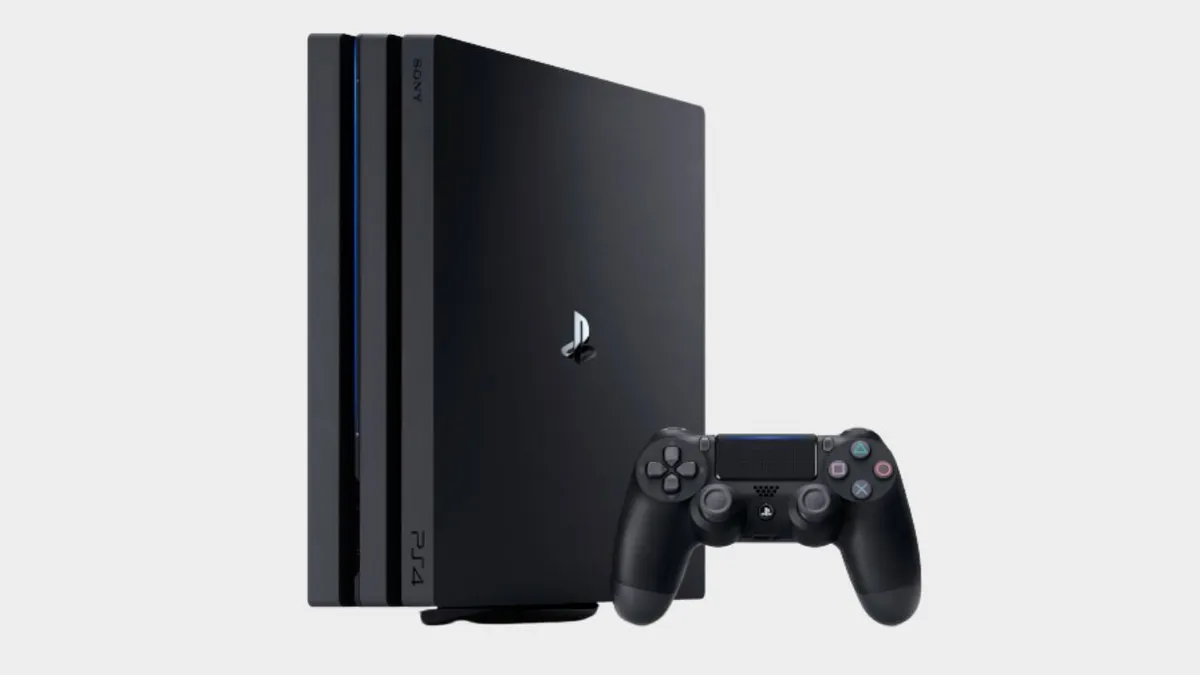
PS4

(Image credit: Sony)

PS4 error NP-34957-8

“Server communication error.”

This error code might appear if your PS4 is having connection issues, however it might not be on your end. Firstly, check the PlayStation Network status page to see if PSN is down or not. If PSN is down, you’ll just have to be patient and wait for it to come back online. However, if things are working on that end, it’s likely that your internet connection is causing issues. Try turning off your router, waiting at least five minutes, and then restarting it.

PS4 error WS-37469-9

“Failed to connect to the server.”

This PS4 error code is much the same as NP-34957-8 above, so check on the status of the overall PlayStation Network to begin with, and if no issues are reported there then investigate your own internet connection further to ensure everything is working correctly.

PS4 error WS-37398-0 / WS-38481-4

"An error has occurred."

These error codes usually appears during PSN server outages, preventing you from logging in to the network. As with the previous error code, you should check the PSN status page to see if the service is down or not.

© GamesRadar+. Not to be reproduced without permission.

TOPICS
PlayStation Network Sony
Will Sawyer
Will Sawyer
Social Links Navigation
Guides Editor, GamesRadar+

Will Sawyer is a Guides Editor at GamesRadar+ with over five years of experience in writing online guides, news, and features, and has a BA (Hons) in Journalism. Starting as a freelancer, Will contributed to startmenu and Game Rant before joining the GamesRadar+ team in August 2021. Since then, he has written hundreds of guides about a huge range of games, with shooters and action games being his areas of expertise. Outside of writing about games, Will hops between multiplayer shooters with friends, such as Darktide and Helldivers 2, and delves into whatever has been on his backlog for far too long. He also tries to get through his never-ending Warhammer pile of shame of grey Tyranids, Aeldari, and Chaos Space Marines.

With contributions from
  • Leon HurleyManaging editor for guides
  • Iain WilsonGuides Editor
Latest in PS4
Overwatch Jetpack Cat smiling smugly
"What if we could just drop 30 new heroes into Overwatch?": Marvel Rivals "definitely had an impact" on Blizzard
 
 
Overwatch's Brigitte offers you a hand up.
Overwatch director celebrates no longer being "the lowest-rated game on Steam" but he's not sure how to reach positive
 
 
The Texas Chain Saw Massacre
"They're not good enough," joke devs behind "self-feeding" horror giant stuck in the Steam Top 50 while others rot
 
 
A screenshot of Yoko Taro in the "Message from NieR: Automata director Yoko Taro" Square Enix video announcing Nier: Automata's Steam release.
Nier Automata's Yoko Taro thinks his generation of directors has "a lot of weirdos" and "oddballs," himself included
 
 
Key art for Diablo 4: Lord of Hatred showing Mephisto, a spiky and angular demon, against a red, lightning backdrop, arm and claw raised menancingly, cropped to show more of him
Diablo 4's endgame is about to look a lot more like Diablo 2's with low-level loot that can become legendary
 
 
Dead by Daylight
10 years later, one of the only live-service horror games still standing learned how to win the "hellish" attention war
 
 
Latest in Guides
Marathon unlocking faction upgrade from CyberAcme
How Marathon faction upgrades work and the best ones to get early
 
 
A broken Pokemon Center in a player's Pokopia Cloud Island.
How to create and visit a Pokemon Pokopia Cloud Island
 
 
The Ultra Rare Mew stamp from the Pokopia Stamp Rally.
Pokemon Pokopia Stamp Rally explained
 
 
A Graveler, one of the Pokopia crush Pokemon.
All Pokemon with the Pokopia Crush specialty
 
 
Marathon Cutthroat Competition Traxus contract looting in maintenance
How to find rod salvage for the Cutthroat Competition contract in Marathon
 
 
GTA Online Clovers
GTA Online Lucky Clover locations and how to find a Golden Clover
 
 
LATEST ARTICLES
  1. Nicole Kidman as Dr. Kay Scarpetta during the new show, Scarpetta
    1
    3 new to Prime Video shows I recommend you binge-watch this weekend (March 13–March 15)
  2. 2
    Resident Evil Requiem fans are imagining all the quips Leon would say in other games: "'Guess that's The Last of Him'"
  3. 3
    "Slay the Spire 2 has been out for merely a week and we have already hit 3 million units sold," says a stunned Mega Crit
  4. 4
    "What if we could just drop 30 new heroes into Overwatch?": Marvel Rivals "definitely had an impact" on Blizzard
  5. 5
    Overwatch director celebrates no longer being "the lowest-rated game on Steam" but he's not sure how to reach positive

GamesRadar+ is part of Future US Inc, an international media group and leading digital publisher. Visit our corporate site.

Add as a preferred source on Google Add as a preferred source on Google
  • Terms and conditions
  • Contact Future's experts
  • Privacy policy
  • Cookies policy
  • Accessibility statement
  • Careers
  • About us
  • Advertise with us
  • Review guidelines
  • Write for us
  • Accessibility Statement

© Future US, Inc. Full 7th Floor, 130 West 42nd Street, New York, NY 10036.

Please login or signup to comment

Please wait...