GamesRadar+ GamesRadar+
US EditionUS CA EditionCanada UK EditionUK AU EditionAustralia
Sign in
  • View Profile
  • Sign out
  • Games
    • Game Insights
      • Games News
      • Games Features
      • Games Reviews
      • Games Guides
      • Big in 2026
      • The Big Preview
      • On The Radar
      • Indie Spotlight
      • Future Games Show
      • Golden Joystick Awards
    • Genres
      • Action Games
      • RPGs
      • Action RPGs
      • Adventure Games
      • Third Person Shooters
      • FPS Games
    • Platforms
      • PS5
      • Xbox Series X
      • PC
      • Nintendo Switch
      • Nintendo Switch 2
      • Tabletop Gaming
    • Franchises
      • Grand Theft Auto
      • Pokemon
      • Assassin's Creed
      • Monster Hunter
      • Fortnite
      • Cyberpunk
      • Red Dead
      • The Elder Scrolls
      • The Sims
  • Entertainment
    • TV Shows
      • TV News
      • TV Reviews
      • Anime Shows
      • Sci-Fi Shows
      • Superhero Shows
      • Animated Shows
      • Marvel TV Shows
      • Star Wars TV Shows
      • DC TV Shows
    • Movies
      • Movie News
      • Movie Reviews
      • Big Screen Spotlight
      • Superhero Movies
      • Action Movies
      • Anime Movies
      • Sci-Fi Movies
      • Horror Movies
      • Marvel Movies
      • DC Movies
    • Streaming
      • Apple TV Plus
      • Disney Plus
      • Netflix
      • HBO
      • Amazon Prime Video
      • Hulu
    • Comics
      • Marvel Comics
      • DC Comics
    • Toys & Collectibles
    • Lego
    • Dungeons and Dragons
    • Merch
  • Hardware
    • Insights
      • Hardware News
      • Hardware Reviews
      • Hardware Features
    • Computing
      • Desktop PCs
      • Laptops
      • Handhelds
    • Peripherals
      • Headsets & Headphones
      • TVs & Monitors
      • Gaming Mice
      • Gaming Keyboards
      • Gaming Chairs
      • Speakers & Audio
    • Accessories & Tech
      • Gaming Controllers
      • Tech
      • SSDs & Hard Drives
      • VR
      • Accessories
      • Retro
  • Deals
    • Game Deals
    • Tech Deals
    • TV Deals
    • Buying Guides
  • Video
  • Newsletters
    • Quizzes
    • About Us
    • How to pitch to us
    • How we score
    • Newsarama
    • Retro Gamer
    • Total Film
  • home
  • Games
    • View Games
      • Games News
      • Games Features
      • Games Reviews
      • Games Guides
      • Big in 2026
      • The Big Preview
      • On The Radar
      • Indie Spotlight
      • Future Games Show
      • Golden Joystick Awards
      • Action Games
      • RPGs
      • Action RPGs
      • Adventure Games
      • Third Person Shooters
      • FPS Games
    • Platforms
      • View Platforms
      • PS5
      • Xbox Series X
      • PC
      • Nintendo Switch
      • Nintendo Switch 2
      • Tabletop Gaming
      • Grand Theft Auto
      • Pokemon
      • Assassin's Creed
      • Monster Hunter
      • Fortnite
      • Cyberpunk
      • Red Dead
      • The Elder Scrolls
      • The Sims
  • Entertainment
    • View Entertainment
    • TV Shows
      • View TV Shows
      • TV News
      • TV Reviews
      • Anime Shows
      • Sci-Fi Shows
      • Superhero Shows
      • Animated Shows
      • Marvel TV Shows
      • Star Wars TV Shows
      • DC TV Shows
    • Movies
      • View Movies
      • Movie News
      • Movie Reviews
      • Big Screen Spotlight
      • Superhero Movies
      • Action Movies
      • Anime Movies
      • Sci-Fi Movies
      • Horror Movies
      • Marvel Movies
      • DC Movies
    • Streaming
      • View Streaming
      • Apple TV Plus
      • Disney Plus
      • Netflix
      • HBO
      • Amazon Prime Video
      • Hulu
    • Comics
      • View Comics
      • Marvel Comics
      • DC Comics
    • Toys & Collectibles
    • Lego
    • Dungeons and Dragons
    • Merch
  • Hardware
    • View Hardware
      • Hardware News
      • Hardware Reviews
      • Hardware Features
      • Desktop PCs
      • Laptops
      • Handhelds
    • Peripherals
      • View Peripherals
      • Headsets & Headphones
      • TVs & Monitors
      • Gaming Mice
      • Gaming Keyboards
      • Gaming Chairs
      • Speakers & Audio
      • Gaming Controllers
      • Tech
      • SSDs & Hard Drives
      • VR
      • Accessories
      • Retro
  • Deals
    • View Deals
    • Game Deals
    • Tech Deals
    • TV Deals
    • Buying Guides
  • Video
  • Newsletters
    • Quizzes
    • About Us
    • How to pitch to us
    • How we score
    • Newsarama
    • Retro Gamer
    • Total Film
Trending
  • Pokemon Winds and Waves
  • New Games for 2026
  • GamesRadar+ Replay
  • Mario Day deals
Don't miss these
HP Omen Max 16 gaming laptop on a wooden desk
Laptops The best gaming laptop 2026 - HP holds first place as budget machines battle it out
Corsair Galleon 100 SD gaming keyboard on a wooden desk
Gaming Keyboards Corsair's on a roll, this Stream Deck-toting deck is now officially the best full-sized gaming keyboard I've tested so far
SteelSeries Arctis Nova Pro Wireless gaming headset
Headsets & Headphones Best gaming headset 2026 - my go-to cups for every platform
Five different gaming controllers for PC scattered around a desktop surface
Gaming Controllers The best PC controller for gaming 2026
Close up on macro buttons on the side of the Corsair Vanguard Pro 96 gaming keyboard
Gaming Keyboards Best gaming keyboard 2026: the Vanguard stands strong with another new entry for Corsair
A reviewer holding the Asus ROG Raikiri 2
Gaming Controllers The Asus ROG Raikiri II's microswitch buttons are on par with the Razer Wolverine V3 Pro for less money
LG UltraGear  32GS95UE-B gaming monitor with Pharah from Overwatch 2 on screen on woodgrain desk
TVs & Monitors The best gaming monitor 2026: the most impressive displays I've tested this year
Steam Deck with mascot face on screen surrounded by compatible Steam Deck docks
Handhelds The best Steam Deck dock 2026: the handheld docking stations I'd recommend
Streaming for gamers
Hardware Best live streaming gear for gamers 2026: The best setups for beginners and pros
The GT Omega Pro Series Gen 2 next to a black and green Razer gaming chair
Gaming Chairs Best gaming chairs 2026: The best options for work and play
Verbatim portable monitor with Overwatch 2 character select screen on display next to two Squishmallow frogs
TVs & Monitors The best portable monitors for gaming 2026
Acer Predator Orion X review  of the PC next to another ITX chassis
Desktop PCs The best gaming PC 2026: Find your perfect pre-built powerhouse
LG OLED G4 TV with Overwatch 2 on screen and Pharah selected
TVs & Monitors The best gaming TV 2026: my top high-spec living room screens
BenQ Mobiuz EX321UX monitor on desk with Overwatch 2 gameplay on screen.
TVs & Monitors The best monitor for PS5 2026: high spec screens for the OG and Pro
Side of Razer BlackShark V3 Pro earcup on a wooden desk
Headsets & Headphones The best PC headset for gaming 2026
  1. Hardware
  2. TVs & Monitors

Razer Monitor Stand Chroma review: “a pretty but flawed premium RGB riser for your gaming desk”

Reviews
By Phil Hayton published 27 March 2025
0 Comments Join the conversation

When you purchase through links on our site, we may earn an affiliate commission. Here’s how it works.

Razer Monitor Stand Chroma on desk with blue lighting reflecting off surface and Alienware gaming monitor on top.
(Image credit: © Future / Phil Hayton)

GamesRadar+ Verdict

The Razer Monitor Stand Chroma will add tasteful RGB to your desk while helping you add monitor height for screens without adjustment. However, its $199 / £169 price tag means it's more of a luxury add-on than an essential, and limited USB-C hub functionality, app quirks, and space limitations underneath mean your mileage with this riser will vary.

$169 at Amazon
$169 at Amazon
$229.99 at Razer
Check Walmart

Pros

  • +

    Solid build quality

  • +

    Stylish RGB

  • +

    HDMI output

  • +

    USB-C hub

Cons

  • -

    Synapse and Chroma apps are finnicky

  • -

    Space underneath is limited

  • -

    No Power Delivery

Best picks for you
  • Best gaming desk 2026: all the surfaces I'd use for PC and console setups
  • Best gaming chairs 2026: The best options for work and play
  • Best Razer headsets 2026: the top sets compared

Why you can trust GamesRadar+ Our experts review games, movies and tech over countless hours, so you can choose the best for you. Find out more about our reviews policy.

I don’t normally get on with desk risers, so I wasn’t entirely sure the Razer Monitor Stand Chroma would be my jam before testing. In some ways, they feel like a relic from a bygone era, originally whipped up to give your gaming monitor some height in the absence of new-age, fancy adjustable pedestals. But it turns out there are more reasons to pick one up other than ergonomics, and while this premium option has various flaws, it is an effective add-on.

Hold up, before you get excited, just know that the Razer Monitor Stand Chroma comes in at $199 / £169. Let’s be real – that’s a big ask since many of the best gaming monitor options practically boast the same features as this desk accessory, including height adjustment, a USB hub, and even RGB lighting. Ultimately, this add-on is for those of you with an older screen that could do with a little love, and even then, there’s a case to be made for just putting the $200 towards a new display.

I’m off to a harsh start with the Monitor Stand Chroma, but bear with me, as it does have plenty of decent qualities. As a gaming desk accessory, it’s going to help tie your setup together with centralized connectivity and more room for storage. It also looks pretty snazzy once you’ve got everything set up and Razer’s RGB lights twinkling, and for some of you out there, $200 could help breathe some life into your ensemble.

Design
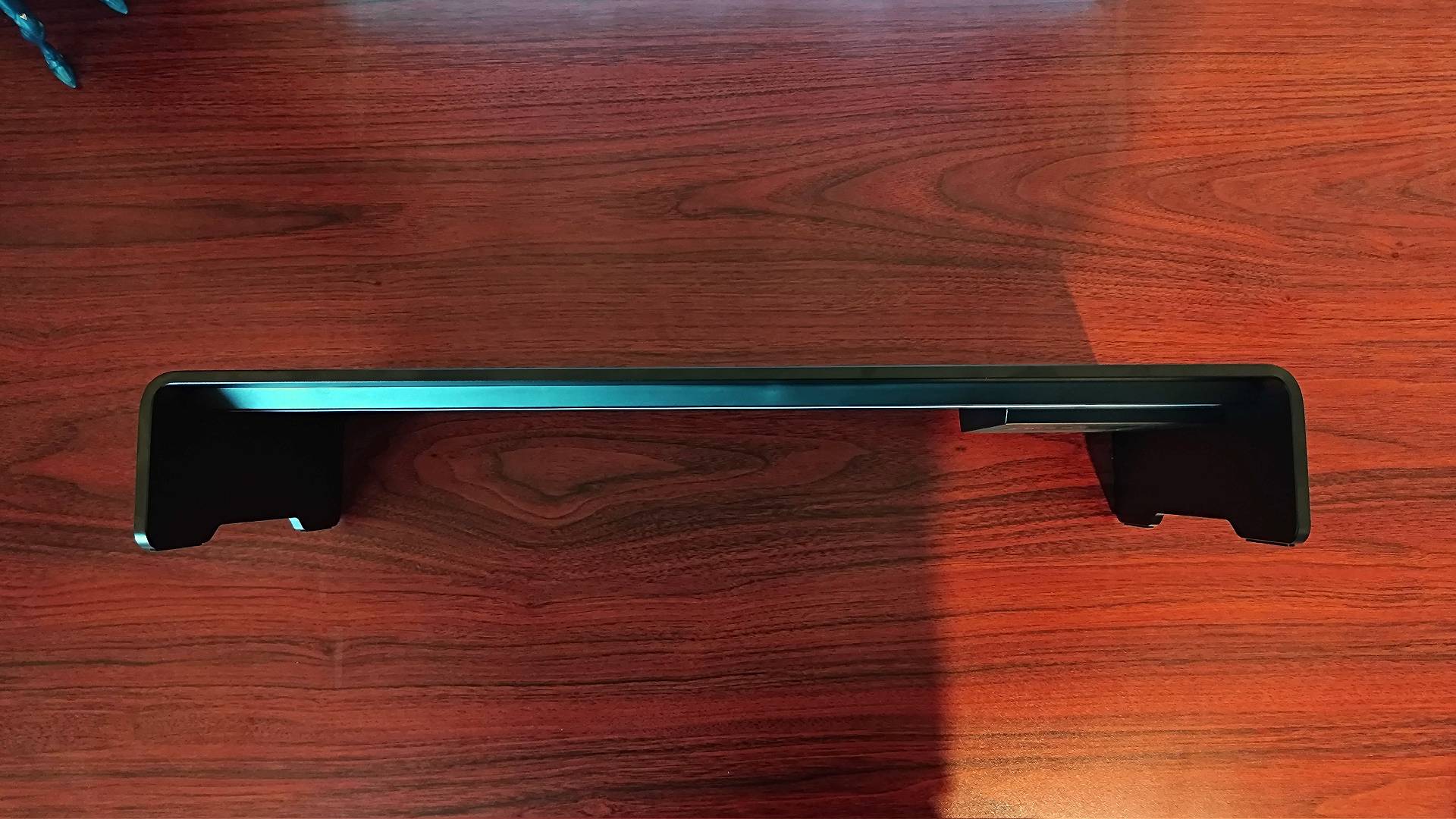
Image 1 of 3
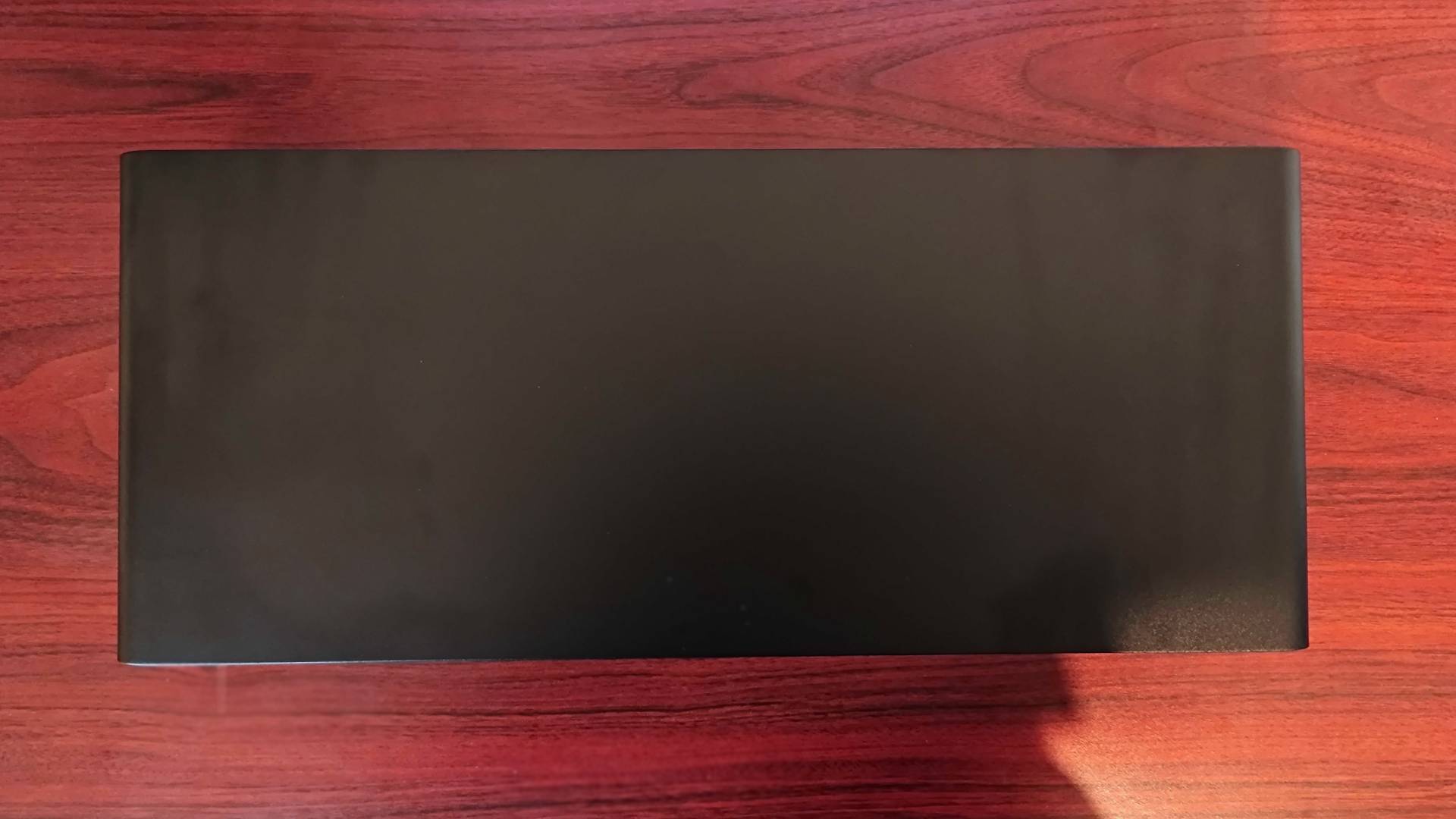
Razer Monitor Stand Chroma lying on woodgrain desk with front facing upwards.
(Image credit: Future / Phil Hayton)
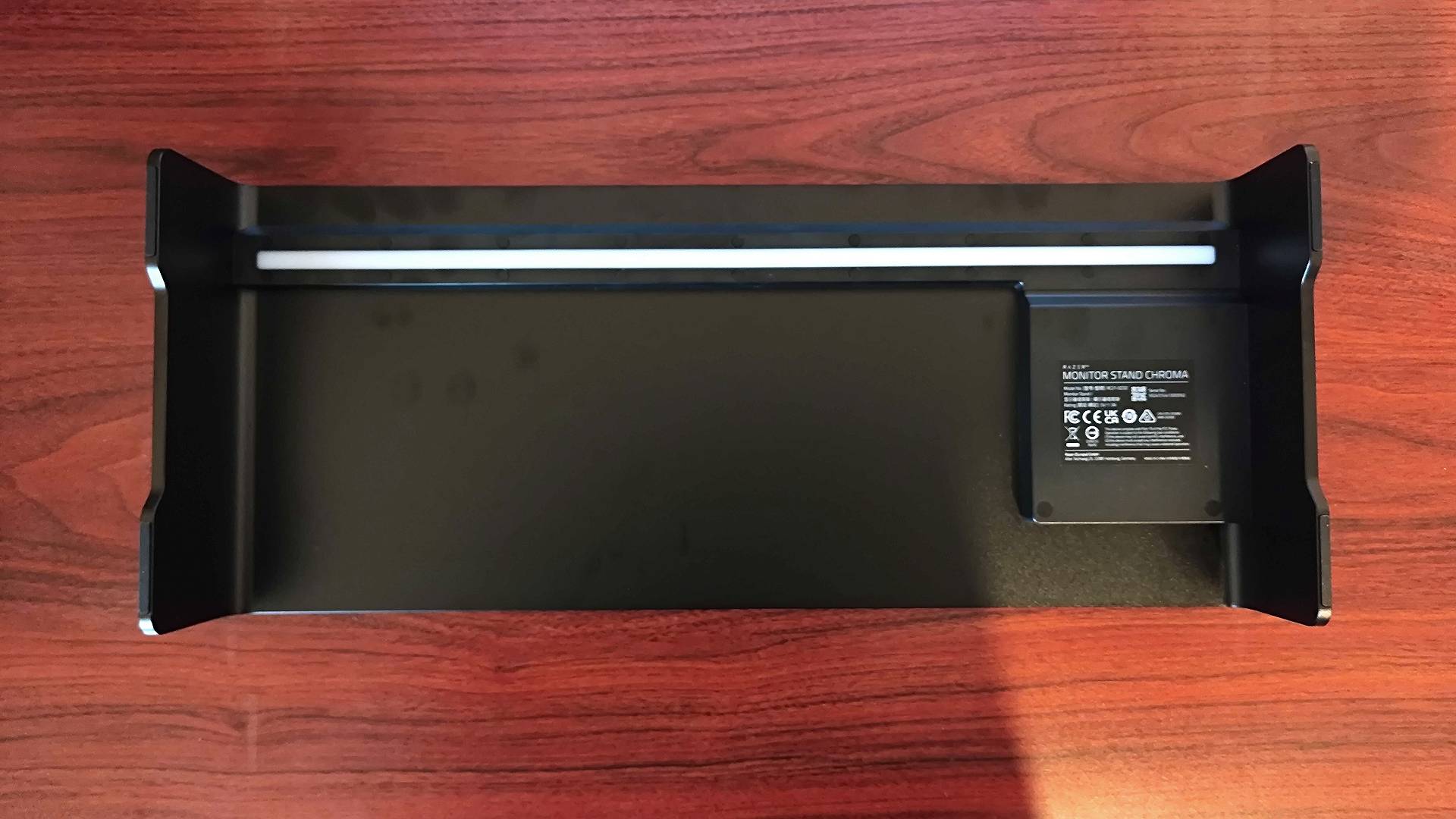
Razer Monitor Stand Chroma lying on woodgrain desk with top facing upwards.
(Image credit: Future / Phil Hayton)
Razer Monitor Stand Chroma lying on woodgrain desk with bottom facing upwards.
(Image credit: Future / Phil Hayton)

Razer has this whole thing of making surprisingly understated accessories. You wouldn’t think that to be the case since it’s one of the older “gamer” brands out there that’s renowned for arming everything in RGB. However, most peripherals on the market right now by the gadget maker are pretty minimalist, and the Monitor Stand Chroma follows that trend.

The Razer Monitor Stand Chroma is effectively one big piece of aluminum with no detailing or notable emblems on its exterior. At a glance, I could see myself mistaking it for an ordinary desk riser with no features beyond being a couple of inches high, but that’s great if you’re trying to tie it in with an existing setup easily.

Key specs

Ports: USB 3.2 hub (2 x USB-A, 2 x USB-C)
Dimentions: 500 mm x 210 mm x 78.5 mm (19.7 inch x 8.27 inch x 3.09 inch)
Weight: 2.5 kg (5.51 lbs)
Supported weight: 20kg (44lbs)
Material: Anodized Aluminum
Warranty: 2 years

It's going to effectively look like a natural part of a black desk, especially if you use something like the Secretlab Magnus Pro. That was likely the intention with the Razer Monitor Stand Chroma, so just to be awkward, I’ve pitched it up on top of the dark woodgrain Flexispot E7 Plus. It thankfully doesn’t look out of place, and the desk’s surface actually has enough sheen to nicely bounce the RGB lighting stowed away under the front lip.

At this stage, I’d be appalled if Razer didn’t get RGB placement right. With the Monitor Stand Chroma, it places a diffused strip out of sight underneath so that you’ll never directly see the diodes or any illumination. Instead, you’ll get a gentle glow that’s bright enough to be worth having but avoids looking garish or piercing your eyeballs. I’ve witnessed enough bad lighting attempts in my lifetime, from undiffused strips around friends' walls to accessories with single, exposed LEDs, so I’ve come to appreciate the art of tasteful illumination.

Sign up to the GamesRadar+ Newsletter

Weekly digests, tales from the communities you love, and more

By submitting your information you agree to the Terms & Conditions and Privacy Policy and are aged 16 or over.

Side view of Razer Monitor Stand Chroma ports.

(Image credit: Future / Phil Hayton)

Everything else the Razer Monitor Stand Chroma has to offer is on the right. You’ll find two USB ports and a USB-C on the side and a port for power and HDMI on the back. I’m in two minds about this placement since having wires firing outwards can look a little messy, but most players are going to use these connections for easy access or when using a portable device like a gaming handheld or laptop.

As a riser, the physical side of things arguably matters more, so it’s worth delving into what the Razer Monitor Stand Chroma offers in terms of space. On top, you’re getting a 500 mm x 210 mm rectangle platform for your monitor to sit on, and if you’ve got a regular pedestal stand, that’s going to work just fine. I’m currently using the Alienware AW2725Q to test, and it’s an ideal candidate side its base fits on top like a glove.

That said, if your screen has a V-shaped stand, you may run into some issues with the Monitor Stand Chroma. You’ll have a bit of overhang if using something like the Lenovo Legion Y34wz-30, and you’ve got no chance of perching the BenQ Mobiuz EX321UX on top since it opts for a narrower angle. Simply put, you’ll have to get the measuring tape out before buying this add-on for your current screen, and I’d say it’s better suited to 27-inch panels with a centralized pedestal.

Close up of Razer Monitor Stand Chroma with blue light reflecting off desk and Alienware monitor pedestal on top.

(Image credit: Future / Phil Hayton)

As above, so below – the Razer Monitor Stand Chroma uses that same footprint to return some space to you on the underside. It’s easy to forget that monitor stands are effectively eating up play space, and options like the Sony Inzone M10S actively try and keep pedestals ultra low profile so you can still use the area under your screen, desk risers still make for the best way to claw back some ground.

I do think Razer has missed a big trick when it comes to height, though. Gaming keyboards, laptops, handhelds, and other gadgets are all going to tuck nicely under the riser, but you can forget about most soundbars. Even the company’s own Leviathan V2 is too tall and wide to slide underneath, which just feels plain silly.

Still, as someone who sometimes does more than play Overwatch 2 at their gaming desk, it’s nice having somewhere to throw my keyboard and mouse while keeping them within reach. I have a bad habit of actually moving all my peripherals out of sight when modding Game Boys or working on PC builds, but this riser has empowered me to not do that so as to still have easy access to my rig during projects.

Features

Razer Monitor Stand Chroma on desk with Alienware gaming monitor on top and Chroma app on screen.

(Image credit: Future / Phil Hayton)

Razer’s Monitor Stand really has one main mission – add height to your screen. It’s a boring endeavour, but as someone who was a “DSE” (display screen equipment) assessor for an office in a previous life, I’m fully aware of the importance of ergonomics. Plenty of screens out there these days are height adjustable, but older and cheaper models won’t be able to pull themselves to your eyeline. Some more recent examples include the KOORUI GN02, but even screens like the Odyssey G5 aren’t maneuverable.

I’m not going to dictate to you how high your screen should be, as that’s no fun. However, just know that if your monitor is too high or low, it can lead to neck strain and other issues if you sit at a desk for long sessions. These are normally warnings that crop up in working environments where repetitive strain is a risk, but I’ve experienced a notable difference in the way I play shooters like Overwatch 2 when things aren’t at the right height. Looking at the wrong angle greatly impacts how I’m able to throw around my mouse and respond in game, so that’s worth noting if you’re trying to nail a comfortable, competitive setup.

There aren’t many screens out there these days that aren’t height adjustable, but if you do end up with the likes of the cheaper KOORUI GN02 or even the older Samsung Odyssey G5, the Razer Monitor Stand Chroma could be a big help. Yes, there are risers out there that aren’t $200, but you are getting more than just a plinth here.

For starters, the built-in USB 3.2 hub will provide your rig with additional speed ports, and that could be incredibly useful if, like me, you’re overwhelming your system with peripherals. You’ll also be able to tap into HDMI 2.0 output, but it won’t replace your Steam Deck dock since there’s no Power Delivery functionality here or compatibility with an external charger. It will work well with something like the Lenovo Legion Go S, though, since that handheld has a separate port for charging and accessories.

Closeup of Razer Monitor Stand Chroma HDMI port and USB-C on back of riser.

(Image credit: Future / Phil Hayton)

It’s got Chroma in the name, so you should be surprised that Razer’s Monitor Stand features strong RGB abilities. You’ll be able to dive into a wealth of customization options using the brand’s Synapse and dedicated Chroma app, enabling you to do to everything from sync up other devices with the sale color patterns, set the riser to respond to specific PC games, and even using it as a music visualizer.

I’ve currently got the riser flashing away to the sweet sounds of Satanized by Ghost as I write this, and it’s giving PS1 CD player visualizer vibes. You can also sync Chroma up to compatible games, but from what I can tell, updates can completely disrupt compatibility. Cyberpunk 2077 is seemingly a victim of that since it completely failed to respond, but I managed to get DOOM up and running with some aggressive red flashing when near fire and bright green pickups.

The color customization is seemingly endless with the Razer Chroma app since you can tweak things based on specific lighting zones and set ambient awareness for your on-screen visuals. There’s a deep RGB rabbit hole to be found here, and if you’re not into messing around with complex options, you’ll have less to gain from the Monitor Stand. It can also be a pain messing around with all the various dials since changing one setting can come with consequences, and after I inadvertently set things incorrectly in Synapse, it took me around 20 minutes to work out what the issue was.

Performance

Razer Monitor Stand Chroma with pink lights reflecting of desk and keyboard tucked underneath.

(Image credit: Future / Phil Hayton)

In its default state, the Razer Monitor Stand Chroma performs as it should – linking up to connected devices, providing HDMI output, and dressing up your desk with a nice RGB glow. I didn’t have to deal with any weird connection issues via USB-C, and I was able to use the riser as a makeshift docking station for the Lenovo Legion Go S without a hitch. I couldn’t get the Steam Deck OLED to play ball, though, since there’s no way to power everything with Valve’s handheld hooked up.

Physically, the stand is also solid, and I doubt you’ll find a monitor that will stress out the metal frame. The coated aluminium is pretty robust too, so it should hold up wear and tear wise without looking scrappy over time. I wouldn’t really expect anything less from a $200 riser, but it’s still a reason to invest over plastic and MDF alternatives.

The built-in RGB lighting is pretty pleasing and offers up full coverage across the stand’s width, but brightness is limited. The illumination does work work cranked up to 100%, so I wouldn’t say it’s completely missing the mark. Where it did start to matter is in games like DOOM where it felt like it was reduced to 50% when trying to sync up with on-screen colors.

That could be a symptom of general game compatibility and the Synapse Chroma app combo, which comes with its fair share of quirks. On occasion, the Monitor Stand would just go in a huff in response to me switching options, either getting stuck on specific colors or turning illumination off entirely. I’m also not really buying the need for separate programs for hardware configuration and customizing RGB, as having to hop between both just feels like a faff.

Should you buy the Razer Monitor Stand Chroma?
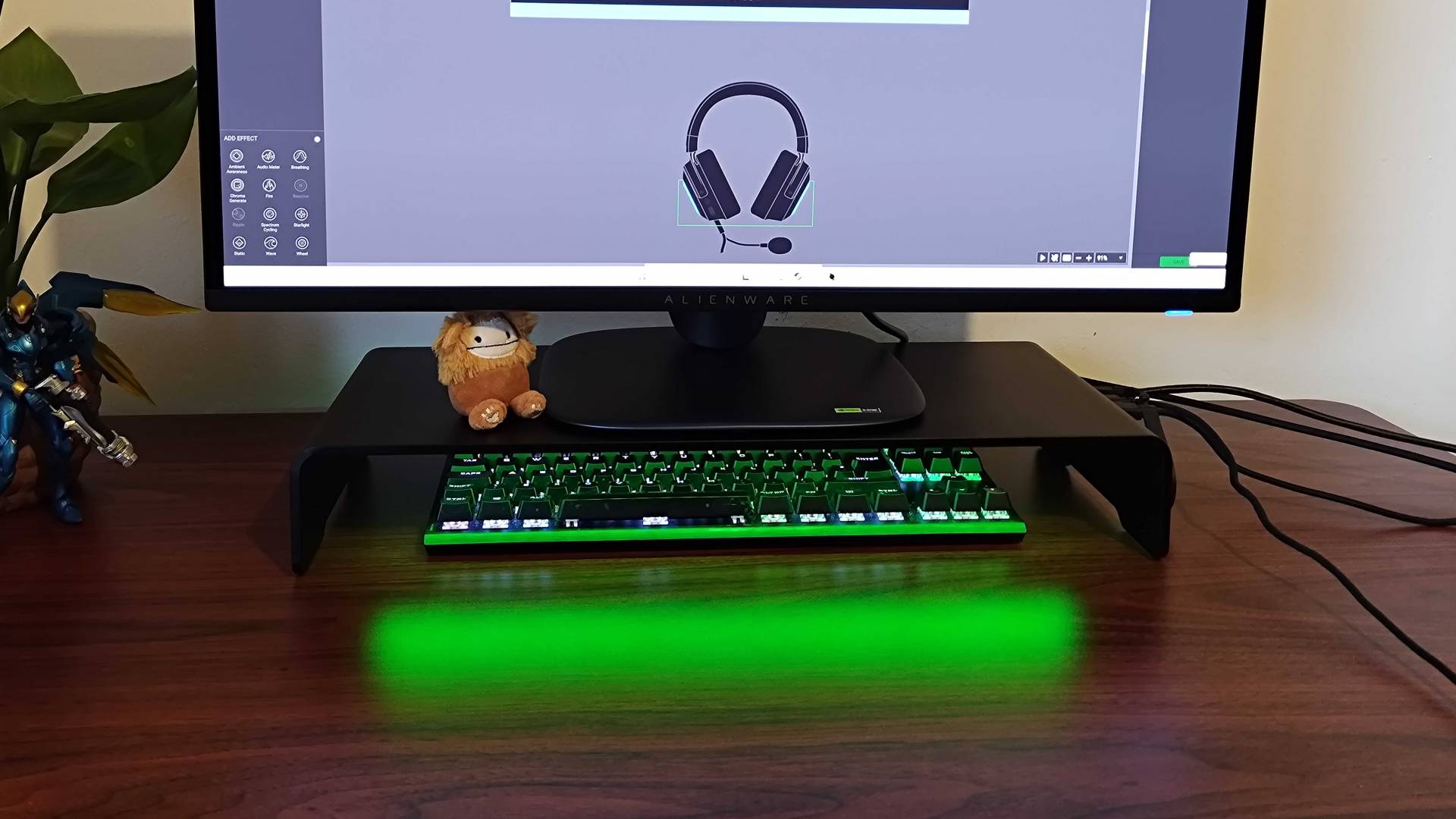
Image 1 of 1
Razer Monitor Stand Chroma with green RGB lighting reflecting off desk and Alienware monitor on top.
(Image credit: Future / Phil Hayton)

The Razer Monitor Stand Chroma makes for a premium perch for your gaming monitor with some ultra-stylish RGB abilities to boot. Whether you’ll want to fork out $200 for one is a different story, as it absolutely feels more like a luxury that will only bring ergonomic benefits to some screens without height adjustability. Even then, the pedestal size will hamper your efforts to successfully plop some displays on top of this add-on, which again narrows down the number of players who can actually enjoy this riser.

If you love all things Razer and would like to add even more RGB to your desk, the Monitor Stand Chroma will already be on your wishlist. Otherwise, I’d wait for a decent discount before considering the riser. It's pretty, well-made, and has some nice connectivity features, but you could use the funds to pick up a newer monitor that will solve more than half of those issues.

But hey, at least it will give you somewhere to shove your keyboard when you decide to build some Lego instead of diving into Steam games.

How I tested the Razer Monitor Stand Chroma

For two weeks, I used the Razer Monitor Stand Chroma as part of my main gaming setup by plugging it into my gaming PC. In that time, I used the integrated hub with my gaming keyboard and mouse to test reliability and speed, but I also plugged in the Lenovo Legion Go S to access the riser’s HDMI 2.0 output on a mobile device.

To try out Synpase and Chroma features, I played various tracks on Spotify with the stand’s visualization settings and games like DOOM and Cyberpunk 2077 to check game integration. I also spent time in each app adjusting each setting to assess effectiveness and whether each would function as intended.

For more information on how we review desk accessories and other add-ons, check out our full GamesRadar+ hardware policy.

Razer Monitor Stand Chroma: Price Comparison
Razer Monitor Stand Chroma: 4...
Amazon
Prime
$169
View
Computer Accessories &...
Amazon
$229.99
$169
View
Razer Monitor Stand Chroma
Razer
$229.99
View
Walmart - View Similar
Walmart
No price information
Check Walmart
We check over 250 million products every day for the best prices
powered by
Gamesradar
TOPICS
Razer
Phil Hayton
Phil Hayton
Social Links Navigation
Hardware Editor

Phil is the Hardware Editor at GamesRadar+ who specializes in retro console setups, choosing the latest gaming handhelds, and navigating the choppy seas of using modern-day PC hardware. In the past, they have covered everything from retro gaming history to the latest gaming news, in-depth features, and tech advice for publications like TechRadar, The Daily Star, the BBC, PCGamesN, and Den of Geek. In their spare time, they pour hours into fixing old consoles, modding Game Boys, exploring ways to get the most out of the Steam Deck, and blasting old CRT TV visuals into their eye sockets.

You must confirm your public display name before commenting

Please logout and then login again, you will then be prompted to enter your display name.

Read more
Photo of the charging stand lit up in the dark, with its LED lighting glowing around the base.
The iMP Gaming DLX2 Nintendo Switch 2 Charging Stand came to the rescue of my gaming clutter
 
 
Flexispot E7 Plus in standing mode with Game Boy and screwdriver set sitting on top
Best gaming desk 2026: all the surfaces I'd use for PC and console setups
 
 
Corsair Galleon 100 SD gaming keyboard on a wooden desk
Corsair's Galleon 100 SD is the most fun I've had with a gaming keyboard for a while, but its price tag gets in the way
 
 
Photo of the white Kraken Kitty V3 Pro headset leaning against its box and a pink desk bookshelf.
The Razer Kraken Kitty V3 Pro proves that cat headsets can have style and substance
 
 
Close up of the side of a headset showing the HyperX logo, with a rainbow lit up base station in the background.
The HyperX Cloud Alpha 2 Wireless headset is quality and convenience rolled into one, but I'm not sure who it's for | Review
 
 
The GT Omega Pro Series Gen 2 next to a black and green Razer gaming chair
Best gaming chairs 2026: The best options for work and play
 
 
Latest in TVs & Monitors
Back of Samsung Odyssey OLED G6 monitor with RGB right light in view
Marathon is asking a lot of my reflexes, so I'm hunting down the best high refresh rate gaming monitors
 
 
27-inch KTC G27P6 OLED monitor on desk next to plant with Tomb Raider Trilogy gameplay on screen
Two years later, I'd still say this 1440p OLED monitor is the one to watch during sales like Presidents Day
 
 
1040Hz Samsung Odyssey G60H with blue backdrop and purple GamesRadar+ logos.
Samsung's 1040Hz gaming monitor isn't for mortals like me, and I know most of us lack the GPU
 
 
Hand holding remote in front of LG OLED C4 TV with Mario Kart World gameplay on screen.
New year, new TV? I'd highly recommend going for this older LG OLED for gaming in 2026
 
 
LG OLED C4 55-inch TV connected to Switch 2 with Mario Kart World gameplay on screen featuring Cow in cloud cart.
I just found a larger version of the LG OLED TV that transformed my console setup, hiding out at Amazon for a record low price
 
 
The text 'Cyber Monday deals' next to TVs from Samsung, Hisense and Sony.
I've found the cheapest 75-inch TVs in the Cyber Monday sales, big-screen entertainment for as little as $379
 
 
Latest in Reviews
Asus ROG Azoth 96 HE gaming keyboard on a wooden desk
The Asus ROG Azoth 96 HE has returned to take the magnetic crown, but that price tag is going to be a problem
 
 
A Thrustmaster T248R and its pedals on a grey carpet
The Thrustmaster T248R is making me question where a sim racing wheel with no direct drive and no modular wheelbase fits in the market in 2026
 
 
Ryan Gosling as Ryland Grace in Project Hail Mary
Project Hail Mary review: "Large scale sci-fi with tons of heart"
 
 
Slay the Spire 2
Slay the Spire 2 early access review: "Instantly familiar, but already bursting with new ideas"
 
 
Iñaki Godoy as Monkey D. Luffy Emily Rudd as Nami and Jacob Romero as Usopp standing on the deck of the Merry in One Piece season 2
One Piece season 2 review: "It's hard to imagine a better version of One Piece in live action"
 
 
The player raises their fist as it glows blue in Monster Hunter Stories 3: Twisted Reflection
Monster Hunter Stories 3 review: "This Pokemon-like JRPG evolves to almost match the highs of the main series' hunts"
 
 
LATEST ARTICLES
  1. Bill Skarsgård as Pennywise in the It: Welcome to Derry finale
    1
    It: Welcome to Derry season 2 is definitely in the works, as showrunner promises to "deliver something that is greater" than season 1
  2. 2
    14 years later, former EA exec is still mad about getting the "Worst Company in America" award over BP and Bank of America just because "f***ing Colonel Shepard dies in Mass Effect 3"
  3. 3
    55-year games industry vet helped make the first CRPG, got laid off, went bankrupt, but said "I don't care" as long as he got to keep crafting games: "A business does not love you back, unless you are a business person"
  4. 4
    I thought nothing could replace Animal Crossing for my nightly cozy vibes, but Pokopia's delightfully unhinged dialogue is very tempting: "It's a pretty nice butt, don't you think? So shiny!"
  5. 5
    The Asus ROG Azoth 96 HE has returned to take the magnetic crown, but that price tag is going to be a problem

GamesRadar+ is part of Future US Inc, an international media group and leading digital publisher. Visit our corporate site.

Add as a preferred source on Google Add as a preferred source on Google
  • Terms and conditions
  • Contact Future's experts
  • Privacy policy
  • Cookies policy
  • Accessibility statement
  • Careers
  • About us
  • Advertise with us
  • Review guidelines
  • Write for us
  • Accessibility Statement

© Future US, Inc. Full 7th Floor, 130 West 42nd Street, New York, NY 10036.

Please login or signup to comment

Please wait...