





The best wireless gaming mice have a tough job in 2025. With high-speed polling rates and turbo-charged DPI sensors dominating marketing materials, many casual players can find themselves turning to overpriced tech they simply won't be making the most of. These terms are here to stay, though, so I've been putting all the latest rodents to the test to see which ones actually offer the best performance at the right price.
The best gaming mouse models on the market are generally wireless. A cord-free life is far more flexible when travelling, keeps your desk clear of clutter, and avoids any semblance of cable drag. That doesn't mean the untethered lifestyle is without its drawbacks though. I'm hunting down the best wireless gaming mouse options that offer high-end performance while also reporting reliably, maintaining a sturdy battery life, and staying comfortable for longer periods of time.
Right now, that's true of a number of pointers, but the best I've tested so far is the Logitech G Pro X Superlight 2 DEX. This is a smaller release from Logitech, and I'll admit I wasn't a massive fan of its predecessor. However, with greater focus on comfort and control in the design and a fantastic 888 IPS sensor under the hood, this is now the rodent to beat.
The quick list

The Logitech G Pro X Superlight 2 DEX has stormed onto the shelves, offering comfort, grip, speed, and a long battery life.

With a boosted battery life, fantastic sensor, and reasonable price tag, the Keychron M7 8K is the best value wireless pointer I've used so far.

The MSI Clutch GM31 has sailed down the price charts enough to be considered the best budget wireless pointer on the market - and it has a handy charging dock in the box.

The V3 Pro is a larger pointer with more buttons and a super comfortable design, but it also packs wireless charging functionality.

The Razer Deathadder V4 Pro is actually the top gaming mouse on the market overall, but its additional cables mean it's not quite as well suited to all wireless needs as the Superlight.

Excellent side buttons and unique Stream Deck integrations make the Corsair Scimitar Elite Wireless SE the best wireless MMO mouse on the market right now.
Load the next 3 products ↓

The Corsair Sabre V2 Pro Ultralight has the kind of weight you'd expect from a wired mouse, but still manages to offer a 2.4GHz connection with a sturdy build quality and decent battery life.

Three swappable side plates mean the Naga V2 Pro can be anything you want it to - all with a slick sensor and excellent connectivity.

With a set of Corsair switches and a Marksman sensor, as well as swappable side buttons, the Corsair M75 is the best ambidextrous option.

I've been reviewing gaming mice for GamesRadar+ for over four years now, first in a freelance capacity before joining the team full-time in 2021. I've had my hands on all shapes and sizes of rodent over those years, testing with a particular focus on comfort, speed, and - above all - value for money.
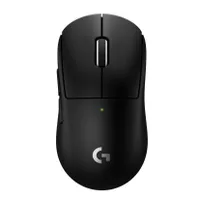
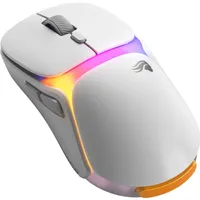
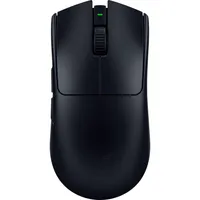
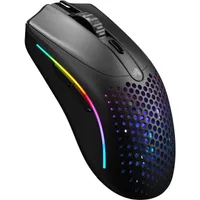
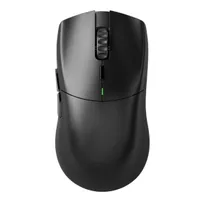
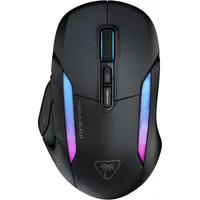
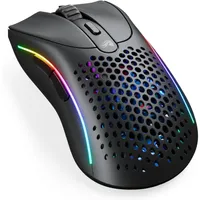
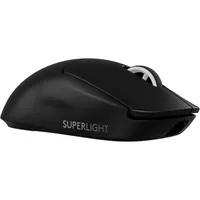
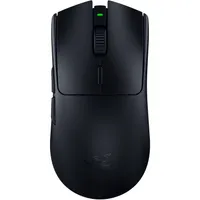
December 9 - Two new wireless gaming mice have been on the test bench in the last couple of months, but neither have troubled any of my favorites. The Glorious Model O 3 Wireless brings a unique hot-swappable battery to the market, but its price tag doesn't exactly justify the benefit. Meanwhile, the Logitech G Pro X Superlight 2c offers a more compact alternative to the DEX model at number one, but largely packs the same punch in a more niche form factor. Both have been added to the 'also tested' section below, and relevant entries have been updated with additional context.
Expand update log
October 20 - The Corsair Sabre V2 Pro Ultralight has stealthed its way onto this list, offering an almost imperceptible 36g form factor and flying under the radar with a super subtle aesthetic. With that 8,000Hz wireless polling rate and still-solid 70 hour battery life, this rodent is working particularly hard at under $100.
The best wireless gaming mouse overall


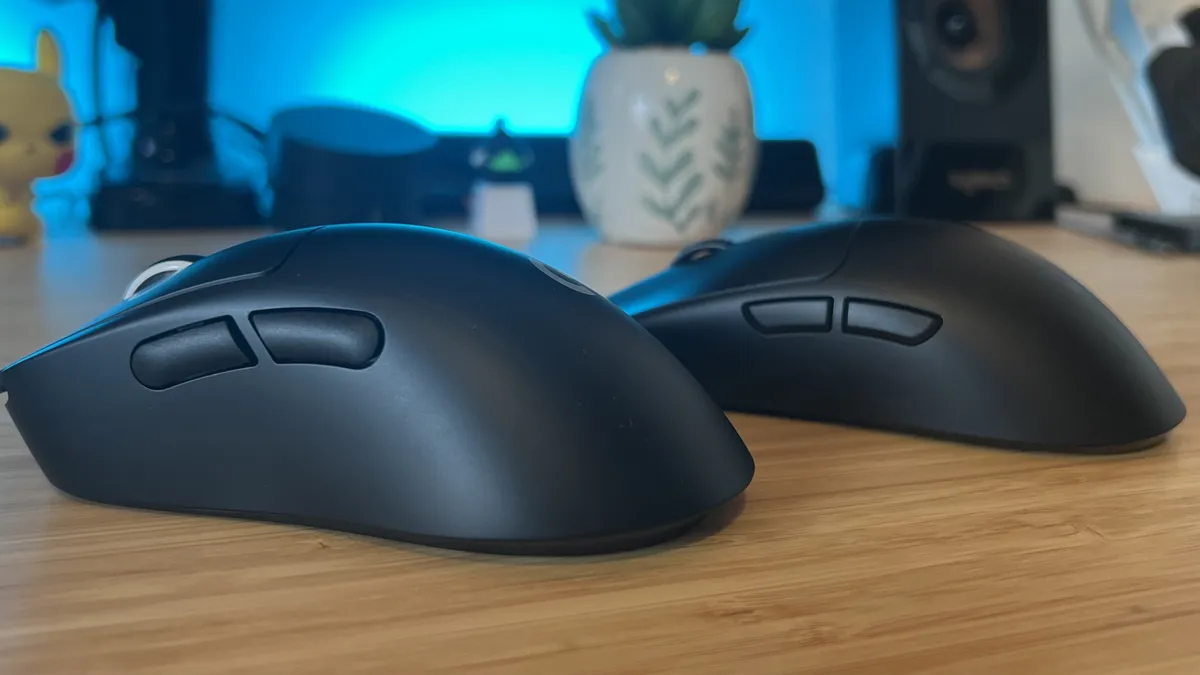


The Logitech G Pro X Superlight 2 DEX not only improves on the original Superlight 2 in its form factor and build, but also knocks the Razer Viper V3 Pro off the top spot in the process. That's because of its higher quality sensor, with a faster 888 IPS tracking speed, longer in-testing battery life, more comfortable form factor, and simple 8,000Hz polling receiver. This is one of the best pointers I've tested in a long time.
✅ You're a competitive player: If speed is your number one priority then there's no better rodent for you. This thing is super lightweight and packs an incredibly responsive sensor under the hood.
✅ You don't like skinny FPS mice: Gaming mice designed for FPS games have traditionally been much smaller, but the chunkier form factor here remains comfortable for even long sessions.
✅ You want access to 8K polling rates: You'll drop a little battery life, but if you want a turbo-charged wireless connection you'll get plenty of use out of these speedy rates.
❌ You use a fingertip grip: If you're one for a lighter touch, the higher dome of the Logitech pointer might be a little too constrictive for faster play. The relatively flat shape of the Viper V3 Pro is the better alternative here.
❌ You need Bluetooth support: Like most FPS-first mice, the Superlight 2 DEX doesn't offer a Bluetooth connection, so if you plan on using your pointer with multiple devices it's worth checking out some other options.
Design: Logitech has overhauled the shape of its Superlight 2 with the DEX model, deepening the groove on the left flank and providing more curves for additional support. While the original Logitech G Pro X Superlight 2 couldn't quite compete with the Viper in the comfort department, then, the DEX does a better job at staying both ergonomically sound and precise in-game. Held in a claw or palm grip, this extra attention to comfort provides plenty of support for the palm and controlling fingers, even though the higher dome means those with a fingertip grip will be better off with Razer's alternative.
At 60g, the DEX is light enough to still remain flickable and easy on the wrists without spinning out of control during more precise gameplay moments. If you're chasing the absolute lowest weight possible, though the newer Logitech G Pro X Superlight 2c offers a more compact model at 53g. However, I preferred the steady feel of Logitech's larger pointer overall.
Features: This is a competitive mouse for tournament-level players, so that 8,000Hz polling is good to see but not necessarily a must-have for most buyers. Still, it's the fastest polling rate we're seeing on gaming mice these days, and the Logitech G Pro X Superlight 2 DEX does it better than the Razer Deathadder V4 Pro (which recently claimed the top spot in my overall gaming mouse roundup) on account of its receiver. Razer still requires a whole cable and dongle setup, whereas the Logitech rodent can run at higher polling rates from the same dinky USB-A dongle. That makes transport and desk tidiness a lot easier. However, like a lot of FPS-first mice, there's no Bluetooth connection available.
Battery life is stated at up to 95 hours, but I hit far higher numbers than this in testing. Checking again, Logitech's suggested lifespan is counted in hours of continuous movement. During my day to day work, with a few hours of gaming in the evening, I measured the actual real-world battery life to be closer to 105 hours.
Separately, the Logitech G Pro X Superlight 2 DEX also has a particularly speedy sensor under the hood. While that jump to 44,000 DPI isn't going to benefit most players (you generally don't need more than 4,000 for most casual gameplay), it's the move to an 888 IPS tracking speed that caught my attention. It means the Superlight offers better precision at high-speeds than alternatives from Razer.
Performance: Logitech's super crisp main clicks are the stars of the show here, offering a robust and deep snap to every press that still manages to feel smooth and fast on the battlefield. It's rare to find a gaming mouse that nails the amount of tension under its main clackers so well, but shots feel precise and well-tuned while repeat presses stay speedy as well. That's a tough balance to strike.
That sensor does the lion's share in terms of speed and stability. I noticed it tracking particularly responsively across a range of different surfaces, with a nice feeling acceleration.
Verdict: The Logitech G Pro X Superlight 2 DEX has the Viper and Deathadder beat in a number of categories and, while it's a close call between these two champions, the DEX's comfort, sensor, and battery life give it the edge over Razer.
Read more: Logitech G Pro X Superlight 2 DEX review
Comfort |
5/5 |
Speed |
5/5 |
Programmability |
4/5 |
Connectivity |
4/5 |
Battery life |
5/5 |
The best value wireless gaming mouse


The Keychron M7 8K has a lot of competition, but it manages to stand tall against other mid-range wireless pointers thanks to its extra battery life, additional button controls, and impressive sensor specs. At $69.99, it's cheaper than the Razer DeathAdder V3 Hyperspeed (my previous top pick for value) while still improving on it in a number of areas.
✅ You want extra controls: A third side button might not sound like much, but it's a rarity at this price point and adds a surprising amount of versatility.
✅ You don't want to worry about battery: The M7 8K has a surprising amount of battery under the hood for its price tag.
✅ You want a solid all-rounder: With a wider base than most FPS-first devices, but a skinnier profile than MMO-heavy devices this is a true jack of all trades.
❌ You prioritize build quality: There's some flex to the underside here, and the cheaper plastic chassis does creak under pressure.
❌ You like textured grip: The matte finish isn't exclusive to this pointer - in fact, it's more popular than ever - but there are still grippier options on the market.
Design: The Keychron M7 8K takes an unassuming aesthetic, there are no glaring RGB lights or flared edges here. Instead, it's a clean and simple (black or white) device with the addition of a thumb rest on the left flank. A matte surface texture does get a little clammy after longer play sessions, and I naturally prefer a rougher material, but it's still plenty grippy. It's also perfectly in the middle of the size range. Skinnier mice will sacrifice a wider base for more nimble movements, but there's enough space here for a smaller palm grip or a more comfortable claw hold. I did, however, notice some flexing to the bottom panel and audible creaks under pressure.
Features: It's the sensor improvements (30,000 DPI and 750 IPS), 140 hour battery life, and additional Bluetooth support that put the Keychron M7 8K ahead of the competition. Those are numbers that keep the Cougar Revenger Pro 4K, Razer DeathAdder V3 Hyperspeed, and Razer Viper V3 Hyperspeed at bay. However, I was also particularly pleased to find that the entire device runs off a web-based customization process. That means no more software downloads clogging up your tray. On top of all that, there's an extra side button here - used for any of your usual keybindings or as a DPI slower.
Performance: The M7 8K runs beautifully in a range of games, with a low weight and fairly slim form factor that keeps faster twitch-reflex movements nimble without putting extra strain on the wrist. The sensor allows for lift-off distances as little as 0.7mm - a must-see for anyone prioritizing a low DPI for accuracy. Actual tracking is as good as you'll see outside of the truly premium models as well, with additional smoothing features baked in.
Verdict: You can spend a lot more on a wireless gaming mouse and sacrifice half these features. If you're after an all-rounder with a low weight, additional controls, and a sturdy battery life, the M7 8K is a go-to.
Read more: Keychron M7 8K review
Comfort |
4/5 |
Speed |
4/5 |
Programmability |
5/5 |
Connectivity |
5/5 |
Battery life |
4/5 |
The best budget wireless gaming mouse


The MSI Clutch GM31 was a little pricier when it first launched, but as it's sailed down the price charts in the last few months it's taken over from the Logitech G305 Lightspeed as the best budget wireless gaming mouse on the market. It's now available for around the same price as Logitech's entry, but with a lower weight and a wireless charging battery.
✅ You don't want to worry about battery - With a wireless charging dock included in the box, you won't have to worry about that charge dying in the middle of a game ever again.
✅ You prefer a skinny form factor - This mouse is modelled around more traditional FPS pointers, which means a slimline design and light profile - geared towards fingertip and claw grips.
✅ You play casually - That sensor isn't going to hold up to more competitive endeavors, but for casual play it's got more than enough juice.
❌ You use a palm grip - If you prefer to keep your hand flat on the mouse, the minute form factor of the MSI Clutch isn't going to feel too comfortable.
❌ You play competitively - The 12,000 DPI and, more importantly, 300 IPS tracking speed can't keep up with more competition-level gaming mice on the market.
Design: This is an FPS mouse through and through, which means you're getting a skinny form factor and smaller frame overall. That's perfect for those who use a fingertip or claw grip, even if its stature is too slim for a full palm hold. This is a slim mouse, but it still manages to retain its comfort thanks to fairly severe grooves in the left flank and a rubberized grip portion towards the bottom as well. The low price point is noticeable in the build materials, with a cheaper plastic construction, but everything still feels solid after a year's worth of use.
Features: Considering you can easily grab the MSI Clutch GM31 for less than $60 / £60 these days, its inclusion of a wireless charging dock feels particularly impressive. The mouse simply slots into the hub at the end of the day and juices up without the need for an extra cable. I have a particularly wire-heavy setup, so not having to tether my mouse in the middle of a workday has been particularly handy. You'd usually spend an extra $50 on top of the mouse price to secure a wireless charging dock for one of Razer's models.
Under the hood, a cheaper PixArt PAW-3310 sensor offers a conservative 12,000 DPI running at a 300 IPS tracking speed. Those are weaker specs than more premium mice, but it should be noted that the majority of casual players will struggle to push too far beyond 6,000 DPI in every day play. I usually have mine set to around 3,800, for example.
Performance: That less powerful sensor does make itself known if you're a particularly speed-focused competitive player, but for everyday action it's more than enough to see you through missions. Its form factor keeps it nippy under the hand, side-buttons are positioned for speed and accuracy, and battery worries are non-existent thanks to that charging hub (though you'll still get up to 110 hours if you're away from home).
Verdict: With its affordable price point, handy wireless charging dock, and slick form factor, the MSI Clutch GM31 is undercutting a lot of the market right now. With a year on the shelves bringing that MSRP down, it's the best budget option available.
Read more: MSI Clutch GM31 review
Comfort |
3/5 |
Speed |
3/5 |
Programmability |
3/5 |
Connectivity |
3/5 |
Battery life |
5/5 |
The best wireless charging gaming mouse
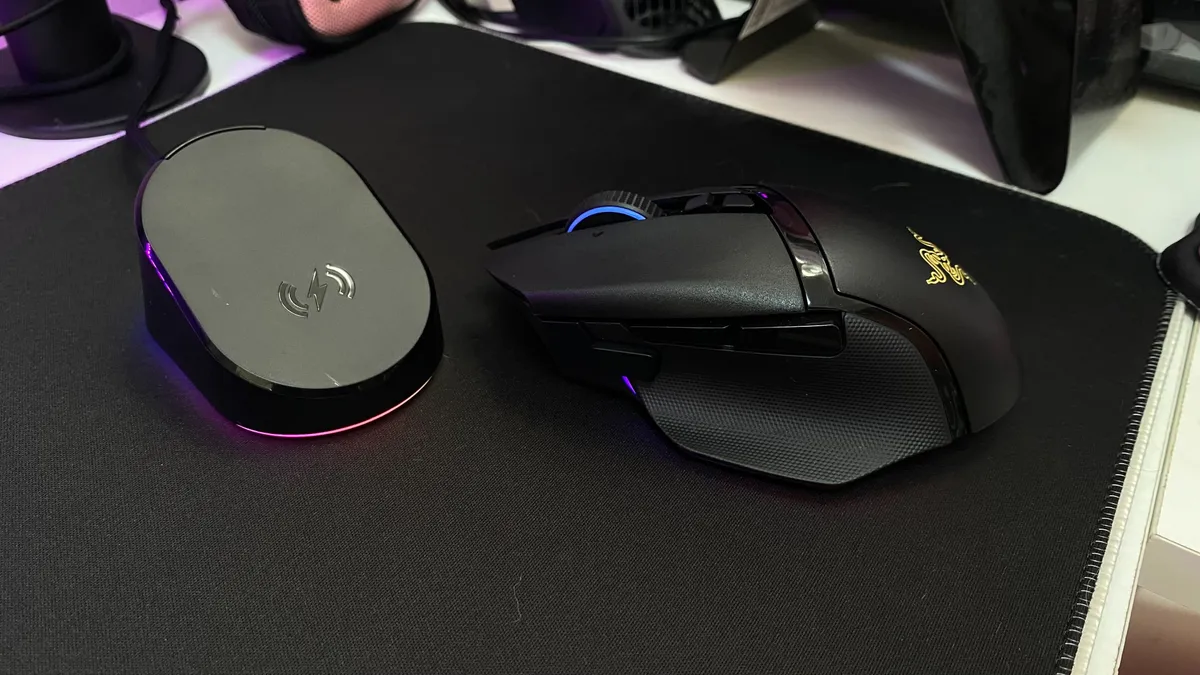


The Razer Basilisk V3 Pro is available with the best wireless charging pad available for gaming mice at the moment, via a combination of the Mouse Dock Pro and Razer HyperFlux V2. While purchased separately, it's much more than a simple charger, and it makes the Pro shine as a result.
✅ You don't want to plug in - We've all been there, half way through a match and suddenly needing to tether up. If you hate the feeling of cable drag, popping the Basilisk on its handy charger every night will mean you never have to plug in again.
✅ You prioritize customization over speed - Larger mice like this are all about adding extra mappable buttons. If you want all your controls directly at your fingertips and don't mind piling some weight on in the process, this is the mouse for you.
✅ You hate fiddly wireless chargers - With a magnetic base, the Razer Mouse Dock Pro allows for a simple drop and charge approach, rather than having to wiggle your mouse into a certain position to start charging.
❌ You only play FPS games - The larger body and heavier weight means this isn't one for those who mainline competitive FPS games, particularly if they play at a higher level online.
❌ You have a strict budget - The Mouse Dock Pro is an extra accessory that doesn't come in the box with the Basilisk V3 Pro. It's well worth it if you can afford it, but if you're working with a smaller budget something like the MSI Clutch GM31 above is going to fit better.
Design: This mouse features the same high-dome design as the cheaper Razer Basilisk V3, with underglow RGB, a generous thumb rest, and an angular aesthetic running across the top. A mixture of textured and glossy plastic keeps this design feeling dynamic without overstepping into gaudy territory - it looks slick on both a desk and tucked up on its charging dock. It's a little heavier than the competition, but is more easily wieldable than the Razer Naga V2 Pro above thanks to the longer shape and extra thumb support. Those factors also make it a more comfortable device overall as well.
Features: The Mouse Dock Pro provides a whole new level of connectivity, allowing for a 2.4GHZ connection without having a USB dongle. It's also a magnetic charger - a completely different format to other models which use pin connectors (like the MSI Clutch further up the page). You're also getting access to the Razer HyperFlux V2 mouse pad here, a harder surface that allows for wireless charging while you play. If you're after continuous charging without needing a separate mouse pad, it's worth investigating the Glorious Model O 3 Wireless. This is a slightly expensive option considering its specs, but its hot-swappable battery system adds a lot to its wireless versatility.
Of course, this is one of Razer's larger mice, looking to compete with the Logitech G502 X Plus in its 11 button array and comfort-orientated feature set. You do drop two buttons from Logitech's model here, but make up for it with a boosted sensor and that easy charging as well.
The Razer Basilisk V3 Pro 35K is a newer release, bumping that sensor up to 35,000 DPI. However, considering the older model is much cheaper these days - and very few players will actually need the extra headroom, it's not worth the upgrade based on speed.
Performance: Combining comfort with a high-end sensor, and adding unique extra features into the mix proves to be a winning formula for Razer. The Basilisk V3 Pro feels slick and smooth under the hand, even coming in handy for faster games where the higher weight might have previously held it back. Clicks are snappy and responsive, and all-day comfort is on the cards thanks to that ergonomic shape as well. The charging dock provides a slick 2.4GHz connection while also juicing up quickly and with far less effort than other models.
Verdict: The Razer Basilisk V3 Pro is a higher-priced model, especially when you factor the extra charge for the dock. It's the slickest implementation of wireless charging that we've seen, though, and the actual mouse impresses in its speed, comfort, and customization as well.
Read more: Razer Basilisk V3 Pro and Mouse Dock Pro review
Comfort |
5/5 |
Speed |
3/5 |
Programmability |
5/5 |
Connectivity |
4/5 |
Battery life |
4/5 |
The best wireless gaming mouse for FPS


The Razer DeathAdder V4 Pro is actually my top pick for gaming mice overall, it's just not quite as good at the wireless portion of that title as the Logitech G Pro X Superlight 2 DEX. That's because it uses a much larger receiver, where Logitech can get away with a more compact dongle that makes for far easier travel and a tidier setup. That's not to say everyone should be buying the Superlight instead - in fact, competitive FPS players should absolutely be turning to Razer.
✅ You play competitively: The price and feature set will only make sense if you're at the top of your game. If you're more of a casual player you'll still feel the luxury, but value won't build in the same way.
✅ You use a claw or palm grip: FPS mice used to be skinny to accommodate a fingertip grip. However, as the claw and palm grip have fallen into favor, mouse shapes have changed. This is one from the latter generation.
✅ You don't mind the extra cable: You may be upgrading to a wireless mouse to keep your setup cord-free, but if you don't mind adding another wire to your desk top this is where you should be looking.
❌ You prefer a shorter switch: The Deathadder V4 Pro feels a little hollow in its main clicks, which sometimes leaves them running a little longer.
❌ You want a tidier setup: One of the main reasons more casual players opt for a wireless mouse is to keep that setup tidy. If you're looking to declutter from cables, this isn't the mouse for you.
Design: This is a Deathadder through and through, with a wider body than more traditional FPS-first wireless gaming mice, but an emphasis on combining speed with comfort. That means you're getting an ergonomic darling straight out the box here, with a crisp white colorway up for grabs as well. It's particularly striking on the desk, and the silhouette perfectly fits a relaxed palm grip and more tensioned claw hold.
A matte surface and large, easily findable side buttons keep things precise on the battlefield, though the higher gradient of the Logitech G Pro X Superlight 2 DEX's side panels makes for a slightly more controlled grip overall.
Features: The Deathadder V4 Pro uses speedy optical switches under every button save for the two on the side. Under the hood, though, it's also sporting the fastest sensor I've had on the desk. Of course, very few players will actually make the most of that 45,000 DPI and 900 IPS but if you're a competitive player looking for the highest numbers on the market you've found them.
Frustratingly, the Deathadder V4 Pro still positions its DPI shifter on the underside of the device, though at least it's there. Plus, everything (including a new horizontal pan adjustment tool) is configurable in Synapse as well.
The 2.4GHz receiver dome is responsible for that esports-worthy 8,000Hz polling rate - but it also stops the V4 Pro from claiming the top spot on this guide. It's larger and requires an additional cable to keep running. Logitech can do it all in a simple USB-A dongle. Some may argue you're dropping antenna range but realistically there's little difference between the two, the Superlight is just much nicer to look at.
Performance: With a super comfortable shape, high-speed sensor, reliable side buttons, and a low weight, the Razer Deathadder V4 Pro is a beast on the battlefield. I found the whole device remained comfortable during particularly long testing sessions and maintained its accuracy and positioning no matter how fast I pushed it. You can't go wrong with this line, and with all those extra features baked in the Deathadder still nails the basics.
Verdict: It's the best mouse I've tested overall, and while it does take away some of the neatness some will be looking to achieve with a wireless pointer, the Razer Deathadder V4 Pro is still deserving of a spot among the greats. Competitively focused and at the top of its game, this is a must-see.
Read more: Razer Deathadder V4 Pro review
Comfort |
4/5 |
Speed |
5/5 |
Programmability |
4/5 |
Connectivity |
5/5 |
Battery life |
4/5 |
The best wireless MMO gaming mouse


The Corsair Scimitar Elite Wireless SE takes the top spot in the MMO category from the same brand's Darkstar Wireless mouse. This is a pedigree line, and its latest iteration packs some serious upgrades in functionality, all while keeping that price below the norm for a flagship device.
✅ You want as many controls as possible - With a whole 12-button side panel and four additional customizable clickers there's plenty of room for all your inventory shortcuts here.
✅ You're a streamer: If you're also a streamer you'll be glad to know that you can configure those 12 buttons to also act as a Stream Deck. That's great for productivity as well.
✅ You like extra grip: Many gaming mice are opting for a softer covering these days, but while Corsair keeps things matte up top it's also got a particularly textured side for extra control.
❌ You play faster FPS games - The heavier weight makes it hard to pull off faster movements, especially if you need to lift the mouse in the process.
❌ You prioritize a smooth glide - The skates underneath aren't quite as soft as you'll find on other models, which means it can drag sometimes.
Design: This is the same old Scimitar we all know and love, with its squat form factor and focus on width rather than height. That means it looks a little different to most FPS-first mice, but considering you'll need all the leverage you can get to make good use of that 12-button array it's fantastically well designed. I received the white model, which is really a very light gray in person, but it still looks and feels great in the hands. That wider shape means that it's suitable for a range of grip types, and the whole button pad on the side can move forwards and backwards to fit as well.
Features: Yes, you can set any keybinding you want to those 12 buttons on the side, but Corsair has also brought its pals from the Stream Deck division in for this one. The whole flank can also act as a virtual Stream Deck, which is a dream for both content creators and productivity wizards. Elsewhere you've also got a dedicated DPI shifter button, though it's strangely stiff and regularly became stuck in my testing.
You will need to head into the trenches of iCue here, and it's pretty rough in there. The software is far from the best on the market, but does provide everything you need to get up and running. It's annoying, though, that you'll need a whole separate program to get that Stream Deck functionality working.
A 2.4GHz / Bluetooth connection keeps things nippy, with a battery that Corsair claims can run for 150 hours with no RGB. That figure was supported by my own testing, I used it for around 70 hours and still had 62% battery remaining.
Performance: The 750 IPS tracking speed and 33,000 DPI makes the Corsair Marksman S sensor particularly strong against the rest of the market, topping the Razer Naga V2 Pro's specs and moving well past that of the SteelSeries Aerox 9. In practice, that makes for speedy, reliable tracking, though the weight of the Scimitar Elite holds it back from true action gameplay. Lifting the pointer off the surface is particularly cumbersome, and it's just too heavy for those twitch-reflex moves you might need if you also play FPS titles.
The side buttons are particularly well-tensioned, though. This was one of my major concerns with previous releases, and why the circular-buttoned Darkstar was my go-to MMO mouse for so long. Here, however, I never accidentally hit any of them and always managed to find the right one in the heat of battle.
Verdict: With a comfortable form factor, fantastic battery, slick additional functions, and reasonable price tag, the Corsair Scimitar Elite Wireless SE sits at the top of the pack.
Read more: Corsair Scimitar Elite Wireless SE review
The best lightweight wireless gaming mouse


The Corsair Sabre V2 Pro Ultralight is surprisingly affordable, impressively sturdy, and impossibly light. That's a potent combination, making it one of the best wireless gaming mouse models on the market right now.
✅ You're a speedy player: That 8,000Hz polling rate might still be aspirational for most of us, but the low weight and solid sensor still make this a particularly fast gaming mouse.
✅ You hate cut-outs: Most sub-40g wireless mice cut holes in their chassis' to keep things lightweight, especially when factoring a battery into the mix. You're still getting a full smooth cover here, though.
✅ You prefer a subtle design: Some may call the Sabre V2 Pro boring, but its basic black aesthetic and pop of color around the scroll wheel keep things nicely low key.
❌ You need an in-depth software: If you want control over the finer details of how your sensor works, the Corsair Web Hub might be lacking.
Design: The latest Sabre Pro V2 is all about that weight, dropping the form factor down to just 36g where competitors from Razer and Logitech tend to cap out at around 55g. That's an extremely light wireless gaming mouse, you're more likely to find a corded rodent in this weight class.
Still, Corsair hasn't sacrificed build quality to get there. In fact, the plastic covering this rodent is surprisingly sturdy in the hand with no flexing across the main body. It's an all-black (or white) design, with very little branding. You do get a gradient effect at the top of the left flank and a yellow accent in the scroll wheel, but otherwise this is a low key affair.
Features: No, you won't find the largest battery in here. Considering that form factor, though, I'm pretty happy with the 70 hours under the hood. That's in a 1,000Hz polling rate (this thing can run all the way up to 8,000Hz to truly stay competitive), but I still only found myself plugging in once every couple of weeks in more economical settings.
Your wireless connection is limited to 2.4GHz with no Bluetooth option available. That's to be expected from an esports-focused device, but it does detract from your versatility a little. It's also worth noting that Corsair's Web Hub software lightens the load on your PC by running in-browser only, but is weaker on features compared to Logitech and Razer. Underneath all that you're getting a dependable 33,000 DPI sensor with a 750 IPS tracking speed.
Performance: This is one for the speedsters. The Corsair Sabre V2 Pro Ultralight feels like an arm extension once in motion, requiring almost no effort to lift, flick, or pan. That means smaller and larger movements are easier, faster, and meet far less resistance overall. It's perfect for faster paced competitive titles, but that extra comfort and the crisp mechanical clicks come in handy in single player adventures as well.
Verdict: I was expecting the Sabre V2 Pro Ultralight to cost a lot more than $99.99. With flagship-worthy specs, an impressive weight, and a still-sturdy battery life to its name it's working particularly hard at a two-figure price tag.
Read more: Corsair Sabre V2 Pro Ultralight review
The most versatile wireless gaming mouse


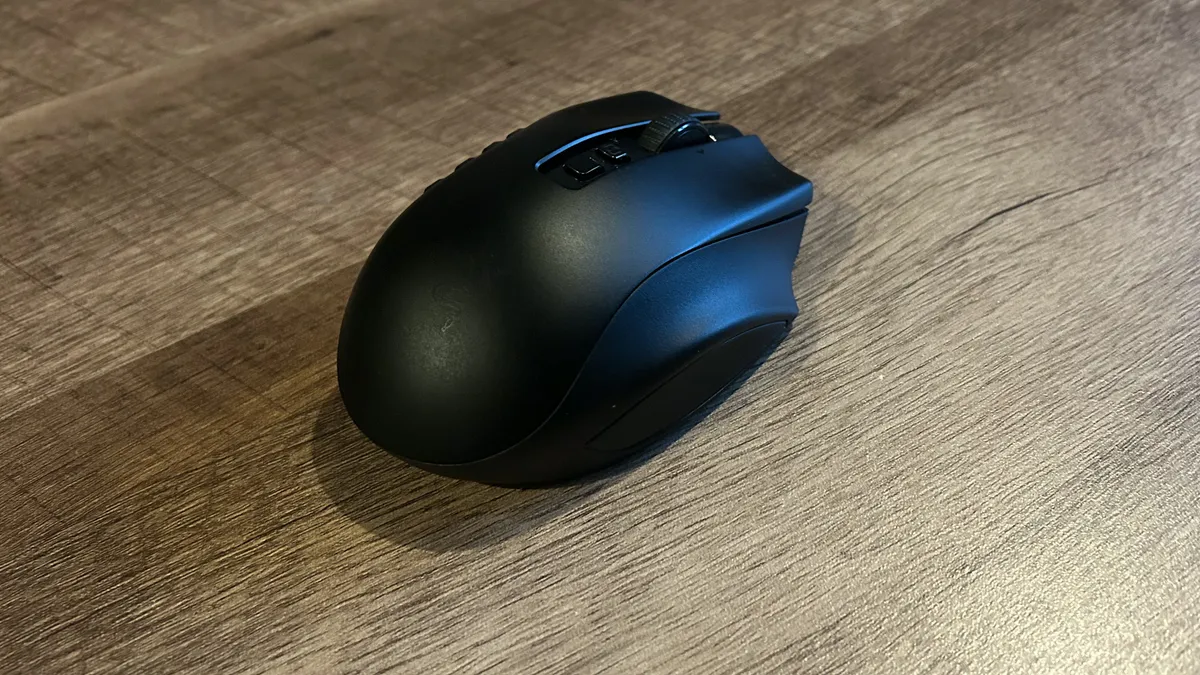


If you can get past the slightly chunky form factor, the Razer Naga V2 Pro can promise you the world. This is a wireless gaming mouse built for any occasion.
✅ You play a mix of games - The Naga V2 Pro's secret weapon is those swappable side plates, offering the exact button configuration you need for different genres all in one mouse
✅ You don't like flat mice - This pointer goes in the complete opposite direction of super low, flat designs. It's so chunky it's almost a circle, but it's particularly comfortable as a result.
✅ You don't mind the extra weight - With a sensor that can easily keep up with more demanding tracking, it's just the actual physical weight of the Naga V2 holding it back from more FPS-oriented pursuits.
❌ You play competitive FPS - That chunky form factor gets in the way of speed, so much so that competitive players will need to find something lighter in the hands.
❌ You don't like MMOs - A lot of the customization options on here are geared towards MMO players. If you won't use that extra versatility there are other options on the market that offer better value for money.
Design: This is a much shorter, wider gaming mouse than you might be used to and it does take some adjusting before it's 100% comfortable. However, once I got in the groove I was away, allowing my natural claw and palm grips to rest easily on the curved surface thanks to the impressively contoured sides. Yes, it's heavier than you might expect, especially if you're coming from FPS-first mice, but a pinky rest and smart ergonomic shape keep things accurate on the battlefield.
Features: The headline here is that the Naga V2 Pro offers three swappable side-plates, each with their own button configurations. That means you can go from a full 12-button array to a simple two-button interface at the snap of a magnet, and each one works beautifully. That's perfect for genre hoppers, easily making this the most versatile wireless gaming mouse in itself.
That's not all, though, the Naga V2 Pro also packs in Razer's HyperScroll wheel for both notched and free-spinning control and it's fully customizable for the tension that feels right for you. Versatility also comes in the form of three connection options, spanning 2.4GHz, Bluetooth, and wired.
The Pro also adds a new 30K sensor to the proceedings, beating the previous generation Naga Pro with its souped-up specs, while also offering a longer battery life in the process.
Performance: I can never find enough games to test with the Naga Pro V2. I originally fell in love with the smooth glide and clacky side buttons in League of Legends, The Witcher 3, and CS:GO, before moving onto Apex Legends and Fallout 4 some time later. More recently, I've been running the pointer in Avowed and Indiana Jones and the Great Circle, taking the middle flank out for a ride.
The Naga V2 Pro performs excellently in all scenarios. While it's not quite speedy enough to keep up with the Logitech G Pro X Superlight 2 DEX in more competitive endeavors, its higher weight and chunkier form factor proving a little too cumbersome for true twitch-reflexes, it certainly does the job for lower ranked play.
Verdict: This is a wireless pointer packed out with features, performance, and reliability, making it one of the best wireless gaming mouse I've had my hands on so far.
Read more: Razer Naga V2 Pro review
Comfort |
5/5 |
Speed |
2/5 |
Programmability |
5/5 |
Connectivity |
4/5 |
Battery life |
5/5 |
The best ambidextrous wireless gaming mouse

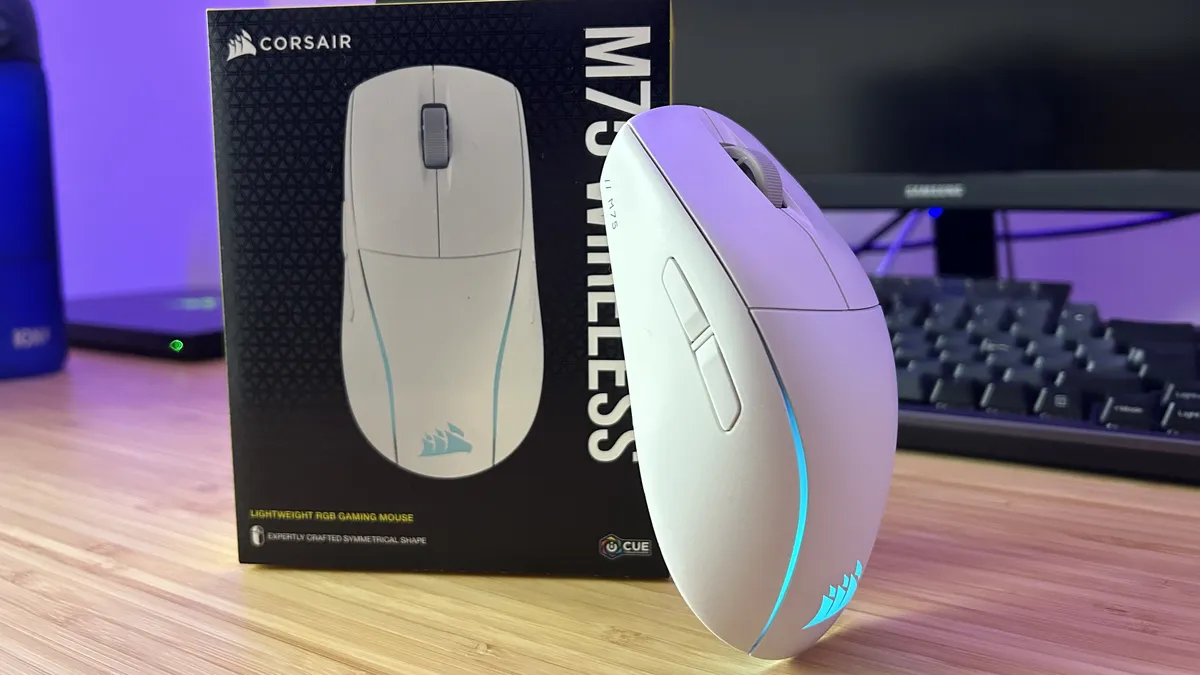


The Corsair M75 Wireless is one of the more recent releases in the brand's arsenal, and its updated specs mean it takes over from the Logitech G Pro as the best wireless ambidextrous gaming mouse with ease.
✅ You want left-handed versatility: Fewer gaming mice than ever are considering left-handed players these days, which makes Corsair's M75 Wireless a rare gem for those after an ambidextrous design.
✅ You want more connection opportunities: Most wireless gaming mice plug a 2.4GHz receiver in the box and call it a day, but with Bluetooth on board the M75 can connect to a whole host of extra devices, from tablets to handhelds.
✅ You use a palm or claw grip: The wider base and chunkier design means the M75 Wireless is particularly comfortable when held in a palm or claw fashion.
❌ You use a fingertip grip: If you want the full nimble flexibility of a fingertip grip in more competitive scenarios, the wider base and chunkier form factor is going to be a little too heavy to truly be comfortable.
❌ You need more keybindings: Larger mice often come with more buttons to play with, but we've still got a standard two-clicker affair on here (once each side is locked in, the other is cut off in iCue).
Design: The M75 Wireless takes the existing Air model and runs with the same design. This is a very similar humped form factor with a tall body and fairly severe slope down the middle. Being designed for both left and right hands, that's about it in the way of ergonomics, though I did find that gradient to be a little too heavy for a lighter fingertip grip. A palm or claw grip is perfect here, with that rear portion nestling particularly comfortably into the palm, and the wider sides offering plenty of wielding space for the thumb. Corsair has also added two RGB strips to the back end of the device, producing a particularly clean effect with vibrant (and customizable) LEDs.
Features: Like the Logitech G Pro Wireless, the M75 has swappable side buttons on each flank, and also sends you home with slightly raised alternates if you have trouble hitting the flush buttons with ease. It's a bit of a process finding the right buttons for the right side, especially with those extras included, and these are particularly small clickers which means they're not the most accurate to hit in-game.
Still, under the hood, Corsair has kitted the M75 out with its own 26K DPI Marskman sensor running at a speedy 650 IPS which beats Logitech's own 25,600 DPI / 400 IPS model in the G Pro. There's also a nifty trick baked into the hardware side of things here - holding the DPI shifter button and clicking up or down on the side buttons will fine-tune your DPI on the fly. It's a slick process that works flawlessly - and it's so handy I can't believe other wireless gaming mice haven't done it before.
Performance: There's a little extra junk in the trunk here, which means the Corsair M75 doesn't fare as well in competitive FPS games as something like the Razer Viper line. It's only nine grams heavier than the Logitech G Pro Wireless, but there's a little extra drag on movements that's noticeable in faster-paced titles. It still glides beautifully, and tracks the motion with more precision than Logitech's, and remains nippy when it needs to be, striking a solid balance between action and accuracy.
Verdict: Left-handers among us might need something a little lighter (like the older Razer Viper Ultimate) to fly through competitive titles, but the majority of casual players can take advantage of the latest specs and features in the M75 Wireless.
Read more: Corsair M75 Wireless review
Comfort |
4/5 |
Speed |
3/5 |
Programmability |
3/5 |
Connectivity |
4/5 |
Battery life |
5/5 |
Also tested
How we test wireless gaming mice

Every wireless gaming mouse that passes our desks follows the same set of testing procedures. We take each gaming mouse in and treat it as our own; living, working, and playing with them over a considerable period of time before making our recommendations.
Weight, ergonomics, button placement, and build quality are all thoroughly examined as we test the individual designs of each wireless gaming mouse. That means we use each pointer in each of the three main grip types; palm, claw, and fingertip, across a range of genres (always including FPS and MMO games). This gives us a clear indication of how a mouse was designed to be held, but beyond that we're assessing whether the shape holds up under longer play sessions and how well the materials support this kind of endurance run as well. We test for key points of weakness, squeezing the sides of a mouse to check for creaking, shaking to check for rattle, and pushing at the rear panel to make sure there's no flex in the main chassis.
The biggest durability test, though, comes over time. We use these mice for at least two weeks of work and play (and often more), which equates to at least 120 hours of testing before writing up our reviews. In this time, we can generally tell when mouse clicks are softening up or becoming less tight, and whether side buttons are losing their snap. Beyond our initial reviewing process, each wireless mouse continues to sit in our rosters to test long term durability concerns as well.
We always test all available features from both a software and hardware standpoint. That will likely change mouse to mouse, but there are a few standouts that we examine thoroughly during every review. Sensor accuracy, acceleration, latency, debounce, and lift-off distances, are all tested in fast-paced titles like CS:2 (and previously CS:GO for older reviews) and Apex Legends. Programmable button binding, reliability, accuracy, and comfort are further tested in more macro heavy games - the current testing roster is Fallout 4, Assassin's Creed: Odyssey, and Starfield.
Of course, we're keeping a much closer eye on connection stability, battery life and weight with a wireless gaming mouse. At the start of every reviewing period, we charge the device to its max, and run it fully down to the ground. We're not only measuring the length of the battery life here, but also watching out for any performance stutters as that battery enters its final 10%.
You can find out more about how we test gaming mice, but we're also providing more detail on how we make all our recommendations in our dedicated GamesRadar+ Hardware Policy.
How to choose a wireless gaming mouse
Why you can trust GamesRadar+ Our experts review games, movies and tech over countless hours, so you can choose the best for you. Find out more about our reviews policy.
The best wireless gaming mouse will first of all offer the option for a 2.4GHz connection. Rather than relying on a slower Bluetooth wireless connection to your PC, wireless gaming mice that use USB-A 2.4GHz dongles to link up are far more reliable and can transmit information at a much faster rate. That means you can be more precise and move across the screen much smoother.
Next up, you'll want to make sure that you're getting a decent battery life. At the bare minimum, we would expect a solid wireless gaming mouse to offer a 50 hour battery, but you can find batteries offering up to 400 hours of juice these days. The bigger the battery, the less you'll need to tether up your pointer.
Finally, the best wireless gaming mouse should also feel comfortable to use. Of course, the wireless connection inherent here is going to make wider sweeps a little more ergonomic (there's no drag of a cable to deal with), however making sure that the additional battery and connection tech under the hood doesn't weigh down your device is going to be important. We generally see wireless gaming mice coming in at around 100g, though you will find some outliers that go substantially above or below that goal.
FAQ

Do wireless gaming mice have lag?
Even the best wireless gaming mouse, traditionally, lagged behind its tethered counterparts. Early wireless connections were substantially slower, leaving wireless pointers out of play when it came to faster game genres. However, that gap has narrowed considerably in the years since, to the point where everyday players won't notice a difference between a wired device and a cable running across their desks. If you're looking to hit every frame with super-speed in a more competitive setting, though, you may notice a slightly longer response time.
Are wireless gaming mice good for gaming?
In short, yes. Wireless gaming mice these days can achieve the same low latency speeds as wired options with very little difference between the performance of the two. While you’re getting the luxury untethered experience, though, there are some extra costs to consider.
Even the best wireless gaming mouse brands couldn’t match wired pointers in speed and latency even a few years ago. However, since then we’ve seen wireless devices leaping forwards in their connection tech. With the arrival of 2.4GHz connections and extremely high polling rates, wireless gaming mice can now hold up to their tethered counterparts.
However, wired options still come in much cheaper. You’re still paying a slight premium to pick up a wireless gaming mouse. You can pick up the same features and specs on a mouse with a cable for a far lower price, which means it’s well worth considering if that untethered experience is worth the extra funds. A truly cheap gaming mouse will generally be a wired one.
There are features that justify that extra cost. A wireless gaming mouse is far easier to travel with, offers a cleaner experience with no cables cluttering up your desktop, and is more versatile in its use - you don’t need to sit right next to your PC.
If you're hunting for the ultimate PC gaming setup, we've got more than a few suggestions. Take a look at our list of guides below for recommendations on everything from the best gaming laptops to the best gaming chairs, or take a look at the best gaming PC options for something a little more permanent.
If you're after more equipment, we're also rounding up the best gaming monitors and the best gaming headsets to boot.

