
 Join The Community





The best wireless gaming keyboard I've tested so far remains the Asus ROG Azoth. This is an older release (and there's a newer model on the market now) but it still represents the best battery life, versatililty, and overall value in the luxury price range in 2026. Asus did try and knock it off the top spot with the ROG Azoth X, but a substantially higher price point and minor upgrades to typing experience mean the OG should still be at the top of your list.
Not everyone will want to shell out for the full Azoth experience, though. While it can still be tough to find wireless gaming keyboards under $100, the Razer BlackWidow V3 Mini manages to get you there pretty often when on sale.
I've had my hands on all the best wireless gaming keyboards on the market for years now, so if Asus isn't ticking the right boxes you'll find all my top picks across a range of different sizes and use cases just below. They've all been through the same stringent tests across a series of competitive and slower games, all in the name of finding some of the best gaming keyboards on the market right now.
The quick list

Yes, there's a new model on the shelves - but the ROG Azoth X costs far more than the original Azoth and doesn't add enough to the experience (it even drops your battery life). This is still the best wireless gaming keyboard you can buy.

The Razer BlackWidow V3 Mini started life as a pretty expensive deck, but with time this excellent set of clickers has now dropped its price to become the best cheap option on the market.

If you're going compact you'll need plenty of extra functions - there's a set of adjustable switches here for extra customization.

A TKL deck is perfect for those looking for more buttons but a compact footprint, and the Apex Pro nails its brief with a rock solid connection and excellent battery.

With its pillowed typing experience and solid price point, the Asus ROG Strix Morph 96 Wireless packs a sturdy cable-free connection into a functional but compact design.

With super versatile connection options and a bouncy build that suits both work and play, the Keychron V6 Max is my go-to full-sized wireless gaming keyboard.
Load more ↴

You're getting a fantastic typing feel from these low profile keys, but this is also a rare 65% keyboard with dedicated media controls.

The Razer Joro is more compact and lighter than most portable wireless gaming keyboards, but still manages to pack a higher battery life at the same time.

It's premium, but if you're after the best wireless experience with Hall effect switches you'll be looking at the Asus ROG Azoth 96 HE.

I've had my hands on hundreds of gaming keyboards over the years, and have hated a messy setup since well before then. That means I know what I'm looking for when it comes to strong battery lives, reliable connections, and speedy response times, all while enjoying a healthy love for a set of satisfying switches. I've been reviewing wireless keyboards at GamesRadar+ for just over four years now, both in a freelance capacity and after joining the team in 2021.
April 8 - The Asus ROG Azoth 96 HE has usurped the Falcata for prime position in the wireless Hall effect category this month, while the brand's ROG Strix Morph 96 Wireless has jumped into a top spot among 96% decks.
More updates ↴
January 12 - We've had fewer wireless gaming keyboards hitting the market in the last few months, what with the rise of more power-hungry magnetic decks. I'm expecting that to change with the coming of TMR decks over the course of the year, but this update has added extra context to our 'how to choose' section further down the page.
September 18 - The Asus ROG Falcata has entered this top list, despite its hefty price tag it's the best wireless Hall effect keyboard I've tested yet. This rig beats Ducky and Glorious in its overall feel, features, and battery life. Elsewhere, the Corsair MAKR 75 isn't technically a wireless gaming keyboard, but it's been added to the 'also tested' section below as it's designed to be paired with an additional wireless module.
The best wireless gaming keyboard overall
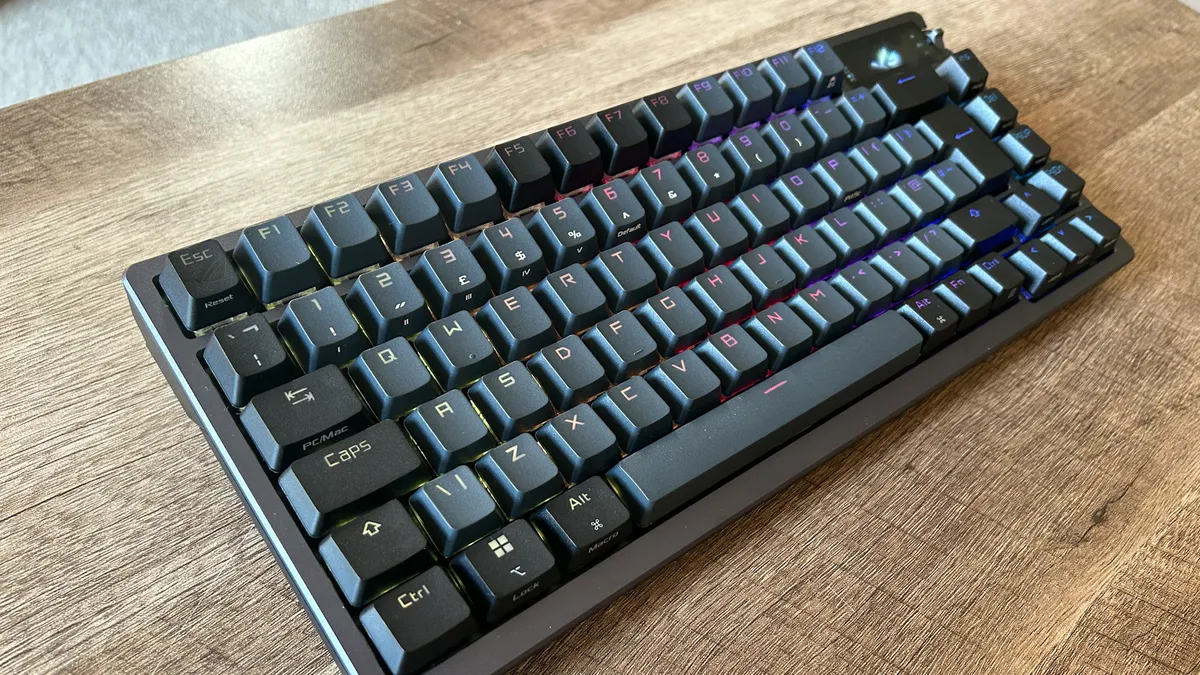

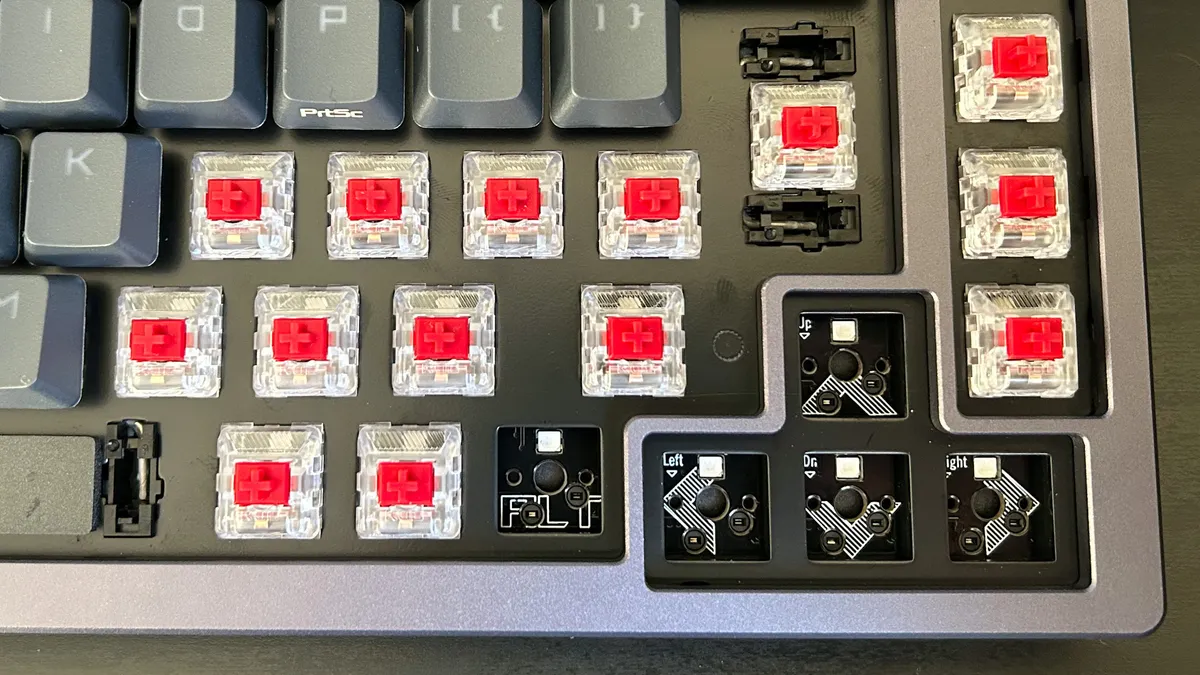
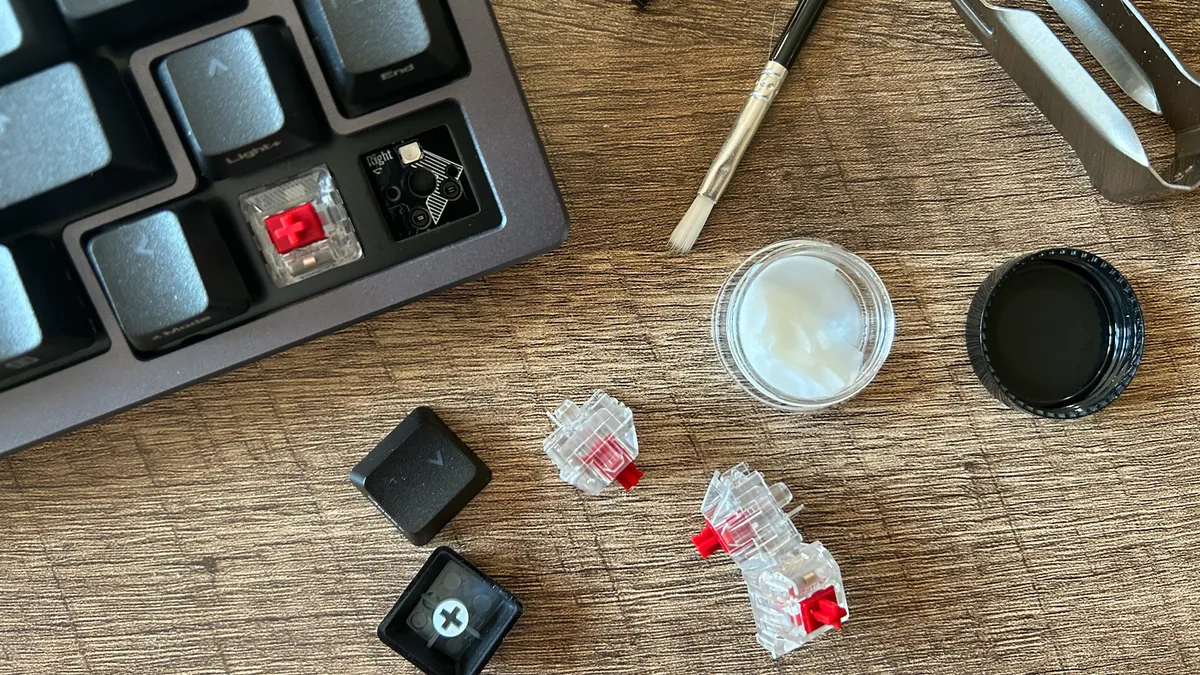
Yes, there's a new model on the shelves - but the original Asus ROG Azoth still remains the best wireless gaming keyboard money can buy right now. The 2025 Asus ROG Azoth X is more expensive without justifying the extra spend. After all, you can still swap those new-generation V2 switches into the classic deck if you want the updated feel. Not only that, but the new model also drops your battery life. While it's still available, the OG Azoth still reigns supreme.
✅ You're happy to invest: With a $249 starting price, the Asus ROG Azoth isn't a cheap piece of kit. However the sturdy build and hot-swappable switches (and the fact that I've been using it for two years now) points to its long-term durability.
✅ You want hot-swappability: Very few gaming keyboards with hot-swappable switches are this fast, so if you want that extra customization without sacrificing speed this is the way to go.
✅ You prefer a snappier typing feel: The ROG NX switches supplied out the box are particularly snappy with a faster actuation than more traditional linear options from Cherry MX.
❌ You need a full-sized deck: In my experience a 75% deck walks that perfect line between size and functionality, but if you want extra controls or a number pad you'll need a full sized option.
❌ You rely on dedicated macro buttons: There are no dedicated clickers for programmable macro controls here, so while the full deck is customizable anyone after some spare keys will be better served elsewhere.
It takes inspiration from the expensive world of custom decks, packing a 75% form factor that keeps all your navigation and arrow buttons but leaves plenty of room for wilder mouse sweeps. Slim bezels, a stout but sturdy form factor, and excellent key spacing makes this a stunner in look and feel.
The hot-swappable, gasket mounted design of the Azoth not only means you'll be able to swap the switches for a completely different feel, but you're doing so in comfort and style. Add in super tactile PBT keycaps and a softer but still snappy feeling ROG NX switch out the box and this is a recipe for a seriously luxurious typing feel.
You're getting both 2.4GHz and Bluetooth connections as well as an OLED display panel in the top right corner. This can be configured for a number of purposes, from displaying your music to system info. The quality of this screen isn't as high as the more expensive Razer BlackWidow V4 Pro 75%, but it still runs beautifully. Next to that you'll also find a programmable switch for media playback or profile settings.
You're getting the best typing experience I've had in a long time here, and with excellent wireless performance on top. It's a much softer feel than the likes of Alienware and SteelSeries, though it isn't as creamy as the Ducky One X. There's more of a snap here that lends itself well to an energetic typing pace.
This is an all-in-one powerhouse. It's not a cheap powerhouse, but if you're looking to sink some cash into a wireless gaming keyboard with plenty of premium extras, this is your best bet.
Read more: Asus ROG Azoth review
Speed | 4/5 |
Customization | 4/5 |
Typing feel | 5/5 |
Portability | 3/5 |
Comfort | 4/5 |
Controls | 4/5 |
The best budget wireless gaming keyboard
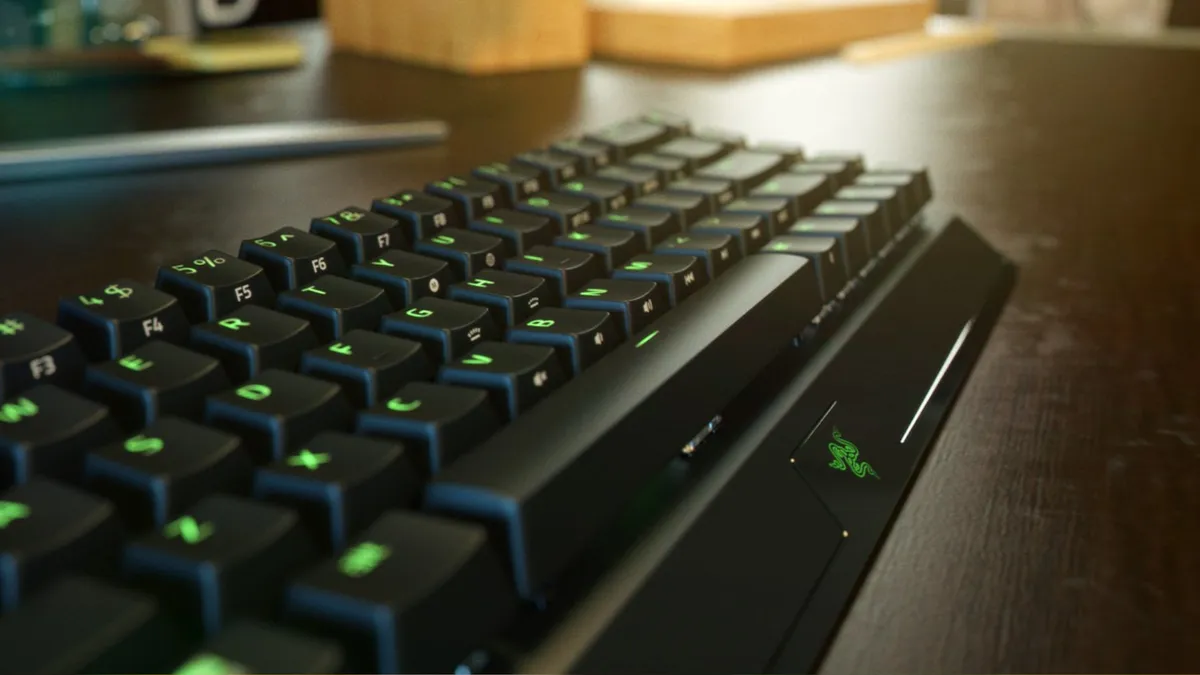


The Razer BlackWidow V3 Mini Hyperspeed certainly didn't start life as a budget wireless keyboard, but in the years since those numbers have steadily trickled down the bracket. These days, it's regularly available for as little as $70 - $90 - and that's pretty rare in the world of wireless gaming keyboards. It's one of the cheaper models on the market right now, but that Razer pedigree means you're not skimping on high-end features.
✅ You like a compact design: Smaller 65% keyboards aren't for those who like a range of bindable buttons at their disposal, but the compact form factor makes room for wider mouse sweeps on the desk. You're also keeping dedicated arrow buttons here as well.
✅ You travel with your kit: A 200 hour battery life is hard to come by especially in wireless keyboards this cheap. Pair that with the smaller design and you've got a durable deck to take on the road.
✅ You have other Razer peripherals: The BlackWidow V3 Mini Hyperspeed also supports Razer Chroma, which means it can easily step into an existing RGB setup and fit right in.
❌ You want to keep RGB on all the time: The Mini has a much poorer battery life with those LEDs switched on, so if you don't want to plug in while your light show plays it's worth looking elsewhere.
❌ You need grippier keycaps: You'll likely find ABS keycaps on any cheap wireless keyboard, so if you do need a more textured surface you'll be moving slightly further up the price bracket or installing them yourself.
The Razer BlackWidow V3 Mini Hyperspeed follows the same design language as far more expensive Razer keyboards. You're getting a boxy black chassis with black keycaps, and vibrant Chroma-compatible RGB LEDs sandwiched between them. This is a fairly standard Razer design, but it still features a pretty steeply sloped front - a design choice of many of the brand's decks during this time.
Cheap wireless keyboards usually sacrifice three things to keep their prices low; battery life, software usability, and connection versatility. Despite being one of the cheapest models on the market right now, the Razer BlackWidow V3 Mini Hyperspeed manages to stay on top of all these usual shortcomings. A 200 hour battery life is incredibly high value - that's a feature we normally see in keyboards at more than twice this price. Sure, that charge does deplete much quicker with RGB switched on, but if you're in a pinch you can keep everything running for a considerable amount of time.
I tested the Razer BlackWidow V3 Mini Hyperspeed with its linear yellow switches, and was impressed back in 2021. Not only that, but this deck still holds out with a repeat test in 2024. While the clickers don't feel quite as smooth and don't sound as mellow as newer releases, they're still plenty fast with a response actuation pressure and a satisfying debounce. You'll find more sophisticated hall effect or hot-swappable switches further up the price bracket these days, but for a budget buy the BlackWidow V3 Mini still holds up for value today.
While it's a little older (the oldest on this list, in fact), it's this age that makes the Razer BlackWidow V3 Mini Hyperspeed such a strong budget buy. It launched at a full $179.99 / £179.99 MSRP in 2021 - but that meant it was packed with features and a strong typing experience from day one. Now you're getting a rich piece of tech with plenty of value for a fraction of the price these days.
Read more: Razer BlackWidow V3 Mini Hyperspeed review
Speed | 3/5 |
Customization | 3/5 |
Typing feel | 2/5 |
Portability | 5/5 |
Comfort | 3/5 |
Controls | 3/5 |
The best 60% wireless gaming keyboard

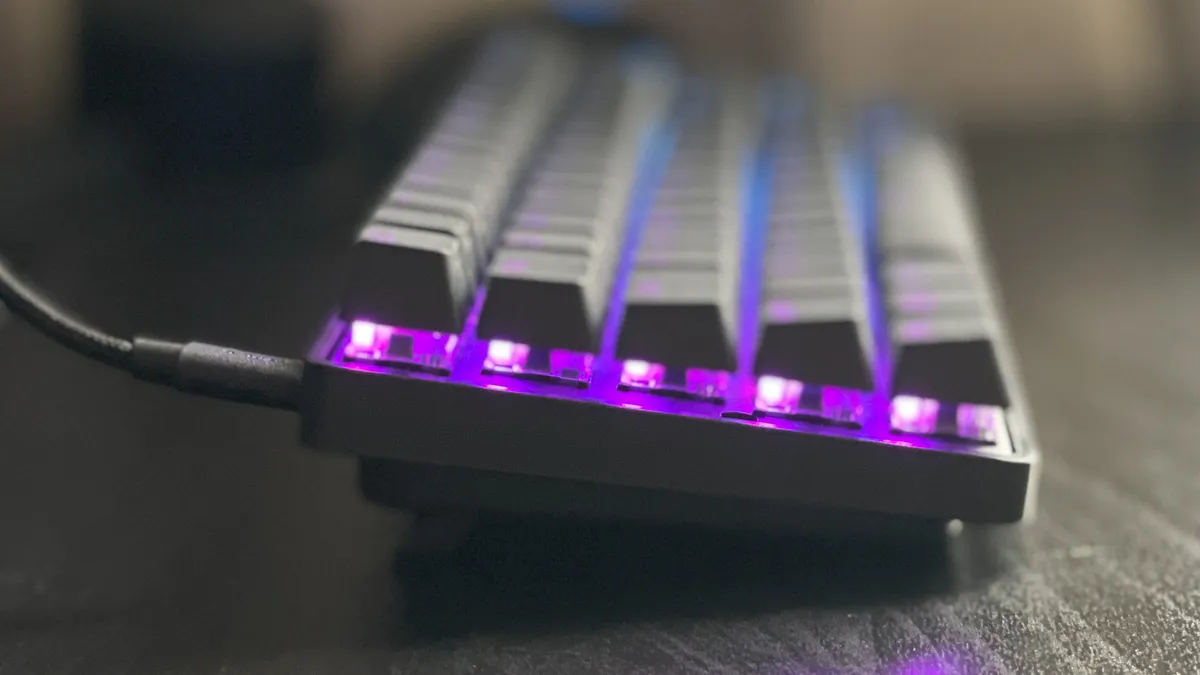


The SteelSeries Apex Pro Mini Wireless is no cheap affair. This thing clocks in at $239.99 / £219.99, which is a big ask considering it's a smaller 60% deck. While I do think that MSRP is a bit audacious, this could very well be one of your best setup decisions if found on sale.
✅ You want a more personalized key feel: The customization of each switch's actuation point means you can nail the exact moment you want a keypress to register. That makes for extremely accurate inputs once you get the numbers right.
✅ A wireless connection is a must: There are few keyboards offering this kind of switch personalization in a wireless form factor, so SteelSeries is one of your best options at the moment.
✅ You don't mind losing arrow keys: This 60% design foregoes traditional arrow keys, which can be difficult for certain games.
❌ You want to spend less: If adjustable switches trump a wireless connection in your list of priorities, there are cheaper wired options out there from Razer.
❌ You want a speedy charge: We did notice that the internal battery charged up a little slower compared to other competitors, which means this is one you'll be leaving overnight for a full juice up.
The black keyboard sits on a solid baseplate with minimal bezels and no flex in the main deck. The OmniPoint 2.0 switches housed under each doubleshot PBT keycap do the heavy lifting here. They can be customized to actuate between anything from 0.2mm and 3.8mm which means you can fine-tune your typing experience to the sensitivity that you prefer. Elsewhere, you'll find media controls and macros bound to dual-function keys and you'll also enjoy a wide range of RGB customization options as well.
In my testing, I noticed the shortest setting of those switches to be a little too feather-light for my touch, clocking a slower overall WPM rate compared to the standard out of the box 1.8mm setting. The real benefit is dual-actuation, though. Using the SteelSeries GG software you can program up to eight keys to offer two macros per keypress - one assigned to a lighter press and another to a full bottom out.
I used this to map a walk function to a light press of W, upping things to sprint when pushing all the way down. That's a game-changer if you're looking to keep your macros even closer to hand than usual - especially if you're balancing between skill cooldowns.
Read more: SteelSeries Apex Pro Mini review
Speed | 5/5 |
Customization | 5/5 |
Typing feel | 3/5 |
Portability | 5/5 |
Comfort | 2/5 |
Controls | 1/5 |
The best TKL wireless gaming keyboard
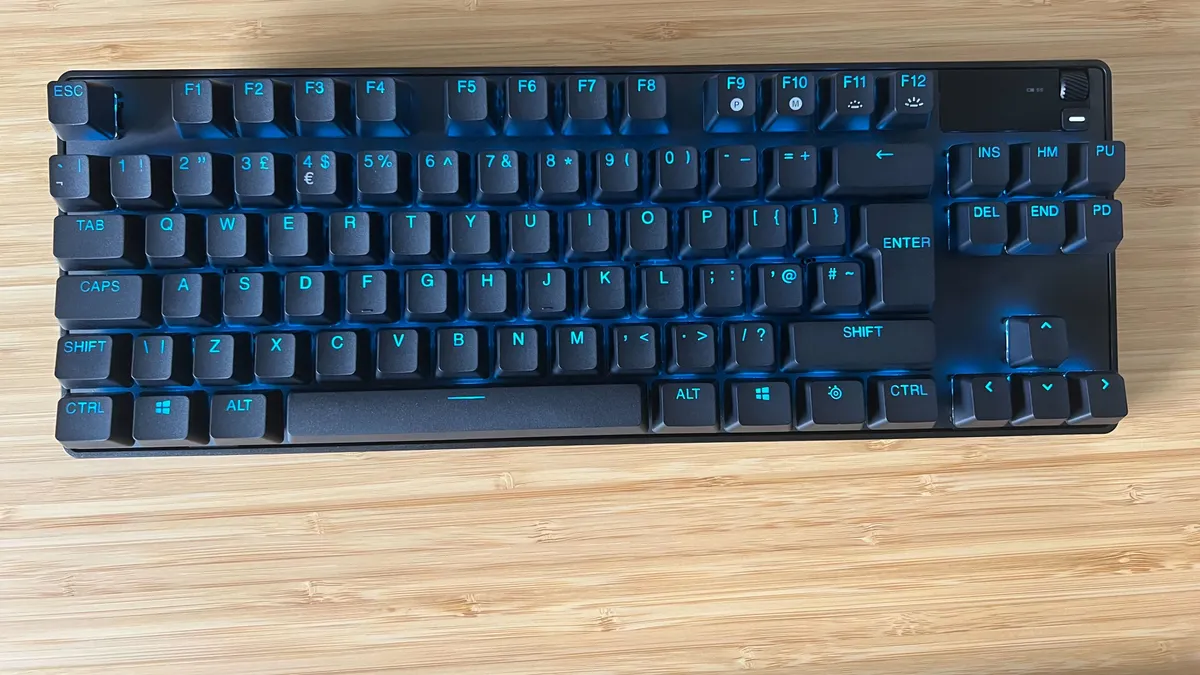


The SteelSeries Apex Pro TKL is a maverick, packing pretty much anything you could ask for into a slimline design. Of course, such versatility comes with a high price tag and it certainly did at launch. That $249.99 / £229.99 MSRP has trickled down over the course of the last few years, though, and you'll now regularly find this model for around $200 / £200. At that rate, this is the best wireless TKL gaming keyboard on the market.
✅ You want to keep arrow buttons: The SteelSeries Apex Pro Mini below is cheaper, but drops a considerable amount of extra functions. This TKL form factor keeps your arrow keys and a few navigational buttons as well.
✅ You play competitively: The Pro TKL is capable of super-sensitive actuation points which, when mastered, can give you a real edge on the battlefield.
✅ A wrist rest is a must: If you're prioritizing comfort, that rubberized wrist rest is going to come in particularly handy.
❌ You won't use dual-step actuation: The ability to map two different functions to the same key is neat - but if you don't want to spend time integrating it into your flow you might be better off investing in other features.
❌ You prefer a more robust typing feel: The optical switches in here are more hollow than mechanical models, so if you're all about that luxury typing feel we'd look elsewhere.
The Apex Pro TKL isn't doing anything new with its design, and its matte black plastic frame could be that of pretty much any keyboard on the market. Doubleshot PBT keycaps keep everything textured, and the aluminum alloy top plate feels steady and comfortable. Paired up with a particularly crisp RGB lighting system, this is a sleeper aesthetic hiding some powerful secrets.
Dual-step actuation will allow you to program two different functions to the same key, with one registering at a half-press and another at a full press. That's best demonstrated when moving between walking and running, but in practice, it's tough to learn and even tougher to master. I don't expect too many casual players to fully adopt this feature, which was difficult to reconcile with the deck's original launch price. Now that it's a little cheaper, it's a nice experimental option.
Playing at the lowest actuation point had me zipping through more competitive endeavors in my testing, and being able to quickly swap profiles to a more suitable setting was much appreciated as well. The Apex Pro TKL can see you through pretty much any game you throw at it, and if it can't quite handle it straight out the box there are plenty of extra customization options for you to tune. While the typing experience isn't quite as luxurious as a mechanical deck, especially considering there are no gasket mounts or sound buffers in here, that speed is critical here.
Read more: SteelSeries Apex Pro TKL review
Speed | 5/5 |
Customization | 5/5 |
Typing feel | 3/5 |
Portability | 4/5 |
Comfort | 3/5 |
Controls | 3/5 |
The best 96% wireless gaming keyboard


If it wasn't for its weaker battery life, the Asus ROG Strix Morph 96 may just be the best wireless gaming keyboard on the market. It's got the same energetic typing quality as the older Azoth, but with a larger 96% form factor and a lower price point to boot. As it stands, this is a close second, and definitely the best almost-full sized model money can buy.
✅ You don't want to get close to $200: This MSRP sticks way closer to $100 than others in its class, so if you're looking to spend less than more mainstream mid-range prices you're in good hands.
✅ You like a traditional mechanical feel: There's some serious power behind each keypress here, but the smooth linear feel of each switch means typing and gaming is still bouncy and responsive.
✅ You can't drop your number pad: Opting for a full-sized deck often means losing valuable desk space, so this squished form factor offers the best of both worlds.
❌ You want PBT keycaps: While they're pretty easy to swap out (and are already nicely textured) anyone who doesn't want to deal with ABS toppers straight out the gate will need to look elsewhere.
After all, I remember when it was incredibly rare to find a wireless gaming keyboard for this close to $100 but Asus has squeezed the best bits of its Azoth into a $139.99 device here. That springy gasket mounting makes for a fantastic typing experience, while those ROG NX switches feel just as alive as ever under the fingertips.
It's a little disappointing that the Morph 96 Wireless ships with ABS keycaps straight out the gate. You'd expect a mechanical keyboard to offer up a set of PBTs in this kind of league, but the existing caps do feel more premium than cheaper sets. There's a light texture to each topper that keeps a precise grip while providing a nice sense of tactile feedback as well.
In its most power-economical state, the 590 hour battery life doesn't quite stack up to the chunkier 2,000 hour runtime of the Azoth, but this is still workable considering the lower price point. There isn't an OLED display to power here, though.
Those three connections (2.4GHz, Bluetooth, and wired) are managed via a toggle on the front side of the case, near some interesting-looking screws. Modders will be eyeing those up for sure, and I'm pleased to report that one of the Morph's more unique features (among mainstream wireless gaming keyboards at least) is its easy top-down deconstruction. The whole thing can come apart easily for your own additions.
That 96% form factor keeps your number pad in check, with a full function row and half your usual navigation buttons. That's a solid trade-off for a slightly more squished design and extra mouse space.
Read more: Asus ROG Strix Morph 96 Wireless review
Speed | 4/5 |
Customization | 4/5 |
Typing feel | 5/5 |
Portability | 4/5 |
Comfort | 3/5 |
Controls | 5/5 |
The best full-sized wireless gaming keyboard


The Keychron V6 Max is priced well for a full-sized wireless gaming keyboard, especially one with such versatility in its connections and such a premium typing feel. If you're hunting down a full deck, chances are you're looking for a device for both work and play, and this QMK / VIA model could be the perfect fit.
✅ You want to work and play: With a fantastic typing feel and plenty of keys to work with, the Keychron V6 Max matches its gaming chops in everyday productivity.
✅ You need versatility: Not only is the V6 Max fully hot-swappable, but you've also got 2.4GHz and Bluetooth connections to play with and a choice between USB-A and USB-C receivers in the box.
✅ You want dedicated macro buttons: With additional Function keys there's plenty of space for your own keybindings and extra commands.
❌ You want classic Keychron heft: To keep that price manageable, Keychron has opted for a plastic chassis as opposed to the denser aluminum it usually uses.
❌ You need dedicated playback controls: Most full-sized keyboards offer dedicated playback controls for music, but only volume has its own dial here.
Keychron is known for producing high-end, heavy, and dense keyboards. Things are a little different in the V6 Max. The plastic case surprised me on first opening it up - I'm used to chunkier aluminum chassis' from this brand. At first, then, I was disappointed. However, the extra bounce in that slightly flexy top plate makes for a comfortable typing experience, and everything is still well put together.
There's excellent versatility in those wireless connection as well. Not only do you get both Bluetooth and 2.4GHz, but the V6 Max also comes with USB-A and USB-C receivers for maximum compatibility. On top of that you've got PBT Doubleshot keycaps, a dedicated volume dial, and four additional macro buttons. Unlike many full-sized keyboards, though, there's no dedicated playback controls.
There's a super satisfying amount of bounce to this deck, making for a smooth, comfortable, and fast typing experience. I managed to beat my average 95WPM typing speed on this deck, with fewer mistakes. That's no mean feat, and with a 1,000Hz polling rate everything's set up for speedy gaming as well. More competitive players might need to push that speed a little, but for the vast (vast) majority of us that's plenty fast.
Hearty gasket mounting, a soft landing, and plenty of extra features makes the Keychron V6 Max the best full-sized wireless gaming keyboard I've tested so far - and it's at the cheaper end of the spectrum for a deck of its quality.
Speed | 5/5 |
Customization | 4/5 |
Typing feel | 5/5 |
Portability | 3/5 |
Comfort | 5/5 |
Controls | 4/5 |
The best low profile wireless gaming keyboard
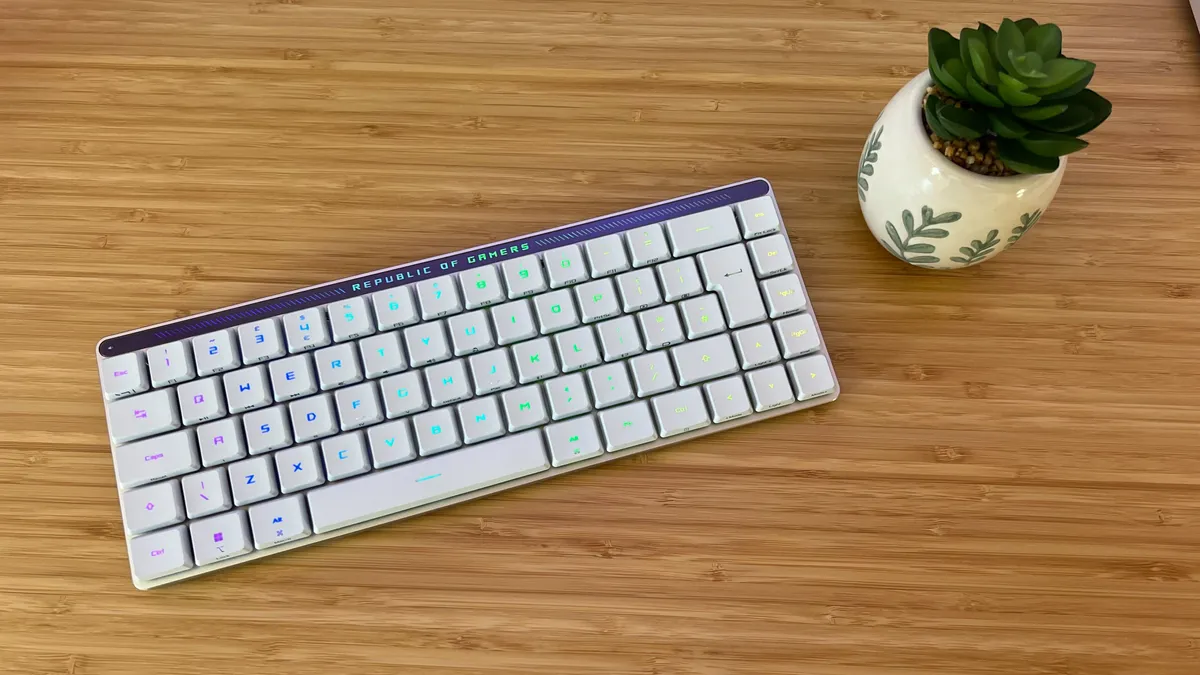


Between its super smooth typing experience and slimline form factor, the Asus ROG Falchion RX Low Profile is the best wireless keyboard for those after the short key life.
✅ You prefer a speedy typing experience: Those super smooth switches and soft-touch keycaps make for a particularly flexible typing experience with a nicely satisfying feel.
✅ You still want media controls: Not many 65% keyboards also pack dedicated media controls into their designs, but the slide panel at the top here keeps you on top of your volume and playback.
✅ You want an easily portable device: Not only is this compact 65% keyboard already well designed for portability, but it also comes with a handy keycap cover to make sure everything is safe in transit as well.
❌ You need a full number pad: Of course, you're dropping some of the functions of a full keyboard by opting for a smaller 65% model. If you need those extra keys for productivity you'll be looking at something a little larger.
❌ You need quick access to the shift key: The shift key is a little shorter on this model and, combined with the sensitive switches, that can cause problems if you need to reliably hit it for personal keybindings.
The all-white aesthetic of the Falchion is a refreshing departure from the monochrome black and gray I typically tend to see in gaming keyboards. Of course, you're still getting crisp RGB legends under each soft-touch ABS keycap, but that stark white and light gray colorway feels particularly premium across the chassis.
Up top you've got an RGB display proudly running the ROG logo alongside a series of dashes. These lines interact with the gesture swipe bar at the very top of the device to provide visual feedback of your movements. Everything feels sturdy and with the case in tow I'm confident in the long-lasting durability of this device in transit.
Ample wireless connection options, MacOS compatibility, dedicated media controls, two layers of sound dampening foam, and on the fly macro recording are just some of the secret weapons hidden in the miniature Falchion. This thing is packed with extra features, far more so than I typically see on 65% decks. All of these work together to create a versatile experience whether you're at home or on the go. The extra battery and functions do add some chunk and weight to the device compared to the Cherry MX LP-2.1 or Razer Joro, though.
It's those speedy switches that steal the show in everyday use. Combined with soft keycaps and a nicely subtle sound profile, these switches have both speed and precision on their side. The shorter style of the Shift key did trip me up in testing, as I often ended up accidentally hitting the Caps Lock instead. However, muscle memory can prevail easily here, and it's by no means enough to keep me away from that buttery smooth feel.
Not many low profile gaming keyboards allow for such a tactile typing experience, and even fewer come in a 65% form factor with dedicated media controls to boot. That's not even mentioning the plethora of extra features squeezed into this exquisite deck.
Read more: Asus ROG Falchion RX Low Profile review
Speed | 4/5 |
Customization | 3/5 |
Typing feel | 5/5 |
Portability | 5/5 |
Comfort | 4/5 |
Controls | 4/5 |
The most portable wireless gaming keyboard


The Razer Joro has somersaulted over the Cherry MX-LP 2.1 to become my go-to wireless gaming keyboard when on the go. The super-thin ultra low profile deck is slimmer, lighter, and offers a far lighter typing experience while still letting that Chroma RGB lighting shine.
✅ You travel regularly: The low weight and compact size, as well as that solid form factor, makes this an excellent option for anyone taking their setup on the road.
✅ You don't mind low profile keys: The low profile design keeps those keys safe, so if you're after a nippier typing experience with less travel you're sorted from both angles here.
✅ You want a keyboard for a handheld: You're dropping the 2.4GHz connection favored by most PC setups, but in its place you'll find a sturdy Bluetooth link that will serve handheld PC play much better.
❌ You'll be typing for longer sessions: The scissor switches and lack of elevation did present some fatigue when typing in longer stints during testing.
❌ You still want the fastest speeds: If you don't want to sacrifice speed for portability, you'll want to find something with a 2.4GHz receiver.
This is a Sneki device through and through, with a particularly inky jet black chassis and extremely vivid, impressively uniform RGB lighting shining through. Those LEDs are put to work, offering a super crisp effect across the entire deck with no bleed. The actual form factor is the Joro's bread and butter though. You wouldn't think it from the specs alone, but this is actually a 75% deck. That means you're getting a function row and nav buttons (doubled up for media controls as well) - far more control than Cherry's alternative.
It's all wrapped up in a super thin 16.5mm device, though without the extra elevation on offer elsewhere. I found this to be a particularly flat typing experience, which did mean some strain during longer sessions.
Razer has brought the scissor switches featured under the hood of its 2025 Razer Blade 16 laptop to the party here. That means the Joro feels more like a laptop keyboard than a conventional mechanical deck. By themselves, these switches still feel fantastic, but if you're looking for a more satisfying feedback it's worth checking out some alternative low profile mechanical decks.
Everything is still controlled via Razer Synapse (now available for Mac as well), with a full set of keybinding options, SOCD, and RGB controls at your fingertips. This is a full Bluetooth deal, though, with no speedy 2.4GHz receiver. However, if you're looking to use the Joro alongside an Asus ROG Ally or Steam Deck that's more of a win than it might seem. You don't need to take up an additional port on your device with a USB-C receiver, and you can easily switch between three devices on the fly.
If you've steered clear of gaming laptops for the last few years, the typing feel may seem a little strange. It doesn't offer the texture, resonance, or thunk of a mechanical deck. In practice, it makes for a speedy flow across the top of the keys themselves, though the whole result isn't quite as tactile.
Still, in the world of portable wireless gaming laptops, this is still a particularly satisfying experience. Gaming does take a latency hit from the Bluetooth connection, but I was still able to keep up my usual dashing maneuvers in Doom: The Dark Ages. After using it for months now, I expect only the ultra-competitive among us will truly feel that pinch.
The Razer Joro isn't a conventional wireless gaming keyboard, but it is the best option for those building out a travelling setup for their handheld PC. It's the most portable deck I've tested so far, and matches that form factor with a workable degree of comfort, speed, and tactility.
Read more: Razer Joro review
Speed | 4/5 |
Customization | 3/5 |
Typing feel | 4/5 |
Portability | 5/5 |
Comfort | 3/5 |
Controls | 4/5 |
The best Hall effect wireless gaming keyboard


The Asus ROG Azoth 96 HE isn't just the best wireless magnetic keyboard, it's the best Hall effect keyboard I've tested so far. From its super smooth switches to its sturdy battery life (not to mention it's cheaper at MSRP than the ROG Falcata that previously stood in this position). However, it's only going to make sense for those who truly know they're in magnetic switches for the long haul.
✅ You're ready to invest: That MSRP needs to be wrestled with. At $359.99 you'll need to know you're going to be using the Asus ROG Azoth 96 HE for years to come, and you need to be absolutely sure that Hall effect switches are for you.
✅ You want a premium typing feel: Cheaper wireless Hall effect decks are available, but they often suffer from a woolly, stuffy typing feel. These are silky smooth and almost mechanical under the fingertips.
✅ You need dedicated media controls: If that Spotify playlist needs to be managed at all times, the multi-function rocker in the top right corner is going to come in particularly handy.
❌ You just want to try Hall effect switches: This is an endgame boss, not a tutorial on magnetic switches. These clickers aren't for everyone, so I'd start out with a cheaper alternative to see if you'll actually make the most of this high-end kit.
It's an expensive proposition, but it's by far the best-feeling wireless Hall effect deck I've used so far. Those ROG HFX V2 switches are incredibly smooth in their actuation, paired with excellent cushioning and gasket mounting in the main case for a dynamic, bouncy typing feel. That's difficult to find in the cheaper seats.
With 2.4GHz and Bluetooth wireless connections, the Azoth 96 HE is versatile in its portfolio while still providing the speed more discerning players need in competitive scenarios. That (and those magnetic clackers) is going to draw down your battery life a little, but with around a 50 hour runtime (from my testing) you'll only need to plug in overnight every few days. That's far more than can be said for cheaper wireless HE models.
All of that comes with an OLED display that actually proves itself fairly useful for media controls, system information, and - uniquely - customizing switch actuation points on the fly. That's a first in my time testing wireless gaming keyboards, and it certainly makes all the difference when fine tuning settings.
The 96% form factor also keeps plenty of additional controls at your fingertips, without spreading too far over the desk. There's more space for wider mouse sweeps, but the Azoth also manages to balance its key spacing around the arrow buttons better than other models in this category.
Read more: Asus ROG Azoth 96 HE review
Speed | 5/5 |
Customization | 5/5 |
Typing feel | 5/5 |
Portability | 4/5 |
Comfort | 5/5 |
Controls | 5/5 |
How I test wireless gaming keyboards

I test every wireless gaming keyboard that passes my desk across a minimum of two weeks. That's two weeks of dedicated solo-use, it becomes my daily driver for all work, play, and everything in between. In that time, I'm typically running whatever I'm playing at the moment, but also making sure that more rigorous testing takes place across at least two competitive FPS games and one more macro-focused experience. At the moment, that roster consists of CS:2, Apex Legends, and Fallout 76.
In addition to in-game experience, I also test wireless keyboards scan rates using Joltfly's speed test and the end result of a number of different factors (design, speed, switch actuation, connection reliability) on typing speed using Typing Test's 2 minute 'Easy text' tool.
In the case of wireless keyboards, I make sure to thoroughly push battery and connection stability to their limits. I perform at least one full run-down of the internal battery after a full charge, measure the time it takes for a full re-charge, and use the device off both 2.4GHz and Bluetooth (where applicable) from various different distances.
I thoroughly explore all official software designed for each keyboard, assigning a range of alternative keybindings and macros, testing LEDs at different brightness levels and configurations, and using all available polling rates during testing. I ensure I fully utilize every feature where keyboards offer extras like customizable actuation points, additional display features, or media controls as well.
Of course, I'm also taking care to fully explore all aspects of the keyboard's design, be it the physical form factor, build quality, or aesthetic.
For more information on how we make our recommendations, take a look at our full GamesRadar Hardware Policy and our guide to how we test gaming keyboards.
Our ratings explained
Why you can trust GamesRadar+ Our experts review games, movies and tech over countless hours, so you can choose the best for you. Find out more about our reviews policy.
Once my initial review process is completed, I score each wireless gaming keyboard on a five-point scale across speed, customization, typing feel, portability, comfort, and controls (be they dedicated macro buttons or media controls). This is primarily how I compare gaming keyboards for a spot in this list.
Speed
This isn't just a gaming keyboard's polling rate or responsiveness, it's a combination of factors including key spacing, how well the switches handle repeat presses, and actuation points.
Customization
This is a measure not just of the amount of customizable options available to users, but also the ease of personalization and the integration of external systems as well. This goes beyond software and into hardware as well, to consider hot-swappable switches and any extra display information.
Typing Feel
This is a tricky one. How well a keyboard scores on overall typing feel can be incredibly personal, everyone likes a different feel. There are a few factors that will negatively impact typing feel for the majority of users, though, like scratchy switches, reduced dampening, stabilizer rattle, and lower quality keycaps.
Portability
This category won't apply to everyone looking for a new keyboard, but is particularly pertinent in the world of wireless gaming keyboards. It's not just size and weight that factor into this score, connectivity options, durability, and battery life also play a large role.
Comfort
The comfort category is measured across longer gaming sessions, taking keycap material, switch weight, and the presence of a wrist rests into account for a final score.
Controls
Outside of regular keys, each deck is also scored across its additional macro keys, dual-functionality clickers, dedicated media controls, and any extra control dials, notches, or modular additions that are available. This category also includes the software provided to configure each keyboard.
Also Tested
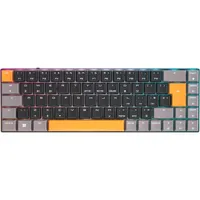
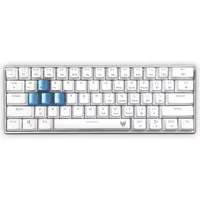
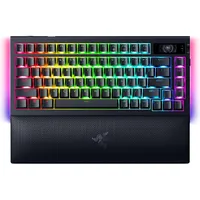
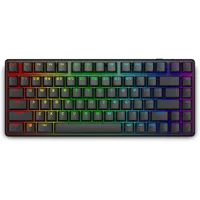
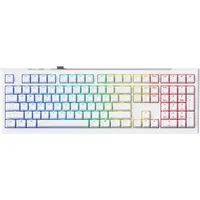
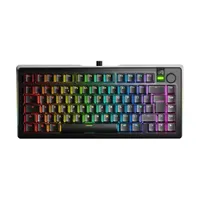
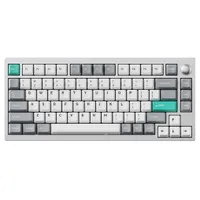
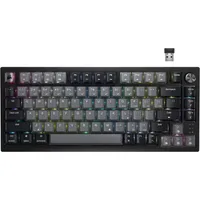
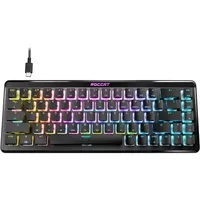
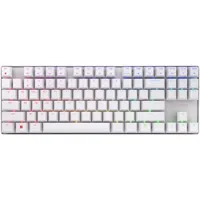
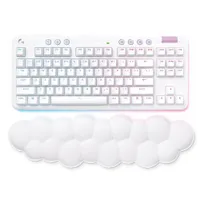
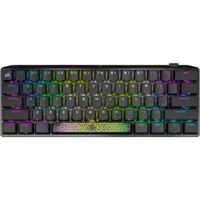
How to choose a wireless gaming keyboard
Whether you travel regularly or simply want a clutter-free workspace, the best wireless gaming keyboards can help you cut the cord and still stay juiced up. There are three factors you should consider before diving into a purchase though; switch type, size, and connection.

The industry has moved on from the traditional membrane / mechanical divide. Now we have optical, magnetic, and mechanical switches to consider.
There are still two important classifications, though - membrane, mechanical and some optical switches have a set actuation point (the amount you need to press a key to register an input), whereas magnetic (Hall effect) have customizable actuation points. That means you can choose a featherlight tap for some games or a heavier thud for others. It helps with accuracy and speed in equal measure, but these decks often come with extra features that can dynamically decrease your actuation point when repeated presses are recognized and more.
If you're a more casual player, I wouldn't worry too much about Hall effect decks just yet. They're still relatively young and can cost a lot more than their mechanical counterparts (especially when wireless configurations come into play). However, more competitive players could stand to invest a little extra in this technology - especially if you find yourself swapping between more and less competitive games regularly.

Size is your next consideration. Gaming keyboards range from a full size (including all function keys, navigation keys, and a num pad) all the way down to 60% (just the alphanumeric keys), with TKL, 75%, and 65% models in between. In general, the larger the keyboard the more dedicated controls and macro opportunities you have (great for MMOs and MOBAs) but sacrifice mouse-wielding space to the right (not great for FPS or competitive efforts).
I find the sweet spot to be 75% or TKL - you've still got plenty of space for wider mouse movements but there's a good selection of extra keys to map as well. You're also more likely to find dedicated control dials and media controls on these decks as well. Consider how much space you have, how much you need to move your mouse, and how many extra keybindings you like to have in place at one time.
If, however, you need a wireless gaming keyboard for portability purposes, it's worth sticking to 65%. You're getting a more compact form factor but still keeping those all-important arrow buttons.
Then we get to connection style. Most wireless gaming keyboards will use a 2.4GHz receiver as standard, though some will require a dongle attached to a wire so be sure to check if you're going for a clutter-free setup. On top of that, though, it's also possible to find decks with Bluetooth connections. It's worth digging for these decks if you know you'll be using your keyboard across multiple different devices regularly.
Wireless gaming keyboards FAQ

Are wireless keyboards good for gaming?
Wireless gaming keyboards have traditionally taken a bad rap from players. However, while older models did struggle to keep up with wired models when it came to latency, connection reliability, and features, we're seeing many of those concerns disappearing. Of course, cheaper models will still lag slightly behind similarly priced wired keyboards. With speedy response times and reliable connections, though, they will still provide a solid gaming experience. Plus, up at the upper mid-range and top price ranges, the battlefield is a little more balanced as well.
Should you buy a wireless gaming keyboard?
Cordless decks can combine incredible performance with a portable form factor that keeps your setup clean and tidy. However, they can come with a premium. If you're just looking for a nice set of keys under your fingers, we'd recommend checking out standard cabled decks. You'll likely find better performance and more features for your cash, and you'll find a far greater range of budget-minded devices to boot.
All the same, if you're willing to invest a little more, a wireless gaming keyboard can make your whole gaming desk feel just a little more cohesive. If you're facing a particularly tricky connection situation, or you're simply on the move a lot, it might be worth spending a little more on a connection type that can keep up.
Should you use Bluetooth or 2.4GHz on your wireless gaming keyboard?
The majority of today's models will offer a 2.4GHz connection via a USB dongle that attaches to your PC. Bluetooth simply doesn't offer the speeds or stability that this newer wireless connection method can, but can be relied on for everyday productivity tasks.
We're also rounding up all the best Razer keyboards for more inspiration, or for more cordless setup options check out our roundups of the best wireless gaming mouse models and best wireless gaming headsets available now.

