

Join The Community
- Join our community
11
Premium Benefits
24/7
Access Available
21K+
Active Members
Commenting
Join the discussion
Exclusive Articles Coming Soon
Member-only articles
Weekly Newsletters
Weekly gaming & entertainment news
Member Badges
Earn badges as you go
Exclusive Competitions
Members-only prize draws
Curated Deals Coming Soon
Tech and gaming deals worth grabbing
GET COMMUNITY ACCESS QUICK
For the quickest way to join, simply enter your email below and get access. We will send a confirmation and sign you up to our newsletter to keep you updated on all your gaming news.
By submitting your information you agree to the Terms & Conditions and Privacy Policy and are aged 16 or over.
FIND OUT ABOUT OUR MAGAZINE
Want to subscribe to the magazine? Click the button below to find out more information.
Find out more
GET Community ACCESS QUICK

Join the GamesRadar community for quick access. Enter your email below and we'll send confirmation, and sign you up to our newsletter.

By submitting your information you agree to the Terms & Conditions and Privacy Policy and are aged 16 or over.

Background
Welcome to GamesRADAR+ Community !
Hi ,

Your membership journey starts here.

Keep exploring and earning more as a member.

MY ACCOUNT

Badge picture
Earn your first badge
Read 1 article to unlock your first badge.
Keep earning badges
Explore ways to get more involved as a member.
Latest Games News

Latest Games News

Breaking gaming news and updates

Read Now
Latest Games Reviews

Latest Games Reviews

Expert verdicts on the newest releases

Read Now

See what you’ve unlocked.

Explore your membership benefits.

Explore
Member Exclusives

Stay Ahead with GamesRadar+

Get the biggest gaming news, reviews, and releases straight to your inbox.

Explore

Sign Out
GamesRadar+ GamesRadar+
US EditionUS CA EditionCanada UK EditionUK AU EditionAustralia
Sign in
  • View Profile
  • Sign out
  • Games
    • Game Insights
      • Games News
      • Games Features
      • Games Reviews
      • Games Guides
      • Big in 2026
      • Big Preview
      • Future Games Show
      • Golden Joystick Awards
    • Genres
      • Action Games
      • RPGs
      • Action RPGs
      • Adventure Games
      • Third Person Shooters
      • FPS Games
    • Platforms
      • PS5
      • Xbox Series X
      • PC
      • Nintendo Switch
      • Nintendo Switch 2
      • Tabletop Gaming
    • Franchises
      • Grand Theft Auto
      • Pokemon
      • Assassin's Creed
      • Monster Hunter
      • Fortnite
      • Cyberpunk
      • Red Dead
      • The Elder Scrolls
      • The Sims
  • Entertainment
    • TV Shows
      • TV News
      • TV Reviews
      • Anime Shows
      • Sci-Fi Shows
      • Superhero Shows
      • Animated Shows
      • Marvel TV Shows
      • Star Wars TV Shows
      • DC TV Shows
    • Movies
      • Movie News
      • Movie Reviews
      • Big Screen Spotlight
      • Superhero Movies
      • Action Movies
      • Anime Movies
      • Sci-Fi Movies
      • Horror Movies
      • Marvel Movies
      • DC Movies
    • Streaming
      • Apple TV Plus
      • Disney Plus
      • Netflix
      • HBO
      • Amazon Prime Video
      • Hulu
    • Comics
      • Marvel Comics
      • DC Comics
  • Hardware
    • Insights
      • Hardware News
      • Hardware Reviews
      • Hardware Features
      • Buying Guides
    • Computing
      • Desktop PCs
      • Laptops
      • Handhelds
    • Peripherals
      • Headsets & Headphones
      • TVs & Monitors
      • Gaming Mice
      • Gaming Keyboards
      • Gaming Chairs
      • Speakers & Audio
    • Accessories & Tech
      • Gaming Controllers
      • Tech
      • SSDs & Hard Drives
      • VR
      • Accessories
      • Retro
  • Deals
    • Toys & Collectibles
    • Lego
    • Dungeons and Dragons
    • Merch
  • Video
    • Video
    • GR+ Replay - Submit Your Clips
  • Newsletters
    • Quizzes
    • About Us
    • How to pitch to us
    • How we score
    • Newsarama
    • Retro Gamer
  • home
  • Games
    • View Games
      • Games News
      • Games Features
      • Games Reviews
      • Games Guides
      • Big in 2026
      • Big Preview
      • Future Games Show
      • Golden Joystick Awards
      • Action Games
      • RPGs
      • Action RPGs
      • Adventure Games
      • Third Person Shooters
      • FPS Games
    • Platforms
      • View Platforms
      • PS5
      • Xbox Series X
      • PC
      • Nintendo Switch
      • Nintendo Switch 2
      • Tabletop Gaming
      • Grand Theft Auto
      • Pokemon
      • Assassin's Creed
      • Monster Hunter
      • Fortnite
      • Cyberpunk
      • Red Dead
      • The Elder Scrolls
      • The Sims
  • Entertainment
    • View Entertainment
    • TV Shows
      • View TV Shows
      • TV News
      • TV Reviews
      • Anime Shows
      • Sci-Fi Shows
      • Superhero Shows
      • Animated Shows
      • Marvel TV Shows
      • Star Wars TV Shows
      • DC TV Shows
    • Movies
      • View Movies
      • Movie News
      • Movie Reviews
      • Big Screen Spotlight
      • Superhero Movies
      • Action Movies
      • Anime Movies
      • Sci-Fi Movies
      • Horror Movies
      • Marvel Movies
      • DC Movies
    • Streaming
      • View Streaming
      • Apple TV Plus
      • Disney Plus
      • Netflix
      • HBO
      • Amazon Prime Video
      • Hulu
    • Comics
      • View Comics
      • Marvel Comics
      • DC Comics
  • Hardware
    • View Hardware
      • Hardware News
      • Hardware Reviews
      • Hardware Features
      • Buying Guides
      • Desktop PCs
      • Laptops
      • Handhelds
    • Peripherals
      • View Peripherals
      • Headsets & Headphones
      • TVs & Monitors
      • Gaming Mice
      • Gaming Keyboards
      • Gaming Chairs
      • Speakers & Audio
      • Gaming Controllers
      • Tech
      • SSDs & Hard Drives
      • VR
      • Accessories
      • Retro
  • Deals
    • Toys & Collectibles
    • Lego
    • Dungeons and Dragons
    • Merch
  • Video
    • View Video
    • Video
    • GR+ Replay - Submit Your Clips
  • Newsletters
    • Quizzes
    • About Us
    • How to pitch to us
    • How we score
    • Newsarama
    • Retro Gamer
Trending
  • Best gaming gadgets
  • New Games 2026
  • Arc Raiders
  • Summer Game Fest 2026 schedule
  • Submit your clips. Win prizes
Jump to:
  • Racing tips
  • Progression tips
  • Exploration tips
Sign up to the GamesRadar+ Newsletter

Weekly digests, tales from the communities you love, and more


By submitting your information you agree to the Terms & Conditions and Privacy Policy and are aged 16 or over.

You are now subscribed

Your newsletter sign-up was successful


Want to add more newsletters?

GamesRadar+

Every Friday

GamesRadar+

Your weekly update on everything you could ever want to know about the games you already love, games we know you're going to love in the near future, and tales from the communities that surround them.

GTA 6 O'clock

Every Thursday

GTA 6 O'clock

Our special GTA 6 newsletter, with breaking news, insider info, and rumor analysis from the award-winning GTA 6 O'clock experts.

Knowledge

Every Friday

Knowledge

From the creators of Edge: A weekly videogame industry newsletter with analysis from expert writers, guidance from professionals, and insight into what's on the horizon.

The Setup

Every Thursday

The Setup

Hardware nerds unite, sign up to our free tech newsletter for a weekly digest of the hottest new tech, the latest gadgets on the test bench, and much more.

Switch 2 Spotlight

Every Wednesday

Switch 2 Spotlight

Sign up to our new Switch 2 newsletter, where we bring you the latest talking points on Nintendo's new console each week, bring you up to date on the news, and recommend what games to play.

The Watchlist

Every Saturday

The Watchlist

Subscribe for a weekly digest of the movie and TV news that matters, direct to your inbox. From first-look trailers, interviews, reviews and explainers, we've got you covered.

SFX

Once a month

SFX

Get sneak previews, exclusive competitions and details of special events each month!


Join the club

Get full access to premium articles, exclusive features and a growing list of member rewards.


An account already exists for this email address, please log in.
  1. Games
  2. Racing Games
  3. Forza Horizon
  4. Forza Horizon 6

10 Forza Horizon 6 tips and tricks we wish we knew before starting

Guides
By Will Sawyer published 14 May 2026

Here are some Forza Horizon 6 tips to improve your racing and get around the Horizon Festival

When you purchase through links on our site, we may earn an affiliate commission. Here’s how it works.

10 Forza Horizon 6 tips and tricks
(Image credit: Xbox Game Studios)
Jump to:
  • Racing tips
  • Progression tips
  • Exploration tips
  • Facebook
  • X
  • Pinterest
  • Flipboard
  • Email
Share this article
0
Join the conversation
Follow us
Add us as a preferred source on Google
Subscribe to our newsletter

These Forza Horizon 6 tips and tricks for beginner racers will help you place on the podium and rise through the ranks in the Horizon Festival to become a Legend. To reach such standing, winning races is by far the best way to do so, helping you get superior wristbands, so you'll find some racing basics below to help you crush the competition in in Forza Horizon 6. And the Japan map and Horizon Festival are packed with plenty of other things to do – PR Stunts, Stories, Barn Finds, and even Treasure Cars. It's a lot to keep on top of, particularly if you're unfamiliar with the festival formula, so bear these 10 tips for Forza Horizon 6 in mind and you'll be cruising to Legend Island in no time.

Quick Forza Horizon 6 tips

  1. Use "slow in, fast out" when tackling corners
  2. Follow the racing line for efficient racing
  3. Don't always slam the brakes or throttle
  4. Use Auto Upgrades to give your cars a simple boost
  5. Check your collection journal often for abundant rewards
  6. Prioritize buying houses for their perks
  7. Take photos of cars for easy Horizon Festival points
  8. De-fog the map for plenty of XP and Credits
  9. Auto-Drive and Drone Mode are really useful features
  10. Make good use of Fast Travel as it's now free

Forza Horizon 6 racing tips

1. Slow in, fast out

Forza Horizon 6 BMW braking while approaching corner during a race

(Image credit: Xbox Game Studios)

The principle of "slow in, fast out" is practically racing 101 – not just for Forza Horizon 6 either – and will massively help with cornering. Essentially, you want to approach a corner at a slower and more gentle speed, allowing you to smoothly turn and then hit the gas as you begin to straighten up for a rapid exit. Getting the right braking point and approach speed for any corner takes practice, so you'll have to dedicate some time to mastering it. Practice makes perfect for the next two tips as well!

2. Use the racing line

Forza Horizon 6 car following racing line on circuit during a race

(Image credit: Xbox Game Studios)

Making the most of "slow in, fast out" in FH6 relies on you also following the racing line as best as possible. You can use its blue, yellow, and red color shifting to gauge braking points as you approach turns and corner apexes (the point where you're closest to the inside edge of the corner) so you know when to get back on the throttle. The line is on by default but if you're a bit more experienced, you can switch it to Braking Only, which means the line only appears when you're approaching a corner at too high a speed.

Latest Videos From
You may like
  • Forza Horizon 6 subaru driving down narrow street in tokyo Best Forza Horizon 6 driving assists to use on controller
  • Forza Horizon 6 gameplay shows a silver Porsche driving through cherry blossom petals, and mount Fuji can be seen on the horizon Forza Horizon 6: Everything you need to know about the new Forza Horizon game set in Japan
  • Forza Horizon 6 image showing two cars racing through Tokyo at night Forza Horizon 6 is set to be one of the best open-world racing games of the generation

3. Don't slam the brakes or the throttle all the time

Forza Horizon 6 car slamming into track barrier due to slamming the brakes too late

(Image credit: Xbox Game Studios)

If you play using a controller, it's very easy to get into the habit of just slamming the triggers whenever you need to brake or accelerate, but this can be quite ineffective. Punching full throttle can cause wheelspin, bad launches, and a loss of control, while hitting the brakes as hard as possible can severely impede your steering and lead to spinning out. Get used to pressing down the triggers more slowly and sometimes partially for smoother driving and better racing. Depending on the corner, sometimes a quick tap of the brakes can be enough or even just releasing the throttle and coasting a little.

4. Use Auto Upgrade to easily upgrade your car

Forza Horizon 6 auto upgrade to A class, S1 class, or S2 class for BMW

(Image credit: Xbox Game Studios)

If you want to give your car a performance boost without dipping into the overwhelming world of tuning upgrades and adjustments, the Auto Upgrade option is good enough. Take your cars to any of your garages or the Horizon Festival sites and use Auto Upgrade to boost it to the maximum performance rating for its current class – for example, you could boost a C-class car to 500 or an S2-class car to 900. These upgrades are rarely that expensive and can make a noticeable difference.

Forza Horizon 6 progression tips

5. Check your collection journal often for rewards

Forza Horizon 6 Lamborghini car reward from journal

(Image credit: Xbox Game Studios)

Your Collection Journal is one of the main options on the Campaign menu and shows your progress across the Horizon Festival and Discover Japan. Both have tons of challenges to complete and rewards to collect, including Credits, cosmetics, and even cars to fill out your Forza Horizon 6 car list, so check in often to claim your prizes.

Participate in races and other events to rack up points for Festival wristbands, letting you access more events and therefore get even more rewards. Otherwise, explore the map and complete Stories to get Discover Japan points and Stamps which will help you unlock the same sorts of rewards and even Barn Finds. Stories can also help you learn about certain aspects of the game – for example, you can join the Drift Club if you want to learn more about drifting.

Sign up to the GamesRadar+ Newsletter

Weekly digests, tales from the communities you love, and more

By submitting your information you agree to the Terms & Conditions and Privacy Policy and are aged 16 or over.

6. Prioritize buying houses

Forza Horizon 6 player purchasing mountain lodge house

(Image credit: Xbox Game Studios)

For a game all about racing, worrying about houses more than cars seems odd, but each property you own in Forza Horizon 6 provides its own perk, from a free daily Wheelspin to increased Credit payouts in certain events, it's well worth having these to help you bolster your car collection.

7. Take photos at the start of a race

Forza Horizon 6 using photo mode at the start of a race to take a photo of several cars at once

(Image credit: Xbox Game Studios)

The Horizon Festival Promo feature, where you take pictures of every car possible, is a great way of quickly and easily earning point towards your next wristband. If you see a car with a camera icon above it, that means you've not added it to your Promo and can take a photo of it. Every car you snap awards you 10 points, which can quickly add up and boost your Festival progress. To make the most of this feature, enter Photo Mode (D-Pad Up) as soon as a race starts, then snap some Quickshot pictures with RB/R1 of all the cars on the grid!

Forza Horizon 6 exploration tips

8. De-fogging the map gets you lots of XP and CR

Forza Horizon 6 driving over the tokyo rainbow bridge and 100% de-fogging the region and getting XP rewards

(Image credit: Xbox Game Studios)

As well as revealing new races and activities, driving around the map to clear the fog also gets you large chunks of XP and Credits – 25,000 XP and 30,000 CR for every 25% of a region you clear. That means clearing every region will give you over one million CR! Importantly, it’s also a much less daunting task than it seems since the game will completely clear a region for you once you've cleared roughly 70%-80% of it – the exact number varies by region.

You may like
  • Forza Horizon 6 subaru driving down narrow street in tokyo Best Forza Horizon 6 driving assists to use on controller
  • Forza Horizon 6 gameplay shows a silver Porsche driving through cherry blossom petals, and mount Fuji can be seen on the horizon Forza Horizon 6: Everything you need to know about the new Forza Horizon game set in Japan
  • Forza Horizon 6 image showing two cars racing through Tokyo at night Forza Horizon 6 is set to be one of the best open-world racing games of the generation

9. ANNA's Auto Drive and Drone Mode options are really handy

Forza Horizon 6 using drone mode to find barn find barn

(Image credit: Xbox Game Studios)

The navigation assistant robot ANNA now lets you easily use Drone Mode and a new Auto Drive feature to help you get around. To access either option, press D-Pad Down then Up for Drone Mode or Left for Enable Auto Drive.

Drone Mode is great for searching Barn Find areas and even looking for the new Forza Horizon 6 Treasure Cars and has always been buried in menus in previous Forza Horizon games. Meanwhile, Auto Drive is good for helping you get around if you don't want to drive or fast travel, or you need to quickly put your controller down to do something else.

10. Fast travel is much simpler now

Forza Horizon 6 fast travel button on map

(Image credit: Xbox Game Studios)

Speaking of fast travel, it's now much easier to use compared to previous Forza Horizon games. Fast Travel boards and Credit fees are gone, and now you can fast travel to any point on a road that you've previously driven on for free – in other words, you can't fast travel to grey roads. Hover the map cursor over the point you want to travel to, then press X/Square.
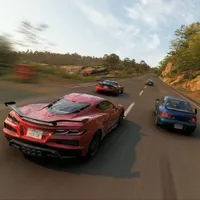
Forza Horizon 6 release timeForza Horizon 6 on Game PassForza Horizon 6 PS5 release date

Forza Horizon 6 release time: When you can play on Xbox and Steam
Forza Horizon 6 on Game Pass: Is it on Xbox's subscription service?
Forza Horizon 6 PS5 release date: Set to launch in 2026

© GamesRadar+. Not to be reproduced without permission.

CATEGORIES
Xbox Series X PC Gaming PS5 Platforms Xbox PlayStation
Will Sawyer
Will Sawyer
Social Links Navigation
Guides Editor, GamesRadar+

Will Sawyer is a Guides Editor at GamesRadar+ with over five years of experience in writing online guides, news, and features, and has a BA (Hons) in Journalism. Starting as a freelancer, Will contributed to startmenu and Game Rant before joining the GamesRadar+ team in August 2021. Since then, he has written hundreds of guides about a huge range of games, with shooters and action games being his areas of expertise. Outside of writing about games, Will hops between multiplayer shooters with friends, such as Darktide and Helldivers 2, and delves into whatever has been on his backlog for far too long. He also tries to get through his never-ending Warhammer pile of shame of grey Tyranids, Aeldari, and Chaos Space Marines.

You must confirm your public display name before commenting

Please logout and then login again, you will then be prompted to enter your display name.

Read more
Forza Horizon 6 subaru driving down narrow street in tokyo
Forza Horizon Best Forza Horizon 6 driving assists to use on controller
 
 
Forza Horizon 6 gameplay shows a silver Porsche driving through cherry blossom petals, and mount Fuji can be seen on the horizon
Racing Games Forza Horizon 6: Everything you need to know about the new Forza Horizon game set in Japan
 
 
Forza Horizon 6 image showing two cars racing through Tokyo at night
Forza Horizon Forza Horizon 6 is set to be one of the best open-world racing games of the generation
 
 
Four cars vie for position in a rural Japanese town in Forza Horizon 6
Forza Horizon Forza Horizon 6 review: "A sublime racing engine supercharges this stunning, Japan-set open world"
 
 
Forza Horizon 6 Treasure Car porsche 959 driving down wet road
Forza Horizon All Forza Horizon 6 Treasure Car locations
 
 
Forza Horizon 6 screenshot showing a Porsche driving through a cherry blossom covered street
Forza Horizon "It's a sea change": Forza Horizon 6 is leaving the Xbox One behind, and it's a better game because of it
 
 
Latest in Forza Horizon
Forza Horizon 6 Treasure Car porsche 959 driving down wet road
Forza Horizon All Forza Horizon 6 Treasure Car locations
 
 
Forza Horizon 6 subaru driving down narrow street in tokyo
Forza Horizon Best Forza Horizon 6 driving assists to use on controller
 
 
Forza Horizon 6 cars and players lined up at horizon festival site watching the fireworks
Forza Horizon When will Forza Horizon 6 come out?
 
 
Four cars vie for position in a rural Japanese town in Forza Horizon 6
Forza Horizon Forza Horizon 6 review: "A sublime racing engine supercharges this stunning, Japan-set open world"
 
 
Forza Horizon 6 ferrari street race in tokyo
Forza Horizon When is the Forza Horizon 6 PS5 release date?
 
 
Forza Horizon 6 Toyota Landcruiser driving up grass hill
Forza Horizon Will Forza Horizon 6 be on Game Pass?
 
 
Latest in Guides
Forza Horizon 6 Treasure Car porsche 959 driving down wet road
Forza Horizon All Forza Horizon 6 Treasure Car locations
 
 
Forza Horizon 6 subaru driving down narrow street in tokyo
Forza Horizon Best Forza Horizon 6 driving assists to use on controller
 
 
Forza Horizon 6 cars and players lined up at horizon festival site watching the fireworks
Forza Horizon When will Forza Horizon 6 come out?
 
 
Fortnite x Overwatch collab
Fortnite When does the Fortnite x Overwatch collab start, and what's included?
 
 
Roll an Anime codes
Simulation Games Roll an Anime codes (May 2026) and how to redeem them for a free character plus boosts
 
 
A player swims underwater with their friend beside them in Subnautica 2 multiplayer
Survival Games Subnautica 2 multiplayer and crossplay explained
 
 
LATEST ARTICLES
  1. 10 Forza Horizon 6 tips and tricks
    1
    Forza Horizon 6 tips and tricks for racing and exploration
  2. 2
    Final Fantasy 7 Remake lead knows the series has more older fans, wants to expand it for new players
  3. 3
    Garry's Mod successor punishes gen AI use as creator admits Steam reviews "obviously aren't great"
  4. 4
    The year is 2026 and Alienware just launched an RTX 4050 gaming laptop for $1300
  5. 5
    FromSoftware owner says Elden Ring Nightreign "performed strongly" and The Duskbloods is still coming in 2026

GamesRadar+ is part of Future US Inc, an international media group and leading digital publisher. Visit our corporate site.

Add as a preferred source on Google Add as a preferred source on Google
  • Terms and conditions
  • Contact Future's experts
  • Privacy policy
  • Cookies policy
  • Accessibility statement
  • Careers
  • About us
  • Advertise with us
  • Review guidelines
  • Write for us

© Future US, Inc. Full 7th Floor, 130 West 42nd Street, New York, NY 10036.

Please login or signup to comment

Please wait...