





The best gaming projectors can elevate pretty much any console or PC setup. Taking that action to the even-bigger screen makes your games feel like a whole new experience. Unlike TVs, these projectors can sit quietly in your home waiting for their moment to shine - you try decorating around a 90-inch TV and you'll see why they're rapidly gaining popularity.
That's not even the best part. Not only has the tech inside these devices caught up to modern gaming standards, but they're also considerably cheaper than they once were. This is still an investment if you want super crisp 4K picture and smooth refresh rates but they're within the realm of a high-end TV's cost these days.
In just the last few months we've seen the introduction of new 4K 120Hz projectors hitting the market, and more brands are getting in on the action than ever. Right now, the best projector for gaming is the BenQ X3100i, a 4K thrower with enough juice for 240Hz 1080p console gameplay and a fantastic picture quality. However, there are plenty other with slightly different specs that might suit you better just below.
The Quick List

BenQ's top dog is the best projector for gaming due to its high refresh rates at 1080p and low latencies. It also benefits from boosted brightness and contrast compared to the older model.

The Yaber T2 is a simple no-fuss streaming projector running at 1080p, but it's still fantastic for gaming. This is a budget-friendly portable projector with more than a few tricks up its sleeve.

The BenQ W4100i offers more USB ports, a higher quality picture, and turbo charged HDR features compared to the X3100i. That comes at the cost of latency, making it the go-to for single players.

Fantastic HDR performance and a super cozy design means the XGIMI Horizon Ultra is my favorite long-throw projector for gaming.

The Sony Bravia Projector 7 is a premium native UHD thrower with improved latencies and HDMI 2.1 for full 4K 120Hz gameplay. That kind of quality comes at a cost, but enthusiasts will be happy here.

Straight out of the box, the Anker Nebula X1 impresses with its depth of audio - that's before you add the optional satellite speakers.

One of my first jobs was in the projection room of a movie theatre as a teenager, and since then I've loved big-screen entertainment. Pair that with a lifelong obsession with gaming and you've got yourself an expensive hobby. I went through loads of cheap projectors before starting my quest to find the best model on the market. In my three years at GamesRadar+ I've been testing projectors with a laser focus on speed, brightness, clarity, and - most importantly - value for money.
January 20 - The BenQ W4100i has taken a top spot among the best projectors for gaming this month. The mid-range device is more geared towards streaming, but still offers plenty of HDMI ports for a multi-console setup, with 4K output and some fancy HDR tricks as well.
December 17 - The Sony Bravia Projector 7 has taken the 4K slot from its predecessor, offering a lower price point than the Bravia 8 while also dropping latencies and maintaining that fantastic picture quality. Brightness has taken a hit, but if you're building an enthusiast home cinema this is the model to see.
The best projector for gaming overall
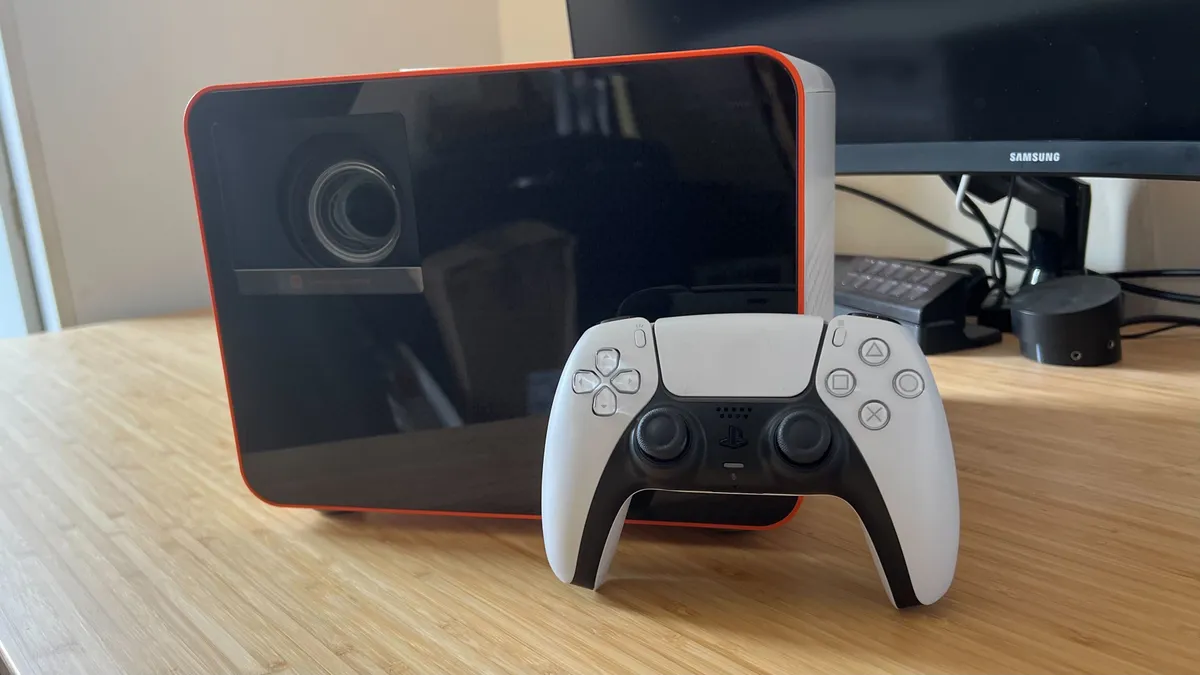
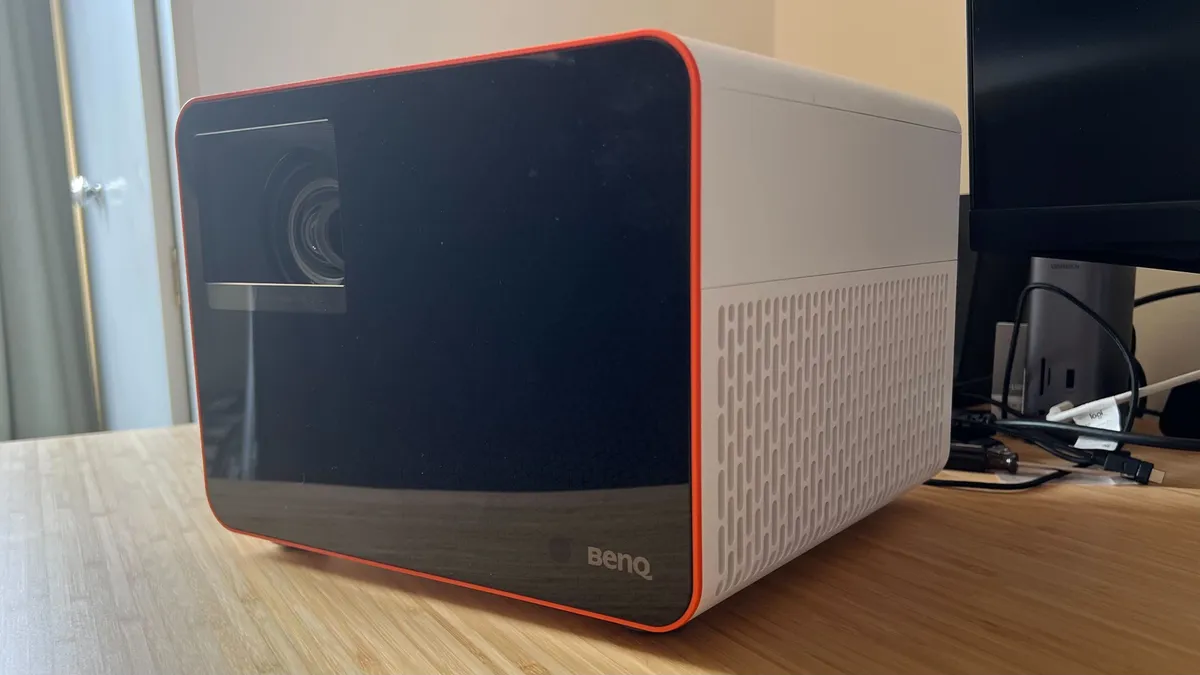


There's a new kid in town, and the BenQ X3100i has taken over from the previous generation BenQ X3000i as our favorite projector for gaming overall. This is an iterative update in terms of core specs, but a boost to brightness and contrast, and a few fancy new features set it apart from the crowd. While PC players might lament the lack of Dolby Vision HDR, there's still plenty for all platforms to enjoy here.
✅ You want 4K without the price tag: A native 4K projector costs twice this MSRP, and considering the BenQ uses pixel shifting tech so well you're still getting fantastic image quality.
✅ You want easy picture adjustment: While not automatic, the vertical lens shift dial is brand new here and means you can move your whole picture up or down to fit your space. Plus, handy focus and zoom scrolls on the side keep things snappy as well.
✅ You play more competitive games: With super-fast 1080p latencies, the BenQ X3100i moves pretty slick on the battlefield.
❌ You have a smaller space: The form factor means this isn't a projector designed to squeeze into a tighter space.
❌ You need Dolby Vision for PC: If your handheld or PC runs using Dolby Vision HDR you might want to consider a model that supports it.
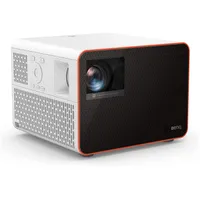
Design: The latest model slots right in with the rest of BenQ's lineup. Its boxy white aesthetic is softened by rounded corners and a fun orange trim around the black front, while the entire unit remains relatively compact for a projector. This isn't a tuck-and-forget device, it's still got a considerable footprint (if you need a cozier setup, check out the X300G below), but it's still far from the chunkier models on the market. You'll have an easier time keeping this model on a shelf than you will some wider but shorter alternatives. All controls are housed on either the top or left-hand side, with each button and dial feeling solid and satisfying during our testing.
Features: This is a projector built for gaming from the ground up, which means you've got access to a number of genre-specific game modes as well as your standard HDR / SDR picture options for streaming. At its fastest, the BenQ X3100i can reach speeds of 4.2ms (1080p / 240Hz), while 4K picture will fly at you at 16.7ms (60Hz). That's impressive considering the vast majority of projectors could only dream of these latencies, and makes for a particularly smooth experience if you tend to play competitive games. On top of that the X3100i has improved upon the X3000i's brightness and contrast, added a vertical lens shift option, and brings a unique picture settings software to market as well.
Performance: Testing across Astro's Playroom reveals just how far that boost in contrast can take you. These are particularly vivid scenes anyway, but colors leap off the wall while still retaining a crisp sharpness and dynamic punch. Things are a little more restrained in Assassin's Creed: Mirage with its golden brown hues bringing out a warmth in the projector's visual profile - at times to the detriment of muddying a little. Still, details and darker scenes still thrive in HDR. That means you'll be enjoying crisp colors without having to ensure total darkness in the room - a real win if you tend to play in the early evening.
Verdict: The BenQ X3100i is the best projector for gaming on the market right now thanks to its low latencies, impressive 4K pixel shifting, wide compatibility range, and impressive color contrast (particularly in the right scenarios).
Read more: BenQ X3100i review
Versatility |
4/5 |
Ease of use |
4/5 |
Compatibility |
5/5 |
Build quality |
5/5 |
Picture quality |
4/5 |
Brightness |
4/5 |
The best budget projector for gaming
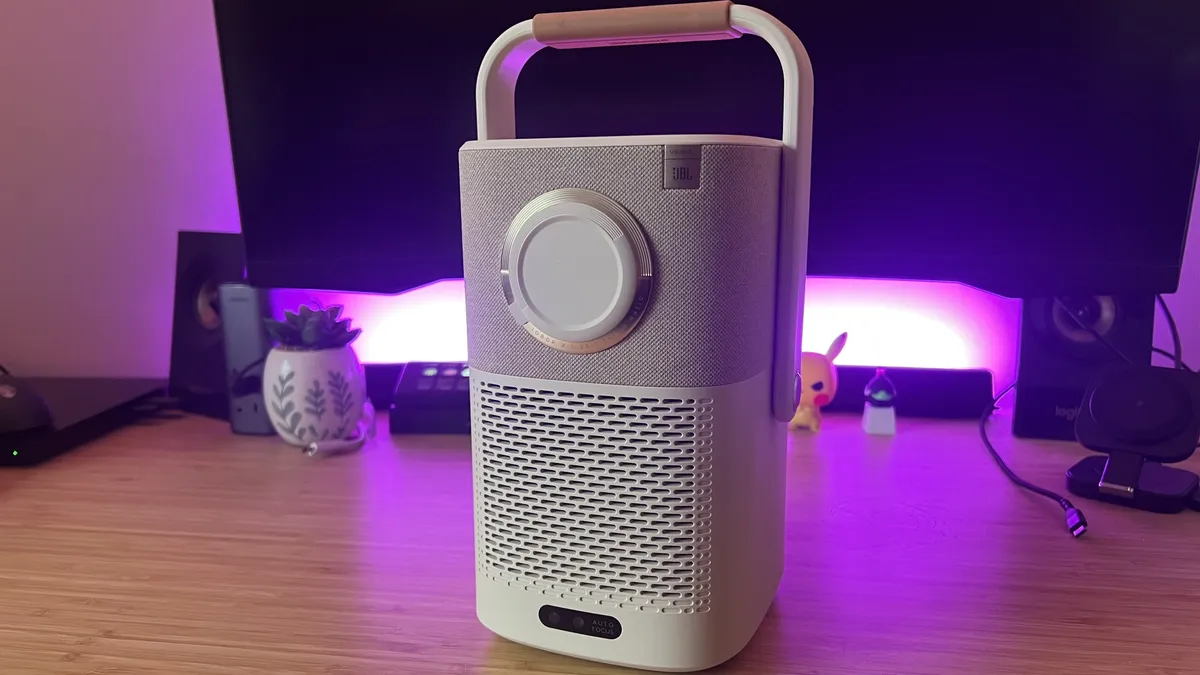
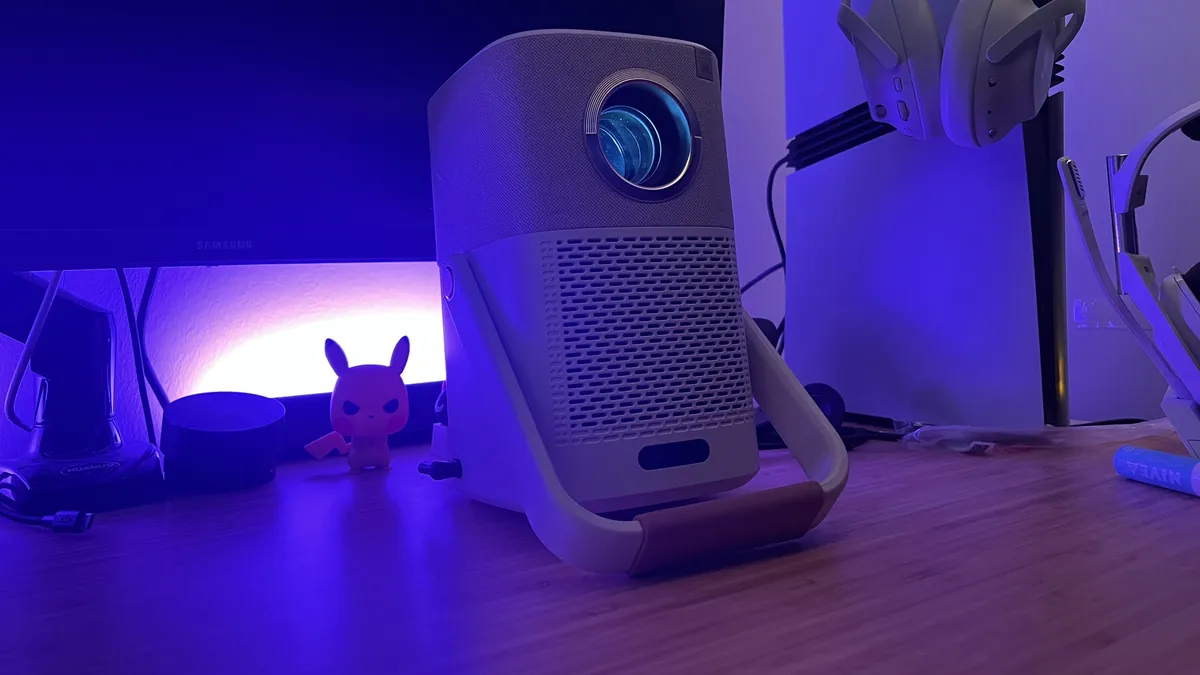


The Yaber T2 Plus is a budget projector that still manages to look and feel premium. A strong 1080p picture, excellent portability, and a slick design mean this affordable thrower stands tall against the rest of the competition.
✅ You want to spend as little as possible: This is a budget option so it comes in significantly cheaper than other brand names on this list.
✅ You want to take your viewing outside: The built in battery actually lasts a surprising amount of time - you'll get through a whole movie on one charge, though you'll need to wait for the sun to set.
✅ You want a lifestyle projector: It's a new term, but if you want a projector that looks subtle enough to blend into your living room, and remains versatile enough to follow you from room to room this is a fantastic choice.
❌ You want to travel regularly: If you're considering a projector for a camping trip, don't let that handle fool you. This is much larger and heavier than other portable projectors.
❌ You want to make it your main source of viewing: You'll want to invest a little further up the price scale (for 4K resolution and HDR features) if you want to mainline a projector rather than a TV.
Design: It's rare to find a budget projector that actually looks good, but with its soft corners, fabric top half, and cream color design, the Yaber T2 Plus actually looks and feels like it costs a lot more. This is a tall, 5.5lb device, so despite its features it's not going to replace the Samsung Freestyle or Anker Nebula Capsule as a go-to for pure portability. However, its handle feels sturdy enough to transport from room to room (and also doubles as a handy stand for viewing), and its aesthetic means it easily fades into the background when not in use. Unfortunately, the camera and sensor are placed right where the handle folds down, so in situations where I only needed a slight incline, I was held back by the design.
Features: I was surprised by just how many features Yaber managed to pack into the T2. From a solid 2.5 hour battery life to incredibly easy setup tools, this is a plug-and-play that can see you through a whole movie without needing to plug in. That's rare to find in far more expensive projectors, let along this far down the price scale. Yaber runs its own operating system, and the Plus model ships with a Google TV dongle that doesn't require additional power. That's a huge benefit, even if it does mean you'll need to swap HDMIs out for gaming (something the Epson EF-22 negates). You've also got two 8-watt JBL speakers basked in, and - again - their quality is surprising. While a headset will be necessary for gaming, these drivers were more than enough for casual viewing.
Performance: Like most budget projectors, the Yaber T2 Plus needs some visual tweaks straight out of the box. I'd recommend switching on max brightness straight away, as any ambient light washed out even high-lighting scenes in my testing. I'm not mad, though, because once I tinkered with shadows and sharpness settings I was able to rev a much better picture in The Conjuring. PS5 and PC games look strong at 1080p, though more vibrant titles like Astro Bot did lack a little color saturation. This one's for solo ventures, though, and latencies aren't going to support much competitive play.
Verdict: The Yaber T2 Plus does far more than other budget projectors, and pulls it off with a surprisingly long list of extra features. There are sacrifices in image quality and some design details, but if you're after a casual device for big-screen moments this is a must-see.
Read more: Yaber T2 Plus review
Versatility |
3/5 |
Ease of use |
5/5 |
Compatibility |
4/5 |
Build quality |
5/5 |
Picture quality |
3/5 |
Brightness |
4/5 |
The best projector for single players


The BenQ W4100i is more cinema-focused than its sibling at the top of our list, but with a boosted HDR repertoire and more HDMI inputs for a multi-console setup it's still an excellent pick for single player games. That's because it puts more emphasis on producing a gorgeous image than keeping those latencies low. Speed is still impressive here, just not as much as the X3100i.
✅ You mostly play single player: The higher latencies aren't going to serve competitive players as well, but those after immersion will be very happy here.
✅ You have multiple consoles to connect: Those three HDMIs are like gold dust - no more swapping cables whenever you switch to a different platform.
✅ You're building an all-in-one setup: If you're after a projector that can handle all your movies and games, there's a massive amount of value in this package.
❌ You play competitively: If you want the absolute lowest latencies, you'd be better off dropping some of those picture features for the speed of the X3100i.
Design: Unlike the bright white and red aesthetic of the boxier X3100i, the BenQ W4100i keeps things subtle with a cool gray exterior and a flattened shape you'd expect from a projector. With extendable feet providing a small tilt, physical dials for zoom, focus, and lens shifting, there are plenty of placement options open to you, even if the unit itself is a little deep to comfortably sit on most shelves. Still, the 6.59kg weight means ceiling mounting is still a possibility.
Features: BenQ has thrown everything at the W4100i, but it's leaning a little harder into its streaming parentage than gaming. That means high-end HDR features like Dynamic Tone Mapping (and HDR10+), an Android streaming dongle straight out the box, bountiful image placement and correction controls, and a whole roster of picture settings to choose from.
A 3,200 lumen brightness keeps some of the big dogs in play, but still tops Sony's specialist Bravia line. It's plenty of light for a dark room, but can't quite keep up with higher ambient light sources. The unit also accepts a 4K 120Hz image from all of its three HDMI ports, running its picture in 1080p with pixel shifting up to full UHD. However, output doesn't extend to that speedy refresh rate - we're at 60Hz at full whack.
Latencies are rated at 13ms in 1080p and 17.9ms in 4K. That's slower than the X3100i (4.2ms at 1080p / 16.7ms at 4K).
Performance: Colors, motion handling, and detailing are the BenQ W4100i's strongest points, with the projector offering a crisp, vibrant image across both streaming, PS5, and Nintendo Switch 2. I did notice some rainbow effects during more dramatic scene transitions, but they were largely fleeting. This is a picture quality that represents a marked step up from the lower mid-range.
Verdict: The BenQ W4100i is a little more expensive than the BenQ X3100i, but if you're after a projector with features that knock on far more premium doors and still puts up gloves for single player adventures it's a must-see.
Read more: BenQ W4100i review
Versatility |
3/5 |
Ease of use |
5/5 |
Compatibility |
5/5 |
Build quality |
4/5 |
Picture quality |
4/5 |
Brightness |
4/5 |
The best long throw projector for gaming
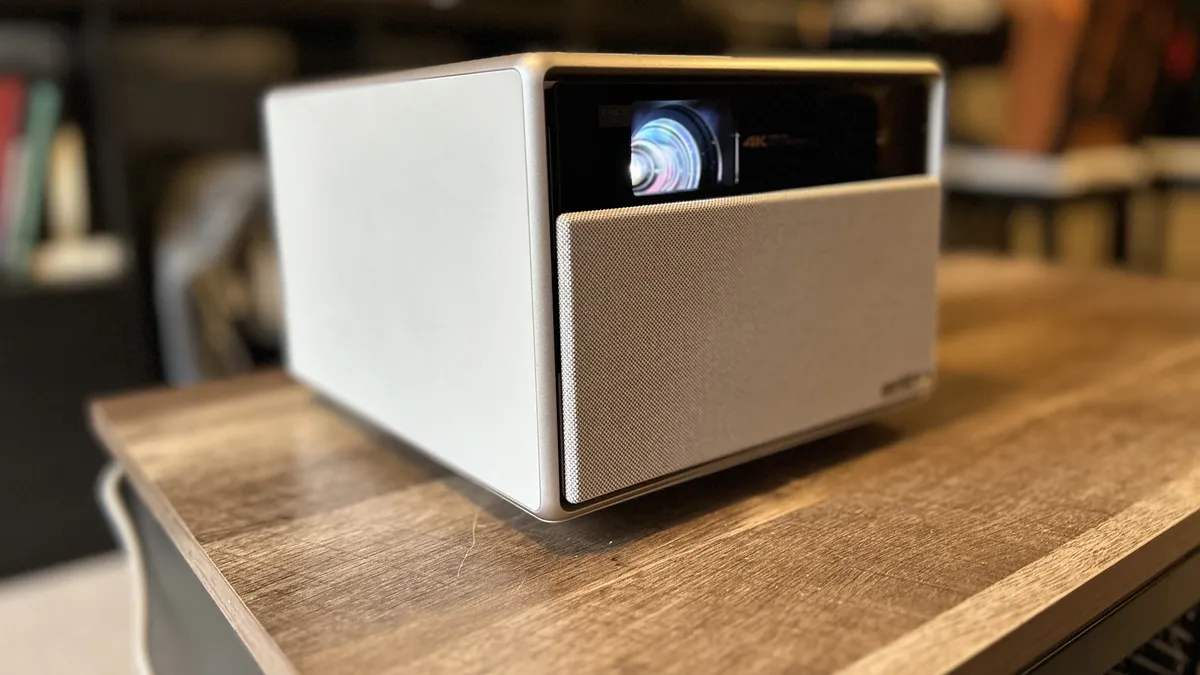


The XGIMI Horizon Ultra is just on the cusp of the long throw category, and its 60Hz refresh rate means it's not one for more competitive pursuits. However, if you're after single player adventures mixed with home cinema, this is the best in the business in 2024.
✅ You have a larger space to fill: It's just on the edge of long throw territory, but the XGIMI Horizon Ultra is still comfortable in a larger room.
✅ You want to watch movies as well: This is a real win for cinephiles, with excellent coloring and Dolby Vision HDR working in tandem to produce a fantastic visual image when streaming.
✅ You play solo games: The 60Hz refresh rate is a bit of a let down, but it will still see you through slower open world adventures.
❌ You play competitively: Anyone chasing framerates for a competitive arena will need to look at a projector with at least a 120Hz refresh rate.
❌ You don't have much space: Both the physical body of the Horizon Ultra and its image throw are better suited to rooms with more space to cast and shelf the projector.
Design: There's no cold white plastic or aluminum panels to scratch here, the XGIMI Horizon Ultra looks and feels like a luxury design to slot straight into any living room. The off-white color, leather clad sides, and handy automatic lens cover make this a particularly premium aesthetic, and a far softer one than you'll find in many gaming projectors on the market.
It's not exactly hide-able, with a footprint that's going to take up the width of a shelf and then some. If you've got a spot for it, though, that extra room allows for a fantastic speaker system that we wouldn't trade out. Thankfully, all your controls are on the included remote so you can pretty much set and forget once you've found a spot for it.
Features: A powerful engine means you're getting incredibly crisp UHD content straight out of the Horizon Ultra, with - for the first time in a long throw projector - Dolby Vision HDR thrown in. That makes for excellent streaming and some particularly special PS5 play as well. A dual light source made up of both LEDs and a laser makes for an accuracy in those colors as well.
The 12W Harman and Kardon speaker system is capable of filling a room with sound, all taken from a healthy selection of HDMI and USB ports running along the back. A particular highlight, though, is the ease of setup. There's a massive range of auto-settings to take advantage of, as well as automatic obstacle avoidance and color detection.
Performance: The brightness and color tones were particularly impressive here. Even when set up with automatic adjustments, we didn't notice too many distortions. The entire image has a much warmer tone than we've seen in other projectors while still allowing more contrasting colors to pop with a colder vividity. However, that 60Hz cap did put a halt to any particularly fast-paced titles. The Ultra just doesn't have the motion handling skills to see you comfortably through games like Apex Legends, but for solo adventures like Skyrim everything came together in perfect harmony.
Verdict: The XGIMI Horizon Ultra is an impressive piece of kit and, while its slower specs won't be enough to rank you up the leaderboard, single player games absolutely shine. An easy setup, luxurious form factor, and excellent color make this a must-see for those after a long throw projector.
Read more: XGIMI Horizon Ultra review
Versatility |
4/5 |
Ease of use |
5/5 |
Compatibility |
4/5 |
Build quality |
5/5 |
Picture quality |
4/5 |
Brightness |
3/5 |
The best 4K projector for gaming


The Sony Bravia Projector 7 is expensive, but it's nowhere near the $19,000 asking price of the Sony Bravia Projector 8 that previously held this slot. This newer model comes in at $10,000 / £7,000 and still offers the high-end processing prowess and 4K 120Hz picture of the more expensive model. That comes at a brightness sacrifice, but gamers will be more interested in the latency drop at full UHD.
✅ You're all about picture quality: If you're after the best picture possible, at the expense of other features, you've found it right here.
✅ You're running new generation consoles: With HDMI 2.1 allowing for 4K 120Hz picture, this is one for the PS5 and Xbox Series X owners among us.
✅ You've already got audio sorted: There's no audio in this model, so you'll need to already have a headset or sound system available.
❌ You're not building a home theatre: The specs and price tag make this one for the enthusiasts, so if you're just adding to your regular console setup it's worth checking out cheaper options.
Design: The Bravia 7 is a hefty device by mainstream standards, but it's actually fairly compact compared to other specialist models. It's wide, tall, and heavy - so you'll need enough space to comfortably house its footprint - but is also more streamlined than previous models. It's designed to be mounted to a ceiling, though, and carries the same wide, sloped aesthetic as those that came before it.
Features: Under the hood, the Sony Bravia Projector 7 packs a serious punch with its XR processor It features XR Dynamic Tone Mapping, which handles HDR adjustments on-the-fly on a frame by frame basis, XR Deep Black, which enhances shadows with full laser dimming to keep blacks inky and details clear, and XR Clear Image for upscaling with particularly impressive results. With 2,200 lumens of brightness, the Bravia 7 does drop behind the yet more expensive Bravia 8 model (2,700) and doesn't fare as well under higher lighting conditions as a result.
The Bravia 7 does, however, win in terms of latency. Sony has shunted the response times down to 12ms at full 4K 120Hz here, miles ahead of the Bravia 8 and BenQ model above.
Performance: The 4K experience here is second to none. With that XR processor whirring away under the hood, everything looks incredibly impressive. From Blu-Rays like Joker and Dunkirk pulling off a wide range of color requirements without a sweat and that fantastic HDR tweaking helping everything pop it's the gold standard for a home theatre.
Verdict: Sony is targeting its gamers a little harder with the cheaper Bravia 7, dropping latency and maintaining its excellent HDR features. You'll need to be a true home cinema enthusiast to truly make the most of it, but if you're building a theatre yourself this is a must-see.
Versatility |
4/5 |
Ease of use |
5/5 |
Compatibility |
5/5 |
Build quality |
5/5 |
Picture quality |
5/5 |
Brightness |
3/5 |
The best projector for gaming audio


The Anker Nebula X1 is a more recent release, but it's not the liquid cooling or gorgeous 4K projection that has me excited. It's the audio. There's an impressively robust set of speakers in here, and that's before you add the satellite drivers into the mix. If you don't want to rely on one of the best gaming headsets to drown out fan noise, this is your go-to.
✅ You don't want to use a headset: Not only are the onboard speakers particularly impressive, but the liquid cooling system also makes sure those fans are whisper quiet as well.
✅ You play single player games: The latency and refresh rates aren't the best on the market for competitive gamers, but if you're looking for solo adventures the vibrancy and image quality is particularly strong.
✅ You have different consoles in different rooms: Say you've got your Switch set up in one room and your PS5 in another, the Anker Nebula X1's super smart setup process makes moving its location incredibly easy.
❌ You play competitively: If you're counting milliseconds and matching frames, you'll want to check out BenQ's faster model at the top of the page.
❌ You want a true 'portable' projector: Despite that handle, the Anker Nebula X1 isn't a particularly versatile device outside of the home. It can be moved easily from room to room, but it's big and heavy and doesn't have an internal battery.
Design: The Nebula X1 is marketed as a 'portable' device, but that term has been applied a little liberally. This is a chunky, heavy projector that requires a constant power connection to run. It's handle is particularly sturdy, but it will only be used to move from room to room. The good news is that heft means this is a durable device, built with strong materials for a cool, reliable overall feel. Visually, it looks similar to previous Nebula models with its little WALL-E face and gray tones.
Features: Let's great straight into the good stuff. The reason this is one of the best projectors for gaming right now comes down to its speakers and its cooling. The Nebula X1 uses a liquid thermal management system more frequently seen in PCs, but here is means those fans run whisper quiet. If you've been pushed to using a gaming headset to drown out all that noise in the past, you'll be pleasantly surprised by just how silent this thing can be.
That's only half the equation, though. The speakers themselves are among the best I've ever tested in a gaming projector. They offer fantastic texture among both the highs and lows, with plenty of detail and a power that's rarely heard from a device like this. On top of that, you've also got a particularly clever setup process. The system essentially handles everything for you, from focus to keystone to wall color correction. That's nothing new by itself, plenty of projectors offer it. The Nebula X1 seems to get things right a lot more frequently, though.
Performance: This isn't a projector made for gaming, but it still shows off the vibrant world of Astro Bot in particularly strong detail. Once I tweaked the settings (out of the box presets are little tricky to balance) everything was crisp and perfectly balanced. Single player games were a joy here, with just about enough speed to feel responsive (though you won't get the same snap as a TV). Competitive titles were a little too fast for the X1's 60Hz 4K refresh rates, though, and I fell behind in more hectic scenarios.
Verdict: If you're a single-player looking to ditch the sweaty headset, the Anker Nebula X1 is a fantastic option. This is the best audio I've heard from a gaming projector so far, and it's paired with the quietest fans I've used as well.
Read more: Anker Nebula X1 review
Versatility |
4/5 |
Ease of use |
5/5 |
Compatibility |
4/5 |
Build quality |
5/5 |
Picture quality |
4/5 |
Brightness |
5/5 |
Also tested
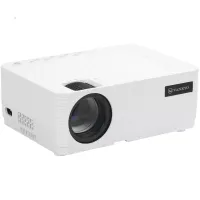
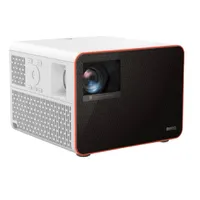
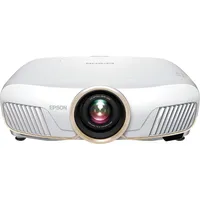
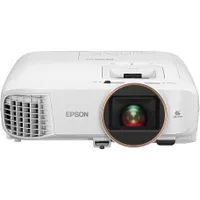
How we test projectors

Every projector we test goes through a series of identical procedures to make sure we're getting a fair result for each device. We test projectors across their designs, features, and performance with a specific focus on cross-market comparison to ensure value for money. Crucially, though, we live, play, and stream through each projector for a minimum of two weeks, consuming all manner of content on the big-screen for a full real-world experience. We don't leave these devices in a lab after the working day is done, they come home and are integrated directly into our everyday lives.
That means the first thing we usually take note of is the design. Pulling the projector out the box, we're examining the device's size, shape, and weight to see what kind of influence that will have across portability, shelf space, and any mounting restrictions that might come up. From there we're looking to make sure the aesthetic can slot into a range of different decors and that the build quality (across materials, construction, and overall durability) is solid.
We test for a certain baseline of features in every gaming projector, across resolution, refresh rates, brightness, contrast, and color ranges. We also make sure the throw range is within reasonable limit for each setup, and that setup is eased through any auto-adjustments. Ports are assessed for their compatibility, ease of access, and breadth, as well as the appearance of a dedicated streaming stick. Beyond these basics, we're also looking for any extra speakers, lens shift, zoom, and wireless connection features.
We test the performance of each gaming projector across a series of defined games (Astro's Playroom / Astro Bot, Assassin's Creed: Mirage, Apex Legends, and The Last of Us Part 2) but also 4K and FHD HDR and SDR streaming content. We test brightness across light and dark scenes in natural daylight, medium ambient lighting, and complete darkness with a particular focus on clarity in those more shadowy moments. We're checking the vividity, warmth, tone, and contrast of colors. We also make special effort to test the latencies coming from consoles, as well as the fluidity of both high and low refresh rate models. Of course, we're always looking out for visual distortions like ghosting, blooming and rainbows.
At the end of this we score each projector across a series of six categories; versatility, ease of use, compatibility, build quality, picture quality, and brightness. You can find out more about how we test projectors as well as check in with the full GamesRadar+ Hardware Policy.
How to choose the right projector for gaming
Why you can trust GamesRadar+ Our experts review games, movies and tech over countless hours, so you can choose the best for you. Find out more about our reviews policy.

Before you even start considering different models, you'll want to know how big you want your display to be and how wide your room is. This will dictate the throw ratio of the projector you pick up. Throw ratio essentially describes how far away from a wall or screen a projector needs to be to show an image of a certain size. It's calculated by dividing the distance between your projector and the wall by the width of the image. A 120-inch display sits at 8.75ft wide, for example, and if your living room is 15ft wide you'll want to pick up a projector with a 1.7 throw ratio (15 / 8.75).
Read more: Projector throw ratios explained
Projectors come in all shapes and sizes, and many aren't geared towards gaming at all. That means there are a few key specs to keep in mind when choosing the right model.
Input lag is the biggest differentiator between an everyday streaming device and a gaming-focused projector. Broadly speaking you need to aim for 50ms as a minimum acceptable level, while 40ms is better, and under 20ms is the holy grail. If you play a lot of highly competitive twitch-shooter games, you'll want to invest in a faster machine, but if you stick to single-player adventures or more methodical strategy games you can easily stretch to 40-50ms. How much you really need and must have the lowest possible lag will be down to personal preference: some people will barely notice the difference whereas others will curse anything less than the snappiest of times.
The next part is about setup. You'll want to make sure you're buying the right projector for your space. If you have a smaller gap between your display wall (or screen) and a shelf to set up on, then you'll want to opt for a short-throw projector. The best way to work out the throw ratio you need from your projector is to check the measurements of your room. A 120-inch screen size will need between 13 and 15 feet between the projector and your surface, but this will change between short-throw and long-throw devices.

A lot of high-end gaming projectors also tout additional refresh rate features. It's important to remember, though, that before the last couple of years the vast majority of displays (be they projected or simple TVs) ran at 60Hz. This is where you'll still find most projectors, though more specialist devices are moving up to 120Hz or a variable refresh rate since the PS5 and Xbox Series X hit the market. Things will look smoother on a higher refresh rate screen, but 60Hz is still pretty solid at this scale.
Brightness is going to be your next key consideration - you'll need to work out when you're most likely to play. A high-brightness projector can reach up to 5,000 lumens (for a price) these days, but the generally accepted minimum is 1,500 lumens. 3,000 - 4,000 lumens will comfortably display your picture in a room with casual ambient light, but the higher the brightness the better your darker scenes will be in this situation. If you only play at night or in an unlit room you can afford to drop your brightness a little, but if you want to play outside it's worth investing here.
Gaming projector specs to prioritize

Unless you have all the money in the world to invest in the best projectors on the market, you're not going to be able to have it all. However, knowing which specs to prioritize means you can have everything you need without paying for the features you don't. In the world of gaming projectors that means paying close attention to refresh rates, latency, and HDMI ports.
Latency
Whether you're buying a 4K or a 1080p projector, your screen needs to be able to keep up with your inputs. A larger latency is workable for slower strategy or simulation games, or easier action adventure titles. However, platformers, first-person shooters, racing games, and faster action titles will need much faster inputs. Otherwise, you'll move your controller and see a delay in your on-screen actions.
If you play competitively, you'll need less than 20ms of input lag but if up to 40ms is still workable for most fast titles. I wouldn't recommend going any slower than 50ms for gaming.
Refresh rates
Most gaming projectors haven't quite hit the refresh rate highs of monitors. That means at a 4K resolution you'll likely still be using 60Hz refresh rates. That's a good baseline to aim for with a casual system, as long as it can bump up to 120Hz or 240Hz with a 1080p resolution. However, if you want to make the most of your PS5 or Xbox Series X's on-screen speed, you'll want to find a projector that can run a 4K picture at 120Hz.
HDMI ports
This is one of the least technical specs you'll want to check out before pulling the trigger on a gaming projector, but the number (and age) of HDMI ports on your device can make a massive difference to quality of life use. Many projectors ship with two HDMI ports, which is perfect for keeping a console and streaming stick plugged in at the same time. However, many only ship with one, which will leave you reaching around the back of the device every time you want to switch inputs.
It's also important to note the model number of your HDMI port. HDMI 2.1 will offer the best 4K speeds and is found on more projectors these days. An older HDMI 2.0 or HDMI 1.4 will still do the job, but expect slower refresh rates.
Projector glossary

Buying a projector for the first time can be overwhelming - there's plenty of jargon in this world making working out the right projector for you all the more difficult. We're breaking down some of the more commonly used terms below.
- 3LCD - This is a brand name of a massively used projector technique, which splits white light into RGB strands through a series of mirrors to be directed through an LCD panel.
- Blooming - Blooming is a visual effect that reduces the clarity of your image due to excessive light in one spot bleeding into other areas of the picture.
- Color gamut - Color gamut is used to refer to the range of colors on offer from a particular projector. This is the number of independent colors a device can produce and is generally represented as a code.
- Contrast Ratio - The contrast ratio dictates how far apart your whites and blacks will be, displayed as white-to-black. A high contrast ratio (3000:1) will offer particularly bright high colors compared to darks.
- DCI-P3 - See 'Color Gamut' above. DCI-P3 is common color gamut level in entertainment devices. It specializes in green and red tones with a particularly wide band in these areas.
- DLP / DMD - DLP is a brand name for DMD technology, which is a projecting process using micro-mirrors. This process is longer lasting than LCD and offers a higher quality image.
- Ghosting - Ghosting is a visual effect of duplicate images appearing on the screen. It is usually caused by a syncing issue between the projector and its source.
- Input Lag - Input lag is used to refer to a drag in time between the image being generated by the projector and being displayed on the screen. It's measured in milliseconds, with a lower number being better for gaming.
- Keystone - Keystoning is used to refer to the process of correcting a projected image's shape. If the device is not properly inline with its screen, the resulting picture can lose its square shape. Keystone Correction fixes this.
- Lens Shift - Projectors with lens shift are far easier to place. The feature allows you to move the picture up, down, and side to side to get the right placement.
- Lumen - A lumen is a measurement of brightness in projectors, describing the power output.
- Native Resolution - Whether it upscales or not, every projector has a native resolution. This is the highest resolution available from a hardware standpoint; usually either 1080p or 720p. Many 4K projectors run at a 1080p native resolution and then use software to improve the image quality up to UHD.
- Throw Distance - This is the optimal distance between your projector and the wall you're displaying on. It determines brightness and image size when connected correctly.
FAQ
What is the best projector for gaming?
The best projector for gaming right now is the BenQ X3100i However, if you don't need the full force of a 4K projector, we'd recommend checking out the BenQ X1300i for a 1080p experience.
Are projectors too slow for gaming?
This is a genuine concern, and probably the most persistent one still, as speed has never traditionally been a strong point. Literally having to throw a picture out from the unit means that latency has always been a concern. The good news is that modern gaming projectors have never been better in that respect and you can safely get a machine that's below the 50ms mark - the minimum you should aim for. The bad news is that the lowest ms times are reserved for those most expensive projectors.
Is a projector good for PC gaming?
In short, yes! It can work, and it can be a wholesome, massive experience. Hooking up a super-powerful rig to one of the best gaming projectors can be quite the experience, and the power of the PC will get great results out of a projector.
Given the living room size of the screen, however, we often think that console players might be a more natural fit (perhaps from a 'traditional' perspective more than anything), but if you game on PC in the living room anyway then a projector could be the display upgrade you've been looking for!
If you prefer your screens TV-shaped then check out our guides to the best TV for PS5 and Xbox Series X, best 120Hz 4K TV, best QLED TV, and best OLED TV.

