

GamesRadar+ GamesRadar+
US EditionUS CA EditionCanada UK EditionUK AU EditionAustralia
Sign in
  • View Profile
  • Sign out
  • Games
    • Game Insights
      • Games News
      • Games Features
      • Games Reviews
      • Games Guides
      • Big in 2026
      • The Big Preview
      • On The Radar
      • Indie Spotlight
      • Future Games Show
      • Golden Joystick Awards
    • Genres
      • Action Games
      • RPGs
      • Action RPGs
      • Adventure Games
      • Third Person Shooters
      • FPS Games
    • Platforms
      • PS5
      • Xbox Series X
      • PC
      • Nintendo Switch
      • Nintendo Switch 2
      • Tabletop Gaming
    • Franchises
      • Grand Theft Auto
      • Pokemon
      • Assassin's Creed
      • Monster Hunter
      • Fortnite
      • Cyberpunk
      • Red Dead
      • The Elder Scrolls
      • The Sims
  • Entertainment
    • TV Shows
      • TV News
      • TV Reviews
      • Anime Shows
      • Sci-Fi Shows
      • Superhero Shows
      • Animated Shows
      • Marvel TV Shows
      • Star Wars TV Shows
      • DC TV Shows
    • Movies
      • Movie News
      • Movie Reviews
      • Big Screen Spotlight
      • Superhero Movies
      • Action Movies
      • Anime Movies
      • Sci-Fi Movies
      • Horror Movies
      • Marvel Movies
      • DC Movies
    • Streaming
      • Apple TV Plus
      • Disney Plus
      • Netflix
      • HBO
      • Amazon Prime Video
      • Hulu
    • Comics
      • Marvel Comics
      • DC Comics
    • Toys & Collectibles
    • Lego
    • Dungeons and Dragons
    • Merch
  • Hardware
    • Insights
      • Hardware News
      • Hardware Reviews
      • Hardware Features
    • Computing
      • Desktop PCs
      • Laptops
      • Handhelds
    • Peripherals
      • Headsets & Headphones
      • TVs & Monitors
      • Gaming Mice
      • Gaming Keyboards
      • Gaming Chairs
      • Speakers & Audio
    • Accessories & Tech
      • Gaming Controllers
      • Tech
      • SSDs & Hard Drives
      • VR
      • Accessories
      • Retro
  • Deals
    • Game Deals
    • Tech Deals
    • TV Deals
    • Buying Guides
  • Video
  • Newsletters
    • Quizzes
    • About Us
    • How to pitch to us
    • How we score
    • Newsarama
    • Retro Gamer
    • Total Film
  • home
  • Games
    • View Games
      • Games News
      • Games Features
      • Games Reviews
      • Games Guides
      • Big in 2026
      • The Big Preview
      • On The Radar
      • Indie Spotlight
      • Future Games Show
      • Golden Joystick Awards
      • Action Games
      • RPGs
      • Action RPGs
      • Adventure Games
      • Third Person Shooters
      • FPS Games
    • Platforms
      • View Platforms
      • PS5
      • Xbox Series X
      • PC
      • Nintendo Switch
      • Nintendo Switch 2
      • Tabletop Gaming
      • Grand Theft Auto
      • Pokemon
      • Assassin's Creed
      • Monster Hunter
      • Fortnite
      • Cyberpunk
      • Red Dead
      • The Elder Scrolls
      • The Sims
  • Entertainment
    • View Entertainment
    • TV Shows
      • View TV Shows
      • TV News
      • TV Reviews
      • Anime Shows
      • Sci-Fi Shows
      • Superhero Shows
      • Animated Shows
      • Marvel TV Shows
      • Star Wars TV Shows
      • DC TV Shows
    • Movies
      • View Movies
      • Movie News
      • Movie Reviews
      • Big Screen Spotlight
      • Superhero Movies
      • Action Movies
      • Anime Movies
      • Sci-Fi Movies
      • Horror Movies
      • Marvel Movies
      • DC Movies
    • Streaming
      • View Streaming
      • Apple TV Plus
      • Disney Plus
      • Netflix
      • HBO
      • Amazon Prime Video
      • Hulu
    • Comics
      • View Comics
      • Marvel Comics
      • DC Comics
    • Toys & Collectibles
    • Lego
    • Dungeons and Dragons
    • Merch
  • Hardware
    • View Hardware
      • Hardware News
      • Hardware Reviews
      • Hardware Features
      • Desktop PCs
      • Laptops
      • Handhelds
    • Peripherals
      • View Peripherals
      • Headsets & Headphones
      • TVs & Monitors
      • Gaming Mice
      • Gaming Keyboards
      • Gaming Chairs
      • Speakers & Audio
      • Gaming Controllers
      • Tech
      • SSDs & Hard Drives
      • VR
      • Accessories
      • Retro
  • Deals
    • View Deals
    • Game Deals
    • Tech Deals
    • TV Deals
    • Buying Guides
  • Video
  • Newsletters
    • Quizzes
    • About Us
    • How to pitch to us
    • How we score
    • Newsarama
    • Retro Gamer
    • Total Film
Trending
  • Pokemon Winds and Waves
  • New Games for 2026
  • GamesRadar+ Replay
  • Mario Day deals
Don't miss these
Jensen Huang next to AI robot on stage at GTC 2024
Desktop PCs Nvidia's CEO says "we created the modern video game industry," but all its push into AI upscaling has done is destroy good game optimization
HP Omen Max 16 gaming laptop on a wooden desk
Laptops The best gaming laptop 2026 - HP holds first place as budget machines battle it out
Best PC games: Screenshots of Baldur's Gate 3, Helldivers 2, Split Fiction and the Resident Evil 4 Remake
PC Gaming The 25 best PC games to play in 2026
Best FPS games: A screenshot of the Doom Slayer shooting a Cyberdemon in the game Doom Eternal.
FPS Games The 25 best FPS games to play in 2026
Asus ROG Flow Z13 running Indiana Jones and the Great Circle on battery power
Mobile Gaming The best gaming tablets in 2026
Five different gaming controllers for PC scattered around a desktop surface
Gaming Controllers The best PC controller for gaming 2026
Best free Steam games - Doom Eternal image showing a large armored enemy with a gun for an arm
Action Games 25 Best free Steam games you can play in 2026
ACEMAGIC Retro X5 mini PC on woodgrain desk with X5 text above and blurred NES box art in backdrop.
Desktop PCs It's no Steam Machine, but if you've got a grand to splash on a tiny rig, I'd check out this NES-inspired mini PC
Razer Blade 16 2025 gaming laptop running Cyberpunk 2077 with DLSS enabled
Laptops What's the best mobile GPU for a gaming laptop? I've crunched the numbers to find the sweet spot after a year of testing
Team Fortress 2 soldier holding two grenades
Action Games 25 Best free PC games to play in 2026
Captain America in the Marvel Rivals 'Stars Aligned' launch date trailer.
Games The 25 best free games you can play right now
A review photo of Crucial's DDR5 Pro RAM next to an RTX 5080 review image
Desktop PCs Micron wants your next GPU to have 96GB of VRAM in it, but I don't really know who it's expecting will make it for you
LG UltraGear  32GS95UE-B gaming monitor with Pharah from Overwatch 2 on screen on woodgrain desk
TVs & Monitors The best gaming monitor 2026: the most impressive displays I've tested this year
Nvidia DLSS 4.5 update on Asus TUF laptop screen.
Desktop PCs Nvidia DLSS 4.5 reaches all RTX GPUs today, and that includes my hissing RTX 3070 laptop
Streaming for gamers
Hardware Best live streaming gear for gamers 2026: The best setups for beginners and pros
  1. Hardware
  2. Tech

PC game settings explained

Features
By Ian Evenden published 14 June 2019

What do those settings on your PC games actually mean? And how do you optimize them?

When you purchase through links on our site, we may earn an affiliate commission. Here’s how it works.

PC game settings explained
  • Facebook
  • X
  • Pinterest
  • Flipboard
  • Email
Share this article
Join the conversation
Follow us
Add us as a preferred source on Google
Get the GamesRadar+ Newsletter

Weekly digests, tales from the communities you love, and more


By submitting your information you agree to the Terms & Conditions and Privacy Policy and are aged 16 or over.

You are now subscribed

Your newsletter sign-up was successful


Want to add more newsletters?

GamesRadar+

Every Friday

GamesRadar+

Your weekly update on everything you could ever want to know about the games you already love, games we know you're going to love in the near future, and tales from the communities that surround them.

GTA 6 O'clock

Every Thursday

GTA 6 O'clock

Our special GTA 6 newsletter, with breaking news, insider info, and rumor analysis from the award-winning GTA 6 O'clock experts.

Knowledge

Every Friday

Knowledge

From the creators of Edge: A weekly videogame industry newsletter with analysis from expert writers, guidance from professionals, and insight into what's on the horizon.

The Setup

Every Thursday

The Setup

Hardware nerds unite, sign up to our free tech newsletter for a weekly digest of the hottest new tech, the latest gadgets on the test bench, and much more.

Switch 2 Spotlight

Every Wednesday

Switch 2 Spotlight

Sign up to our new Switch 2 newsletter, where we bring you the latest talking points on Nintendo's new console each week, bring you up to date on the news, and recommend what games to play.

The Watchlist

Every Saturday

The Watchlist

Subscribe for a weekly digest of the movie and TV news that matters, direct to your inbox. From first-look trailers, interviews, reviews and explainers, we've got you covered.

SFX

Once a month

SFX

Get sneak previews, exclusive competitions and details of special events each month!


An account already exists for this email address, please log in.
Subscribe to our newsletter

It can be tough to get the best PC settings. Open up any PC game and choose Settings, and you’ll be swamped with graphics options. Every one does something that will affect both how your game looks, and how it runs, and finding a balance between a video game that looks amazing and one that plays smoothly is a game in its own right. Even the best gaming PCs can improve the way they play games if you mess with the settings.

Here are the best PC settings explained, in jargon free text. We take you through some common options found on the Video Settings screen, covering what they do and how much of an impact they have on performance. If you’ve bought the best graphics card you can afford and want to maximise its potential, or squeeze extra performance from one of the best PC games, this is the place to start.

API

The Application Programming Interface is important because your graphics card is programmable. The API is the language used to program it, and some run better than others on different cards. Low-level APIs such as DirectX 12 or Vulkan work directly with the cards, and can squeeze out extra performance if used properly. Older, higher-level APIs such as OpenGL and earlier versions of DirectX require an extra layer of translation between them and the card, slowing things down. 

You may like
  • Acer Predator Orion X review  of the PC next to another ITX chassis The best gaming PC 2026: Find your perfect pre-built powerhouse
  • A reveal image for DLSS 4.5 DLSS 4.5 is coming to all RTX GPU owners, but that isn't the QOL update I was hoping for
  • HP Omen Max 16 gaming laptop on a wooden desk The best gaming laptop 2026 - HP holds first place as budget machines battle it out

Window mode

Do you want your game to run in fullscreen, or in a window? Choose here, but remember that many games don’t like running in a window.

Resolution

The number of pixels displayed by the game, expressed as an equation such as 1920x1080. More is usually better from a visual fidelity point of view, but means more work for your GPU. Don’t go higher than the maximum resolution of your monitor. While most games top-out at 4K nowadays, many choose to run PC games at 1080p or 1440p, to boost performance in other areas like framerate (plus, decent 4K monitors are super expensive).

Presets

Most games offer Low, Medium, High and Ultra presets for their graphics quality, along with a Custom mode and an automatic setting that chooses graphics options based on your PC’s hardware. It’s always worth putting it in Ultra and seeing what kind of framerate you can squeeze out - you never know, your PC might surprise you. And you can always put it back to Medium if you’re only getting 10fps.

Framerate

Not often offered as an option on its own, the framerate is the speed that, given all the graphics processing going on, your PC or console can render the game at. Some swear by 60fps, saying anything less is like watching a slideshow. Others say 30fps is just fine. Dip below 30, however, and even the most forgiving eyes will begin to see juddering as the game struggles with fast movement. Higher framerates make the game appear to run more smoothly, at the cost of using up more GPU power. Lowering the resolution and turning off graphical effects are the keys to pushing the framerate up.
Sign up to the GamesRadar+ Newsletter

Weekly digests, tales from the communities you love, and more

By submitting your information you agree to the Terms & Conditions and Privacy Policy and are aged 16 or over.

Vsync

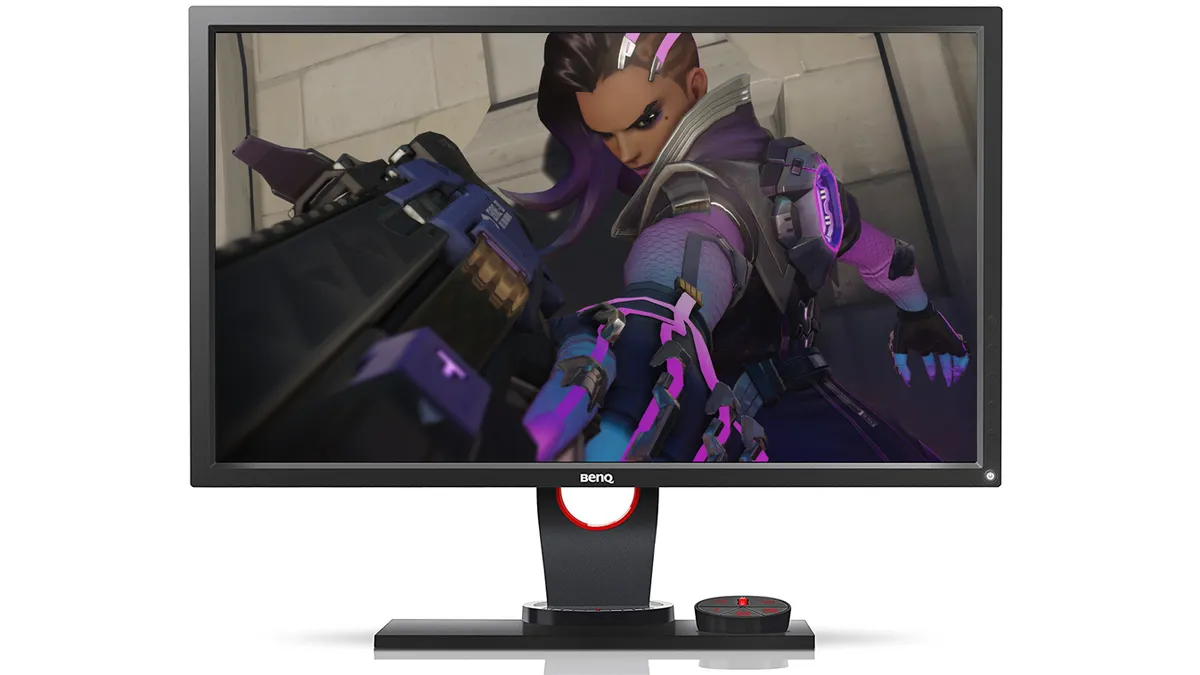
If the framerate being pushed out by your GPU and the refresh rate of your gaming monitor don’t line up, you can get ugly screen tearing, where the image appears to split in half across the middle. It’s especially prominent when framerates drop, so try spinning the camera around in a busy area of a game to see if it happens. Enabling Vsync fixes the problem, but can lower your overall framerate. Many modern monitors offer G-sync features too, which aims to eliminate the same issues, but is optimized for Nvidia graphics cards.

Field of view

The angle, in degrees, you can see in the game without moving the camera. A wider angle looks good, but can lower performance.

Motion blur

Adds a smearing effect to the edges of moving objects to imply movement speed. Frequently turned off in screenshots to make them look sharper, it’s a matter of personal taste. Turning it off can increase performance.

You may like
  • Acer Predator Orion X review  of the PC next to another ITX chassis The best gaming PC 2026: Find your perfect pre-built powerhouse
  • A reveal image for DLSS 4.5 DLSS 4.5 is coming to all RTX GPU owners, but that isn't the QOL update I was hoping for
  • HP Omen Max 16 gaming laptop on a wooden desk The best gaming laptop 2026 - HP holds first place as budget machines battle it out

More control

If you're looking for more, here is our guide to the best gaming mouse options for 2019

Chromatic aberration

A recreation of the effect seen in wide-aperture camera lenses where different wavelengths of light aren’t quite brought to the same point of focus, resulting in coloured fringing along high-contrast edges. Human eyes don’t display this flaw, so its appearance in first-person games is nonsense (unless you’re a robot). Turning it off may improve performance slightly.

Resolution scale, supersampling, target fps

Extreme cleverness that attempts to either improve image quality by using spare GPU capacity to internally render the game at a higher resolution before scaling it down for the screen, giving the resulting image a smoother appearance. A related technique is to set a target framerate, and allow the game to vary the internal resolution in order to hit that target, whether it’s below or above the screen resolution.

Global illumination 

A system of lighting techniques that model how light bounces from one surface to another. Turning it off can improve performance greatly, but limits the game to only lighting from direct sources.

Depth of field 

A photographic technique that blurs areas behind and in front of the point of focus. Human eyes don’t really do it, but it’s effective for concentrating the viewer’s attention in one place, or for shutting out the rest of the world while sniping. As with all post-processing techniques, turning it off can help improve framerates a little, but it’s not a particularly intensive technique.

SSAO/HBAO

Screen Space Ambient Occlusion calculates how much light is falling on an object and how much is being blocked by other objects, then adjusts the lighting accordingly for more realistic shadows. HBAO and HBAO+ build on this for Nvidia cards, while AMD GPU fans can use HDAO. It’s an important technique for improved visual quality, but comes with a decent performance hit, and it’s worth turning off if the shadows around objects look extremely dark and unrealistic.

Anti-aliasing

Diagonal lines in a game can appear like a staircase, especially if shown on a low-resolution display. Anti-aliasing is a technique that tries to mitigate this, by bringing in a gradual blend of colours on those edges rather than a high-contrast line. There are different versions, each of which has a different performance hit. FXAA (Fast Approximate) is the fastest and blurriest, applied to the whole screen. MSAA (Multisampling) is an intelligent system that only applies itself to areas likely to suffer from aliasing. TXAA (Temporal) and MLAA (Morphological) are Nvidia and AMD solutions that average the colours on aliased lines across a few frames for better quality. Different methods on different cards have different performance penalties, but MSAA is usually the worst.

Texture filtering

Older games may offer bilinear and trilinear filtering, but anisotropic filtering is still found in modern titles. A common technique to save rendering power is to reduce the quality of textures as they recede into the distance - you never notice this, as thanks to filtering they recede smoothly. Turn it off, and you’ll see differences in the textures as they get further away, particularly in roads where hard boundaries may appear between different detail levels. Filtering is such an old technique that it uses up almost no GPU power, so there’s no reason not to leave it at maximum.

Ray tracing

Ray tracing is a hot new tech, and one which will likely appear in PS5 and Xbox Project Scarlett games. You can switch it on or off on any compatible PC games right now, and when activated it creates more realistic lighting in a game. It does, however, hog GPU bandwidth, so be aware that you'll likely need to tone down other settings if your rig isn't powerful enough. Here's our explainer on how ray tracing actually works. 

Ian Evenden
Ian Evenden
Social Links Navigation
Freelance writer

Ian Evenden is an experienced freelance writer whose words can be found everywhere from GamesRadar and PC Gamer to T3 and Tom's Hardware. Ian spent years as the Production Editor for Edge magazine, and has gone on to contribute to a wide variety of gaming, computing, science, and technology publications for well over a decade. Legend has it that Ian disapproves of Oxford commas… sorry Ian, but there's no stopping us now.

Read more
Acer Predator Orion X review  of the PC next to another ITX chassis
The best gaming PC 2026: Find your perfect pre-built powerhouse
 
 
A reveal image for DLSS 4.5
DLSS 4.5 is coming to all RTX GPU owners, but that isn't the QOL update I was hoping for
 
 
HP Omen Max 16 gaming laptop on a wooden desk
The best gaming laptop 2026 - HP holds first place as budget machines battle it out
 
 
Jensen Huang next to AI robot on stage at GTC 2024
Nvidia's CEO says "we created the modern video game industry," but all its push into AI upscaling has done is destroy good game optimization
 
 
LG UltraGear  32GS95UE-B gaming monitor with Pharah from Overwatch 2 on screen on woodgrain desk
The best gaming monitor 2026: the most impressive displays I've tested this year
 
 
Hades 2 protagonist Melinoe, a woman with pale grey skin, short blonde hair, and red/green eyes
The best games to play on a laptop in 2026
 
 
Latest in Tech
The inverted RTX 5080 GPU inside the Acer Predator Orion 7000 (2025)
With GPUs getting pricier in 2026, here are 3 ways I'll keep my old one lasting longer
 
 
The text 'Cyber Monday iPad deals' next to the pictures of five different iPads.
The clock is ticking on Cyber Monday iPad deals, so I've found the five best that are still live
 
 
The iPad A16 next to a sign saying "Black Friday deals".
Apple's cheapest iPad just hit a brand new record-low price for Black Friday
 
 
Wave Browser turns your browsing sessions into action that cleans up the ocean.
Surf the web for good with Wave Browser
 
 
Fezibo Triple Motor L-Shaped Desk review image showing the desk with pink RGB lighting turned on
L-shaped standing desks can be pricey, but there's still time to get this one for under $300
 
 
A young black woman playing a mobile game on the Samsung Galaxy S25 in a stylish kitchen
Want the best gaming on the go? Why Samsung Galaxy Phones are your best option for mobile gaming
 
 
Latest in Features
BG3
The future of RPGs is isometric
 
 
Photo of a Mario nendoroid figure holding a microSD Express card with a Turtle Beach Switch 2 case in the background.
These Mario Day-inspired Switch 2 accessories will power up your console more than a super star
 
 
Underside of Alienware 16 Area-51 gaming laptop with glass viewing window and RGB fans
We could get a shock when 2026 gaming laptop prices are unveiled, here's what you need to know about buying this year
 
 
Emily Rudd as Nami and Iñaki Godoy as Monkey D. Luffy in Netflix's One Piece
One Piece season 2 ending explained: Who is Mr. Zero? Who dies? Will there be a season 3?
 
 
In Hitman World of Assassination, Agent 47 sits at the departure gate in an airport during the loading screen
After weeks spent locked into Hitman's Freelancer mode, I realize there's one vital thing 007 First Light needs to learn
 
 
Mario gadgets, accessories, and games on a blue background
The ultimate Mario Day starter pack, kit up for the plumber's big day
 
 
LATEST ARTICLES
  1. Arc Raiders player in heavy rain with shield shorting out
    1
    Arc Raiders turns down electromagnetic storm lightning despite some players preferring the chaos, as Embark promises compensation for folks impacted by recent server issues
  2. 2
    Game of Thrones creators' beleaguered, big-budget Netflix sci-fi show reportedly getting a reduced episode count for seasons 2 and 3
  3. 3
    Ghost of Yotei devs tried to add Zelda: Breath of the Wild-style rock climbing, but discovered "rock climbing is not a core aspect of being a wandering ronin"
  4. 4
    The future of RPGs is isometric
  5. 5
    Lego Luigi kit lets you recreate the iconic Mario Kart death stare

GamesRadar+ is part of Future US Inc, an international media group and leading digital publisher. Visit our corporate site.

Add as a preferred source on Google Add as a preferred source on Google
  • Terms and conditions
  • Contact Future's experts
  • Privacy policy
  • Cookies policy
  • Accessibility statement
  • Careers
  • About us
  • Advertise with us
  • Review guidelines
  • Write for us
  • Accessibility Statement

© Future US, Inc. Full 7th Floor, 130 West 42nd Street, New York, NY 10036.

Please login or signup to comment

Please wait...