





This article has been updated to reflect current Prime Day pricing, and I bring good news. Each of the four monitors featured below has seen further savings this week, with the Gawfolk GF600B dropping to $209, LG's 27-inch G810A now at $324.99, the 32GX850A hitting $684, and the Asus ROG Strix now at $814. The original article remains intact below.
When it comes to grabbing a new gaming monitor, no one wants to choose between refresh rates and resolutions. Traditionally, it's simply been part of the dance, and ultimately, we end up choosing panels based on the genres that dominate our Steam libraries. As someone who plays everything from the latest big third-person outings to frantic fps shooters, I say to hell with that norm, and thankfully, dual monitors to satiate speed and fidelity.
Yes, many of the best gaming monitors you'll find out there still stick with a single resolution and an appropriate matching refresh rate. For 4K monitors, the latter tends to max out at 240Hz, whereas you can hit up to 480Hz on the latest 1440p displays. If you're some sort of competitive demon, you might even end up investing in something bananas like LG's 1,000Hz UltraGear 25G590B, although you'll be swapping out the glorious vibrancy of OLED for a traditional fast IPS.
Again, rather than making a hard decision between resolution and refresh rate, I'd focus your attention on "dual-mode" panels. The feature basically enables displays to act like they have two native resolutions and refresh rates. On models like the LG UltraGear 32GS95UE-B, you can switch from using native 4K 240Hz to 1080p 540Hz with the push of a button, and if you use Prime Day monitor deals to grab one of these versatile devils, it could save you deliberating on new screen specs for many moons to come.
Naturally, there's still some decision-making involved in picking out a dual-resolution monitor. The feature isn't panel-type specific, so there are IPS, mini LED, and OLED options available with appropriate matching price points. If you're on a tighter budget, opting for IPS is a good way to still gain the resolution-switching abilities while spending under $300, and it also lets you try setting up without getting in too deep financially.
I know I said you wouldn't have to choose between resolutions and refresh rates with a dual monitor, but you will have to consider ranges. Some screens will hop between 4K and 1080p, while others will swap out the latter for 1440p. Some screens will still hit higher or lower refresh rates than others, but the gist is that by switching between modes, you can trade fidelity for speed.
The model also doesn't exclusively apply to native 4K displays. For instance, Sony is gearing to release a sequel to its Inzone M10S panel, creatively dubbed the M10S II, that switches from 1440p to 1080p to ramp refresh rates up from 540Hz to an absurd 720Hz. I'd argue that most players aren't going to benefit from changing from an already bananas base speed to something only seasoned fps players will benefit from, but it's still an option.
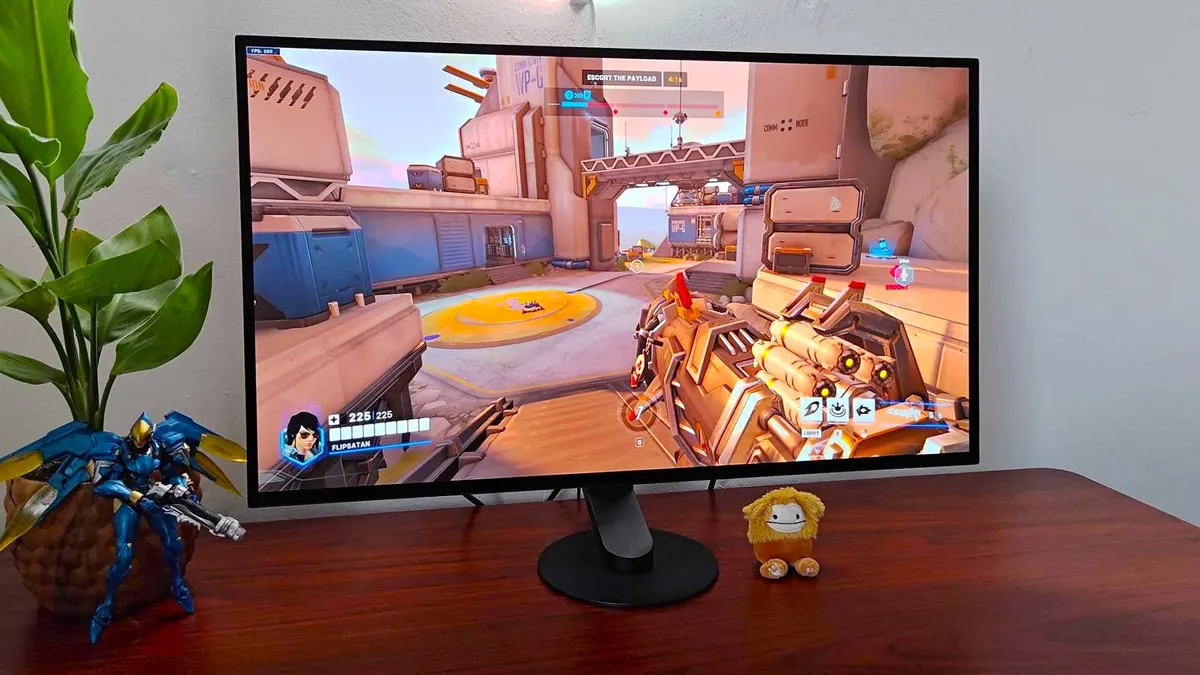
Ultimately, the core idea is that you'll have a screen that, with a button push, will instantly transform its specs. Admittedly, there are some players you'll be better off sticking with a 1440p setup since striking a QHD balance these days means you can hit absurdly high refresh rates compared to a few years ago (we're talking 480Hz here).
That said, even in that instance, having a panel that can act like a native 1080p display is handy for when dialing back resolution is mandatory. For example, if you're itching to play Overwatch at over 500fps, switching to Full HD will help you do that, and even mid-range graphics cards should be able to pull it off. Whereas if you try to do the same at 1440p, you might see your frames dip.
Opting for a dual-mode monitor doesn't come with any major caveats attached, at least on the specs and usage side of things. There's a case to be made for buying two different panels for a multi-screen setup if you actually need more workspace or somewhere to pop your Discord chat, but if you're doing it for different game genres alone, it makes far more sense to invest in the one display.
Upgrading your console setup? Swing by the best monitors for PS5 and the best Xbox monitors for solid couch system screens.

