You are now subscribed
Your newsletter sign-up was successful
Want to add more newsletters?

Every Friday
GamesRadar+
Your weekly update on everything you could ever want to know about the games you already love, games we know you're going to love in the near future, and tales from the communities that surround them.

Every Thursday
GTA 6 O'clock
Our special GTA 6 newsletter, with breaking news, insider info, and rumor analysis from the award-winning GTA 6 O'clock experts.

Every Friday
Knowledge
From the creators of Edge: A weekly videogame industry newsletter with analysis from expert writers, guidance from professionals, and insight into what's on the horizon.

Every Thursday
The Setup
Hardware nerds unite, sign up to our free tech newsletter for a weekly digest of the hottest new tech, the latest gadgets on the test bench, and much more.

Every Wednesday
Switch 2 Spotlight
Sign up to our new Switch 2 newsletter, where we bring you the latest talking points on Nintendo's new console each week, bring you up to date on the news, and recommend what games to play.

Every Saturday
The Watchlist
Subscribe for a weekly digest of the movie and TV news that matters, direct to your inbox. From first-look trailers, interviews, reviews and explainers, we've got you covered.

Once a month
SFX
Get sneak previews, exclusive competitions and details of special events each month!
Mario Paint is back, baby, and the SNES Expansion Pack version naturally takes advantage of Switch 2 mouse controls. I'd be writing angry letters right now to Mr Nintendo, albeit by recording my creations to a VHS tape like back in the '90s, if it failed to show up. However, rather than using the gaming handheld's fancy new Joy-Con to create masterpieces, I'll be using a specific NES-themed wireless rodent.
Yes, the 8Bitdo Retro R8 is a gaming mouse that takes visual cues from the NES rather than the SNES. I'll also admit that it's slightly overkill for messing around in Mario Paint, even if I do think using its composer mode makes me a legit musician. But, out of all the compatible USB mice out there, this one feels like a perfect fit, and there's nothing to stop you using it with your PC when you're not pretending to be a pixel Picasso.
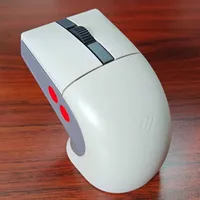
Unlike 8Bitdo's first attempt at a NES-inspired mouse, the N30, the newer Retro R8 model strikes a balance between 8-bit aesthetics and modern ergonomics. Sure, the original is more interesting to look at since it boasts the same buttons as the retro console gamepad and a side D-pad to boot, but that means it's anything but a comfortable clicker.

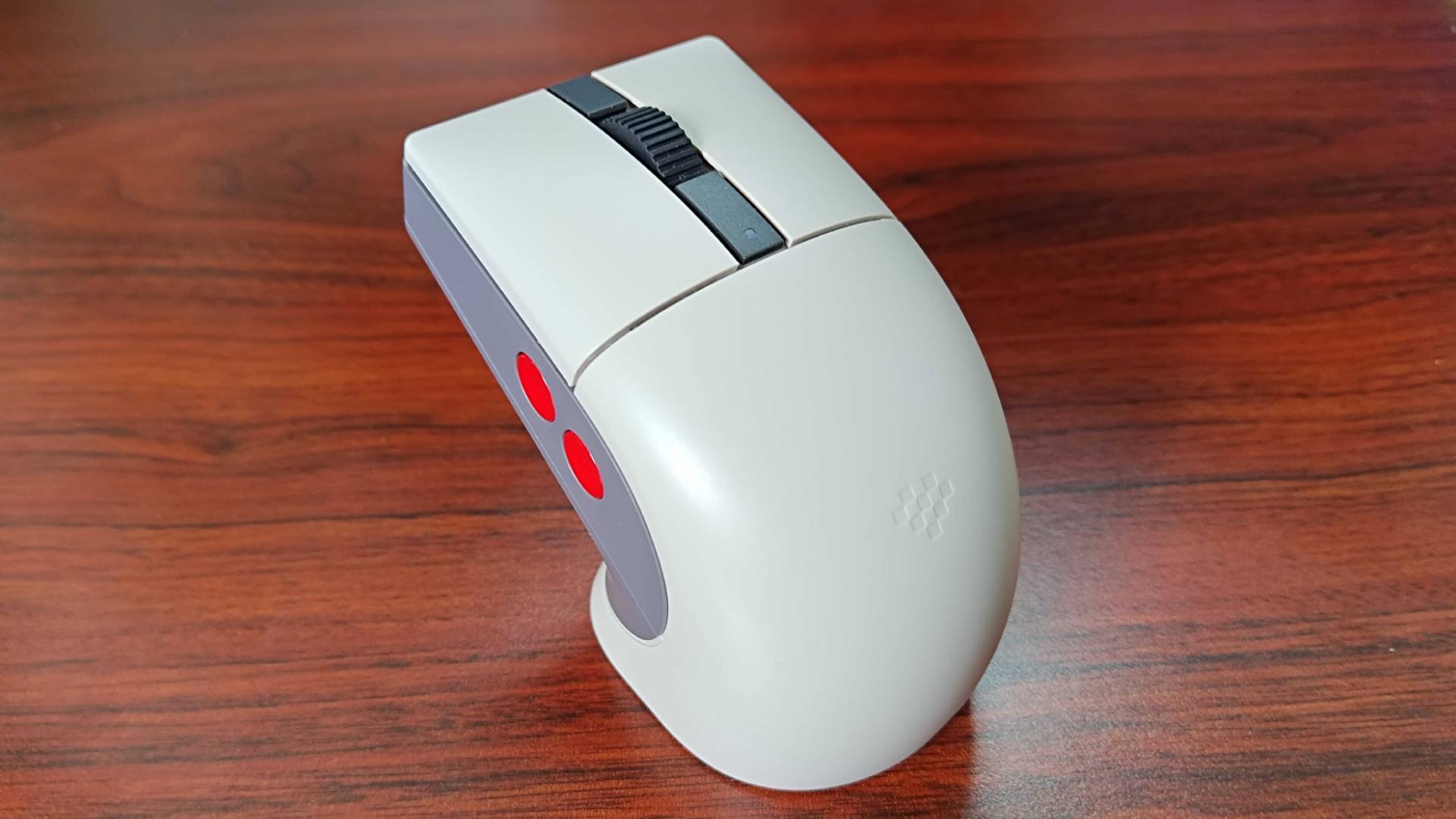
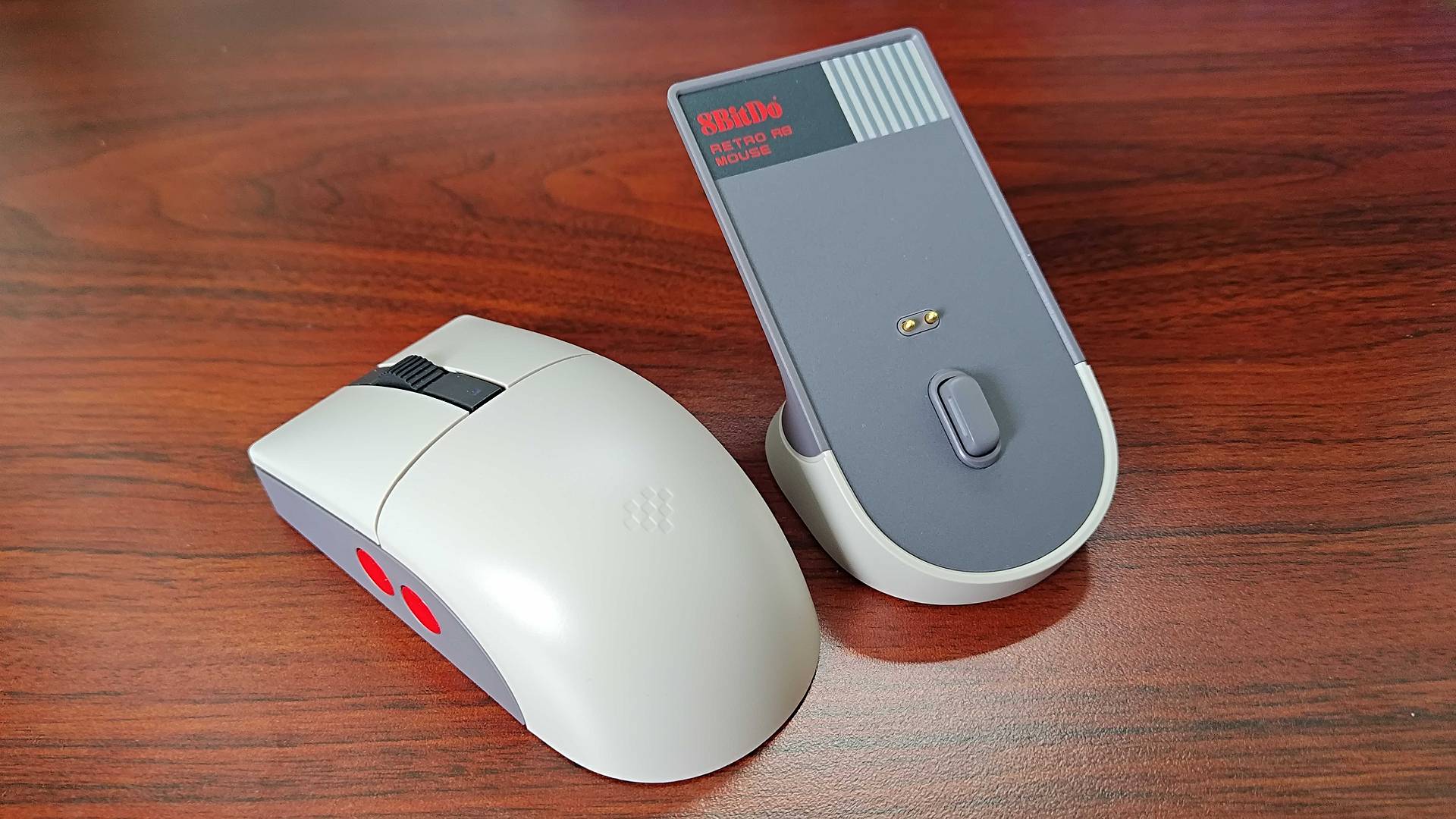
Effectively, the R8 is a mouse that pays tribute to the NES without inflicting cramp. At a glance, it looks pretty contemporary, but its beige and grey shell actually has two concave buttons at each side that pay homage to the old controller. Embedding them in the body helps keep things streamlined while still hitting the right visual notes, and the fact that they're mappable means they're handy for shooters and modern PC releases too.
While not every mouse plays nice with Switch 2, the R8 works just fine via USB-C and its 2.4GHz dongle. In fact, you can hook its included stand straight up to either the handheld or the dock, which will, in turn, provide wireless connectivity and charging. In honesty, the form-fitting plinth is what makes this accessory truly stand out in my book, as it gives it weird vapourware retro sci-fi vibes that are extremely pleasing to the eye.
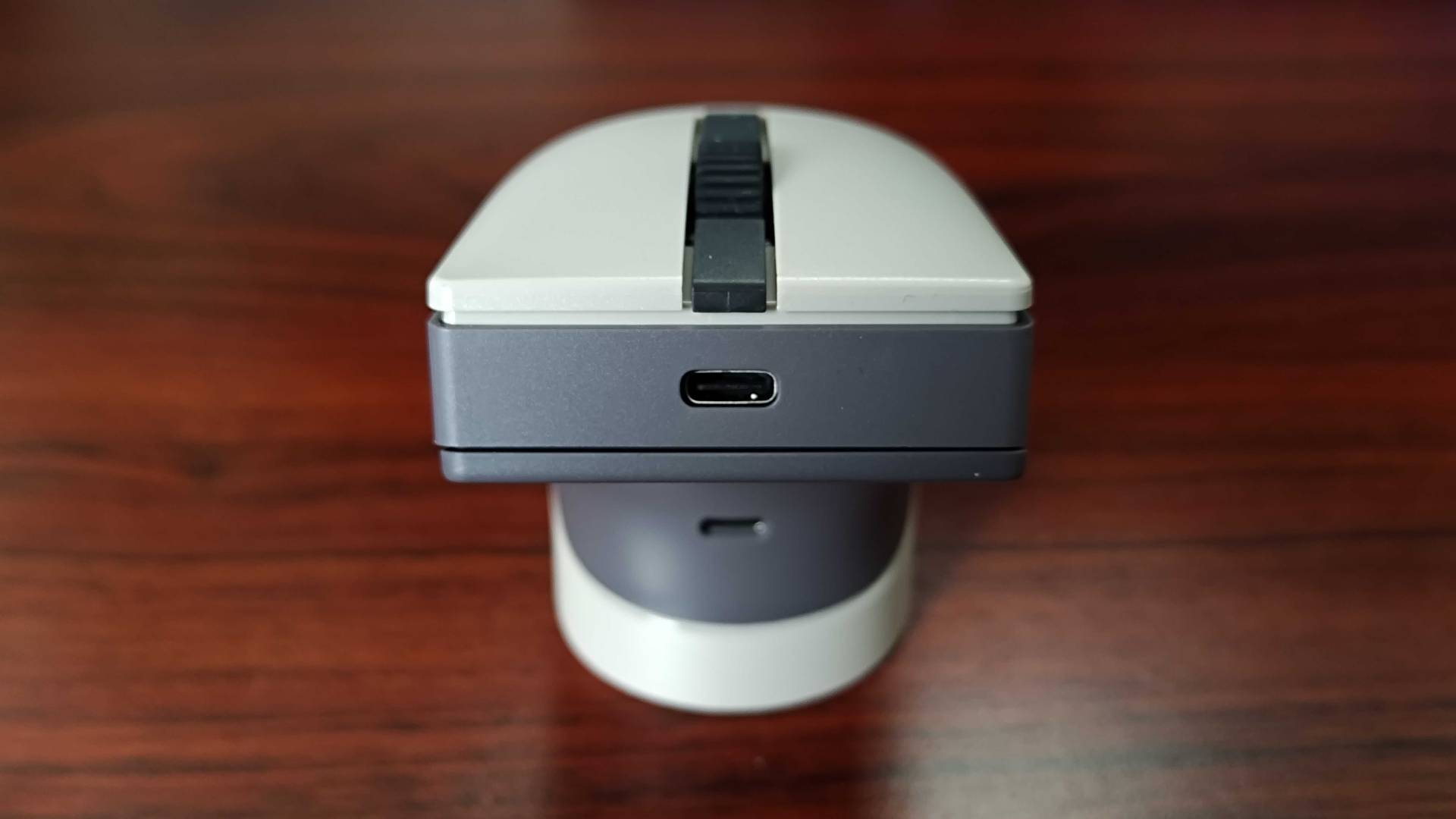
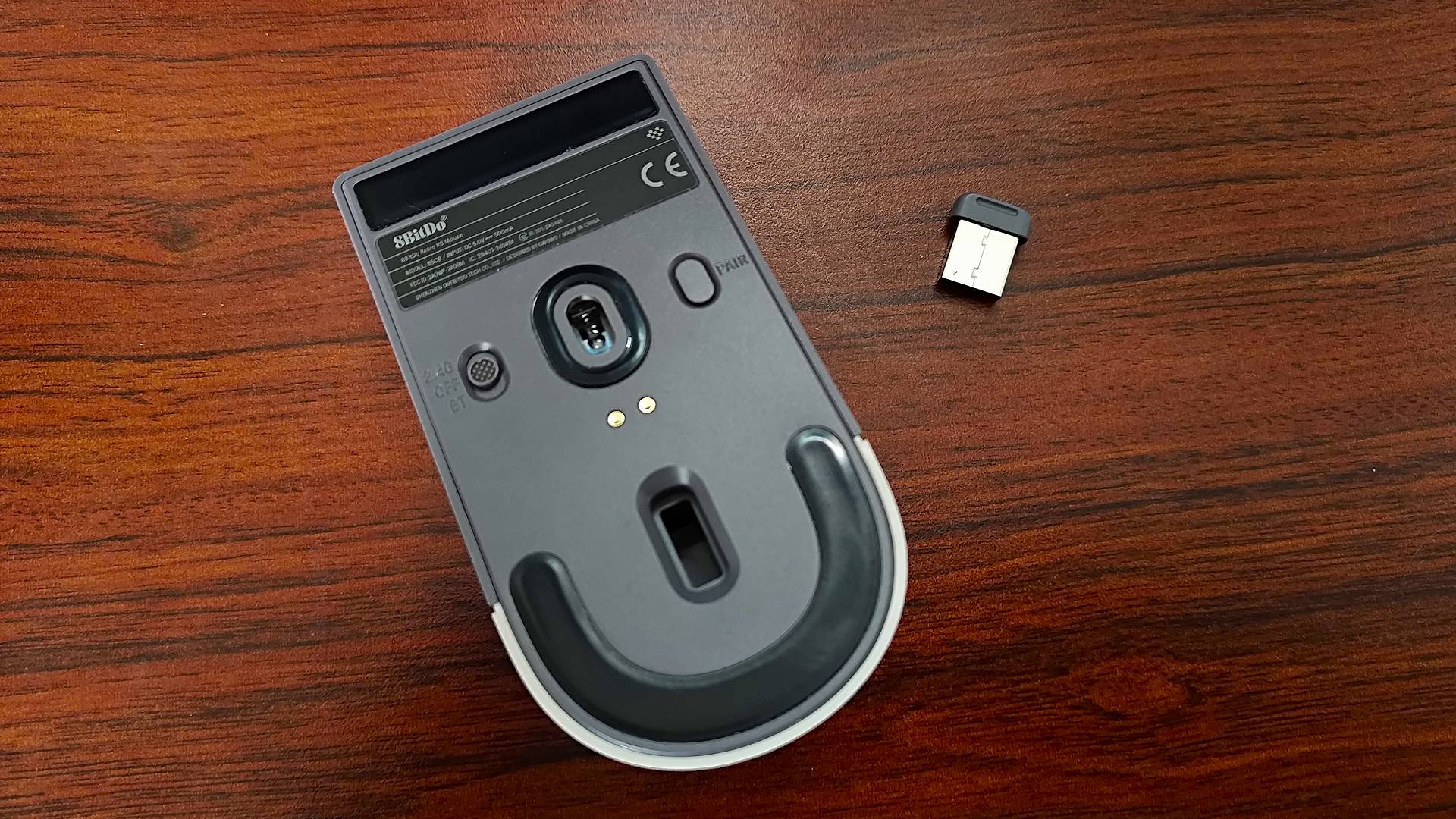
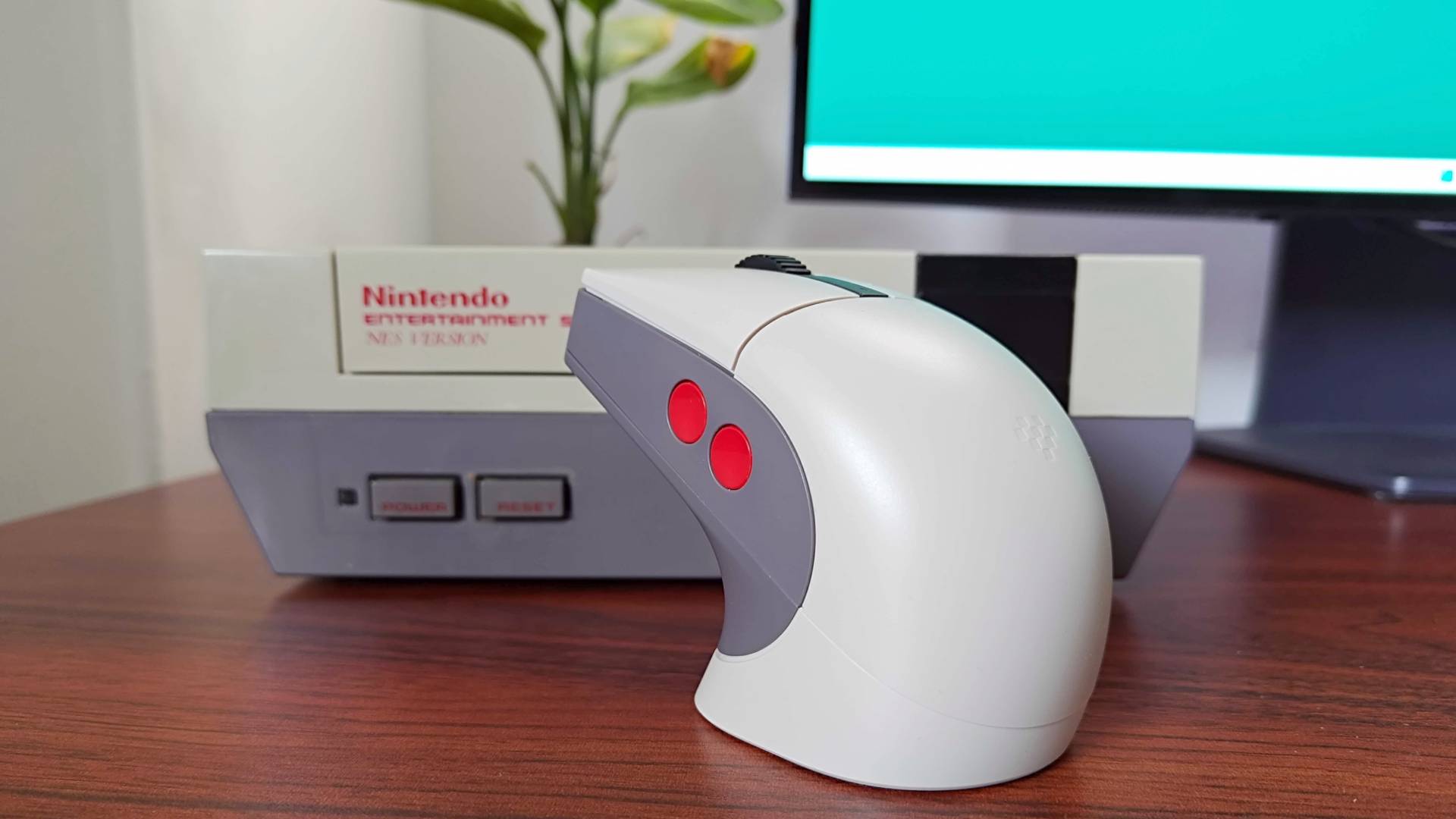
It's worth noting you don't need the 8Bitdo R8 or any gaming mouse to play Mario Paint since the Joy-Con will serve as a clicker. That said, I'd personally rather use something more traditional since the shape and size of the controllers make moving a cursor around feel a little odd, whereas dedicated peripherals feel more like the original SNES accessory.
You also don't even need a Switch 2 to play the new Mario Paint port with a mouse, as it also works on the OG Switch. You'll naturally have to use the dock since the handheld doesn't have that new top USB-C port, but it's still an option for those of you rocking the old console.
Before you try and properly delve into Mario Paint using a USB mouse, I'd urge you to head into the game's mouse sensitivity settings. The slowest movement option is enabled by default, and that's going to slow even the speedy R8 and its 26000DPI sensor to a crawl. Selecting the fastest setting will make everything feel much snappier, and switching the handheld's own menu setting to "fast" also makes a bit of a difference.

I'll no doubt end up spending a night trying to make old 2000s emo anthems in Mario Paint's composer mode and making daft creations soon. While I would have probably persevered with the Joy-Con controls, I feel like 8Bitdo's NES mouse is going to make for a more authentic feeling and easier to wield night of nostalgia.
As a side note, if you grew up with Ninty's 3D console, you want to check out the 8Bitdo's N64 controller, as it makes for a great alternative to the OG gamepad.
Just getting started with Ninty's handheld? Swing by the ultimate Nintendo Switch 2 starter pack. You'll want to peek at the best Switch 2 microSD cards and best Switch cameras, too, for specific accessories.

You must confirm your public display name before commenting
Please logout and then login again, you will then be prompted to enter your display name.