
Join The Community
- Join our community
11
Premium Benefits
24/7
Access Available
21K+
Active Members
Commenting
Join the discussion
Exclusive Articles Coming Soon
Member-only articles
Weekly Newsletters
Weekly gaming & entertainment news
Member Badges
Earn badges as you go
Exclusive Competitions
Members-only prize draws
Curated Deals Coming Soon
Tech and gaming deals worth grabbing
GET COMMUNITY ACCESS QUICK
For the quickest way to join, simply enter your email below and get access. We will send a confirmation and sign you up to our newsletter to keep you updated on all your gaming news.
By submitting your information you agree to the Terms & Conditions and Privacy Policy and are aged 16 or over.
FIND OUT ABOUT OUR MAGAZINE
Want to subscribe to the magazine? Click the button below to find out more information.
Find out more
GET Community ACCESS QUICK

Join the GamesRadar community for quick access. Enter your email below and we'll send confirmation, and sign you up to our newsletter.

By submitting your information you agree to the Terms & Conditions and Privacy Policy and are aged 16 or over.

Background
Welcome to GamesRADAR+ Community !
Hi ,

Your membership journey starts here.

Keep exploring and earning more as a member.

MY ACCOUNT

Badge picture
Earn your first badge
Read 1 article to unlock your first badge.
Keep earning badges
Explore ways to get more involved as a member.
Latest Games News

Latest Games News

Breaking gaming news and updates

Read Now
Latest Games Reviews

Latest Games Reviews

Expert verdicts on the newest releases

Read Now

See what you’ve unlocked.

Explore your membership benefits.

Explore
Member Exclusives

Stay Ahead with GamesRadar+

Get the biggest gaming news, reviews, and releases straight to your inbox.

Explore

Sign Out
GamesRadar+ GamesRadar+
US EditionUS CA EditionCanada UK EditionUK AU EditionAustralia
Sign in
  • View Profile
  • Sign out
  • Games
    • Game Insights
      • Games News
      • Games Features
      • Games Reviews
      • Games Guides
      • Big in 2026
      • The Big Preview
      • On The Radar
      • Indie Spotlight
      • Future Games Show
      • Golden Joystick Awards
    • Genres
      • Action Games
      • RPGs
      • Action RPGs
      • Adventure Games
      • Third Person Shooters
      • FPS Games
    • Platforms
      • PS5
      • Xbox Series X
      • PC
      • Nintendo Switch
      • Nintendo Switch 2
      • Tabletop Gaming
    • Franchises
      • Grand Theft Auto
      • Pokemon
      • Assassin's Creed
      • Monster Hunter
      • Fortnite
      • Cyberpunk
      • Red Dead
      • The Elder Scrolls
      • The Sims
  • Entertainment
    • TV Shows
      • TV News
      • TV Reviews
      • Anime Shows
      • Sci-Fi Shows
      • Superhero Shows
      • Animated Shows
      • Marvel TV Shows
      • Star Wars TV Shows
      • DC TV Shows
    • Movies
      • Movie News
      • Movie Reviews
      • Big Screen Spotlight
      • Superhero Movies
      • Action Movies
      • Anime Movies
      • Sci-Fi Movies
      • Horror Movies
      • Marvel Movies
      • DC Movies
    • Streaming
      • Apple TV Plus
      • Disney Plus
      • Netflix
      • HBO
      • Amazon Prime Video
      • Hulu
    • Comics
      • Marvel Comics
      • DC Comics
    • Toys & Collectibles
    • Lego
    • Dungeons and Dragons
    • Merch
  • Hardware
    • Insights
      • Hardware News
      • Hardware Reviews
      • Hardware Features
    • Computing
      • Desktop PCs
      • Laptops
      • Handhelds
    • Peripherals
      • Headsets & Headphones
      • TVs & Monitors
      • Gaming Mice
      • Gaming Keyboards
      • Gaming Chairs
      • Speakers & Audio
    • Accessories & Tech
      • Gaming Controllers
      • Tech
      • SSDs & Hard Drives
      • VR
      • Accessories
      • Retro
  • Deals
    • Game Deals
    • Tech Deals
    • TV Deals
    • Buying Guides
  • Video
    • Video
    • GR+ Replay - Submit Your Clips
  • Newsletters
    • Quizzes
    • About Us
    • How to pitch to us
    • How we score
    • Newsarama
    • Retro Gamer
    • Total Film
  • home
  • Games
    • View Games
      • Games News
      • Games Features
      • Games Reviews
      • Games Guides
      • Big in 2026
      • The Big Preview
      • On The Radar
      • Indie Spotlight
      • Future Games Show
      • Golden Joystick Awards
      • Action Games
      • RPGs
      • Action RPGs
      • Adventure Games
      • Third Person Shooters
      • FPS Games
    • Platforms
      • View Platforms
      • PS5
      • Xbox Series X
      • PC
      • Nintendo Switch
      • Nintendo Switch 2
      • Tabletop Gaming
      • Grand Theft Auto
      • Pokemon
      • Assassin's Creed
      • Monster Hunter
      • Fortnite
      • Cyberpunk
      • Red Dead
      • The Elder Scrolls
      • The Sims
  • Entertainment
    • View Entertainment
    • TV Shows
      • View TV Shows
      • TV News
      • TV Reviews
      • Anime Shows
      • Sci-Fi Shows
      • Superhero Shows
      • Animated Shows
      • Marvel TV Shows
      • Star Wars TV Shows
      • DC TV Shows
    • Movies
      • View Movies
      • Movie News
      • Movie Reviews
      • Big Screen Spotlight
      • Superhero Movies
      • Action Movies
      • Anime Movies
      • Sci-Fi Movies
      • Horror Movies
      • Marvel Movies
      • DC Movies
    • Streaming
      • View Streaming
      • Apple TV Plus
      • Disney Plus
      • Netflix
      • HBO
      • Amazon Prime Video
      • Hulu
    • Comics
      • View Comics
      • Marvel Comics
      • DC Comics
    • Toys & Collectibles
    • Lego
    • Dungeons and Dragons
    • Merch
  • Hardware
    • View Hardware
      • Hardware News
      • Hardware Reviews
      • Hardware Features
      • Desktop PCs
      • Laptops
      • Handhelds
    • Peripherals
      • View Peripherals
      • Headsets & Headphones
      • TVs & Monitors
      • Gaming Mice
      • Gaming Keyboards
      • Gaming Chairs
      • Speakers & Audio
      • Gaming Controllers
      • Tech
      • SSDs & Hard Drives
      • VR
      • Accessories
      • Retro
  • Deals
    • View Deals
    • Game Deals
    • Tech Deals
    • TV Deals
    • Buying Guides
  • Video
    • View Video
    • Video
    • GR+ Replay - Submit Your Clips
  • Newsletters
    • Quizzes
    • About Us
    • How to pitch to us
    • How we score
    • Newsarama
    • Retro Gamer
    • Total Film
Trending
  • Crimson Desert
  • Pokopia
  • Arc Raiders
  • The Boys S5
  • Starfield
  • Submit your clips. Win prizes
  1. Games
  2. Action
  3. GTA Online

GTA Online tips for getting money, vehicles, and property

Guides
By Iain Wilson Contributions from Dave Meikleham last updated 14 August 2023

Grand Theft Auto Online tips and pointers for new players

When you purchase through links on our site, we may earn an affiliate commission. Here’s how it works.

GTA Online tips
(Image credit: Rockstar)
  • Facebook
  • X
  • Pinterest
  • Flipboard
  • Email
Share this article
Join the conversation
Follow us
Add us as a preferred source on Google
Sign up to the GamesRadar+ Newsletter

Weekly digests, tales from the communities you love, and more


By submitting your information you agree to the Terms & Conditions and Privacy Policy and are aged 16 or over.

You are now subscribed

Your newsletter sign-up was successful


Want to add more newsletters?

GamesRadar+

Every Friday

GamesRadar+

Your weekly update on everything you could ever want to know about the games you already love, games we know you're going to love in the near future, and tales from the communities that surround them.

GTA 6 O'clock

Every Thursday

GTA 6 O'clock

Our special GTA 6 newsletter, with breaking news, insider info, and rumor analysis from the award-winning GTA 6 O'clock experts.

Knowledge

Every Friday

Knowledge

From the creators of Edge: A weekly videogame industry newsletter with analysis from expert writers, guidance from professionals, and insight into what's on the horizon.

The Setup

Every Thursday

The Setup

Hardware nerds unite, sign up to our free tech newsletter for a weekly digest of the hottest new tech, the latest gadgets on the test bench, and much more.

Switch 2 Spotlight

Every Wednesday

Switch 2 Spotlight

Sign up to our new Switch 2 newsletter, where we bring you the latest talking points on Nintendo's new console each week, bring you up to date on the news, and recommend what games to play.

The Watchlist

Every Saturday

The Watchlist

Subscribe for a weekly digest of the movie and TV news that matters, direct to your inbox. From first-look trailers, interviews, reviews and explainers, we've got you covered.

SFX

Once a month

SFX

Get sneak previews, exclusive competitions and details of special events each month!


Join the club

Get full access to premium articles, exclusive features and a growing list of member rewards.


An account already exists for this email address, please log in.
Subscribe to our newsletter

Picking up some GTA Online tips before you charge into Los Santos can help you start out on the right track, as there's a lot to get your head around when you begin building your criminal empire from the ground up. There are always new arrivals flying in to the city, especially now that GTA Online is available as a standalone game in addition to being part of the GTA 5 package, but the sheer scale of the online experience can't be overlooked after almost a decade of progress. Since 2013 there have been a huge number of properties, weapons, vehicles, and enterprises released which are almost overwhelming to try and follow, but it does at least mean that new players have plenty of options to immediately get stuck in to. Follow these GTA Online tips to get the basics sorted, and you'll soon be able to hold your own against the more experienced players you'll meet on the mean streets.

1. Complete the GTA Online tutorial

GTA Online tips

To get going in GTA Online, you'll first need to complete the tutorial section. If you're playing the standalone GTA Online version, you should be able to jump right in, but players with the full GTA 5 game that includes GTA Online might still need to complete the Prologue of the main single player game to get access.

You'll be taken through a character creator to define your appearance and characteristics, before being launched into Los Santos to meet some familiar faces and learn the ropes. The GTA Online Career Builder system has also been introduced to give a nice cash injection into your wallet, to get your criminal enterprise up and running. It is possible to skip the tutorial, but you really shouldn't if you want to get a solid introduction to how things work.

Article continues below

2. Buy a decent car and a garage

GTA Online tips

We say ‘buy’, but you can actually pick up one of the bests sports cars in the game for the grand cost of ‘bugger all’. To get an Elegy RH8 completely gratis, just register for Rockstar’s Social Club. Once you do, this two-door speedster (which resembles the Nissan GT-R) will be yours. Thanks to its great traction, it’s a superb choice for races. Make sure you invest in Loss/Theft Prevention at LS Customs to ward other users off nicking your shiny new motor, too. You’ll also want to invest in a garage to keep your cars safe – at $25,000, the Unit 124 garage on Popular St is probably the best bet for cash-poor beginners, and you can purchase this from the Dynasty 8 website.

3. Keep cashing in

GTA Online tips

Los Santos is a dangerous place online, and any cash your up-and-coming crook is carrying on their person can be stolen by other players. To ensure you don’t lose all that moolah from your last job, make sure to cash your coin. There are two ways of doing this, with the classic being to visit any of the ATMs located around Los Santos and Blaine County, and you can use the Quick GPS on the Interaction Menu (hold down the touchpad/view button) to direct you to the nearest one. However, it's much more efficient to simply visit the Maze Bank website via your phone's web browser (look under the Money section) and make a deposit through there. We don't know how that cold hard cash teleports to your bank account, but it does!

4. Save up, then buy an enterprise

GTA Online tips

After years of updates and expansions there are a whole range of different criminal enterprises you can undertake, from nightclubs and arcades to celebrity agencies and drub laboratories, though each one has a considerable cost to set up by purchasing the required property and equipment. You should therefore look around to see what businesses are available then focus on one to get started, so you don't spread your finances too thinly over multiple endeavors. When you pick a property to set up your enterprise, there will often be lots of add-ons available for a price, but you can go back and bolt these on later so don't worry about having to buy everything at first.

5. Steal a chopper

GTA Online tips

San Andreas is one sizeable piece of real estate, so stealing a chopper can be a huge time-saver. Considering one of the cheaper ’copters from Elitas Travel (the $780,000 Buckingham Maverick) will still fleece your finances, your change purse really will thank you for nicking a whirly bird. Perhaps the easiest one to steal can be found at Los Santos International Airport, near the flight school. With skilful driving, you can vault the nearby fence and claim it for your own. Let skyward crime commence!

Sign up to the GamesRadar+ Newsletter

Weekly digests, tales from the communities you love, and more

By submitting your information you agree to the Terms & Conditions and Privacy Policy and are aged 16 or over.

6. Purchase a high-end apartment

GTA Online tips

Before you can enjoy GTA Online’s superb heists, you’ll first need to hit level 12. Crucially, if you want to plan these multi-part jobs yourself – and thus have power over how the take is split up – you’ll also need to buy a high-end apartment. These fancy flats come with planning boards that are crucial to heist setups, and the ‘cheapest’ can be found in Del Perro Heights. Visit the Dynasty 8 Real Estate on your character’s phone, and the property can be yours for $200,000. We've got more details on getting properties in our how to buy a house in GTA Online guide.

7. Keep your eyes peeled for Weekly Events
GTA Online tips

(Image credit: Rockstar Games)

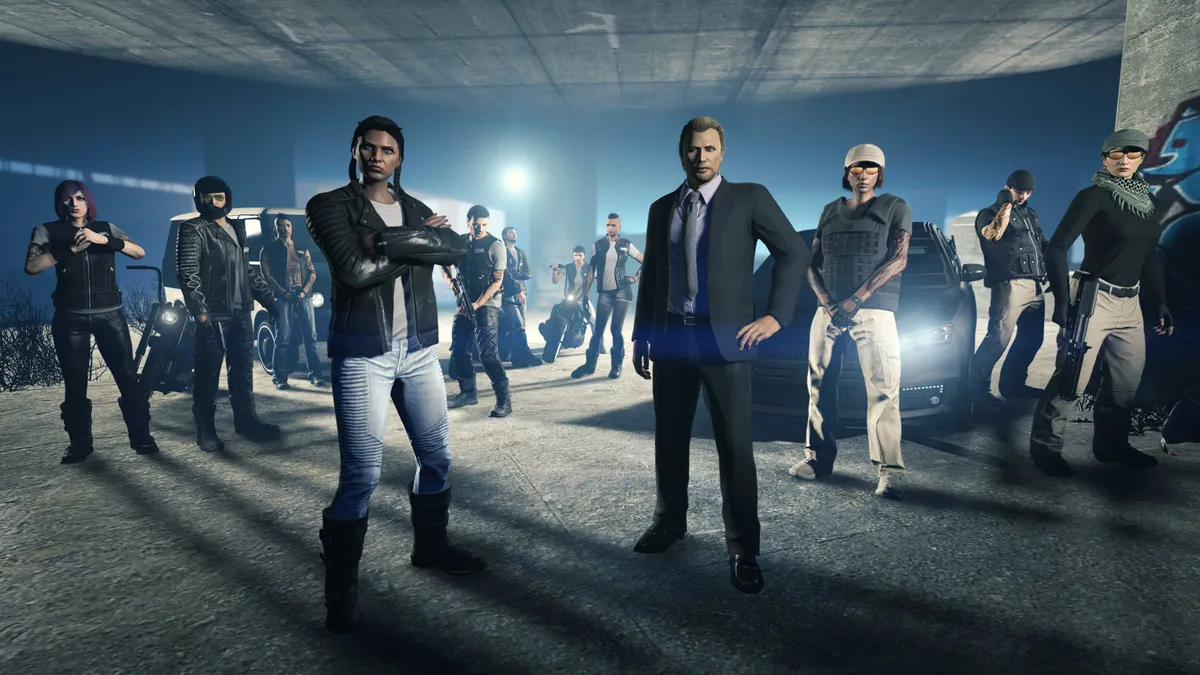
Rockstar does regular Weekly Events, which reward players with double RP and double cash rewards when taking part in certain game modes, usually based around a central theme. Keep a beady peeper on Rockstar’s Newswire for updates on these events, because participating in them often offers weekly discounts on cars and properties.

8. Play nice for Rep rewards

GTA Online tips

As in life, it pays to not be a dick in GTA Online... well, generally. If you frequently help out other players during jobs, and don’t try to screw them over by nicking their motor/money or killing NPCs at random, you’ll receive a ‘Good Sport’ award. Said bonus usually comes in the form of extra Reputation Points or cash. See, it really does pay to play nice with the others in your session.

9. Complete story missions

GTA Online tips

Playing through GTA Online’s vast array of deathmatch types and races can feel somewhat generic after a while, so for something more bespoke try out the story missions. The likes of Lamar, Gerald, Simeon Yetarian, and many more all cross over from GTA 5, with each having cutscene-laden missions to tick off. Most of these thieving tasks feel nicely personable, and finishing them nets you cash and Job/Reputation Points. To access them, bring up the mission list from the pause menu then take your pick.

GTA Online beginners guide | How to make money fast in GTA Online | How to level up fast in GTA Online | GTA Online Solomon Movie Props | GTA Online new cars | GTA Online fastest cars | GTA Online fastest bikes | GTA Online best weapons | GTA Online best paying missions | GTA Online Payphone Hits | GTA Online Short Trips | GTA Online Shark Card | How to transfer GTA Online | GTA Online Hao's Special Works | GTA 6

© GamesRadar+. Not to be reproduced without permission.

CATEGORIES
Xbox One Xbox Series X PS4 PS5 PC Gaming Platforms Xbox PlayStation
Iain Wilson
Iain Wilson
Social Links Navigation
Guides Editor

Iain originally joined Future in 2012 to write guides for CVG, PSM3, and Xbox World, before moving on to join GamesRadar in 2013 as Guides Editor. His words have also appeared in OPM, OXM, PC Gamer, GamesMaster, and SFX. He is better known to many as ‘Mr Trophy’, due to his slightly unhealthy obsession with amassing intangible PlayStation silverware, and he now has over 1,000 Platinum pots weighing down the shelves of his virtual award cabinet. He does not care for Xbox Achievements.

With contributions from
  • Dave Meikleham
Latest in Action
Metal Gear Solid movie
Action Movies Metal Gear Solid film makes progress after 12 years signing Final Destination: Bloodlines directors
 
 
GTA 6 trailer screenshots
Grand Theft Auto GTA 6 delays would only make it "cooler," GTA 5 Lester actor says, but he still wouldn't give Rockstar $100 for the game
 
 
Rhythm Heaven Groove screenshot
Action Games Rhythm Heaven Groove is finally launching in July, over a decade since Nintendo's last incredible instalment
 
 
Samson screenshot shows the protagonist stood in a bar.
Action Games As Just Cause lead's new game stumbles to mixed reviews, dev promises fixes for "unacceptable" bugs
 
 
Samson gameplay that shows three cars crashing, with one sent into the air
Action Games Samson proves there's still room for smaller Grand Theft Auto-style sandboxes – I just wish this one was better
 
 
Samson
Action Games Just Cause lead made Samson because he is sick of "swallowing all the crap the industry feeds us"
 
 
Latest in Guides
Incineroar gets ready for battle in Pokemon Champions.
Pokemon The best Pokemon in Pokemon Champions
 
 
Waking the Grid walkthrough in Arc Raiders
Third Person Shooters How to complete Waking the Grid in Arc Raiders
 
 
Tatora, the Pokemon Champions ranked battle NPC, smiles.
Pokemon All Pokemon Champions ranks
 
 
Anchorpoint Station in the Starfield Algorab system
RPGs How to reach the Starfield Algorab system and find the Anchorpoint Station
 
 
A blonde-haired rancher stands next to a Tauros in Pokemon Champions.
Pokemon How to link Pokemon Champions with Pokemon Home
 
 
Starfield Anchorpoint Defunct Safe and clue locations
RPGs How to open the Anchorpoint Defunct Safe in Starfield
 
 
LATEST ARTICLES
  1. Crimson Desert screenshot shows Kliff looking out over a vast landscape.
    1
    Crimson Desert roadmap reveals boss rematches, extra difficulty settings, new pets, and more
  2. 2
    Theater chain listing claims that Spider-Man: Brand New Day takes place after the events of Avengers: Doomsday
  3. 3
    Star Wars authors including Thrawn creator Timothy Zahn say Lucasfilm has stopped them introducing Mara Jade to canon
  4. 4
    Palworld dev wishes "nothing but the best" for new Temtem survival game
  5. 5
    Dune: Awakening devs answer our prayers to turn the survival MMO into a "PvE-first" experience

GamesRadar+ is part of Future US Inc, an international media group and leading digital publisher. Visit our corporate site.

Add as a preferred source on Google Add as a preferred source on Google
  • Terms and conditions
  • Contact Future's experts
  • Privacy policy
  • Cookies policy
  • Accessibility statement
  • Careers
  • About us
  • Advertise with us
  • Review guidelines
  • Write for us
  • Accessibility Statement

© Future US, Inc. Full 7th Floor, 130 West 42nd Street, New York, NY 10036.

Please login or signup to comment

Please wait...