

Join The Community
- Join our community
11
Premium Benefits
24/7
Access Available
21K+
Active Members
Commenting
Join the discussion
Exclusive Articles Coming Soon
Member-only articles
Weekly Newsletters
Weekly gaming & entertainment news
Member Badges
Earn badges as you go
Exclusive Competitions
Members-only prize draws
Curated Deals Coming Soon
Tech and gaming deals worth grabbing
GET COMMUNITY ACCESS QUICK
For the quickest way to join, simply enter your email below and get access. We will send a confirmation and sign you up to our newsletter to keep you updated on all your gaming news.
By submitting your information you agree to the Terms & Conditions and Privacy Policy and are aged 16 or over.
FIND OUT ABOUT OUR MAGAZINE
Want to subscribe to the magazine? Click the button below to find out more information.
Find out more
GET Community ACCESS QUICK

Join the GamesRadar community for quick access. Enter your email below and we'll send confirmation, and sign you up to our newsletter.

By submitting your information you agree to the Terms & Conditions and Privacy Policy and are aged 16 or over.

Background
Welcome to GamesRADAR+ Community !
Hi ,

Your membership journey starts here.

Keep exploring and earning more as a member.

MY ACCOUNT

Badge picture
Earn your first badge
Read 1 article to unlock your first badge.
Keep earning badges
Explore ways to get more involved as a member.
Latest Games News

Latest Games News

Breaking gaming news and updates

Read Now
Latest Games Reviews

Latest Games Reviews

Expert verdicts on the newest releases

Read Now

See what you’ve unlocked.

Explore your membership benefits.

Explore
Member Exclusives

Stay Ahead with GamesRadar+

Get the biggest gaming news, reviews, and releases straight to your inbox.

Explore

Sign Out
GamesRadar+ GamesRadar+
US EditionUS CA EditionCanada UK EditionUK AU EditionAustralia
Sign in
  • View Profile
  • Sign out
  • Games
    • Game Insights
      • Games News
      • Games Features
      • Games Reviews
      • Games Guides
      • Big in 2026
      • Big Preview
      • Future Games Show
      • Golden Joystick Awards
    • Genres
      • Action Games
      • RPGs
      • Action RPGs
      • Adventure Games
      • Third Person Shooters
      • FPS Games
    • Platforms
      • PS5
      • Xbox Series X
      • PC
      • Nintendo Switch
      • Nintendo Switch 2
      • Tabletop Gaming
    • Franchises
      • Grand Theft Auto
      • Pokemon
      • Assassin's Creed
      • Monster Hunter
      • Fortnite
      • Cyberpunk
      • Red Dead
      • The Elder Scrolls
      • The Sims
  • Entertainment
    • TV Shows
      • TV News
      • TV Reviews
      • Anime Shows
      • Sci-Fi Shows
      • Superhero Shows
      • Animated Shows
      • Marvel TV Shows
      • Star Wars TV Shows
      • DC TV Shows
    • Movies
      • Movie News
      • Movie Reviews
      • Big Screen Spotlight
      • Superhero Movies
      • Action Movies
      • Anime Movies
      • Sci-Fi Movies
      • Horror Movies
      • Marvel Movies
      • DC Movies
    • Streaming
      • Apple TV Plus
      • Disney Plus
      • Netflix
      • HBO
      • Amazon Prime Video
      • Hulu
    • Comics
      • Marvel Comics
      • DC Comics
  • Hardware
    • Insights
      • Hardware News
      • Hardware Reviews
      • Hardware Features
      • Buying Guides
    • Computing
      • Desktop PCs
      • Laptops
      • Handhelds
    • Peripherals
      • Headsets & Headphones
      • TVs & Monitors
      • Gaming Mice
      • Gaming Keyboards
      • Gaming Chairs
      • Speakers & Audio
    • Accessories & Tech
      • Gaming Controllers
      • Tech
      • SSDs & Hard Drives
      • VR
      • Accessories
      • Retro
  • Deals
    • Toys & Collectibles
    • Lego
    • Dungeons and Dragons
    • Merch
  • Video
    • Video
    • GR+ Replay - Submit Your Clips
  • Newsletters
    • Quizzes
    • About Us
    • How to pitch to us
    • How we score
    • Newsarama
    • Retro Gamer
  • Home
  • Games
    • View Games
      • Games News
      • Games Features
      • Games Reviews
      • Games Guides
      • Big in 2026
      • Big Preview
      • Future Games Show
      • Golden Joystick Awards
      • Action Games
      • RPGs
      • Action RPGs
      • Adventure Games
      • Third Person Shooters
      • FPS Games
    • Platforms
      • View Platforms
      • PS5
      • Xbox Series X
      • PC
      • Nintendo Switch
      • Nintendo Switch 2
      • Tabletop Gaming
      • Grand Theft Auto
      • Pokemon
      • Assassin's Creed
      • Monster Hunter
      • Fortnite
      • Cyberpunk
      • Red Dead
      • The Elder Scrolls
      • The Sims
  • Entertainment
    • View Entertainment
    • TV Shows
      • View TV Shows
      • TV News
      • TV Reviews
      • Anime Shows
      • Sci-Fi Shows
      • Superhero Shows
      • Animated Shows
      • Marvel TV Shows
      • Star Wars TV Shows
      • DC TV Shows
    • Movies
      • View Movies
      • Movie News
      • Movie Reviews
      • Big Screen Spotlight
      • Superhero Movies
      • Action Movies
      • Anime Movies
      • Sci-Fi Movies
      • Horror Movies
      • Marvel Movies
      • DC Movies
    • Streaming
      • View Streaming
      • Apple TV Plus
      • Disney Plus
      • Netflix
      • HBO
      • Amazon Prime Video
      • Hulu
    • Comics
      • View Comics
      • Marvel Comics
      • DC Comics
  • Hardware
    • View Hardware
      • Hardware News
      • Hardware Reviews
      • Hardware Features
      • Buying Guides
      • Desktop PCs
      • Laptops
      • Handhelds
    • Peripherals
      • View Peripherals
      • Headsets & Headphones
      • TVs & Monitors
      • Gaming Mice
      • Gaming Keyboards
      • Gaming Chairs
      • Speakers & Audio
      • Gaming Controllers
      • Tech
      • SSDs & Hard Drives
      • VR
      • Accessories
      • Retro
  • Deals
    • Toys & Collectibles
    • Lego
    • Dungeons and Dragons
    • Merch
  • Video
    • View Video
    • Video
    • GR+ Replay - Submit Your Clips
  • Newsletters
    • Quizzes
    • About Us
    • How to pitch to us
    • How we score
    • Newsarama
    • Retro Gamer
Trending
  • Best Netflix Movies
  • Movie Release Dates
  • Best movies on Disney Plus
  • Best Netflix Shows
Sign up for the Total Film Newsletter

Bringing all the latest movie news, features, and reviews to your inbox


By submitting your information you agree to the Terms & Conditions and Privacy Policy and are aged 16 or over.

You are now subscribed

Your newsletter sign-up was successful


Join the club

Get full access to premium articles, exclusive features and a growing list of member rewards.


An account already exists for this email address, please log in.
  1. Entertainment
  2. Streaming Services
  3. Disney Plus

Disney Plus error codes guide: what to do if you can't connect or log in

Guides
By Bradley Russell last updated 29 February 2024

Keep getting Disney Plus error codes? Here's a helping hand

When you purchase through links on our site, we may earn an affiliate commission. Here’s how it works.

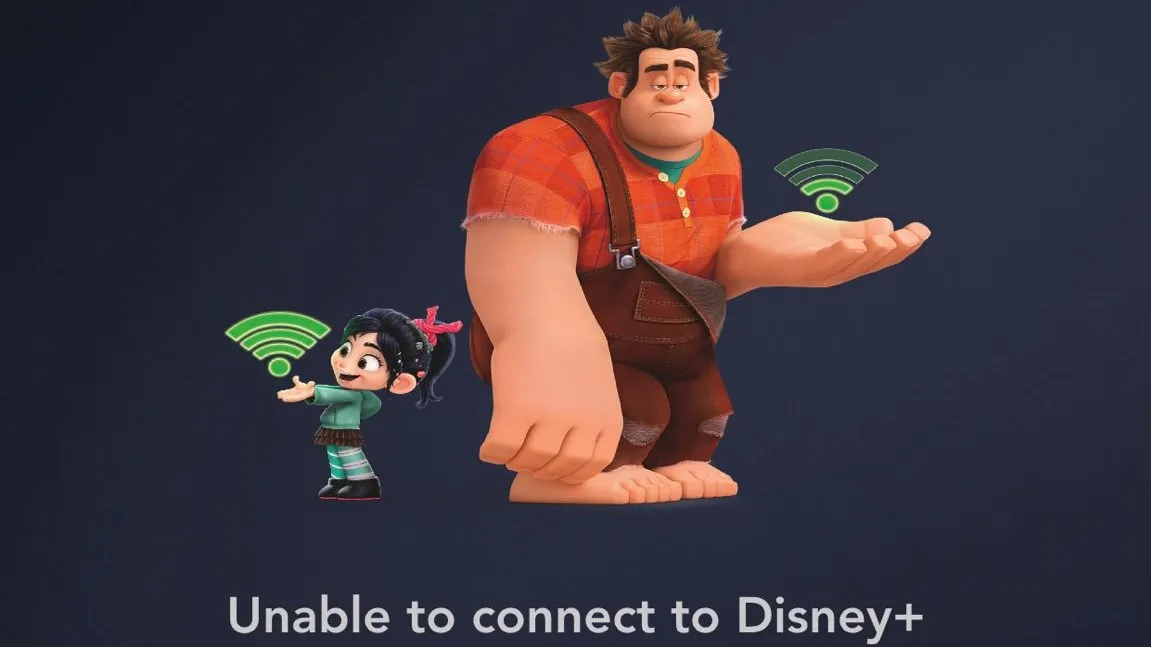
Disney Plus unable to connect
(Image credit: Disney)
  • Facebook
  • X
  • Pinterest
  • Flipboard
  • Email
Share this article
Join the conversation
Follow us
Add us as a preferred source on Google
Subscribe to our newsletter

Disney Plus error codes sometimes bring the magic of Disney's streaming to a shuddering halt. But it doesn't have to be that way. 

Below, we've got fixes and solutions for several of the biggest issues impacting users. That includes not being able to sign in, not being able to log in through a smart TV, and prominent error codes such as error 83 and error 42. 

So let us guide you through the minefield of Disney Plus errors and "service unavailable" messages to help you get back to streaming some of the House of Mouse's biggest and best classics.

Latest Videos From

We've not only listed all the major error codes and how to fix them, but also resources to help you if there's no official workaround. 

Once you're back online, be sure to check out the best shows on Disney Plus and the best movies on Disney Plus. Then get cracking the books in a galaxy far, far away with our guide on how to watch The Clone Wars in order.

What to do if you can't log in to Disney Plus

First things first: contact Disney Plus Help on Twitter. You can also visit their Help Centre and search for your error code, or email them using the address DisneyPlusHelp@Disney.com. If all else fails, contact their (US-only) customer service number: 888-905-7888.

While we’ll try our best to offer some error code fixes down below based on anecdotal evidence, there isn’t a 100% success rate. Contacting Disney directly will almost always be the best course of action.

Sign up for the Total Film Newsletter

Bringing all the latest movie news, features, and reviews to your inbox

By submitting your information you agree to the Terms & Conditions and Privacy Policy and are aged 16 or over.

Unable to connect to Disney Plus: is Disney Plus down?

With thousands upon thousands of people trying to connect to Disney Plus at once, chances are there’s bound to be a few errors. If you’re getting an “unable to connect” message followed by the app telling you “There seems to be an issue connecting to the Disney+ service” then the servers are clearly having some issues. This can happen around peak times, especially with the launch of a big new Marvel or Star Wars series.

You should log out, close the app, then log back in. Also, check your internet settings/router in case that’s the problem and even try different devices, including your consoles and mobile if possible. 

Finally, if you’re in a region that doesn’t currently have Disney Plus and you’re using a VPN – that might be the cause of the flood of error messages. That’s a big no-no.

If all else fails, make sure you contact the Disney Plus Help account on Twitter, as they might be able to let you know if there are any problems or planned maintenance in store. The Disney Plus Help Centre, as noted above, is another great resource.

Why can't I watch Disney Plus on my Smart TV? Where to input the 'Begin' eight-digit code

Some users have encountered issues when setting up Disney Plus on Smart TVs and other apps for the first time. Usually, you'll be asked to visit a link and then input the eight-digit code currently appearing on your TV to proceed.

If you click through the app, it'll sometimes send you in circles instead of the link you actually want. Instead, visit www.disneyplus.com/begin on a web browser and input the code there.

'We could not complete your payment' solution: how to fix Disney Plus credit card issues

Whether you're renewing or starting a Disney Plus sub, there are times when you're trying to pay and instead get the error message: "We could not complete your payment request using the credit card information you supplied. Please re-enter your credit card information or use another form of payment."

Disney suggests checking your postal/ZIP code is correct; the security code on the back of your card is input correctly; the billing address matches your home address (if applicable), and whether the expiration date is the same as what it says on your card.

Disney Plus error code 4

This one is a case of checking your payment details, especially if a new payment month is due to begin. You've either used a card that has expired or one that isn't from a region that currently offers Disney Plus.

Disney Plus error code 9

This one is simple: you've been logged out and you need to log back in. If it persists, change your password.

Disney Plus error code 11

Oops! If you're getting Disney Plus error code 11 then it's a simple case of youcurrently watching Disney Plus in a region that doesn't currently have access to it. Naughty. Even if you're a US citizen who bought it in America, if you go on holiday to a country that doesn't have it, you won't be able to use Disney Plus.

Disney Plus error code 13

Disney Plus error code 13 is one of the simplest to fix. You’ll get this message when you’ve reached your limit of devices that can be used with one account. So, if you have four devices linked to Disney Plus and are trying to log in to a fifth, you’ll have to log out of one of the others. Easy peasy.

Disney Plus error code 14

Another easy one to rectify. Error code 14 means you've put in the wrong password. Double check your details and if you really can't remember, click the 'Forgot Password?' prompt to attempt to get back into your account.

Disney Plus error code 22

Depending on who’s asking, error code 22 is either a good thing or a bad thing. The message itself is due to Kids Mode blocking anything that may be seen as unsuitable for younger viewers. If your kids are complaining, you can ignore them. If it’s just you, you’ll need to head into settings and turn off Kids Mode.

Disney Plus error code 24

How's your wi-fi connection? Error code 24 usually only occurs once signal and/or broadband speed drops. Try giving your router a reboot and contact your ISP if any other issues persist.

Disney Plus error code 29

"We're sorry, but we cannot play the video you requested. Please try again. If
the problem persists, visit the Disney+ Help Center (Error Code 29)"

This one is to do with possible internet or server issues. Check your connection speed is up to scratch first before checking online in case Disney Plus has suddenly gone offline, though that's rare.

Disney Plus error code 31

Error code 31 will tell you that the app is having trouble verifying your location. Make sure you're not using a VPN, and also make sure you're connected to a private network. Make sure to turn location settings on, too, if you're using an iPhone or iPad.

Disney Plus error code 39

Error code 39 says: "This means that the video you are trying to watch cannot be watched at this time. This could be a rights availability or other issue with Disney+."

But this one typically revolves around streaming Disney Plus via its Xbox One app. First, make sure you aren’t currently streaming via PC, mobile, or any other devices simultaneously while using the Xbox One app. If that still doesn’t work – try changing HDMI port on your TV to your Xbox. It’s a minor change, but could fix error code 39.

Disney Plus error code 41

"We’re sorry, but we cannot play the video you requested," is a pretty baffling message, right? But that's essentially what error code 41 boils down to.

Error 41 appears when the system appears to be overloaded thanks to a traffic spike. It will be worth keeping an eye on when big shows are dropping for this – if everyone’s trying to watch a single show at once, the stress levels might get too much and you could see this error. Think of it as a game launch day and the servers have gone kaput – patience, more than anything, is required.

Disney Plus error code 42

"'We’re sorry; we’re having trouble connecting you to the service. Please check to see that you are still connected to the Internet and try again (Error Code 42)" is what you'll see when faced with one of the most frequent Disney Plus error codes.

If rebooting your router/trying a wired connection to your device doesn’t work, then you’ll have to go straight to the Disney Plus help team (check out the various methods of contacting them above) as this is one of the few Disney Plus error codes without a steady fix. Disney also recommends restarting your app and checking your wi-fi signal.

Disney Plus error code 43

You tend to see error code 43 on Disney Plus when you're attempting to watch a movie or series that was on your watchlist and has since been removed. Sometimes, the app doesn't update your watchlists after content expires, so just be wary of that.

Disney Plus error code 73

Another new one that's surfaced, Disney Plus error code 73 supposedly has something to do with your IP address. Disney suggests not using a VPN if you are using one. If you're not, make sure location settings are turned on through the Settings page on your device.

Disney Plus error code 76

Error code 76 simply says, "We’re currently experiencing slow Internet connection speeds."

Disney Plus error code 76 is similar to 41 insomuch as it’s tied to the amount of traffic and potential server overload. The basic fixes can sometimes work best: uninstall your app and re-install; log out and back in, and rebooting your router. However, it’s worth, again, just contacting Disney or waiting a little longer for the service to sort itself out. There’s nothing much you can do on your end.

Disney Plus error code 83

Various messageboards and Twitter threads have drawn attention to error code 83. It seems to stem from using Disney Plus on your mobile or using mobile data, such as a hotspot or your data plan, or Roku devices. Connect to your home wi-fi and try another compatible device to see if that works any better.

Error 83, though, is by far the most prevalent and irritating. There's no known fix as of writing so your best course of action is to contact Disney

Disney Plus error code 86

"We’re sorry; this account has been blocked" sounds pretty scary. Hopefully, you can remedy it easily.

This particular Disney Plus error code requires you to go straight to Customer Service. That’s because your account has been blocked – it may have been hacked, but let’s hope not – and you’ll need to re-activate it. If you haven’t done so already, now may be a good time to also change your Disney Plus password. Just in case.

No error code

Well, this is unhelpful. If you're getting a 'No Error Code' message, try restarting your app until A) you either get a more useful error code number or B) it goes away all by itself. Again, try logging in and out too.

Today's best Disney Plus, HBO Max and Amazon Prime deals
Disney+
Disney+ Monthly with Ads
$11.99
/mth
View Deal
Amazon Prime
Amazon Prime - Monthly
$14.99
/mth
View Deal
We check over 250 million products every day for the best prices
Bradley Russell
Bradley Russell
Social Links Navigation
Senior Entertainment Writer

I'm the Senior Entertainment Writer here at GamesRadar+, focusing on news, features, and interviews with some of the biggest names in film and TV. On-site, you'll find me marveling at Marvel and providing analysis and room temperature takes on the newest films, Star Wars and, of course, anime. Outside of GR, I love getting lost in a good 100-hour JRPG, Warzone, and kicking back on the (virtual) field with Football Manager. My work has also been featured in OPM, FourFourTwo, and Game Revolution.

Latest in Disney Plus
Matt Murdock (Charlie Cox) in a courtroom in Daredevil: Born Again season 2
Marvel TV Shows Marvel TV boss confirms "small" Daredevil: Born Again season 3 time jump, and it could ruin your Spider-Man theories
 
 
Ahsoka
Star Wars TV Shows Dave Filoni gives Ahsoka season 2 update and says he's "not really worried" about rumor it will end with season 2
 
 
Maul (Sam Witwer) in a hood, using the force, with his dual lightsaber drawn in Maul – Shadow Lord
Star Wars TV Shows Maul – Shadow Lord episode 8 doesn't stick exactly to canon, but star Sam Witwer says it was done with intention
 
 
Muse's mask laying on a table
Marvel TV Shows Daredevil: Born Again season 2 showrunner says they "didn't do justice" to the Muse storyline in season 1
 
 
Krysten Ritter as Jessica Jones in Daredevi: Born Again season 2
Marvel TV Shows Daredevil: Born Again showrunner says season 3 leaks have been "a little hard to deal with"
 
 
Gerard Butler as John Garrity, Morena Baccarin as Allison Garrity, and Roman Griffin Davis as Nathan Garrity in Greenland 2: Migration.
Streaming Services 6 new movies and shows to watch this weekend on Netflix, Prime Video, Hulu and more (May 8–May 10)
 
 
Latest in Guides
Mounts in Crimson Desert
RPGs How to tame Ferocious and Special mounts in Crimson Desert
 
 
Forza Horizon 6 ferrari street race in tokyo
Forza Horizon When is the Forza Horizon 6 PS5 release date?
 
 
Forza Horizon 6 Toyota Landcruiser driving up grass hill
Forza Horizon Will Forza Horizon 6 be on Game Pass?
 
 
Battlefield 6 Season 3
Battlefield Battlefield 6 Season 3 release date, time, and roadmap
 
 
Type Soul codes
RPGs Type Soul codes (May 2026) and how to redeem them for free Rerolls and more
 
 
A golden spider in the Resident Evil Requiem Leon Must Die Forever minigame
Resident Evil What do golden spiders do in Leon Must Die Forever?
 
 
LATEST ARTICLES
  1. Karl Urban as Johnny Cage in Mortal Kombat 2
    1
    Mortal Kombat 2 producer apologizes for lashing out against critics who "have no idea what the fans want"
  2. 2
    When is the Forza Horizon 6 PS5 release date?
  3. 3
    The retro look and budget price of the SIVGA M260 gaming earbuds might finally make me a wired bud fan
  4. 4
    Gigabyte, Asus, MSI and more reportedly adjust their sales targets as the RAM crisis continues
  5. 5
    Mortal Kombat 2 writer says [redacted] was killed because hardcore fans were "very vocal about calling for his head"

GamesRadar+ is part of Future US Inc, an international media group and leading digital publisher. Visit our corporate site.

Add as a preferred source on Google Add as a preferred source on Google
  • Terms and conditions
  • Contact Future's experts
  • Privacy policy
  • Cookies policy
  • Accessibility statement
  • Careers
  • About us
  • Advertise with us
  • Review guidelines
  • Write for us

© Future US, Inc. Full 7th Floor, 130 West 42nd Street, New York, NY 10036.

Please login or signup to comment

Please wait...