

Join The Community
- Join our community
11
Premium Benefits
24/7
Access Available
21K+
Active Members
Commenting
Join the discussion
Exclusive Articles Coming Soon
Member-only articles
Weekly Newsletters
Weekly gaming & entertainment news
Member Badges
Earn badges as you go
Exclusive Competitions
Members-only prize draws
Curated Deals Coming Soon
Tech and gaming deals worth grabbing
GET COMMUNITY ACCESS QUICK
For the quickest way to join, simply enter your email below and get access. We will send a confirmation and sign you up to our newsletter to keep you updated on all your gaming news.
By submitting your information you agree to the Terms & Conditions and Privacy Policy and are aged 16 or over.
FIND OUT ABOUT OUR MAGAZINE
Want to subscribe to the magazine? Click the button below to find out more information.
Find out more
GET Community ACCESS QUICK

Join the GamesRadar community for quick access. Enter your email below and we'll send confirmation, and sign you up to our newsletter.

By submitting your information, you confirm you are aged 16 or over, have read our Privacy Policy and agree to the Terms & Conditions. Geographical rules apply.

Background
Welcome to GamesRADAR+ Community !
Hi ,

Your membership journey starts here.

Keep exploring and earning more as a member.

MY ACCOUNT

Badge picture
Earn your first badge
Read 1 article to unlock your first badge.
Keep earning badges
Explore ways to get more involved as a member.
Latest Games News

Latest Games News

Breaking gaming news and updates

Read Now
Latest Games Reviews

Latest Games Reviews

Expert verdicts on the newest releases

Read Now

See what you’ve unlocked.

Explore your membership benefits.

Explore
Member Exclusives

Stay Ahead with GamesRadar+

Get the biggest gaming news, reviews, and releases straight to your inbox.

Explore

Sign Out
GamesRadar+ GamesRadar+
US EditionUS CA EditionCanada UK EditionUK AU EditionAustralia
Sign in
  • View Profile
  • Sign out
  • Games
    • Game Insights
      • Games News
      • Games Features
      • Games Reviews
      • Games Guides
      • Big in 2026
      • Big Preview
      • Future Games Show
      • Golden Joystick Awards
    • Genres
      • Action Games
      • RPGs
      • Action RPGs
      • Adventure Games
      • Third Person Shooters
      • FPS Games
    • Platforms
      • PS5
      • Xbox Series X
      • PC
      • Nintendo Switch
      • Nintendo Switch 2
      • Tabletop Gaming
    • Franchises
      • Grand Theft Auto
      • Pokemon
      • Assassin's Creed
      • Monster Hunter
      • Fortnite
      • Cyberpunk
      • Red Dead
      • The Elder Scrolls
      • The Sims
  • Entertainment
    • TV Shows
      • TV News
      • TV Reviews
      • Anime Shows
      • Sci-Fi Shows
      • Superhero Shows
      • Animated Shows
      • Marvel TV Shows
      • Star Wars TV Shows
      • DC TV Shows
    • Movies
      • Movie News
      • Movie Reviews
      • Big Screen Spotlight
      • Superhero Movies
      • Action Movies
      • Anime Movies
      • Sci-Fi Movies
      • Horror Movies
      • Marvel Movies
      • DC Movies
    • Streaming
      • Apple TV Plus
      • Disney Plus
      • Netflix
      • HBO
      • Amazon Prime Video
      • Hulu
    • Comics
      • Marvel Comics
      • DC Comics
  • Hardware
    • Insights
      • Hardware News
      • Hardware Reviews
      • Hardware Features
      • Buying Guides
    • Computing
      • Desktop PCs
      • Laptops
      • Handhelds
    • Peripherals
      • Headsets & Headphones
      • TVs & Monitors
      • Gaming Mice
      • Gaming Keyboards
      • Gaming Chairs
      • Speakers & Audio
    • Accessories & Tech
      • Gaming Controllers
      • Tech
      • SSDs & Hard Drives
      • VR
      • Accessories
      • Retro
  • Deals
    • Toys & Collectibles
    • Lego
    • Dungeons and Dragons
    • Merch
  • Video
    • Video
    • GR+ Replay - Submit Your Clips
  • Newsletters
    • Quizzes
    • About Us
    • How to pitch to us
    • How we score
    • Newsarama
    • Retro Gamer
  • Home
  • Games
    • View Games
      • Games News
      • Games Features
      • Games Reviews
      • Games Guides
      • Big in 2026
      • Big Preview
      • Future Games Show
      • Golden Joystick Awards
      • Action Games
      • RPGs
      • Action RPGs
      • Adventure Games
      • Third Person Shooters
      • FPS Games
    • Platforms
      • View Platforms
      • PS5
      • Xbox Series X
      • PC
      • Nintendo Switch
      • Nintendo Switch 2
      • Tabletop Gaming
      • Grand Theft Auto
      • Pokemon
      • Assassin's Creed
      • Monster Hunter
      • Fortnite
      • Cyberpunk
      • Red Dead
      • The Elder Scrolls
      • The Sims
  • Entertainment
    • View Entertainment
    • TV Shows
      • View TV Shows
      • TV News
      • TV Reviews
      • Anime Shows
      • Sci-Fi Shows
      • Superhero Shows
      • Animated Shows
      • Marvel TV Shows
      • Star Wars TV Shows
      • DC TV Shows
    • Movies
      • View Movies
      • Movie News
      • Movie Reviews
      • Big Screen Spotlight
      • Superhero Movies
      • Action Movies
      • Anime Movies
      • Sci-Fi Movies
      • Horror Movies
      • Marvel Movies
      • DC Movies
    • Streaming
      • View Streaming
      • Apple TV Plus
      • Disney Plus
      • Netflix
      • HBO
      • Amazon Prime Video
      • Hulu
    • Comics
      • View Comics
      • Marvel Comics
      • DC Comics
  • Hardware
    • View Hardware
      • Hardware News
      • Hardware Reviews
      • Hardware Features
      • Buying Guides
      • Desktop PCs
      • Laptops
      • Handhelds
    • Peripherals
      • View Peripherals
      • Headsets & Headphones
      • TVs & Monitors
      • Gaming Mice
      • Gaming Keyboards
      • Gaming Chairs
      • Speakers & Audio
      • Gaming Controllers
      • Tech
      • SSDs & Hard Drives
      • VR
      • Accessories
      • Retro
  • Deals
    • Toys & Collectibles
    • Lego
    • Dungeons and Dragons
    • Merch
  • Video
    • View Video
    • Video
    • GR+ Replay - Submit Your Clips
  • Newsletters
    • Quizzes
    • About Us
    • How to pitch to us
    • How we score
    • Newsarama
    • Retro Gamer
Trending
  • Summer Preview
  • Prime Day deals
  • New Games 2026
  • Best gaming tech
  • GTA 6
  • Submit your clips. Win prizes
Sign up to the GamesRadar+ Newsletter

Weekly digests, tales from the communities you love, and more


By submitting your information you agree to the Terms & Conditions and Privacy Policy and are aged 16 or over.

You are now subscribed

Your newsletter sign-up was successful


Want to add more newsletters?

GamesRadar+

Every Friday

GamesRadar+

Your weekly update on everything you could ever want to know about the games you already love, games we know you're going to love in the near future, and tales from the communities that surround them.

GTA 6 O'clock

Every Thursday

GTA 6 O'clock

Our special GTA 6 newsletter, with breaking news, insider info, and rumor analysis from the award-winning GTA 6 O'clock experts.

Knowledge

Every Friday

Knowledge

From the creators of Edge: A weekly videogame industry newsletter with analysis from expert writers, guidance from professionals, and insight into what's on the horizon.

The Setup

Every Thursday

The Setup

Hardware nerds unite, sign up to our free tech newsletter for a weekly digest of the hottest new tech, the latest gadgets on the test bench, and much more.

Switch 2 Spotlight

Every Wednesday

Switch 2 Spotlight

Sign up to our new Switch 2 newsletter, where we bring you the latest talking points on Nintendo's new console each week, bring you up to date on the news, and recommend what games to play.

The Watchlist

Every Saturday

The Watchlist

Subscribe for a weekly digest of the movie and TV news that matters, direct to your inbox. From first-look trailers, interviews, reviews and explainers, we've got you covered.

SFX

Once a month

SFX

Get sneak previews, exclusive competitions and details of special events each month!


Join the club

Get full access to premium articles, exclusive features and a growing list of member rewards.


An account already exists for this email address, please log in.
  1. Games
  2. Battle Royale Games
  3. Fortnite

How to play Fortnite advice for absolute beginners

Guides
By Iain Wilson Contributions from Sam Loveridge last updated 29 August 2025

Here's how to play Fortnite with the basic tips for beginners

When you purchase through links on our site, we may earn an affiliate commission. Here’s how it works.

Fortnite Season 4 in Chapter 6
(Image credit: Epic Games)
  • Facebook
  • X
  • Pinterest
  • Flipboard
  • Email
Share this article
2
Join the conversation
Follow us
Add us as a preferred source on Google
Subscribe to our newsletter
TL;DR

If you're coming to Fortnite for the first time or just need a little refresher after some time away, you'll want to follow some key tips. Remember, it's weapons like the assault rifle and SMG that are perfect for beginners, try to reach higher ground before engaging enemies in combat, and don't forget to farm resources for building with your pickaxe. If you want to survive until the end, it's these Fortnite essentials that'll get you there.

Taking on some advice for how to play Fortnite will help you to prepare for the battle royale ahead, so you aren't flying in completely blind – which is particularly useful if this is your first time visiting the island. You should already be aware of the basics at least, knowing that the objective is to outlast all of your rivals in the match so you can be the crowned as the last player standing, but there's a lot more going on which means that's really just the tip of the iceberg.

While there are many different mechanics and gameplay systems that can benefit you once you get to grips with them, it can be confusing at first working out where you should be putting your initial focus, but make the effort now to learn the basics and you'll have a solid foundation to build on while chasing your first Victory Royale! I know it can feel overwhelming at first when you're a new player, especially when there are already players who've racked up months or even years of experience, but stick with it and you may find that Fortnite is your new favorite game.

Fortnite characters

Triggerfish, one of the Fortnite Characters in Chapter 6 Season 4

(Image credit: Epic Games)

Where to find all of the Fortnite characters and what services they offer.

I've put together this useful Fortnite beginner's guide as a reference point to give you all the basics you need, so you'll have a solid foundation to build upon once you glide down to the island. I've leaned on the hundreds of hours collective experience earned by our crack team of Fortnite experts, to bring you what we believe will be the most useful information about how to play Fortnite, so you'll be fully locked and loaded when you take your seat aboard the battle bus alongside 99 opponents.

Latest Videos From
Watch full video here:

How to play Fortnite for absolute beginners
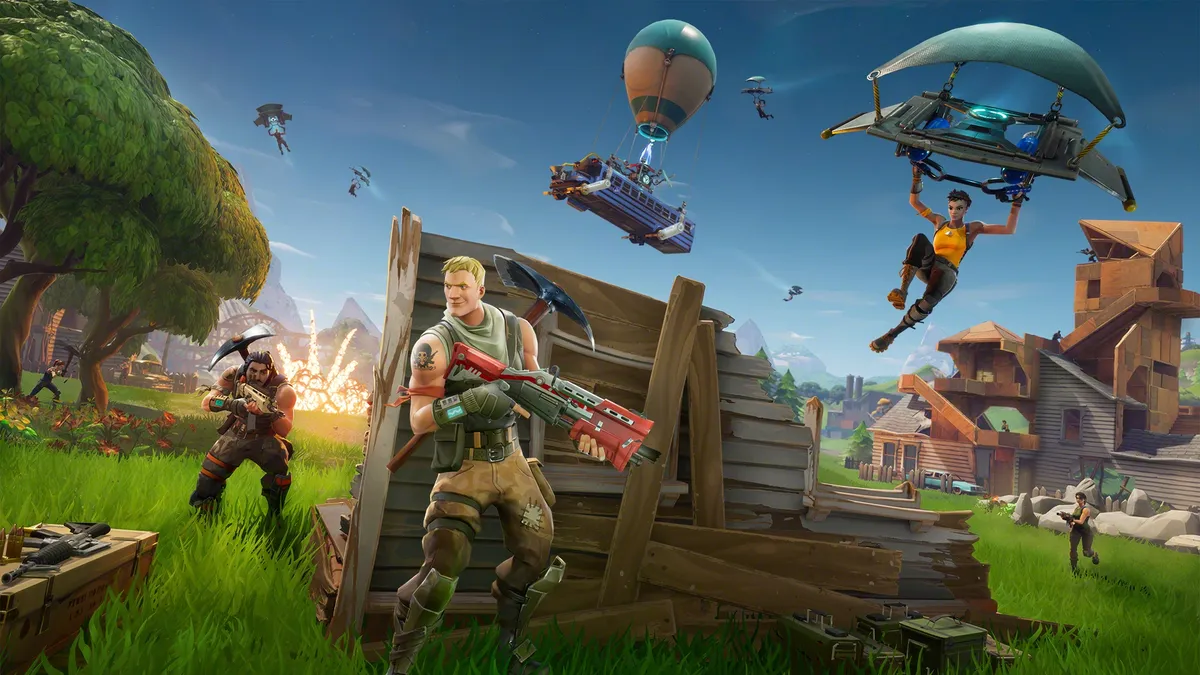
Fortnite screenshot with multiple points of focus, including character gliding into view, hiding from battle, and building defenses

(Image credit: Epic Games)

The game continues to evolve with Fortnite Season 4 of Chapter 6, and although the island has changed significantly over the years the core mechanics are generally still the same – so this Fortnite beginner's guide will help lead you in the right direction towards your first Victory Royale. Read on for plenty of Fortnite tips and tricks that will demonstrate how to play Fortnite to your strengths, so take your seat on the battle bus, thank the driver, and get ready to leap into battle...

1. You can’t take the things you pick up on Spawn Island with you

Fortnite Season 2 of Chapter 6

(Image credit: Epic Games)

When you spawn into Spawn Island you’ll see guns, ammo, and building materials scattered around just waiting to be grabbed. And you can grab them - but they won’t come with you into the Fortnite map. Treat Spawn Island as a practise area for how to play Fortnite, although you’ll probably only be there for a minute at most while the game fills up with 100 players. You can shoot anyone in the vicinity but the guns won’t do any damage, or if you’re being a temporary pacifist, try your hand at building a quick sniping hut (more details on how to do that below in point 10).

You may like
  • Fortnite Season 2 Chapter 7 Fortnite Rivalries and the Showdown leaderboard explained
  • Marathon player facing three UESC robots in corridor on Outpost map Here are 15 Marathon tips and tricks for new players
  • One of the Fortnite Sprites on a player's back Fortnite Sprites explained and how to level up your collection

2. Wait as long as possible to drop from the Battle Bus

Fortnite screenshot focused on a season 1 battle bus

The Battle Bus’ horn will honk as soon as you’re able to drop from it onto the map below, but resist the urge to join the crowd of players who leap from it asap. Instead wait until there’s about 3 seconds to go before the Battle Bus reaches the end of its flight path, then leap out. You’ll have little to no players to compete with for landing spots, which means there’s a smaller chance of getting gunned in the face in your first two minutes of the match and less competition for loot. Aim towards a house or structure when you’re gliding as there’s a high chance of a chest being inside it, or at the very least some basic loot. Just hit the roof with your pickaxe to get in. Speaking of the glider...

3. Your glider deploys automatically

Fortnite screenshot showing a character gliding toward Tilted Towers

When you’re plummeting down from the Battle Bus, there is no way to make your glider deploy later as it automatically opens when you reach a certain height over the ground below. That’s all there is to it. It only folds up once you’ve landed, so just stay patient and make a beeline for the nearest structure.

Sign up to the GamesRadar+ Newsletter

Weekly digests, tales from the communities you love, and more

By submitting your information you agree to the Terms & Conditions and Privacy Policy and are aged 16 or over.

4. Drink small shield potions before glugging a large one

Fortnite icon focused on the blue shield potion

Around the map you’ll find both small and large blue bottles, which give you 25 shield and 50 shield respectively if you use your right trigger to drink them (the same button you use for firing your gun). Once you have 50 or higher shield you can’t consume any more small bottles, so make sure to drink them first so you don’t have them burning up a slot in your inventory. You can chug large shield potions no matter the level your shield is at, so if you only have one of them go ahead: pop the lid, and gulp it down asap.

5. Assault rifles or SMGs are good beginner weapons

Fortnite Battle Royale screenshot of a character shooting at an enemy from a raised platform

(Image credit: Epic Games)

As a general rule, stick to assault rifles or SMGs when you’re first figuring out how to play Fortnite. Sniper rifles are useless under 75 metres, so although you’ll want to keep one handy do not use it in close quarters combat unless you absolutely have to. Another thing to bear in mind when you’re figuring out how to play Fortnite is if/when you’re shooting someone up close and personal, you’ll want to prioritise your shotgun. Shotguns - surprise surprise - do a ton of damage and are good for one-hit kills, so keep one in your hands when you’re exploring houses, basements, or any other small spaces.

6. Pay attention to the rarity scale

Fortnite screenshot showing a character lurking in shadow as two others approach a rocket launcher pickup

Grey guns are the most common, with green, blue, purple, and gold being the ascending order of rarity. Gold guns are incredibly powerful, so don’t pass them up if you see them lying around. Hit Up on the D-pad to bring up your inventory, and if you hover over the guns you’ll be able to see how much damage they do if you’re having trouble deciding which to keep.

You may like
  • Fortnite Season 2 Chapter 7 Fortnite Rivalries and the Showdown leaderboard explained
  • Marathon player facing three UESC robots in corridor on Outpost map Here are 15 Marathon tips and tricks for new players
  • One of the Fortnite Sprites on a player's back Fortnite Sprites explained and how to level up your collection

7. Play with headphones on

Fortnite screenshot showing two character shooting assault rifles

(Image credit: Epic Games)

Make sure you have a pair of decent headphones nestled on your ears, as hearing the sound of footsteps (or, more likely, gunshots) and being able to figure out what direction they’re coming from can be the difference between life and respawning in Fortnite. Knowing which direction players are coming from gives you valuable seconds to prepare, whether that’s switching to a shotgun or building a quick bit of cover.

8. Build cover before you heal
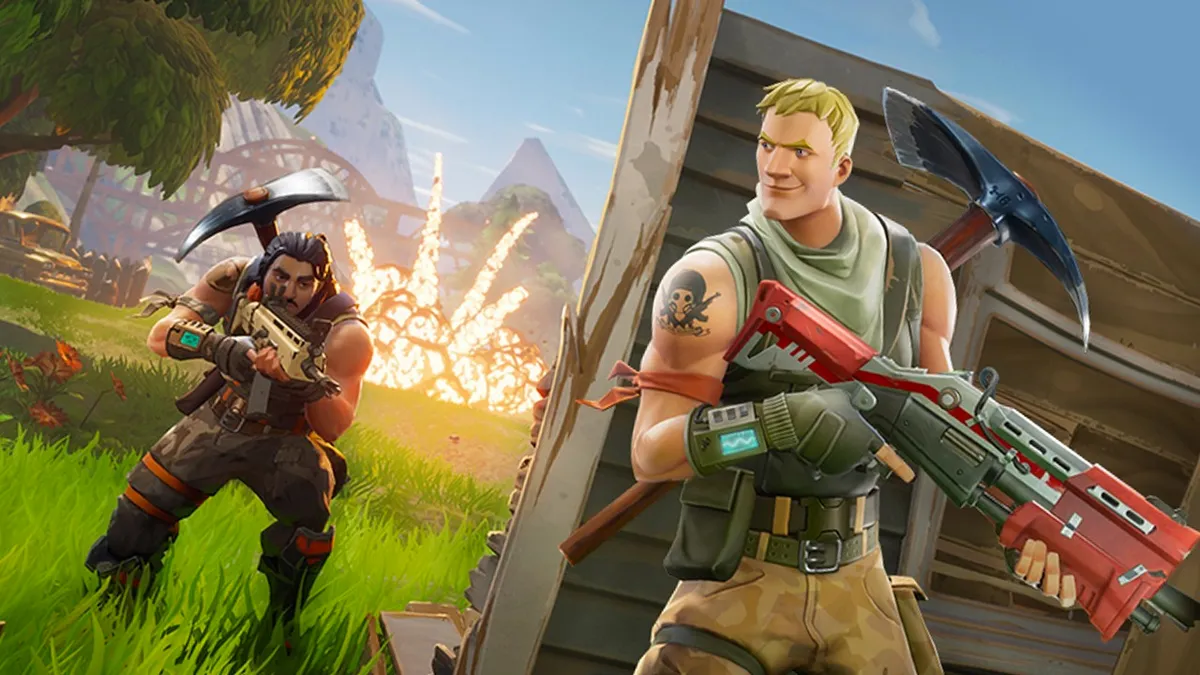
Fortnite screenshot showing one character with an assault rifle hiding behind a created cover as an enemy approaches

While I’m on the subject of building, always, always, always build walls around you before you start to heal. Both healing and drinking shield potions take valuable seconds to consume (up to 10 seconds for a large healing kit), during which time you can’t move around, shoot, or do anything really except for twirl the camera. Which means you’re very vulnerable indeed, so those walls will stop any bullets connecting with your face. Walls can also clip into cliffs and hills, so there’s no need to find an empty bit of land.

9. There’s fall damage above three storeys
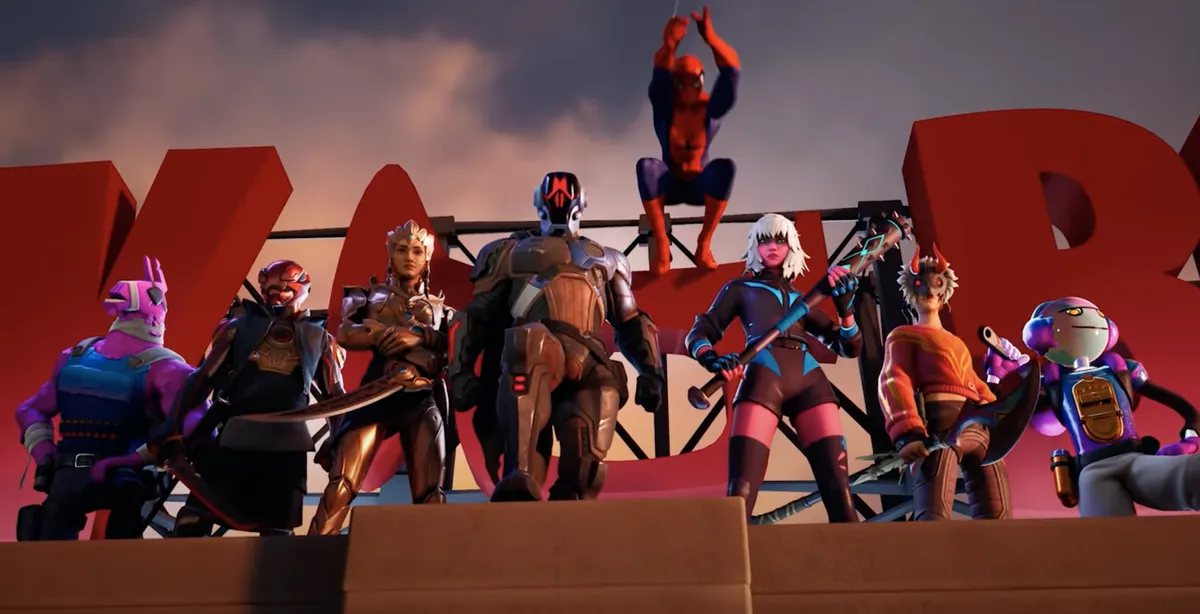
Battle Pass characters line up on a roof top in Fortnite

(Image credit: Epic Games)

This isn’t Borderlands: falling from a substantial height (above three storeys, to be precise - that’s three of the standard walls one above the other) will take a chunk of your health, so either build ramps downwards or try to slide down hills or cliffs.

10. Always try to get the upper ground in a fight

Fortnite screenshot from 2018 which shows a character perched on a building with a sniper rifle to survey a scene

When things start to get sticky and you find yourself in a gunfight with one of the 100 people running around the map, you want to be as high as possible. No, not in that way. Make sure you are above your opponent either by building ramps up into the sky, or by jumping repeatedly (which has the added bonus of making you harder to hit). A good strategy is to build four walls around yourself in a square, then build a ramp up to the wall facing your enemy. This’ll provide you with a good sniping platform that you can retreat down when you’re reloading. Just repeat the building formula upwards (jump to build below your feet) until you’re in a makeshift tower and have the upper hand – and gun, and grenade, and so forth...

11. Keep bandages, med kits, or shield potions in your inventory
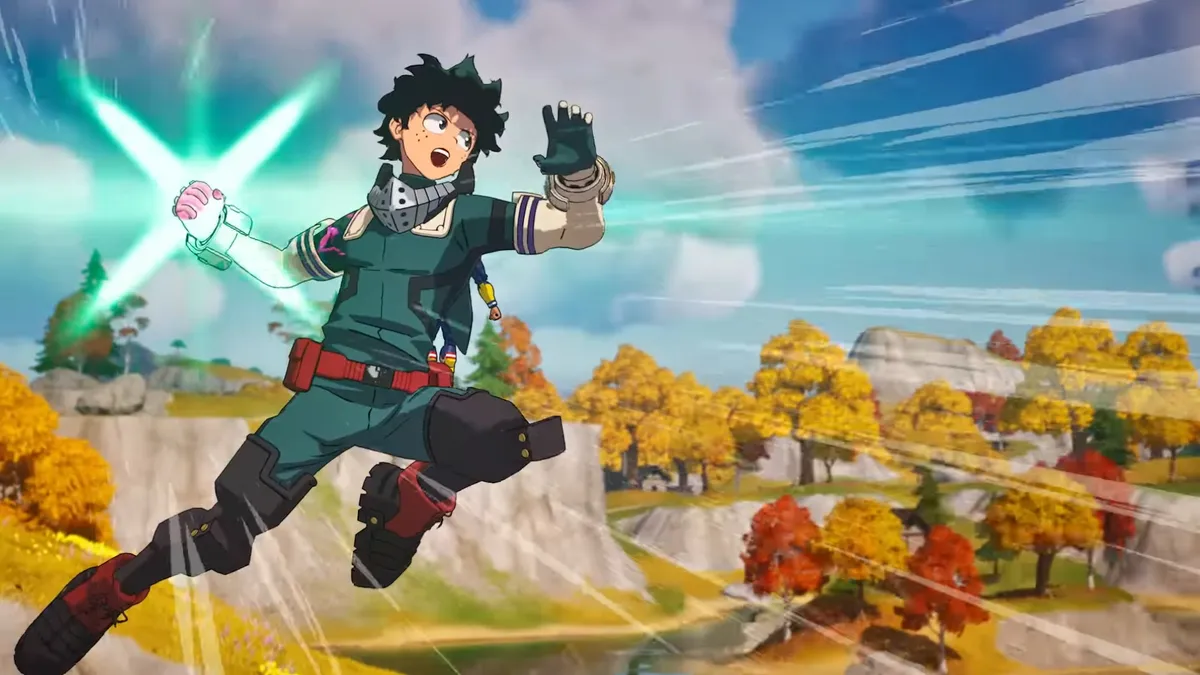
Fortnite's Deku Smash screenshot showing a character powering up

(Image credit: Epic Games)

It’s worth having at least one of the above items in your toolbar. Extra healing and shields will come in handy for when you’re backed into a corner but aren’t ready to give up, or you can share them with your squadmate if they’re in need of some first aid sharpish.

12. Don’t destroy trees completely

Fortnite screenshot showing a lush background with trees just waiting to be harvested for resources

Using your pickaxe to destroy trees is an essential way to get wood for building materials, but do not destroy trees completely. Instead stop when the tree has 50 health left on its hitbar, as leaving a trail of destroyed vegetation in your wake makes it incredibly easy for other players to follow your tracks and hunt you down.

13. Make sure you've selected the right mode from the lobby

Fortnite menu screen showing Battle Royale, Team Rumble, and other game modes

(Image credit: Epic Games)

When you boot up the game it's automatically going to try and drop you into a squad with all the slots filled by random players. You may well want to go solo or drop into a duo or trio instead, so just toggle the game mode first. It'll say just above "Play!" whatever mode you're in. You can also choose between the classic Battle Royale and the newer Zero Build mode, which doesn't allow for any construction, plus Fortnite Ranked play that evaluates your performance after ever match – you may want to stick with unranked until you've learned the ropes.

14. Crouching minimises the noise your feet make
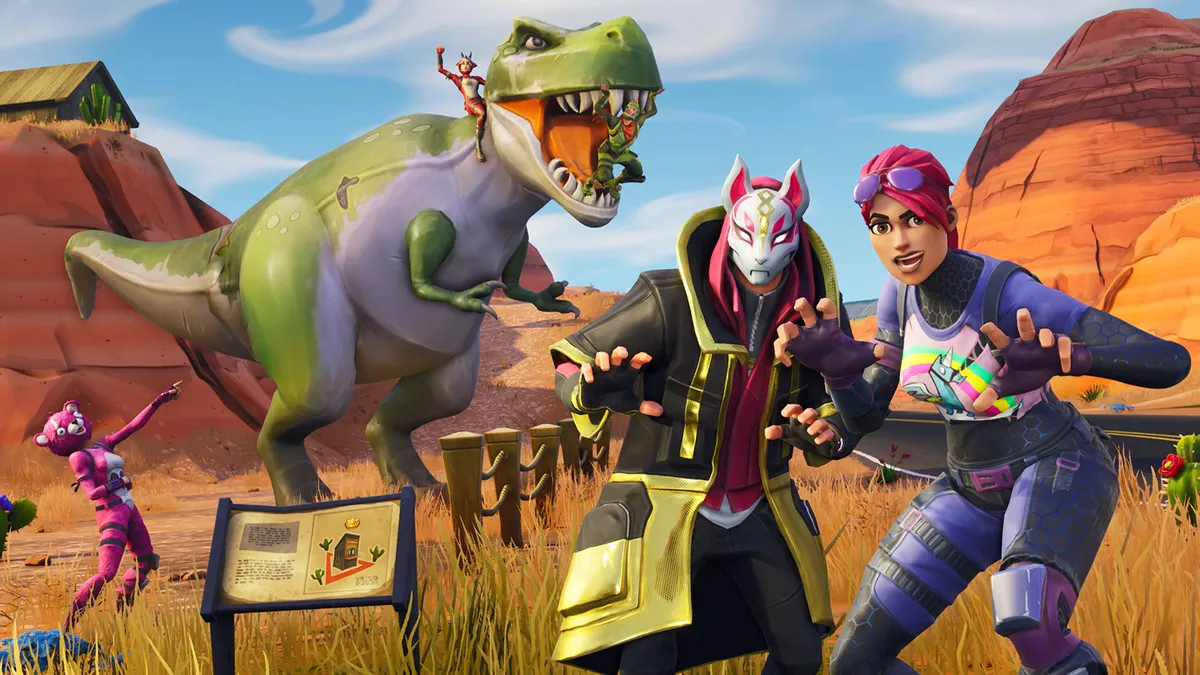
Fortnite screenshot showing two characters acting surprised as they leap out at you, with a dinosaur fighting other characters in the background

Sneaky is as sneaky does, and being stealthy can be a great way to edge yourself closed to that coveted Battle Royale. Keeping yourself hidden is part of the trouble, but if you move while crouched you'll move much more quietly than if you run. It's a very useful trick if you can hear someone nearby, because you can manoeuvre yourself into a better hiding place before they come after you.

15. You have to buy the Battle Pass to get the majority of the rewards

Fortnite screenshot showing the progression of a Season 3 battle pass and rewards

(Image credit: Epic Games)

Although there are some perks available without spending a single dime, if you want to get the best skins and other items you'll need the Battle Pass. It costs 950 V-Bucks, meaning you'll need to buy the smallest V-Bucks bundle, at $9.99 / £7.99. After that it's just a case of playing and ticking off as many quests as you can to start earning yourself some gear.

16. You can break (almost) anything with your pickaxe
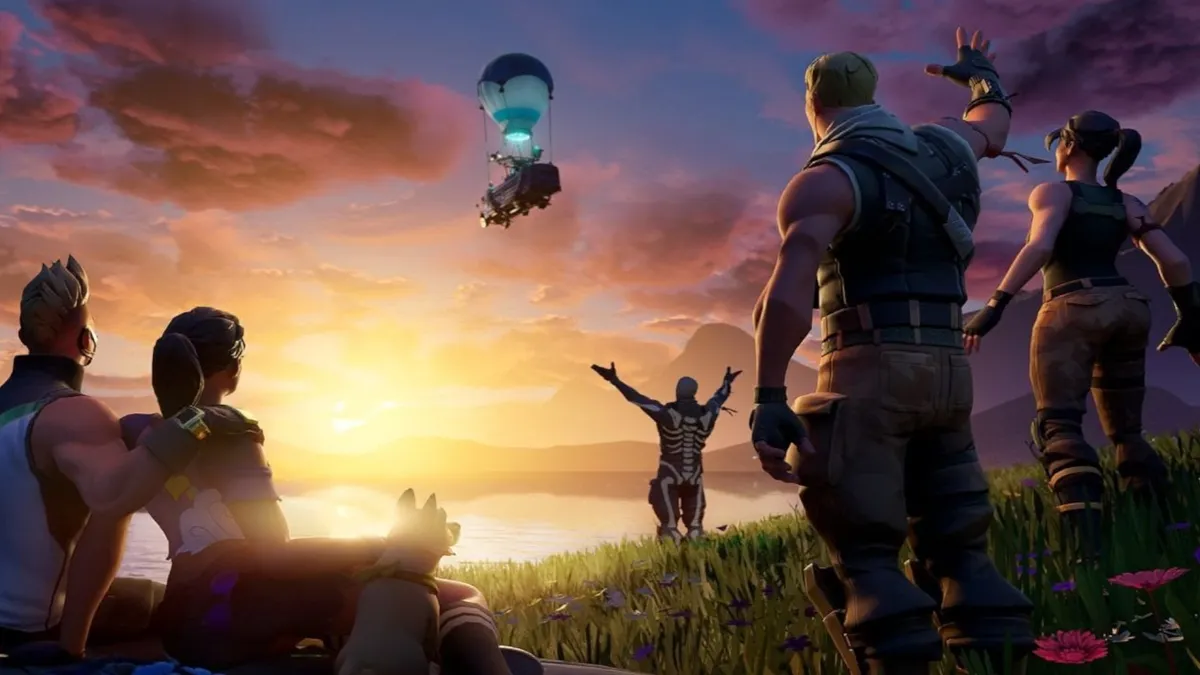
Fortnite screenshot showing multiple characters praising the battle bus

(Image credit: Epic Games)

If you think you've got stuck in a building or built yourself inside a construction, don't fret. You can break (almost) anything with your pickaxe, so just start smashing your way out. But be careful, that little red circle icon that pops up means you're making noise and anyone nearby will hear it, so take your time escaping your current conundrum.

17. You can change your skin, stickers, and emotes in the locker

Fortnite screenshot showing Old Snake in the inventory screen

(Image credit: Epic Games)

All the skins, banner icons, gliders, harvesting tools, loading screen, contrails, emotes, dances, sprays and more all live in your Locker. You can switch them in and out from here before every match, but you won't be able to change any of it in match, so make sure you're happy with your look and your equipped items before you drop.

18. Get into the habit of harvesting materials as you run

Fortnite screenshot showing a character fishing

(Image credit: Epic Games)

While the player with the best aim will usually come out on top in a fight, building is absolutely key to give yourself the biggest advantage possible. To build though, you need to have materials which can only be obtained through harvesting materials. Wood is the most common and you can destroy everything from trees and bushes to chairs and wardrobes. Test out which structures give you the most materials then harvest them as you run from one location to the next to give yourself maximum resources.

© GamesRadar+. Not to be reproduced without permission.

CATEGORIES
Android Nintendo Switch Xbox One Xbox Series X PS4 PS5 PC Gaming iPhone Nintendo Switch 2 Platforms Mobile Gaming Nintendo Xbox PlayStation
Iain Wilson
Iain Wilson
Social Links Navigation
Guides Editor

Iain originally joined Future in 2012 to write guides for CVG, PSM3, and Xbox World, before moving on to join GamesRadar in 2013 as Guides Editor. His words have also appeared in OPM, OXM, PC Gamer, GamesMaster, and SFX. He is better known to many as ‘Mr Trophy’, due to his slightly unhealthy obsession with amassing intangible PlayStation silverware, and he now has over 1,000 Platinum pots weighing down the shelves of his virtual award cabinet. He does not care for Xbox Achievements.

With contributions from
  • Sam LoveridgeBrand Director, GamesRadar+

You must confirm your public display name before commenting

Please logout and then login again, you will then be prompted to enter your display name.

Read more
Fortnite Season 2 Chapter 7
Fortnite Fortnite Rivalries and the Showdown leaderboard explained
 
 
Marathon player facing three UESC robots in corridor on Outpost map
FPS Games Here are 15 Marathon tips and tricks for new players
 
 
One of the Fortnite Sprites on a player's back
Fortnite Fortnite Sprites explained and how to level up your collection
 
 
A player looks out at a ringed planet in Starfield on PS5
RPGs 9 Starfield tips to help you chart space
 
 
Fortnite Season 3 in Chapter 7 holding screen
Fortnite Is Fortnite down? And if so then how long is the Fortnite downtime?
 
 
Fortnite characters in Chapter 7 Season 3 Runners
Fortnite Fortnite Characters and how to find them
 
 
Latest in Fortnite
One of the Fortnite Sprites on a player's back
Fortnite Fortnite Sprites explained and how to level up your collection
 
 
Fortnite John Wick's dog after being released from the cage
Fortnite How to rescue or pet John Wick's dog in Fortnite
 
 
Fortnite Dark Voyager
Fortnite How to find and damage Dark Voyager in Fortnite
 
 
Fortnite Community Day
Fortnite When is Fortnite Community Day and what rewards can you earn?
 
 
Fortnite key art features lots of Star Wars characters
Fortnite Fortnite's The Mandalorian and Grogu Watch Party Island is far more than just a Star Wars theater
 
 
Overwatch hero Mei looks concerned in official Rise and Shine animated short.
Fortnite Fortnite's Overwatch collab "outshines" Blizzard's "lackluster" 10th Anniversary Event, players say
 
 
Latest in Guides
Arc Raiders raider in skull cap
Third Person Shooters How to complete the Arc Raiders Forgotten Relics event
 
 
Path of Exile 2 character classes lined up to be hanged at gallows
Action RPGs When is the full release date for Path of Exile 2?
 
 
Three masked attendees of the Black Banquet in DBD
Horror Games DBD The Black Banquet release date and details
 
 
Frank Stone, who comes to Dead by Daylight in the latest roadmap
Horror Games What's in the DBD roadmap for 2026?
 
 
A lake in the middle of a Badlands Minecraft biome
Minecraft All Minecraft biomes and new additions
 
 
Grow a Garden 2 codes
Simulation Games Grow a Garden 2 codes (June 2026) and how to redeem them for free seeds
 
 
LATEST ARTICLES
  1. Xbox logos
    1
    Former PlayStation boss says Xbox shows a "basic misunderstanding" of the games industry amid leadership changes, mixed messaging, and reports of studio closures
  2. 2
    Robert Downey Jr. says they've "labored long and hard" to make sure Avengers: Doomsday will not be a letdown after Endgame
  3. 3
    Homelander and Butcher stars respond to fan-made alternate The Boys ending, but we're almost certain they are being sarcastic
  4. 4
    Microsoft was reportedly already planning Ninja Theory split when it announced Senua at the Xbox Games Showcase, with the reveal intended to draw in investors
  5. 5
    Joe Russo raises hype levels by declaring Avengers: Doomsday is "the most emotionally complex" and "most mature" Marvel movie yet

GamesRadar+ is part of Future US Inc, an international media group and leading digital publisher. Visit our corporate site.

Add as a preferred source on Google Add as a preferred source on Google
  • Terms and conditions
  • Contact Future's experts
  • Privacy policy
  • Cookies policy
  • Accessibility statement
  • Careers
  • About us
  • Advertise with us
  • Review guidelines
  • Write for us

© Future US, Inc. Full 7th Floor, 130 West 42nd Street, New York, NY 10036.

Please login or signup to comment

Please wait...