GamesRadar+ Verdict
The Asus ROG Raikiri II is a marked improvement over its predecessor, which shows that this is a gaming brand that's willing to listen to feedback and adjust strategies accordingly. What the Raikiri II has done is excellent, undercutting the price and design of the Razer Wolverine V3 Pro in ways I didn't foresee. It stops at nothing to give you a competitive edge with speedy microswitch buttons with tiny actuations - but how far is too far? I think Asus has found the line.
Pros
- +
Speedy microswitch buttons
- +
Redesigned grips
- +
Great back buttons
- +
Great thumbstick shape
- +
Good price
- +
TMR sticks
Cons
- -
Annoying pause/options button placement
- -
Buttons have an unforgiving actuation
Why you can trust GamesRadar+ Our experts review games, movies and tech over countless hours, so you can choose the best for you. Find out more about our reviews policy.
I really wanted to like Asus's last pro controller for Xbox. The Raikiri Pro had a lot of promise, which ended up amounting to a lot of style over substance. After not-so-favorable reviews all over, a full rework has now happened, and the Raikiri II has arrived seeking redemption. It's a tough old market to step into right now, though, because some of the best Xbox Series X controllers are offering a pretty conclusive package.
Thankfully, the folks at Asus seem to be on the ball, and their new officially licensed Xbox Series X controller is matching that. The charging case, the swappable parts, the wireless play on PC and Xbox; it's all here, and in fact, you can even get TMR thumbsticks in the Raikiri II, which not many other brands have offered yet. Weighing in at $189.99 / £199.99, there's a clever undercut happening here (at least in the US), which dodges the standard $200 price of the competition.
Design

My main take on the Asus ROG Raikiri Pro was that it was too much style over very little substance. While Asus hasn't completely abandoned the unique aesthetic its controller had, you can tell that a big focus with the Raikiri II has been refining the functionality of the device. Gone is that (fairly pointless) onboard display. Those edgy back buttons that were facing the wrong direction to actually be pressed are gone too. But the face of the controller still has finer details with "ROG" lettering framing the thumbsticks, D-pad, and facial buttons.
RGB is present along the borders of the grips and in the central logo, but none of it feels too overt. When you're holding the controller, it's actually pretty hard to notice the grips shining from under your palms.
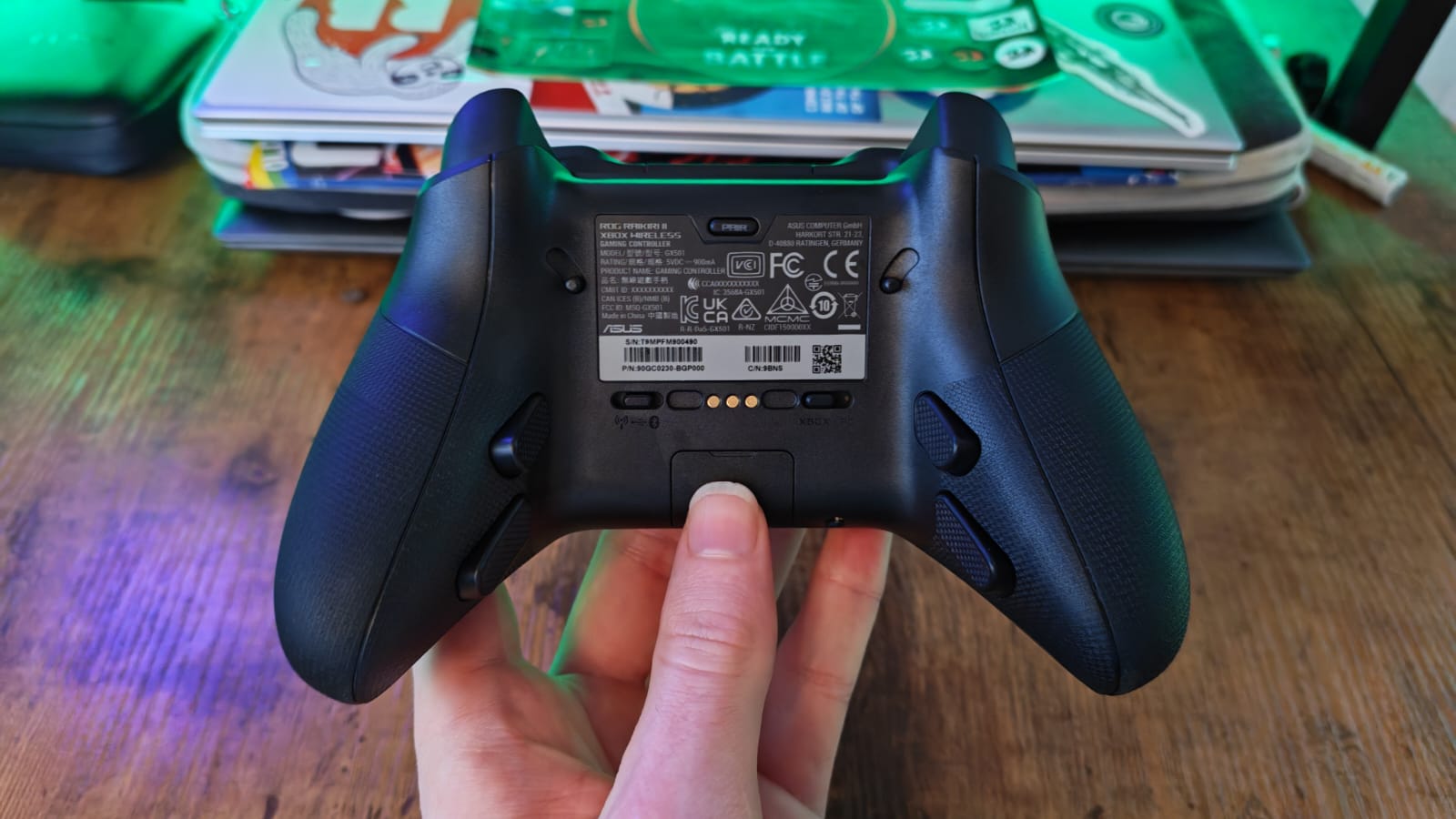
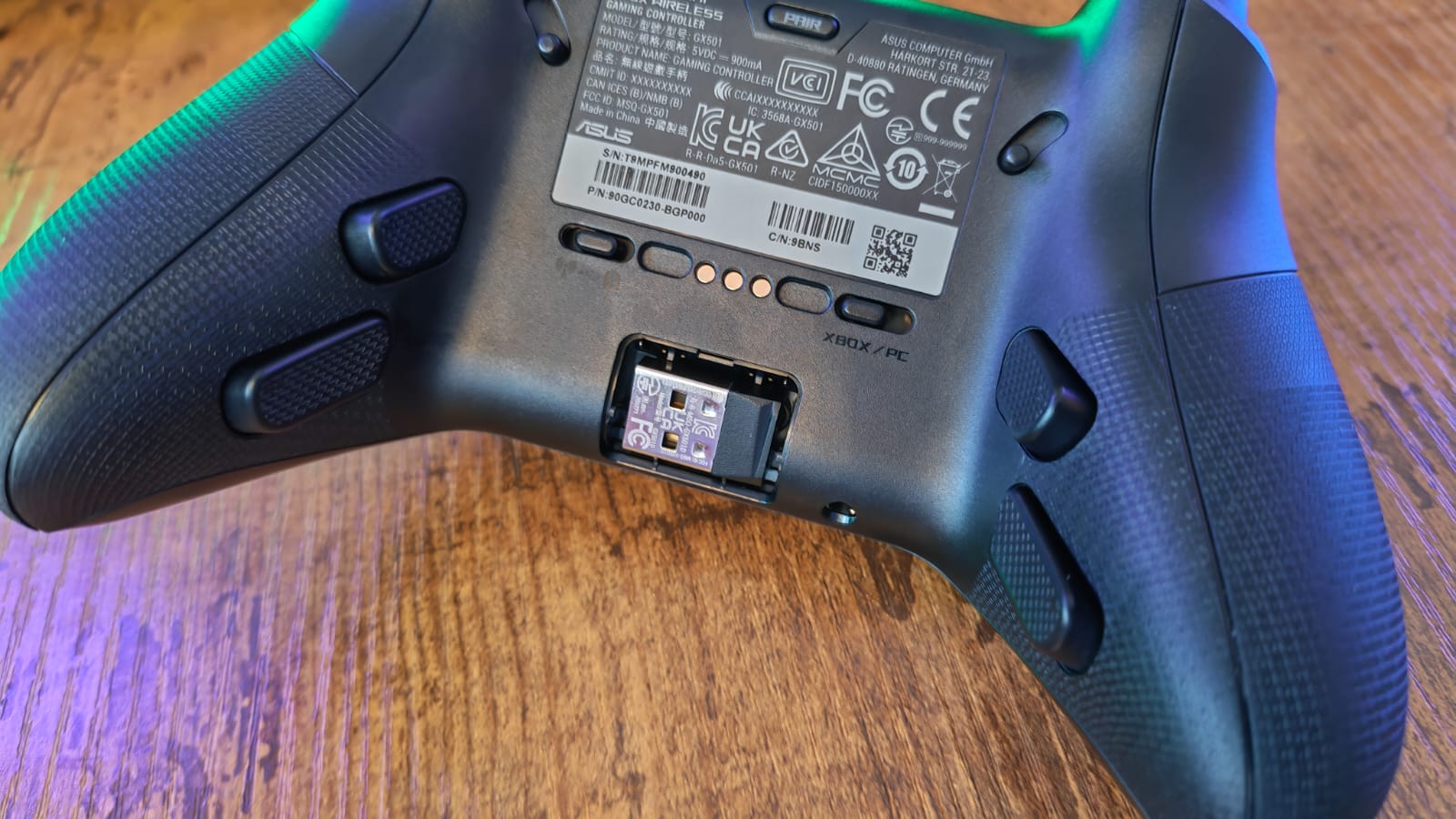
Regardless, there are practical design elements that go hand-in-hand, showing that Asus has really gone back to the drawing board. The tiny USB wireless dongle has its own wee tray in the back of the controller - perfect so that no one loses it, but even better for people who are pairing this controller with the Asus ROG Xbox Ally X and need to take their pad on the go.
The thumbstick tops are swappable, but they have really defined rims, which means that it's easy to keep your thumbs on them. There's also a handy charging stand and carrying case, and the former fits in the latter. In fact, you can charge your controller in the case thanks to a handy passthrough USB-slot in its back.
Features
The best way I can describe the features of the Raikiri II is by talking about the design philosophy of the Razer Wolverine V3 Pro. That gamepad saw Razer taking microswitches from its Esports mice and putting them all over the controller. Face buttons, back buttons, bumpers, you name it, it all clicked in with the speediest of actuations, resulting in a gaming peripheral that feels bred for competitive play.
The Raikiri II emulates that feel to a tee, and overall, this controller feels very similar to play with. That said, the shape of the grips isn't so short and stubby - Asus has blessed us with longer, more cylindrical grips that accommodate your pinkies. There are four back buttons integrated onto the grips, but because there's more real estate, I'd argue these are actually placed more intuitively than on the Wolverine V3 Pro. Asus hasn't been afraid to put the bottom set further down the grips, which is actually ideal for using your ring fingers to press them.

I do have hesitations about how forgiving these clicky buttons are to use, which I'll come to shortly. Overall, the Raikiri Pro II is a very fast controller, and even its triggers can turn into microswitches if you use the trigger stop switches.
The other big thorn in Razer's paw is that the Raikiri Pro II has TMR thumbsticks. Both of Razer's Xbox Wolverine controllers are limited to Hall effect sticks, and even if its 8K polling PC-tilted version has TMR sticks, it substitutes rumbly feedback for them, leaving the controller feeling very stripped back. Asus hasn't compromised here, and even if its Raikiri II has a max polling rate of 1K, it's cheaper than the Razer Wolverine V3 Pro in the US, which makes for a very interesting match-up indeed. Yes, the V3 Pro has an additional set of bumpers, but if you're a bigger fan of back buttons, you probably won't get much use out of those anyway.
On top of the charging stand and case I mentioned in the design section, Asus also gives you two swappable thumbstick tops in the box, a USB cable, and some feet for the charging stand.
Performance

As you might expect, if I'm comparing the Raikiri II to the Wolverine V3 Pro, this is a pad that's going to work wonders for anyone who plays games competitively. Speedy microswitches mean quick and crisp button presses that register faster than a traditional membrane button. The downside of them, then, is feel.
A lot of the best PC controllers in the last few years have adopted microswitches, but they've tried to find workarounds for the lack of feel. None has done it better than the Nacon Revolution X Unlimited, which has face buttons with lightning-quick actuation, but they feel so light and cushioned that you'd be forgiven for thinking they were some kind of lovechild-hybrid. But even GameSir, with its budget-friendly microswitch buttons, like the ones on the GameSir G7 Pro, has added some cushioning to the switch to counter the unforgiving blow to your finger joints from using them for a while. Go too far, and they turn out spongy, but I haven't come across many instances of that in recent years.

Asus, for all their brilliance in undercutting Razer's microswitch buttons, has not provided what feels like any cushioning at all. To be completely fair, if it were trying to emulate Razer, I understand why there hasn't been an attempt for that. Razer's microswitch buttons don't feel very cushioned either, but I think that because Asus has combined tiny actuations with a really rigid plastic surface on the Raikiri II, playing longer sessions with it feels totally unforgiving on your hands.
On one hand, you want the speed this kind of controller can give you. Fighting games like Dragon Ball Sparking Zero never feel better than with one of these because it's dying for you to hammer in button-mashed combos, but on the other hand, if you plan to play longer sessions, please be careful for carpal tunnel and repetitive strain injuries. Even if the Raikiri II has a comfortable shape, those button actuations are anything but comfortable.

I definitely recommend playing around in the ArmoryCrate software if you invest in this controller. As annoying as that application can be on PC because it tries to run everything in your gaming PC, it'll allow you to customize the thumbsticks and deadzones of this device, which I found necessary. For a TMR controller, there were some unruly feeling deadzones and stick sensitivities out of the box, which infected my playtest of Hunt: Showdown and the six or so hours of Cairn I tried. TMR sticks should be the ultimate go-to for tiny corrections, but in either game, it was as though I was getting inconsistent results with the smallest of moves of the sticks.
Towerfall Acension gameplay was solid, and I was zipping around each level with ease, but I didn't feel quite as connected to the game as I did with something like the Flydigi Apex 5, which cuts down the line between responsiveness and feel. On a similar note, I'm an RGB fan, but it did feel like a bit of pointless battery wastage having lighting on the grips of this controller, where no user will see it. Thankfully, the central logo flashes red when wireless battery life is getting low, which is actually useful.

While I loved this controller for those speedier presses in multiplayer games, I'd caution against buying this controller if you predominantly plan to use it for single-player titles. It does add some light rumble to the mix, but this is pretty understated, and I'd recommend something else if you're mainly looking for an immersive feel.
One last gripe to get out of the way before I sum up is that I can't understand what Asus was thinking with the placement of its four menu buttons. There's a standard options and in-game menu button here, but also an Asus ROG button and a library button - neither of which are going to be the first port of call for the majority of players. For some reason, these Asus buttons are put in prime position, on top of the pause buttons? It does not feel natural or intuitive to reach for the pause buttons underneath these, and that's a continual bit of friction I've had in testing.
Should you buy the Asus ROG Raikiri 2?

The Asus ROG Raikiri II is a marked improvement over the Raikiri Pro, and it has a lot going for it. For its $189.99 price, it offers a lot of what Nacon, Razer, and other big names are offering for less money. It has TMR thumbsticks and a level of responsiveness that any competitive player will no doubt have an appetite for. There are also some lovely bits of practicality baked into the design, which really shows Asus has been willing to take a more user-friendly approach this time around.
But how far are you willing to go in pursuit of a speedy gamepad? While I love a controller that can keep up with mouse and keyboard configurations on PC, I do think a peripheral like this that costs over $150 should really have some singleplayer potential too, and I'm not sure this is one I'd grab out of my collection to play singleplayer or cozy games with.
How I tested the Asus ROG Raikiri II
I adopted the Asus ROG Raikiri II controller into my setup for over a week before this review was written. Like with all the controllers I review, I used it for all of my playtime during that time, living with the controller as though it were my own. I compared it closely with the Razer Wolverine V3 Pro and its variants, as well as other Xbox Series X controllers on the shelves right now.
For more on how we test controllers, check out the full GamesRadar+ hardware policy.
You can take a deeper dive into controllers by looking at the best PS5 controllers, best PS5 steering wheel, and best Xbox steering wheel.

You must confirm your public display name before commenting
Please logout and then login again, you will then be prompted to enter your display name.