Join The Community





The Marathon Welcome to Tau Ceti quest is the first priority contract you'll be given, a mission from CyberAcme's ONI that demonstrates how contracts work. It's very easy to complete but the objectives aren't the most straighforward if you're a new Marathon player. And given how many threats there are on Tau Ceti, it's understandable if you want some help with getting this done as quickly and painlessly as possible. So, here's a quick step-by-step guide for the full Welcome to Tau Ceti contract.
Marathon Welcome to Tau Ceti part 1

The first part of Welcome to Tau Ceti is quite simple and can be completed across multiple runs:
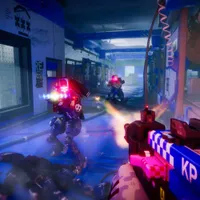
- Firstly, you need to defeat three UESC enemies in Perimeter, which basically just means any of the blue PvE robots you can usually find patrolling Points of Interest (POIs). As our Marathon tips say, they can be surprisingly tough, so fight from a distance and be prepared to run to safety.
- Next you need to scan the FTL array at any UESC radio tower in Perimeter. Radio towers can also be found at POIs and will be marked if you are within 100 meters of one.
- Once you've found a radio tower, follow the button prompts to open the console and scan the FTL comms chip.
That's the end of your first priority contract and you'll earn some CyberAcme faction reputation for one of the Marathon factions, CyberAcme, for your efforts. Upon cashing in the contract with ONI, you'll also get some gear rewards including a gun, ammo, a backpack, a shield, health consumables, and Credits. You'll then receive a threatening message from UESC commander Orion and will gain access to the second part of Welcome to Tau Ceti.

Marathon Welcome to Tau Ceti part 2

To cap off the Welcome to Tau Ceti mission in Marathon, you just need to sabotage a comms antenna in one of two places in the Perimeter Marathon map:
- Hop into a Perimeter run and then go to either the North Relay or South Relay – whichever is closer from where you started the match. As above, the antenna will be marked with an on-screen waypoint when you are within 100 meters.
- Follow the antenna button prompt to sabotage it, and it'll violently explode!

And that's it! You can now either die or exfil from your run to get back to ONI and hand in the contract where you'll get a BRRT SMG, which is one of the best weapons in Marathon so far. Using the upgraded comms to contact Sol, ONI also unlocks two faction liaison contracts for you, one for NuCaloric and one for Traxus, giving you access to more factions and their upgrades.