





Many of you will use a TV with consoles by default, but using a gaming monitor with your PS5 can make a huge difference. Sony's latest has way more in common with a PC than you'd perhaps think, and desktop displays can help the PlayStation 4 streach its 4K 120Hz legs.
However, the best monitor for PS5 also caters to those who are looking for a smaller screen, especially since it's hard to find high-spec TVs under 43 inches. Sure, you'll find 32-inch panels out there, but you'll find more models with vibrant OLED and mini LED tech and cheaper IPS alternatives that are marketed towards PC players. Plus, it's worth stopping to think if you even need the traditional television features like over-the-air tuners and streaming features if all you want to do is play the latest PlayStation releases.
I've been testing the best gaming monitors with consoles like the PS5 for years, and I actually started out using the PS1 with the family PC's CRT screen and an adapter. Things have naturally changed dramatically since then, and options like the BenQ Mobiuz EX321UX (my current overall pick) stand out thanks to magnificent mini LED brightness and local dimming abilities. So, if you need something with small TV vibes and enhanced specs, I'll help ypu pair your PlayStation 5 with the perfect panel below.
The Quick list

This mini LED 4K 144Hz panel is going to bring your PS5 visuals to life while offering up handy console features.
Read more below

The Inzone M9 doesn't just look like a PS5 monitor, it packs specs that match the new-gen console at an approachable price. While it's not the latest model, it's still a better fit for the PS5.

A killer 4K panel that takes OLED visuals to the next level with a glossy Gorilla Glass coating.

If you prefer to play PS5 games at 1440p, the OLED G6 will serve up phenomenal colors and anti-glare tricks.

This speedy OLED monitor offers incredible contrast and colors for a chunk less than its rivals. A fantastic choice for both PlayStation 5 and a variety of other systems.

This OLED screen has the power to revamp your favorite PS5 adventures with incredible contrast, and it's got the features to back it up as a great console screen.
Load the next three monitors ↓

This 144Hz Philips monitor will more than satiate the PS5's 120Hz capabilities, but that higher refresh rate is valuable.
Read more below

A cutting-edge OLED display that'll serve up both high-spec PS5 performance and an incredible handy dual resolution mode.

This Evnia screen boasts a large panel and immersive RGB backlights.

Phil pairs all the latest gaming monitors with their PS5, and they've been using monitors with consoles since the glory days of the PS1 and CRT TVs. All those years of experience mean our resident screen reviewer can spot the top models a mile away, whether it's the latest OLED by LG or an affordable IPS display by BenQ or Philips.
The best monitor for PS5 overall


Mini LED panels boast great qualities that make them great for PS5, and the BenQ Mobiuz EX321UX goes the extra mile to offer up a premium console experience. In many ways, this 32-inch screen will feel like a smaller TV that offers up an 144Hz refresh rate, plenty of ports, and elevated HDR abilities that will bring the very best out of Sony's system.
✅ You need something faster: This mini LED screen can hit 144Hz, so it's more than enough for even the PS5 Pro.
✅ You want something bright: By going with a mini LED screen, you'll get brightness that can easily cut through rooms bathed in broad daylight.
✅ You have multiple systems: You'll be able to hook up your PS5, Steam Deck, and another system of your choice with this screen.
❌ You're used to OLED: Yes, mini LED is good, but OLED can provide better contrast and colors if you've got the funds.
❌You want something smaller : If 32-inch is a little too big for your desk setup, you might have to check out smaller options.
Design: This mini LED Mobiuz model isn't worlds apart from previous iterations, but its white space age shell and tripod stand do help give it PS5 vibes. Even the new Sony Inzone M10S avoids that whole aesthetic, so it's nice to see a brand still feeding off that colorway to keep things somewhat visually the same. The monitor as a whole is pretty bulky, though, and that's in part due to its panel type.
While you've got an attractive two-tone NASA-punk white and black hump round the back, there actually isn't much else going on. The ports all live under a lip, but you're not getting RGB lights or anything extra like with previous iterations. That may suit some players who prefer a straight-talking screen, so if you're not really into extra flair, that's not going to matter.
Features: The Mobiuz EX321UX certainly has a few tricks up its sleeve that make for a fantastic PS5 experience, and it has access to BenQ's PixSoul Engine tech that helps enhance iHDR and its color capabilities. Paired with the elevated brightness of its mini LED panel, this helps the screen hit some excellent High Dynamic Range notes that provide a pleasing layer of realism, all while helping maintain a level of vibrancy that can almost compete with OLED.
If you happen to also own a handheld like the Steam Deck, you'll also be able to tap into this monitor's 100W Power Delivery abilities. This is going to save you from using a separate docking station, meaning you'll have an HDMI 2.1 port free for your PS5 and any other systems you happen to have. To make up for the lack of speakers, you'll also have access to eARC, which will make hooking up a soundbar more straightforward. As a sweetener, there's also a remote in the box that will save you faffing with OSD menus and provide a more TV-like experience.
Performance: I spent around two weeks playing a multitude of games on the Mobiuz EX321UX, and BenQ's 4K 144Hz screen delivers on fidelity. I did spot some local dimming issues and halo effects in a few scenarios, but it largely provided bright, bold, and respectably speedy results in games like Overwatch 2, Cyberpunk 2077, and Marvel Rivals. HDR was absolutely a highlight during my time with the display, as the mini LED tech helped things like Night City's neon signage and car headlights feel realistically glary.
Verdict: At full price, the Mobiuz EX321UX is a bit steep, but out of all the monitors I've tested lately, it feels best suited to the PS5. Again, it feels more like a souped-up TV that caters to the elevated specs of Sony's system, and I could see this being an excellent option for the OG console and the new PS5 Pro, particularly if you care about HDR and having gene profiles at your disposal.
Read more: BenQ Mobiuz EX321UX review
The best monitor for PS5 for most players

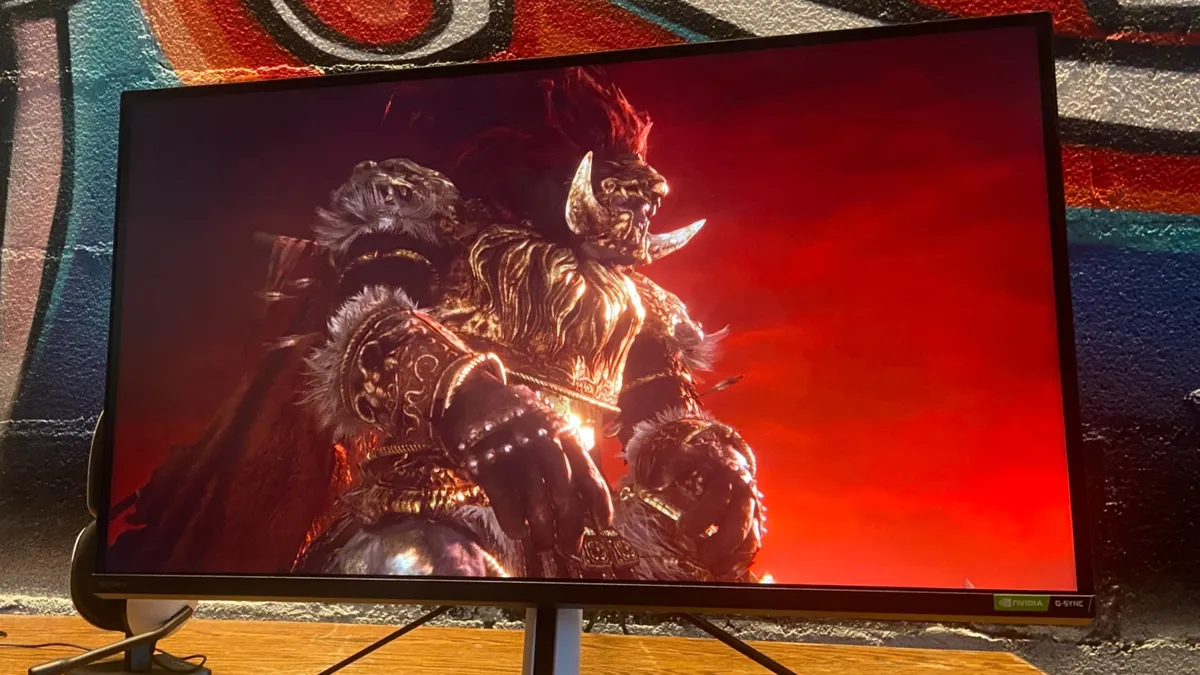


The Sony Inzone M9 is arguably the PS5 monitor, as it's designed specifically with the console in mind. That much is evident from the fact it looks like a PlayStation 5, but its specs are also a perfect match for the powerhouse system.
✅ You want better performance: The PS5 taps out at 120Hz, but this screen can handle 4K 144Hz when plugged into a gaming PC.
✅ You want a matching PS5 screen: The Inzone M9 shares design DNA with Sony's console, meaning they'll look great sitting on a desk together.
✅ You have more than one console: Armed with two HDMI 2.1 ports, you'll be able to hook up both your PS5 and Xbox Series X without any refresh rate caveats.
❌ You'd need something more subtle: Sony's PS5 monitor sticks out to say the least, so it's perhaps not the best solution if you've got a subtle setup in the corner of your living room.
❌You want something bigger : At 27-inches, the Inzone M9 might not be the best choice for those of you looking for a TV replacement.
Features: Boasting a 4K 144Hz panel, the Inzone M9 caters to the PS5's specs and then some. Naturally, that makes it a great PC monitor option too, with additional G-Sync support covering the graphics card stability side of things. However, it will definitely benefit PlayStation players more than any others, not to mention it wields two HDMI 2.1 ports, a USB-B port, a USB-C port, three USB-A ports. With that sort of IO at your disposal, you know you're in for a good time when it comes to console connectivity.
An accompanying app makes adjusting the monitor's settings and swapping through one of its five display modes incredibly easy - which is great since it can be a bit annoying to reach behind the dang thing.
Design: It's easy to get caught up on the fact the Inzone M9 looks like a PS5, and it's partly what makes it such a good fit for the console. Yet, there's lots to discuss regarding design beneath the surface, as its tripod stand offers an impressive degree of adjustability. Sony's PR told us that's specifically included to satiate competitive players with specific preferences, so that's worth keeping in mind if you take shooting things in a virtual realm seriously.
Swinging back to aesthetics, it's also got a nifty RGB strip round back, which adds a bit of pizazz without looking too garish. Not that everyone's going to be into the look of this monitor in the first place, but we reckon it still strikes an acceptable balance between style and subtlety that has widespread appeal.
Performance: With some exclusive PS5 features that include auto swapping between cinema and game modes and automatically optimizing HDR settings upon booting up the console. This means you won't have to fiddle with any settings on your monitor when going between PS5 and PC use, which is a lovely little feature that not a ton of gaming monitors have.
Verdict: In short, the Sony Inzone M9 is a stunning monitor in both display and design, and an excellent option if you're looking to refine your PS5 setup. It's now getting cheaper since it's been around a few years, but in truth, it's still a better fit for the PlayStation 5 than even Sony's latest models.
Read more: Sony Inzone M9 review
The best 4K monitor for PS5


Out of all the 4K displays I've tested, the Dough Spectrum Black 32 takes things to the next level using a unique Gorilla Glass coating. By pairing a glossy screen with an excellent LG WOLED panel with dual resolution abilities, the screen maker has created something that'll add extra flair to PS5 visuals while offering up faster speeds for additional PC play.
✅ You want great value 4K specs: The Mobiuz EX3210U is an impressive 4K 144Hz screen that won't upset your bank account.
✅ You use both console and PC: Opting for 144Hz over 120Hz will ultimately benefit your experience on PC, but that's a good thing if you're rocking a rig and a console.
✅ You want plenty of extras: From built-in speakers to fancy back RGB illumination, this screen offers more than just visual specs.
❌ You're willing to spend a bit more: You can pick up a monitor with superior contrast if you've got $200 extra to spare, and it's arguably worth it if you're looking for the best specs.
❌ You'd rather spend even less: It might be great value for a 4K monitor, but it is possible to grab lower-spec alternatives for a chunk less that'll still provide a decent PS5 experience.
Features: The main draw with the Spectrum Black 32 is naturally its Gorilla Glass coating. While there are other screens out these armed with the same LG panel, using the glossy layer helps the displays MLA+ OLED abilities properly pop at UHD. That's something that'll massively benefit ultra detailed adventures on the PS5 Pro and even the original system since it helps add extra definition and improved contrast.
Design: Taking a leaf out of Apple's book, the Spectrum Black 32 sets its self apart from traditional gaming monitors with a contemporary design. Using a blend of metals and glass, Dough has created a pretty subtle screen that gives off straight talking premium vibes. It is worth noting that its pedestal stand isn't included by default, but if you do pick it up, you'll be getting a heavy duty stand that features an all metal-design and a stylish cable channel hole that ties in with the overall look.
Performance: I've tested the Spectrum Black 32 with a variety of PS5 and PC games, and its rich contrast and colors are propelled to greater heights thanks to its Gorilla Glass coating. In games like Cyberpunk 2077, the glow of neon lighting pops harder thanks to the gloss, and while there are some quirks that slightly hamper HDR, the benefits of this WOLED display are still pretty clear. Plus, you'll have more than enough refresh rate headroom for PS5 and even competitive shooters on PC by taking advantage of its 480Hz 1080p dual resolution mode.
Verdict: The Spectrum Black 32 is anything but faultless, and its firmware is a little shakey compared to similar 4K rivals. But, if you're looking for a UHD display with an edge, Dough has you covered with its Gorilla Glass model. You could say 240Hz is overkill for the PS5, and 480Hz is just completely unnecesary. However, the PS5 Pro could end up hitting faster speeds in shooters in the future, so the extra headroom could come in handy.
Read more: Dough Spectrum Black 32 review
The best 1440p monitor for PS5
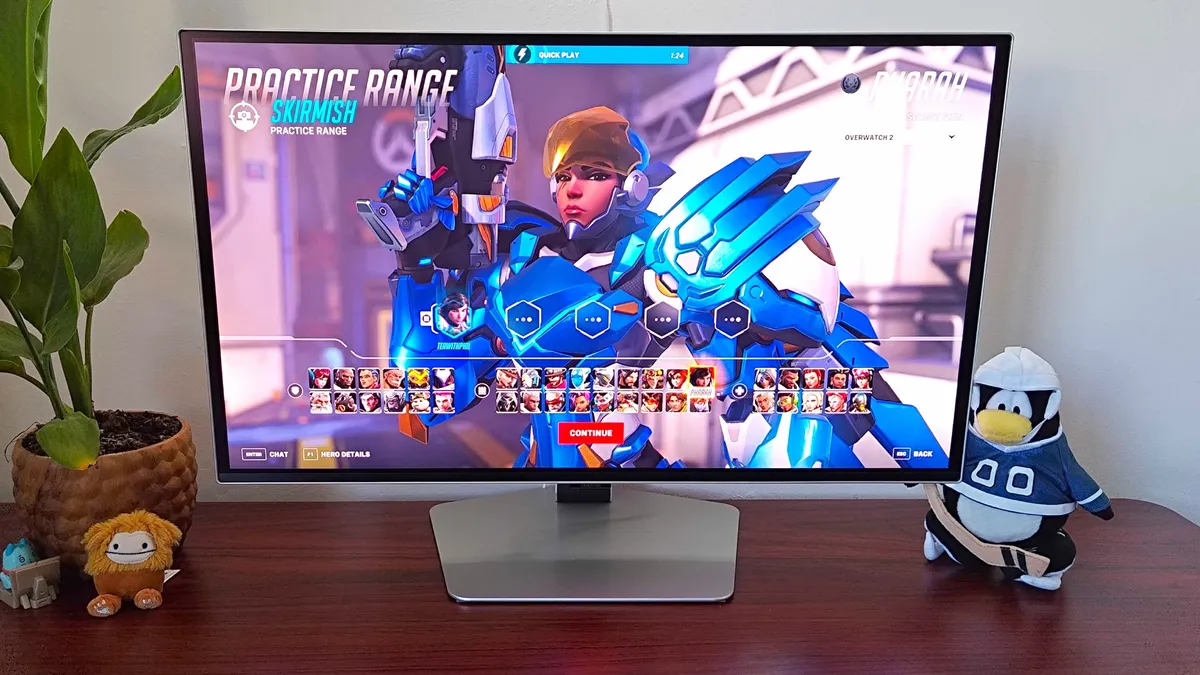


When it comes to striking a balance between specs and price, the Samsung Odyssey OLED G6 is a heavy hitter. While the top PS5 monitor spot on our list naturally goes to a 4K panel, this screen will offer up tremendous colors and a faster 360Hz refresh rate that might just come in handy by the time the PS5 Pro arrives.
✅ You want exceptional OLED visuals: This Samsung monitor manages to serve up fantastic contrast and colors without compromising on other specs.
✅ You want a fast refresh rate: Thanks to its 360Hz panel, the OLED G6 can compete with the speediest screens out there.
✅ You want something stylish: Out of all the screen's we've tested, Samsung's 1440p display is one of the best looking.
❌ You're looking for 4K: If you've got the cash and aren't too fussed about 360Hz, you might benefit from looking at UHD alternatives.
❌You don't need high-spec: While the OLED G6 isn't the priciest panel out there, you will be able to find cheaper OLED screens that still boast decent gaming abilities.
Features: Kitted out with a 1440p 360Hz panel with an excellent anti-glare coating, the Samsung OLED G6 makes both console and PC visuals look the part. Sure, playing at 4K would provide your PS5 adventures with extra clarity, but if you're aiming for a 27-inch display anyway, trading UHD for superior colors and contrast is well worth while. Plus, if you also have a PC as part of your setup, you'll be able to make full use of the monitor's faster refresh rate.
Design: Looks are absolutely on the OLED G6's side, and Samsung knows a thing or two about making a great looking screen. The back end of the panel wears a striking RGB ring that adds a flash of futuristic color, and the pedestal stand uses a low profile pentagon base that's elegant and eye-catching without dominating your gaming desk. If you're concerned about cable management, you're also in for a treat, as this screen neatly clips cables to its plinth and still makes its ports easy to access by facing them out front.
This screen doesn't have many caveats, but one thing that could make a difference is that it lacks a remote. Yes, various monitors for PS5 out there also stick with on-board OSD controls, but it would have been a nice extra that benefits console setups. Also, this screen doesn't come with a USB-C hub, so if you were thinking about also hooking up your handheld, you might want to look at other 1440p options.
Performance: We've used the OLED G6 to play PS5 games and PC adventures, and both platforms really benefit from the screen's elevated visuals and speed. Naturally, you'll only be hitting 120fps if you play shooters like Overwatch 2 on Sony's system, but it match those frame rates with an appropriate refresh rate without breaking a sweat. Outings like Horizon: Forbidden West and even PS4 romps like Bloodborne all look incredible on this screen at 1440p, serving as proof that you don't have to always go with UHD to give your eyes a treat.
Verdict: The monitor scene is ever shifting, so a screen could come along to kick the OLED G6 from its 1440p throne at any time. However, that doesn't mean it's not an incredible QHD monitor for PS5, and it's going to take something special for us to recommend another panel for playing PlayStation 5 games at resolutions lower than 4K.
Read more: Samsung Odyssey OLED G6 review
The best OLED monitor for PS5

Admittedly, pairing the PS5 with a 240Hz will sound like overkill, but the Corsair Xeneon 27QHD240 offers a stand out LG OLED panel that'll make your favorite PlayStation games pop. Not to mention it has a ton of ports at the back, so you could hook up a gaming PC, Switch, and Steam Deck dock at the same time if you've got a chonky setup.
✅ You itching to switch to OLED: Making the jump to OLED with provide your PS5 setup with better colors, contrast, and black levels compared to traditional screens.
✅ Your setup includes PC: The Xeneon 27QHD240's faster 240Hz won't necessarily benefit the PS5, but it'll come in handy if you also play high refresh rate PC games.
✅ You prefer smaller screens: Corsair's 27-inch screen is pretty dinky, meaning it'll slot in nicely to existing console setups.
❌ You're on a budget: Corsair's OLED 240Hz monitor is pretty pricey considering its 27-inch, so keep that in mind before setting your heart on it.
❌ You'd prefer 4K: 1440p can look a bit soft compared to 4K, and the benefits of OLED tech might not be an effective distraction for some players.
Features: As the not so catchy model name suggests, the Xeneon 27QHD240 is a QHD display that boasts 1440p 240Hz abilities, meaning it'll suit PS5 games with a "performance mode" nicely. While 4K is certainly the way to go when it comes to bigger displays, the 26.5-inch panel manages to get away with a lower resolution and offer OLED brilliance in its place.
Design: Corsair's 27-inch screen is pretty sleek thanks to the fact it uses an OLED panel, and the overall aesthetic is striking yet subtle. Its V-shaped stand provides just enough design flair to keep things interesting, while also minimising the amount of room it takes up on your desk. As for adjustability, it's one of the easiest monitors to love that we've tested, and while it flips vertically for productivity reasons, we're itching to play some classic arcade games in TATE mode using this display.
Performance: During out tests, Corsair's OLED screen transformed the neon-soaked streets of Cyberpunk 2077 into realistic landscapes, with glistening tarmac and the glow of Night City receiving a contrast glow up compared to IPS displays.
Whether you're a fan of HDR or not, this monitor also pulls through in that department, producing life like colors and contrast that transform digital landscapes into something that looks like is in front of you. The extra refresh rate headroom also helps maintain a level of immersion, even if the PS5 caps out at 120Hz.
Verdict: The Xeneon 27QHD240 is pretty expensive, so you may want to have a triple think about your budget if you're into the sound of this screen. For the money, you'll get one of the best OLED displays on the market right now, and it's going to put most IPS alternatives out there to shame in the contrast department.
Read more: Corsair Xeneon 27QHD240 review
The best value monitor for PS5

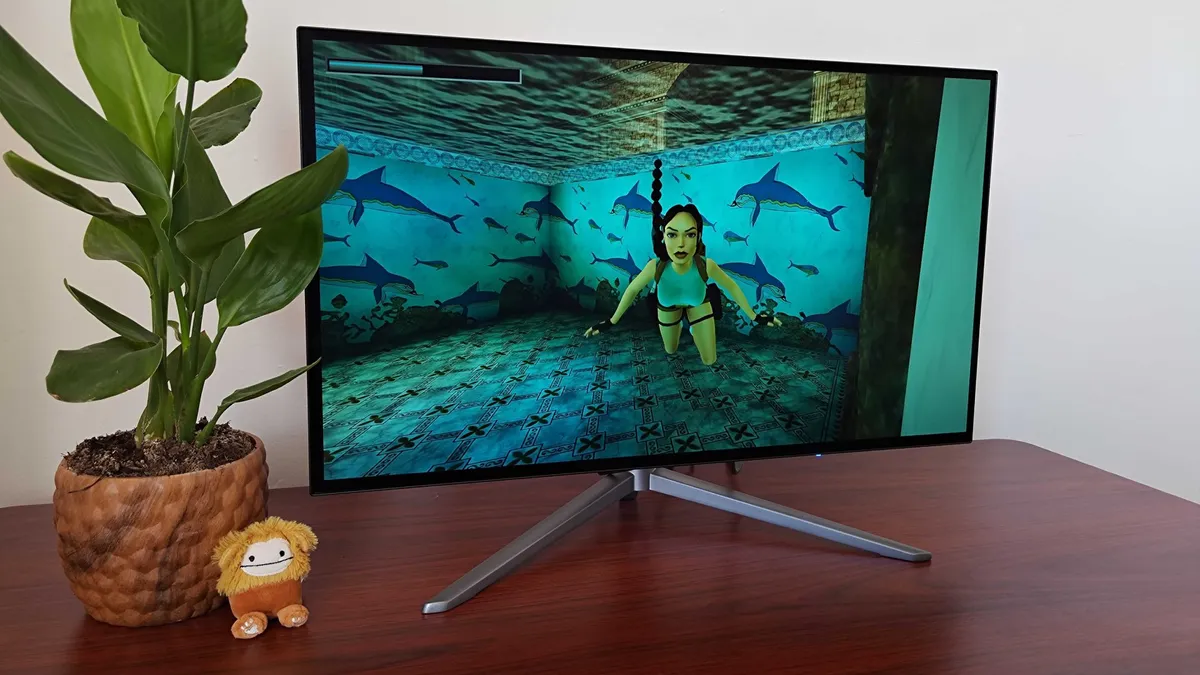


The KTC G27P6 is a screen that boasts the same great specs as some of our favorite OLED monitors. However, the budget brand has managed to uncut all its rivals in terms of price, and it also boasts extras like integrated speakers that'll come in handy for PS5 gameplay.
✅ You prioritize value: For cheaper than big brand models, you'll get a top tier LG OLED panel and a bunch of great features to boot.
✅ You want faster visuals: The PS5 supports up to 120Hz, but this 240Hz screen will help futureproof your setup and enhance your PC experience should you decided to connect a rig up.
✅ You aren't fussed about 4K: 1440p screens work just fine with the PS5, and this KTC panel is small enough to still look great at lower resolutions.
❌ 4K is a must: If you simply cannot do without 4K, you might want to opt for something with a slower UHD panel instead.
❌ You prefer brand names: We aren't going to judge you if you prefer to stick with bigger companies, but you'll ultimately pay more.
Features: Armed with a 1440p 240Hz display, this 27-inch display is one of the fastest OLED displays on the market. Sure, your PS5 taps out at 120fps in shooters, but the extra refresh rate headroom will futureproof your setup, just in case the PS6 shows up sooner than expected. As for useful features you can use right now, this screen has a built-in USB-C hub with 65W Power Delivery, handy for hooking up an additional gaming handheld or even just charging your PlayStation Portal, and built-in stereo speakers. That last perk might not feel like a biggie, but it's something similar screens have skipped on.
Design: The G27P6 features a fairly standard bezel for an OLED, and its V-shaped pedestal doesn't bring anything radical to the table. However, round the back of this monitor gives gamer gear vibes, with a silver plastic shell housing the screen's innards with an RGB badge near the top. Gamer gear aesthetic aside, the display contains all ports to a spot under its lip, and a joystick nub sits over on the left-hand side for accessing the screen's OSD menu.
Performance: Despite costing a chunk less than the Corsair Xeneon 27QHD240 (our favorite OLED display) and the Dough Spectrum One, this display packs an incredible visual punch. That's largely because it uses the same LG panel as its rivals, which brings PlayStation outings to life with exceptional contrast and colors. HDR performance is slightly lacking compared to other options, but the general SDR experience is vibrant, bright, and responsive.
Verdict: If you're keen to enhance your PS5 setup with an OLED screen, but don't fancy spending near a grand, the KTC G27P6 should be top of your list. It's perhaps one to avoid if you aren't into the idea of playing at 1440p rather than 4K, but it'll arguably do more for your games than a budget UHD screen will.
Read more: KTC G27P6 review
The best 144Hz monitor for PS5
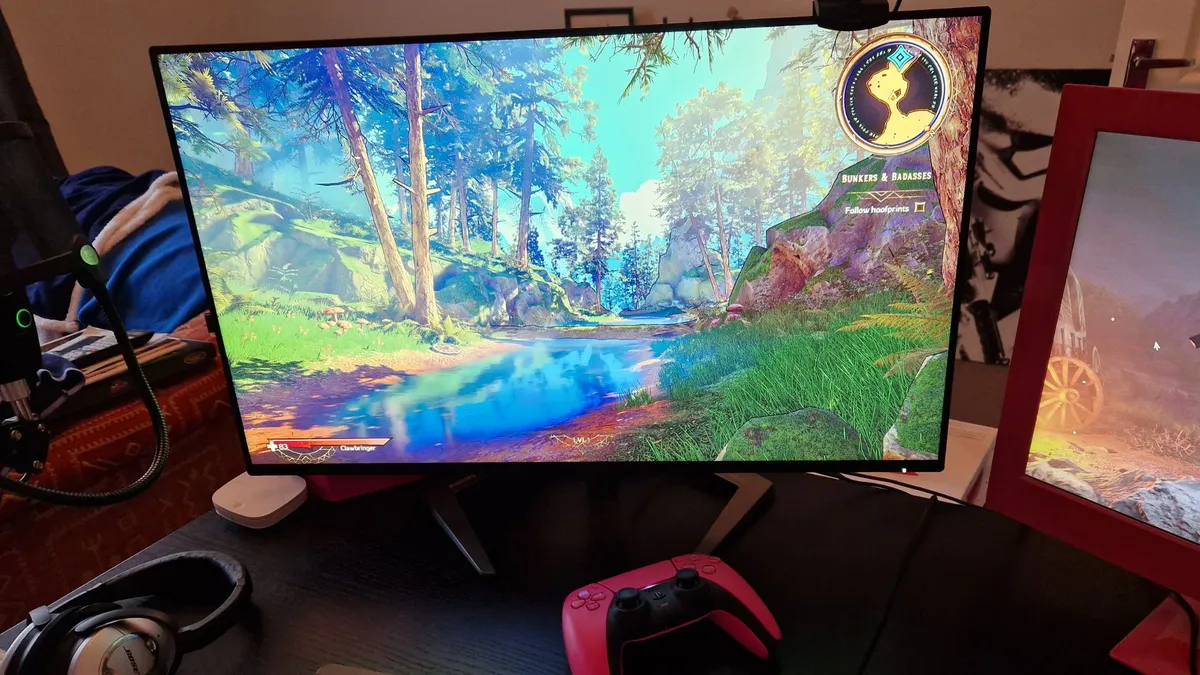


The Philips Momentum 5000 27M1F5800 is another brilliant 4K 144Hz that'll pair nicely with the PS5, and it comes in at a fair price. Not long ago, screens boasting these specs would set you back closer to $1,000, so it's nice to see premium panels finally become available for less.
✅ You want more than 120Hz: No, the PS5 doesn't really need 144Hz, but this screen will feel slick if you've got an additional gaming PC within your setup.
✅ You've got multiple consoles: Equipped with two HDMI 2.1 ports, you'll be able to hook up your PS5 and Xbox Series X and still use both at 120hz.
✅ You've got lower resolution devices: The Momentum does a fantastic job upscaling 1080p handhelds like the Nintendo Switch and Steam Deck, and 1440p looks pretty great on the display too.
❌ You crave better contrast: It doesn't commit contrast cardinal sins, but there are better displays out there for those of you that care.
❌ You care about UI: Both the design of Philip's UI and single use menu button are a bit lacklustre.
Features: Again, the Momentum 5000 27M1F5800 it's surprisingly affordable considering its specs. It comes armed with HDMI 2.1 ports, DisplayPort 1.4, a USB upstream port, four USB 3.2 Gen 1 ports, and a 3.5mm audio connection. W can't imagine needing additional ports on top of that, especially when using the PS5. Add HDR600 and Adaptive Sync tech into the mix, and you've actually got a monitor that'll serve both your consoles and PC for many years to come before it'll feel dated.
Design: The Momentum 5000 is simplistic in its design, but its C-shape stand serves as a remind that it's in fact a gaming monitor. It minimalist aesthetic somehow manages to look professional and like something you'd sink hours playing Baldur's Gate 3 using at the same time, which is perhaps exactly what will happen if you pick up this screen for your "working at home" setup. Don't worry, we won't tell anyone you're romancing Astarion instead of doing spreadsheets.
Unfortunately, its UI lets the side down, and its all in one directional power button commits multiple menu navigation sins . The Momentum 5000 isn't the only monitor guilty of this, but it makes us wish more screens came with a remote, with more premium models spoiling us with the extra lately.
Performance: During testing, we were taken back by the Momentum 5000's visual abilities while gaming. Even 1440p and 1080p looked pretty great on this UHD display, which is a huge win for PS5 players who also own gaming handhelds like the Nintendo Switch and Steam Deck. We do have some minor gripes relating to contrast and brightness, particularly in brighter scenes, but the issues are more symptomatic of IPS technology in general.
Verdict: The Philips Momentum 5000 is a phenomenal PS5 screen with plenty of premium features to offer, so long as you don't mind its fairly lacklustre UI and single button controls. It's one of our favorite recommendations for players looking for 144Hz, and that's probably not going to change any time soon.
Read more: Philips Momentum 5000 27M1F5800 review
The best premium monitor for PS5


Armed with exceptional dual resolution 4K and 1080p abilities, the LG UltraGear 32GS95UE-B is arguably overkill just for console. However, if you're rocking a desk setup with a PS5 and a high-spec PC, this premium panel will provide both with an optimal gaming experience.
✅ You want extreme performance: Since this monitor can hit 4K 240Hz and 1080p 480Hz, it's geared towards power players with a PS5 and a PC.
✅ You love shooters: If you like to hop onto a PC to play shooters like Overwatch 2 and Counter Strike, this monitor will serve you the right specs while still maintaining 4K PS5 prowess.
✅ You need something versatile: With plenty of ports and integrated DTS stereo speakers, this screen will fit in with most console and PC setups.
❌ You only need 4K 120Hz: If you're not planning using any system other than the PS5, this screen's dual mode might not be put to good use.
❌ You'd prefer bigger: There are larger OLED panels out there if you'd rather trade specs for size.
Features: The 32GS95UE-B's biggest selling point is its dual resolution mode, as it can hop back and forth between 4K 240Hz and 1080p 480Hz with a button press. That's not going to automatically benefit PS5 players since Sony's console caps out at 120Hz. What it will do is enable anyone who also plays competitive shooters on PC to instantly switch to a much faster refresh rate, all while still having a glorious UHD OLED display to hand for big budget PlayStation adventures.
Design: If you're looking for a screen that mostly avoids gamer vibes, the 32GS95UE-B should check most of your boxes. From the front, the screen almost looks like an Apple Studio Display thanks to its flat stand attached to a broad stock. That said, round the back features some nice diffused RGB lighting and an aesthetic feels more in keeping with LG's UltraGear brand, so it'll look the part at LAN parties.
The screen also boasts tilt and swivel abilities, which help it swing into portrait mode or achieve angles without moving the base. This is extremely useful if you've got a specific layout, as it'll enable you to use the display for everyday tasks then position it just right when it's time to kick back and play some PlayStation games.
Performance: Out of all the OLED monitors out there with HDMI 2.1 compatibility, the 32GS95UE-B serves as one of the best looking. LG's panel provides phenomenal contrast and colors that will give your favorite PS5 outings a lick of vibrant paint, all while easily being able to provide 120Hz for compatible releases like Overwatch 2. Since we're talking about an 4K 240Hz panel, it'll also be able to take advantage of even higher frame rates should the upcoming PS5 Pro offer faster visuals in shooters.
Verdict: If you've only got a PS5, there will be cheaper options than the LG UltraGear 32GS95UE-B that'll fill the brief. This specific monitor is for those of you out there with evolving gaming ambitions, and if you want flexibility when it comes to multi-platform play, high refresh rate experiences, and cutting edge fidelity, this is the screen to check out.
Read more: LG UltraGear 32GS95UE-B review
The best big screen monitor for PS5


The Philips Evnia 42M2N8900 offers up one of the best big screen PS5 experiences out there. Armed with an 42-inch OLED panel and plenty of ports, this display will put many smaller TVs to shame. However, it edges ahead of its competition thanks to its Ambiglow lighting system hiding round pack, which serves as an immersive cherry on top of a gorgeous visual package.
✅ You want a huge monitor: This screen is bigger than many bedroom TVs out there, meaning it'll work well as both a desktop display and a console screen.
✅ You appreciate RGB: Philips Ambiglow tech gives this screen some extra spice, especially when it comes to extra immersion.
✅ You want faster than 120Hz: It's not the fastest screen in the west, but clocking in at 138Hz, it'll provide gaming PCs with a bit extra headroom.
❌ You'd prefer a faster refresh rate: You'll typically find screens that are 144Hz or faster for the same price, so if you prioritise shooters on PC, you might want to browse around.
❌ You'd rather buy a TV: It might sound obvious, but if you're looking for a big PS5 screen, you'd perhaps be better off investing in a TV rather than a monitor.
Features: There isn't much that this Philips Evnia doesn't have to hand, especially when it comes to ports. We're talking a USB-C hub with 90W Power Delivery, so you'll be able to use devices like the Steam Deck OLED without using a dedicated docking station. That said, we think this screen is especially suited to PS5, with that 136Hz OLED screen catering nicely to the console's capabilities.
One extra thing the Evnia has on its side is its Ambiglow lighting system, designed to illuminate beyond the screen with matching RGB colors. The results are fantastically immersive, serving as a sort of illusion that makes the display feel even larger. Your milage will vary depending on if you're exploring a vibrant virtual realm, but it goes above and beyond compared to some lighting strips on the back of competitors.
Design: Philips has stuck with an all white aesthetic, meaning it looks pretty swish next to the PlayStation 5. Its V-shaped pedestal stand is also looks the part compared to some traditional solutions, and its just about wide enough to accommodate some smaller soundbars. Speaking of size, it is a bit chonkier than other OLED screens, which is largely thanks to the Ambiglow lighting and built in speakers, but the extra hump also holds the IO under a lip.
Performance: Vibrant contrast, super accurate colors, and sharp pixels are all a given when using the Evnia 42M2N8900, even if it's not the brightest panel out there. Both its size and resolution also provide a sense of versatility, as it'll look fantastic from three feet away at a desk or from a greatest distance if you prefer to kick back on a sofa. If you are in the former camp, you'll also benefit from how snappy this screen is, as with 1ms responsiveness and that aforementioned 138Hz refresh rate to hand, FPS games feel pretty slick.
Verdict: If you're looking for a big screen that'll provide both your PS5 and PC with specs above and beyond your average gaming TV, the Philips Evnia 42M2N8900 will see you right. It's a premium panel, and not one to opt for if you're on a strict budget, but it's OLED prowess and extra Amiglow abilities make it a worthwhile investment for 4K setups.
Read more: Philips Evnia 42M2N8900 review
Also tested
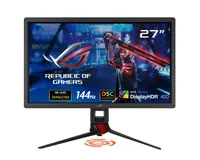
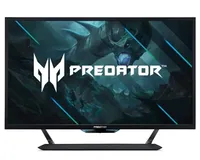
How we test PS5 monitors at GamesRadar+
Why you can trust GamesRadar+ Our experts review games, movies and tech over countless hours, so you can choose the best for you. Find out more about our reviews policy.

When testing monitors specifically for PS5, we take its capabilities and target performance in consideration first to narrow down appropriate options. In turn, this helps filter out screens that are unsuitable for Sony's system and focus on displays that will either bring out the console's best visuals or strike a balance in terms of specs and price.
The journey starts with connecting the PS5 to each monitor using HDMI. This enables us to verify whether each screen is HDMI 2.1 compatible for ourselves and check if it can handle PlayStation 5 games like Overwatch 2 at 4K 120Hz. If we're reviewing a lowest resolution screen, we'll also check for any potential compatibility issues at 1440p and 1080p, as well as make sure maximum refresh rates are still available.
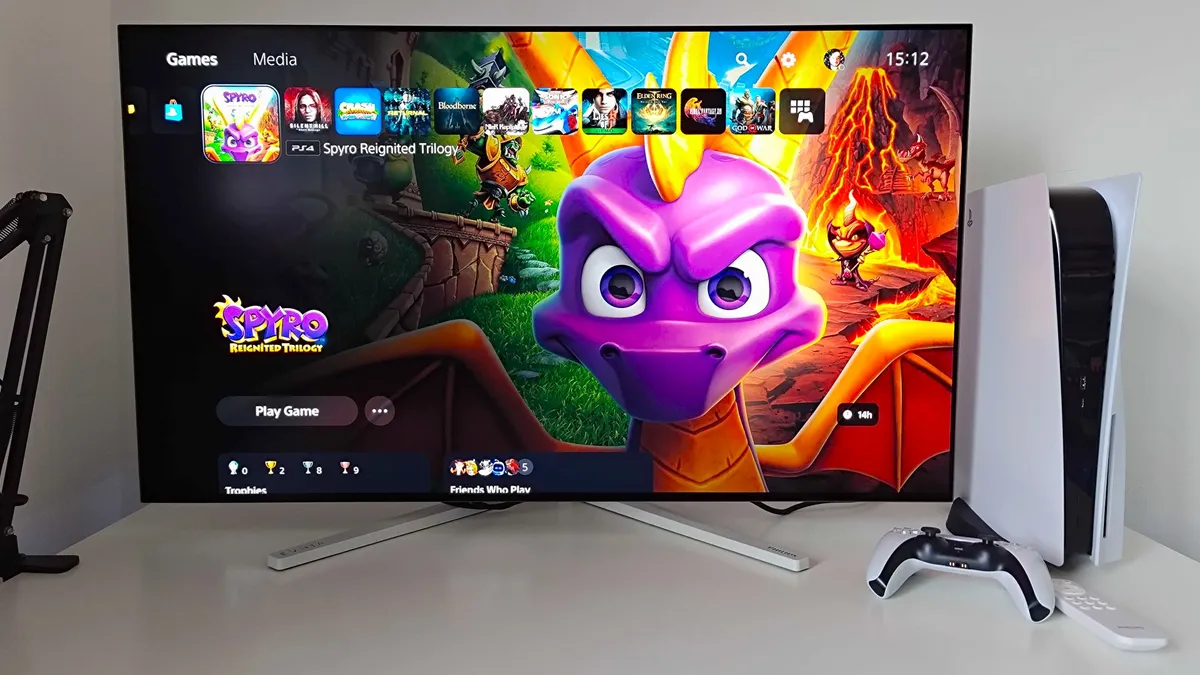
Throughout testing, we typically use a setlist of the same games so that we can compare the results to other screens. For example, Overwatch 2 will be used to assess qualities like response time and refresh rate at 120Hz, whereas more colorful outings like Spyro: Reignited Trilogy are handy in vibrancy tests. In addition, we'll also play compatible games with HDR switched on and off to get a feel for a display's High Dynamic Range capabilities in terms of brightness.

Outside of set benchmarks, each monitor will also be used casually with the PS5 to truly capture real use case scenarios. That will sometimes mean kicking back on a chair to for long sessions in the latest releases, which provides the reviewer with insights into if the screen's size, design, and visual capabilities are suited to the system. Taking this approach means we can pick up on aspects that you won't find within specs sheets, which is ultimately the reason why we test lots of screens with Sony's console.
Once we've fully tested each monitor with the PS5, we will then rate them between one and five stars. While we'd strongly recommend reading reviews rather than simply using a star rating to get the full picture, the score can help you quickly work out if a screen is worthwhile.
If we rate a screen five stars, it means the monitor is near perfect for PS5 in terms of specs, price, features, and design. Four star screens are also still highly recommended for the console, but may have minor areas that could be improved upon. Three star ratings aren't necessaily bad, but are usually tied to caveats that will impact the overall experience in terms of visuals and/or functionality.
Naturally, we will from time to time also give a model two stars, or in rare instances once star if it largely fails to cater to or gaming needs and preferences, with the latter lowest score being reserved for PS5 screens with more impactful caveats, issues, or faults.
For more information, you can read more on How we test monitors at GamesRadar+ here, and for an overview of our approach to gaming tech then you can check out our full Hardware Policy.
How to choose a monitor for PS5

When hunting for a monitor specifically for PS5, you'll want to take the console's abilities and target performance into consideration. That way, you'll be able to strike a better balance between specs and price while also getting the most out of Sony's system.
For some of you, that will mean picking up a cutting edge 4K 120Hz panel that'll pair better with the new PS5 Pro. For others, investing in a more vibrant OLED display will be more worthwhile, even if that means stepping resolution back to 1440p to cut costs. Of course, if you've also got a PC parked at your setup, you might want to go all out and invest in a monstrous monitor that covers all bases, providing higher refresh rates that graphics cards can take advantage of.
If you're in the 4K camp, there are a couple of things you'll want to watch out for to make the right purchase. The first is ensuring the monitor you're eyeing up comes with HDMI 2.1 support if you want to play shooters at 120fps. You'll find plenty of UHD screens out there that use an older HDMI 2.0 format that can only manage 60Hz, and that even applies to models with faster refresh rates.
Additional perks to watch out for are features like VRR (Variable Refresh Rate), as this still specifically help combat performance mismatches with your screen and game of choice. Not every PS5 game will be able to maintain a smooth frame rate, especially at launch, and VRR is just one way to offset any stutters and protect your overall visual experience.
Once you're certain on specs, narrowing down size is pretty useful. As you'd perhaps expect, size and price scale together, resulting in dramatically different MSRPs comparatively. You won't want to just opt for the smallest screen to save money, however, as you'll want to instead think about how close you're planning on sitting to the display and the angle you'll be viewing at. Ideally, you'll want to stick with between 27 and 32-inch if you'll be at a standard gaming desk and ramp things up if you're going to be kicking back on a chair or couch.
Glossary
HDMI 2.1: The latest version of HDMI (High-Definition Multimedia Interface) that enables the PS5 to connect to monitors and TVs with support. While the console will work with screens that use an older variant like 2.0, using a cable and compatible panel will enable the system to output 4K 120Hz in supported games.
HDR: Short for "High Dynamic Range", the tech enables screens to display a wider range of brightness levels that traditional "SDR" panels. In PS5 games, HDR can enhance shadows and lighting to provide more realistic and detailed visuals.
VRR: Console like the PS5 use Variable Refresh Rate (VRR) to dynamically adjust refresh rates so that they closely match in-game frame rates. In turn, this reduces symptoms like screen tearing and maintains a stutter free gaming experience.
Refresh rate: Simply put, refresh rate refers to the number of times a monitor can switch an image on screen per second. Since modern screens use progressive scan to display video output frame by frame, higher refresh rates help the PS5 send things to your display quicker, which benefits high frame rates.
Response time: Best described as the time it takes for a pixel on your monitor to change color, response times are measured in milliseconds (ms). The lower the number, the faster your chosen screen will be at responding visually to your movements in game, resulting in smoother, more accurate results.
FAQ
Does the PS5 support 1440p
Yes, the PS5 can output 1440p, and many games will use QHD resolutions to boost fps if they've got a performance mode. Therefore, even though the new-gen console is designed with 4K gameplay in mind, you might not actually miss out in terms of visual specs depending on which game you're playing.
Can I use a 1080p monitor with PS5?
The PS5 supports 1080p, so you'll be able to use 'Full HD' monitors and TVs using HDMI. Just keep in mind that the lower resolution means you won't be taking full advantage of the console's capabilities, and screen refresh rates are capped at 120Hz regardless of resolution.
Should I use a monitor or TV for PS5?
Whether or not to use a gaming monitor or TV for PS5 is becoming more complicated, as both screen types are not extremely similar. Not only can modern living room displays hit up to 144Hz, but there are plenty of OLED, QLED, and mini LED options out there. More than likely, your decision will come down to if you need something massive or a space saver, as you'll find larger displays will be TVs and smaller are monitors.
Does using a monitor with the PS5 make a difference?
Yes, using a gaming monitor with the PS5 is going to make a difference compared to a conventional screen. For starters, screens made specifically with the latest games in mind will run at a faster refresh rate, meaning your console will be able to strut its stuff at 120Hz. Features like VRR (Variable Refresh Rate) will also help provide a smooth experience compared to ordinary TVs and monitors, especially if you're hoping to avoid jittery gameplay.
What type of monitor is best for PS5?
There is no single best PS5 monitor, but some screens may cater to your needs better than others. If you're looking to unleash the console's abilities regardless of price, you'll want to invest in a 4K 120Hz display with HDMI 2.1 support. Otherwise, you could dial back on refresh rate or resolution to save some cash, and many games won't take full advantage of the console's output capabilities anyway.
Rocking a Microsoft console? Check out the best Xbox Series X monitors for some great alternative screens. We've also got you covered if you're looking for the best PS4 monitors.

