GamesRadar+ GamesRadar+
US EditionUS CA EditionCanada UK EditionUK AU EditionAustralia
Sign in
  • View Profile
  • Sign out
  • Games
    • Game Insights
      • Games News
      • Games Features
      • Games Reviews
      • Games Guides
      • Big in 2026
      • The Big Preview
      • On The Radar
      • Indie Spotlight
      • Future Games Show
      • Golden Joystick Awards
    • Genres
      • Action Games
      • RPGs
      • Action RPGs
      • Adventure Games
      • Third Person Shooters
      • FPS Games
    • Platforms
      • PS5
      • Xbox Series X
      • PC
      • Nintendo Switch
      • Nintendo Switch 2
      • Tabletop Gaming
    • Franchises
      • Grand Theft Auto
      • Pokemon
      • Assassin's Creed
      • Monster Hunter
      • Fortnite
      • Cyberpunk
      • Red Dead
      • The Elder Scrolls
      • The Sims
  • Entertainment
    • TV Shows
      • TV News
      • TV Reviews
      • Anime Shows
      • Sci-Fi Shows
      • Superhero Shows
      • Animated Shows
      • Marvel TV Shows
      • Star Wars TV Shows
      • DC TV Shows
    • Movies
      • Movie News
      • Movie Reviews
      • Big Screen Spotlight
      • Superhero Movies
      • Action Movies
      • Anime Movies
      • Sci-Fi Movies
      • Horror Movies
      • Marvel Movies
      • DC Movies
    • Streaming
      • Apple TV Plus
      • Disney Plus
      • Netflix
      • HBO
      • Amazon Prime Video
      • Hulu
    • Comics
      • Marvel Comics
      • DC Comics
    • Toys & Collectibles
    • Lego
    • Dungeons and Dragons
    • Merch
  • Hardware
    • Insights
      • Hardware News
      • Hardware Reviews
      • Hardware Features
    • Computing
      • Desktop PCs
      • Laptops
      • Handhelds
    • Peripherals
      • Headsets & Headphones
      • TVs & Monitors
      • Gaming Mice
      • Gaming Keyboards
      • Gaming Chairs
      • Speakers & Audio
    • Accessories & Tech
      • Gaming Controllers
      • Tech
      • SSDs & Hard Drives
      • VR
      • Accessories
      • Retro
  • Deals
    • Game Deals
    • Tech Deals
    • TV Deals
    • Buying Guides
  • Video
  • Newsletters
    • Quizzes
    • About Us
    • How to pitch to us
    • How we score
    • Newsarama
    • Retro Gamer
    • Total Film
  • home
  • Games
    • View Games
      • Games News
      • Games Features
      • Games Reviews
      • Games Guides
      • Big in 2026
      • The Big Preview
      • On The Radar
      • Indie Spotlight
      • Future Games Show
      • Golden Joystick Awards
      • Action Games
      • RPGs
      • Action RPGs
      • Adventure Games
      • Third Person Shooters
      • FPS Games
    • Platforms
      • View Platforms
      • PS5
      • Xbox Series X
      • PC
      • Nintendo Switch
      • Nintendo Switch 2
      • Tabletop Gaming
      • Grand Theft Auto
      • Pokemon
      • Assassin's Creed
      • Monster Hunter
      • Fortnite
      • Cyberpunk
      • Red Dead
      • The Elder Scrolls
      • The Sims
  • Entertainment
    • View Entertainment
    • TV Shows
      • View TV Shows
      • TV News
      • TV Reviews
      • Anime Shows
      • Sci-Fi Shows
      • Superhero Shows
      • Animated Shows
      • Marvel TV Shows
      • Star Wars TV Shows
      • DC TV Shows
    • Movies
      • View Movies
      • Movie News
      • Movie Reviews
      • Big Screen Spotlight
      • Superhero Movies
      • Action Movies
      • Anime Movies
      • Sci-Fi Movies
      • Horror Movies
      • Marvel Movies
      • DC Movies
    • Streaming
      • View Streaming
      • Apple TV Plus
      • Disney Plus
      • Netflix
      • HBO
      • Amazon Prime Video
      • Hulu
    • Comics
      • View Comics
      • Marvel Comics
      • DC Comics
    • Toys & Collectibles
    • Lego
    • Dungeons and Dragons
    • Merch
  • Hardware
    • View Hardware
      • Hardware News
      • Hardware Reviews
      • Hardware Features
      • Desktop PCs
      • Laptops
      • Handhelds
    • Peripherals
      • View Peripherals
      • Headsets & Headphones
      • TVs & Monitors
      • Gaming Mice
      • Gaming Keyboards
      • Gaming Chairs
      • Speakers & Audio
      • Gaming Controllers
      • Tech
      • SSDs & Hard Drives
      • VR
      • Accessories
      • Retro
  • Deals
    • View Deals
    • Game Deals
    • Tech Deals
    • TV Deals
    • Buying Guides
  • Video
  • Newsletters
    • Quizzes
    • About Us
    • How to pitch to us
    • How we score
    • Newsarama
    • Retro Gamer
    • Total Film
Trending
  • Pokemon Winds and Waves
  • New Games for 2026
  • GamesRadar+ Replay
  • Mario Day deals
Jump to:
  • Quick lists
  • Best microphones
  • Best mixers and controllers
  • Best capture cards
  • Best webcams
  • Best accessories
  • FAQs
Don't miss these
HP Omen Max 16 gaming laptop on a wooden desk
Laptops The best gaming laptop 2026 - HP holds first place as budget machines battle it out
Corsair Galleon 100 SD gaming keyboard on a wooden desk
Gaming Keyboards Corsair's on a roll, this Stream Deck-toting deck is now officially the best full-sized gaming keyboard I've tested so far
SteelSeries Arctis Nova Pro Wireless gaming headset
Headsets & Headphones Best gaming headset 2026 - my go-to cups for every platform
Asus ROG Flow Z13 running Indiana Jones and the Great Circle on battery power
Mobile Gaming The best gaming tablets in 2026
SteelSeries Arctis Nova Pro Wireless in white being held in front of a PS5
Headsets & Headphones The best PS5 headset 2026: SteelSeries holds onto the crown for another year
Five different gaming controllers for PC scattered around a desktop surface
Gaming Controllers The best PC controller for gaming 2026
Xbox Elite Series 2 controller
Gaming Controllers The best Xbox Series X controller in 2026
DualSense Edge review image showing the controller next to the original DualSense in Nova Pink
Gaming Controllers The best PS5 controller 2026: Find your Edge
Two images of the Shure MVX2U Gen 2 on a purple background
Peripherals Two years later, Shure is relaunching its XLR-USB converter as a fully fledged digital audio interface
Close up on macro buttons on the side of the Corsair Vanguard Pro 96 gaming keyboard
Gaming Keyboards Best gaming keyboard 2026: the Vanguard stands strong with another new entry for Corsair
LG UltraGear  32GS95UE-B gaming monitor with Pharah from Overwatch 2 on screen on woodgrain desk
TVs & Monitors The best gaming monitor 2026: the most impressive displays I've tested this year
Steam Deck with mascot face on screen surrounded by compatible Steam Deck docks
Handhelds The best Steam Deck dock 2026: the handheld docking stations I'd recommend
A side-by-side image of the Elgato Wave XLR MK.2 and the new Wave Link software's mixing table
Peripherals "Our vision for what creator audio should be" - Elgato launches Wave Next, a new generation of powerful audio hardware with software that's free for everyone
Acer Predator Orion X review  of the PC next to another ITX chassis
Desktop PCs The best gaming PC 2026: Find your perfect pre-built powerhouse
A Meta Quest 3 head-to-head image with PSVR 2 on top of a purple GamesRadar background
Headsets & Headphones The best VR headset in 2026: All the latest devices compared
  1. Hardware

Best live streaming gear for gamers 2026: The best setups for beginners and pros

Buying Guides
By Duncan Robertson Contributions from Aleksha McLoughlin last updated 9 January 2026

Here's all the best gear for streaming games in 2026, whether you're a beginner or a pro looking to get some upgrades.

When you purchase through links on our site, we may earn an affiliate commission. Here’s how it works.

Streaming for gamers
(Image credit: Logitech)
Jump to:
  • Quick lists
  • Best microphones
  • Best mixers and controllers
  • Best capture cards
  • Best webcams
  • Best accessories
  • FAQs
  • Facebook
  • X
  • Pinterest
  • Flipboard
  • Email
Share this article
Join the conversation
Follow us
Add us as a preferred source on Google
Get the GamesRadar+ Newsletter

Weekly digests, tales from the communities you love, and more


By submitting your information you agree to the Terms & Conditions and Privacy Policy and are aged 16 or over.

You are now subscribed

Your newsletter sign-up was successful


Want to add more newsletters?

GamesRadar+

Every Friday

GamesRadar+

Your weekly update on everything you could ever want to know about the games you already love, games we know you're going to love in the near future, and tales from the communities that surround them.

GTA 6 O'clock

Every Thursday

GTA 6 O'clock

Our special GTA 6 newsletter, with breaking news, insider info, and rumor analysis from the award-winning GTA 6 O'clock experts.

Knowledge

Every Friday

Knowledge

From the creators of Edge: A weekly videogame industry newsletter with analysis from expert writers, guidance from professionals, and insight into what's on the horizon.

The Setup

Every Thursday

The Setup

Hardware nerds unite, sign up to our free tech newsletter for a weekly digest of the hottest new tech, the latest gadgets on the test bench, and much more.

Switch 2 Spotlight

Every Wednesday

Switch 2 Spotlight

Sign up to our new Switch 2 newsletter, where we bring you the latest talking points on Nintendo's new console each week, bring you up to date on the news, and recommend what games to play.

The Watchlist

Every Saturday

The Watchlist

Subscribe for a weekly digest of the movie and TV news that matters, direct to your inbox. From first-look trailers, interviews, reviews and explainers, we've got you covered.

SFX

Once a month

SFX

Get sneak previews, exclusive competitions and details of special events each month!


An account already exists for this email address, please log in.
Subscribe to our newsletter

Like getting into any new hobby, there are lots of potential setup costs when you first seek out the best live streaming gear for gamers. Whether you're looking to start a Twitch channel, make gaming videos or reviews on YouTube, or you just want to be able to record gameplay clips as you go, there's a lot of equipment to think about. Companies that make streaming gear will tell you their devices are must-haves, and professional streamers are usually paid to tell you what you should buy. I'm here to give you some unbiased opinions.

Depending on what platform you play games on, what PC hardware you're rocking, and your budget, your streaming equipment requirements will vary. Sure, you can opt for a simple streaming setup, and these days you can get by as a beginner with streaming directly from a console - even without a capture card. As soon as you want to take live streaming or content creation seriously though, you'll probably want to invest in a proper loadout of gadgets that'll help make things easier and better for your audience.

I've tested loads of streaming gear over the last decade, from capture cards to audio mixers, to lights, and webcams. I know where you can save money when you're starting out, and I know what equipment will actually make a pro's life easier. I've listed some of the essential gear for live streaming below, and found you a beginner, mid-range, and pro-grade recommendation for each one.

Curated by...
Duncan Robertson Author Profile Image
Curated by...
Duncan Robertson
Hardware Editor

I've been using content creation gear for a decade now as I've run my own YouTube channel and podcast. When I'm not reviewing all sorts of gaming hardware for GamesRadar+, you'll usually find me making video essays about games and game design for my channel, Game Thoughts. I'll also live stream over there too, and when I have a new bit of content creation gear to test, it's always fun integrating it into my setup to see how it either helps or hurts my broadcast.

The quick lists

Microphones

Why you can trust GamesRadar+ Our experts review games, movies and tech over countless hours, so you can choose the best for you. Find out more about our reviews policy.

Editor's note: In my eyes, this is the most essential bit of gear besides your personality, and whatever platform you're running your games on. Especially if you're just starting out, there are areas where you can save your money - your mic is not one of those areas, and I'd recommend you dedicate a big chunk of your budget to getting a good mic.

A Blue Yeti Nano product render on a grey background Best mic for beginners

Blue Yeti Nano
View at Amazon
View at Best Buy
View at Sweetwater
View at Lenovo USA

If you're just starting out and want the best possible mic quality in a USB form factor without blowing a massive budget, this is where I'd start. It's a slightly older mic these days, but it'll more than do the job.

Read more below

RODE's PodMic USB on a grey background Best mid-range mic

RODE PodMic USB
View at Sweetwater
View at Amazon
View at Best Buy
View at Walmart

I love Rode's audio gear, and its PodMic USB will give people an excellent USB and XLR compatible piece of kit that will be easy to use for beginners, but has futureproofing if they want to graduate to a pro-grade setup later.

Read more below

The Shure SM7dB microphone on a grey background Best for pros

Shure SM7dB
View at Sweetwater
View at Amazon
View at Walmart
View at Best Buy

There's a reason you'll have seen this mic on professional podcasts, YouTube channels, and even in recording studios for musicians. It's capable of capturing exceptional audio quality, and it's the one I recommend to pros.

Read more below

Controllers and audio mixers

Elgato Stream Deck + on a plain background Best controller/mixer hybrid

Elgato Stream Deck+
View at Amazon
Check Walmart

Elgato's Stream Deck+ is both a streaming controller and an audio mixer in one convenient package. For beginners looking to consolidate how many devices they need to buy, this is one I'd recommend to get started.

Read more below

Rode Streamer X on a grey background Best jack of all trades

Rode Streamer X
View at Sweetwater
View at Amazon
View at Walmart
View at Newegg

The Streamer X is a capture card, controller, and audio mixer all wrapped up in one. This might be the best investment for shoppers with a middling budget, since it helps you get a bit more out of your setup.

Read more below

A RodeCaster Duo on a grey background Best streaming mixer

RodeCaster Duo
View at Sweetwater
View at Walmart
View at Target
View at Best Buy

For pros, there's no better audio interface for streaming and content creation than the RodeCaster Duo. I use this every single day to balance my PC's audio sources, and it's a dream to use. Its price makes it one that's hard to afford though.

Read more below

Capture cards

The NZXT Signal HD60 capture card on a plain background Best capture card for beginners

NZXT Signal HD60
View at Amazon
Check Walmart

The NZXT Signal HD60 is light on the wallet, and while it doesn't have massive potential for pro-level content creators, it takes away a lot of software faff that can be a learning curve for beginners.

Read more below

Elgato 4K Pro capture card product render image on a grey background Best internal

Elgato Game Capture 4K Pro
View at Dell
View at Amazon
View at Best Buy
View at Walmart

Internal capture cards can help clear desk clutter by moving away from the standard USB device to an internal component of your PC. This one in particular has great futureproofing and excellent 4K potential.

Read more below

AverMedia's Live Gamer Ultra 2.1 on a grey background Best capture card for pros

AverMedia Live Gamer Ultra 2.1
View at Amazon
View at Amazon
Check Walmart

AverMedia's Live Gamer Ultra 2.1 is stupidly overpowered, offering you variable refresh rate 4K gaming and a who's who of video formats to choose from. It captures beautifully vibrant footage, and it's beginning to get a lot cheaper.

Read more below

Also in this guide: Best webcams | Best accessories & gadgets | FAQs

Best microphones for streamers

The best microphone for beginners

Image 1 of 4
Blue Yeti Nano in front of a gaming monitor with cover on
(Image credit: Future / Duncan Robertson)
Blue Yeti Nano from the rear, showing the pattern button
(Image credit: Future / Duncan Robertson)
Blue Yeti Nano without cover
(Image credit: Future / Duncan Robertson)
Blue Yeti Nano from the front, showing mute button/volume dial
(Image credit: Future / Duncan Robertson)

1. Blue Yeti Nano

The best microphone for beginners
Average Amazon review:
☆☆☆☆☆

Specifications

Voltage: 5V
Polar patterns: Cardioid, Omnidirectional
Frequency response: 20Hz-20,000Hz
Features: 48kHz sample rate, zero-latency monitoring, mute & headphone volume controls
Today's Best Deals
View at Amazon
View at Best Buy
View at Sweetwater
View at Lenovo USA

Reasons to buy

+
Compact design
+
Simple to use
+
Very affordable

Reasons to avoid

-
Less customisation than other Yetis
-
Micro-USB unless you go for the new Yeti GX

Blue, which has now been absorbed into the larger Logitech G brand, is very well known when it comes to streaming mics, and for a good reason - they were masters of the craft when it comes to bang for buck. The budget Yeti Nano (the scrappy younger sibling of the larger Yeti range) is very impressive. It packs the accessible price tag of the entry-level Snowballs mics into a really professional package that sounds almost as good as any USB mic you'll find.

Hitting hard with great audio and a dual condenser setup, it perfects the Yeti formula while reducing that microphone's cost. It's a whole lot smaller and lighter, too; the Nano is half the weight of the original Yeti, making it much more portable than its counterpart. Thanks to a plug-and-play USB connection, you can be recording in no time. Annoyingly, as the mic has aged, its micro-USB connection is getting more annoying to deal with.

This is an amazing option for those who want to take advantage of Blue Yeti quality without forking out the cost of a full-sized one. If you're a beginner and you can find this on the shelves, it's all the microphone you really need. Its mute button is a handy feature too if you don't have a streaming mixer. The newer Logitech G Yeti GX now exists, but for us, the best value still lies with the Nano. When that changes, we'll let you know.

The best mid-range mic

Image 1 of 6
RODE PodMic USB from the side
(Image credit: Future / Alex Berry)
RODE PodMic USB's bottom, showing the microphone's connection ports
(Image credit: Future / Alex Berry)
RODE PodMic USB connected with an XLR cable
(Image credit: Future / Alex Berry)
RODE PodMic USB being used with an iPad Prousing a USB-C cable
(Image credit: Future / Alex Berry)
RODE PodMic USB with its pop filter wind guard on
(Image credit: Future / Alex Berry)
RODE PodMic USB's branding on the microphone's front
(Image credit: Future / Alex Berry)

3. RODE PodMic USB

The best mid-range mic

Our expert review:

Specifications

Polar patterns: Cardioid
Connectivity: XLR and USB-C
Frequency response: 20Hz-20,000Hz
Today's Best Deals
View at Sweetwater
View at Amazon
View at Best Buy
View at Walmart

Reasons to buy

+
XLR or USB output
+
Crisp, rounded vocals
+
Onboard Aphex processing
+
Works with mobile devices

Reasons to avoid

-
Heavy
-
Requires a mic arm or stand

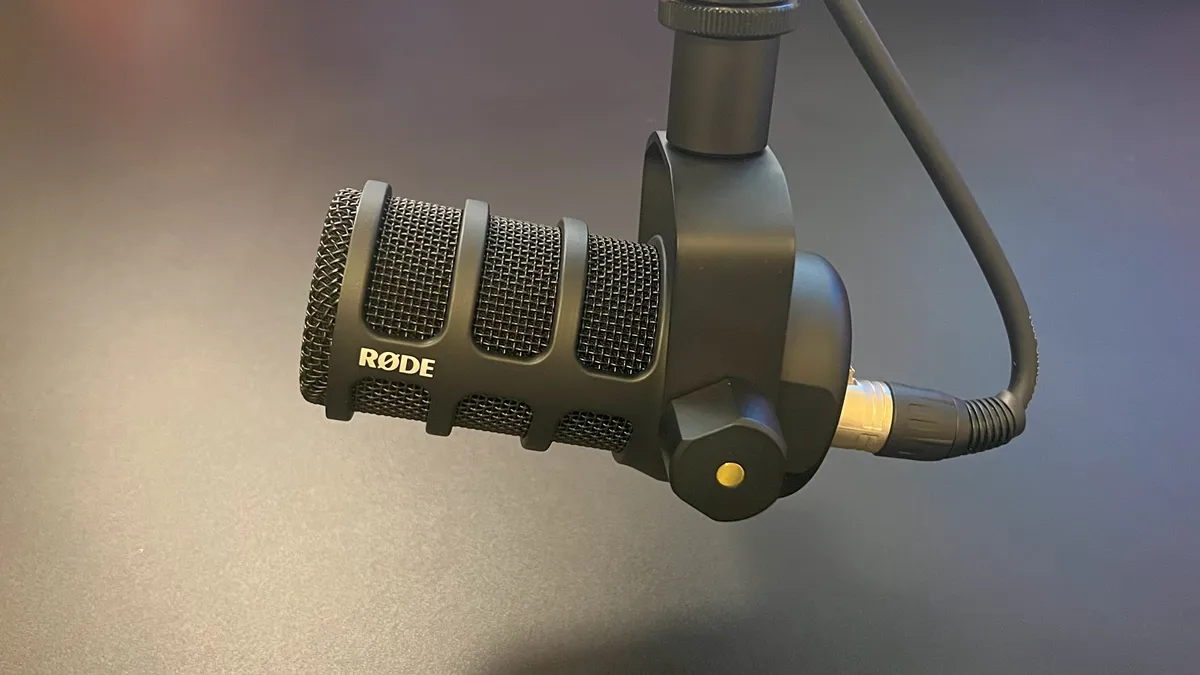
The reason I'd recommend this mic to you is that it has both XLR and USB connectivity. There are a couple of hybrid mics on the shelves these days, including the popular Shure MV7+ and the Maono PD200W, but I'd argue the Rode PodMic USB cuts them both down with a great mix of price, performance, and ease of use. The MV7+ is often found $100 more expensive than this, and while Maono has fancy wireless connectivity as a secret third option, if I were starting out today, I'd focus on the audio quality that Rode can offer.

I used the original PodMic for around three years during my stint at university, during which, we used these mics in our student radio station. The PodMic USB sounds just as good as you'd expect any RODE product to. There are crisp, clean audio profiles to be had here, and although it'll teach you mic etiquette, it's extremely usable if you're just learning the ins and outs of how to speak into a mic. Being a dynamic microphone, it benefits from a focused, directional pickup while ignoring unwanted noises from elsewhere in your gaming room.

The included windsock sleeve rejected plosives without making you sound muted, and if you graduate to using a mixer like the RodeCaster Duo, you'll be set up with awesome compatibility and preset audio profiles for it. One thing to note is that, despite an internal shock mount, we did find that the PodMic USB is susceptible to desk bumps and knocks.

Regardless, if you want something with USB-C connectivity along with futureproofing for an XLR setup later down the line, this is an astute pick. These days, you can often find it on sale for around $193, but its full price of ~$209 isn't going to be a bad investment either.

The best microphone for pros
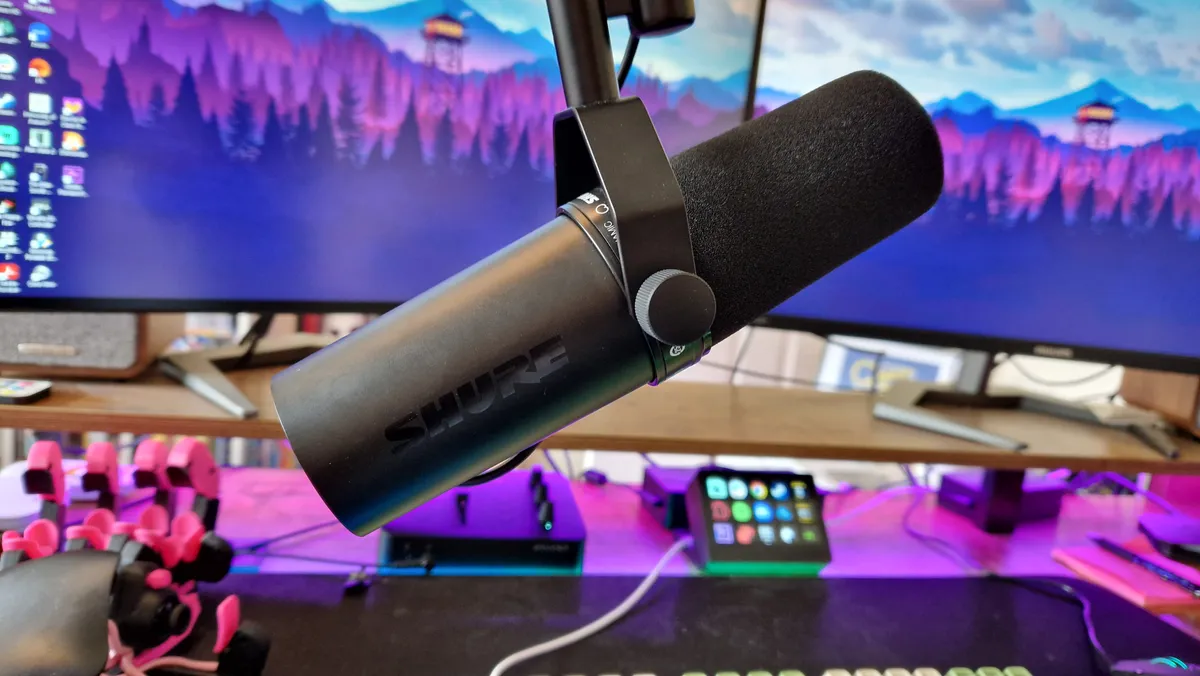
Image 1 of 4
Shure SM7dB attached to a boom arm in front of two gaming monitors
(Image credit: Future / Duncan Robertson)
Shure SM7dB's control switches on the microphone's bottom
(Image credit: Future / Duncan Robertson)
Shure SM7dB's glossy logo
(Image credit: Future / Duncan Robertson)
Shure SM7dB's hidden XLR port
(Image credit: Future / Duncan Robertson)

3. Shure SM7dB

The best microphone for pros

Our expert review:

Specifications

Polar patterns: Cardioid
Connectivity: XLR
Frequency response: 50Hz-20,000Hz
Features: Integrated pre-amp
Today's Best Deals
View at Sweetwater
View at Amazon
View at Walmart
View at Best Buy

Reasons to buy

+
Excellent sound quality
+
Versatile
+
Improvements over the SM7B
+
Iconic design strengths

Reasons to avoid

-
Overkill for most content creators due to its price
-
No USB-C means you need an interface (with 48V Phantom Power)
-
Very directional
-
Cheaper mics have closed the gap

For professional-grade gaming content creators, there's no better mic than the Shure SM7dB. You've likely seen it used by podcasters and professional YouTubers, and that's for good reason. The audio quality of this mic is silly, but to be fair, so is its price.

The SM7dB adds a pre-amp into the product that fixes one of the main gripes people have with the still-popular SM7B. While this version of the mic is a bit more expensive and a bit longer, I'd argue it's worth it to add more versatility to your audio loadout.

With that pre-amp already in there, there's no feeling that you need to crank up the gain to get the best quality out of it, and the additional pickup settings could come in really handy for recording different types of audio, or just tailoring it to your voice.

Granted, this expensive a microphone isn't going to be for everyone, and since it has a bit more of a learning curve than other mics, I'd only really recommend it to people who are looking to seriously invest in their content, and make a go of it professionally if they haven't already.

The best mixers and controllers

The best controller and mixer hybrid

Image 1 of 5
Elgato Stream Deck+
(Image credit: Future/Alex Berry)
Elgato Stream Deck+
(Image credit: Future/Alex Berry)
Elgato Stream Deck+
(Image credit: Future/Alex Berry)
Elgato Stream Deck+
(Image credit: Future/Alex Berry)
Elgato Stream Deck+
(Image credit: Future/Alex Berry)

1. Elgato Stream Deck+

The best all-in-one streaming controller and mixer

Our expert review:

Specifications

Software: Elgato Camera Hub
Size (D x W x H): 13.8 x 14 x 11 (cm)
Weight: 465g
Connectivity: USB-C
Today's Best Deals
View at Amazon
Check Walmart

Reasons to buy

+
Clever multi-input dials and touch bar
+
Larger, sharper buttons
+
Intuitive customization software
+
Strong integration with other Elgato apps

Reasons to avoid

-
Fixed position
-
Steep price point

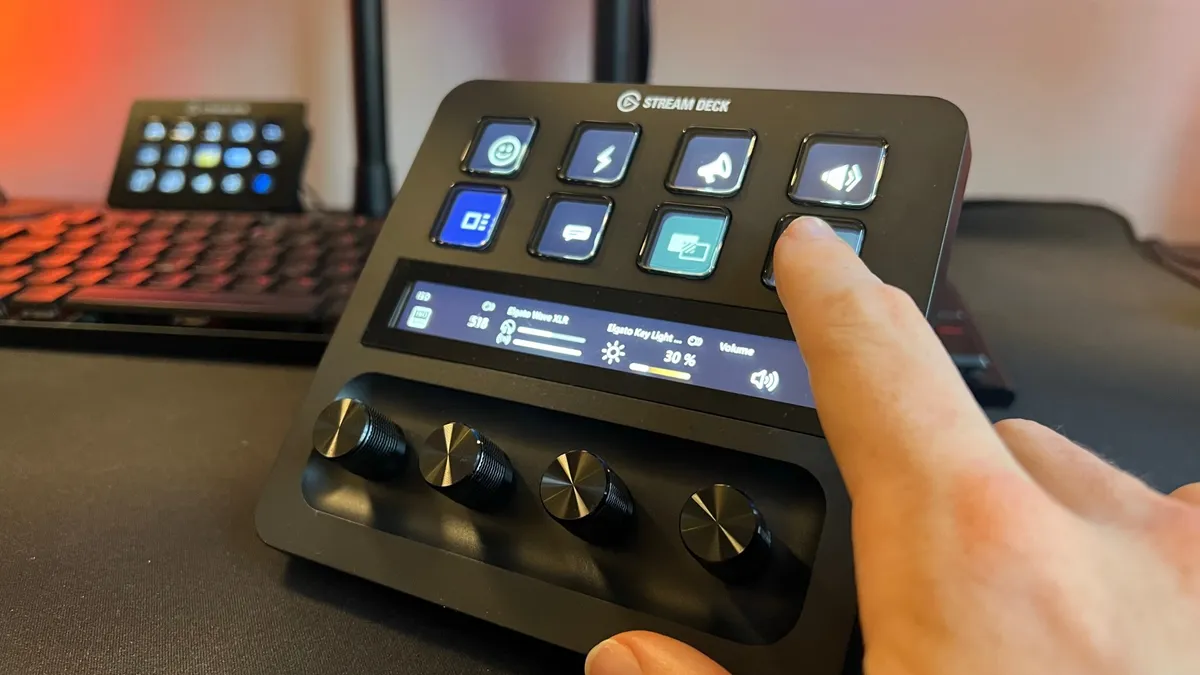
Perhaps the most versatile version of Elgato's Stream Deck is the Plus model, which has eight programmable keys, a touch bar, and four volume dials. This means you can use it as a streaming controller, but also use it to control your audio mix for a fully all-in-one package.

Channelling the power of one of the Stream Decks is as easy as dragging and dropping actions within Elgato's Camera Hub software, and that doesn't change with this model. Once mapped to your desired functions, the slightly smaller buttons on this version of the Stream Deck are still safe from accidental clicks thanks to their 5mm of travel. The dials are well designed too, with a grippy texture and just the right amount of tension for twisting them. The touchbar feels responsive, which is reassuring when it's not something Elgato has dabbled in before.

Anyone not looking for audio controls who just wants more control keys might be better served by the original Stream Deck, or its larger model. However, if you're bought into the wider ecosystem of Elgato products, the Stream Deck Plus makes for an excellent tool for bringing them all under one umbrella.

The best jack of all trades
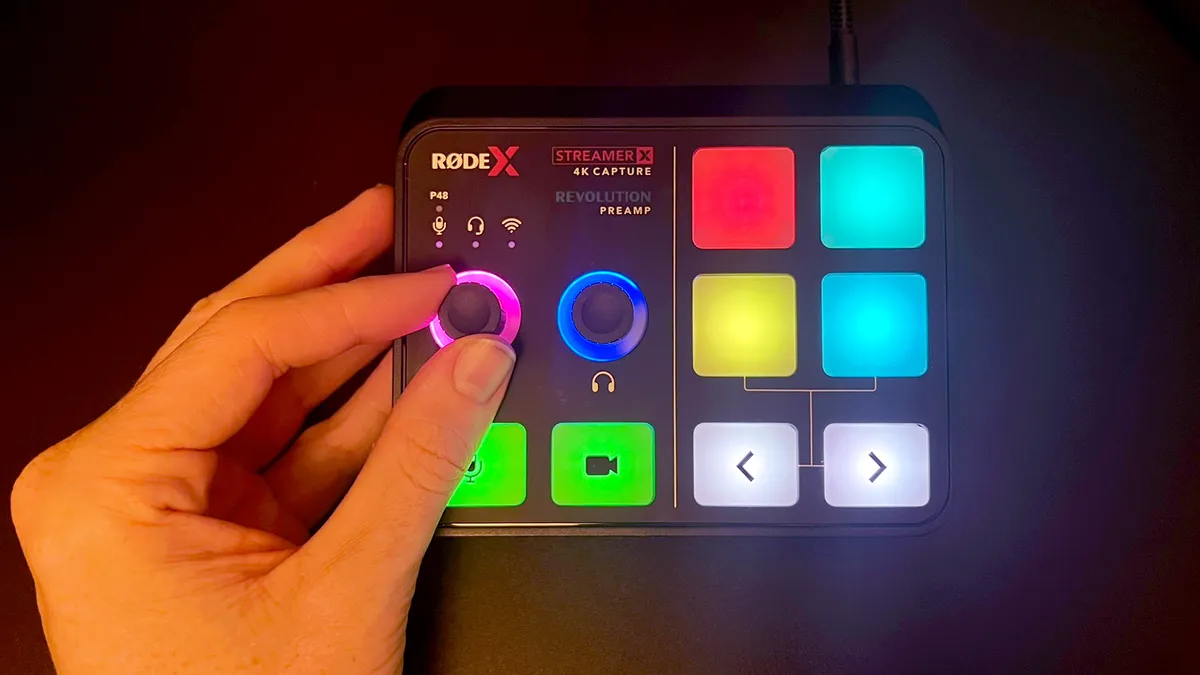
Image 1 of 5
RODE Streamer X switched on and being used by a reviewer, showing the multiple touchpads and lights operating
(Image credit: Future / Alex Berry)
RODE Streamer X while switched off, showing its dials and touchpads
(Image credit: Future / Alex Berry)
RODE Streamer X up close
(Image credit: Future / Alex Berry)
RODE Streamer X's various IO ports
(Image credit: Future / Alex Berry)
RODE Streamer X's audio controls up close
(Image credit: Future / Alex Berry)

2. Rode Streamer X

Best jack of all trades

Our expert review:

Specifications

Size (WxDxH): 14.22 x 12.19 x 5.08 cm
Audio channels: 3
Number of faders/knobs: 2x volume dials
Connectivity: 3x USB-C, 1x XLR, 1x HDMI in, 2x HDMI out, 1x headphone out
Today's Best Deals
View at Sweetwater
View at Amazon
View at Walmart
View at Newegg

Reasons to buy

+
Neat all-in-one solution
+
Strong audio performance
+
Customizable SMART pads
+
Dual-PC output and HDMI passthrough

Reasons to avoid

-
Lacking some 4K bells and whistles
-
No HDMI 2.1

The Rode Streamer X is one of the streaming market's true jack of all trades. Sitting atop your desk, it can assist you as a capture card, an audio interface, or a stream controller. For a pretty reasonable price, that's not a bad bargain in the slightest. For content creators looking to streamline their setup or beginners who want to consolidate costs, this is a great pick.

The Streamer X doesn't look ready to mix down loads of audio samples, but a simple two knob setup allows you to adjust the gain of your microphone and headphone levels, and for many, that's all that will really be needed. In terms of connectivity, there's a combo XLR and 48V Phantom Power for XLR microphones, there's HDMI in and out, there's dual USB-C connections for your PC audio, and an additional USB-C port for powering the device. Of course, the iconic RODE SMART pads are where switching streaming scenes comes in.

Like any jack-of-all-trades, you may find that the Streamer X comes up short if you want full use of it as any one of its three objectives. As a capture card, there's 4K passthrough, but there's no HDMI 2.1 support. That means that high frame rates on the capture side aren't going to be possible for you, which could make or break it for competitive gamers.

Still, this is a device to buy if you stream console gameplay and want to save money on three separate devices. Admittedly, you're going to run into roadblocks by not having one of each gadget, but depending on your content and setup, this could be all you need.

The best streaming mixer
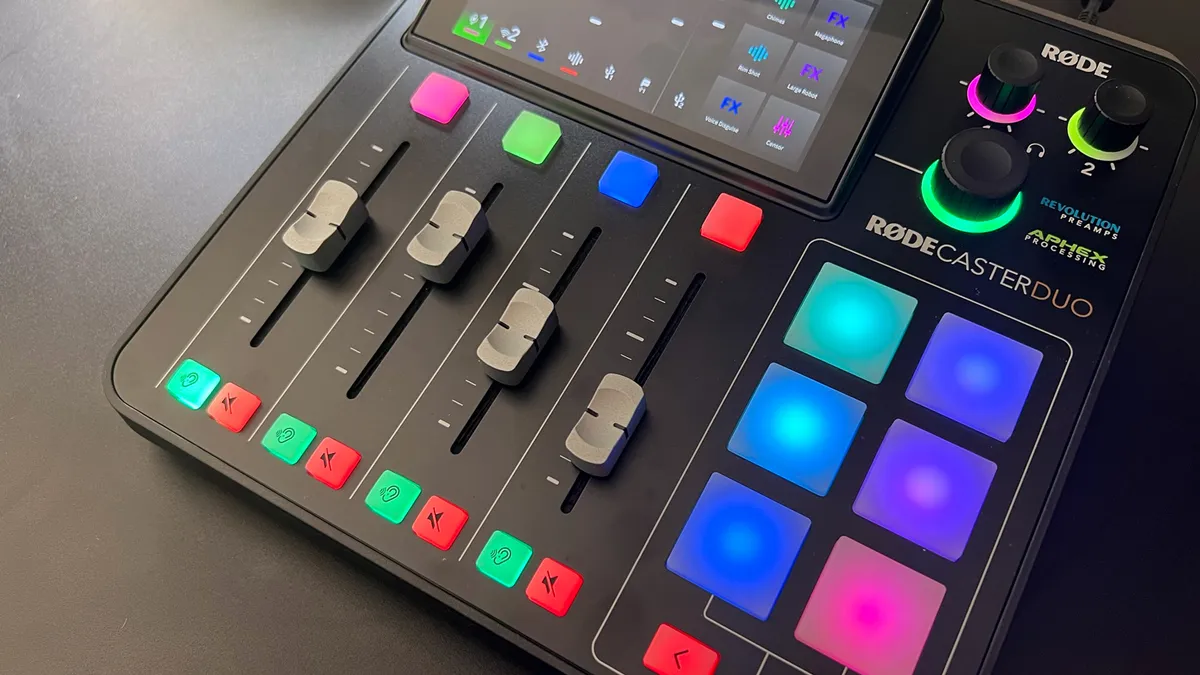
Image 1 of 6
RODECaster Duo's soundboard and audio channels
(Image credit: Future / Alex BErry)
RODECaster Duo's connection ports on its back
(Image credit: Future / Alex Berry)
RodeCaster Duo under dim lighting with green RGB glowing from above it
(Image credit: Future / Duncan Robertson)
RODECaster Duo's mute and listening buttons up close
(Image credit: Future / Alex Berry)
RODECaster Duo wide shot on a black desk
(Image credit: Future / Alex Berry)
RODECaster Duo's adjusting knobs and logo branding up close
(Image credit: Future / Alex Berry)

3. RodeCaster Duo

The best streaming mixer

Our expert review:

Specifications

Software: Rode Central
Size (D x W x H): 26.4 x 25.4 x 12.4 (cm)
Weight: 1.13kg
Connectivity: 2 XLR, 2 USB-C, speakers and headphone outs
Today's Best Deals
View at Sweetwater
View at Walmart
View at Target
View at Best Buy

Reasons to buy

+
Fully self-contained audio production
+
High-quality preamps and processing
+
Onboard effects and triggers
+
Hugely customizable with presets

Reasons to avoid

-
Some buttons are a tad mushy
-
Limited RGB control in places
-
PS5 weaknesses

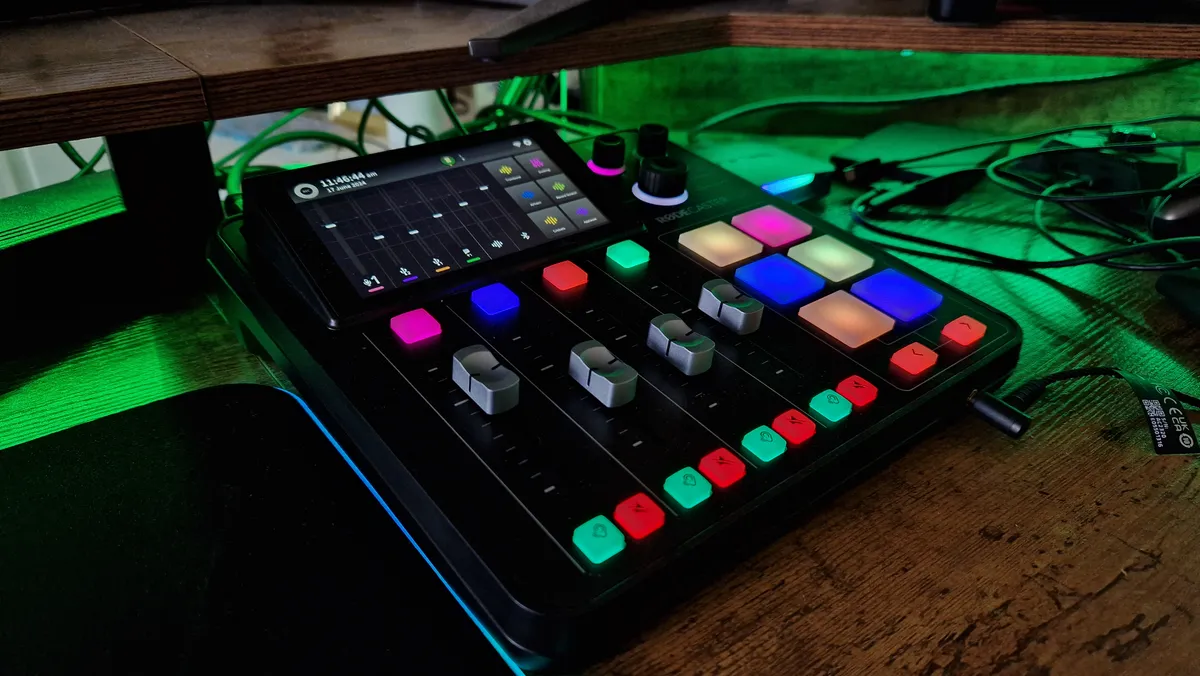
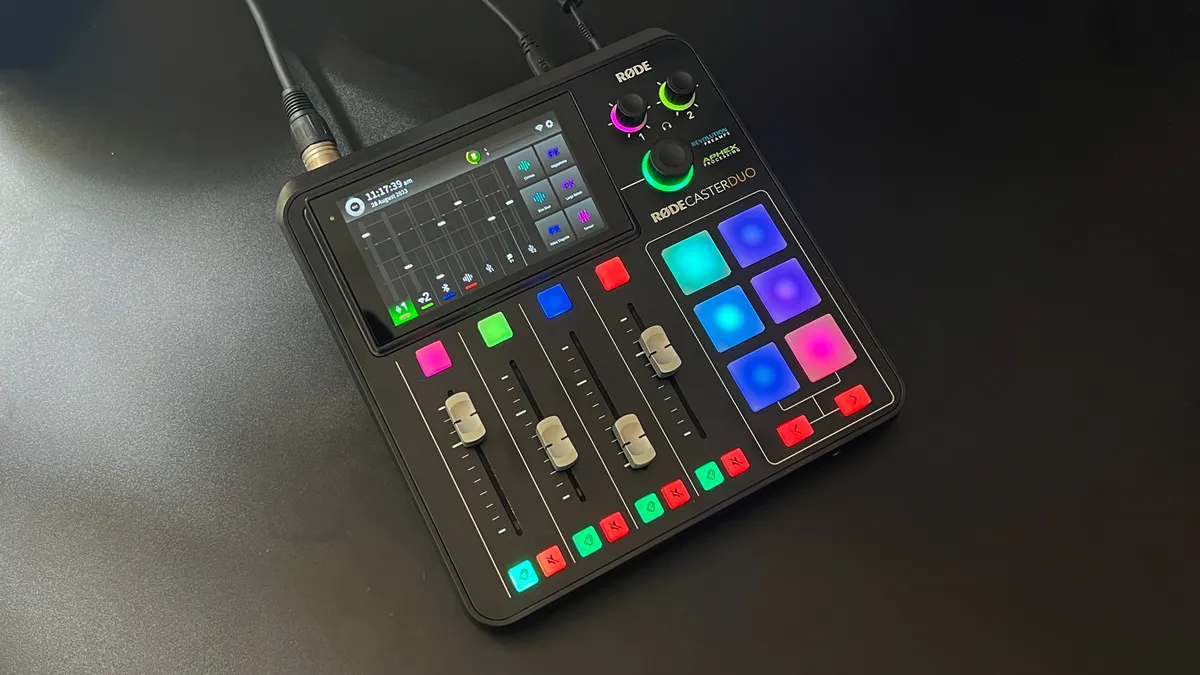
There simply is no better streaming mixer on the shelves today than the RodeCaster Duo. A slightly smaller version of the full-blown RodeCaster Pro 2, this is every bit as powerful, and even has more usability for streamers specifically. With four physical faders, two more virtual ones, SMART pads you can program as different stream scenes and sound effects, two XLR inputs, and two USB-C inputs, there is honestly no other mixer this powerful.

Those two USB-C inputs can be used by one PC, giving you dedicated faders for music, game audio, chatting with friends, and your own microphone's gain level. In a dual PC setup, that secondary USB-C connection can go into your gaming PC to give your gaming audio its own spotlight. On the routing side of things, the Duo nails it thanks to the custom routing options you can assign to all of your audio channels. Mix Minus means you'll never create a feedback loop again, and the ability to set this up according to your needs makes this a versatile mixer.

Rode also has a library of audio effects you can apply to your microphone, or across all channels. Ducking profiles can come in super handy to make sure you always come in on top of your other stream audio.

The only setbacks here are that the USB-C outputs are recognized by the PS5, but the two devices are annoyingly incompatible. This is something Rode wants to fix, but until the problems are sorted this isn't necessarily what we'd recommend for console streamers. Of course, the other drawback here is price, because you do admittedly pay for the power the RodeCaster Duo gives you.

The best capture cards

The best capture card for beginners

Image 1 of 4
The NZXT Signal HD60 being held in front of a purple Firewatch game background
(Image credit: Future / Fraser Porter)
The connection ports of the NZXT Signal HD60 capture card
(Image credit: Future / Fraser Porter)
The top branding of the NZXT Signal HD60 capture card
(Image credit: Future / Fraser Porter)
NZXT Signal HD60's connection ports being held in front of the camera by a reviewer
(Image credit: Future / Fraser Porter)

3. NZXT Signal HD60

The best capture card for beginners

Our expert review:

Specifications

Passthrough resolution: 4K
Capture resolution: 1080p
Passthrough frame rate: 60fps
Capture frame rate: 60fps
Interface: USB 3.2
Works with: Consoles, PC & Mac
Today's Best Deals
View at Amazon
Check Walmart

Reasons to buy

+
Small and compact
+
Very reasonable price
+
Simple setup
+
Great HDMI passthrough

Reasons to avoid

-
Slight issue with audio
-
No support for MacBook

The NZXT Signal HD60 isn't trying to be anything fancy - it's a lot more scaled back than its competition from Eglato and AverMedia. That doesn't matter if you're a beginner though, and in fact, it may help you to navigate a complicated streaming setup with less of a learning curve.

This is a simple 1080p capture device with 4K passthrough, and it'll kick a solid 60fps at your display while recording up to 1080p 60fps gameplay footage. There isn't even dedicated software you have to use or have running in the background (like the other brands enforce upon you after taking your money). There's compatibility with NZXT Cam, but the creators of this device know that you almost certainly want to use this with OBS or Streamlabs, so they cut out the middleman and let you get stuck in.

And perhaps most importantly for beginners, it's kind on your wallet, costing under $100 / £100. With how much you may need to spend to get off the ground with streaming, this is excellent for the money.

The best internal capture card

Image 1 of 5
Elgato Game Capture 4K Pro standing upright
(Image credit: Future / Duncan Robertson)
Elgato Game Capture 4K Pro's branding
(Image credit: Future / Duncan Robertson)
Elgato Game Capture 4K Pro sitting up against a stand
(Image credit: Future / Duncan Robertson)
Elgato Game Capture 4K Pro's connection ports sticking out the back of a gaming PC
(Image credit: Future / Duncan Robertson)
Elgato Game Capture 4K Pro's PCIe connector
(Image credit: Future / Duncan Robertson)

2. Elgato Game Capture 4K Pro

The best internal capture card

Our expert review:

Specifications

Resolution: 4K captures, 8K passthrough
Frame rate: 60fps captures, 240Hz passthrough
Interface: PCIe 2.0 x4
Works with: PC only
Today's Best Deals
View at Dell
View at Amazon
View at Best Buy
View at Walmart

Reasons to buy

+
4K60 game capture without the clutter of another USB device
+
Ability to customize image quality
+
VRR passthrough
+
8K futureproofing

Reasons to avoid

-
Not as many recording options as the competition
-
Passthrough can have some frame rate wobbles
-
Elgato’s software can be volatile
-
Not distinct enough from the 4K60 Pro

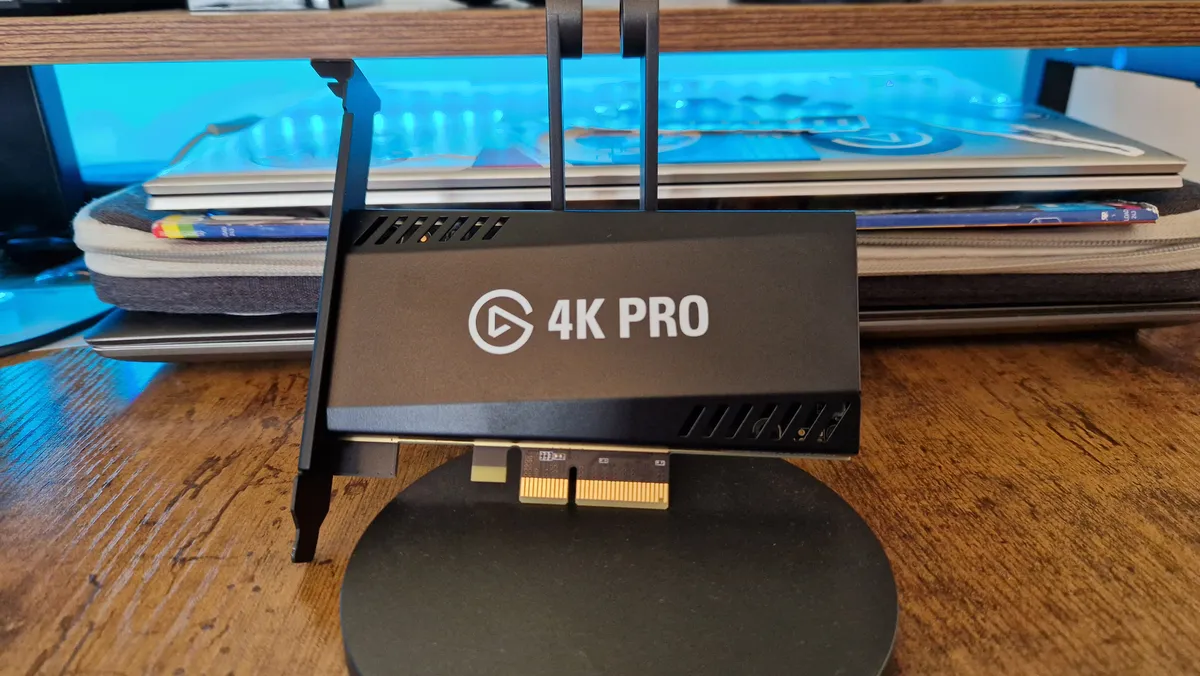
The Elgato Game Capture 4K Pro is the latest internal capture card from Corsair's content creation arm. This slots straight onto a gaming PC's motherboard through a PCIe 2.0 x 4 slot (like a GPU slot), so no need for any dangling USB cables.

To tell the truth, the 4K Pro is only an incremental update over the brand's last few internal capture cards. Those were already so futureproofed that the rest of the brands in the space have been catching up. Speaking of futureproofing though, this new version supports up to 8K60 passthrough, which is so good no one will probably need it for the next three to five years.

For your money, you also get VRR passthrough, and multi-app support so you can stream and record to separate apps at the same time, which is a big deal for console gamers trying to route audio in funky ways. Anyone miffed by AverMedia's lack of contrast and saturation sliders will be pleased to know you can tweak your image settings with this card thanks to Elgato's 4K Capture Utility.

With that said, we are a bit disappointed that this costs the same as AverMedia's best external option, all the while, not offering half as many recording options. You can record great footage with this card, but only at 30fps or 60fps at 720p, 1080p, 1440p, and 4K. Admittedly, that's a lengthy list on its own, but for this sort of asking price, why not opt for even more?

It's really up to you whether an internal capture card will save you much trouble. This is a great option, but externals might actually give you more versatility these days.

The best capture card for pros

Image 1 of 5
AverMedia Live Gamer Ultra 2.1 from above
(Image credit: Future / Duncan Robertson)
AverMedia Live Gamer Ultra 2.1 with its RGB lighting array on
(Image credit: Future / Duncan Robertson)
AverMedia Live Gamer Ultra 2.1's branding on its top
(Image credit: Future / Duncan Robertson)
AverMedia Live Gamer Ultra 2.1's IO connection ports
(Image credit: Future / Duncan Robertson)
AverMedia Live Gamer Ultra 2.1's lighting up close
(Image credit: Future / Duncan Robertson)

3. AverMedia Live Gamer Ultra 2.1

The best external capture card overall

Our expert review:

Specifications

Passthrough resolution: Up to 4K
Capture resolution: Up to 4K
Passthrough frame rate: VRR - 144Hz
Capture frame rate: 29.97, 30, 50, 59.94, and 60fps
Interface: USB-C, USB 3.0
Works with: Consoles, PC & Mac
Today's Best Deals
View at Amazon
View at Amazon
Check Walmart

Reasons to buy

+
Turns in crystal clear footage
+
Captures vibrant colors
+
Solid passthrough for PC and console players
+
Nice design

Reasons to avoid

-
Some important settings are missing
-
Occasional choppy footage when recording back-to-back

The AverMedia Live Gamer Ultra 2.1 is the last word in external capture cards these days. It takes the great features set down by the last-gen's Elgato HD60X and boosts them to today's standards. Full warning: this isn't going to be needed for everyone, but if you want the best of the best for recording and streaming gameplay, look no further.

You get up to 4K60 capture here, as well as VRR passthrough of up to 144Hz. HDR and Ultrawide monitor support are standout features and a slew of in-software recording options give it versatility. Annoyingly, the companion application, RECentral 4, doesn't have any color grading settings and doesn't let you change the captured image settings. Fortunately, these things are set pretty well out of the box.

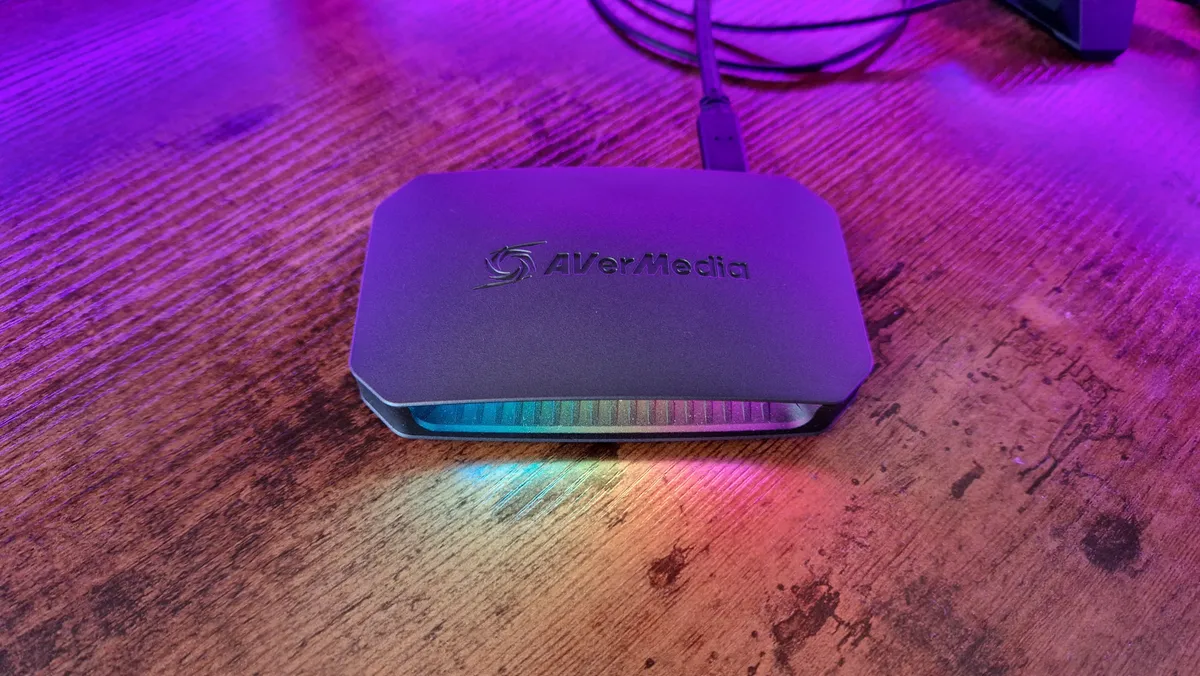
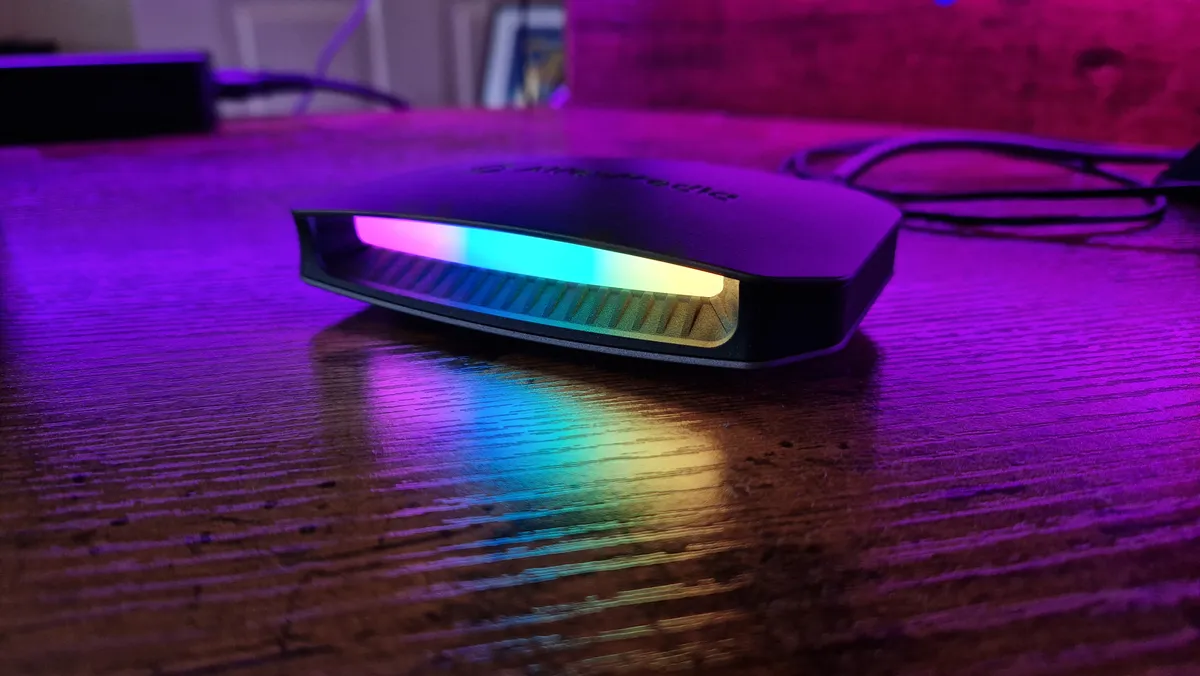
Its design bucks a few trends, especially since most capture cards don't put a lot of effort into the looks department. The Live Gamer Ultra 2.1 has a gentle RGB array on its front that you can sync with your PC's RGB. There's also a practical horizontal design that helps cable routing.

This card performs brilliantly when recording footage, and its passthrough lacks no detail compared to using a regular HDMI 2.1 cable. Speeds were a similar story - it was so easy to use this with Streamlabs OBS, with no delay to speak of. Captures are crystal clear with really vivid colors, and besides some lacking clarity when recording multiple files back to back, it's excellent. If you play competitively and don't want to compromise on your 4K components, this is a superb option. Just keep in mind that Twitch still has no ability to make use of 4K streaming capabilities.

The best webcams for streaming

Image 1 of 5
Razer Kiyo Pro Ultra review hero image with the webcam atop a monitor close up
(Image credit: Future / Duncan Robertson)
Razer Kiyo Pro Ultra review image showing the webcam close up
(Image credit: Future / Duncan Robertson)
Razer Kiyo Pro Ultra sitting on a monitor from behind, showing the stand
(Image credit: Future / Duncan Robertson)
Razer Kiyo Pro Ultra lens cover image
(Image credit: Future / Duncan Robertson)
Razer Kiyo Pro Ultra review image with the webcam sitting on top of a monitor from the side
(Image credit: Future / Duncan Robertson)

1. Razer Kiyo Pro Ultra

The best webcam overall

Our expert review:

Specifications

Resolution: 4K, 1440p, 1080P / HDR, 30fps, 60fps
Microphone: Omnidirectional
FOV: Max 82 degrees
Connectivity: USB-C to USB 3.0
Mounting: L-shape / Tripod fixture
Today's Best Deals
View at Best Buy
View at Walmart
View at Amazon
View at Amazon

Reasons to buy

+
Great software and features
+
Excellent 4K footage
+
Low light performance
+
Privacy features

Reasons to avoid

-
Expensive
-
A few (minor) software annoyances

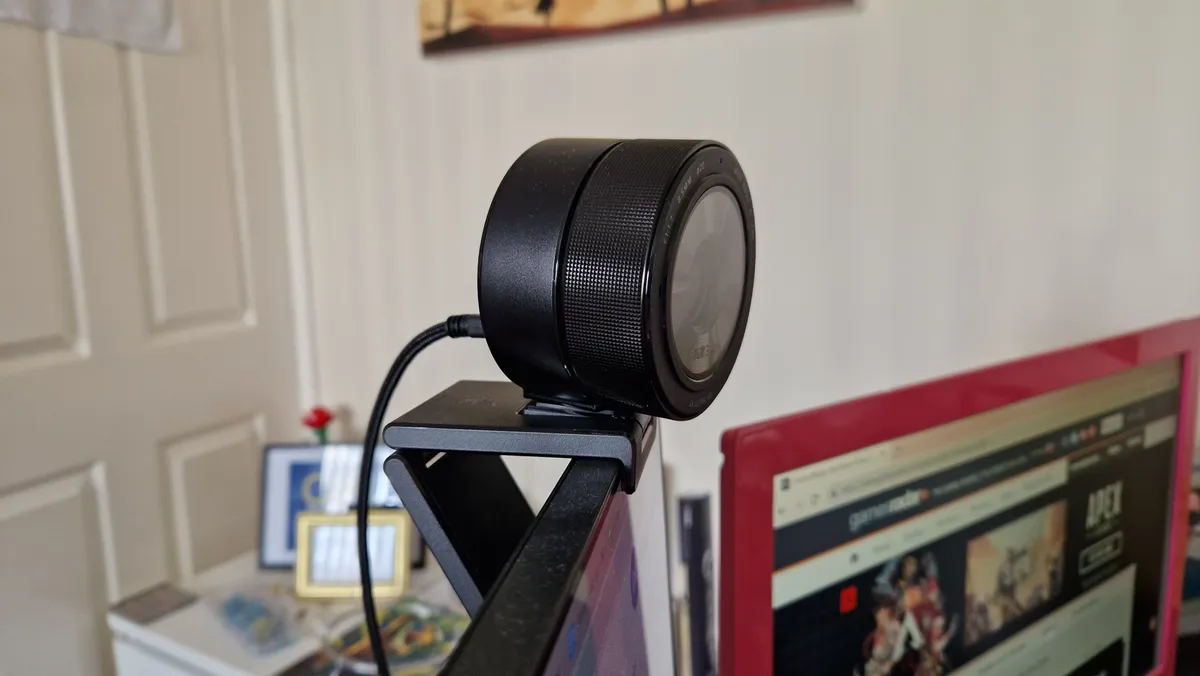
Sequels are so hard to get right these days. Particularly when one comes out hot on the heels of something as good as the Razer Kiyo Pro, which we deemed the best webcam on the market before this arrived.

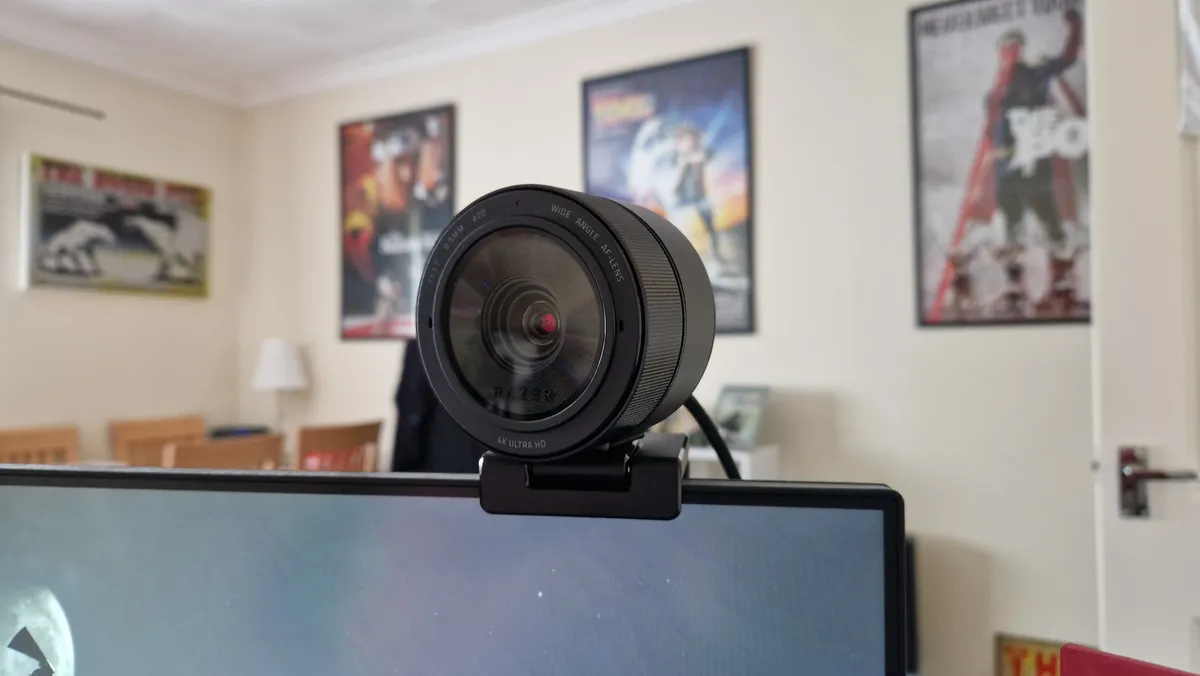
The Kiyo Pro Ultra had a lot to live up to, and we're pleased to say it smashed through what was expected. This is by far the best webcam money can buy right now. Other than a seriously steep price of admission to the tune of $300 / £300, this trounces all other rivals before or since. There's just no arguing with the quality this thing captures.

Up to 4K in 30fps is all most people will ever need, but it is a shame 4K60 isn't possible for those pairing it with a next-gen capture card. Lesser resolutions still look stunning though, and can record at a wider range of frame rates. Even without a ring light, the images are so well-balanced. Low-light scenarios were a big point of attention for the designers at Razer, and beyond going for a much more expensive camera that isn't designed to sit atop a monitor, I haven't seen one as good as this in low light.

This is a webcam for content creators that will roll a DSLR camera and face-cam into one package. As a result, you'd be hard-pressed to find a pricier webcam, and unless you really need the best of the best, it isn't necessary to spend this much.
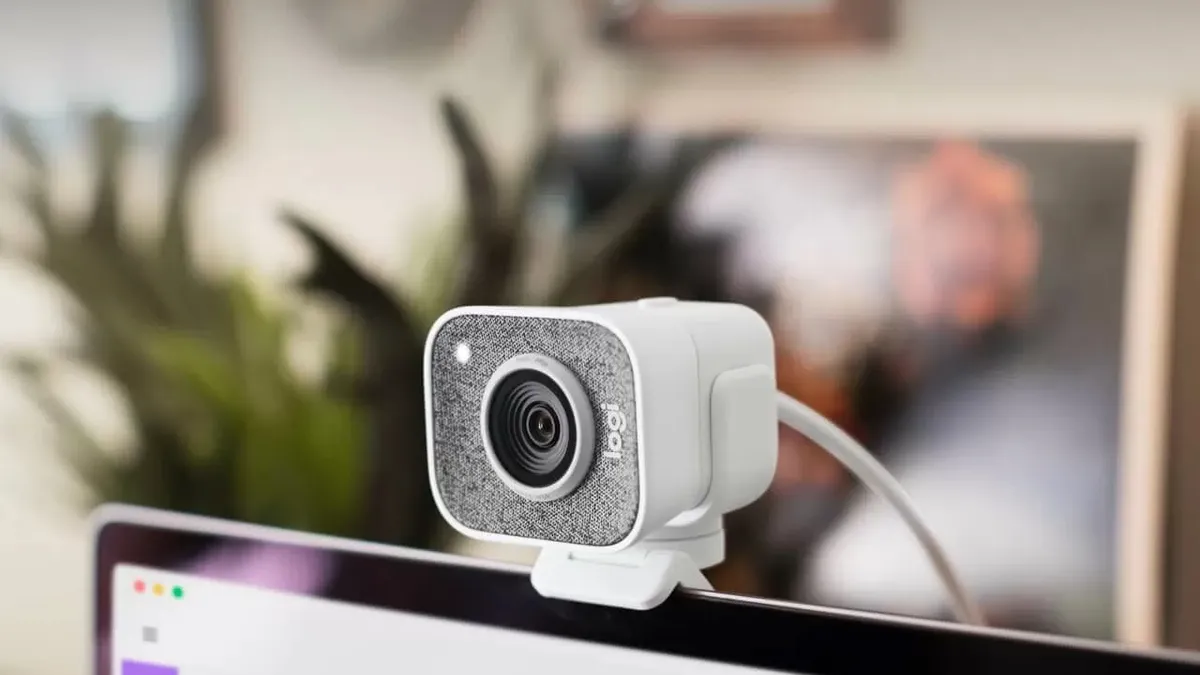
Image 1 of 3
Logitech StreamCam
(Image credit: Logitech)
Logitech StreamCam
(Image credit: Future)
Logitech StreamCam
(Image credit: Future)

2. Logitech StreamCam

The best 1080p webcam for beginners

Our expert review:

Average Amazon review:
☆☆☆☆☆

Specifications

Resolution: 1080p, 60FPS
Microphone: Dual omnidirectional
Connection: USB-C 3.1
Field of view: 78°
Mounting: L-shape / tripod fixture (horizontal or vertical)
Today's Best Deals
View at Amazon
View at Newegg
View at Best Buy
View at Walmart

Reasons to buy

+
Excellent picture quality 
+
Silky smooth 60fps
+
Easy to use capture app

Reasons to avoid

-
Performance is hardware dependant
-
Limiting USB-C connection

The Logitech StreamCam is aimed squarely at the amateur streaming market. More specifically, it's focusing on members within that market running high-quality machines that can really push this device to its limits.

With footage captured at up to 1080p resolution at 60fps, you're getting particularly impressive video quality here, all running silky smooth and taking advantage of additional software features like backlight correction, center framing, and image stabilization.

You may need to fiddle with a few of these settings to get everything working just right for you, dropping down the framerate to allow the center framing to react quickly, for example, but if your PC can withstand the considerable power draw this webcam requires, this is an amazing piece of kit.

This is what we'd recommend for beginners at the moment, although the webcam offerings from various brands have been expanding this year, so it might not stay our beginner's pick for long.

Image 1 of 4
Insta360 Link close up shot
(Image credit: Future / Duncan Robertson)
Insta360 Link sitting on a monitor from the side
(Image credit: Future / Duncan Robertson)
Insta360 Link on top of a monitor showing the lens
(Image credit: Future / Duncan Robertson)
Insta360 Link webcam sat atop a monitor
(Image credit: Future / Duncan Robertson)

3. Insta360 Link

The best webcam with AI features

Our expert review:

Specifications

Resolution: 4K, 1080p, 720p, 24, 25, 30, 50, 60fps
Microphone: Dual noise-cancelling microphones
FOV: DFOV 79.5, HFOV 67
Connectivity: USB-C to USB 3.0
Mounting: 1/4" mounting point for tripod mounting and a built-in clip for computer screen mounting
Today's Best Deals
Check Amazon
Check Walmart

Reasons to buy

+
Packed with great features
+
Excellent image quality
+
Adorable design
+
Great tracking

Reasons to avoid

-
A few software limitations
-
Pricey

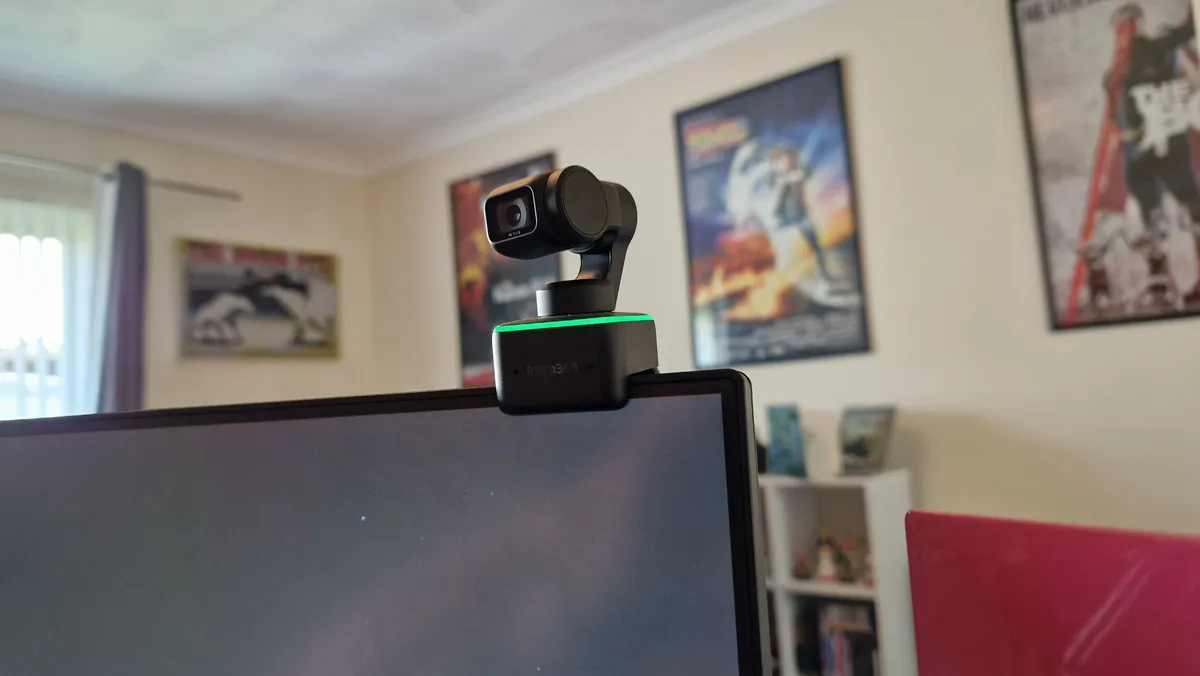
The Insta360 Link is the best of the bunch when you look for a tiny 4K webcam that has a lot of AI features inside it. For such a small camera, it packs a lot of power and a myriad of features inside it. It's up there with the Kiyo Pro Ultra, and might even be more feature-rich as a product. Its image quality is just a tad off that monster though.

I find it really hard not to humanize this webcam's design. Like Obsbot's Tiny 4K range, it resembles a tiny WALL-E, with all the animated expression a single tiny eye can give it. It's so weirdly cute, and its impressive movement speed exudes a giddy excitement that's hard to come by.

It's not all looks though, the Insta360 Link is packed with great-performing features for content creators and remote workers. AI facial tracking, 4K resolution, whiteboard mode (for presenting during video calls), and clever gesture controls are just the tip of the iceberg. DeskView is also a thing, so if you want a funky camera mode to unlock for your chat so they can watch your hands instead of your face - this versatile cam is for you. That could even be good for animators or artists streamers too

Of all the webcams with AI facial tracking I've seen, the Insta360 Link is the best, and most natural. Admittedly, this is one of the pricier webcams you can go for, and most people don't need this many features. If you can afford it though, this is a webcam that won't let you down.

The best streaming accessories

Image 1 of 7
Elgato Prompter in prompter mode
(Image credit: Future / Duncan Robertson)
Elgato Prompter review image showing the device displaying a Firewatch background
(Image credit: Future / Duncan Robertson)
Elgato Prompter review from the side, next to a vertical gaming monitor
(Image credit: Future / Duncan Robertson)
Elgato Prompter from behind with a Razer Kiyo Pro Ultra seated on it
(Image credit: Future / Duncan Robertson)
Elgato Prompter review photo from above
(Image credit: Future / Duncan Robertson)
Elgato Prompter review image showing the reflective glass of the device
(Image credit: Future / Duncan Robertson)
Elgato Prompter's display panel
(Image credit: Future / Duncan Robertson)

1. Elgato Prompter

The best prompter / chat reader

Our expert review:

Average Amazon review:
☆☆☆☆☆

Specifications

Weight: 690g
Connectivity: USB-C to USB 3.0
Display: 9-inch, 1024 x 600p
Camera rings: 49, 52, 55, 58, 62, 67, 72, 77, 82 mm
Dimensions: 224 x 219 x 282mm (WxHxD)
Today's Best Deals
View at Sweetwater
View at Best Buy
View at Newegg
View at Amazon

Reasons to buy

+
An excellent prompter first and foremost
+
Great adjustability settings
+
Can be used as an additional PC display
+
Live streaming utility
+
Decent camera compatibility

Reasons to avoid

-
USB-C connectivity only
-
A bit small to be truly viable as a PC display
-
YouTube chat integration is still missing
-
CLimited refresh rate options

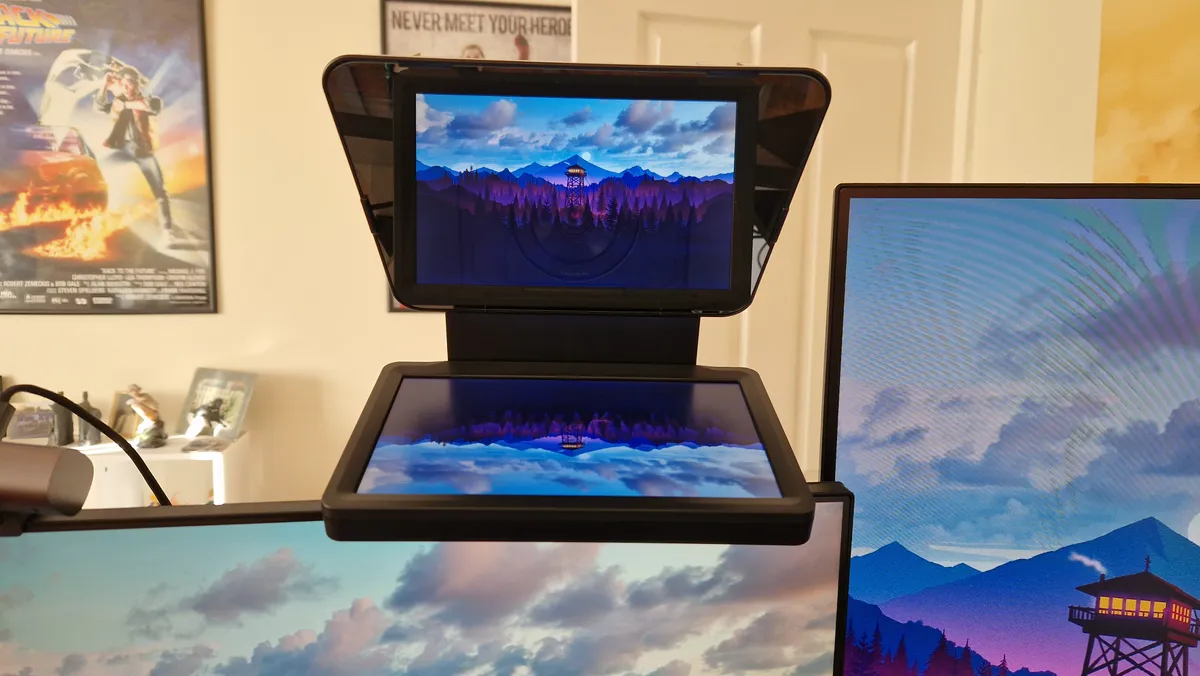
The Elgato Prompter is a versatile tool for content creators that has more to it than meets the eye. On the outside, it's a great teleprompter that will help anyone deliver more fluid, well-presented pieces to camera. Under the surface however, it hides some of its best uses that will help you connect with your audience more.

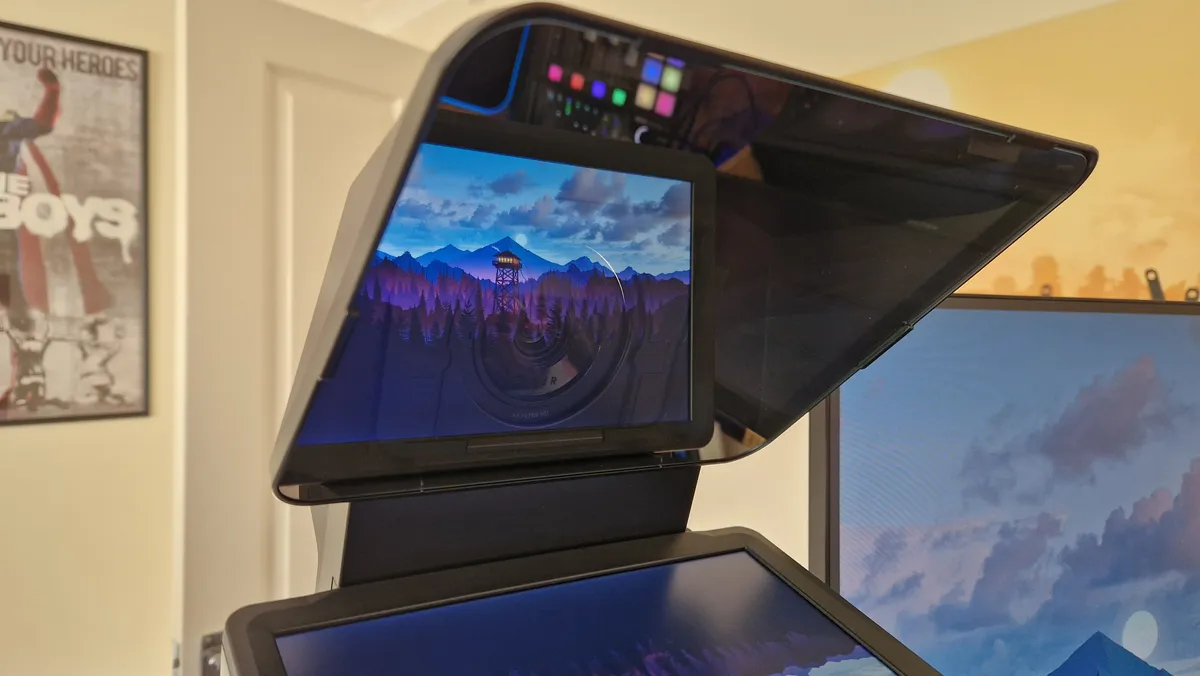
This clever reinvention is a miniature version of what TV stations have always used. It's a small digital display pointed upward at a piece of reflective glass, behind which, lies your camera. Thankfully, there's some versatility baked in here, and in the box are loads of "Step-up Rings" that will provide the perfect fit for your webcam or DSLR to work with in it. You also get the single cable you'll need to connect it to your laptop or PC, a braided USB-C to USB 3.0 cable with a right angle at the USB-C end. This is an accessory that's been crafted with care, even down to its sustainable packaging.

As versatile as it is in its design, it's just as well thought out in the software department. Prompter features three distinct modes that will help you in general use and content creation tasks. Prompter mode is as you'd expect, with loads of different ways you can customise text, its color, its scroll speed, and even the background hue. This is great for reading straight to camera, and it's the main use you'll get out of it. Then, there's chat mode, which integrates what your Twitch audience has to say straight onto the display. This works wonders when you're live and you want to talk directly to your viewers.

The final function is Display mode, which essentially allows you to use the Prompter as an additional monitor. This can be really helpful for remote workers, because you can have an extra window constantly open, or even set up your video calls in the Prompter's display, never again having that strange eye contact disparity.

The Prompter Elgato has created is one of the best tools any content creator can have in their box, especially those wanting to take their production standards to the next level. Just keep in mind that USB-C connection can be CPU-intensive.

Image 1 of 5
Lumecube Ring Light Pro while on in front of a white door and wall
(Image credit: Future / Duncan Robertson)
Lumecube Ring Light Pro's controls and back screen display
(Image credit: Future / Duncan Robertson)
Lumecube Ring Light Pro remote control
(Image credit: Future / Duncan Robertson)
Lumecube Ring Light Pro from the front while turned off
(Image credit: Future / Duncan Robertson)
Lumecube ring light pro branding on the bottom front of the ring light
(Image credit: Future / Duncan Robertson)

2. Lumecube Ring Light Pro

The best ring light for professionals and content creators

Specifications

Color temperature: 3200K-5600K
Dimming range: 1% - 100%
Angle rotation: 360°, 180° tilt
Battery life: 70 minutes at full brightness, up to 120 mins at lower output
Diameter: 17.5-inch
Smartphone mount: included
Today's Best Deals
View at Adorama
View at Amazon
View at Walmart
View at Newegg

Reasons to buy

+
Great controls
+
Decent battery life
+
Versatile stand and camera fixings

Reasons to avoid

-
Expensive
-
I'd have liked more color options for the money
-
No USB-C or USB power 

The Lumecube Ring Light Pro is more than an Instagram influencer's ring light. This is a versatile tool that's begging to be used by more content creators. It's a great size at 17.5 inches since it's big enough to light bigger scenes, but not overbearing or difficult to maneuver.

The light itself is excellent for balancing out shots, and when paired with a webcam like the Razer Kiyo Pro Ultra, you get impeccable results. Being able to control the temperature of the light, in particular, is a very nice feature. Natural light from a window can be a really nice inclusion in your shots, and trying to balance it with cold lighting without a key light can be difficult. In an ideal world, for the money you pay, I'd have liked an even broader color range, but that is why key lights exist.

One of the best things about Lume Cube's Ring Light Pro is how well and how easily it controls. The back of the ring features an LCD display which shows you how the battery life is lasting, as well as what settings the light itself is shining at. As if that wasn't enough, you also get a handy remote control so you can adjust light levels and temperatures without having to leave the shot. That's super useful, and if you make content as a 1-person crew worth having.

For your money, you do get an awful lot here - there's a convenient carry case, a great stand that can tilt, and extend, and the ring light itself has bundled options for mounting smartphones and cameras. All-in-all, this is a super ring light for content creators.

Image 1 of 6
Razer Moray review image showing the carrying pouch and varying ear tips that come with the purchase
(Image credit: Future / Duncan Robertson)
Razer Moray review image showing the OFC MMCX wires cabling
(Image credit: Future / Duncan Robertson)
Razer Moray review image of the earbuds dangling in front of green lighting
(Image credit: Future / Duncan Robertson)
Razer Moray review image showing the ergonomic curves that match the human ear's anatomy
(Image credit: Future / Duncan Robertson)
Razer Moray review image Of the earbuds lying on a desk mat with the left earbud facing upward
(Image credit: Future / Duncan Robertson)
Razer Moray review image of the in-ear monitors lying on a black desk mat
(Image credit: Future / Duncan Robertson)

3. Razer Moray In-Ear Monitors

Best earbuds for streamers

Our expert review:

Specifications

Battery Life: N/a
Connection: 3.5mm
Noise cancelling: No
Mic: No
Today's Best Deals
View at Amazon
Check Walmart

Reasons to buy

+
Unbelievable sound quality
+
Comfort like no other
+
Memory loop cabling around the ears
+
Multiple audio sources managed very well

Reasons to avoid

-
Foam ear tips are problematic
-
They'll damage your ears if you aren't careful
-
The cable tangles easily

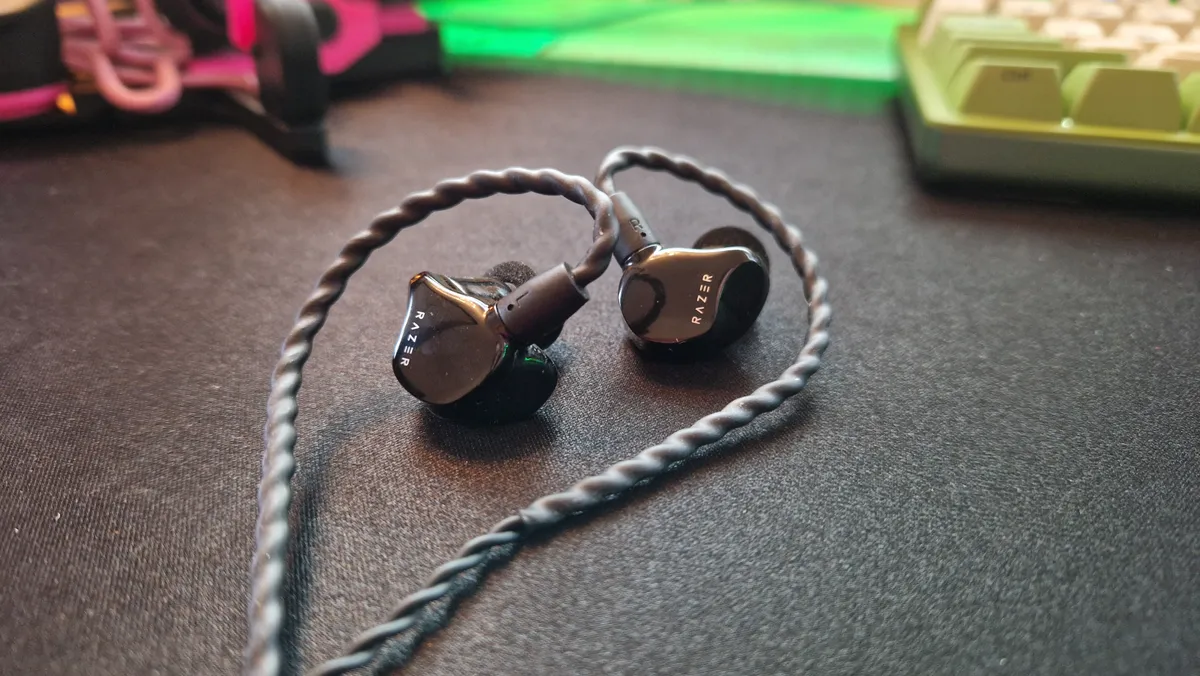
When you have game audio, background music, your own mic's volume, and a discord call to manage, streaming demands some powerful audio gear. While any gaming headset of your choice will help you out, Razer's in-ear monitors will be the most precise, powerful, and comfortable tool to use.

Your eyes don't deceive you, these are in-ear monitors, not gaming earbuds. This is the type of audio device that rock stars use on stage to hear the music being played over the noise of the crowd they're playing for. But the Moray in-ear monitors are designed for gaming, and are comfortable enough to be worn for long sessions.

Inside these powerful little audio devices lies two drivers. One is for bass tones which are well suited to gaming, but there's an acoustic driver in there too that will ensure accuracy in higher and more subtle registers as well.

These are the only audio device I use when I'm on stream - there is simply no better way of balancing multiple audio sources than with these in your ears. Just be prepared to turn down the volume slightly - these things funnel noise right to your eardrums, so be careful.

Neewer Collapsible Backdrop

(Image credit: Neewer)

4. Neewer Collapsible Backdrop

Best affordable green screen for streamers
Average Amazon review:
☆☆☆☆☆

Specifications

Dimensions: 59 x 78.7 inches
Weight: 9.2lbs
Material: Muslin
Collapsible: Yes
Wrinkle resistant: No
Today's Best Deals
View at Amazon
View at Amazon
Check Walmart

Reasons to buy

+
Setup is quick and easy
+
Double-sided for green and blue
+
Lots of mounting options

Reasons to avoid

-
Bag only fits the screen, not the stand

While they aren't necessarily an essential part of the streamer experience, a good green screen can go a long way to upping your production quality. That's where the Neewer Collapsible Backdrop comes in. It's affordable and portable and has a pop-up design. Unlike some other green screens, this model unfolds and then can be mounted in multiple ways to the included stand, either horizontally or vertically, to fit your camera setup.

The best thing is the price here, as depending on size, the Neewer Collapsible Backdrop starts from around the $50 mark. You've also got the option of either green or blue, as it is reversible, meaning that you can choose which color is easier for you to chroma key out in editing, or before your stream goes live.

For a higher-end green screen option consider:
Elgato Green Screen | $159.99 at Amazon

Elgato Green Screen | $159.99 at Amazon
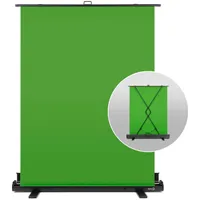
The Elgato Green Screen is our number one pick as far as best green screens go. This is because of the roller-style pull-down design, making this unit quick and easy to set up while also preventing any creases or wrinkles. Should you be serious about live streaming for gamers, this is the model to consider.

View Deal

FAQs

How to start streaming with no equipment
PS5 accessories on a table, including two DualSense controllers, a charging station and a headset

(Image credit: Future)

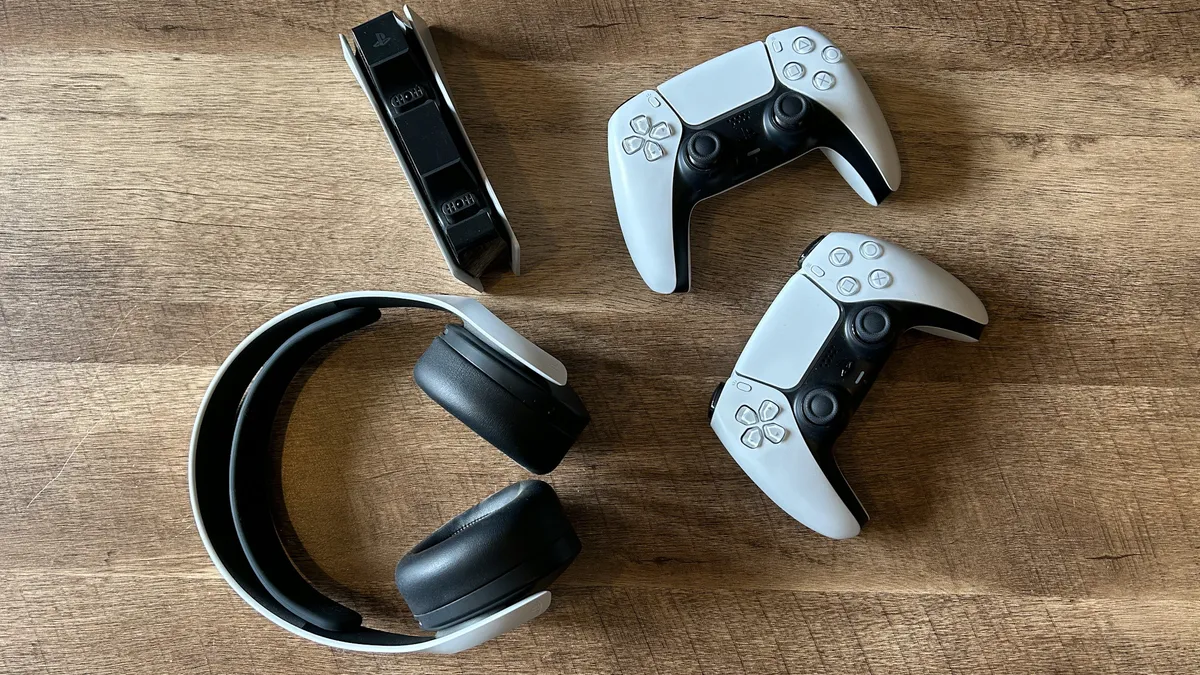
If you're looking to dodge those setup costs and just find out whether or not this whole live stream malarky is fun or not, maybe just start streaming with the basic gear you have first.

As long as you have a means of recording and broadcasting footage, and something for speaking into, you'll be able to put a make-shift stream together. In other words, with a PS5, Xbox Series X, PC, and no more than a gaming headset, you'll be able to start with no trouble.

How to live stream directly from Xbox Series X / PS5
PS5 Pro next to monitor with Ratchet and Clank: Rift Apart gameplay on screen

(Image credit: Future / Tabitha Baker)

Live stream on PS5:

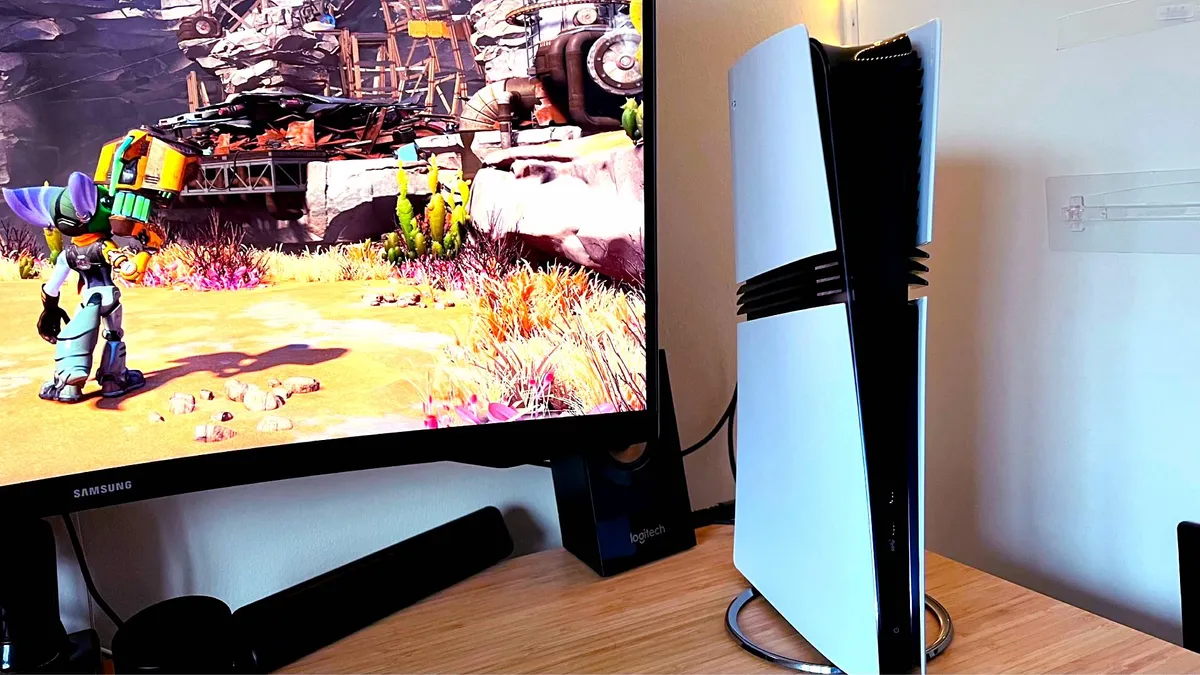
On PS5, it really is as simple as pressing the "Share" button found on the DualSense controller when in-game. This brings up a menu that allows you to screenshot, record, or start streaming footage directly from the console. You'll need to link your Twitch or YouTube gaming account through the drop-down menu, which can be done by pressing the respective icon.

An option will come up that says "Link with Twitch", and from there, the easiest way is to follow the prompts on-screen until you're given a QR code and an 8-digit set of letters and numbers. A web address will come up to activate your Twitch account, which you can either punch into the address bar of your phone or computer or scan the QR code. Once you've entered the code, you'll see a prompt that says "Your Accounts are Linked" and confirmation that your Twitch account is now set up on PS5.

Linking YouTube Gaming works exactly the same way, but with fewer steps. Simply press "Link with YouTube" from the drop-down menu, and then you'll be presented with the PS5's web browser version of the YouTube sign-in screen. From there, all you have to do is enter your account details, and everything else is taken care of.

You're ready to live stream!

Live stream on Xbox Series X:

On Xbox Series X, you first need to download the Twitch app from the Microsoft Store. Opening that up will bring up a sign-in screen with a website address you need to follow along with an 8-digit code. Simply punch the string of letters/numbers in on either your PC, tablet, or smartphone's web browser, and it's all linked up. Once everything's activated, you'll find your account signed into the app.

To live stream gameplay, press the "broadcast" tab from the top menu. You'll then be greeted with a list of options to suit your gameplay streaming preferences, with controls to alter your camera position, broadcast bar position, and then your audio levels. The most important things to consider are your bitrate and the stream resolution, though. You'll need a strong Wi-Fi connection or to be wired in via Ethernet to stream 1080p or higher resolutions. After that, if all looks good to you, press the "start streaming" button, and have fun.

The HP Omen 35L in black with its lights off

(Image credit: Future / Fraser Porter)

How to live stream on a PC

This may be easier than you think, and if you've never done it before you might be surprised at how minimal the load for it is on your PC components. Most gaming PCs these days are more than capable of running a game and also broadcasting it, especially if you have a graphics card from the last five to seven years. Graphics cards these days have recording and live streaming capabilities baked into their drivers, so the demand on your PC's components are very low.

The first step is going to be making sure your graphics drivers are up to date, so head into either the Nvidia app, AMD Adrenalin software, or the Intel Arc equivalent, and check your drivers are the most up-to-date version. Then, you'll want to head into the recording and live streaming settings menu, and configure the settings for the broadcast you want to put out. This includes resolution and bitrate, and if you're just looking to record gameplay without going live, you might want to pay more attention to your audio settings.

The Streamlabs AI co-host integrated into a stream scene

(Image credit: Streamlabs)

Then, we'll need to get you some streaming software. For most folks, the best option is going to be OBS, but for beginners getting into streaming, OBS Streamlabs is a user-friendly option.

You'll want to create a "scene". This is a buzzword for a group of media outputs that you want your audience to see in your stream. You can drag and drop, you can resize, but for beginners, you just want to make sure your gameplay window, your mic, and your game audio are all there. If you have a webcam, you'll want to add this as a source too.

It's then about linking your account to the software, making sure the settings work for YouTube or Twitch, and hitting the go-live button.

What gear does a streamer need?

The absolute minimum that any streamer will need is a system to play games on and stream from, a microphone, and the software needed to broadcast. Of course, depending on the type of content you'd like to make, the list of gear can expand exponentially. You can add in a capture card if you're streaming from a console, you can add in a webcam and a green screen, along with some lighting if you want to appear on camera. Getting into the higher-end, you could add a mixer and a controller to help you handle your broadcast elements like a pro.
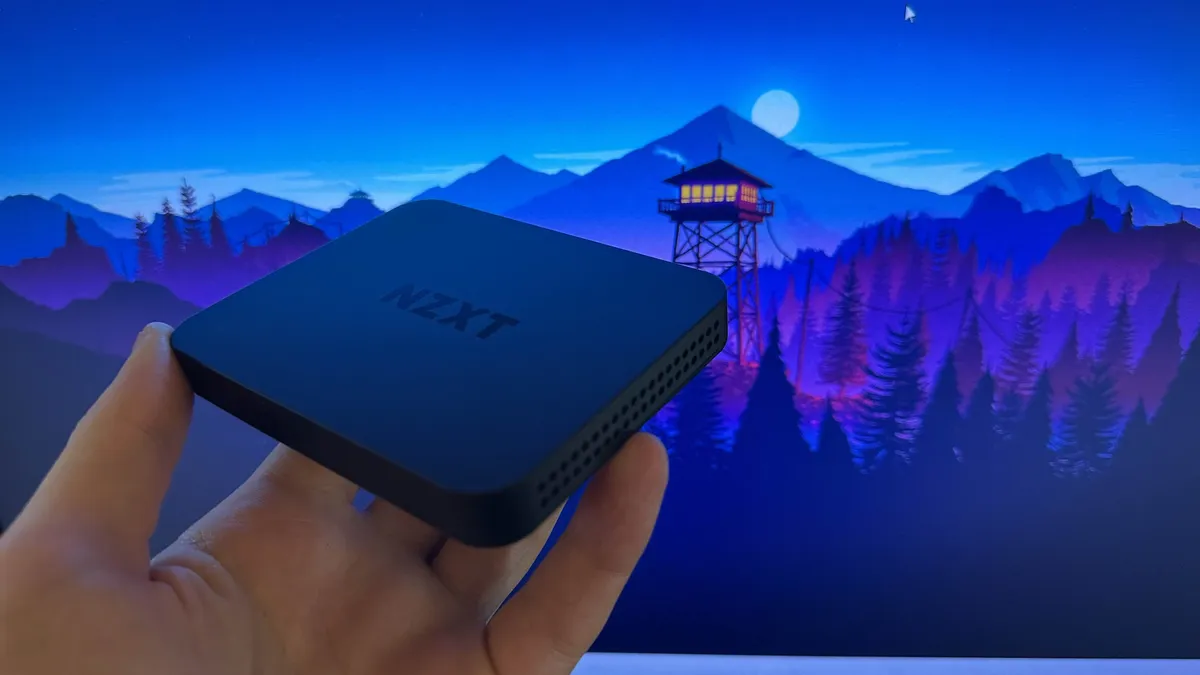
The NZXT Signal HD60 being held in front of a purple Firewatch game background

(Image credit: Future / Fraser Porter)

What not to do when streaming?

There are plenty of do's and don'ts when you're live streaming. First of all, don't ignore your audience - you want them to feel included and interacted with. Chatting to them and making their messages feel seen is central to ensuring they'll want to keep watching you. At the same time, don't feel you have to put up with chatters who are behaving badly. Some simple things not to do include not "doxing" yourself, or giving away too much personal information about where you are. Safety is important! Similarly, be careful about what you do and do not show on camera.

What is the best equipment to stream with?

The best gear for streaming will very much depend on the type of livestream you want to put out. If you want to broadcast gaming livestreams, different gear will be required depending on the platform you play on, the games you play, and creative decisions too. If you want to show your face, you'll need a webcam, if you want to have background music, an audio mixer will help. Above all, you'll need a good microphone, since that will help you convey your personality to viewers. There's a range of hardware to choose from, but our guide will help you narrow it down.

What should I wear while I'm streaming?

Believe it or not, this is a great question. Depending on your lighting, and whether or not you're using a green screen, different colors will work better. Of course, you have to wear what you're comfortable with - especially since a live stream is a public facing bit of content and it helps to show of your best, authentic self. Still, if you're using a green screen, you don't want to rotoscope your torso out of things and just be a floating head, so think about contrasting colors. Similarly, if you have a ring light or key light, maybe don't wear white so it reflects that light back into your camera lens.


You'll need to be comfortable should you want to stream for long periods, that's where the best gaming chairs and best cheap gaming chair deals come in. Additionally, should your space need an overhaul, the best gaming desks should be your next port of call.

Round up of today's best deals
Logitech Musical Instruments...
Blue Yeti Nano
Amazon
$119.99
$89.99
View
See all prices
Rode PodMic USB Dynamic...
RODE PodMic USB
Sweetwater
$174.22
View
See all prices
Shure SM7dB Active Dynamic...
Shure SM7dB
Sweetwater
$494.10
View
See all prices
Elgato Stream Deck +, Audio...
Elgato Stream Deck +
Amazon
$199.99
$159.99
View
See all prices
Rode Streamer X Audio...
Rode Streamer X Audio Interface and
Sweetwater
$206.10
View
See all prices
Rode RODECaster Duo Streaming...
Rode Rodecaster Duo
Sweetwater
$414.80
View
See all prices
NZXT Signal HD60 Full HD USB...
NZXT Signal HD60
Amazon
$99
View
See all prices
deal
Elgato Game Capture 4K Pro
Dell
$279.99
View
See all prices
AVerMedia 4K60 Capture Card...
AVerMedia Live Gamer ULTRA 2.1
Amazon
$209.99
View
See all prices
Razer Kiyo Pro Ultra 4K...
Razer Kiyo Pro Ultra
Amazon
$407.49
View
See all prices
We check over 250 million products every day for the best prices
powered by
Gamesradar
Sign up to the GamesRadar+ Newsletter

Weekly digests, tales from the communities you love, and more

By submitting your information you agree to the Terms & Conditions and Privacy Policy and are aged 16 or over.
TOPICS
YouTube Twitch
Duncan Robertson
Duncan Robertson
Social Links Navigation
Hardware Editor

One of my earliest memories is playing SuperMario64 and wondering why the controller I held had three grips, but I only had two hands. Ever since I've been in love with video games and their technology. After graduating from Edinburgh Napier University with a degree in Journalism, I contributed to the Scottish Games Network and completed an Editorial Internship at Expert Reviews. Over the last decade, I’ve been managing my own YouTube channel about my love of games too. These days, I'm one of the resident hardware nerds at GamesRadar+, and I take the lead on our coverage of gaming PCs, VR, controllers, gaming chairs, and content creation gear. Now, I better stop myself here before I get talking about my favourite games like HUNT: Showdown, Dishonored, and Towerfall Ascension.

With contributions from
  • Aleksha McLoughlinHardware Editor
Back To Top
Read more
Best streaming mixer hero image showing a BEACN Mix Create next to a RodeCaster Duo
Best streaming mixers in 2026: Master your live audio like a pro
 
 
Logitech Blue Sona microphone suspended in a streaming setup
Best microphones for streaming and gaming in 2026
 
 
A side-by-side image of the Elgato Wave XLR MK.2 and the new Wave Link software's mixing table
"Our vision for what creator audio should be" - Elgato launches Wave Next, a new generation of powerful audio hardware with software that's free for everyone
 
 
BenQ X3100i projector with a DualSense controller on a wooden desk
The best projector for gaming: the top throwers I've tested in 2026
 
 
Flexispot E7 Plus in standing mode with Game Boy and screwdriver set sitting on top
Best gaming desk 2026: all the surfaces I'd use for PC and console setups
 
 
BenQ Mobiuz EX321UX monitor on desk with Overwatch 2 gameplay on screen.
The best monitor for PS5 2026: high spec screens for the OG and Pro
 
 
Latest in Hardware
A Thrustmaster T248R and its pedals on a grey carpet
The Thrustmaster T248R is making me question where a sim racing wheel with no direct drive and no modular wheelbase fits in the market in 2026
 
 
Close up of the Turtle Beach Mario Airlite Fit wired gaming headset earcup.
My favorite budget Switch 2 headset just got a makeover for Mario Day, and it's pretty super
 
 
Hand holding Mario Game and Watch handheld with Super Mario 2 NES cartridge and Japanese Disc System game on woodgrain table.
The Mario Game and Watch isn't my favorite version, but it does at least have the real sequel for MAR10 day
 
 
Photo of a Mario nendoroid figure holding a microSD Express card with a Turtle Beach Switch 2 case in the background.
These Mario Day-inspired Switch 2 accessories will power up your console more than a super star
 
 
A Corsair marketing image for its Vengeance RGB DDR5 with a "big savings" deal stamp crossed out in front of it
Corsair is running a RAM "sale" right now, so if you want 25% off a 300% markup, it's the place to be
 
 
Underside of Alienware 16 Area-51 gaming laptop with glass viewing window and RGB fans
We could get a shock when 2026 gaming laptop prices are unveiled, here's what you need to know about buying this year
 
 
Latest in Buying Guides
Photo of the Mario and Luigi Nendoroid figures sitting next to eachother.
Celebrate MAR10 Day in style with the very best Super Mario merch
 
 
Squirtle and Jigglypuff figures alongside a Poke Ball, with Nintendo DS game cases visible in the background
The best Pokemon merch to celebrate 30 years of the beloved series, chosen by superfans
 
 
Image of the Tears of the Kingdom Link amiibo sitting in front of a shelf of Zelda merch.
Best Legend of Zelda merch, chosen by two lifelong fans
 
 
Cloud MTG card lying on top of a host of other MTG Final Fantasy cards
Check out these Valentine's Day gifts for gamers if you're stuck for ideas
 
 
Photo of the Lavender Arctis Nova 3 Wireless headset resting on a Nintendo Switch 2.
The best Nintendo Switch headset 2026: SteelSeries is the key for gaming on the go for another year
 
 
HP Omen Max 16 gaming laptop on a wooden desk
The best gaming laptop 2026 - HP holds first place as budget machines battle it out
 
 
LATEST ARTICLES
  1. Photo of a Mario nendoroid figure holding a microSD Express card with a Turtle Beach Switch 2 case in the background.
    1
    These Mario Day-inspired Switch 2 accessories will power up your console more than a super star
  2. 2
    Pokemon fan artist alleges new Palworld clone Pickmon "stole one of my designs"
  3. 3
    Mortal Kombat 2 star joins in with Street Fighter movie beef after Game Awards dig because he "loves a good rivalry"
  4. 4
    Project Hail Mary review: "Large scale sci-fi with tons of heart"
  5. 5
    My favorite budget Switch 2 headset just got a makeover for Mario Day, and it's pretty super

GamesRadar+ is part of Future US Inc, an international media group and leading digital publisher. Visit our corporate site.

Add as a preferred source on Google Add as a preferred source on Google
  • Terms and conditions
  • Contact Future's experts
  • Privacy policy
  • Cookies policy
  • Accessibility statement
  • Careers
  • About us
  • Advertise with us
  • Review guidelines
  • Write for us
  • Accessibility Statement

© Future US, Inc. Full 7th Floor, 130 West 42nd Street, New York, NY 10036.

Please login or signup to comment

Please wait...