Join The Community
- Join our community
11
Premium Benefits
24/7
Access Available
21K+
Active Members
Commenting
Join the discussion
Exclusive Articles Coming Soon
Member-only articles
Weekly Newsletters
Weekly gaming & entertainment news
Member Badges
Earn badges as you go
Exclusive Competitions
Members-only prize draws
Curated Deals Coming Soon
Tech and gaming deals worth grabbing
GET COMMUNITY ACCESS QUICK
For the quickest way to join, simply enter your email below and get access. We will send a confirmation and sign you up to our newsletter to keep you updated on all your gaming news.
By submitting your information you agree to the Terms & Conditions and Privacy Policy and are aged 16 or over.
FIND OUT ABOUT OUR MAGAZINE
Want to subscribe to the magazine? Click the button below to find out more information.
Find out more
GET Community ACCESS QUICK

Join the GamesRadar community for quick access. Enter your email below and we'll send confirmation, and sign you up to our newsletter.

By submitting your information you agree to the Terms & Conditions and Privacy Policy and are aged 16 or over.

Background
Welcome to GamesRADAR+ Community !
Hi ,

Your membership journey starts here.

Keep exploring and earning more as a member.

MY ACCOUNT

Badge picture
Earn your first badge
Read 1 article to unlock your first badge.
Keep earning badges
Explore ways to get more involved as a member.
Latest Games News

Latest Games News

Breaking gaming news and updates

Read Now
Latest Games Reviews

Latest Games Reviews

Expert verdicts on the newest releases

Read Now

See what you’ve unlocked.

Explore your membership benefits.

Explore
Member Exclusives

Stay Ahead with GamesRadar+

Get the biggest gaming news, reviews, and releases straight to your inbox.

Explore

Sign Out
GamesRadar+ GamesRadar+
US EditionUS CA EditionCanada UK EditionUK AU EditionAustralia
Sign in
  • View Profile
  • Sign out
  • Games
    • Game Insights
      • Games News
      • Games Features
      • Games Reviews
      • Games Guides
      • Big in 2026
      • Big Preview
      • Future Games Show
      • Golden Joystick Awards
    • Genres
      • Action Games
      • RPGs
      • Action RPGs
      • Adventure Games
      • Third Person Shooters
      • FPS Games
    • Platforms
      • PS5
      • Xbox Series X
      • PC
      • Nintendo Switch
      • Nintendo Switch 2
      • Tabletop Gaming
    • Franchises
      • Grand Theft Auto
      • Pokemon
      • Assassin's Creed
      • Monster Hunter
      • Fortnite
      • Cyberpunk
      • Red Dead
      • The Elder Scrolls
      • The Sims
  • Entertainment
    • TV Shows
      • TV News
      • TV Reviews
      • Anime Shows
      • Sci-Fi Shows
      • Superhero Shows
      • Animated Shows
      • Marvel TV Shows
      • Star Wars TV Shows
      • DC TV Shows
    • Movies
      • Movie News
      • Movie Reviews
      • Big Screen Spotlight
      • Superhero Movies
      • Action Movies
      • Anime Movies
      • Sci-Fi Movies
      • Horror Movies
      • Marvel Movies
      • DC Movies
    • Streaming
      • Apple TV Plus
      • Disney Plus
      • Netflix
      • HBO
      • Amazon Prime Video
      • Hulu
    • Comics
      • Marvel Comics
      • DC Comics
  • Hardware
    • Insights
      • Hardware News
      • Hardware Reviews
      • Hardware Features
      • Buying Guides
    • Computing
      • Desktop PCs
      • Laptops
      • Handhelds
    • Peripherals
      • Headsets & Headphones
      • TVs & Monitors
      • Gaming Mice
      • Gaming Keyboards
      • Gaming Chairs
      • Speakers & Audio
    • Accessories & Tech
      • Gaming Controllers
      • Tech
      • SSDs & Hard Drives
      • VR
      • Accessories
      • Retro
  • Deals
    • Toys & Collectibles
    • Lego
    • Dungeons and Dragons
    • Merch
  • Video
    • Video
    • GR+ Replay - Submit Your Clips
  • Newsletters
    • Quizzes
    • About Us
    • How to pitch to us
    • How we score
    • Newsarama
    • Retro Gamer
  • Home
  • Games
    • View Games
      • Games News
      • Games Features
      • Games Reviews
      • Games Guides
      • Big in 2026
      • Big Preview
      • Future Games Show
      • Golden Joystick Awards
      • Action Games
      • RPGs
      • Action RPGs
      • Adventure Games
      • Third Person Shooters
      • FPS Games
    • Platforms
      • View Platforms
      • PS5
      • Xbox Series X
      • PC
      • Nintendo Switch
      • Nintendo Switch 2
      • Tabletop Gaming
      • Grand Theft Auto
      • Pokemon
      • Assassin's Creed
      • Monster Hunter
      • Fortnite
      • Cyberpunk
      • Red Dead
      • The Elder Scrolls
      • The Sims
  • Entertainment
    • View Entertainment
    • TV Shows
      • View TV Shows
      • TV News
      • TV Reviews
      • Anime Shows
      • Sci-Fi Shows
      • Superhero Shows
      • Animated Shows
      • Marvel TV Shows
      • Star Wars TV Shows
      • DC TV Shows
    • Movies
      • View Movies
      • Movie News
      • Movie Reviews
      • Big Screen Spotlight
      • Superhero Movies
      • Action Movies
      • Anime Movies
      • Sci-Fi Movies
      • Horror Movies
      • Marvel Movies
      • DC Movies
    • Streaming
      • View Streaming
      • Apple TV Plus
      • Disney Plus
      • Netflix
      • HBO
      • Amazon Prime Video
      • Hulu
    • Comics
      • View Comics
      • Marvel Comics
      • DC Comics
  • Hardware
    • View Hardware
      • Hardware News
      • Hardware Reviews
      • Hardware Features
      • Buying Guides
      • Desktop PCs
      • Laptops
      • Handhelds
    • Peripherals
      • View Peripherals
      • Headsets & Headphones
      • TVs & Monitors
      • Gaming Mice
      • Gaming Keyboards
      • Gaming Chairs
      • Speakers & Audio
      • Gaming Controllers
      • Tech
      • SSDs & Hard Drives
      • VR
      • Accessories
      • Retro
  • Deals
    • Toys & Collectibles
    • Lego
    • Dungeons and Dragons
    • Merch
  • Video
    • View Video
    • Video
    • GR+ Replay - Submit Your Clips
  • Newsletters
    • Quizzes
    • About Us
    • How to pitch to us
    • How we score
    • Newsarama
    • Retro Gamer
Trending
  • New Games 2026
  • Arc Raiders
  • Summer Game Fest 2026 schedule
  • Submit your clips. Win prizes
  • Delta Force giveaway
Jump To:
  • Items and equipment
  • Exploration and teleportation
  • Social/Players/Clans
  • UI, accessibility and user experience
  • Technical/Misc/Debugging
Sign up to the GamesRadar+ Newsletter

Weekly digests, tales from the communities you love, and more


By submitting your information you agree to the Terms & Conditions and Privacy Policy and are aged 16 or over.

You are now subscribed

Your newsletter sign-up was successful


Want to add more newsletters?

GamesRadar+

Every Friday

GamesRadar+

Your weekly update on everything you could ever want to know about the games you already love, games we know you're going to love in the near future, and tales from the communities that surround them.

GTA 6 O'clock

Every Thursday

GTA 6 O'clock

Our special GTA 6 newsletter, with breaking news, insider info, and rumor analysis from the award-winning GTA 6 O'clock experts.

Knowledge

Every Friday

Knowledge

From the creators of Edge: A weekly videogame industry newsletter with analysis from expert writers, guidance from professionals, and insight into what's on the horizon.

The Setup

Every Thursday

The Setup

Hardware nerds unite, sign up to our free tech newsletter for a weekly digest of the hottest new tech, the latest gadgets on the test bench, and much more.

Switch 2 Spotlight

Every Wednesday

Switch 2 Spotlight

Sign up to our new Switch 2 newsletter, where we bring you the latest talking points on Nintendo's new console each week, bring you up to date on the news, and recommend what games to play.

The Watchlist

Every Saturday

The Watchlist

Subscribe for a weekly digest of the movie and TV news that matters, direct to your inbox. From first-look trailers, interviews, reviews and explainers, we've got you covered.

SFX

Once a month

SFX

Get sneak previews, exclusive competitions and details of special events each month!


Join the club

Get full access to premium articles, exclusive features and a growing list of member rewards.


An account already exists for this email address, please log in.
  1. Games
  2. Survival
  3. V Rising

All V Rising console commands and cheat codes

Guides
By Joel Franey Contributions from Leon Hurley last updated 8 May 2024

How to use console commands in V Rising for cheats, items and more

When you purchase through links on our site, we may earn an affiliate commission. Here’s how it works.

V Rising
(Image credit: Stunlock Studios)
Jump To:
  • Items and equipment
  • Exploration and teleportation
  • Social/Players/Clans
  • UI, accessibility and user experience
  • Technical/Misc/Debugging
  • Facebook
  • X
  • Pinterest
  • Flipboard
  • Email
Share this article
Join the conversation
Follow us
Add us as a preferred source on Google
Subscribe to our newsletter

V Rising console commands and cheats can be set up to modify the game, spawn items, turn on god mode and all sorts of further alterations, major and minor alike. By setting up a private game with admin authority, you can start entering all sorts of cheats. Below we can run through the entire process of setting up and using V Rising console commands and cheats on offer, as well as all the cheats to try out.

How to use console commands in V Rising

V Rising console commands cheats admin

To use console commands in V Rising for cheats you'll have to do the following:

1. Start a Private game

2. Pause and go to Options/General

3. Select "Console Enabled"

4. Unpause the game

5. Click ` , the button usually under the Escape key

6. Type "adminauth" (without quotation marks) and hit enter

7. You can now use and enter console commands!

You may not need to enter "adminauth" depending on the kind of server you're, but if it's not working, put it in just to be sure. Admin authority is basically having permission to enter console commands, so you will need it to play the game.

Once that's set up you can use the full list of console commands we have below below to change your game. You can also type "list" into your commands and get a primer on all the options available to you. There's actually a huge amount you can do in V Rising once you have a grip on all the input codes.

You might also have to re-enter the "adminauth" code each time you come back to a game to continue using cheats, so if your console commands aren't working, that's probably why. However, for the time being, let's discuss what you can actually do with console commands.

Latest Videos From

Full V Rising console commands list

V Rising scourgestone

(Image credit: Stunlock Studios)

There's a plentiful list of console commands in V Rising that serve different functions. To make it easier to navigate we've arranged them into categories so just click on any of the side links for more info, or scroll down to see them in order. For most players, the first two categories will probably be enough, as they allow you to tinker with the world, your loadouts and equipment, as well as your position within it. Let's start through all the various console commands and what they do.

V Rising items and equipment cheats
Is V Rising on PS4 and PS5?

V Rising fish fishing pole

(Image credit: Stunlock Studios)

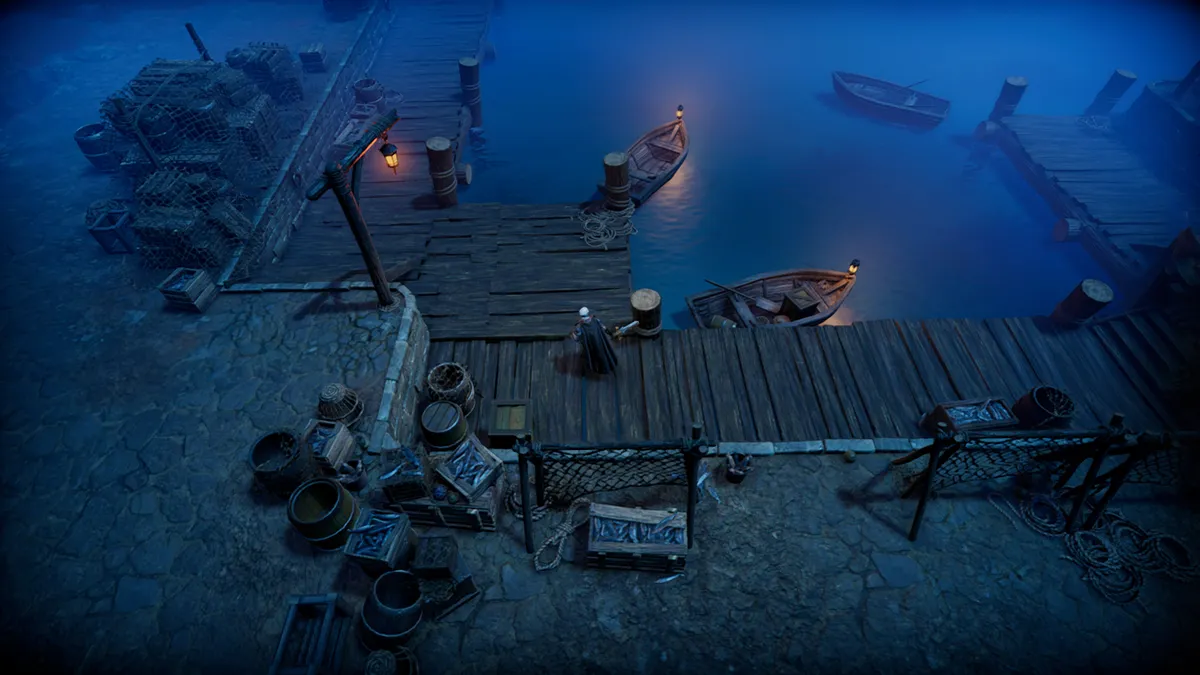
Speaking of CONSOLE commands, is V Rising on PS4 and PS5? Find out all the relevant information here!

To create and spawn various items in V Rising the key commands are "give" and "giveset", which gives you any item in the game, or a set of items if you click the latter option. 

Once you type one of those in, hit Tab and you'll be able to use the arrow keys to look through all the items in V Rising to see what you want (or start typing in the name to get an autocomplete), then select it, hit Tab again and enter the number of that item you want. Then hit the enter button, and it should appear in your inventory! 

  • Give (what, amount) - gives player item(s)
  • Giveset (what) - gives player item set
  • Changedurability - changes durability of equipped items

V Rising teleportation cheats

If you want to get around then console commands allow the player to teleport all over the world. There's also some useful commands up top like Addtime, controlling the sun, Changehealthofclosesttomouse to change the health of characters.

  • Addtime - add up to 12 in-game hours to the clock, changing the time of day and respawn timers. Servers cannot go back in time, only forward.
  • Changehealthofclosesttomouse - modifies the health of the target unit/object closest to the admin's cursor, allowing admins to deal damage or heal targets.
  • Kill - kills your character.
  • GatherAllAllies - teleports allies to mouse cursor position
  • GatherAllAlliesExceptMe - teleports all allies but you to mouse cursor position
  • GatherAllNonAllies - teleports all players who are not allies to mouse cursor position
  • GatherAllPlayers - teleports all players to mouse cursor position
  • GatherAllPlayersExceptMe - teleports all players but you to mouse cursor position
  • PlayerTeleport - teleports you to mouse cursor position
  • TeleportPlayerToMe (User) - teleports another player to your location 
  • TeleportPlayerToMousePosition (User) - teleports another player to mouse cursor position
  • TeleportToChunk (Unnamed Argument) - teleports you to a chunk coordinate
  • TeleportToChunkWaypoint (Unnamed Argument) - teleports you to a specific waypoint
  • TeleportToNether - teleports you to Nether
  • TeleportToPlayer (User) - teleports you to another player's location

The TeleportToChunkWaypoint one is especially useful as an easy, comprehensible means for travelling about the map. Here's the locations of the waypoints themselves so you know where you're going and can position yourself accordingly.

Sign up to the GamesRadar+ Newsletter

Weekly digests, tales from the communities you love, and more

By submitting your information you agree to the Terms & Conditions and Privacy Policy and are aged 16 or over.
  • Farbane Woods (Southeast) - 14, 8
  • Farbane Woods (Southwest) - 8, 8
  • Farbane Woods (West) - 9 , 10
  • Farbane Woods (Northeast) - 14, 11
  • Dunley Farmlands (East) - 12, 15
  • Dunley Farmlands (Southeast) - 13, 13
  • Dunley Farmlands (Southwest) - 9, 13
  • Silverlight Hills - 6, 16
  • Cursed Forest - 13, 19
  • Hallowed Mountains - 15, 13

Social/Players/Clans

These console commands focus on relationships and permissions between players, clans and the general social aspect of V Rising (and therefore won't be much help to those who mainly play the V Rising offline mode). Still, we'll lay it all out below concisely for you.

  • Adminauth - give admin status
  • Admindeauth - remove admin status
  • Bancharacter (Character Name) - ban a player with that character name from the server
  • Banned - lists all players who have been banned
  • Banuser (Steam ID) - ban a player with that Steam ID from the server
  • Clanaccept - accept clan invitation
  • Clandecline - decline clan invitation
  • Claninvite (Unnamed Argument) - invite player to your clan
  • Clanleave - leave clan
  • Connect (address or steamid, port, password) - connect to server
  • Disconnect - disconnect from server
  • Kick (Character Name) - kick a player from the server (they can still enter it again)
  • Listusers (Include Disconnected) - lists all players on the server
  • Reconnect - reconnect to the server
  • Setadminlevel (user, level) - change user's admin level
  • Unban (User Index) - unban a player to allow them back into the server.

UI, accessibility and user experience

While most of this stuff should probably be done in the proper settings menu, there are some useful features that players can trigger via console commands for a more personalised gaming experience. Some of these are a lot more complex - aliases, for example - whereas others are a lot more simple, like just clearing whatever you've written into the console so far.

  • Alias (Alias, Command) - create alias
  • Bind (Key Combination, Command) - create new key binding
  • Clear - clear text from the console
  • ClearTempBindings - clear temporary key bindings
  • Hidecursor (Unnamed Argument) - hide or reveal the mouse cursor
  • List (Optional: Category) - list all console commands
  • Localization (Language) - set language
  • Motionblur (Unnamed Argument) - turn motion blur off or on
  • MultiCommand (Commands) - execute multiple commands, each split by a semicolon (;)
  • ProfileInfo - display information on the console profile
  • RemoveAlias (Alias) - delete existing alias
  • Unbind (Key Combination) - delete existing keybinding

Technical/Misc/Debugging

Finally, for completeness' sake, we've included all the technical commands that are mainly used by developers or hardcore modders, most of which will be pretty self explanatory to anybody with the technical expertise to use them in the first place. Basically, if you don't understand these to begin with, we don't recommend tinkering with them - you risk plunging your vampire world into even more chaos.

  • Adminonlydebugevents (Unnamed Argument)
  • ClientBuildingDebugging (Unnamed Argument)
  • Copy (Command)
  • CopyDebugDump
  • CopyPositionDump
  • CreateDebugDump
  • CreatePerformanceDump
  • DebugViewEnabled (Unnamed Argument)
  • Depthoffield (Unnamed Argument)
  • DumpArchetypeInformation (Which, Num to print, Full info)
  • DumpBlobAssetMemoryInfo (Which)
  • DumpChunkFragmentation (Which, ExtraDebugging)
  • DumpComponentMemoryInfo (Which)
  • DumpDynamicBufferMemoryInfo (Which)
  • DumpEntity (World, Entity, Full Dump)
  • DumpEntityQueries (Which)
  • DumpEverything (Which)
  • DumpPrefabGUIDEntities (World, Component, Include Disabled, Include Prefabs)
  • DumpQueryArchetypes (Which, OnlyRequired, AlsoLogToConsole)
  • DumpSystemMemory (Which, AlsoLogToConsole)
  • GarbageCollectArchetypes (Which)
  • GcCollect
  • JobThreads (Threads)
  • Logdestroyevents (Which, State)
  • Lowqualityatmosphere (Unnamed Argument)
  • MeasureSystemPerformance (Unnamed Argument)
  • OpenCrashDumpFolder
  • OpenLogsFolder
  • PerformanceTestChunks (Jump Distance, Test Mode)
  • Performchunkdefragmentation (Which)
  • Printactivesequences
  • Printactivesounds
  • Printallsequences
  • Printdestroyevents (Which)
  • PrintDynamicResSettings
  • Printsunvfxstate 
  • Setmipmaplevel (Unnamed Argument, Unnamed Argument) 
  • Setresolution (Unnamed Argument, Unnamed Argument)
  • Setsystemenabled (Which, Unnamed Argument, Enabled)
  • Startbuildwallpaper (Unnamed Argument)
  • Texturestreamingenabled (Unnamed Argument)
  • Texturestreamingmaxlevelreduction (Unnamed Argument)
  • Texturestreamingmemorybudget (Unnamed Argument)
  • ToggleDebugViewCategory (Unnamed Argument)
  • Toggleobserve (Mode)
  • ToggleSetting (Setting Name, Optional Setting Values)
  • UnloadUnusedAssets
  • Useoptimizedqueries (Which, State)

With that, you should have everything you need to know about navigating the world of V Rising, with the slight edge that comes from being an all-powerful controller god. We also expect to see more commands added in the future V Rising Roadmap, as Stunlock Studios have been granting new commands in updates already. Either way, keep a pointy ear to the ground…

© GamesRadar+. Not to be reproduced without permission

CATEGORIES
PC Gaming Platforms
Joel Franey
Joel Franey
Social Links Navigation
Guides Editor, GamesRadar+

Joel Franey is a writer, journalist, podcaster and Very Tired Man with a BA from Brunel University, a Masters from Sussex University and a decade working in games journalism, often focused on guides coverage but also in reviews, features and news. His love of games is strongest when it comes to groundbreaking narratives like Disco Elysium, UnderTale and Baldur's Gate 3, as well as innovative or refined gameplay experiences like XCOM, Sifu, Arkham Asylum or Slay the Spire. He is a firm believer that the vast majority of games would be improved by adding a grappling hook, and if they already have one, they should probably add another just to be safe. You can find old work of his at Eurogamer, Gfinity, USgamer, SFX Magazine, RPS, Dicebreaker, VG247, and more.

With contributions from
  • Leon HurleyManaging editor for guides
Latest in Survival
Pickmos screenshot shows a player facing a large bear-like monster.
Survival Games Pokemon and Palworld clone Pickmos returns to Steam after promising "controversy-free experience"
 
 
Dune: Awakening Polar Cap
Survival Games Dune: Awakening fans "so disappointed" by no Polar Cap in 1.4, Funcom dubs it "huge amount of work"
 
 
Woman wearing bandana appears up-close in front of rocky waters and shipwrecks
Survival Games Windrose balances brutal survival with cheat-style forgiveness in a way that keeps bringing me back
 
 
A pirate in Windrose
Survival Games Windrose devs issue patch to address fears their open-world pirate game was slowly destroying SSDs
 
 
Windrose early access trailer screenshot shows a female pirate.
Survival Games Windrose proves that survival games don't have to be difficult to be popular
 
 
Screenshot from Outbound, showing four people sat in a caravan staring toward the camera.
Survival Games Subnautica 2 pulls a Hollow Knight Silksong, shoves one of Steam's most-wishlisted games out of its release date
 
 
Latest in Guides
Mounts in Crimson Desert
RPGs How to tame Ferocious and Special mounts in Crimson Desert
 
 
Forza Horizon 6 ferrari street race in tokyo
Forza Horizon When is the Forza Horizon 6 PS5 release date?
 
 
Forza Horizon 6 Toyota Landcruiser driving up grass hill
Forza Horizon Will Forza Horizon 6 be on Game Pass?
 
 
Battlefield 6 Season 3
Battlefield Battlefield 6 Season 3 release date, time, and roadmap
 
 
Type Soul codes
RPGs Type Soul codes (May 2026) and how to redeem them for free Rerolls and more
 
 
A golden spider in the Resident Evil Requiem Leon Must Die Forever minigame
Resident Evil What do golden spiders do in Leon Must Die Forever?
 
 
LATEST ARTICLES
  1. Karl Urban as Johnny Cage in Mortal Kombat 2
    1
    Mortal Kombat 2 producer apologizes for lashing out against critics who "have no idea what the fans want"
  2. 2
    When is the Forza Horizon 6 PS5 release date?
  3. 3
    The retro look and budget price of the SIVGA M260 gaming earbuds might finally make me a wired bud fan
  4. 4
    Gigabyte, Asus, MSI and more reportedly adjust their sales targets as the RAM crisis continues
  5. 5
    Mortal Kombat 2 writer says [redacted] was killed because hardcore fans were "very vocal about calling for his head"

GamesRadar+ is part of Future US Inc, an international media group and leading digital publisher. Visit our corporate site.

Add as a preferred source on Google Add as a preferred source on Google
  • Terms and conditions
  • Contact Future's experts
  • Privacy policy
  • Cookies policy
  • Accessibility statement
  • Careers
  • About us
  • Advertise with us
  • Review guidelines
  • Write for us

© Future US, Inc. Full 7th Floor, 130 West 42nd Street, New York, NY 10036.

Please login or signup to comment

Please wait...