
Join The Community
- Join our community
Commenting
Join the discussion
Exclusive Articles Coming Soon
Member-only articles
Weekly Newsletters
Weekly gaming & entertainment news
Member Badges
Earn badges as you go
Exclusive Competitions
Members-only prize draws
Curated Deals Coming Soon
Tech and gaming deals worth grabbing
GET COMMUNITY ACCESS QUICK
For the quickest way to join, simply enter your email below and get access. We will send a confirmation and sign you up to our newsletter to keep you updated on all your gaming news.
By submitting your information you agree to the Terms & Conditions and Privacy Policy and are aged 16 or over.
FIND OUT ABOUT OUR MAGAZINE
Want to subscribe to the magazine? Click the button below to find out more information.
Find out more
GET Community ACCESS QUICK

Join the GamesRadar community for quick access. Enter your email below and we'll send confirmation, and sign you up to our newsletter.

By submitting your information, you confirm you are aged 16 or over, have read our Privacy Policy and agree to the Terms & Conditions. Geographical rules apply.

Welcome to GamesRADAR+ Community !
Hi ,

Your membership journey starts here.

Keep exploring and earning more as a member.

MY ACCOUNT

Earn your first badge
Read 1 article to unlock your first badge.
Keep earning badges
Explore ways to get more involved as a member.
Latest Games News

Latest Games News

Breaking gaming news and updates

Read Now
Latest Games Reviews

Latest Games Reviews

Expert verdicts on the newest releases

Read Now

See what you’ve unlocked.

Explore your membership benefits.

Explore
Member Exclusives

Stay Ahead with GamesRadar+

Get the biggest gaming news, reviews, and releases straight to your inbox.

Explore

Sign Out
GamesRadar+
US EditionUS CA EditionCanada UK EditionUK AU EditionAustralia
Sign in
  • View Profile
  • Sign out
  • Games
    • Game Insights
      • Games News
      • Games Features
      • Games Reviews
      • Games Guides
      • Big in 2026
      • Big Preview
      • Future Games Show
      • Golden Joystick Awards
    • Genres
      • Action Games
      • RPGs
      • Action RPGs
      • Adventure Games
      • Third Person Shooters
      • FPS Games
    • Platforms
      • PS5
      • Xbox Series X
      • PC
      • Nintendo Switch
      • Nintendo Switch 2
      • Tabletop Gaming
    • Franchises
      • Grand Theft Auto
      • Pokemon
      • Assassin's Creed
      • Monster Hunter
      • Fortnite
      • Cyberpunk
      • Red Dead
      • The Elder Scrolls
      • The Sims
  • Entertainment
    • TV Shows
      • TV News
      • TV Reviews
      • Anime Shows
      • Sci-Fi Shows
      • Superhero Shows
      • Animated Shows
      • Marvel TV Shows
      • Star Wars TV Shows
      • DC TV Shows
    • Movies
      • Movie News
      • Movie Reviews
      • Big Screen Spotlight
      • Superhero Movies
      • Action Movies
      • Anime Movies
      • Sci-Fi Movies
      • Horror Movies
      • Marvel Movies
      • DC Movies
    • Streaming
      • Apple TV Plus
      • Disney Plus
      • Netflix
      • HBO
      • Amazon Prime Video
      • Hulu
    • Comics
      • Marvel Comics
      • DC Comics
  • Hardware
    • Insights
      • Hardware News
      • Hardware Reviews
      • Hardware Features
      • Buying Guides
    • Computing
      • Desktop PCs
      • Laptops
      • Handhelds
    • Peripherals
      • Headsets & Headphones
      • TVs & Monitors
      • Gaming Mice
      • Gaming Keyboards
      • Gaming Chairs
      • Speakers & Audio
    • Accessories & Tech
      • Gaming Controllers
      • Tech
      • SSDs & Hard Drives
      • VR
      • Accessories
      • Retro
  • Deals
    • Toys & Collectibles
    • Lego
    • Dungeons and Dragons
    • Merch
  • Video
    • Videos
    • GR+ Replay - Submit Your Clips
    • G+RLS Podcast
  • Newsletters
    • Quizzes
    • About Us
    • How to pitch to us
    • How we score
    • Newsarama
    • Retro Gamer
  • Home
  • Games
    • View Games
      • Games News
      • Games Features
      • Games Reviews
      • Games Guides
      • Big in 2026
      • Big Preview
      • Future Games Show
      • Golden Joystick Awards
      • Action Games
      • RPGs
      • Action RPGs
      • Adventure Games
      • Third Person Shooters
      • FPS Games
    • Platforms
      • View Platforms
      • PS5
      • Xbox Series X
      • PC
      • Nintendo Switch
      • Nintendo Switch 2
      • Tabletop Gaming
      • Grand Theft Auto
      • Pokemon
      • Assassin's Creed
      • Monster Hunter
      • Fortnite
      • Cyberpunk
      • Red Dead
      • The Elder Scrolls
      • The Sims
  • Entertainment
    • View Entertainment
    • TV Shows
      • View TV Shows
      • TV News
      • TV Reviews
      • Anime Shows
      • Sci-Fi Shows
      • Superhero Shows
      • Animated Shows
      • Marvel TV Shows
      • Star Wars TV Shows
      • DC TV Shows
    • Movies
      • View Movies
      • Movie News
      • Movie Reviews
      • Big Screen Spotlight
      • Superhero Movies
      • Action Movies
      • Anime Movies
      • Sci-Fi Movies
      • Horror Movies
      • Marvel Movies
      • DC Movies
    • Streaming
      • View Streaming
      • Apple TV Plus
      • Disney Plus
      • Netflix
      • HBO
      • Amazon Prime Video
      • Hulu
    • Comics
      • View Comics
      • Marvel Comics
      • DC Comics
  • Hardware
    • View Hardware
      • Hardware News
      • Hardware Reviews
      • Hardware Features
      • Buying Guides
      • Desktop PCs
      • Laptops
      • Handhelds
    • Peripherals
      • View Peripherals
      • Headsets & Headphones
      • TVs & Monitors
      • Gaming Mice
      • Gaming Keyboards
      • Gaming Chairs
      • Speakers & Audio
      • Gaming Controllers
      • Tech
      • SSDs & Hard Drives
      • VR
      • Accessories
      • Retro
  • Deals
    • Toys & Collectibles
    • Lego
    • Dungeons and Dragons
    • Merch
  • Video
    • View Video
    • Videos
    • GR+ Replay - Submit Your Clips
    • G+RLS Podcast
  • Newsletters
    • Quizzes
    • About Us
    • How to pitch to us
    • How we score
    • Newsarama
    • Retro Gamer
Trending
  • Join our monthly RPG Club
  • Golden Joystick Awards 2026
  • Deal of the Day
  • Countdown to GTA 6
  • G+RLS Podcast
  • Submit your clips. Win prizes
  • RPG Hub
Want more Switch 2 news?

Sign up to our Switch 2 newsletter to make sure you get the very latest news on Nintendo's new console and its games every week


By submitting your information you agree to the Terms & Conditions and Privacy Policy and are aged 16 or over.

You are now subscribed

Your newsletter sign-up was successful


Want to add more newsletters?

GamesRadar+

Every Friday

GamesRadar+

Your weekly update on everything you could ever want to know about the games you already love, games we know you're going to love in the near future, and tales from the communities that surround them.

GTA 6 O'clock

Every Thursday

GTA 6 O'clock

Our special GTA 6 newsletter, with breaking news, insider info, and rumor analysis from the award-winning GTA 6 O'clock experts.

Knowledge

Every Friday

Knowledge

From the creators of Edge: A weekly videogame industry newsletter with analysis from expert writers, guidance from professionals, and insight into what's on the horizon.

The Setup

Every Thursday

The Setup

Hardware nerds unite, sign up to our free tech newsletter for a weekly digest of the hottest new tech, the latest gadgets on the test bench, and much more.

Switch 2 Spotlight

Every Wednesday

Switch 2 Spotlight

Sign up to our new Switch 2 newsletter, where we bring you the latest talking points on Nintendo's new console each week, bring you up to date on the news, and recommend what games to play.

The Watchlist

Every Saturday

The Watchlist

Subscribe for a weekly digest of the movie and TV news that matters, direct to your inbox. From first-look trailers, interviews, reviews and explainers, we've got you covered.

SFX

Once a month

SFX

Get sneak previews, exclusive competitions and details of special events each month!


Join the club

Get full access to premium articles, exclusive features and a growing list of member rewards.


An account already exists for this email address, please log in.
  1. Games

10 things you should do before wrapping up your new console this Christmas

Features
By Andy Robertson
Published 21 December 2020

Bought someone a console this Christmas? Here's 10 things to do before wrapping it up

When you purchase through links on our site, we may earn an affiliate commission. Here’s how it works.

Nintendo Switch
(Image credit: Nintendo)
  • Facebook
  • X
  • Pinterest
  • Flipboard
  • Email
Share this article
Join the conversation
Follow us
Add us as a preferred source on Google
Subscribe to our newsletter

Whether you’re planning to treat the young gamer in your life with a new Xbox Series X, PS5, last-generation console, or something passed on from another family member, there are some important things you should do before wrapping it up and putting it under the tree.

This isn’t just about making sure it’s got all the right safety settings, but also a chance to set things up, download updates, and install any relevant games so that you're ready to go on the big day. If you don’t, you might be waiting until boxing day (or the day after) for those updates to finish. It’s the modern day equivalent of "batteries not included"..

Make sure you have the right console for the right person

PS5

(Image credit: Future)

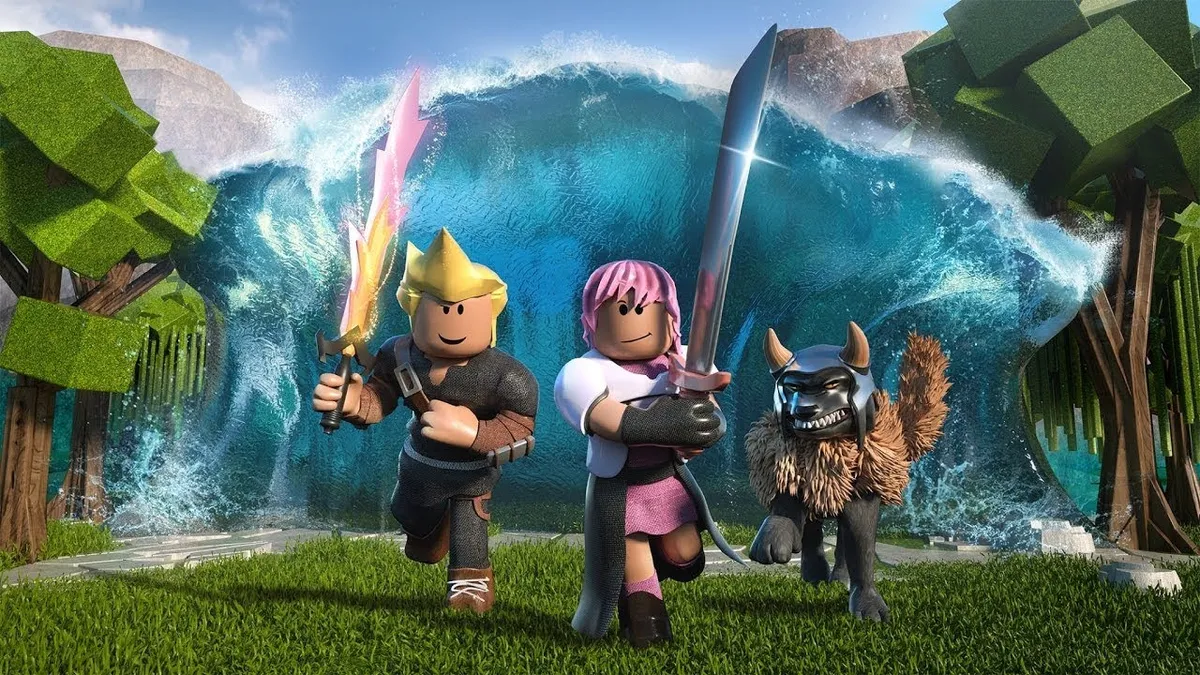
Before diving in and buying a console, it’s worth spending a little time investigating which is the right fit for your family. One important aspect of this decision is looking at the popular games your kids want to play. While many games are available on multiple platforms, some key titles like Roblox (Xbox), Fall Guys (PlayStation), and Animal Crossing: New Horizons (Switch) can only be played exclusively on one of the systems.

Ask your kids what their friends are playing and use online parent resources like the one from Ukie’s Family Video Game Database to identify which console is right for them. This lists which games are exclusive to which consoles, as well as outlining other factors to consider. This resource also tells you which popular children’s games are available on a previous generation hardware. Something that can save a considerable amount of money.  

Don’t forget extra controllers
Fingers tap a controller

(Image credit: Amazon)

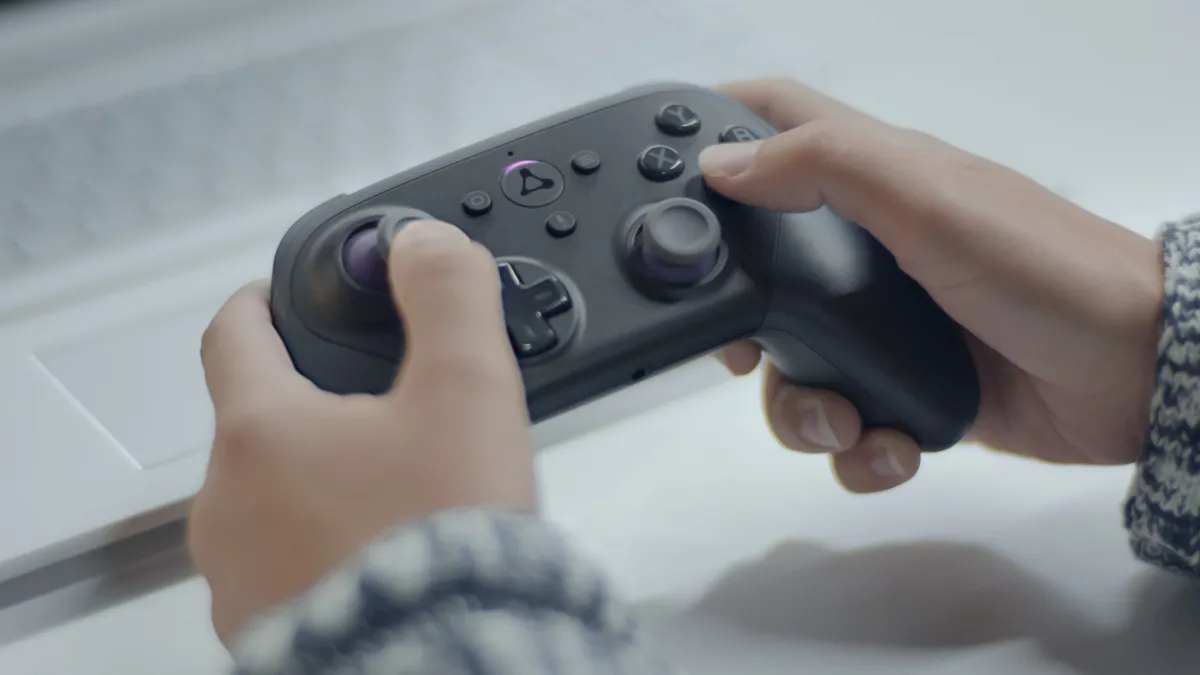
Read any good advice on keeping video games healthy in the family and you will soon be advised to play games together. Anchoring games as part of family life with regular gaming nights on games like Overcooked 2, Mario Kart 8, and Moving Out is a lot of fun.

You may like
  • A Yoshi toy, an ocarina, a Lego Game Boy, a retro handheld console, and a Victrix controller on an orange background surrounding a GamesRadar+ Gift Guide badge The best gifts for gamers in 2026
  • Xbox Series X25 special edition console and controller on a yellow background Xbox Series X X25 Special Edition pre-orders go live today, here's where to grab the console and controller
  • Xbox accessories on a green background with gift guide badge in the middle The best Xbox gifts in 2026: this year's top tech and must-see accessories

However, this means you need extra controllers. Most consoles will come with a single gamepad. Although, it’s worth noting the Switch offers two players out of the box because you can play with one Joy-Con half each. Either way, you will want to get extra controllers to be able to play with more.

It’s worth factoring this into your buying decision, as buying even just three more official controllers can almost double the price. A more affordable option is third party controllers. And, again, any of the Switch's split screen games can be enjoyed by up to four players using only two sets of Joy-Cons.

Want more Switch 2 news?

Sign up to our Switch 2 Spotlight newsletter to make sure you get the very latest news on Nintendo's new console and its games every week

By submitting your information you agree to the Terms & Conditions and Privacy Policy and are aged 16 or over.

Get it out and plug it in

Xbox Series S

(Image credit: Future)

Before you wrap up your console, get it out the box and plug it in. Take care with the packaging so you can pack it back together as though it were good as new once you're done. Once connected to the TV and powered on, you’ll be prompted to go through the set-up process. 

Although it’s tempting to leave this for when the kids are around, doing this ahead of time ensures you can set things up correctly without rushing. It usually doesn't take more than an hour or so. You can follow guides like those available on the AskAboutGames site for parents, but the basic process is the same regardless of which console you are configuring. 

Connecting to your WiFi as part of this set-up will enable the console to download any updates it needs (and it will need a few). Let these download and install fully. On Christmas day the servers get really busy with everyone doing this and can slow to a crawl. Plug-in and turn on each of the controllers while you're waiting, as these will also need updates as well.

You may like
  • A Yoshi toy, an ocarina, a Lego Game Boy, a retro handheld console, and a Victrix controller on an orange background surrounding a GamesRadar+ Gift Guide badge The best gifts for gamers in 2026
  • Xbox Series X25 special edition console and controller on a yellow background Xbox Series X X25 Special Edition pre-orders go live today, here's where to grab the console and controller
  • Xbox accessories on a green background with gift guide badge in the middle The best Xbox gifts in 2026: this year's top tech and must-see accessories

Set up a user account just for you

PS5

(Image credit: Sony)

Although it’s tempting to just set-up one user on the console for everyone to use, doing this causes problems later and stops you setting age limits and playtime defaults for different players. 

Set-up an account for you to use as the parent or carer. This should use an email address that you regularly check and be password protected. You can add payment information to just this account and then specify that a password or pin number is required for purchases. There’s a detailed guide that takes you through this process for Xbox Series X|S and PlayStation 5 if you need more help. 

Once you have done this, it’s important to set-up a PIN to access the console with your account. This is usually a series of button presses on the gamepad that only you know. This not only ensures that only you can access your account, but that children can’t adjust any of the parental settings on their accounts.

Don’t forget guest users
Roblox

(Image credit: Roblox Corporation)

After setting up your user, it’s essential that you specify default limits for guest accounts. This ensures that any children will need to use their account to access the console rather than jumping in as a guest and having free reign.

You should also check that you have specified limits for the creation of new accounts. This can be to restrict who can create them as well as setting default limits for any new accounts created.

Set up a user account for each child
Black Friday gaming deals

(Image credit: Nintendo)

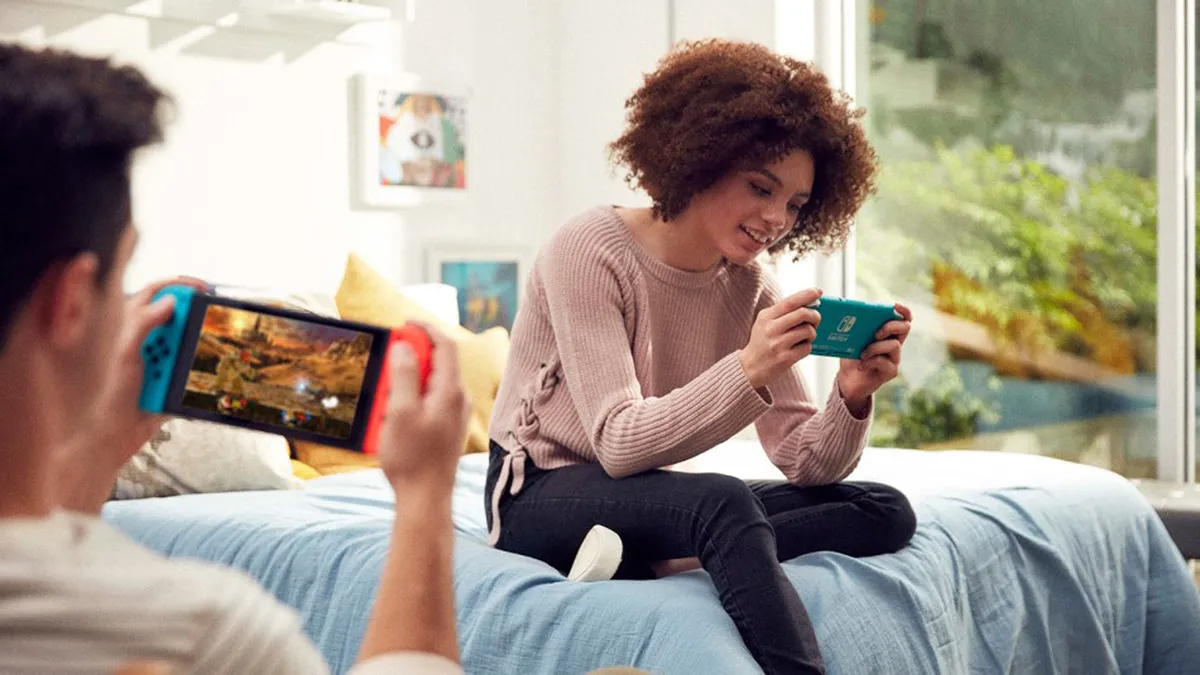
Once you have set up the parent account you can then do the same with accounts for each child who will be using the console. Again, although it’s tempting to set-up a single account for all children, this not only limits your ability to customise restrictions but causes problems when they are older and want to migrate to an adult account, not to mention keep their saves, progress ,and purchases.

For each child, you can use the Parental Controls and Family Settings to specify the maximum PEGI age rating they can play games on without asking you for the password. You can also set time limits that vary on weekdays and weekends. On some systems, like Xbox, you can also limit access to a specific game. So, perhaps your child can play an hour of Fortnite before having to go and play something else.

Finally, set-up the allowed interactions for your child’s account. This specifies who they can friend and talk to as well as what sorts of media can be exchanged: text, voice, images or videos.

Download and install games

PS5 Download History

(Image credit: Sony)

In addition to downloading and installing updates for the main console, it’s also worth checking you have all the new games installed and updated as well. If you have digital codes for game purchases that came with the console then enter these to start the download. If you have disc games, it’s good to put these in as well. They will often have to be installed in addition to any related updates.

If you don’t do these you won’t be able to play online when you unwrap the console on Christmas day as you need the latest version of the game to be able to access these interactive features.

Get the console app

Xbox Family App

(Image credit: Xbox)

You can get weekly reports on what games your child is enjoying via email, or the console's respective mobile application. In addition to the Parental Control apps that some consoles offer, it’s also worth downloading and logging into the main console app. 

These apps will provide notifications about friend requests, invites to play games, as well as other interactions your child may have with other players online. It’s important to talk to your child about this, and agree when and how you will check in on their activity. It can all sound a tad Big Brother, but children usually welcome the presence of a parent in their gaming world and are keen to talk about what they are getting up to and what new friends they are making.

Find games for your family

Overcooked 2

(Image credit: Ghost Town Games)

While children will be excited about the current popular games that everyone else is playing, there are literally thousands of games on every console covering a wide range of topics and with different ways of playing together.

You can search online to find games for the console your family uses. Ukie’s Family Video Game Database offers parents some useful starting points to find unusual games with Netflix-style lists on unusual topics, from non-violent games, and games for young children to games that build resilience.

Using resources like this to find games that you want your family (and children) to play is a great way to avoid the situation where kids are demanding to play older rated titles that you're unsure about. With this information, rather than just saying no, you can suggest alternatives.

Spend money without surprises
Fortnite

(Image credit: Epic Games)

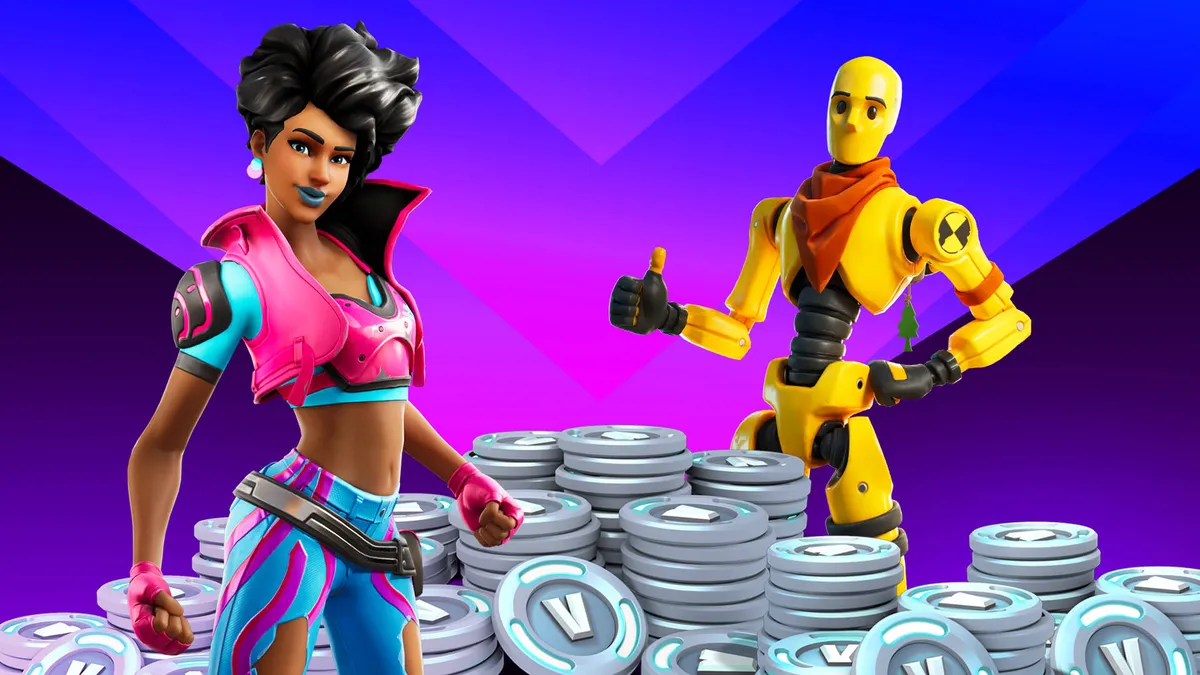
As part of the set-up process you will have to set passwords on spending money via the child accounts. This is important to avoid any unexpected or unintended transactions. It’s also a good idea to set-up pocket money limits, so children have some regular currency to buy things in the games they play. Not only does this enable them to have fun getting new outfits or levels but also offers a teachable moment about the value of virtual currency. 

An alternative to setting up regular spending limits is to use credit you purchase separately. Game token codes provide a number to enter on the console that then grants credit a bit like a book token. At Christmas this can be a good way for other family members to contribute to the new present with game credit for children to spend.  

Box it up ready for the big day

Mario Kart

(Image credit: Nintendo)

Everything done? Time to put it all back in the box and wrap it up for Christmas day! Ensure you power off via the menu before pulling the cord out, and then use the packaging to wrap it up good as new. 

You’re now all set for the big day, not only safe in the knowledge that the console is all set-up for your family, but that they can get playing as soon as they open it… hopefully not at 6 o'clock in the morning, but I wouldn't bank on it. 

For more, check out the best open world games to escape into right now, or discover our top five games of the generation in the video below. 

CATEGORIES
Nintendo Switch Xbox One Xbox Series X PS5 PS4 Platforms Nintendo Xbox PlayStation
Andy Robertson
Read more
A Yoshi toy, an ocarina, a Lego Game Boy, a retro handheld console, and a Victrix controller on an orange background surrounding a GamesRadar+ Gift Guide badge
Hardware The best gifts for gamers in 2026
 
 
Xbox Series X25 special edition console and controller on a yellow background
Hardware Xbox Series X X25 Special Edition pre-orders go live today, here's where to grab the console and controller
 
 
Xbox accessories on a green background with gift guide badge in the middle
Hardware The best Xbox gifts in 2026: this year's top tech and must-see accessories
 
 
Pokemon Stadium with close up of Gengar on Sony PVM CRT next to Pikachu N64 console on black desk.
Retro How to play N64 games
 
 
PlayStation hardware and accessories on a light blue background with gift guide badge
Hardware The best PS5 gifts in 2026, from top tech to stocking stuffer favorites
 
 
OSSC upscaler with Sir Dan MediEvil figure on top and screen illuminated with video information.
Retro As a retro gaming expert, the biggest piece of Prime Day advice I can give is to focus on small setup improvements
 
 
Latest in Games
Austin Abrams as Bryan in Resident Evil
Resident Evil A Resident Evil fan is remaking Zach Cregger's film as a PS1-style game with fixed camera angles
 
 
A screenshot of the upcoming PC port for Red Dead Redemption.
Red Dead Red Dead Redemption and Bully "nearly didn't happen," Rockstar Games co-founder Dan Houser says
 
 
Star Wars Zero Company screenshots
Action Games After Star Wars: Zero Company and Galactic Racer, Lucasfilm says it will "continue to surprise"
 
 
Last Spartan Standing
Halo A Halo extraction shooter was reportedly scrapped during the development of Campaign Evolved
 
 
Castlevania: Belmont's Curse
Action Games Castlevania: Belmont's Curse devs are "proud" of the game's hot characters
 
 
Cyclops in Marvel Rivals
Third Person Shooters Marvel Rivals has "further escalated our penalties for speech violations," promises more moderation
 
 
Latest in Features
Warhammer 40K pre-painted Armageddon terrain, with a Red Terror visible in the background
Tabletop Gaming After a few hours with the pre-painted Warhammer 40K terrain, I'm already convinced it's an essential purchase
 
 
Marvel Movies X-Men 2 set the high bar for ensemble superhero movies, and it should be the template for Avengers: Doomsday
 
 
Onyx: The Dark Grip screenshots
Horror Games How Bloober Team's "Japanese approach" to business revived its image to land it a Switch 2 exclusive
 
 
Resident Evil Veronica trailer screenshot
Resident Evil Resident Evil Veronica: Everything you need to know about the Code Veronica remake
 
 
The Witcher 3 Remastered screenshot of Geralt
RPGs I need The Witcher 4 to get creative with the Bestiary, and my favorite Witcher 3 mission proves why
 
 
Ghost of Yotei Complete Edition screenshot of Atsu drawing her katana
Open World Games The Ghost of Yotei DLC isn't great, but it's a good reminder of why the main game is
 
 
LATEST ARTICLES
  1. 1
    Cyberpunk: Edgerunners 2 review: "Another nova Night City story"
  2. 2
    "The physical element of gaming will always, always be there": Bloober Team and Broken Mirror Games want to make physical media "for as long as possible"
  3. 3
    Cyberpunk: Edgerunners creator says season 1 was a "happy ending" because it could have ended "so much worse" for David
  4. 4
    A Resident Evil fan is remaking Zach Cregger's film as a PS1-style survival horror game with fixed camera angles
  5. 5
    Red Dead Redemption and Bully "nearly didn't happen," according to Rockstar Games co-founder Dan Houser

GamesRadar+ is part of Future US Inc, an international media group and leading digital publisher. Visit our corporate site.

Add as a preferred source on Google Add as a preferred source on Google
  • About us
  • Contact Future's experts
  • Terms and conditions
  • Privacy policy
  • Cookies policy
  • Advertise with us
  • Review guidelines
  • Write for us
  • Accessibility statement
  • Careers

© Future US, Inc. Full 7th Floor, 130 West 42nd Street, New York, NY 10036.

Please login or signup to comment

Please wait...