

Join The Community
- Join our community
11
Premium Benefits
24/7
Access Available
21K+
Active Members
Commenting
Join the discussion
Exclusive Articles Coming Soon
Member-only articles
Weekly Newsletters
Weekly gaming & entertainment news
Member Badges
Earn badges as you go
Exclusive Competitions
Members-only prize draws
Curated Deals Coming Soon
Tech and gaming deals worth grabbing
GET COMMUNITY ACCESS QUICK
For the quickest way to join, simply enter your email below and get access. We will send a confirmation and sign you up to our newsletter to keep you updated on all your gaming news.
By submitting your information you agree to the Terms & Conditions and Privacy Policy and are aged 16 or over.
FIND OUT ABOUT OUR MAGAZINE
Want to subscribe to the magazine? Click the button below to find out more information.
Find out more
GET Community ACCESS QUICK

Join the GamesRadar community for quick access. Enter your email below and we'll send confirmation, and sign you up to our newsletter.

By submitting your information you agree to the Terms & Conditions and Privacy Policy and are aged 16 or over.

Background
Welcome to GamesRADAR+ Community !
Hi ,

Your membership journey starts here.

Keep exploring and earning more as a member.

MY ACCOUNT

Badge picture
Earn your first badge
Read 1 article to unlock your first badge.
Keep earning badges
Explore ways to get more involved as a member.
Latest Games News

Latest Games News

Breaking gaming news and updates

Read Now
Latest Games Reviews

Latest Games Reviews

Expert verdicts on the newest releases

Read Now

See what you’ve unlocked.

Explore your membership benefits.

Explore
Member Exclusives

Stay Ahead with GamesRadar+

Get the biggest gaming news, reviews, and releases straight to your inbox.

Explore

Sign Out
GamesRadar+ GamesRadar+
US EditionUS CA EditionCanada UK EditionUK AU EditionAustralia
Sign in
  • View Profile
  • Sign out
  • Games
    • Game Insights
      • Games News
      • Games Features
      • Games Reviews
      • Games Guides
      • Big in 2026
      • Big Preview
      • Future Games Show
      • Golden Joystick Awards
    • Genres
      • Action Games
      • RPGs
      • Action RPGs
      • Adventure Games
      • Third Person Shooters
      • FPS Games
    • Platforms
      • PS5
      • Xbox Series X
      • PC
      • Nintendo Switch
      • Nintendo Switch 2
      • Tabletop Gaming
    • Franchises
      • Grand Theft Auto
      • Pokemon
      • Assassin's Creed
      • Monster Hunter
      • Fortnite
      • Cyberpunk
      • Red Dead
      • The Elder Scrolls
      • The Sims
  • Entertainment
    • TV Shows
      • TV News
      • TV Reviews
      • Anime Shows
      • Sci-Fi Shows
      • Superhero Shows
      • Animated Shows
      • Marvel TV Shows
      • Star Wars TV Shows
      • DC TV Shows
    • Movies
      • Movie News
      • Movie Reviews
      • Big Screen Spotlight
      • Superhero Movies
      • Action Movies
      • Anime Movies
      • Sci-Fi Movies
      • Horror Movies
      • Marvel Movies
      • DC Movies
    • Streaming
      • Apple TV Plus
      • Disney Plus
      • Netflix
      • HBO
      • Amazon Prime Video
      • Hulu
    • Comics
      • Marvel Comics
      • DC Comics
  • Hardware
    • Insights
      • Hardware News
      • Hardware Reviews
      • Hardware Features
      • Buying Guides
    • Computing
      • Desktop PCs
      • Laptops
      • Handhelds
    • Peripherals
      • Headsets & Headphones
      • TVs & Monitors
      • Gaming Mice
      • Gaming Keyboards
      • Gaming Chairs
      • Speakers & Audio
    • Accessories & Tech
      • Gaming Controllers
      • Tech
      • SSDs & Hard Drives
      • VR
      • Accessories
      • Retro
  • Deals
    • Toys & Collectibles
    • Lego
    • Dungeons and Dragons
    • Merch
  • Video
    • Video
    • GR+ Replay - Submit Your Clips
  • Newsletters
    • Quizzes
    • About Us
    • How to pitch to us
    • How we score
    • Newsarama
    • Retro Gamer
  • home
  • Games
    • View Games
      • Games News
      • Games Features
      • Games Reviews
      • Games Guides
      • Big in 2026
      • Big Preview
      • Future Games Show
      • Golden Joystick Awards
      • Action Games
      • RPGs
      • Action RPGs
      • Adventure Games
      • Third Person Shooters
      • FPS Games
    • Platforms
      • View Platforms
      • PS5
      • Xbox Series X
      • PC
      • Nintendo Switch
      • Nintendo Switch 2
      • Tabletop Gaming
      • Grand Theft Auto
      • Pokemon
      • Assassin's Creed
      • Monster Hunter
      • Fortnite
      • Cyberpunk
      • Red Dead
      • The Elder Scrolls
      • The Sims
  • Entertainment
    • View Entertainment
    • TV Shows
      • View TV Shows
      • TV News
      • TV Reviews
      • Anime Shows
      • Sci-Fi Shows
      • Superhero Shows
      • Animated Shows
      • Marvel TV Shows
      • Star Wars TV Shows
      • DC TV Shows
    • Movies
      • View Movies
      • Movie News
      • Movie Reviews
      • Big Screen Spotlight
      • Superhero Movies
      • Action Movies
      • Anime Movies
      • Sci-Fi Movies
      • Horror Movies
      • Marvel Movies
      • DC Movies
    • Streaming
      • View Streaming
      • Apple TV Plus
      • Disney Plus
      • Netflix
      • HBO
      • Amazon Prime Video
      • Hulu
    • Comics
      • View Comics
      • Marvel Comics
      • DC Comics
  • Hardware
    • View Hardware
      • Hardware News
      • Hardware Reviews
      • Hardware Features
      • Buying Guides
      • Desktop PCs
      • Laptops
      • Handhelds
    • Peripherals
      • View Peripherals
      • Headsets & Headphones
      • TVs & Monitors
      • Gaming Mice
      • Gaming Keyboards
      • Gaming Chairs
      • Speakers & Audio
      • Gaming Controllers
      • Tech
      • SSDs & Hard Drives
      • VR
      • Accessories
      • Retro
  • Deals
    • Toys & Collectibles
    • Lego
    • Dungeons and Dragons
    • Merch
  • Video
    • View Video
    • Video
    • GR+ Replay - Submit Your Clips
  • Newsletters
    • Quizzes
    • About Us
    • How to pitch to us
    • How we score
    • Newsarama
    • Retro Gamer
Trending
  • Saros review
  • Arc Raiders
  • The Boys S5
  • Best turn-based RPGs
  • Submit your clips. Win prizes
  • Delta Force giveaway
Don't miss these
Gabe Newell talking to the angel on his shoulder
Hardware Valve's Gabe Newell saw today's consoles coming: "The consoles are using PC graphics hardware now"
Best Ps5 games
Games Best PS5 games: The 25 greatest PlayStation 5 games in 2026, ranked
Portal 2
Games I've been with my partner for 8 years, and these are our favorite couples games that I'd recommend for your next date night
Hand holding Anbernic RG Cube with gameplay from Zelda: Oracle of Seasons intro on screen.
Retro Best retro handheld 2026: my portable picks for playing the classics
Nintendo Switch 2 sitting in centre with Steam Deck OLED above on left, Anbernic RG Cube aboveon right, Anbernic RG28XX directly left, Modretro Chromatic on right, and MSI Claw 8 AI+ below on woodgrain desk.
Handhelds Best gaming handheld 2026: portable consoles and PCs I'd take on the go
Crimson Desert hero with eyes shut
Open World Games Crimson Desert is just more proof that waiting to play games is the best
Asus ROG Flow Z13 running Indiana Jones and the Great Circle on battery power
Mobile Gaming The best gaming tablets in 2026
Evercade Alpha closeup with Ryu from Street Fighter on screen
Retro Best retro consoles 2026: my favorite ways to play classic capers
A side by side image of the Steam Controller next to a screenshot from a Planet Coaster trailer
Gaming Controllers The Steam Controller could help make a city builder-sized dent in my gaming backlog
Arthur Morgan in Red Dead Redemption 2
Adventure Games 25 best adventure games in 2026 to get swept up in
Evan and the rulers of other kingdoms holding up their swords in celebration during the family friendly RPG, Ni no Kuni 2: Revenant Kingdom
RPGs 10 Best RPGs for kids to play in 2026
DualSense Edge review image showing the controller next to the original DualSense in Nova Pink
Gaming Controllers The best PS5 controller 2026: Find your Edge
LG OLED G4 with Overwatch 2 practice gameplay on screen
TVs & Monitors Best TV for PS5 and Xbox Series X 2026: 4K panels for your high spec console
Lego Star Wars: The Skywalker Saga
Games The 10 best Lego games of all time
Tomodachi Living The Dream
Simulation Games I love Tomodachi Life: Living the Dream, but having no Switch 2 version is a mistake
Sign up to the GamesRadar+ Newsletter

Weekly digests, tales from the communities you love, and more


By submitting your information you agree to the Terms & Conditions and Privacy Policy and are aged 16 or over.

You are now subscribed

Your newsletter sign-up was successful


Want to add more newsletters?

GamesRadar+

Every Friday

GamesRadar+

Your weekly update on everything you could ever want to know about the games you already love, games we know you're going to love in the near future, and tales from the communities that surround them.

GTA 6 O'clock

Every Thursday

GTA 6 O'clock

Our special GTA 6 newsletter, with breaking news, insider info, and rumor analysis from the award-winning GTA 6 O'clock experts.

Knowledge

Every Friday

Knowledge

From the creators of Edge: A weekly videogame industry newsletter with analysis from expert writers, guidance from professionals, and insight into what's on the horizon.

The Setup

Every Thursday

The Setup

Hardware nerds unite, sign up to our free tech newsletter for a weekly digest of the hottest new tech, the latest gadgets on the test bench, and much more.

Switch 2 Spotlight

Every Wednesday

Switch 2 Spotlight

Sign up to our new Switch 2 newsletter, where we bring you the latest talking points on Nintendo's new console each week, bring you up to date on the news, and recommend what games to play.

The Watchlist

Every Saturday

The Watchlist

Subscribe for a weekly digest of the movie and TV news that matters, direct to your inbox. From first-look trailers, interviews, reviews and explainers, we've got you covered.

SFX

Once a month

SFX

Get sneak previews, exclusive competitions and details of special events each month!


Join the club

Get full access to premium articles, exclusive features and a growing list of member rewards.


An account already exists for this email address, please log in.
  1. Games

10 things you should do before wrapping up your new console this Christmas

Features
By Andy Robertson published 21 December 2020

Bought someone a console this Christmas? Here's 10 things to do before wrapping it up

When you purchase through links on our site, we may earn an affiliate commission. Here’s how it works.

Nintendo Switch
(Image credit: Nintendo)
  • Facebook
  • X
  • Pinterest
  • Flipboard
  • Email
Share this article
Join the conversation
Follow us
Add us as a preferred source on Google
Subscribe to our newsletter

Whether you’re planning to treat the young gamer in your life with a new Xbox Series X, PS5, last-generation console, or something passed on from another family member, there are some important things you should do before wrapping it up and putting it under the tree.

This isn’t just about making sure it’s got all the right safety settings, but also a chance to set things up, download updates, and install any relevant games so that you're ready to go on the big day. If you don’t, you might be waiting until boxing day (or the day after) for those updates to finish. It’s the modern day equivalent of "batteries not included"..

Make sure you have the right console for the right person

PS5

(Image credit: Future)

Before diving in and buying a console, it’s worth spending a little time investigating which is the right fit for your family. One important aspect of this decision is looking at the popular games your kids want to play. While many games are available on multiple platforms, some key titles like Roblox (Xbox), Fall Guys (PlayStation), and Animal Crossing: New Horizons (Switch) can only be played exclusively on one of the systems.

You may like
  • PS5 DualSense controller and PS5 Astro Bot Limited Edition DualSense controller on a wooden table Best PlayStation gifts, according to a fan who's been playing on Sony's console since the start
  • Image of the white version of the Razer BlackShark V2 Pro headset and a PS5 DualSense controller. The top 5 things you should know before buying a PS5 gaming headset
  • Close up of Virtual Boy headset with Wario Land gameplay in backdrop. How to set up the Virtual Boy for Switch 2 and relive the cursed retro console in seconds

Ask your kids what their friends are playing and use online parent resources like the one from Ukie’s Family Video Game Database to identify which console is right for them. This lists which games are exclusive to which consoles, as well as outlining other factors to consider. This resource also tells you which popular children’s games are available on a previous generation hardware. Something that can save a considerable amount of money.  

Don’t forget extra controllers
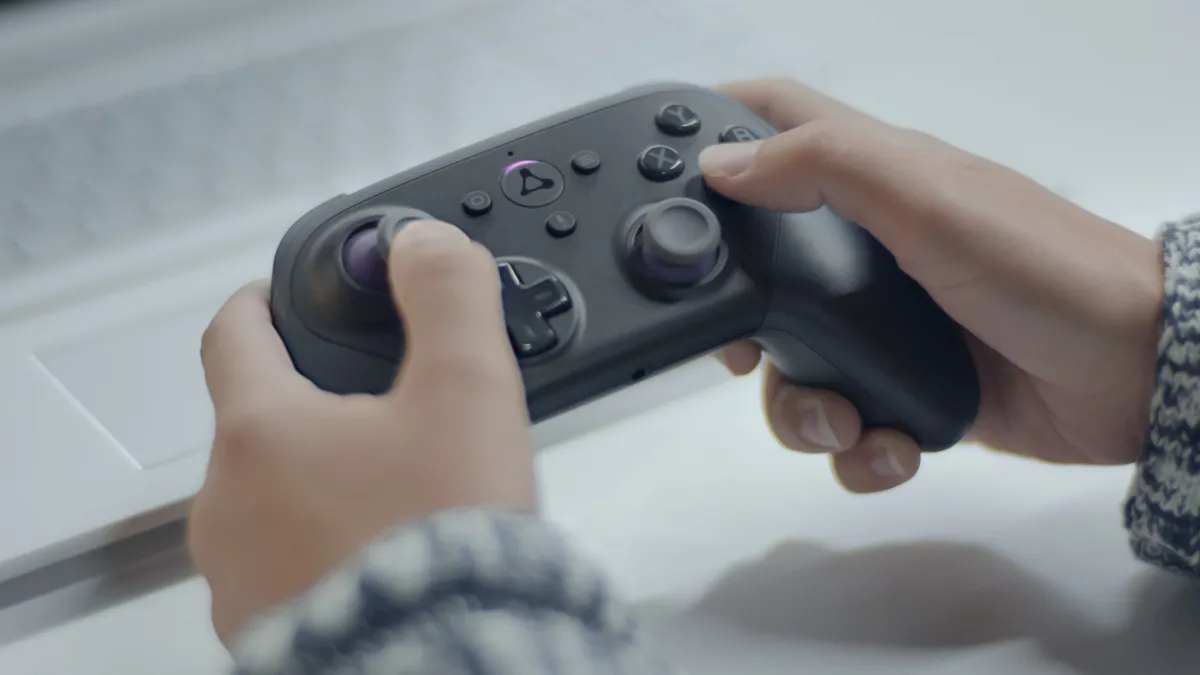
Fingers tap a controller

(Image credit: Amazon)

Read any good advice on keeping video games healthy in the family and you will soon be advised to play games together. Anchoring games as part of family life with regular gaming nights on games like Overcooked 2, Mario Kart 8, and Moving Out is a lot of fun.

However, this means you need extra controllers. Most consoles will come with a single gamepad. Although, it’s worth noting the Switch offers two players out of the box because you can play with one Joy-Con half each. Either way, you will want to get extra controllers to be able to play with more.

It’s worth factoring this into your buying decision, as buying even just three more official controllers can almost double the price. A more affordable option is third party controllers. And, again, any of the Switch's split screen games can be enjoyed by up to four players using only two sets of Joy-Cons.

Sign up to the GamesRadar+ Newsletter

Weekly digests, tales from the communities you love, and more

By submitting your information you agree to the Terms & Conditions and Privacy Policy and are aged 16 or over.

Get it out and plug it in

Xbox Series S

(Image credit: Future)

Before you wrap up your console, get it out the box and plug it in. Take care with the packaging so you can pack it back together as though it were good as new once you're done. Once connected to the TV and powered on, you’ll be prompted to go through the set-up process. 

Although it’s tempting to leave this for when the kids are around, doing this ahead of time ensures you can set things up correctly without rushing. It usually doesn't take more than an hour or so. You can follow guides like those available on the AskAboutGames site for parents, but the basic process is the same regardless of which console you are configuring. 

Connecting to your WiFi as part of this set-up will enable the console to download any updates it needs (and it will need a few). Let these download and install fully. On Christmas day the servers get really busy with everyone doing this and can slow to a crawl. Plug-in and turn on each of the controllers while you're waiting, as these will also need updates as well.

You may like
  • PS5 DualSense controller and PS5 Astro Bot Limited Edition DualSense controller on a wooden table Best PlayStation gifts, according to a fan who's been playing on Sony's console since the start
  • Image of the white version of the Razer BlackShark V2 Pro headset and a PS5 DualSense controller. The top 5 things you should know before buying a PS5 gaming headset
  • Close up of Virtual Boy headset with Wario Land gameplay in backdrop. How to set up the Virtual Boy for Switch 2 and relive the cursed retro console in seconds

Set up a user account just for you

PS5

(Image credit: Sony)

Although it’s tempting to just set-up one user on the console for everyone to use, doing this causes problems later and stops you setting age limits and playtime defaults for different players. 

Set-up an account for you to use as the parent or carer. This should use an email address that you regularly check and be password protected. You can add payment information to just this account and then specify that a password or pin number is required for purchases. There’s a detailed guide that takes you through this process for Xbox Series X|S and PlayStation 5 if you need more help. 

Once you have done this, it’s important to set-up a PIN to access the console with your account. This is usually a series of button presses on the gamepad that only you know. This not only ensures that only you can access your account, but that children can’t adjust any of the parental settings on their accounts.

Don’t forget guest users
Roblox

(Image credit: Roblox Corporation)

After setting up your user, it’s essential that you specify default limits for guest accounts. This ensures that any children will need to use their account to access the console rather than jumping in as a guest and having free reign.

You should also check that you have specified limits for the creation of new accounts. This can be to restrict who can create them as well as setting default limits for any new accounts created.

Set up a user account for each child
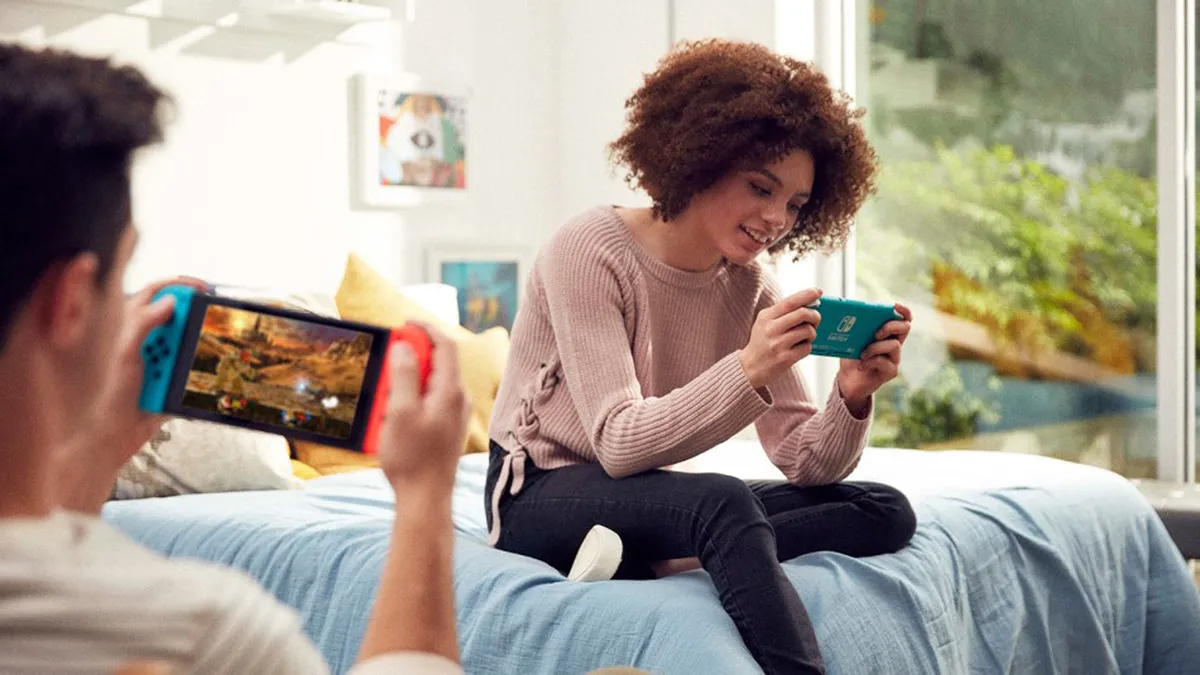
Black Friday gaming deals

(Image credit: Nintendo)

Once you have set up the parent account you can then do the same with accounts for each child who will be using the console. Again, although it’s tempting to set-up a single account for all children, this not only limits your ability to customise restrictions but causes problems when they are older and want to migrate to an adult account, not to mention keep their saves, progress ,and purchases.

For each child, you can use the Parental Controls and Family Settings to specify the maximum PEGI age rating they can play games on without asking you for the password. You can also set time limits that vary on weekdays and weekends. On some systems, like Xbox, you can also limit access to a specific game. So, perhaps your child can play an hour of Fortnite before having to go and play something else.

Finally, set-up the allowed interactions for your child’s account. This specifies who they can friend and talk to as well as what sorts of media can be exchanged: text, voice, images or videos.

Download and install games

PS5 Download History

(Image credit: Sony)

In addition to downloading and installing updates for the main console, it’s also worth checking you have all the new games installed and updated as well. If you have digital codes for game purchases that came with the console then enter these to start the download. If you have disc games, it’s good to put these in as well. They will often have to be installed in addition to any related updates.

If you don’t do these you won’t be able to play online when you unwrap the console on Christmas day as you need the latest version of the game to be able to access these interactive features.

Get the console app

Xbox Family App

(Image credit: Xbox)

You can get weekly reports on what games your child is enjoying via email, or the console's respective mobile application. In addition to the Parental Control apps that some consoles offer, it’s also worth downloading and logging into the main console app. 

These apps will provide notifications about friend requests, invites to play games, as well as other interactions your child may have with other players online. It’s important to talk to your child about this, and agree when and how you will check in on their activity. It can all sound a tad Big Brother, but children usually welcome the presence of a parent in their gaming world and are keen to talk about what they are getting up to and what new friends they are making.

Find games for your family

Overcooked 2

(Image credit: Ghost Town Games)

While children will be excited about the current popular games that everyone else is playing, there are literally thousands of games on every console covering a wide range of topics and with different ways of playing together.

You can search online to find games for the console your family uses. Ukie’s Family Video Game Database offers parents some useful starting points to find unusual games with Netflix-style lists on unusual topics, from non-violent games, and games for young children to games that build resilience.

Using resources like this to find games that you want your family (and children) to play is a great way to avoid the situation where kids are demanding to play older rated titles that you're unsure about. With this information, rather than just saying no, you can suggest alternatives.

Spend money without surprises
Fortnite

(Image credit: Epic Games)

As part of the set-up process you will have to set passwords on spending money via the child accounts. This is important to avoid any unexpected or unintended transactions. It’s also a good idea to set-up pocket money limits, so children have some regular currency to buy things in the games they play. Not only does this enable them to have fun getting new outfits or levels but also offers a teachable moment about the value of virtual currency. 

An alternative to setting up regular spending limits is to use credit you purchase separately. Game token codes provide a number to enter on the console that then grants credit a bit like a book token. At Christmas this can be a good way for other family members to contribute to the new present with game credit for children to spend.  

Box it up ready for the big day

Mario Kart

(Image credit: Nintendo)

Everything done? Time to put it all back in the box and wrap it up for Christmas day! Ensure you power off via the menu before pulling the cord out, and then use the packaging to wrap it up good as new. 

You’re now all set for the big day, not only safe in the knowledge that the console is all set-up for your family, but that they can get playing as soon as they open it… hopefully not at 6 o'clock in the morning, but I wouldn't bank on it. 

For more, check out the best open world games to escape into right now, or discover our top five games of the generation in the video below. 

CATEGORIES
Nintendo Switch Xbox One Xbox Series X PS5 PS4 Platforms Nintendo Xbox PlayStation
Andy Robertson
Read more
PS5 DualSense controller and PS5 Astro Bot Limited Edition DualSense controller on a wooden table
PS5 Best PlayStation gifts, according to a fan who's been playing on Sony's console since the start
 
 
Image of the white version of the Razer BlackShark V2 Pro headset and a PS5 DualSense controller.
Headsets & Headphones The top 5 things you should know before buying a PS5 gaming headset
 
 
Close up of Virtual Boy headset with Wario Land gameplay in backdrop.
Retro How to set up the Virtual Boy for Switch 2 and relive the cursed retro console in seconds
 
 
An Xbox One X box next to some console peripherals on top of a green background
Games The best Xbox One accessories
 
 
holding Switch Virtual Boy with Wario Land in backdrop.
Retro The Virtual Boy returns next week, but there are three things I need you know about the Switch Online remake
 
 
Photo of the end level amiibo display stand with wedding Mario and Peach sitting on top of it.
Nintendo Best Nintendo gifts, with recommendations from a fan of 30+ years
 
 
Latest in Games
Alabaster Dawn protagonist Juno lying in a white bed
Action RPGs I've been thinking about this RPG for 8 months, and it's finally on Steam with 96% positive reviews
 
 
Cropped Helldivers 2 art from the official 'Save Cyberstan' poster.
Third Person Shooters Helldivers 2 will receive "core" improvements by summer with "more reactive" Galactic War
 
 
Aloy in Horizon Zero Dawn Remastered
Open World Games Horizon Zero Dawn Remastered used PlayStation's AI animation tool, and Naughty Dog is following suit
 
 
The Regent from Slay the Spire 2
Roguelike Games I beat Slay the Spire 2 Ascension 10 with all classes, and I have one question for Mega Crit
 
 
Kliff seen in the Crimson Desert official launch trailer.
Open World Games Crimson Desert studio Pearl Abyss is "an indie publisher with a triple-A quality game," lead says
 
 
Sephiroth in Final Fantasy 7 Rebirth
Final Fantasy Final Fantasy 7 Remake had "no option other than a trilogy" due to the OG's "sheer volume" lead says
 
 
Latest in Features
A Paladin in heavy armor leans on a shining sword
Tabletop Gaming "Our players are going to be pretty psyched": Hasbro CEO talks D&D, video games, and playing to win
 
 
The official Summer Game Fest logo in shades of purples and blues, with a pink circle surrounding the event's title
Games Summer Game Fest schedule 2026: Dates, times, and where to watch the showcases
 
 
Fox McCloud's rival Falco sitting in the cockpit of an Arwing in a screenshot taken from Star Fox for the Nintendo Switch 2
Nintendo Switch 2 Star Fox 64 remains one of Nintendo's greatest action games, and its Switch 2 remake will prove it to a new generation
 
 
Adeline Rudolph as Kitana in Mortal Kombat 2
Action Movies Mortal Kombat 2 ending explained: who fights, who dies and every fatality
 
 
Big Screen Spotlight: Highlander rerelease in 4K
Fantasy Movies I watched Highlander 40 years after its release and I completely get why Henry Cavill is rebooting it
 
 
Bond peeks around a corner at a guard in 007 First Light
Action Games 007 First Light's License to Kill system adds nuance to its escalating action as "Bond won't shoot an unarmed man"
 
 
LATEST ARTICLES
  1. Aloy in Horizon Zero Dawn Remastered
    1
    Horizon Zero Dawn Remastered used PlayStation's new AI animation tool, and Naughty Dog and San Diego Studio are both following suit
  2. 2
    Helldivers 2 will receive "core" improvements by summer as Arrowhead works on making the Galactic War "more reactive" with multi-week campaigns and better rewards
  3. 3
    I beat Slay the Spire 2 Ascension 10 with all classes, and I have one question for Mega Crit after the new patch
  4. 4
    Crimson Desert studio Pearl Abyss is really "an indie publisher with a triple-A quality game," marketing lead says, and isn't "restricted" like AAAs
  5. 5
    Another PS5 price hike isn't the "plan," says Sony CEO, but I'm not getting my hopes up

GamesRadar+ is part of Future US Inc, an international media group and leading digital publisher. Visit our corporate site.

Add as a preferred source on Google Add as a preferred source on Google
  • Terms and conditions
  • Contact Future's experts
  • Privacy policy
  • Cookies policy
  • Accessibility statement
  • Careers
  • About us
  • Advertise with us
  • Review guidelines
  • Write for us

© Future US, Inc. Full 7th Floor, 130 West 42nd Street, New York, NY 10036.

Please login or signup to comment

Please wait...