





Xbox Series X-compatible discs extend all the way from original Xbox games to Ultra HD Blu-rays, so your physical media collections should mostly be compatible with your console. When it comes to games, you won't have to worry about re-buying older titles or updated favorites for your Xbox Series X as they should just work by inserting the discs into the console itself, assuming they've specifically been made backwards compatible that is. It's can be a bit confusing, so if you want to know which disc types are compatible with the Xbox Series X, I've explained the essential details below.
Note that the Xbox Series S is a digital-only console with no disc drive. You cannot insert discs into the console and it is not compatible with external disc drives either.
What discs work in an Xbox Series X?

With the Xbox Series X, you can use game discs for Xbox One, Xbox 360, and the original Xbox – all Xbox One titles (apart from Kinect games) should be compatible, along with any Xbox 360 and original Xbox games that have been specifically made to be backwards compatible. Insert the game disc then follow any on-screen prompts to install data or download updates, and once that's done you're good to go. You check here for more information on how to install Xbox Series X games, especially digital games.
For entertainment, you may be wondering does Xbox Series X play Blu-ray movies? Well yes, the Xbox Series X can use Ultra HD Blu-ray discs, Blu-ray discs, and DVDs to watch your favorite movies, TV shows, and more. To get started, head to the Store app on your Xbox Series X and download the Blu-ray Player app, then once that's installed simply pop in your disc and start viewing.
And speaking of compatibility, you may also want to make sure you're aware of what Xbox Series X controller and accessory compatibility is like.
How to insert discs in an Xbox Series X
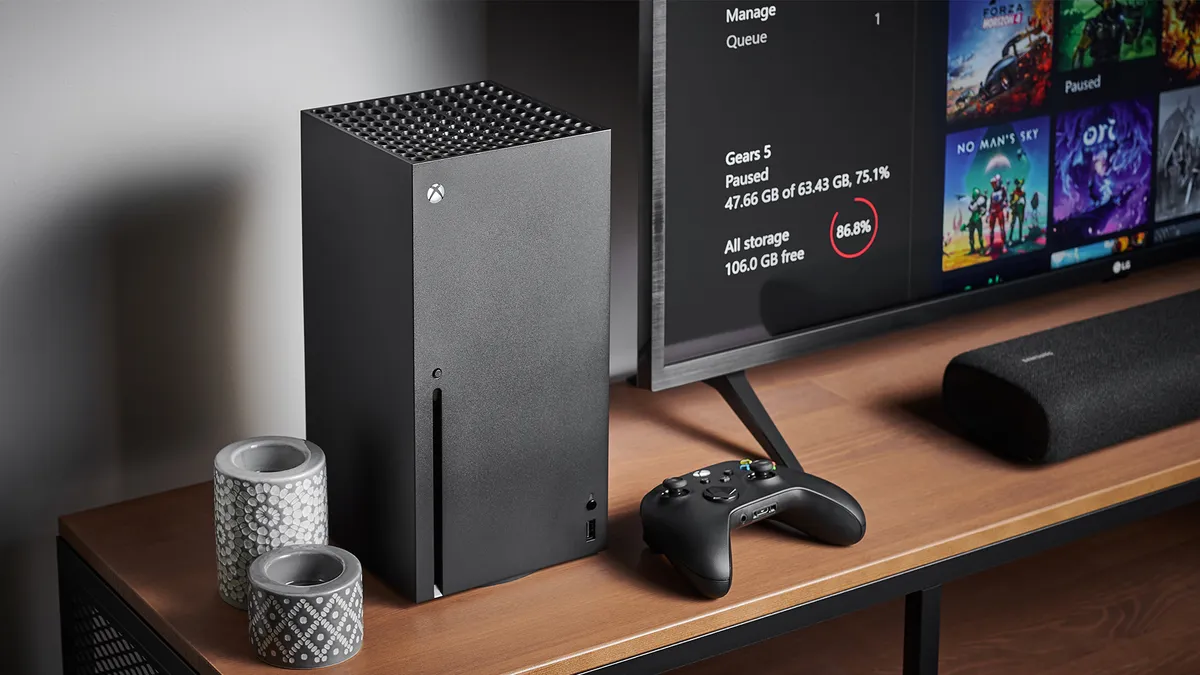
If you have your Xbox Series X standing vertically, then insert your discs with the top artwork facing the left-hand edge of the console. If your Xbox Series X console is placed horizontally with the power button located in the top right corner, then insert your discs in the standard direction with the artwork side facing upwards. And when you're done with them, here's how to eject an Xbox Series X disc as well.
© GamesRadar+. Not to be reproduced without permission.

