


Have you ever tried to fit a Nintendo GameCube in your pocket? I weirdly have, and the fact that there's now a DIY version of the retro console that's smaller than the system's tiny disks makes me think others have too.
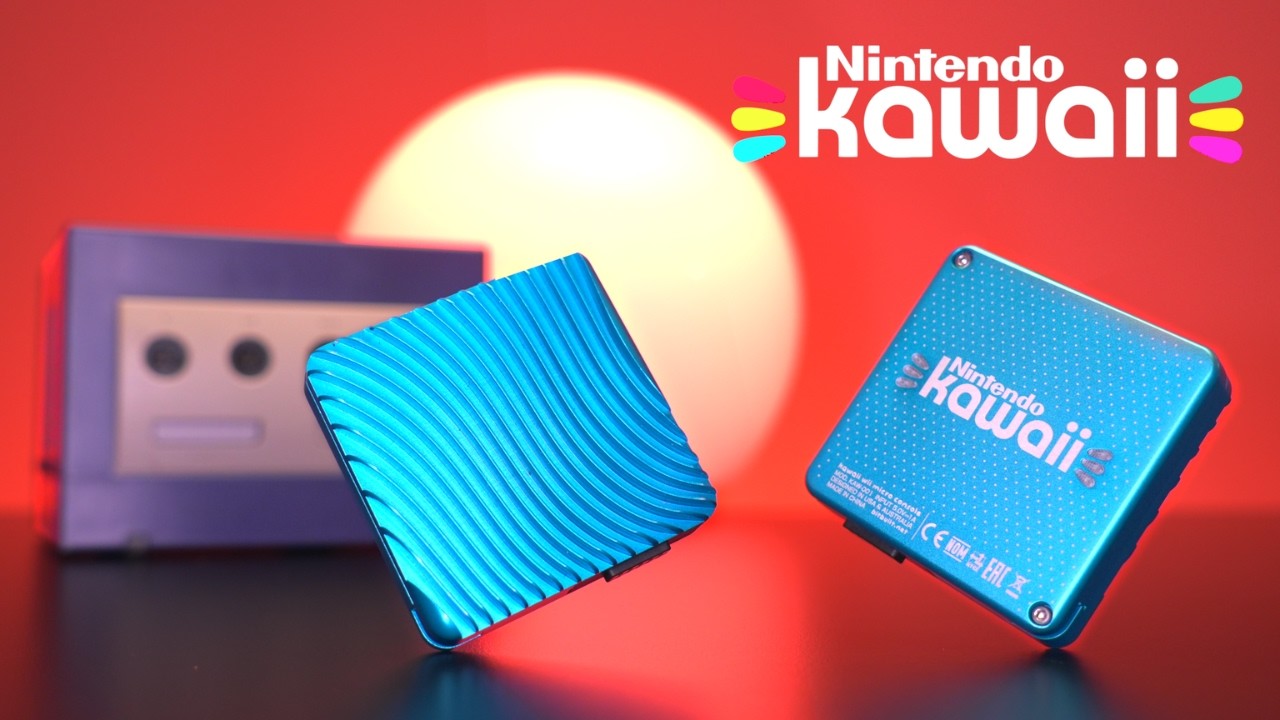
I'll explain my weird 11-year-old mindset in a moment, but first, let me introduce you to the Nintendo Kawaii. In a new Macho Nacho Productions video, retro enthusiast Tito covers the ins and outs of what is a miniaturized Wii designed to run GameCube games on something that's only 3.34 inches from corner to corner. That's practically around half the size of the average smartphone, not to mention it's just over half an inch thick.
Enthusiasts have been dreaming small when it comes to Wii hardware for a while, but modders YveltalGriffin and WeskMods take things a step further with the Kawaii. The keychain GameCube console uses what's known as an "Omega trim" to reduce the Wii motherboard down to its essential chips. We're talking about retaining only enough PCB to keep the custom IBM PowerPC CPU and an ATI graphics chip working, which means other features have to be relocated.
Thankfully, Yveltal has cooked up another mod dubbed the "AVE Flex" that moves the video output chip so it can be sandwiched under the reduced motherboard. A similar approach is used to relocate the NAND memory chip to the underside of the board, while a custom overlay board called "Thunder Volt" reduces voltages to aid thermals while providing an alternative power solution to the original external brick.
Naturally, reducing a Wii to a 2.36-inch square means moving things like the GameCube controller ports. To keep things comically compacted, the Kawaii uses an additional tiny dock with ports on the front and 3.5mm breakout connectors for composite and component video and USB-C for power. Yes, that means you'll need to figure out how to connect the retro console to your modern TV or monitor, but the lack of HDMI is completely understandable given the setup's size.
I know some of you will think an additional dock is cheating, but the Kawaii is still mind-blowingly compact, given it's running GameCube games via RVLoader. It stores the games on an internal microSD card, which is slightly awkward to get to, but that's hardly a biggie considering you can put your entire library on the small brick with passive cooling.


On that note, Tito does say that the Kawaii will turn off after 20 minutes to prevent overheating, but you can use a small fan to keep things cool. I suspect that will come down to the room temperatures you're playing in, too, so I suspect that my chilly house in Scotland will actually be a good thing this time around.
Keep in mind, this is more of an ambitious passion project rather than something everyone will be doing. Trimming the Wii motherboard down this much makes adding HDMI to the N64 look like child's play, so you'll need some serious DIY skills to put together a Kawaii from scratch. Some of the cons, like the passive cooling only working for around 20 minutes and the hard-to-reach internal microSD card slot, might also put you off trying the mini GameCube yet, but otherwise, this almost looks like a finished product.
If you do fancy having a crack at the Kawaii project, all the additional parts are available at Yvetal's online store. The blue metal shell featured in the Macho Nacho Productions video is by Ding, so you check that out over at the project's Bitbuild page if you're in love with the laser etching and Anodized design.

This project might feel impractical, but it really speaks to me as someone who used to fully use the GameCube's handle for transport. As previously mentioned, I once tried to shove the console into my oversized jacket pocket to shield it from snow while walking to a friend's house to play Smash Bros, and the fact the Kawaii packs what was once a full backpack's worth of gear into something coaster-sized makes me feel a certain way.
Looking for ways to play GameCube games on the go? Swing by the best retro handhelds for emulation devices and more.

