GamesRadar+ Verdict
The Intellivision Sprint is an excellent remake of Atari's original console war rival, and it pays homage to the 1979 system via its authentic design and built-in games. Unlike its 2600+ and 7800+ siblings, though, this remake trades physical cartridge support for 45 pre-loaded classics and USB ROM support, ultimately resulting in a plug-and-play system that sticks to a modern status quo.
Pros
- +
Extremely authentic woodgrain design
- +
Wireless gamepads that feel like the originals
- +
Two sets of original button overlays
- +
45 built-in games
- +
USB ROM support
- +
Clean 720p HDMI output
Cons
- -
No physical cartridge support
- -
No easy remapping for compatible USB gamepads
- -
Lack of visual settings like scanlines
Why you can trust GamesRadar+ Our experts review games, movies and tech over countless hours, so you can choose the best for you. Find out more about our reviews policy.
I’m going to level with you - I can’t quite believe the Intellivision Sprint exists. It’s not that I don’t think Atari’s original nemesis deserves a comeback, or that there isn’t a fanbase out there looking for an easy way to play what they’d deem the best retro console of the last 1970s. I’m just surprised the brand itself managed to survive the whole Amico fiasco, but the original system is indeed back with modern bells and whistles.
Ironically, you’ve got Atari to thank for the Intellivision Sprint, as the company acquired its old rival’s branding back in 2024. Before that, the once household name was tied to a modern system dubbed the Intellivision Amico, a console that was planning to take cues from the Nintendo Wii with game music composer Tommy Tallarico at the helm. Long story short, the designer ended up leaving the company in 2021, and after numerous delays, cancelled pre-orders, and no shortage of controversy, the company eventually shifted its focus to a mobile app.
Rather than buying the entire modern Intellivision incarnation, Atari SA left the Amico branding behind. Simply put, the brand is now primarily tied to the $149.99 / £129.99 Sprint, which just so happens to be a slightly smaller version of the original with HDMI output, 45 built-in games, and wireless versions of the OG system’s cursed TV remote-inspired controllers. You guessed it, this is yet another plug-and-play remake in the same vein as the Atari 2600+, albeit one that trades physical cartridge support for some, arguably more appropriate, fan-service perks.
What’s in the box?

As far as plug-and-play console packages go, the Intellivision Sprint is pretty comprehensive. You could say it packs more into its box than the Atari 2600+ just by including two wireless “disk” controllers, as its woodgrain rival only comes with one wired joystick by default. However, including two pads is mandatory in this case since it’s an inherent part of the original design.
Price: $149.99 / £129.99
CPU: Rockchip 3128
Resolution: 1280 x 720
Controllers: Wireless Intellivision gamepads (x2)
Ports: HDMI, USB-A (x3), USB-C controller connectors (x2)
Dimensions: 43 x 277 x 107 mm
Weight: 164g
What I wasn’t really expecting was for the Intellivision Sprint to include a brand new pack of overlays for its numerical keypad controller. Originally, you’d get one with every game that’d fill you in on which of the nine buttons you should be mashing, but this new system comes with 45 (one for every built-in classic). I wholeheartedly believe that these floppy bits of plastic are what make this retro remake feel extra special, and spotting them in the box absolutely set the tone for my overall experience with the plug-and-play console.
As is fully expected, you’re also getting a USB and HDMI cable in the Intellivision Sprint box. I currently keep kicking a box of spare wires with my feet that I recently recovered from every corner of my office, so it’s safe to say I personally don’t find the extra wires useful. However, I’m glad they’re still included with devices like this as standard, as while some of you will potentially keep the Sprint under your TV, many of you will likely keep it in its packaging, ready to be whipped out whenever someone has a hankering for janky old ‘70s games, and keeping dedicated connections in the box just makes sense.
Design

I hope you like big woodgrain boxes with delightfully tacky ‘70s gold accents, as that’s exactly what you’re getting with the Intellivision Sprint. Just like its Atari siblings, the remake is effectively a slightly smaller version of the console from over 40 years ago, but not quite tiny enough to be lumped in with the mini plug-and-play systems that were all the rage in the late 2010s.
The hallmark of a great retro console remake, in my eyes, is almost mistaking it for the real deal at a glance. Having acquired an Intellivision nearly 20 years ago that had been abandoned at my local dump (landfill for you lovely US folks), I’ve got a perhaps rare chance to compare the two side by side. And, the battle scars acquired by my original’s many years being shoved into cupboards and trash bags aside, there are very few identifying features that oust the new version as a remake aside from its size.
Of course, once you get up close and nerdy with the Sprint, the real game of “spot the difference” begins. One of the very first changes is right in plain sight, as the original’s Mattel branding has understandably been removed from the left-hand corner. Adding an Atari logo instead would have probably re-ignited the 1979 console wars, so you’ll have to make peace with just Intellivision in its original font, but I am sad that the “Intelligent Television” tagline has also been dropped since I love the implication that the console will make your fancy OLED TV smarter.

Almost every other physical element on top is the same as the original Intellivision. The reset and sliding power switch still live on the right side, and the front and back woodgrain panels are still out to steal hearts. The real penny drop moment happens when you count the faux middle air vents, as the middle of the console is now narrower to accommodate the full-size wireless controllers that still slide into the console’s shell.
It’s a long-forgotten design element, but hard-wiring gamepads to consoles was the norm in the early days of console gaming. Even the original Nintendo Famicom tethered its controllers to the system itself while providing a little shelf for them to sit on, so it’s easy to see why Intellivision opted to do the same. The Sprint honors this method of keeping things tidy by switching out the coiled house phone-style cords for USB-C docking connectors that ensure you’ll still use the console’s pads just like back in the ‘70s.
Enforcing the idea of docking the controllers through charging is pretty clever, even if it’s actually something originally pitched by the Amico. That said, Atari has opted for USB-C rather than contact pins, which in turn means you can technically use a wire to charge and play at the same time. Unlike the original pads, the Sprint’s controllers also slide into grooves so they align properly with the connectors, whereas the original design involves wrangling the coiled cable into a trench, then somewhat jamming things into place.
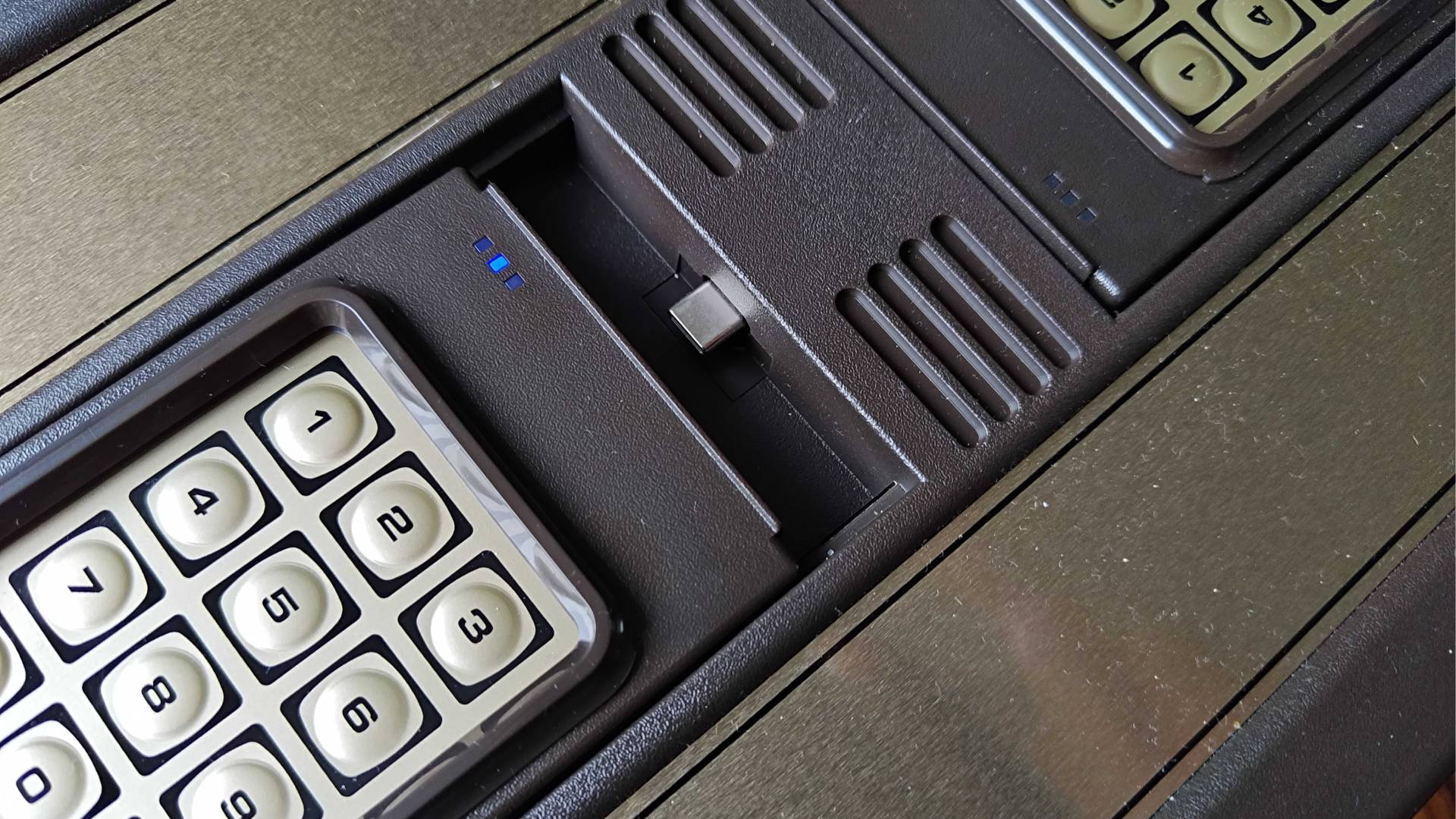
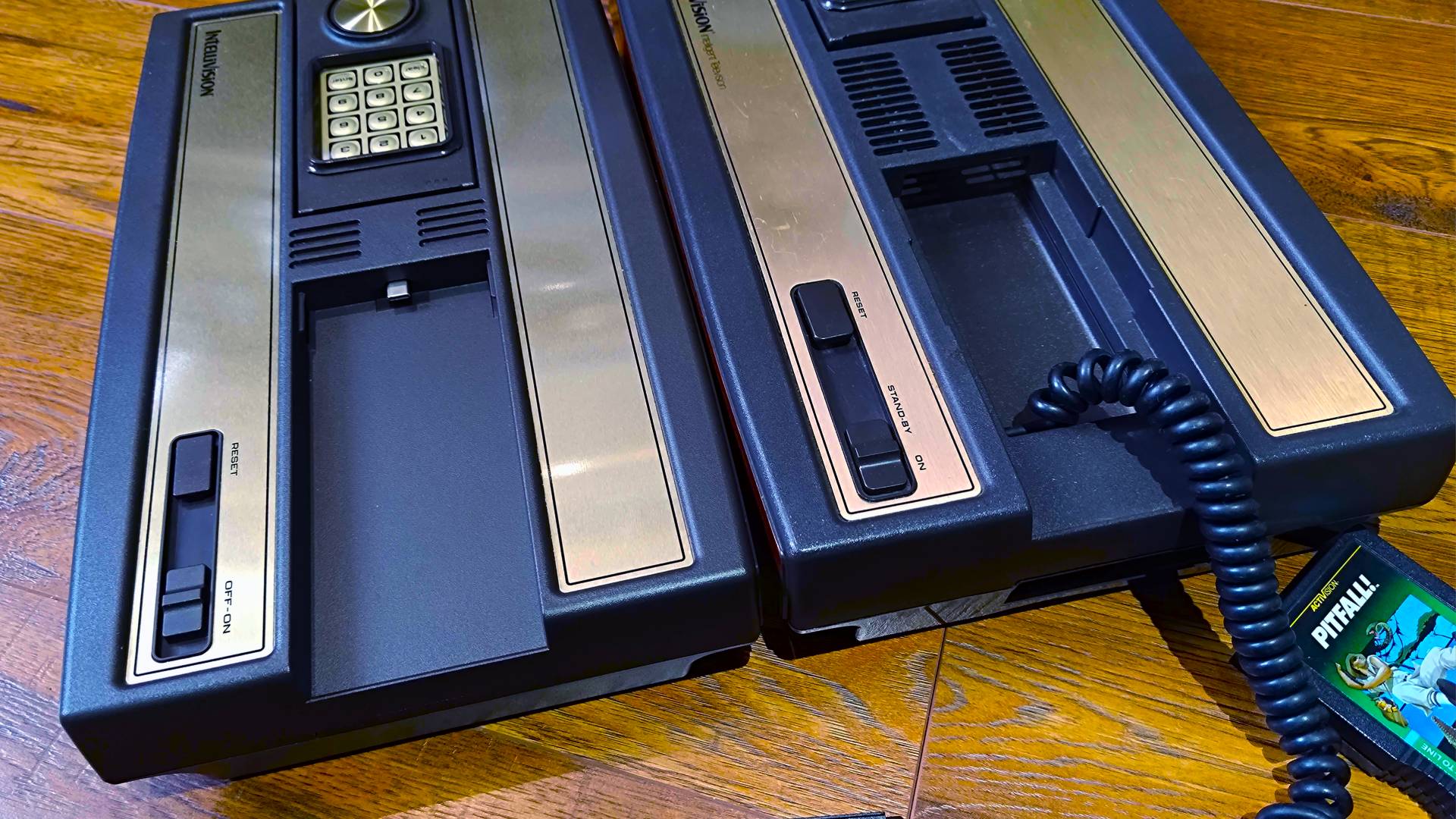
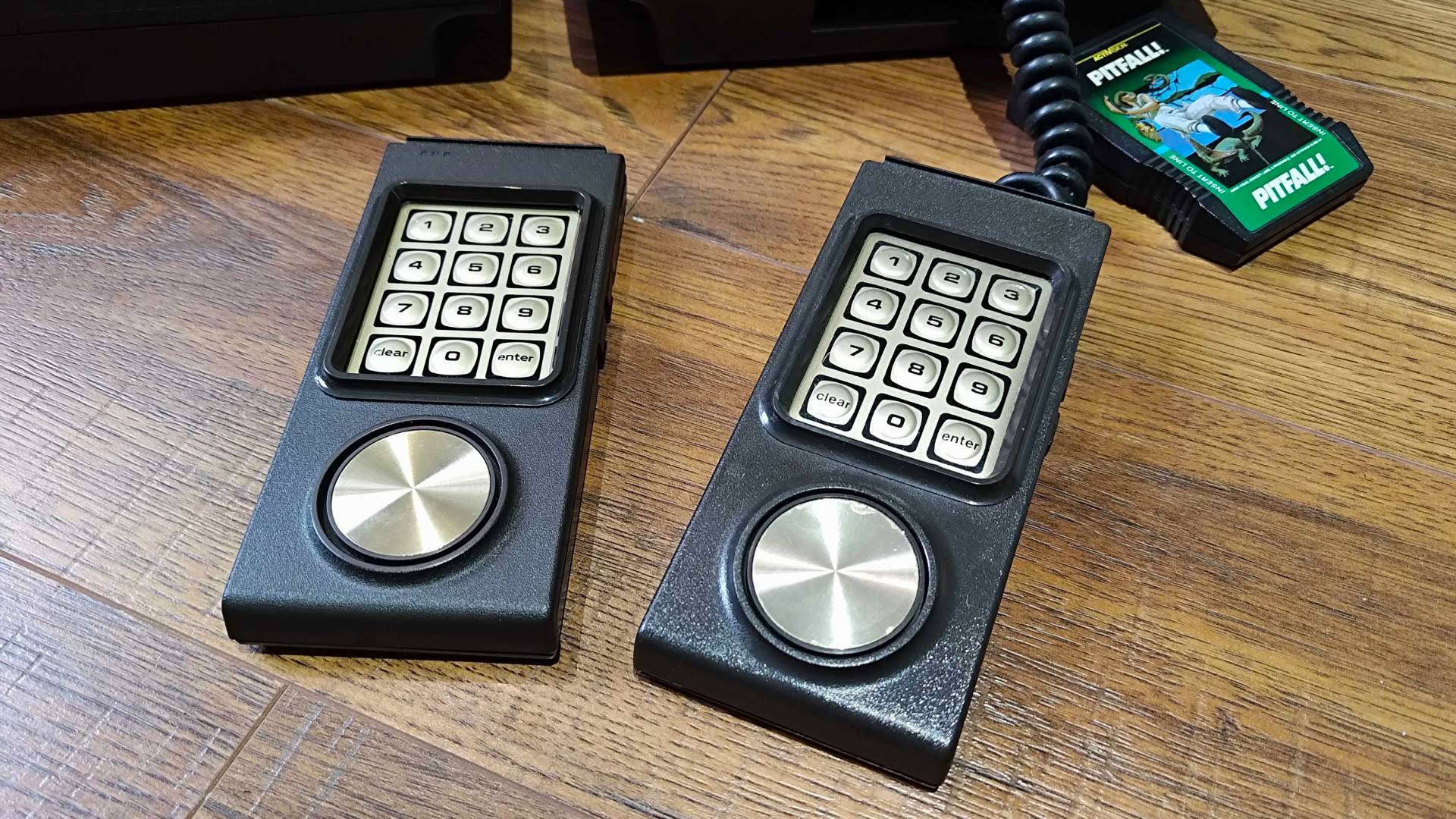
The controllers themselves are just as cursed as before, retaining the vertical layout, weird membrane keypad buttons, and mushy d-pad that made the original feel so janky. It’s going to bring back potentially fond memories for anyone who used this pad to play games back then, and for what it’s worth, Atari has nailed the feel, but unless you’re looking for historical accuracy, you’ll want to take advantage of the console’s USB controller compatibility.
On that note, you’ll find three USB-A ports around the back, accompanied by HDMI, two sync toggles for the wireless controllers, and USB-C for power. What is sadly missing from the side is the original cartridge slot, since this console relies solely on built-in games. The physical preservationist in me hates this decision, and I’ve never understood why we can’t have a cart slot and built-in games. At the same time, though, I only own two myself, so Atari probably figured that most players picking up a Sprint haven’t got existing collections.
Circling back to the console itself, I want to commend Atari for its choice of actual materials for the Sprint. The textured plastics and metallic sticker decals all feel pretty much like the original, and I’d actually argue the woodgrain panneling feels slightly more durable compared to the ‘70s system. It’s a lot lighter, which is something that can usually be attributed to the excessive use of shielding in old consoles with RF output, but the modern elements do enough to add a sense of heft.
Features
Consoles like the Intellivision Sprint have a simple mission: provide quick and easy access to a bunch of games in HD. That’s exactly what Atari’s latest remake offers out of the box, and since it’s a plug-and-play with 45 classics ready to be beamed to your TV over HDMI, you’ll be playing old capers in seconds.

Initially released in 1979 in the US before launching worldwide in 1980, Mattel's original Intellivision was one of the first home consoles to challenge the Atari. While it wears a similar woodgrain-clad shell, it was marketed as an "intelligent television" device that had a more complicated keypad controller and advanced add-ons like the Intellivoice that add vocal synthesis to its already more advanced sound capabilities. Its also widely accepted that it had a better library of sports games, but it never quite managed to topple the iconic 2600.
Keep in mind that the Intellivision arrived back when tuning consoles into a CRT was the norm, so HDMI output is arguably the Sprint’s biggest feature. Yes, if you’re an eejit like me, you’ll have ways of playing those crusty 30-year-old systems, but you’ll struggle to find a solution that proves clean 720p output that doesn’t rely on console mods or just using another emulation device.
I should highlight that the Sprint is an emulation system. Despite its extremely accurate appearance, you’re not getting something with original innards or even a fancy FPGA chip that mimics the original hardware. The box relies on the very same Rockchip 3128 system-on-a-chip as numerous other plug-and-play consoles, including the Hyperkin Retron GX, and the difference and functionality ultimately comes down to the specific JzIntv Intellivision emulator being used.

JzIntv is regarded as a pretty reliable Intellivision emulator, but you won’t be left to deal with any settings or optimization. Atari has dialled everything in for you with the Sprint while including its own interface for browsing games and enabling options. I say options, but the settings menu really boils down to just 16:9 or 4:3 aspect ratio options and language, so you’ll have to make do without fancy effects like scanlines, or add your own using an HDMI scanline generator if you’re feeling fancy.
Yes, the lack of visual settings is a bummer, but the beautiful presentation of the main library almost makes up for it. On the home screen, you can flick through box art, see a snippet of the gameplay on the top right, and a synopsis on the left, which makes for an immersive virtual shelf experience. The firmware seems to be, at least visually, identical to the Atari 400 Mini, albeit with a blue Intellivision backdrop and numbers button labels for functions.
Accompanying the 720p capabilities and slick library UI are the aforementioned set of wireless controllers. The preservationist in me really loves that Atari has brought back the original gamepads, as it gives fans new and old a chance to feel what early controls felt like back in 1979, albeit with no cord this time. The experience of actually using them, though, is pretty painful, and as you’d perhaps expect, trying to play games with an ancient calculator is less intuitive than using a set of Donkey Konga bongos to play Donkey Kong Bananza (I have the receipts).
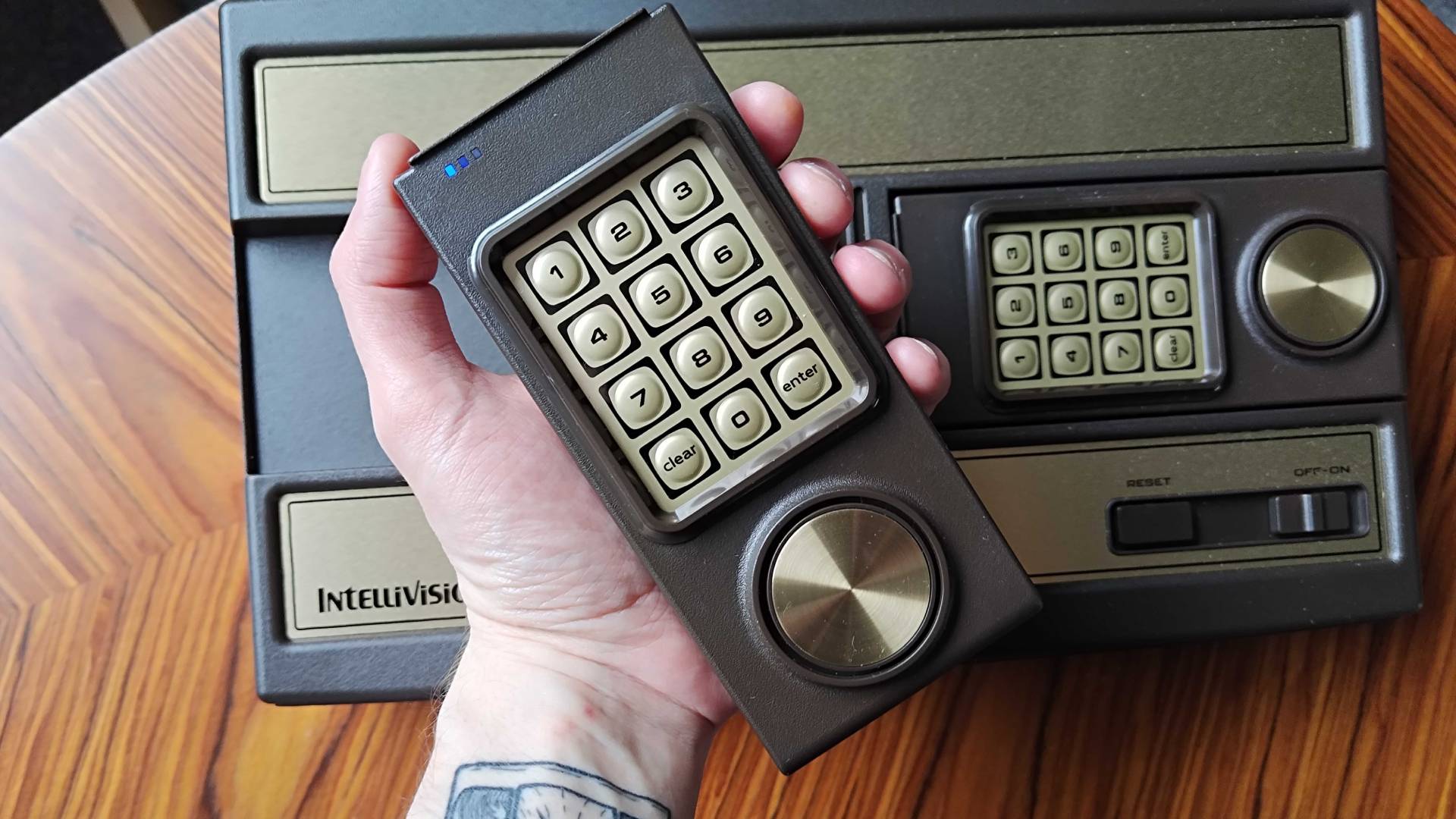
With that in mind, you could say it’s a blessing that the Intellivision Sprint comes with USB controller support. Let me throw a “technically” in there, as while the JzIntv emulator itself seems retain some gamepad compatibility when it comes to Xbox pads and even the 8Bitdo N64 controller, there’s no easy way to correctly map buttons to vital number keys. That means that while the Analogue 3D’s controller works well with the system, you can’t jump into games that require a numerical input at the start for the number of players or other options, which is a lot of them. Weirdly, keyboards will also work with this console, so those are an option too, should you be feeling experimental.
While I am dunking on Mattel’s cursed controller design, sticking with the exact approach provides Atari with an excellent preservation opportunity that it has fully embraced. I am, of course, referring to the button overlays I mentioned above, as the fact that you’re getting two sets for the 45 built-in games is pretty incredible. Side by side, they're not quite identical to the originals when it comes to fonts and color tones. Still, you’re getting a visual taste for what using instructional covers would have been like back in the day, while also gaining an in-box “feelie” without having to own/use a physical game.
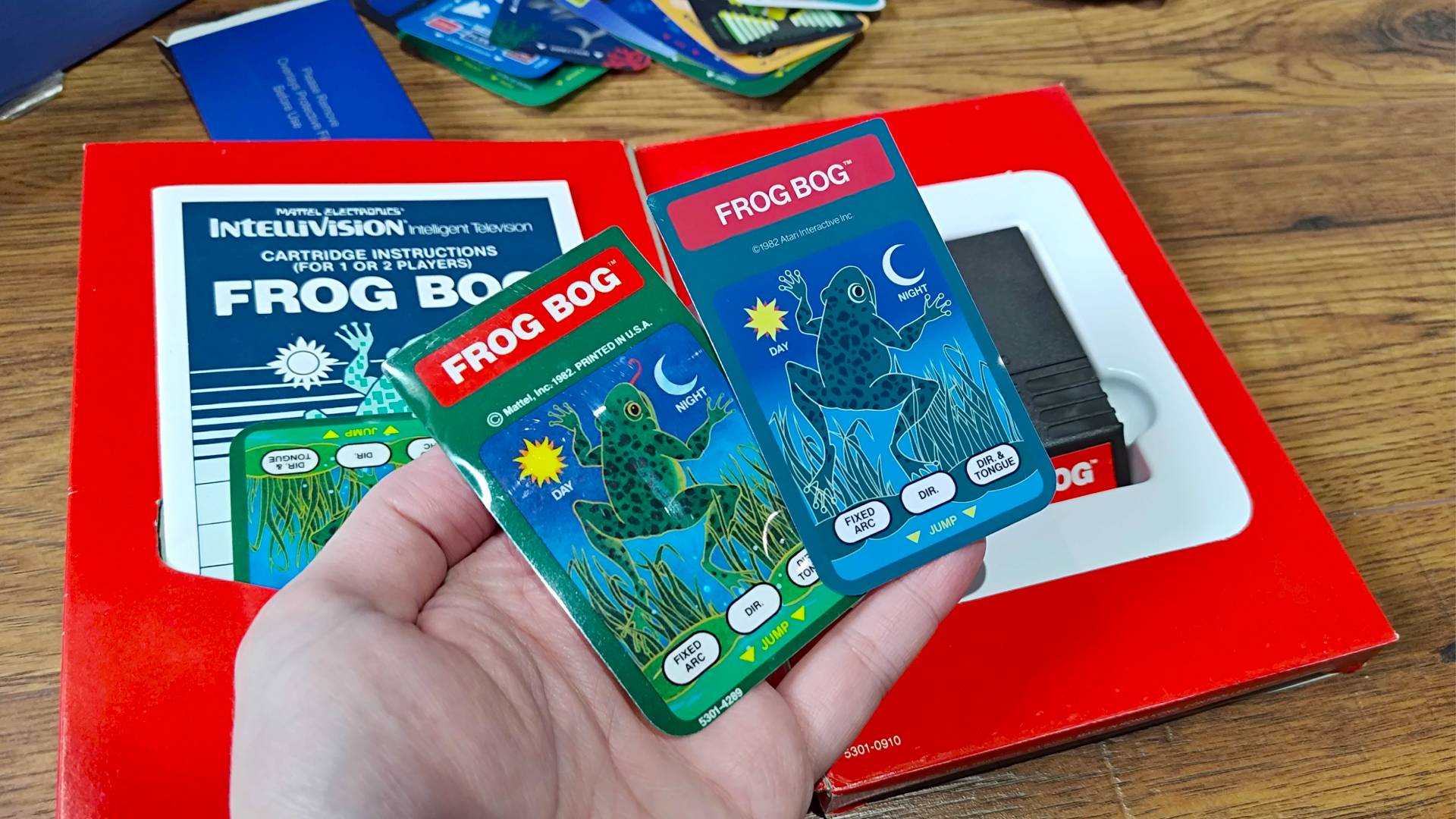
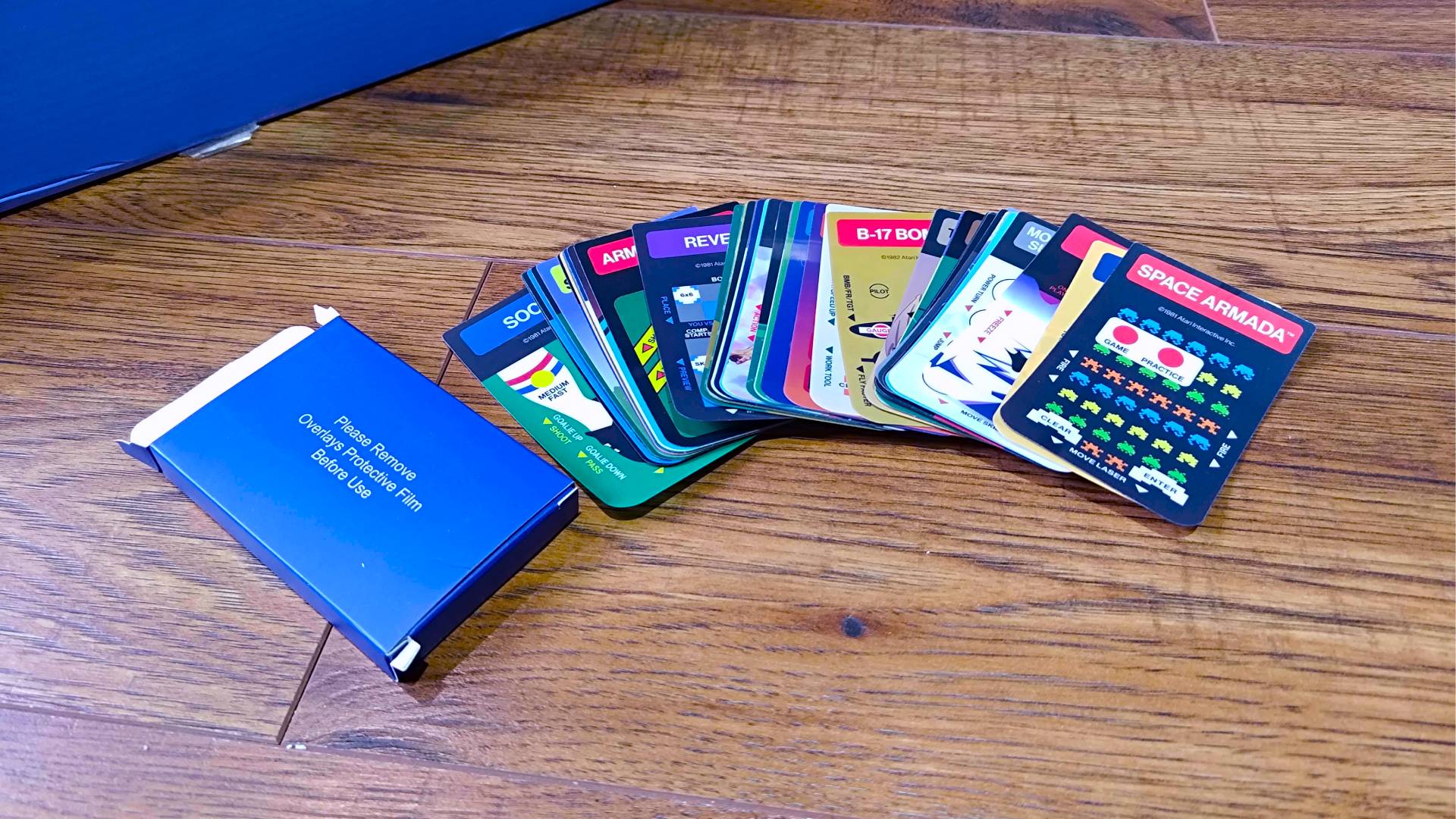
Zooming in more on those USB ports for the pads, you can also plug in a stick with your own backed-up games. Being able to play your own ROMs is always a standout feature, and it’s especially handy here since there are plenty of romps missing from the built-in list due to licensing and other shenanigans. The only real issue right now is that the firmware currently doesn’t combine USB and flash content together, meaning you’ll only have access to your stick’s ROMs while plugged in. It’s a minor inconvenience, but one I’ve no doubt will get either an official solution via updates or a fan workaround.
On that note, firmware updates are a thing with the Intellivision Sprint, meaning things can only theoretically get better over time in terms of software. There’s actually a day one patch that adds things like support for games with high-score tracking, QR codes for online user manuals, and “support for TutorVision”, which just so happens to be a bunch of educational games for an unreleased version of the home console.
Games
Before I dive into how the Sprint handles its 45 built-in games, I want to take a look at the collection you're getting by default. While you're getting a generous heap of capers that represent what the OG console had to offer back in the '80s, a whole bunch of licenced releases by the likes of Activision and Imagic are missing from the list, including staples like Pitfall.
- Armour Battle
- Astrosmash
- Auto Racing
- B-17 Bomber
- Baseball
- Body Slam: Super Pro Wrestling
- Bomb Squad
- Boulder Dash
- Bowling
- Buzz Bombers
- Chip Shot: Super Pro Golf
- Deep Pockets: Super Pro Pool & Billiards
- Frog Bog
- Golf
- Hover Force
- King of the Mountain
- Motocross
- Mountain Madness: Super Pro Skiing
- Night Stalker
- Pinball
- Reversi
- Sea Battle
- Shark! Shark!
- Slam Dunk: Super Pro Basketball
- Slap Shot: Super Pro Hockey
- Snafu
- Soccer
- Space Armada
- Space Battle
- Space Spartans
- Spiker!: Super Pro Volleyball
- Stadium Mud Buggies
- Star Strike
- Sub Hunt
- Super Pro Decathlon
- Super Pro Football
- Takeover
- Tennis
- Thin Ice
- Thunder Castle
- Tower of Doom
- Triple Action (Racing Cars / Biplanes / Battle Tanks)
- Triple Challenge (Chess / Checkers / Backgammon)
- Utopia
- Vectron
Still, you're getting plenty of excellent releases with the Sprint by default, with plenty of sports titles to back up the Intellivision's claim to the classic sports game throne. Some of my personal favorites include Boulder Dash, Night Stalker, and Frog Bog, but additions like B-17 Bomber play an important role here when it comes to demonstrating more obscure Intellivoice abilities (more on that to come.)
Performance

At this stage, even some toasters can probably run Intellivision games, so accurate emulation should be a casual stroll for the Sprint, right? Well, yes, but just like every other retro console remake I test, my goal is to see how it actually compares to the original hardware and whether there’s a reason to try and use the 1979 system over the new-fangled HDMI plug-and-play.
To accurately compare the OG Intellivision to the Sprint, I decided to hook up my original 30-year-old console to an “HDMI to RF” adapter. For the purposes of converting old consoles without RCA or scart video output, I’d normally use an old VHS player, but I figured that most of you are more likely to grab a converter box from Amazon if your TV can no longer handle analogue frequencies. Plus, this setup will let me ditch upscalers like the OSSC so as not to lend the 1979 system any modern perks, in turn providing a more realistic contrast between it and the new 720p machine.
Hey there! Just wanted to check in and say that the reason I've not got any nice photos of the OG Intellivision running games is because it has decided to stop working. Perhaps I pushed the old machine too hard during comparative testing, but the timing means I wasn't able to get pretty pictures in time for publication. I'll be repairing the system in the coming weeks, so I'll make sure to add some more side-by-side shots at a later date.
The immediate, and unsurprising, reaction to flicking the switch on the Intellivision Sprint is that the visuals are tremendously clean. The characteristically massive block graphics are bold and sharp, even at 720p on a 4K TV, and the digital signal is naturally missing interference, noise, and slightly muddier colors associated with the 70s system’s RF output. Is that latter caveat actually part of the original charm? Perhaps, but if you really dig those fuzzy old vibes, you’ll probably also want to use a CRT rather than a modern display.
Yes, the visuals are sharp, but the thing that actually caught me off guard was the sound. I’d forgotten that the Intellivision’s audio capabilities were more impressive than its Atari rival back in the day, and those booming bleeps and bloops are still impressive when replicated by the Sprint. It even adds in the effects provided by the old Intellivoice accessory that would add an eerie synthesised robotic voice to compatible games like B-17 Bomber, so you’ll even get the perks of what is now a very expensive add-on with this plug-and-play.
Typically speaking, these retro remakes feature minimal lag or latency, particularly compared to using cheap upscalers or adapters. Just to make sure, though, I compared one of my favorite games, Frog Bog, on the Sprint and the original hardware using both a CRT and that previously mentioned HDMI to RF tuner. I wasn’t able to sniff out a meaningful difference between all three, with my on-screen amphibian friend leaping accurately for tasty bugs with similar accuracy on all setups.
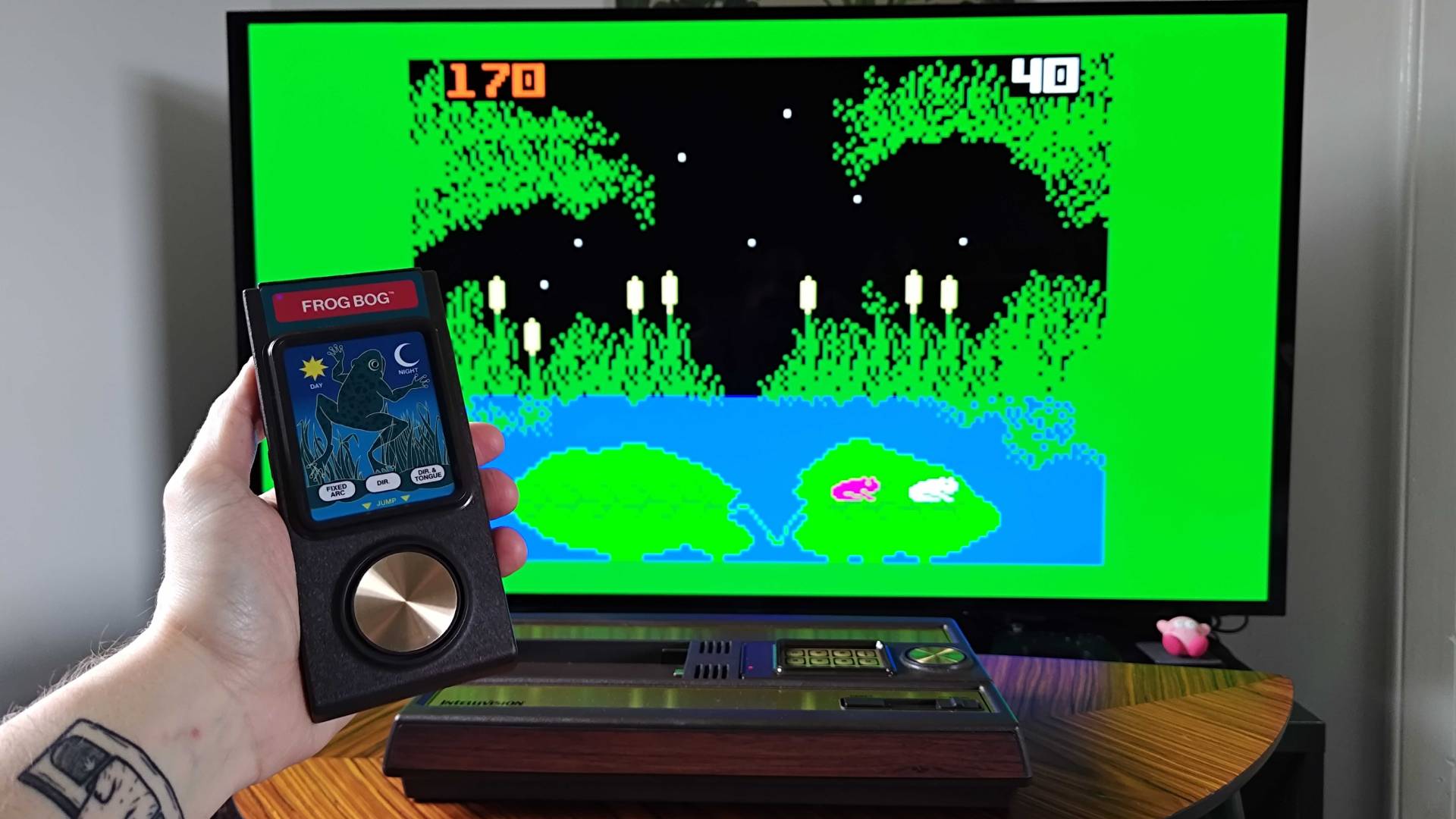
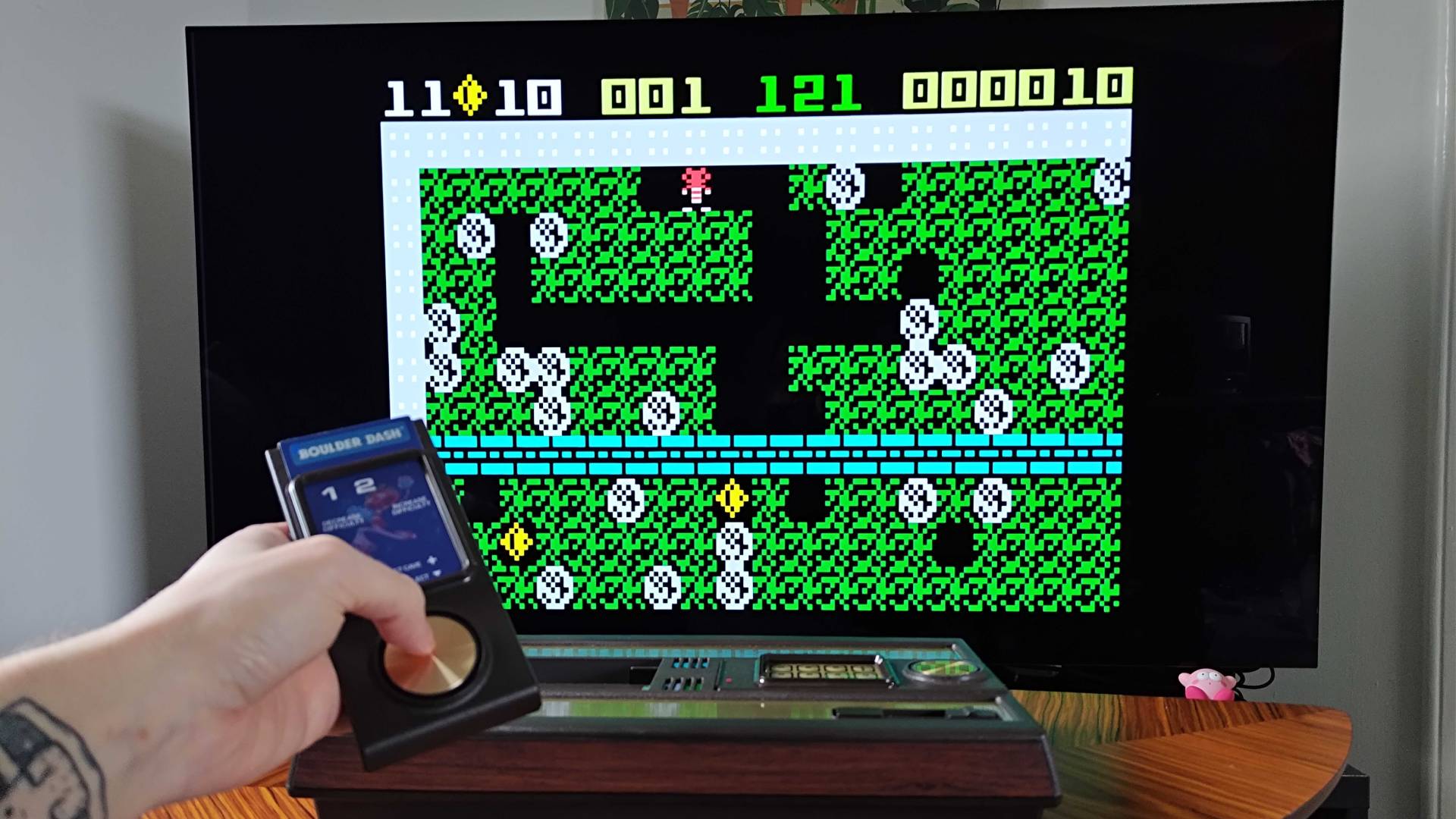
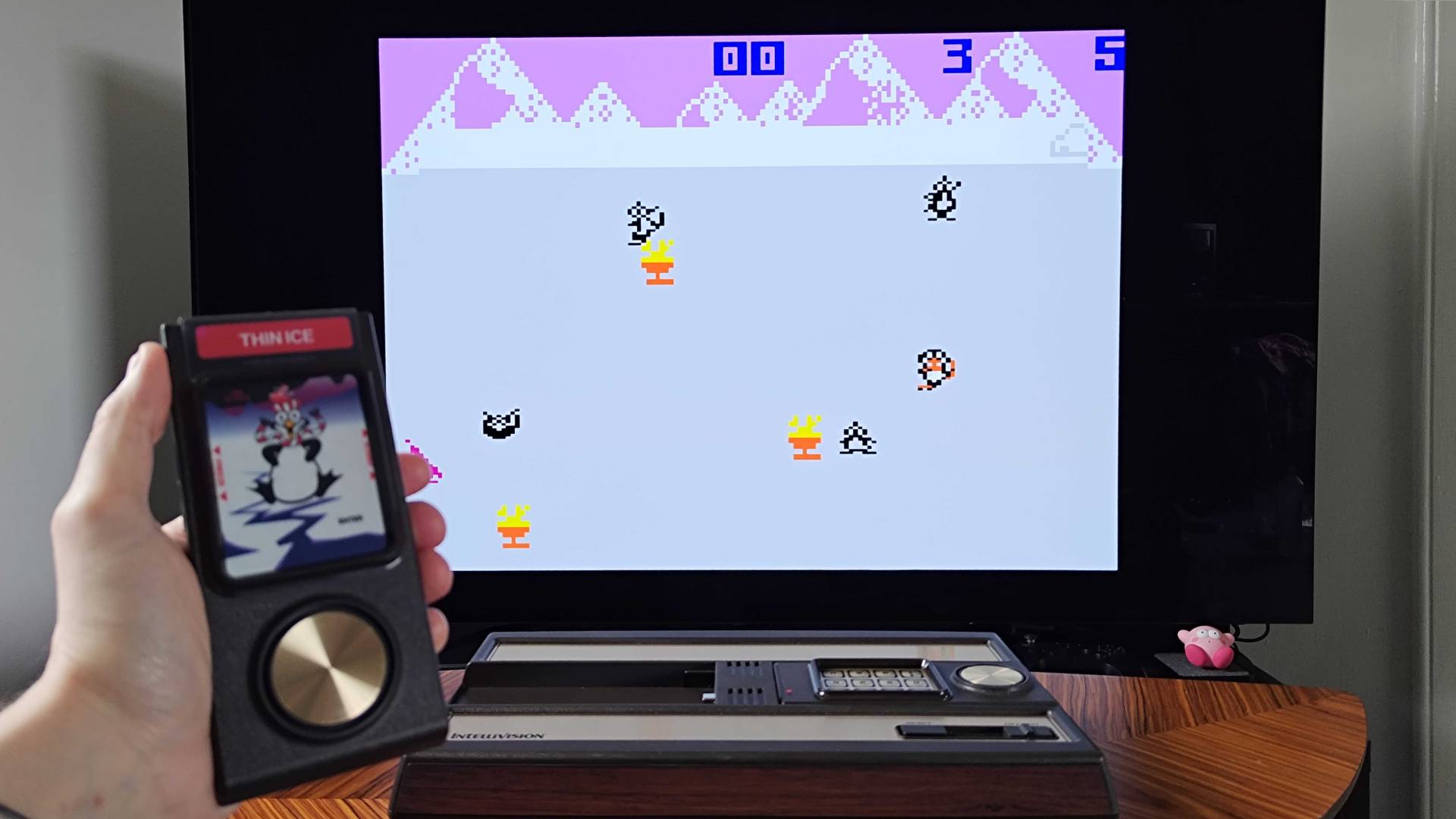
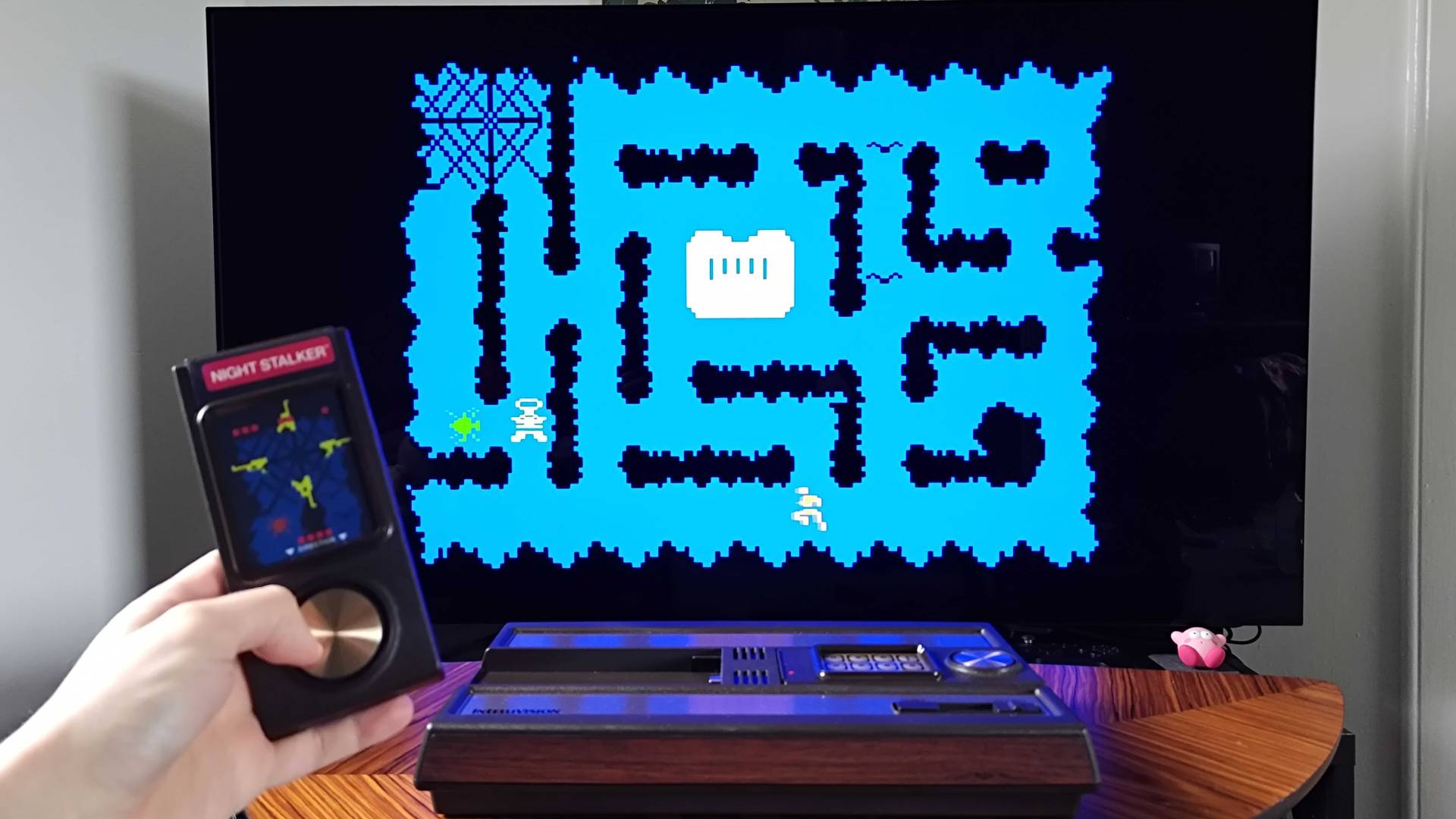
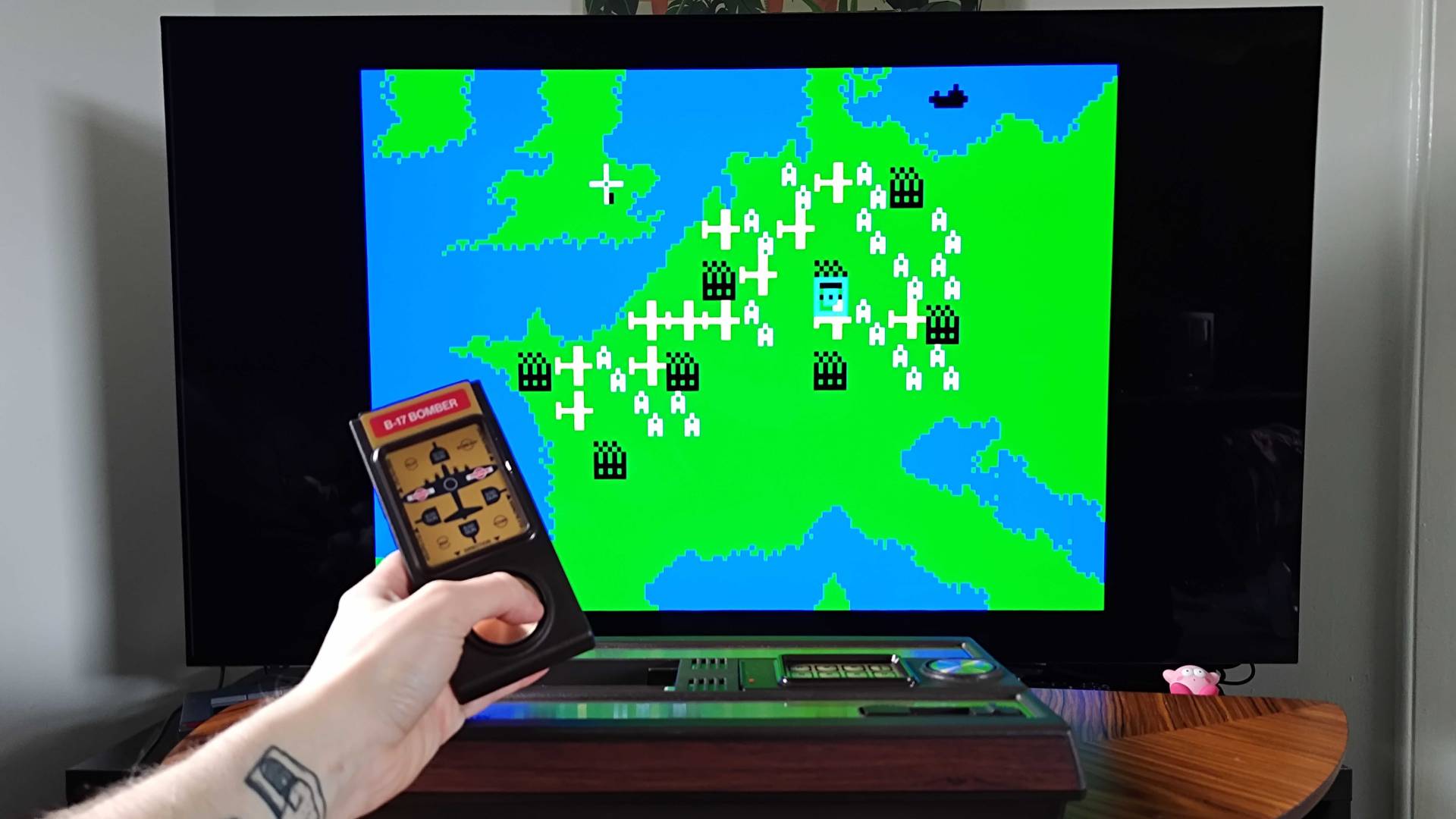
Keep in mind that there is room for more latency than some consoles, thanks to the 2.4Ghz wireless controllers, but I still wasn’t able to detect any impactful latency. The gamepads themselves are still a sore spot for me, though, as while they do feel similar to the originals, they only really serve as an example of what a controller shouldn’t look or feel like.
Nevertheless, the spinning disc does feel extremely close to my coiled pads, and while the buttons feel like pressing dead flesh, those are on point, too. I did spot some early users on the AtariAge forums who recommend untightening the controller’s screws slightly if directional presses feel inaccurate in terms of degrees, but the unit I’m testing has pretty precise 360 inputs. That said, using a big round disc instead of a gated d-pad or joystick still feels crummy, so keep that in mind while diving into some arcade classics.
Should you pick up the Intellivision Sprint?

For many players, the Intellivision Sprint will serve as the best way to play the Atari rival’s back catalogue. It pays fantastic homage to the retro console’s original design, largely staying faithful to the original woodgrain box while sprinkling in useful modern perks like wireless controllers, 720p HDMI output, and the ability to run your own backed-up ROMs. In many ways, it hits all the same notes as some of my favorite plug-and-play systems out there, but the lack of physical cartridge support is a sore spot.
Look, I get why the Intellivision Sprint skips having a cartridge slot. The original console was slightly more common in the US, but players in the UK and Europe were a little preoccupied by the ZX Spectrum and Commodore 64 to be amassing collections of games back in the ‘80s. Therefore, at least from a global perspective, you’ll probably find that it’s largely collectors who actually have cartridges to hand, and those same enthusiasts may already have modded systems they’d rather use over an emulation box.
If Atari had chosen to add both the 45 built-in games and a cartridge slot to the Sprint, it could have shone brighter than the company’s previous 2800+ and 7800+ remakes, especially given its higher $149.99 MSRP. However, when it comes to classic consoles remakes, you’re apparently not allowed to have your cake and eat it, and the end result is a system that maintains the plug-and-play status quo. That doesn’t take away from the fact that it’s a extreme accurate piece for your shelf that provides easy access to Intellivision games, though, and that is ultimately the reason you should consider buying one.
How I tested the Intellivision Sprint
To fully test the Intellivision Sprint for review, I used the system side by side with Mattel’s original console to compare graphics, sound, and potential input lag. During testing, I also carefully assessed the remake’s build quality and details next to the OG hardware to check for any inaccuracies or differences in build quality, while also seeing if the wireless controllers feel the same as the hard-wired gamepads.
For more information on how we test retro consoles and other gadgets, swing by our full GamesRadar+ hardware policy.
Looking to play classic capers on the go? Swing by the best gaming handhelds and best retro handhelds for emulation devices, portable PCs, and more.

You must confirm your public display name before commenting
Please logout and then login again, you will then be prompted to enter your display name.