GamesRadar+ Verdict
The Eureka Ergonomic Python II might be one of the best hidden gems of the gaming chair market. For only $349 you get features that other brands are charging a premium for, as well as some of the most substantial cushioning of any gaming seat I've come across. It isn't perfect, but the Python II is one of the true value for money kings I'll be pointing people toward from here on out.
Pros
- +
Floating lumbar support
- +
Great price versus the competition
- +
Really substantial seat cushioning
- +
Accommodates various sitting positions
- +
Good build quality
Cons
- -
Lumbar isn't adjustable
- -
It's in dire need of a head cushion
- -
Armrest shape feels back to front
- -
Upper backrest shape inspires slouching
Why you can trust GamesRadar+ Our experts review games, movies and tech over countless hours, so you can choose the best for you. Find out more about our reviews policy.
Floating backrests have been one of the emerging trends in the gaming chair market for the last few years, and I'm grateful. See, our human bodies are horribly inefficient at staying in any one position for too long. Honestly, when you think about it, sitting down is actually a pretty arduous process because we're constantly shuffling positions to avoid a numb rear end, back ache, or some other ailment from the simple act of staying still. Crossing one leg under the other for a bit? Hope you're happy to move again in 20 minutes when circulation to your leg gets cut off.
Try as we might to combat this problem, gaming chairs, couches, and armchairs can still fall short because they don't cater to more than one sitting position. In many ways, trying to cater to as many sitting positions as possible is the goal of any ergonomic, adjustable gaming chair these days, but floating backrests are one of the latest quick fixes.
However, because a floating backrest that moves with you throughout the day feels like a novel concept, brands are charging a premium for it. Eureka Ergonomic isn't, and one of the reasons I love this chair is that it offers excellent value for money. $349.99 / £349 is a steal compared to Razer, AutoFull, or LiberNovo, all of whom charge from $699 up to $1,000 for their equivalents.
Design & Features

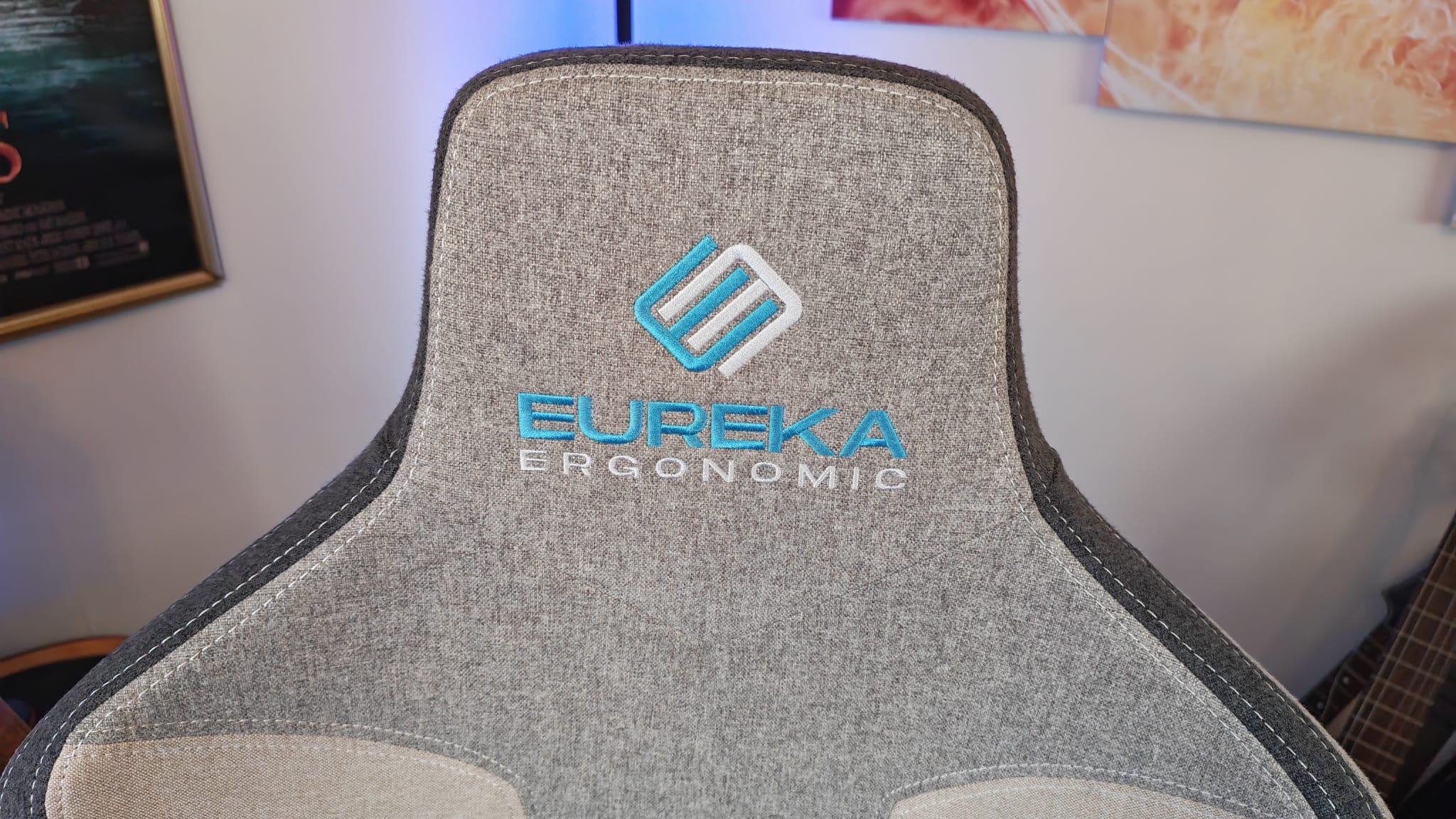
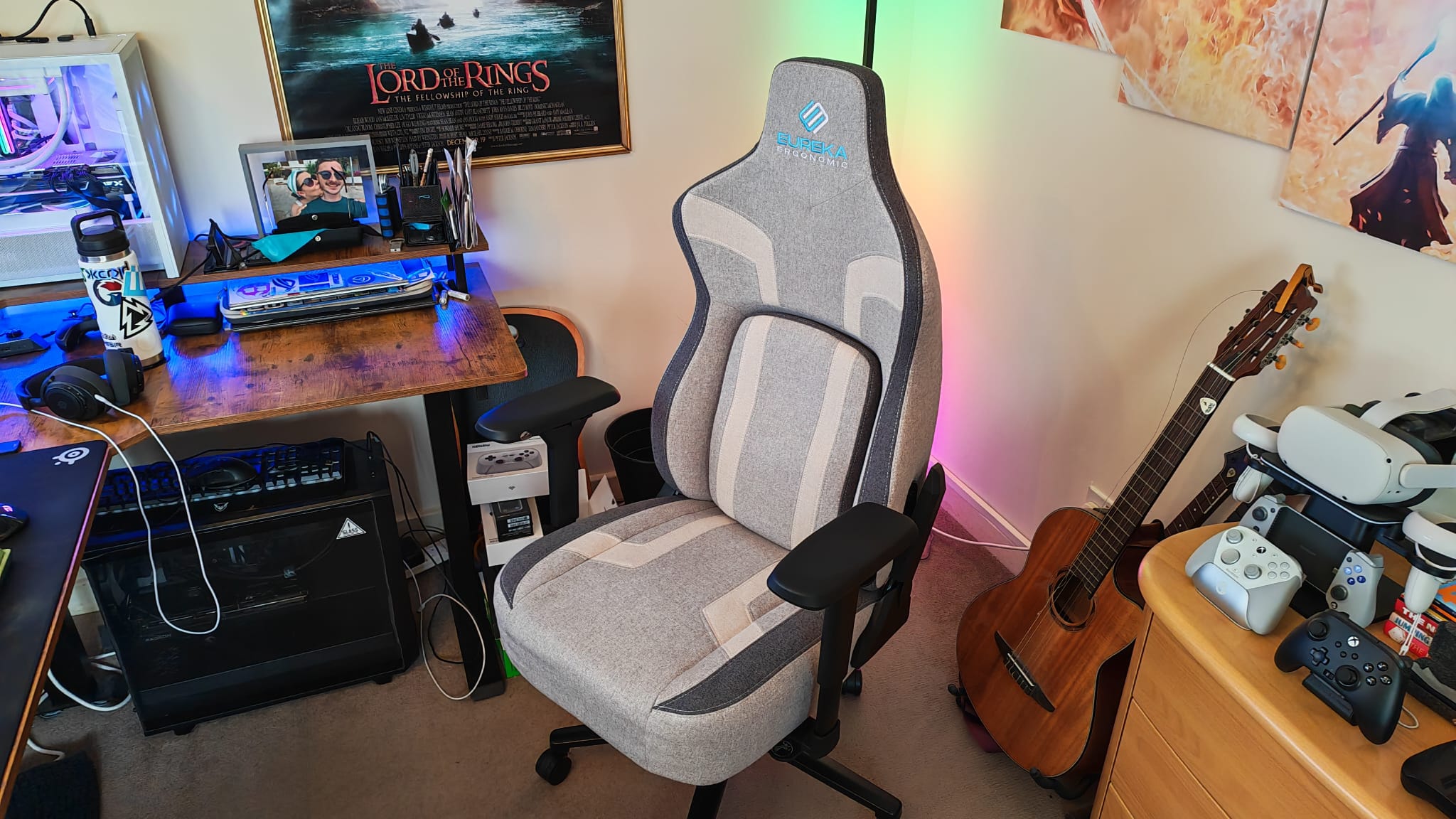
The Eureka Ergonomic Python II definitely follows the conventional shape of a gaming chair. There's the outline of a traditional racer-style backrest, complete with deep cuts around its borders. Where the shape differs from convention is by having a more pronounced concave shape, particularly in the upper half of its backrest.
This is maybe my first major red flag from the Python II in terms of its ergonomics, because a harsher bend in the way will naturally encourage your shoulders to slouch forward, and your upper body to cave into your chest. That's sort of the opposite of what you want from a posture-supporting gaming chair, and you can see how much of a contrast there is here versus something like the Fractal Refine, or the LiberNovo Omni.

It may not look like it from marketing images, but another way this chair stands out is by having a much thicker seat cushion than other gaming chairs. I know a big concern for a close friend of mine is that a gaming chair is only as good as the lifespan of its cushions. As soon as they start to wear down or lose their shape after long-term use, there are very few ways of making them feel new again. I have so much confidence in this seat cushion that it'll hold its shape and comfort for a long time, simply due to how substantial it is.
The Python II is available in three colors. I've chosen the Gray model to test, which I wouldn't normally, but I think this one has some really lovely, lighter tones to it, with blue accents here and there that give it some personality. This is a really low-profile design for a gaming seat too, which means it'd fit perfectly in a work-from-home office and not draw too much attention. The Python II is also available in a Blue color, which is really more of a dark grey with a few blue highlights. Similarly, the Red version is more of a grey/black with a couple of red stripes.

The Python II is only available with fabric upholstery, which might seem like a limitation, but I actually think this is one of those rare occasions when a chair wouldn't really suit having PU leather - for reasons I'll come to.
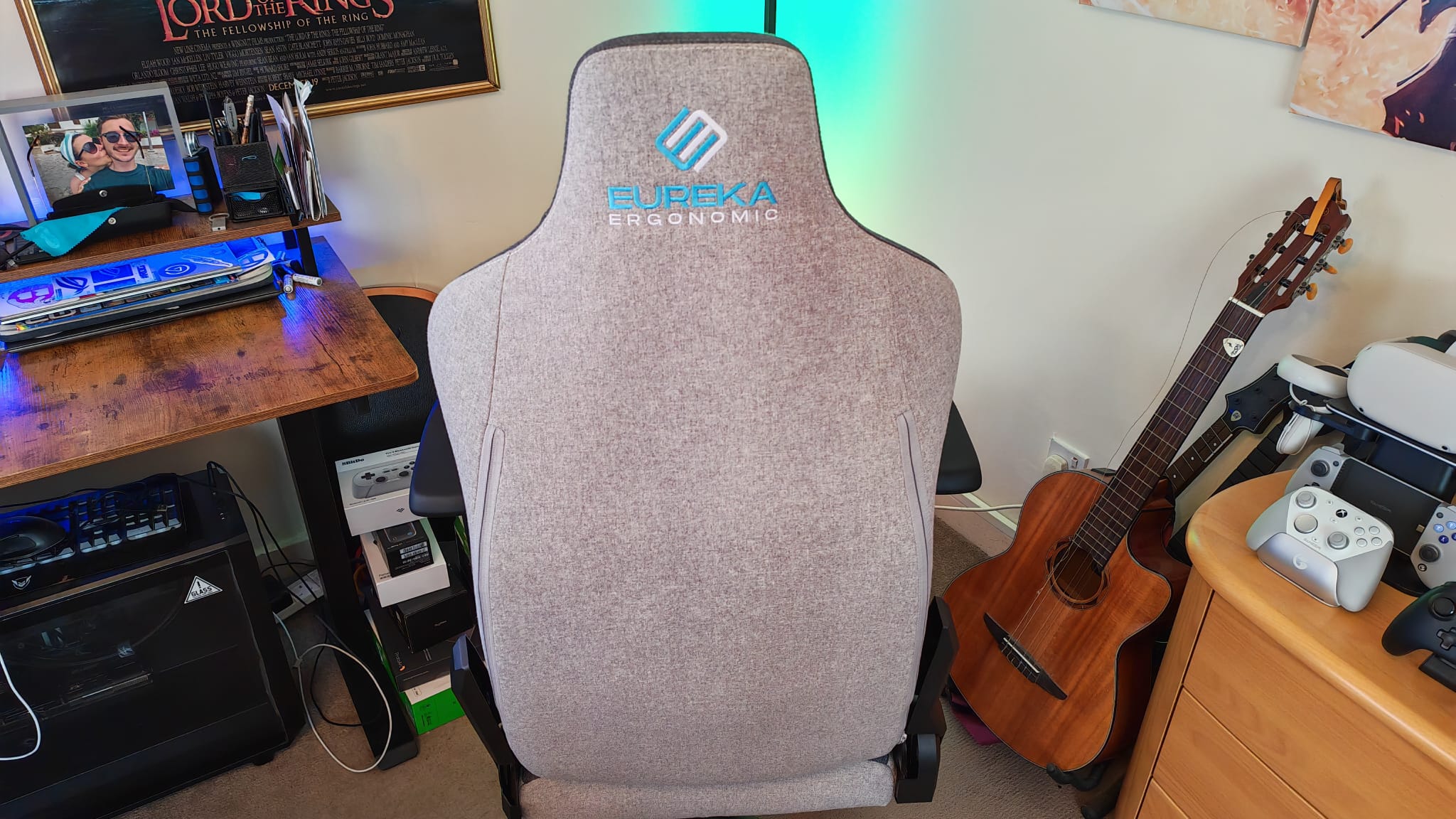
In terms of features, you're also looking at 4D armrests and all the usual tilt, recline, and height adjustment you'd expect from a desk chair. Perhaps the biggest draw here is the floating backrest that gives you what Eureka claims is 4D adjustable lumbar support. I think calling this adjustable lumbar support is a bit of a stretch, personally. Unlike the Razer Iskur V2, the Python II's backrest doesn't have a set of scroll wheels on its side you can use to set the shape, depth, and angle of the floating backrest. Instead, the Python II's lumbar support is set to a standard depth, and when you sit in the chair, it pivots in all sorts of angles to move with your body.
Assembly

Thanks to a fairly traditional design, the Python II has a bog-standard assembly process as far as gaming chairs go. You can follow the simple steps of how to build a gaming chair, and nothing will really let you down compared to any other desk chair you may have assembled before. Everything came neatly packaged, there were handy instructions and tools, and compared to rival products, I didn't feel like an irresponsible amount of packaging was being used.
The only snag that I fell prey to was one of the final steps of the process, which asks you to put some thin bolts through the side brackets, into the sides of your chair, and cover up the otherwise messy bolts that secure the backrest to the seat.
These bolts just didn't reach far enough through the brackets and into the chair's fabric to be helpful. The plastic grooves in the brackets didn't hold either, resulting in the bolt pushing through the bracket and falling out. What's more, the plastic brackets don't fit well either. There's nothing here to click them into place and secure them down like there is on the Secretlab Titan Evo NanoGen Edition, and with bolts that aren't fit for purpose, they hang off the sides. This is a real shame since it's the only thing that gives away this chair's price point; the rest of the product is designed so well, and with really sturdy build quality that you'd expect from a much more expensive seat.
Performance

Overall, I really like the floating backrest on the Python II. I really would have liked some adjustability, because I think a one-size-fits-all approach very seldom works - especially when you're making a chair that should try its best to cater to all sorts of somatotypes. But if you're on a budget and you do want a dynamic backrest, I've yet to see many priced as reasonably as this. My lower back does feel supported in this chair even without the adjustability, and it makes me think Razer missed a trick.
The Iskur V2 made a name for itself with its floating backrest that you could adjust, but the more affordable version, the Razer Iskur V2 X, almost felt like it didn't share the same DNA because it just had a standard backrest. Maybe a non-adjustable, pivoting backrest like this would have been a better budget option that would have kept the Iskur V2's identity consistent. In that respect, Eureka has Razer beat.

I think there's something to be said for backrests that pivot and slide around as you move your body. Some, like the AutoFull G7, arguably take this a step too far with spring-loaded lumbar support that can feel a bit intrusive. But combined with a generously wide seat cushion that doesn't have raised borders along the side, you have a chair that caters to loads of sitting positions and doesn't miss out on the posture support while doing so. I can cross one leg under the other, I can cross both my legs up onto the seat, or just lean over to one side of the Python II, and I still benefit from lumbar support. I can even, rather unrealistically, rotate a bit diagonally, and the Python II's backrest rolls with me.
There's great movement with this chair's backrest, although that movement can sometimes welcome some unwanted movement from the fabric components rubbing together. This is exactly why I don't think a leather version of this chair would work. Although the friction isn't too bad, there's enough noise while moving the backrest panel around that I think a leather model would be even louder.
Despite my admiration of the lower half of the Python II's backrest, I'm not the biggest fan of the upper half. As I described in the design and features section, the shoulders curve in just a bit too much for my liking. About a week or so into testing this chair, I started to experience a strange tightness in my chest (which shouldn't raise alarm bells; it definitely wasn't a heart thing). It was a stiffness in my pectoral muscles, and lo and behold, straightening my upper back and stretching more regularly fixed it.

I really do think this is a backrest shape that encourages slouching, so I wouldn't be surprised if other people who have bought this chair have experienced a similar thing. No matter how supported your lumbar is, caving in your upper back and slumping your shoulders forward is not a healthy position to sit in at length. As much as I like the design of this chair, I'd really like to see a Python III that doesn't have such an aggressive curve shape.
I can't lie, I do feel a bit short-changed by the upper half of the backrest too. For how substantial the cushioning on the seat is, the higher part of the Python II's backrest is devoid of any cushioning. This is especially true of the top part, because when you drop your head back onto it, you feel a distinct lack of any neck support. I'd have loved to see a magnetic headrest that feels as soft as the Corsair TC500 Luxe - I'm still not sure any gaming chair headrest has topped that one in terms of comfort.
The armrests on the Python II have good adjustability for the money you pay. You won't get the overkill 7D armrests you would from a more expensive AutoFull product, but you do get armrests that actually lock into the position you want them in. That's not all too common in gaming chairs today, and it's a feature I still think is really worth having if you're like me and prefer to keep them in one set position most of the time.

My only issue with the armrests is their shape. They seem back to front to me, because the front of them has a raised lip, which makes matching up their height with the surface of your desktop way more difficult. Plus, depending on how you grip your mouse, this raised section can work against your forearm muscles and generally be a bit jarring. The back of the armrests is much wider and flatter, which would work better at the front end in my opinion. I've checked more than once, and this isn't a case of my putting the armrests on the wrong way round - their control buttons are sitting in the right place too. It seems more than anything like a bizarre design choice, but it's one that may deter competitive players, despite many a marketing photo showing Esports athletes using the Python II.
Should you buy the Eureka Ergonomic Python II?
Despite its upper backrest issues, I'm a big fan of the Python II. It offers some excellent features for its cost, and it shows that there's still a lot of merit in a traditional gaming chair design if one can move with the times. Compared to other chairs, this one offers excellent value for money, especially when you square up the other floating backrest thrones with one another. Compared to the $699+ cost that other brands are charging, Eureka is putting them all to shame.
I'd highly recommend this chair to anyone who finds themselves shuffling around their position regularly, or to anyone who is worried about other chairs' cushioning wearing down in a hurry. After my month of testing the Python II, it feels as new to sit in now as it did out of the box. I'd just strongly recommend that anyone who buys this seat pay special attention to keeping their upper body supported while sitting in it, because there's definitely encouragement to slouch here.
How I tested the Eureka Ergonomic Python II
I integrated the Python II into my gaming and remote working setup for a month before writing this review and coming to a verdict. During that time, I sat on it for around 8+ hours daily, with the exception of over the Christmas break. I also sat on the LiberNovo Omni during the testing period, giving me more points of comparison over the features and build quality of Eureka's chair.
For more on how we test gaming chairs, take a look at the full-length GamesRadar+ hardware policy.
Looking to spruce up your gaming setup? Check out the best console gaming chairs, the best gaming desks, and the best VR headsets.

You must confirm your public display name before commenting
Please logout and then login again, you will then be prompted to enter your display name.