GamesRadar+ Verdict
Trackballs! That’s exactly what the Arcade Classics Atari Centipede has to offer, and the machine makes for a great way to experience the genre. The bartop cabinet will also look neat in your gameroom, thanks to its authentic side panel art, but drawbacks like the lack of an illuminated marquee, a small selection of built-in games, and a lack of settings within its software ultimately hold it back from taking on established brands like Arcade1Up and Evercade.
Pros
- +
Striking side panel artwork
- +
Great trackball controls
- +
Authentic sound
Cons
- -
Screen could be better
- -
Software features no additional settings
- -
Limited to just five games
Why you can trust GamesRadar+ Our experts review games, movies and tech over countless hours, so you can choose the best for you. Find out more about our reviews policy.
Hey, can you put down your DualSense for a moment? Sweet. I just wanted to ask whether you’ve ever used a trackball to play a video game? If the answer is no, then I want to steer your attention towards the Arcade Classics Atari Centipede, a bartop arcade machine by toy brand Basic Fun that fully dedicates itself to the controller medium.
As a standalone arcade machine, the Arcade Classics Atari Centipede is an attractive cabinet that’ll look fantastic next to the best retro consoles and a decent device for trackball classics. It also happens to be Basic Fun’s first attempt at creating a competitor to systems by the likes of Arcade1up, though, and while there are plenty of similarities, both good and bad, this specific version also feels too niche for its own good. I guess that’s like buying a bread maker then complaining you can’t make a pizza in it, but I do think it highlights a need for versatility within the home arcade cabinet space.
What’s in the box?

Upon cracking open its reasonably sized box, you’ll be greeted with the fact that you have to assemble the Arcade Classics Atari Centipede. The screen and the trackball control panel naturally come as inclusive pieces, but you will have to piece together the main cabinet using screws and wooden dowels.
The process isn’t that complicated, and if you've got a knack for flatpack and don’t just visit IKEA for the meatballs, you’ll be in your element. The pieces themselves all have numbered stickers that correspond to an included manual, one that takes you step by step through assembly. Was I still slightly grumpy that I had to build this machine, given that it didn’t really reduce the package size by that much? Absolutely, but maybe it caught me in a bad mood.
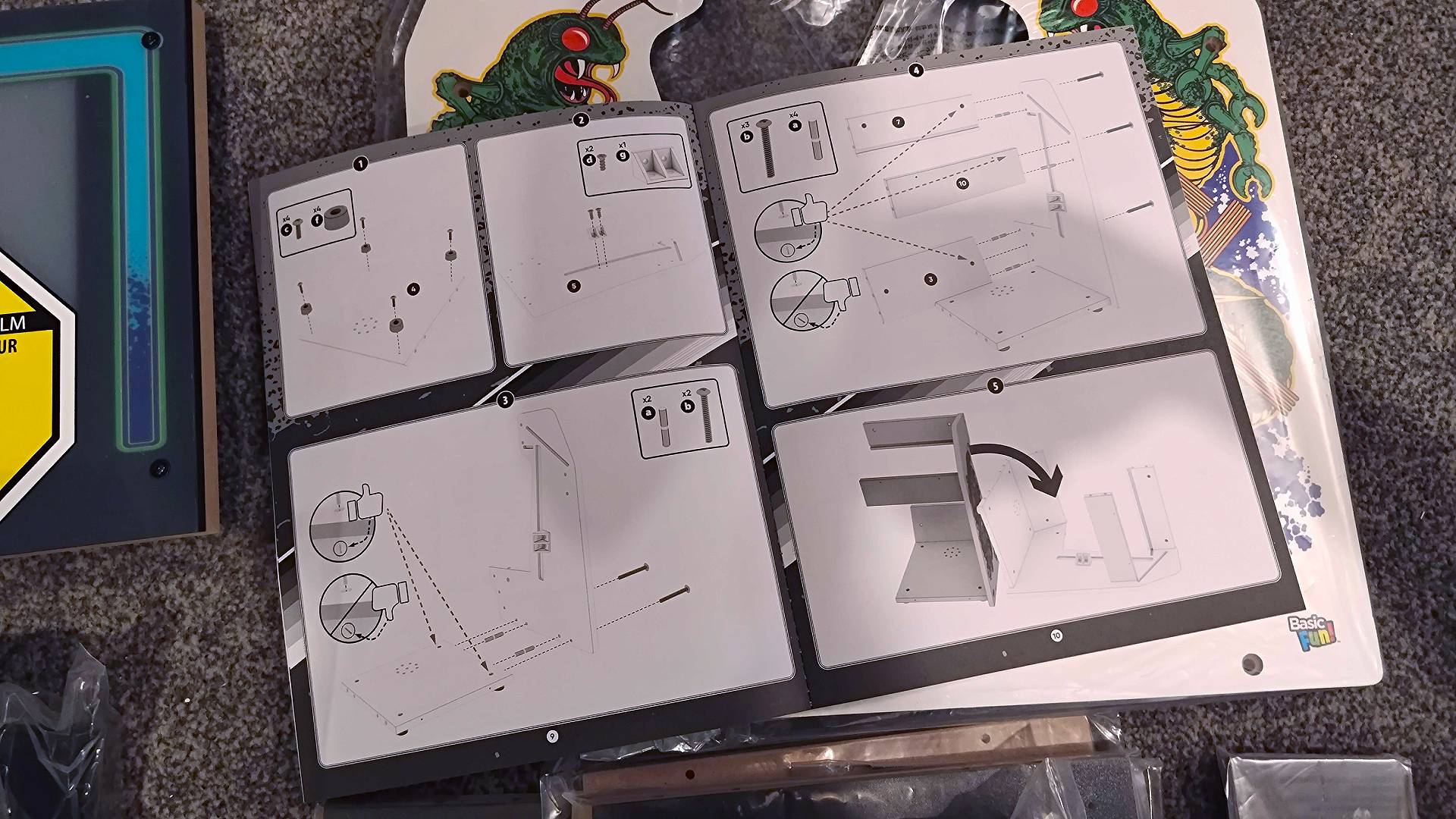
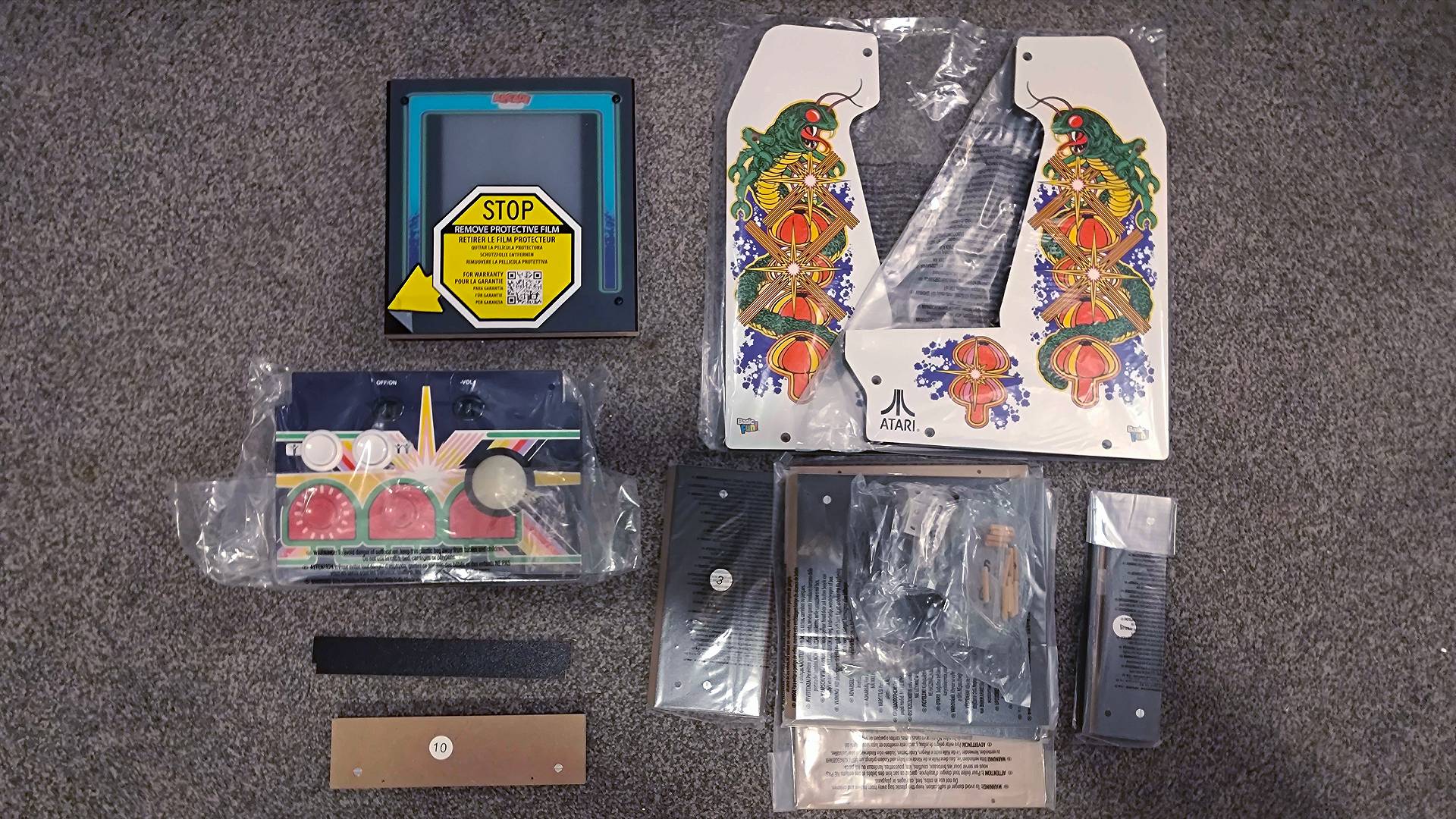
For what it’s worth, putting together the Arcade Classics Atari Centipede was relatively painless. I’d personally check all the included screw packets, side panels, and individual parts just to make sure you have all the right box contents before diving in. I have no reason to believe any of these units should have missing pieces, but it’s better than faffing around and finding out with a half-built cabinet.
Design

The Arcade Classics Atari Centipede really sticks to the bartop cabinet script, resembling just about every other option out there. That’s not remotely a bad thing, and it does mean putting together its MDF shell is straightforward. It’s basically a wooden box with all the brains housed within a mounted 8-inch LCD display, connected to a large control panel with microswitched buttons and the star attraction trackball.
Before we get rolling with that ball, let’s chat build quality. Basic Fun’s approach here is extremely similar to Arcade1Up’s, and the former is coincidentally acquiring the latter as I write this review. That is to say that I think both brands are getting their parts from the same source, and that holds true when it comes to the solid feel of the machine itself, its screen, and button panel.
This specific Cenipede bartop cabinet is also a looker, with its glossy Atari side artwork hitting all the right decor notes. The white panels, and the creepy-crawly and shroom motif replicate the original arcade vivid machine’s design nicely, and the bezel and control panel all follow suit. The prints and transfers themselves are all vivid and sharp, and while that includes the marquee, I’m slightly disappointed that it’s using a big banner sticker rather than proper acrylic.
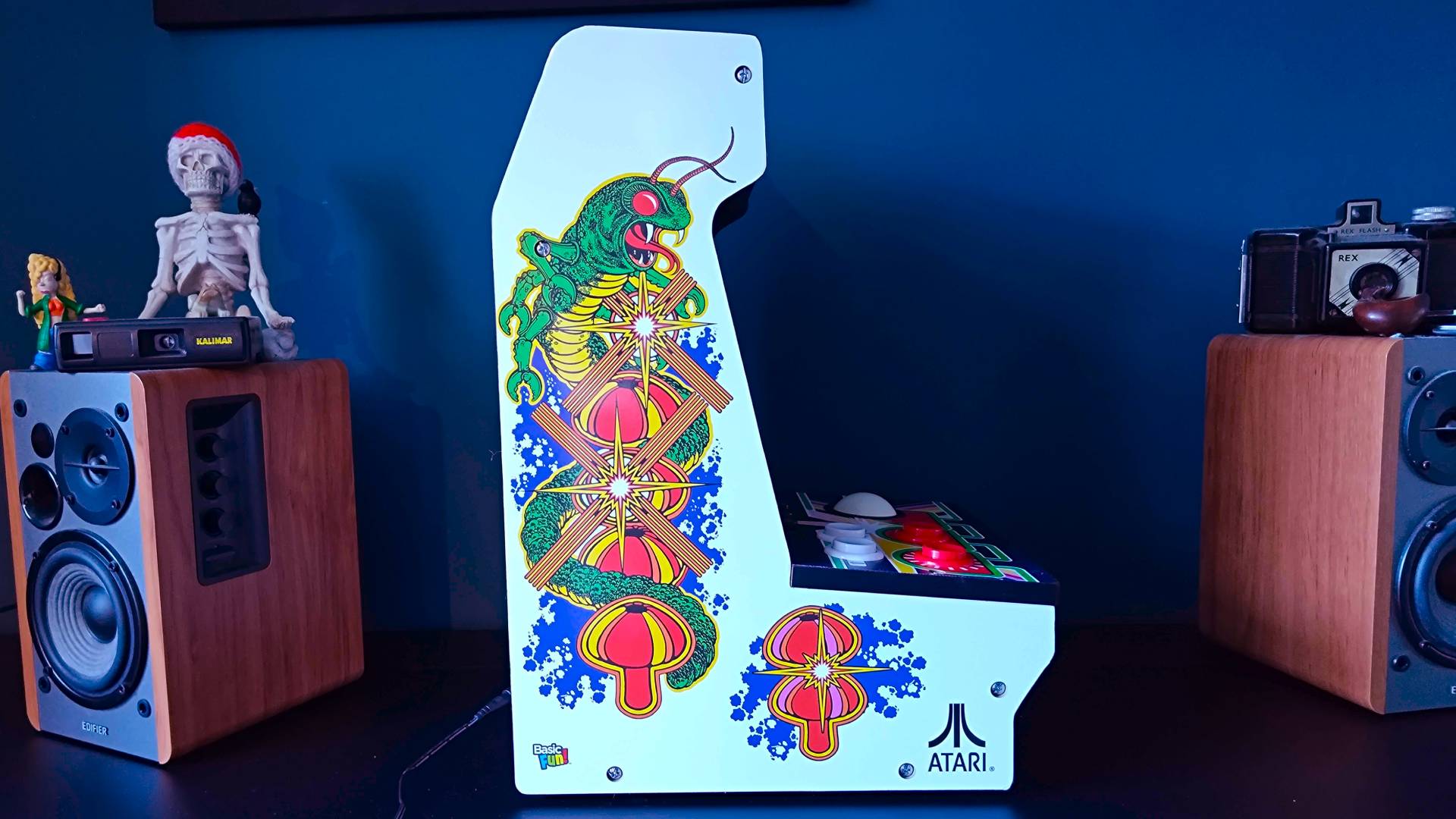
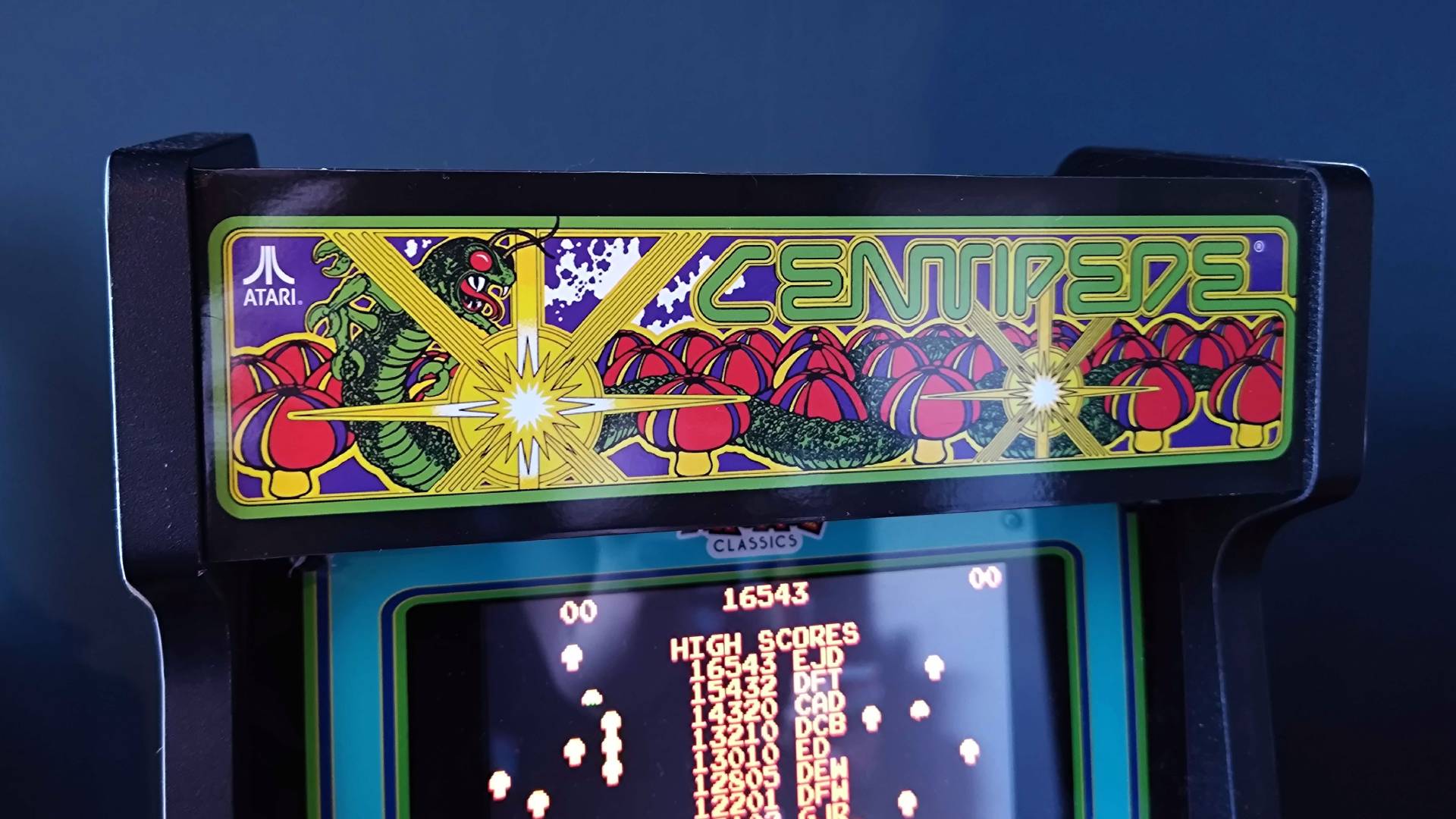
The marquee is an example of how Basic Fun’s bartop cabinet is perhaps a bit too basic for the price. The company could have gone the extra mile and included an illuminated banner, which would have helped it stand up visually compared to the Evercade Alpha while beating similar Arcade1Up models. It’s admittedly not a deal breaker unless you’re aiming for a very specific aesthetic, but it’s a small omission that may sway you towards alternatives.
The overall design is still pretty standout and functional to boot, but I do have a wishlist for some tweaks. While it’s not an element exclusive to Basic Fun’s cabinet, I’m not a huge fan of the barrel jack power adapter, as I feel like we should be moving closer towards USB-C at this price range. Using the standard connector opens up power options significantly for setups with a few different machines, not to mention there’s always a risk of getting PSUs mixed up down the road, which in turn risks using another plug with the wrong polarity or voltage.
I’m also not fully convinced the “rub-resistant” coating on the control deck will actually protect the decals. Time might prove me wrong, but I reckon a Perspex cover would have helped ensure it stays scratch-free. On that note, the removable plastic on the screen and controls is infuriating to remove once you’ve assembled the machine, as it will get caught in the joints. You can remove it before you start screwing things together to save some pain, but that risks scuffing up the parts during assembly.
Features

Look, we’re all here for the Arcade Classic’s trackball, as it’s the main draw with this cabinet. There aren't too many options out there with roller controls, and they do make a massive difference with some classic score chasers. Put it this way, you’re not going to be playing Atari games like Centipede using rolly analogue controls on any devices, so it’s sort of this specific machine’s whole point.
That unique perk is a double-edged sword, though, as the focus on only trackball games means it’s a one-trick pony. You’d need to really like Centipede to drop $200 on something that only runs that bug blasting shooter, its sequel, Millipede, and a small selection of other romps in the trackball genre, limited to Avalance, Liberator, and Super Breakout. Either that or you’re looking for multiple machines to line up in a retro gaming cave, but either way, it’s absolutely on the niche side.
I think Basic Fun could have combated that inherent nicheness by also including a joystick for other Atari classics. Yes, it’d draw the focus away from the trackball, and the OG machine didn’t include a secondary stick, but it would have helped give the cabinet a versatility boost. But hey, if you have cash to splash, you can pick up the whole range and eventually get every control type available to your mitts in an ‘80s amusement centre, including a Tempest unit with a rotary dial and a WWE Wrestlefest version with standard controls.

Frustratingly, there is also an Astroids Arcade Classic machine with a rollerball, and I find that hard to swallow. Yes, it has different cabinet art, and the buttons are positioned slightly more appropriately for a vector-based shooter. Nevertheless, it feels like Basic Fun is holding those other games ransom when it could have just included all available trackball games with both units, resulting in a scenario where you’ll need to pay another $200 just for Asteroids, Asteroids Deluxe, Missile Command, and Crystal Castles (Liberator is actually on both systems for whatever reason).
Limited game selection aside, all Arcade Classic machines come with an 8-inch LCD display and built-in speakers, both of which are perfectly serviceable. It’s always hard to replicate the look of an old CRT, and I wouldn’t say Basic Fun is going out of its way to do that here. That’s especially true, seeing as the cabinet’s software doesn’t include any visual effects like scanlines, and I think they could have helped sharpen things up on this passable panel. The more important thing is that the viewing angles are solid and relatively even lighting, even if the blacks aren’t up to much.

The speakers benefit from resonating within the MDF cabinet, which produces an authentic booming effect similar to the smaller Quarter Arcades Bubble Bobble. My only real gripe on the sound front is that it’s not particularly loud, but it’ll still be audible in a room with other things going on.

Circling back to software, as this Arcade Classics machine really provides the bare minimum. Upon powering on the cabinet, you’ll be greeted by a vertical menu of logos for each game. You’ll make your selection by rolling the trackball up and down, then hitting the left-most action button. The cab will give you a quick rundown of the controls before getting you to hit the button again to launch yourself into it, and that’s all you’ll be doing outside of shooting bugs/blocks/falling snow boulders/whatever sci-fi nonsense is going on in Liberator.
Arguably, you don’t really need an array of different options for Atari games like this, especially if you’re just a casual player. But, I’m surprised there’s not at least some visual options, and I do personally consider scanlines to be the least a modernised retro system can offer. Virtualised settings, like difficulty toggles that would have originally been dip switches, would have been a big plus too, but alas, you’ll just need to get gud with this cabinet.
Performance

After spending a few weeks playing Centipede and other trackball favorites on the Arcade Classics, I can confirm I’m terrible at old rolly shooters. Don’t get me wrong, I thoroughly enjoyed the experience of my hand swipes translating into movement in real time with zero perceivable lag, but I certainly won’t be breaking any high score records any time soon.
Again, my skill issues are no fault of the trackball or buttons, and both felt as responsive as they could be on a modern device. I was “easily” able to frantically dodge spiders in Centipede and tap away on the fire button to bring my wee beastie foes down, and the screen, while not as vibrant as some, served its purpose as a portal to an absolute bug bedlam.

The cabinet’s main shortcomings are tied to the choice of screen. I’ve been admittedly spoiled a little by all of the OLED displays in my life, thanks to reviewing TVs and monitors, but newer generations of Arcade1Up machines tend to pack slightly nicer displays. The contrasting colorful sprites in games like Centipede don’t pop as they should on their respective black backdrops since things are ever so slightly washed out. You won’t necessarily notice it when trying to actually survive menacing critters, but as part of a larger setup, it might look a tad lacklustre.

I actually think the rest of this machine’s quirks all link back to the Arcade Classics machine holding up within a lineup. Comparatively, it’s going to just feel a generation or two behind other cabinets, which makes sense since this is Basic Fun’s debut in the space. It’s lots of little things, like it uses that aforementioned DC barrel jack power supply that also happens to be pretty short, and the bare bones nature of the software included.
Should you pick up the Arcade Classics Atari Centipede?

It might not be the absolute best arcade machine out there, but I do think the Arcade Classics Atari Centipede is a great tribute to the trackball romps of old. Not everyone will be looking for specific emulation settings or extra detailing like an illuminated marquee, and if you have fond memories of being harassed by encroaching 8-bit bugs, you’ll have a blast with this compact countertop cabinet.
That said, if you’re seeking arcade perfection, the Arcade Classics Atari Centipede naturally shouldn’t be your first port of call. It’ll make for a nice secondary or tertiary machine for a setup if you’re gunning for a full-blown amusement centre at home, but you will notice the lack of settings, less impressive screen, and fairly limited selection of games. What I will say is that, given that Basic Fun is about to somewhat absorb Arcade1Up, and seemingly uses the exact same factory for its systems, the company’s next wave of models might end up feeling elevated.
How I tested the Arcade Classics Atari Centipede
For two weeks, I pitched up the Arcade Classics Atari Centipede machine in my living room for testing. Over that period of time, I played through the cabinet's selection of five games to check emulation accuracy as well as whether the trackball and buttons are as responsive as they should be. I also used the system alongside rivals like the full-size Arcade1Up Mortal Kombat cabinet and Blaze's Evercade Alpha to see how the screen and speakers compare.
For more information on how we test retro consoles and other gadgets, swing by our full GamesRadar+ Hardware policy for a full rundown.

You must confirm your public display name before commenting
Please logout and then login again, you will then be prompted to enter your display name.