


With new arrivals, doomsday headlines, and changes in the market, you might be wondering what the best VR headsets for gaming are. Steam Frame has finally taken the shelves, PSVR 2 is clinging on by a thread, and the Quest 3 is being followed up with an actual pair of glasses. It's strange times, but believe it or not, that makes it a very interesting time for gamers to shop around.
In 2026, we have the affordable Meta Quest 3S offering a truly viable option for your everyday gamer, but that really is just the tip of the iceberg. That device has unmatched features for the money compared to any headset in the past, even following a price hike from Meta. The Steam Frame has finally arrived, and although it's pricier than you, me, or Valve would have liked, it's one of the best pound-for-pounders out there. PSVR 2 is still going - kind of. Pimax is doubling down on PC VR tech where other brands are backing away. There's a lot to consider, so I've drawn you up a big, handy guide for you to shop with.
Below are the VR and XR devices I'd recommend to you in 2026, mainly based on their gaming potential. At the top of the list, I've chosen the Steam Frame because of its versatility for PC gamers combined with excellent VR features. Down below that is a who's who of great headsets targeted at different types of users. I've tried to distinguish them as best I can to help you find the right one for you and your budget. Don't forget that with Black Friday coming up, you might be able to get a better price thanks to Black Friday Meta Quest deals.
The Quick List

Overall, the Steam Frame is the best VR headset for gamers. It blends convenience for PC players, great gaming specs, and potential use cases outside of immersive VR gaming.

The Meta Quest 3S has brought incredible mixed-reality features and great VR gaming specs to an affordable price range. Starting at $299, it's the cheapest device worth buying.

If you don't want to rely on a high-end PC or console for your VR gaming, the Meta Quest 3 is the best independent headset on the market. It's great value, too.

Sony's second venture into VR blends top specs, value, and innovative features. It's easily one of the best headsets on this list, but a lack of support and a potential quiet discontinuation from Sony make it less viable these days.

The Pimax Dream Air has the best visual fidelity of any headset I've tested, so if you're all about a lossless connection straight from your GPU, there's nothing better (or lighter) than this.

The Pico 4 Ultra may only be available in the UK, but it gives the Meta Quest 3 a serious run for its money. With better specs and a cheaper price, this is worth a look.
Show more ↓

If you want hyper-realistic environments and you play games with a static setup, the Pimax Crystal Light might be the simulation headset for you.

The Vive Pro 2 still has some of the best specs on the market, and can turn any doubter of VR into a believer. It's pricey, and there's a lot to set up, but it's still a great option if you want a wired, lossless connection to your PC.

I've always been a lover of VR gaming. It frustrates me when I see headlines about the doom and gloom of headset sales or how devices can still give you motion sickness, but I believe VR is simply a different way to experience video games - and one that's only growing from this point on. I'd argue that VR headsets are more than the sum of their spec sheets, and I take joy in testing the latest models out to find the ones worth buying. At the same time, I'm aware that this can be an expensive type of gaming to get into, so I've tried to put together the most helpful list possible that'll ensure you spend money on the right headset for you.
November, 2026: It's been a busy few months in VR world, so I've updated this page accordingly. For the first time in years, PlayStation VR 2 has been removed from the top spot due to the news that Sony has sold its VR patents to Meta and might even be quietly discontinuing the headset. Arriving fresh and ready for a fight is Steam Frame, which is now available after a very long wait. I've also added the Pimax Dream Air and given other headsets on this list a shuffle for who I'd recommend them to.
The best VR headset for gaming overall


Valve's Steam Frame has been long-awaited, and although it's not the Valve Index sequel a lot of folks might have expected or wanted, it's found itself atop this list as the best VR headset for gamers overall at the moment. The Steam Frame has really impressive specs and features combined with a lot of convenience if you play Steam games. It's not the most affordable, it's not the most visually impressive, but it's probably the best of all of these things wrapped up in one device.
✅You have a Steam library: If you already have loads of games in your Steam library, this is going to be a great investment for you because it essentially acts like a Steam Deck you wear on your face.
✅You want something lightweight: This is a super comfortable headset to wear because it's really light.
✅You want more than just VR: One of the biggest strengths of the Frame is that it can play your flat screen games too. Especially if you have a PC or laptop to stream them from, you're going to get good money's worth.
❌Battery life is an issue for you: The battery life here is not great, so if that's going to bother you and you don't want to have to invest in accessories to help, maybe look elsewhere, although Meta's isn't much better.
❌You're on a budget: The Steam Frame isn't the most affordable option here, so look at the Quest 3/S or Pico 4 Ultra to see what you'd be missing if you were to spend less.
Design & Features: The Steam Frame's lightweight architecture means it's easy to whip on and off your face - which is a bigger win for a VR headset than you might think. Annoyingly, it completely removes itself from the lossless GPU connection of its predecessor, the Index. This is a completely wireless headset with no way to tether it to a PC other than its wireless dongle.
On the other hand, that might not be a huge problem if you can stream gameplay from PC instead, and thanks to some decent specs, the Frame offers great immersion for gamers. There's a 110-degree horizontal FOV, eye-tracking and foveated streaming, the capability of running Steam games natively thanks to SteamOS and a pretty capable Qualcomm Snapdragon 8 Gen 3 processor. Its two controllers work as a regular gamepad split in half.
Performance: The best way to use the Steam Frame is by streaming your VR games using the integrated dongle. It creates a better quality image than running the games natively, and produces better fidelity than Steam Linking a Quest 3. What's more, you get access to more graphical settings than on other devices, which lets you decide how you want things to run.
The controllers are some of the best VR pads I've ever used, with a really familiar layout that works excellently for playing flatscreen games as well as VR ones.
In addition, the ability to use the Frame as a platform for your less-demanding flkat screen titles gives it another use case which I'd really recommend it for if you're not up for spending loads on a handheld PC. I will admit that the battery life is pretty dire, but hopefully more accessories and firmware updates are on the way to improve that.
The best budget VR headset


The Meta Quest 2 made a mission of bringing VR technology to the masses at an affordable price range. Back before 2020, to get capable VR devices, you had to spend an arm and a leg, and standalone devices just weren't performing. The Meta Quest 3S has continued that mission because it brings a lot of the power, features, and big mixed-reality wins to market at the same price as the Quest 2. Budget VR headsets have never existed, but this is truly the option to go for if you're short on cash.
✅You're on a budget: If you're looking to spend as little as possible and still get a headset worth buying, the Meta Quest 3S needs to be on your shortlist. For a standalone device, this packs a lot of power in for the price you pay.
✅You want no strings attached: This is a fully standalone device, so there's no fussy setup process and you aren't tethered to a gaming PC or PS5.
✅You want to do more than just game: The Meta Quest 3S has a lot of mixed-reality going for it, with full-color passthrough and a load of great apps to utilize. If you're looking for a multi-purpose device, this ticks the box.
❌You can afford the Quest 3: The 3S isn't a massive downgrade, but if you can afford the beefier 512GB Quest 3, you'll be getting more futureproofed specs and a better set of lenses.
❌You don't mind privacy concerns, and trust Meta: Facebook and Instagram, now owned by Meta, don't have the cleanest track record when it comes to privacy and data protection. This device falls under that same company umbrella, so if you're alright with that, go right ahead.
❌You won't get decent use out of it: VR is a really fun novelty to try out, but if you aren't certain you'll use it regularly, there's not all that much point in buying a Meta Quest 2. That said, if you don't plan to use a VR headset often, this is one of the best to go for.
Design and features: The Quest 3S is a "lite" model of the Meta Quest 3. That "lightness" doesn't come from the weight of the device, however, as the folks at Meta have only managed to shred 1 gram of fat from the original headset. It is lighter on your wallet though, and as a result, takes out some of the features that mean the Quest 3 is capable of going toe-to-toe with the likes of PSVR 2.
The Quest 3S has the same Qualcomm Snapdragon XR2 Gen 2 processor that the Pico 4 Ultra and the Quest 3 share. Quest 3S changes up the display and lenses though, only giving you 1832 x 1920 pixels per eye, and 1 LCD display panel. Both Quest 3 devices have the same variable refresh rate though, of up to 120Hz. Unfortunately, that smoothness is slightly countered by a narrower 96-degree FOV, along with Fresnel lenses which makes your area of focus noticeably smaller than the Quest 3.
Performance: Admittedly, I had to look for the differences between the Quest 3 and 3S, and I'm someone who has tried a wide variety of VR devices and gets to test them out for a living. Of course, the difference in lenses was a much more noticeable difference, but the developers of this device have done a great job at hiding the spec drawbacks when you directly compare it with the Quest 3. The result is a headset that feels much more premium than its price tag would suggest, and for your average VR gamer, budget buyer, or first-time user, this is all they'll really need.
I played lots of games while testing this headset, including Blade & Sorcery Nomad, Power Wash Sim, and Asgard's Wrath 2, and all of them performed admirably. One problem though, is controller tracking, which I found to be the case with the Quest 3 and Pico 4 Ultra as well, but not to this extent.
Another shortcoming is that for a "Lite" model with a worse spec sheet, I'd have expected a better battery life improvement than we got. The Quest 3S and Quest 3 both last around 2 hours or so on a full charge, depending on how you use them. I'd have preferred a slightly longer-lasting device, but then again, charging accessories exist, and after 2 hours, you should really take a break anyway.
A lot of more affordable "S" devices come out, and not all of them are great. The Quest 3S, in a lot of ways, makes a more tempting argument than the Quest 3 does, and for most players, this is probably all you'll need to spend money on to enjoy this generation of VR games.
The best VR headset for most players
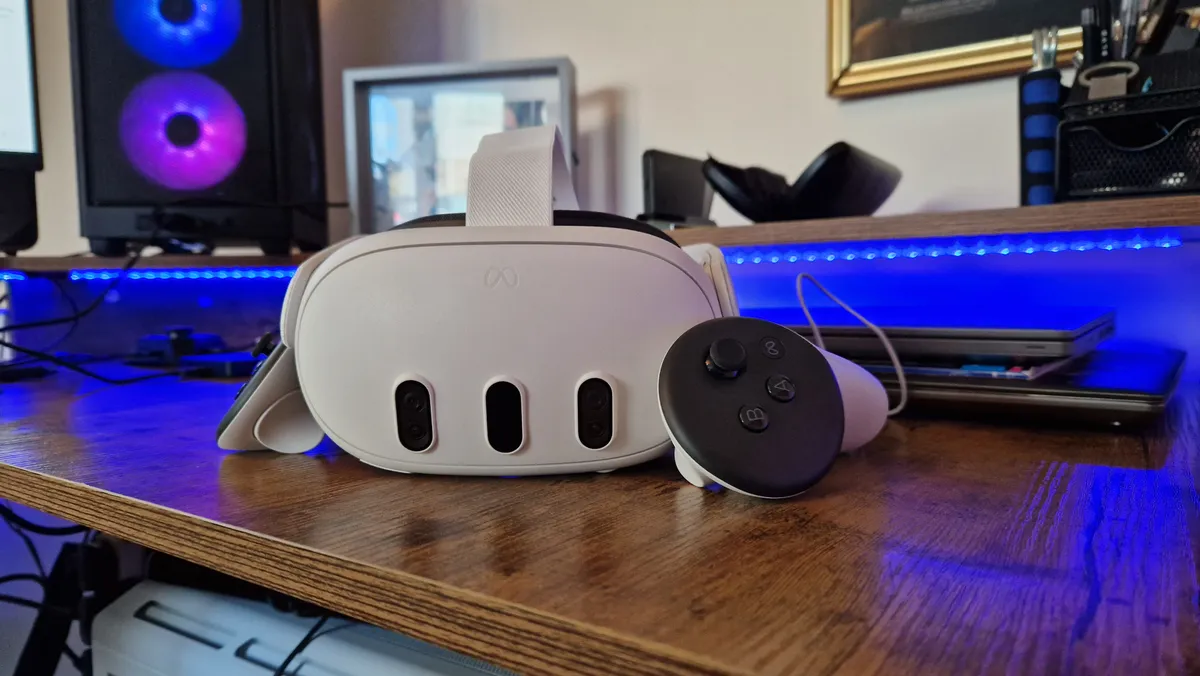


Following on from the successes of the Quest 2, the Meta Quest 3 blends some excellent standalone VR power with some great mixed-reality versatility. Previously available in both 128GB and 512GB models, this is the best VR headset for gaming if you don't want to be at the mercy of a PS5 or high-end gaming PC. Now that its younger Quest 3S sibling has arrived, you'll find its 512GB SKU fairly easily at an adjusted price point. The 127GB version has been officially discontinued and is getting harder to find.
I'm saddened to hear that Meta has utterly abandoned the Quest 3's game dev scene by shutting down its three biggest and best studios. That may point toward there being fewer dedicated Quest 3 games developed, but it doesn't impact my willingness to recommend this headset too much, since it has ample ways to link to a PC and loads of games that already exist on the Quest store. It offers a very similar suite of features as the Steam Frame, you just have more bloat and software faff to get past if you want to use it purely for gaming. It's price is now at $599, which isn't the most affordable, but it's a good median cost compared to some of the higher-end options.
✅You want a standalone headset: You don't have to be tethered to another device.
✅You want mixed reality features: The passthrough cameras here are the best you'll find, and integrating games into your spaces may help with motion sickness.
✅You want more than a gaming device: The age of spatial computing is upon us, and this device will help you access it.
❌You already have a PS5 or PC: There are better gaming features to be had with PSVR 2 and a clearer resolution with the Vive Pro 2.
❌You need good battery life: If 2 hours isn't enough for you, invest in charging options, or another headset.
❌You aren't a fan of Meta: While privacy concerns aren't as serious here, you will still be beholden to Meta's privacy track record.
Design: The face of the Quest 3 tells you everything you need to know about it. This is a clear successor to the Oculus Quest 2, but one that uses its frontal cameras to blend it into a mixed reality headset. In practical terms, the Quest 3 feels extremely similar to the Quest 2 in terms of fit and comfort. The central headband will, admittedly, still mess up your hair do, but it adjusts far easier than the one on the Quest 2.
Features: The biggest differences that separate the Quest 3 from its predecessor, and indeed, its rivals, have to be its pancake lenses and Snapdragon XR2 Gen 2 processor. The latter makes the experience of using the headset much smoother, while the former massively increases the areas of the display that appear clearly, creating less blur, and much better periphery when playing VR games. 3D audio is at play here too, and it works a charm. The integrated speakers are so much better than the ones on the Quest 2, although their extra bulk can sometimes mean the user feels more pressure on the side of their head, especially if glasses are being worn.
Performance: The biggest drawback to a standalone headset - even one as good as the Quest 3 - is battery life. The lifespan here is better than on the Quest Pro, but if you don't invest in an additional headstrap with a battery pack, you'll be stuck with around two hours or so before having to recharge. The passthrough cameras are truly brilliant, and mean you can do some fun spatial computing if you want to. Annoyingly, the display and controllers feel virtually identical to the Quest 2's, meaning besides the pancake lenses, processor, and beefed up audio, there's not a massive difference between the two headsets.
Regardless, this is one of the best VR headsets going. If it had a few more innovative features aimed at gaming, it may have taken the top spot for its value for money. As it stands, it has access to an amazing library of games, but PSVR 2 edges it out with eye-tracking, an OLED display, and better haptics.
The best VR headset for PS5 owners
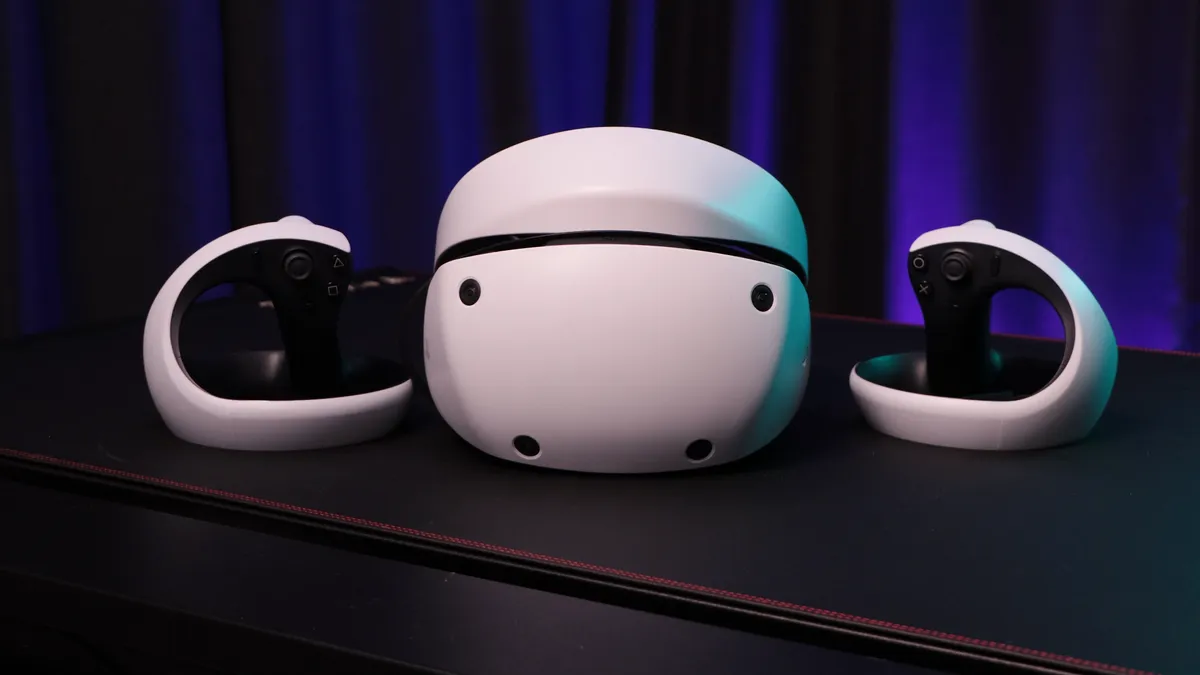


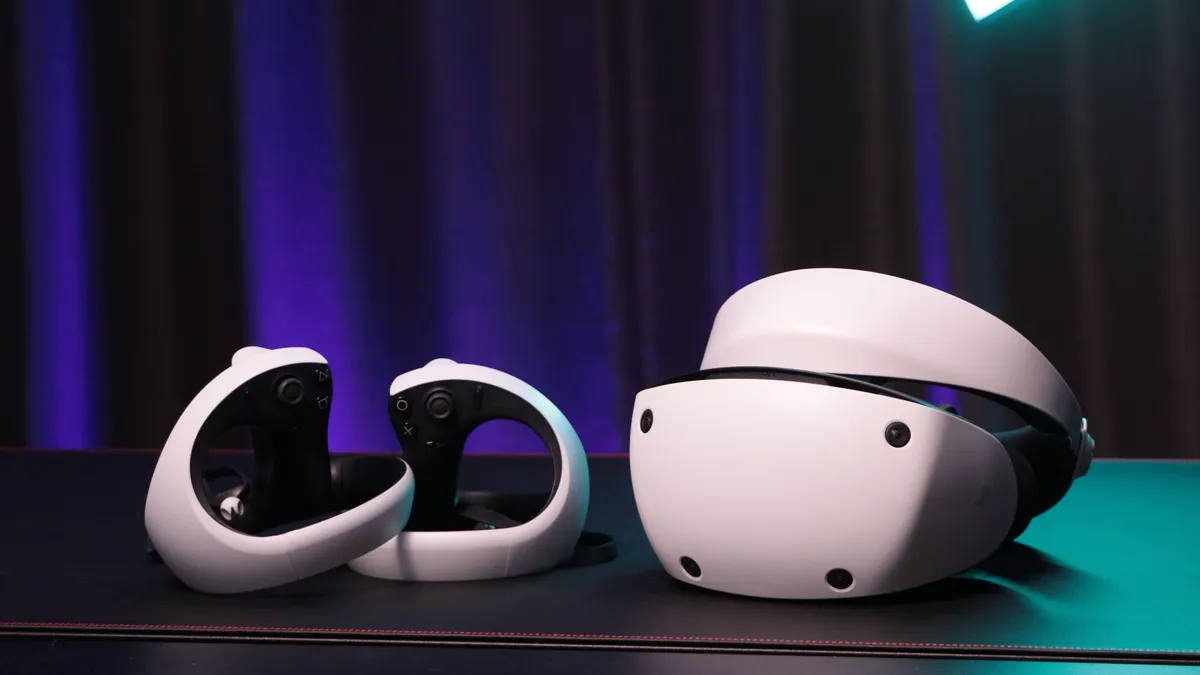


PSVR 2's list of impressive tech specs adds up to a highly cohesive VR package. This is a headset that absolutely oozes value for money, and its specs (especially in the display department) give a lot of high-end PC visors a run for their money. PSVR 2 sat atop this list for years, and it's only really been dethroned because it looks as though Sony is finally cutting the strings on it. With a lack of support on the software side, a parent company that's sold all of its VR patents away to the competition, and stock dwindling, it's not the great investment it once was.
That said, if you own a PS5 and play games on one, this is a great headset to buy if you can find stock.
✅You play games on a PS5 anyway: If PS5 is your platform of choice, it makes total sense for you to grab yourself a PlayStation VR headset.
✅You don't have a powerful gaming PC: If you don't have a beefy CPU and GPU, and can't afford to build a PC that's VR-ready, a PSVR 2 saves a lot of hassle.
✅You want the best VR features for cheaper: PSVR 2 has some features that are exclusive to high-end PC VR headsets - and thanks to some great innovations, even beats them. Despite that, it's cheaper than the majority of them.
❌You don't have a PS5: You can now play PC games with PSVR 2, but to get access to a lot of its innovative, standout features, you'll probably want a PS5.
❌You want guaranteed onward support: PlayStation's actions toward VR in recent times don't inspire a lot of confidence. If you want to be sure you're getting a headset that'll be worth owning in the next five years, go for something else.
❌You want a standalone device: PSVR 2 needs a PC or PS5 to work, and it doesn't have a standalone mode like the Quest 3 or Pico 4 Ultra. If you want to be untethered, go for another headset.
Design: The aesthetics of PSVR 2 are a beautiful evolution of Sony's first visor. Subtly rounded corners and camera placement on the corners of the headset's front panel make it look futuristic. The raised headband design makes it feel lighter than the original as well, although can put some uncomfortable pressure on your noggin.
Features: For your money, you get a slew of impressive features that ground you in VR experiences like never before. Haptic feedback in the excellent VR2 Sense controllers, the headband, and some light trigger resistance - these features arguably feel more at home in VR than they do on the DualSense. The OLED panel looks astounding whether you're fully immersed in the 110-degree FOV, or whether you're playing non-VR content in cinematic mode. The clever integrations thanks to really solid eye-tracking and foveated rendering will have your jaw continually hitting the floor too.
Performance: PSVR 2's well of high-end VR features all add up to such a great platform to experience gaming on. It's admittedly hamstrung by its lack of compatibility with PSVR1, or indeed PC. Its list of games is growing though, and barring a couple of exceptions, each game that's released for it is capable of turning a lot of heads (pun intended).
The OLED panel technology inside PSVR 2 is second-to-none. It makes a device that's just over $500 feel like something worth double that. Visual fidelity in this headset is breathtaking, and combining OLED tech with foveated rendering is a work of genius.
When it comes to room tracking, you always feel safe. PSVR 2 never fails to warn you if you're overstepping the mark. Continual software updates have helped improve performance, and Cinematic Mode is continually one of my favorite uses of this device. Outer Wilds, Returnal, HUNT: Showdown - games that are totally immersive at the best of times get a heart-pounding boost played like this.
In terms of specs, features, and value for money, PSVR 2 has blasted its way onto the scene, leaving the rest of the VR gaming competition in its wake with a stellar all-round package.
The best wired VR headset


If you're looking for the be-all, end-all in wired PC VR, you will not find a better looking headset than the Pimax Dream Air. This thing has such extreme visual fidelity that the only other visors that gets close to it are Pimax's other headsets, which are pretty large, bulky, and don't work all that well for a lot of gaming scenarios unless you're sitting down for simulations. The catch? This thing is horrifically pricey, so it's only really going to be an option for those with limitless budgets.
✅You care about visual fidelity more than anything else: This thing makes graphical oomph the hill it will die on, so there's a lot of future-proofing.
✅You want a light headset: The Dream Air takes a lot of design cues from the Apple Vision Pro, but makes things even lighter and easier to wear.
✅You have a PC that will actually be able to make the most of it: There isn't much point in spending money on this if you don't have very high-end PC specs to use it with.
❌ You're not Scrooge McDuck: There are plenty of headsets that you'll still need to spend so much money on to afford; this thing takes that to a whole other level.
❌You want a standalone device: The Dream Air is for wired PC play only.
❌You have good internet: Seriously, there's not a lot of point in spending this much money if you can stream games to a Steam Frame for half the price.
Design & Features: If you're looking at the Pimax Dream Air and seeing the Apple Vision Pro, that's intentional. Pimax is making a habit out of making imitation devices, and this is absolutely supposed to be the Apple Vision Pro that gamers never got. The Dream Air harnesses the insane Micro-OLED power of its inspiration, but makes it all a lot more lightweight, and puts it in an even smaller form-factor.
Like all of the Pimax headsets though, there are no compromises when it comes to visuals. The resolution per eye here is better than any other headset I've come across or tested. There's absolutely no expense spared when it comes to the visuals, so if that's what you care about, it's hard to not have this on your shortlist. Just hope you can afford it.
Performance: Besides some software wobbles with Pimax's own application that needs to be running at the same time as Steam, it's hard to really fault the Dream Air when it all works. There are still tracking issues with its controllers, and there's a noticeably smaller FOV border than with other HMDs I've tested. If you're okay with spending that much money to come against those kinds of headaches, go ahead. If you are going to jump in to see VR games at their absolute finest, just be sure you've got the PC specs to back up your ambitions, because this thing will be at its best when you've got the highest-end hardware making the most of it.
The best Meta alternative


The Pico 4 Ultra is by far the best alternative to a Meta Quest 3, and if you're in the UK, it might even be a better option for gaming. To be honest, it's a little hard to find a winner between the two headsets, especially since their internals are so similar. Still, the Pico 4 Ultra should be on the radar of anyone who's intrigued by a standalone VR headset.
✅You don't want to buy products made by Meta: It's understandable if you don't trust Meta with your data. This could be a solid alternative.
✅You want a light headset: The Pico 4 Ultra feels beautifully light on your head while gaming.
✅You want great passthrough: The passthrough cameras here can't read text on a phone screen, but its mixed-reality prowess is here in abundance.
❌ You want the maximum number of games: Meta's Quest store does have access to more games than Pico's.
❌You plan to use wired headphones: Strangely, there's no 3.5mm headphone jack built-in here, so you won't be able to wire up a headset.
❌You're in the US: Frustratingly, the Pico 4 Ultra isn't available in the US unless you're a company looking for an enterprise package.
Design and Features: The design of the Pico 4 Ultra is nice and light, and doesn't stray too far from the original Pico 4. The device weighs 580g, but its weight is so well-balanced that it doesn't put pressure on your head. There's a USB-C connector, some integrated volume buttons, and a power button, but no 3.5mm headphone jack. The stock facial interface is cushioned well, and there's plenty of space for glasses to fit inside it without scratching at the device's pancake lenses.
That's right, for anyone comparing specs with the Meta Quest 3, you'll notice that the Pico 4 Ultra uses the same lenses. Not only that, but the headsets share the same Qualcomm Snapdragon XR2 Gen 2 processor. Also inside is an LCD display with a 2160 x 2160 resolution per eye that refreshes at 90Hz. You get more memory in the Pico 4 Ultra though, which arguably might future-proof it for larger levels in VR games as time goes on. When wearing the headset, you'll get a wide 105 degree field of view, and a generous area of focus thanks to those lenses.
On the outside, you'll benefit from two 32MP cameras and some integrated speakers. These speakers aren't quite as powerful as Meta's, but they more than do the trick when playing a game. The 4 Ultra features a 7,500mHh battery which can last anywhere from two to four hours depending on your usage, and charges up via USB-C.
The headset comes with two controllers that ditch the tracking rings used by older VR devices. If you're willing to spend a little more money, you can also get some tracking devices that strap around your ankles to give you full body tracking when gaming.
Performance: You won't need me to tell you that such similar (and sometimes better specs) to the Quest 3 will add up to a brilliant gaming experience. The Pico 4 Ultra's display even gives the OLED power of PSVR 2 a serious run for its money, and that's saying something. The light feel on your face here also adds immersion, and I found that it reduced any feelings of motion sickness I sometimes suffer from when gaming in VR. From immediate performance comparisons with the Quest 3, I actually found that the Pico 4 Ultra outshone the Quest 3 in demanding games, suffering fewer frame rate dips and jaggy lines.
Annoyingly, controller tracking wasn't the best, and I wonder whether keeping hold of the tracking rings used on the Pico 4 would have prevented this from being a problem. Tracking issues didn't prevent me from playing games or take me out of any experiences, but they did occasionally slip up where it mattered, like in Blade & Sorcery when my sword definitely should have been facing a different way than it was on screen. That said, the controllers of the Pico 4 Ultra are longer than the Quest 3, and I think they're better suited to people with larger hands. They come with some additional buttons that help navigate menus too, which is a nice addition.
Annoyingly, the Pico 4 Ultra isn't available in the US (yet), and I hope that changes during the device's lifespan. This is, in many ways, the ideal competitor to the Quest 3, and although it's hard to pick a winner between such close rivals, I do want a larger market to have more choice. If you're in the UK, this is seriously worth considering over a Quest 3.
The best last-gen VR headset


If you're after a headset that's designed for wiring up to a gaming PC and experiencing excellent visuals and tracking, we'd still be willing to point you in the direction of the HTC Vive Pro 2. This is an older headset now, and it still demands a pretty high cost considering, but there aren't that many wired PC headsets out there these days, so your options aren't great. There's more faff in terms of tracking stations and the like, but this is still a headset with great specs and features that's worth considering.
✅You have a powerful PC: VR can be CPU and GPU-intensive. If you want to make use of this headset's visuals, make sure your rig is equipped for it.
✅You want the best visuals possible: If you don't have a beefy CPU and GPU, and can't afford to build a PC that's VR-ready, a PSVR 2 saves a lot of hassle.
✅You're okay with a VR setup dominating a room: HTC Vive Pro 2 does require a mapped-out space with dedicated sensors that are a faff to install every time you want to use them. If you're happy with VR being a mainstay, buy away.
❌You don't have the funds: VR is expensive, especially if it's this headset. If you want VR but can't afford this and a hefty gaming PC, go for a cheaper option.
❌You don't have a powerful PC: To get the most bang for your buck, you'll need a hefty rig. If you don't have one, go for a standalone headset.
❌You don't have the space: If a permanent PCVR setup isn't something you can fit in your living room, maybe don't go for this one.
Design and Features: That 4896 x 2448 per eye resolution sits at the very top of the current market, offering up super clean visuals that you won't find on cheaper headsets. You are tethered to a PC here, and that's going to need to be capable of the heavy lifting required for that visual fidelity.
Combine that incredible resolution with the gargantuan 120° field of view and refresh rate of up to 120Hz, and you're onto a high-end headset. Everything encasing all that tech is also incredibly premium. We love the futuristic external aesthetic, but not as much as the lightweight design.
Performance: The quality of the HTC Vive Pro 2 does reveal itself over time. It took our reviewer a couple of days to fully adopt the correct settings for his eyes, so it's worth noting that you'll need some extra tinkering time for the best result. However, once you're there, the investment you've made is well worth it.
Make no mistake, as far as all-round PC VR performance goes, the HTC Vive Pro 2 is up there with the best on the market. Sure, there are competitors that do certain aspects just as well, but those can be even more pricey, and even then, you won't get this graphical fidelity.
We did find the setup process a little tedious in our testing, plotting out the base stations took a long time, and we'd heavily recommend wall-mounting them for the best effect (which will take even longer). You'll need to pick up two Steam VR base stations and motion controllers for the full experience, which will set you back around $600 extra all in. However, once you do there's a new level of tracking and motion at your fingertips - one that other VR headsets can sometimes struggle to match unless doing so while sacrificing other features.
The best VR headset for simulation games


We tried, and failed, to review the Pimx Crystal VR headset. Due to technical demands and operational difficulties with the headset we received, things didn't work out, but we tried again with the slightly cheaper Pimax Crystal Light, and although some problems persisted, it managed to make it through our testing. It'd be easy to look at the spec sheet of this device and think it's a great choice for everyone, however, and it definitely isn't.
✅You play a lot of simulation games: This is the perfect option if you play games with little to no body or head movement.
✅You want excellent visual fidelity: The displays here are as close to OLED as you can get without piling on more costs.
✅You have a powerful PC to handle it with: You're going to need a beefy rig to handle this devices demands, especially if you're wanting to make the most of its visuals.
❌You're looking for a standalone device: This is a wired, PCVR headset only, there's no way you can use it like you would a Meta Quest device.
❌You want a headset you can move around easily: This isn't the headset to use if you play a lot of games where movement is required. This is really one for sitting down games where appreciating your surroundings is key.
❌You're on a budget: There are more expensive options out there, but this is still well over the $500 mark, and is fairly limited in what it can do for that money versus the competition.
Design & Features: This is not a competitor to the Meta Quest 3 devices, nor anything you could potentially pack up and take on the go with you. You can see from the shape of it that it's large, it's wide, and it's got some sharp, angular corners to it. While most headsets are getting lighter and smaller, or trying to adopt the modern ski goggles look, Pimax isn't afraid of going big.
There are no standalone capabilities here, instead, you'll need a beefy PC to run it, and a graphics card that can connect through DisplayPort. The Crystal Light features QLED + Mini LED displays with optional local dimming and a resolution of 2880 x 2880 per eye. The visuals are no short of stunning, which is sort of the USP of this brand's headsets. Aspheric lenses will let you peer into a 115-degree FOV, which is plenty of horizontal room to appreciate some crystal-clear details within.
While it is a wired-only device, the Crystal Light does streamline things into a single, three-pronged cable that combines external mains power, USB 3.0, and a DisplayPort connection.
Performance: Our usual comparisons and testing methods are hard to adopt with this device, because this is not a headset for picking up, passing around, and letting your relatives try out at a party or gathering. Nor is it really a headset for playing intense VR shooting games. This is really a headset to consider only if you spend your time in very realistic, in-depth simulation games that require minimal head or body movement. If you're training to become a pilot, or you're trying to build the ultimate racing sim setup, this is going to give you unparalleled visual fidelity so you can distinguish each switch and control from the next in your virtual cockpit.
Just be warned that this is going to require a very up-to-date PC. Our reviewer was running an RTX 3070 rig with 32GB of DDR4 RAM, but even that wasn't enough to harness the PCVR power the Crystal Light requires.
Best VR headsets 2023: FAQs

What is VR headset is the best right now?
In my opinion, the best VR headset for gaming right now is the Steam Frame. It's got a good mix of visual fidelity, convenience, and wider use scenarios. It's not the cheapest, but you can also pay a lot more for good VR specs these days. The Quest 3 is going to offer you a similar experience for cheaper, but if you're a PC gamer, SteamOS and native access to less demanding titles on Frame will come in handy. PSVR 2 is also a fantastic option, but its lack of support these days means it's not one you should consider first and foremost.
What do you need for VR?
The first thing you'll need to get started in the world of virtual reality is a VR headset. Of course, finding the right model is easier said than done, but if you're looking for a solid experience while just starting out, we'd recommend something more affordable like the Meta Quest 3S, or even PSVR 2.
However, if you're opting for something a little more luxurious, you will likely need a PC with at least an Nvidia GTX 1060 graphics card, 16GB of DDR4 or DDR5 RAM, and a relatively up-to-date processor. Better specs will produce a far better result, of course.
On top of that, you may also need to purchase additional controllers and tracking stations to complete your setup, but only if you opt for an older device. If you want to keep things simple, a standalone option like Quest 3, Quest 3S, or the Pico 4 Ultra will make things nice and easy for you.

Is Quest 3 the best VR headset?
The Meta Quest 3 is definitely one of the best VR headsets on the shelves right now, especially because of how versatile it is. It's adept at gaming, while also granting access to loads of mixed-reality applications. All the while, it doesn't cost the $3,500 that Apple thinks a headset like this should. While it is a great all-rounder, it's not the only viable option out there, and the Steam Frame, PSVR 2, and the Pico 4 Ultra offer excellent alternatives.
What VR has the highest resolution?
The Pimax Dream Air has the highest resolution of any VR headset we've tested, with a per-eye rate totalling ~13.64 million. That gives it a set of Micro-OLED panels with a 3840 x 3552p per-eye, and a combined total resolution of 7580 x 3552.

Is VR a dying medium?
Besides sensationalised reports every few months that VR gaming is dying, there's no reason to suspect that VR is a dying medium. If all of those reports were true, new headsets that have launched in the last few years like the Quest 3 and 3S, the Steam Frame, Apple Vision Pro, and Samsung Galaxy XR would never have made it to the shelves. If anything, thanks to mixed-reality, VR has never been more popular. It's certainly never been as affordable as it is right now thanks to approachable devices from Meta, Pico, and PlayStation.
What games should I buy for VR?
The games you should try will vary depending on which headset you go for since not all devices can access all the game games. If you're on Steam, Pico, or a Meta Quest, you have to try out Blade & Sorcery, Half-Life: Alyx, Superhot VR, and Beat Saber. If you're on PSVR 2, Walkabout Mini Golf can be a calming and fun way to ease yourself into more VR gaming. Red Matter 2 is highly popular among VR fans too. The Last Clockwinder is available on all headsets and it's a beautiful puzzle/narrative game. If you're not so into the first-person stuff yet, games like Moss and Demo allow you to focus more on your surroundings.
Check out our list of the best VR games, and best PSVR 2 games to get a better idea.
What should I do if VR makes me motion sick?
If you suffer from motion sickness after playing VR games, don't worry. Honestly, this happens to the majority of people, but there's no reason to fret. Just because this happens to you now doesn't mean it'll bar you from enjoying VR for life. In fact, I'd recommend you play in shorter bouts, every day or every other day, to get your legs under you. Once your brain adjusts to the activity, you'll likely not feel as nauseous. It also helps if you play games without as much movement at first.
Which VR headset is the most realistic?
Why you can trust GamesRadar+ Our experts review games, movies and tech over countless hours, so you can choose the best for you. Find out more about our reviews policy.

Speaking broadly, all VR headsets will give you a sensation of realism like no other type of gaming. The entire appeal of the platform is that it puts your sensations in the middle of whatever virtual experience you want. In terms of realistic visuals, however, one headset beats out the rest by having a stronger resolution. If you want the best of the best, our top pick would need to be the HTC Vive Pro 2, which has a 120 degree field of view and a 2448p LCD display.
How to choose the best VR headset for you

One of the biggest factors when choosing the best VR headset for you will likely be your budget. If cash is your only factor, you'll find a breakdown of the best VR headsets in each price range just below, but be aware that there's plenty more to this story if you're browsing above $600.
- $250 - $400 - Meta Quest 3S
- $400 - $600 - PSVR 2 / Pico 4 Ultra
- $600 - $1,000 - Quest 3 / Steam Frame / HTC Vive Pro 2
- $2,000+ Pimax Dream Air
Beyond cash value, there are a number of features that separate budget, mid-range, and high-end headsets. Generally, these are screen resolution, panel type, field of view, and tracking support.
Screen resolution
The best VR headset for you might be the one with the highest resolution. That's because resolution is such an important aspect of the virtual reality experience, and a high-quality display will remove the screen door effect and keep your games feeling fresh and immersive. If you're spending more than $600 on your headset, you'll want to make sure you're getting a resolution of above 3664 x 1920.
Panel type
VR headsets are quickly adopting OLED displays moving forwards, thanks to the increased color contrast and vividity. If you want to remain on the cusp of emerging developments, then, it might be worth waiting for the perfect headset with an OLED panel (many of the best options today still use an LCD).
Field of view
The average field of view among the best VR headsets is around 100 degrees, with variances running around 10 degrees either way. The higher the field of view, the more you're going to be able to see around you, and the better the headset will recreate natural human vision. If you're looking to use your VR headset for gaming, then, it's well worth making sure you're hitting at least 100-110°.
Tracking support
Cheaper VR headsets use onboard cameras to track their placement, and your heads, within a virtual world. However, moving up the price scale, more specialist devices often employ additional hardware like tracking bases to set up room-scale tracking with far greater accuracy. You can game on a headset with onboard tracking, and if you're simply looking for casual entertainment, we'd recommend sticking with this far more affordable solution. However, if you're splashing some cash, it's well worth investing in a rig that can accurately track your whole play space.
Many of the best gaming laptops are also VR-ready now, but if you're keeping your search strictly to headwear, check out our guide to PSVR vs HTC Vive vs Oculus for more buying advice. Find out more about how we make our recommendations with the full GamesRadar+ Hardware Policy.

