


Apple unveiled iPadOS 27 during Monday's WWDC event, with the good news that the software update will be available for all but the oldest iPads currently in circulation. That means anything after the 2020 iPad base model is covered, but you'll need a more premium iPad Air or Pro device to truly make the most of new features.
That's because iPadOS 27 comes stacked with new processes that require Apple Intelligence to run, and that little add-on is only available on devices with an M1 chip or later. Still, the update will be downloadable on Apple's cheapest iPad, the A16 (currently on sale for $299, was $349 at Amazon), providing performance increases and a UI improvements to liquid glass.
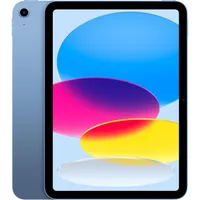
The full update is reserved for M1 iPad Air and iPad Pro models, however.
This is where you'll find the upgraded Siri, rebuilt for Apple Intelligence and merged with Google Gemini's LLMs. It's now an app in itself, but is also contextually aware of what's on your screen. Photos has had its own Apple Intelligence injection, with 'Clean Up' object removal improvements, frame-expanding, and perspective-bending tech.
Safari tabs are easier to manage; shortcuts can be created with natural language - everything from Notes to Passwords has been integrated here.
You'll be spending at least $599 for a current-generation device with one of Apple's M-series processors, but upcoming Prime Day iPad deals could also lend a hand later this month. If you're upgrading ahead of the new software, these are the models you should watch out for:


What's new in iPadOS 27?
Performance increases
All compatible Apple tablets will receive performance increases via iPadOS 27. The brand states that by the time the software is fully rolled out in 2027, iPad apps can launch "up to 30% faster," with a smoother feel overall. In its presentation, the brand explained that CPU scheduling behaviour has been streamlined for the new software upgrade, while older redundant code has been removed to keep things zippy.
Liquid Glass slider

Love it or hate it, it looks like Liquid Glass is here to stay. Apple has, however, relented slightly. Following feedback that the new UI is harder to read, the brand is introducing a slider in its iPadOS 27 update. This essentially hands control back to the user, determining just how transparent they want their icons to appear.
Siri AI

This is the big one. Siri has its own app, and it's been turbocharged with Apple AI features. It has access to system-wide apps and can pull information from each as and when you need it, combined with on-screen awareness. Its Siri AI app functions like ChatGPT, but the service also runs over the top of your day-to-day interactions to streamline actions. Of course, you can still toggle and untoggle Apple Intelligence from the settings menu if this all sounds like a nightmare come true - and the service currently won't be rolled out in the EU or China.
Photos
Apple Intelligence also brings a few new features to the Photos app. Shots can use AI to 'zoom out' on a shot, with the app filling in additional information itself, or to shift the perspective in a 're-frame' tool.
Image Playground
Finally, iPadOS 27 brings improvements to Image Playground on Apple tablets. The image generator is now capable of rendering realistic imagery rather than the cartoonish oddities of previous iterations.
For Android options, take a look at the best gaming tablets on the market. Or take a look at the Prime Day Kindle deals and Prime Day tablet deals we expect to see over the next few weeks.

