

Join The Community
- Join our community
11
Premium Benefits
24/7
Access Available
21K+
Active Members
Commenting
Join the discussion
Exclusive Articles Coming Soon
Member-only articles
Weekly Newsletters
Weekly gaming & entertainment news
Member Badges
Earn badges as you go
Exclusive Competitions
Members-only prize draws
Curated Deals Coming Soon
Tech and gaming deals worth grabbing
GET COMMUNITY ACCESS QUICK
For the quickest way to join, simply enter your email below and get access. We will send a confirmation and sign you up to our newsletter to keep you updated on all your gaming news.
By submitting your information you agree to the Terms & Conditions and Privacy Policy and are aged 16 or over.
FIND OUT ABOUT OUR MAGAZINE
Want to subscribe to the magazine? Click the button below to find out more information.
Find out more
GET Community ACCESS QUICK

Join the GamesRadar community for quick access. Enter your email below and we'll send confirmation, and sign you up to our newsletter.

By submitting your information you agree to the Terms & Conditions and Privacy Policy and are aged 16 or over.

Background
Welcome to GamesRADAR+ Community !
Hi ,

Your membership journey starts here.

Keep exploring and earning more as a member.

MY ACCOUNT

Badge picture
Earn your first badge
Read 1 article to unlock your first badge.
Keep earning badges
Explore ways to get more involved as a member.
Latest Games News

Latest Games News

Breaking gaming news and updates

Read Now
Latest Games Reviews

Latest Games Reviews

Expert verdicts on the newest releases

Read Now

See what you’ve unlocked.

Explore your membership benefits.

Explore
Member Exclusives

Stay Ahead with GamesRadar+

Get the biggest gaming news, reviews, and releases straight to your inbox.

Explore

Sign Out
GamesRadar+ GamesRadar+
US EditionUS CA EditionCanada UK EditionUK AU EditionAustralia
Sign in
  • View Profile
  • Sign out
  • Games
    • Game Insights
      • Games News
      • Games Features
      • Games Reviews
      • Games Guides
      • Big in 2026
      • The Big Preview
      • On The Radar
      • Indie Spotlight
      • Future Games Show
      • Golden Joystick Awards
    • Genres
      • Action Games
      • RPGs
      • Action RPGs
      • Adventure Games
      • Third Person Shooters
      • FPS Games
    • Platforms
      • PS5
      • Xbox Series X
      • PC
      • Nintendo Switch
      • Nintendo Switch 2
      • Tabletop Gaming
    • Franchises
      • Grand Theft Auto
      • Pokemon
      • Assassin's Creed
      • Monster Hunter
      • Fortnite
      • Cyberpunk
      • Red Dead
      • The Elder Scrolls
      • The Sims
  • Entertainment
    • TV Shows
      • TV News
      • TV Reviews
      • Anime Shows
      • Sci-Fi Shows
      • Superhero Shows
      • Animated Shows
      • Marvel TV Shows
      • Star Wars TV Shows
      • DC TV Shows
    • Movies
      • Movie News
      • Movie Reviews
      • Big Screen Spotlight
      • Superhero Movies
      • Action Movies
      • Anime Movies
      • Sci-Fi Movies
      • Horror Movies
      • Marvel Movies
      • DC Movies
    • Streaming
      • Apple TV Plus
      • Disney Plus
      • Netflix
      • HBO
      • Amazon Prime Video
      • Hulu
    • Comics
      • Marvel Comics
      • DC Comics
    • Toys & Collectibles
    • Lego
    • Dungeons and Dragons
    • Merch
  • Hardware
    • Insights
      • Hardware News
      • Hardware Reviews
      • Hardware Features
    • Computing
      • Desktop PCs
      • Laptops
      • Handhelds
    • Peripherals
      • Headsets & Headphones
      • TVs & Monitors
      • Gaming Mice
      • Gaming Keyboards
      • Gaming Chairs
      • Speakers & Audio
    • Accessories & Tech
      • Gaming Controllers
      • Tech
      • SSDs & Hard Drives
      • VR
      • Accessories
      • Retro
  • Deals
    • Game Deals
    • Tech Deals
    • TV Deals
    • Buying Guides
  • Video
    • Video
    • GR+ Replay - Submit Your Clips
  • Newsletters
    • Quizzes
    • About Us
    • How to pitch to us
    • How we score
    • Newsarama
    • Retro Gamer
    • Total Film
  • home
  • Games
    • View Games
      • Games News
      • Games Features
      • Games Reviews
      • Games Guides
      • Big in 2026
      • The Big Preview
      • On The Radar
      • Indie Spotlight
      • Future Games Show
      • Golden Joystick Awards
      • Action Games
      • RPGs
      • Action RPGs
      • Adventure Games
      • Third Person Shooters
      • FPS Games
    • Platforms
      • View Platforms
      • PS5
      • Xbox Series X
      • PC
      • Nintendo Switch
      • Nintendo Switch 2
      • Tabletop Gaming
      • Grand Theft Auto
      • Pokemon
      • Assassin's Creed
      • Monster Hunter
      • Fortnite
      • Cyberpunk
      • Red Dead
      • The Elder Scrolls
      • The Sims
  • Entertainment
    • View Entertainment
    • TV Shows
      • View TV Shows
      • TV News
      • TV Reviews
      • Anime Shows
      • Sci-Fi Shows
      • Superhero Shows
      • Animated Shows
      • Marvel TV Shows
      • Star Wars TV Shows
      • DC TV Shows
    • Movies
      • View Movies
      • Movie News
      • Movie Reviews
      • Big Screen Spotlight
      • Superhero Movies
      • Action Movies
      • Anime Movies
      • Sci-Fi Movies
      • Horror Movies
      • Marvel Movies
      • DC Movies
    • Streaming
      • View Streaming
      • Apple TV Plus
      • Disney Plus
      • Netflix
      • HBO
      • Amazon Prime Video
      • Hulu
    • Comics
      • View Comics
      • Marvel Comics
      • DC Comics
    • Toys & Collectibles
    • Lego
    • Dungeons and Dragons
    • Merch
  • Hardware
    • View Hardware
      • Hardware News
      • Hardware Reviews
      • Hardware Features
      • Desktop PCs
      • Laptops
      • Handhelds
    • Peripherals
      • View Peripherals
      • Headsets & Headphones
      • TVs & Monitors
      • Gaming Mice
      • Gaming Keyboards
      • Gaming Chairs
      • Speakers & Audio
      • Gaming Controllers
      • Tech
      • SSDs & Hard Drives
      • VR
      • Accessories
      • Retro
  • Deals
    • View Deals
    • Game Deals
    • Tech Deals
    • TV Deals
    • Buying Guides
  • Video
    • View Video
    • Video
    • GR+ Replay - Submit Your Clips
  • Newsletters
    • Quizzes
    • About Us
    • How to pitch to us
    • How we score
    • Newsarama
    • Retro Gamer
    • Total Film
Trending
  • Pokemon Winds and Waves
  • New Games for 2026
  • Submit your game clips
  • GDC
  1. Hardware
  2. Laptops
Supported

What to consider when investing in a gaming laptop

Features
By Iain Wilson published 26 June 2023

Keep these considerations on your radar when you’re looking to purchase a gaming laptop

When you purchase through links on our site, we may earn an affiliate commission. Here’s how it works.

Gaming Laptop stock photography
(Image credit: Intel)

GamesRadar has created this content as part of a paid partnership with Intel. The contents of this article are entirely independent and solely reflect the editorial opinion of GamesRadar.

If you’re looking to buy a new gaming laptop, then this is likely to be one of the most significant purchases you make. Therefore you want to ensure that you’ve made the right considerations before investing, so you can find a product that’s going to meet your needs for the long term. With that in mind, we’re here to highlight the main points that you need to think about, so you can make an informed decision before you spend any money.

The design

Before you even start thinking about specifications, the first thing you should consider when looking for a gaming laptop is the design and weight. If you’re planning on regularly travelling with it for gaming on the go, then you should be aiming for a lightweight system that doesn’t take up too much space, while if you’re getting a laptop for convenience that will mainly stay at home then you can afford to go for a bulkier machine which doesn’t need moving around as often.

The size of your gaming laptop also ties directly into the display you’re after, and whether you’ll mainly be using the built-in screen or connecting to an external monitor or television. A larger built-in display means a physically bigger system overall, but if you plan on outputting to another device then you can choose something more compact. When it comes to those displays, there’s no point in splashing out on a laptop capable of 4K gaming if you’re only hooking it up to a 1080p screen, but conversely if you have a 4K display and want to take full advantage of it then you need to know that your laptop will have the power to do it.

Gaming Laptop stock photography

(Image credit: Intel)

Your specs

Probably the biggest consideration when choosing a gaming laptop is the CPU that it’s built on, as this is where all of the central processing takes place that keeps your machine running. When determining the power of a CPU, you’ll want to look at the clock speed or frequency as this represents the number of cycles it can execute per second, and aim for the highest rate you can get with your budget. However, a more important measure to look at is the core count, as with a multiple-core processor each one can work independently on different tasks to handle much larger concurrent workloads.

Your processor

For a CPU that rates highly in both of those aspects, you should look no further than the 13th Gen Intel Core processors (HX Series) processor range, as these are a perfect fit for giving your gaming laptop the power it deserves. 

Although the CPU can handle a certain amount of graphics output, if you want to enjoy reliable gaming at a high resolution then you’ll need to pair it with a dedicated GPU to handle that side of things. Whether you’re aiming for 1080p, 1440p, or 4K, make sure the GPU is capable of steadily outputting that in at least 60 frames per second to ensure a smooth experience – and higher if you’re connecting to a higher-end monitor with a refresh rate or 120Hz, 144Hz or beyond.
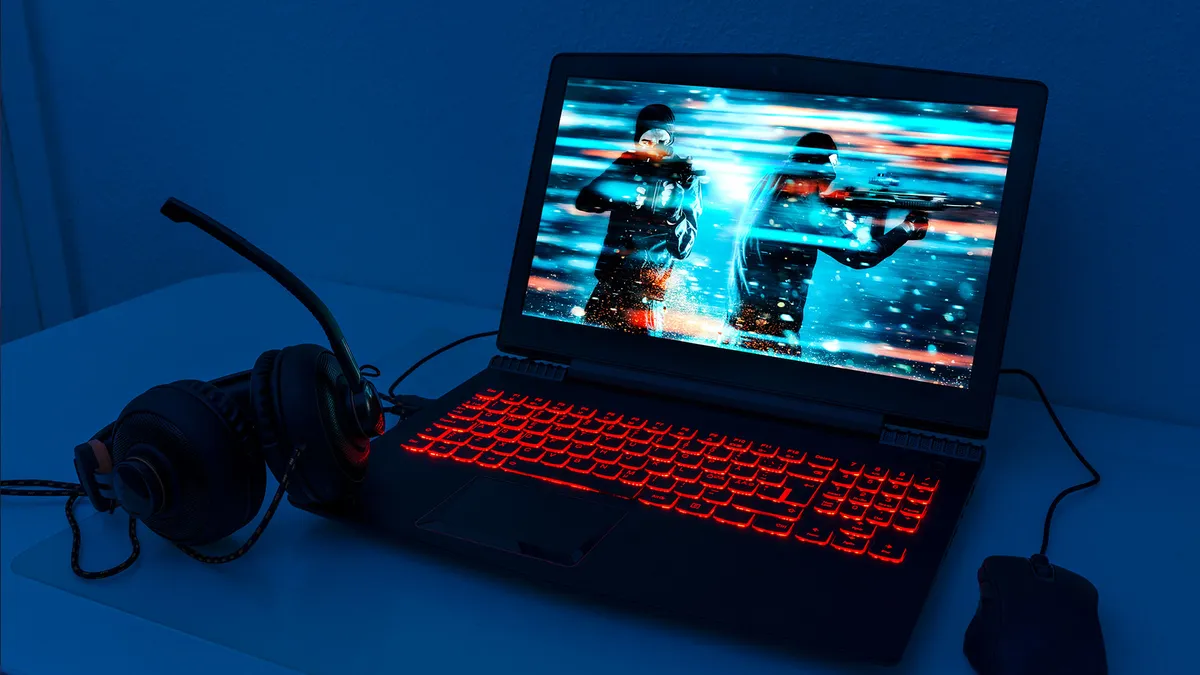
Stock photography of a gaming laptop, headset and mouse

(Image credit: Getty/mikkelwilliam)

Bear in mind that dedicated GPUs generate a lot of heat and drain battery charge rapidly, so the more powerful your separate graphics processor is the less time you’ll be able to use your laptop away from mains power. For this reason, most gaming laptops have built-in options to switch between the graphics output of the CPU, known as integrated graphics, and the dedicated GPU so the CPU can take care of the less demanding desktop display tasks. This can significantly boost battery life by only using the GPU when needed, so check that your CPU has integrated graphics and is capable of making this switch.

Sign up to the GamesRadar+ Newsletter

Weekly digests, tales from the communities you love, and more

By submitting your information you agree to the Terms & Conditions and Privacy Policy and are aged 16 or over.

You also need to ensure that your gaming laptop has enough RAM, so that it can function effectively while completing demanding tasks. A minimum of 16GB RAM should be your target as this will cover most games at higher settings along with some multitasking, though if you’re a content creator taking on additional tasks such as video editing and rendering then 32GB will ensure you stay up to speed. In most cases, you won’t be able to add extra RAM to your gaming laptop later, so it’s better to overestimate here and future-proof yourself as much as possible.

Your storage

When it comes to storage, SSDs are the way to go as these solid-state drives are more reliable and have much faster read/write speeds than traditional HDDs, meaning faster load times for your games and files. As they don’t have the moving parts of mechanical drives, SSDs are much better suited to portability as they won’t be as affected by any knocks and bumps your gaming laptop may receive. At a minimum, you need a smaller SSD installed to run your operating system and most used programs, then you can expand your storage if necessary with an external SSD or HDD.

PC

(Image credit: Asus)

Your connectivity

The final consideration for your gaming laptop should be connectivity, as if you’re planning to attach items such as an external keyboard and mouse, controller(s), a headset, and more then you need to have enough ports available to plug everything in. You’ll also want to ensure you have at least one high-speed USB port free if you’re connecting external storage, so you can access your data at the full speed of the drive without any unnecessary lag being introduced.

Put all of those considerations together, and you’ll be able to invest in a gaming laptop that will keep you ahead of the competition for years to come.

TOPICS
Intel
Iain Wilson
Iain Wilson
Social Links Navigation
Guides Editor

Iain originally joined Future in 2012 to write guides for CVG, PSM3, and Xbox World, before moving on to join GamesRadar in 2013 as Guides Editor. His words have also appeared in OPM, OXM, PC Gamer, GamesMaster, and SFX. He is better known to many as ‘Mr Trophy’, due to his slightly unhealthy obsession with amassing intangible PlayStation silverware, and he now has over 1,000 Platinum pots weighing down the shelves of his virtual award cabinet. He does not care for Xbox Achievements.

LATEST ARTICLES
  1. Invincible season 4
    1
    Invincible season 4 has Iron Man in its sights as it pokes fun at MCU's superhero costume "problem"
  2. 2
    Who is Mr. Charles in Daredevil: Born Again season 2?
  3. 3
    Daredevil: Born Again S2 review: "Still struggling to bloom in the shadow of the Netflix show"
  4. 4
    Where are the Defenders in Daredevil: Born Again season 2?
  5. 5
    Daredevil: Born Again season 2 connects Valentina and Kingpin, with possible ramifications for the Thunderbolts

GamesRadar+ is part of Future US Inc, an international media group and leading digital publisher. Visit our corporate site.

Add as a preferred source on Google Add as a preferred source on Google
  • Terms and conditions
  • Contact Future's experts
  • Privacy policy
  • Cookies policy
  • Accessibility statement
  • Careers
  • About us
  • Advertise with us
  • Review guidelines
  • Write for us
  • Accessibility Statement

© Future US, Inc. Full 7th Floor, 130 West 42nd Street, New York, NY 10036.

Please login or signup to comment

Please wait...