





If you're wondering how to charge Joy-Cons for a new Nintendo Switch then you've got one main option to start with and a few back up choices to look into. Your little mini controllers obviously work fine while still on your Switch but the battery starts to drain when they're detached and you might be wondering if you can charge them while you're using them?
Firstly, bad news - you have to attach your Joy-Cons to something to charge them. There's no main option for wired play like you get with PlayStation or Xbox. And, obviously, there are no batteries to swap around to keep you going. There are at least some options like charging docks and grips you can use, as well as the Switch itself, to get powered up. So let's take a look at how to charge Nintendo Switch Joy-Cons, along with how long Joy-Cons take to charge.
How to charge Joy-Cons for Nintendo Switch

The main way to charge your Switch Joy-Cons is to just attach them to the console itself while it's in the dock or handheld mode. As long as they're attached they'll charge from the console and keep going.
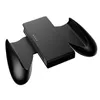
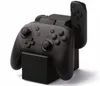
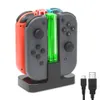
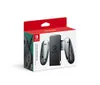
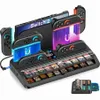
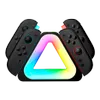
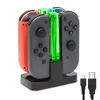
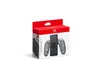
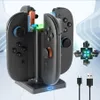
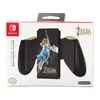
If you don't want to attach them to the console, then there are a range of Joy-Con charging grips and stations sold separately you can use. Sadly there's no option to use anything like a USB C cable, although a charging grip will let you play and charge at the same time. The charging stations on the other hand at least let you charge back up controllers if you have them, so you've alway got some on stand by. Here's a few options to consider:






How long do Joy-Cons take to charge?
To charge Joy-Cons from empty to fully charged will take approximately three and a half hours, according to the official Nintendo site. Take note that if the console is not charging and the Joy-Cons are attached, they will only charge to about the halfway mark in order to reserve console battery.
Make sure you always put the Switch in the dock and attach the Joy-Cons when you're not using it to keep them charged at all times and you'll avoid getting caught out by flat batteries most of the time.
Make sure you check out our list of the best Nintendo Switch games if you're looking for something new to play!
© GamesRadar+. Not to be reproduced without permission

